Introduction
This tutorial shows how to loop an audio track in After Effects so it perfectly matches a looping animation or video. You’ll learn how to trim audio, pre-compose it, enable Time Remapping, and apply a loop expression for seamless playback.
Step 1: Import the Audio into Your Project
Open the project where your animation or video is already looped. Import your audio file and drag it onto the timeline. Select the looping animation or video layer and press “U” to reveal its keyframes. This helps you see the exact duration of the loop.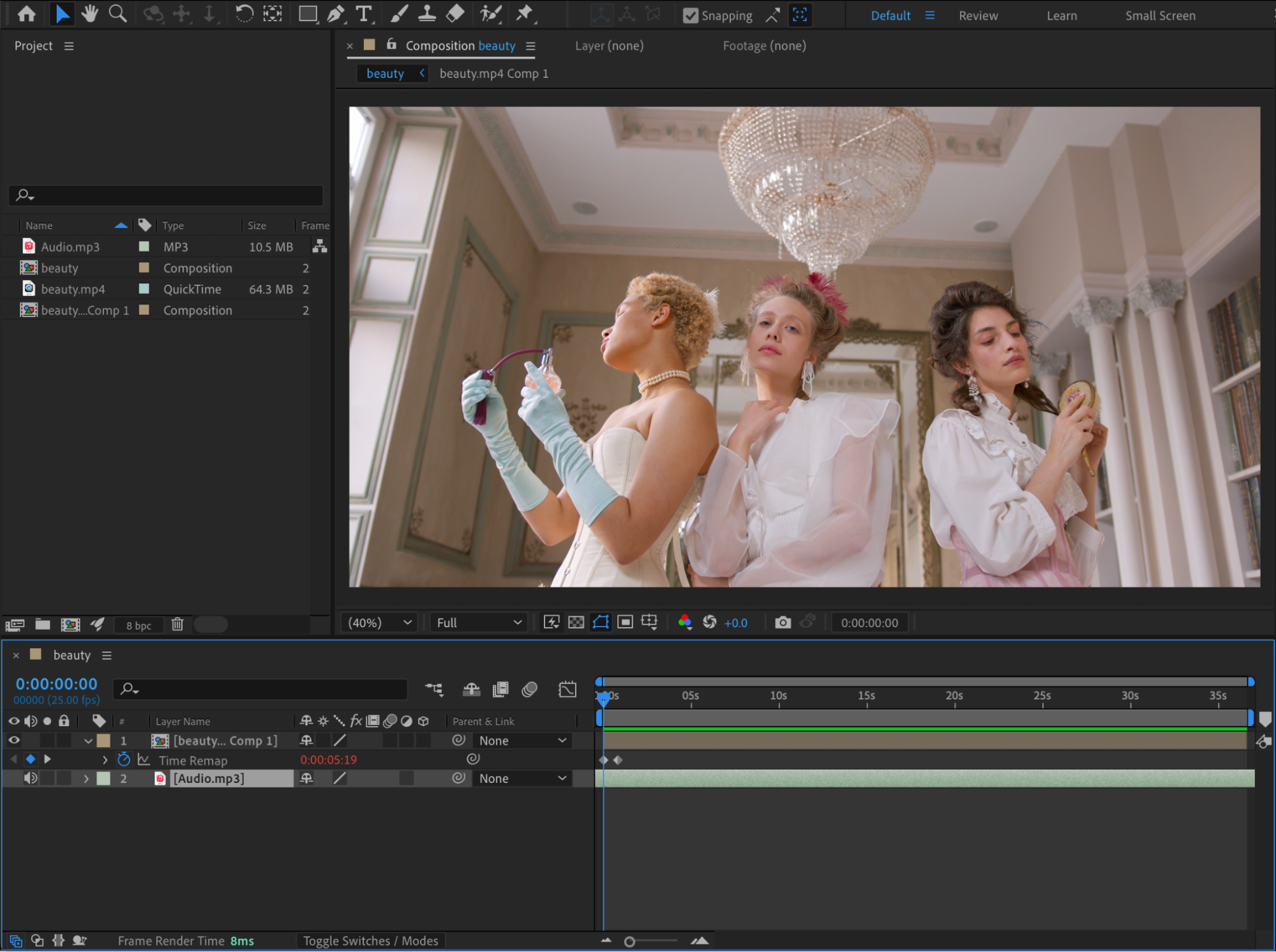 Step 2: Trim the Audio to Match the Loop Length
Find the section of the audio you want to loop. Use the shortcuts:
“Alt / Option + [” to trim the start of the audio layer
“Alt / Option + ]” to trim the end of the audio layer
Adjust the audio layer length so it exactly matches the duration of the video loop.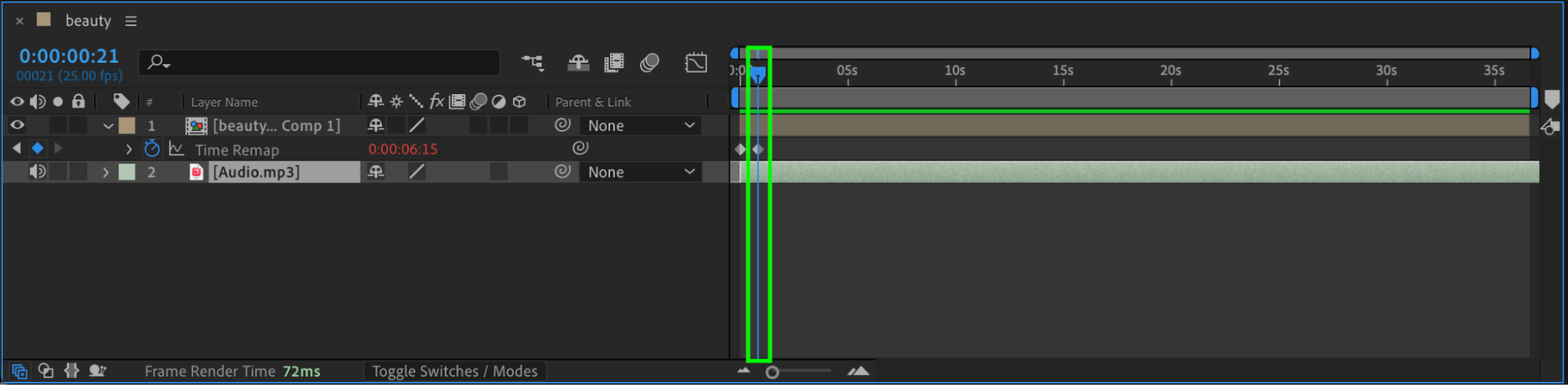
Get 10% off when you subscribe to our newsletter

Step 3: Pre-compose the Audio Layer
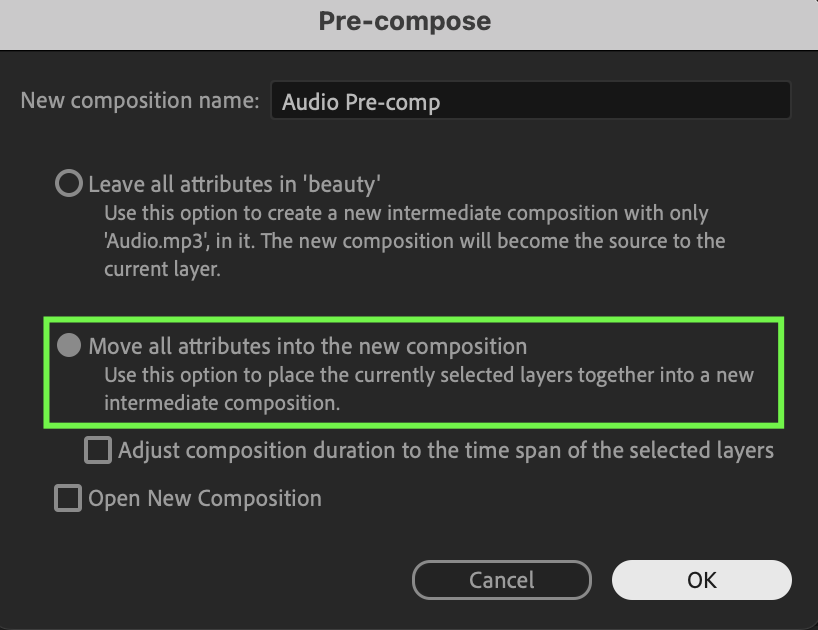
Select the audio layer. Right-click and choose Pre-compose. Make sure Move all attributes into the new composition is selected, then click OK.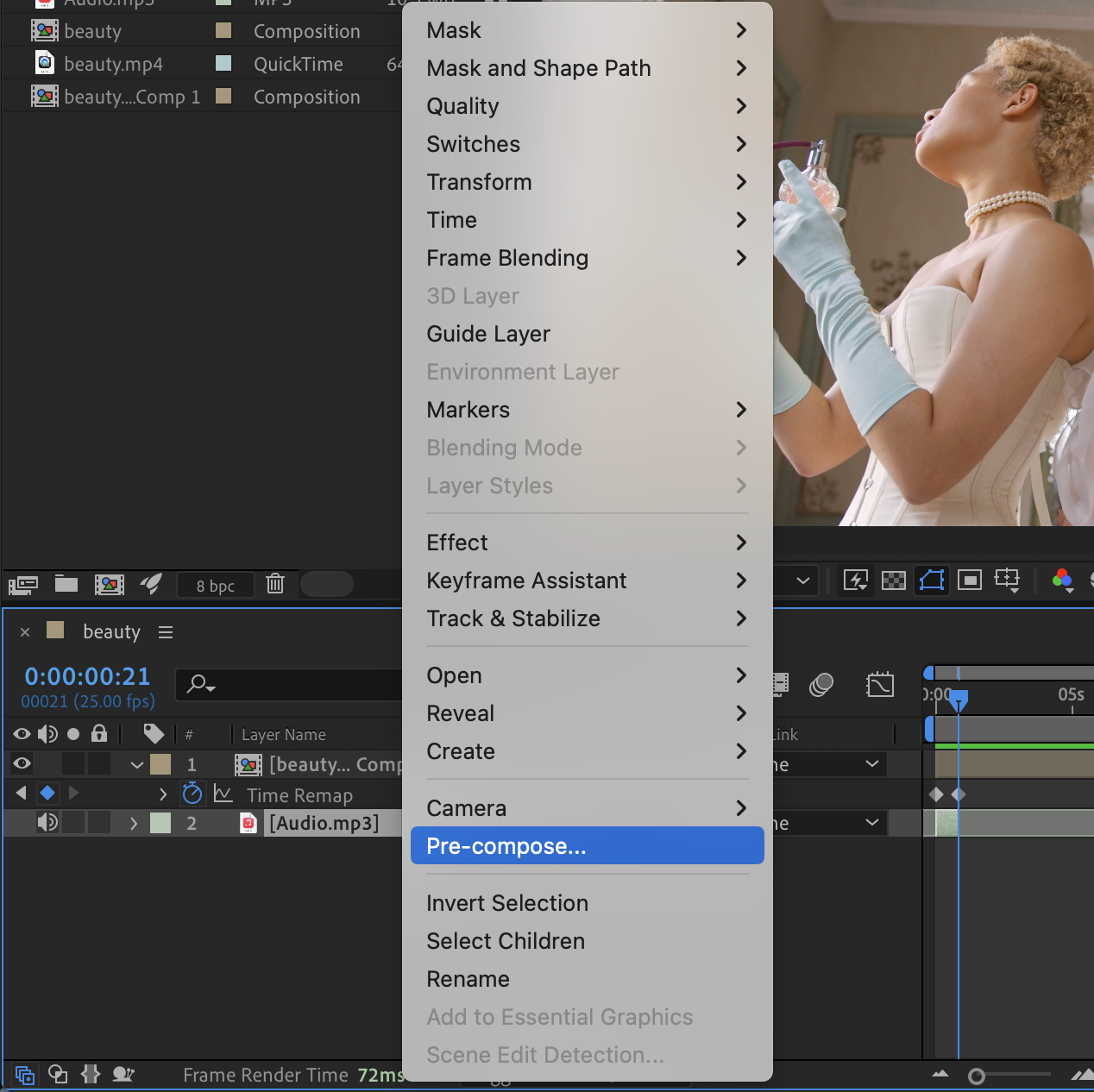
 Step 4: Enable Time Remapping
Right-click the pre-composed audio layer. Go to Time > Enable Time Remapping.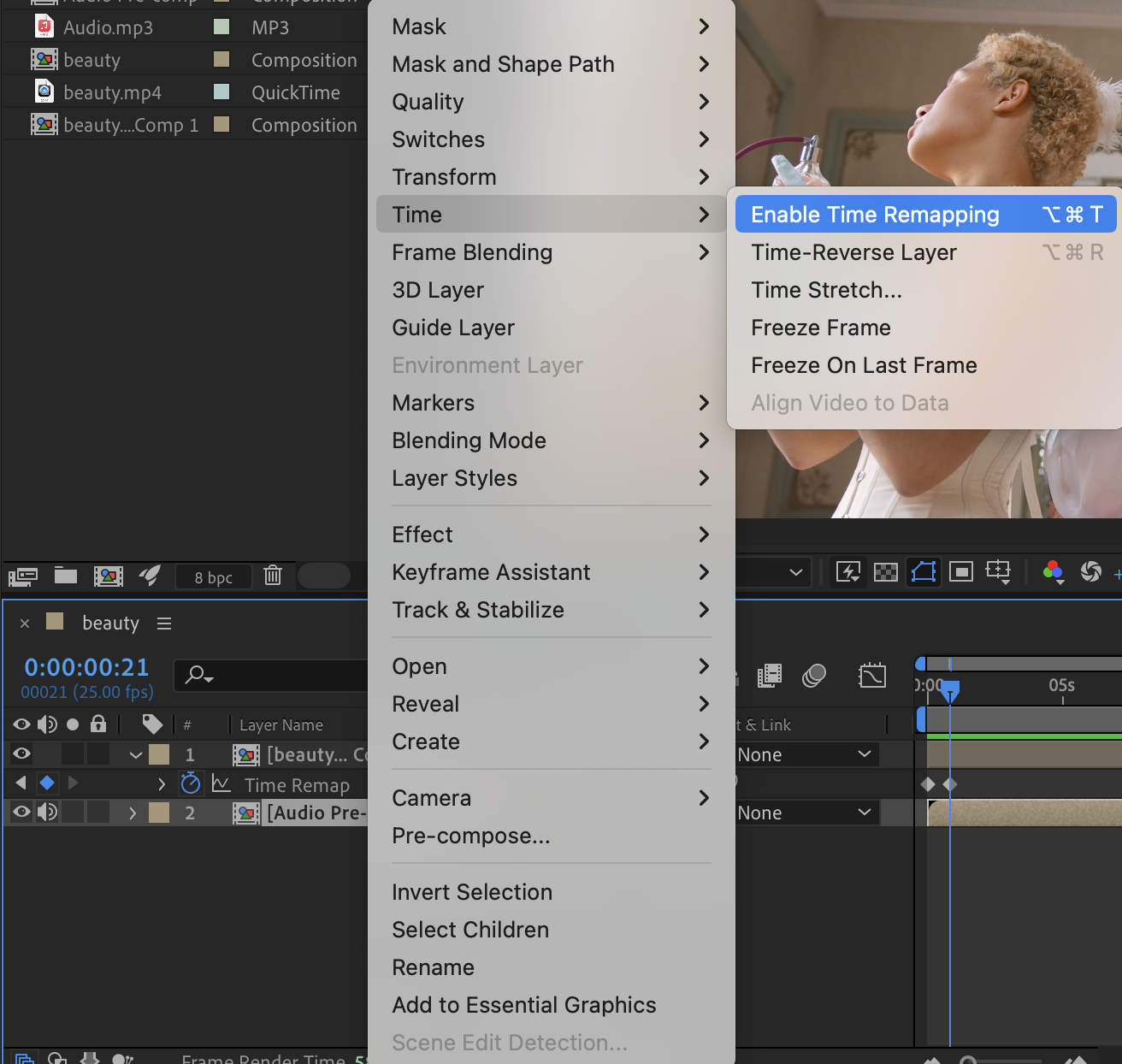
Step 5: Adjust Time Remap Keyframes
After enabling Time Remapping, two keyframes will be created automatically. Add a third keyframe at the new end of the audio loop. Delete the second keyframe at the end of the layer.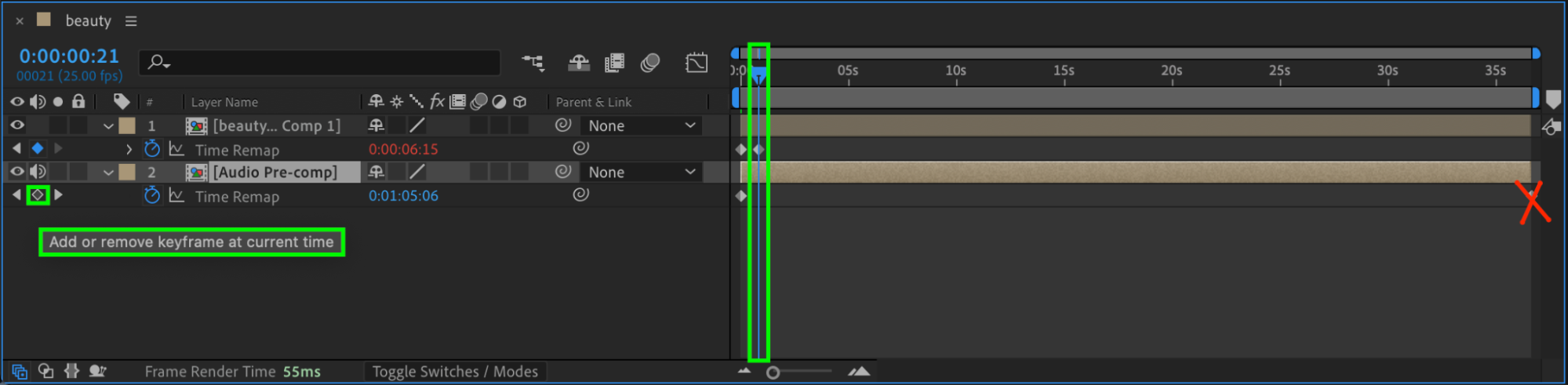
Step 6: Important Tip
Do NOT use Easy Ease for audio. Audio loops must remain linear to avoid clicks or timing issues.
Step 7: Add the Loop Expression
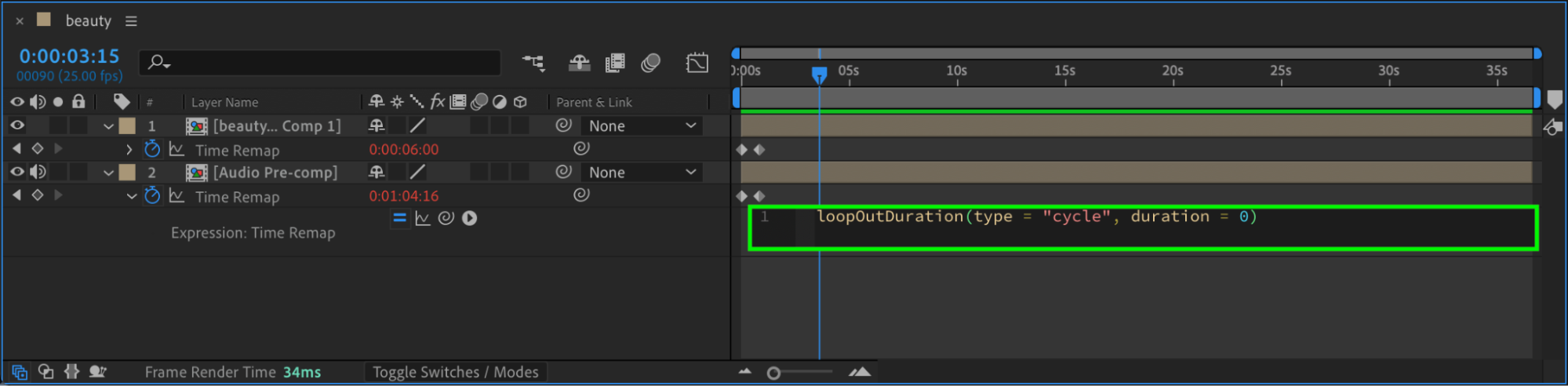
Select the Time Remap property. Hold Alt / Option and click the stopwatch, then paste the following expression:
loopOutDuration(type = “cycle”, duration = 0);
This expression loops the audio continuously without gaps.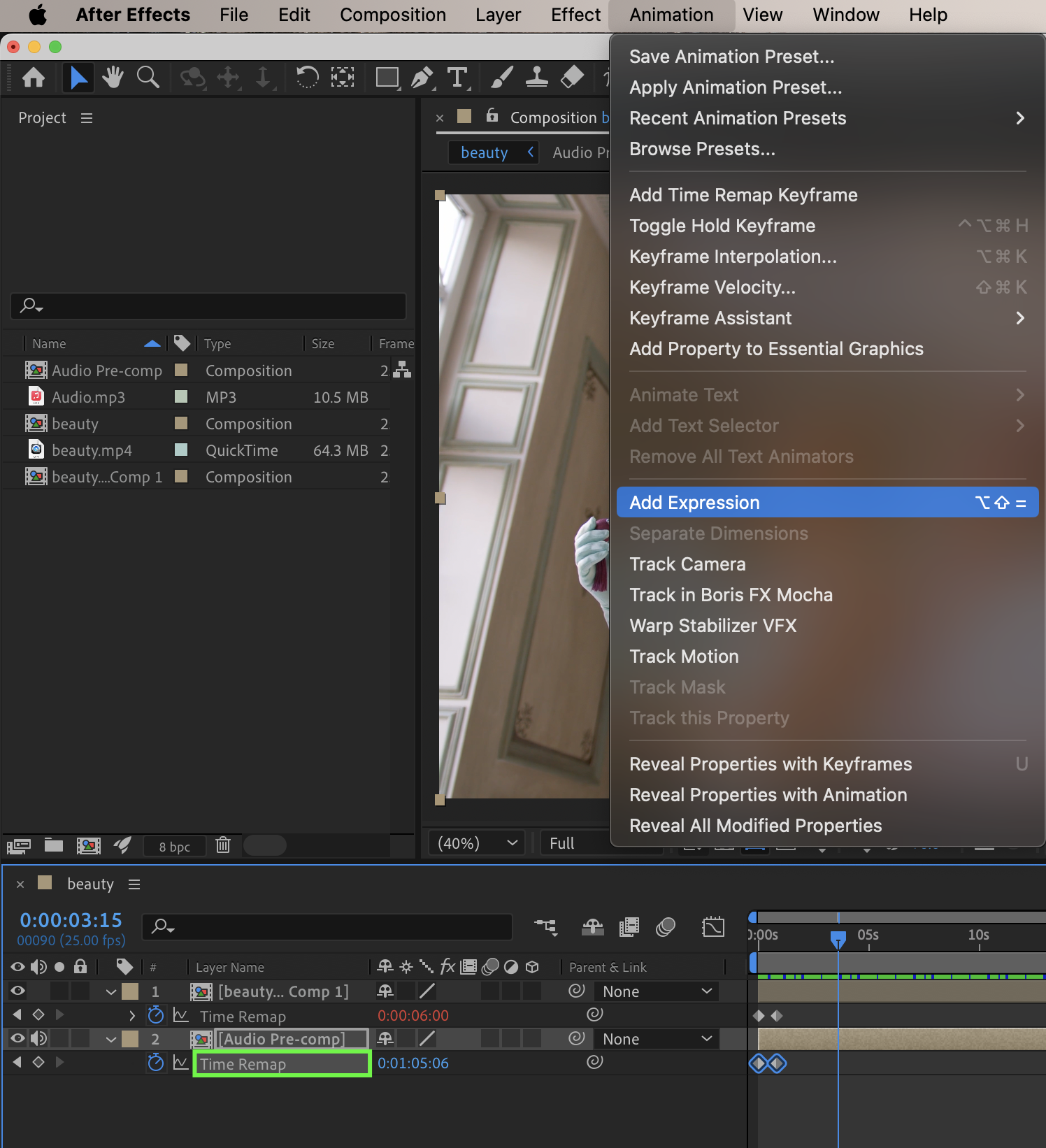
 Step 8: Preview with Audio
Preview the composition with audio enabled. Make sure the sound loops smoothly and stays in sync with the animation.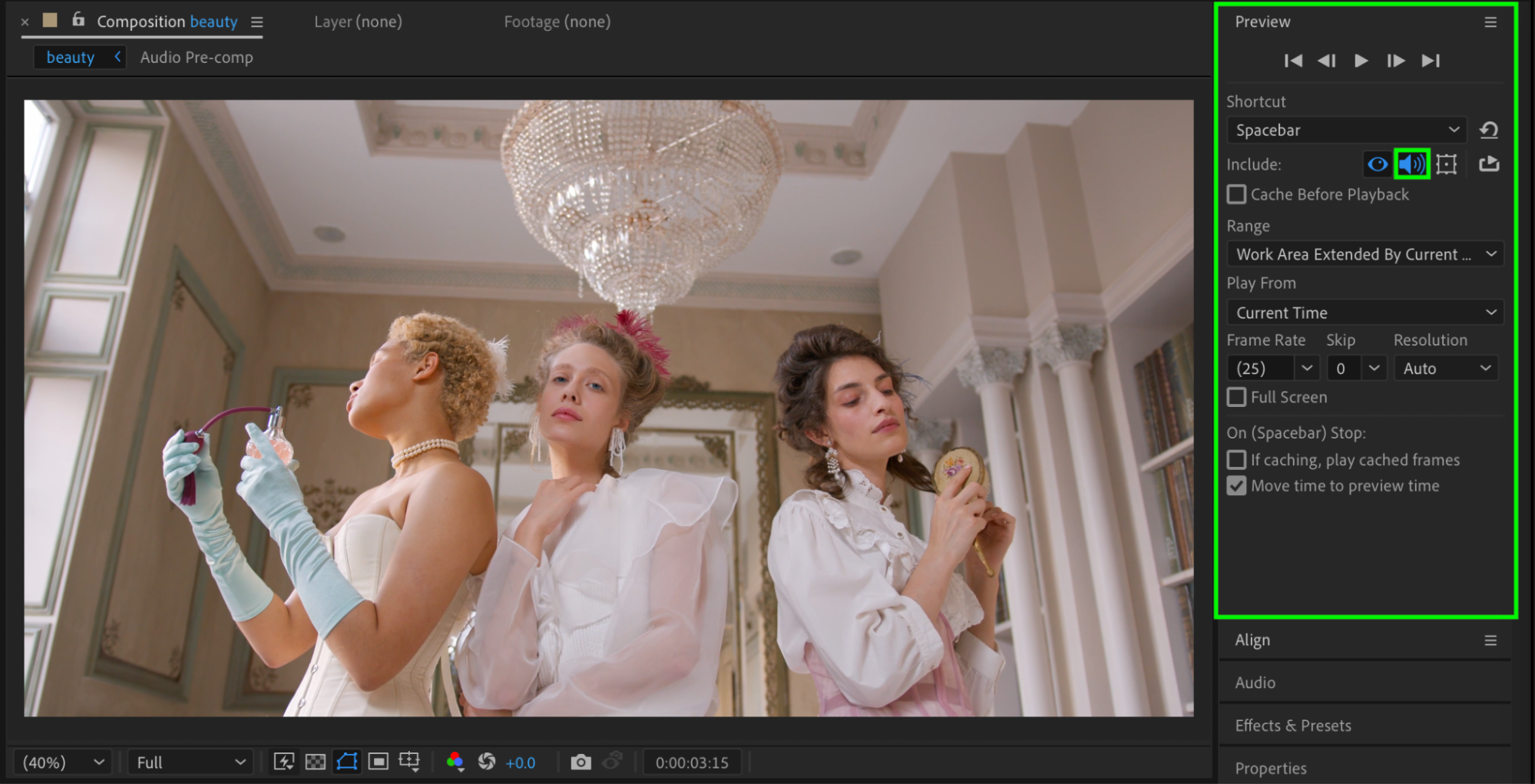 Conclusion
By trimming your audio, using Time Remapping, and applying a loop expression, you can create clean and seamless audio loops in After Effects. This method works perfectly for looping animations, background music, and motion graphics projects.
Our Bestsellers


