Introduction
Moving light effects can bring depth, drama, and atmosphere to your footage. Using the CC Spotlight effect in After Effects, you can easily simulate light movement across a surface, creating cinematic highlights and motion energy.
Step 1: Import Your Footage
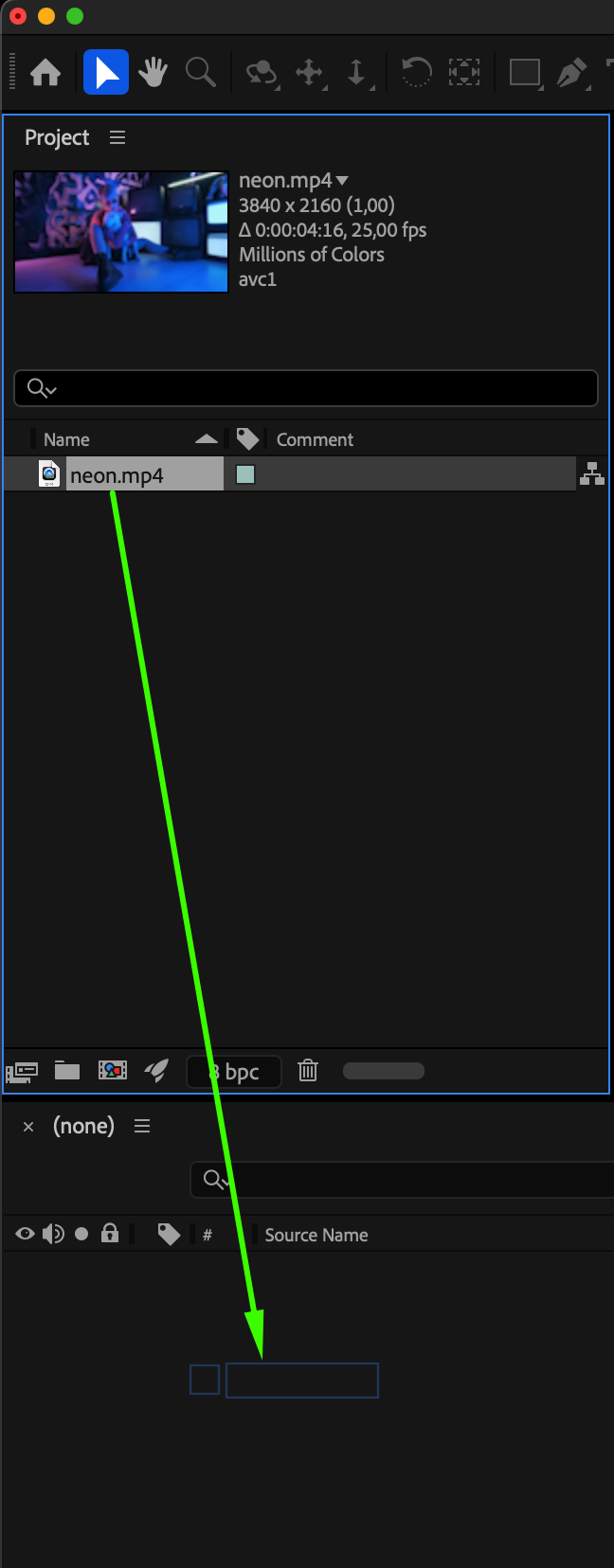
Go to File > Import > File and select your video. Drag it from the Project Panel into the Timeline to create a new composition.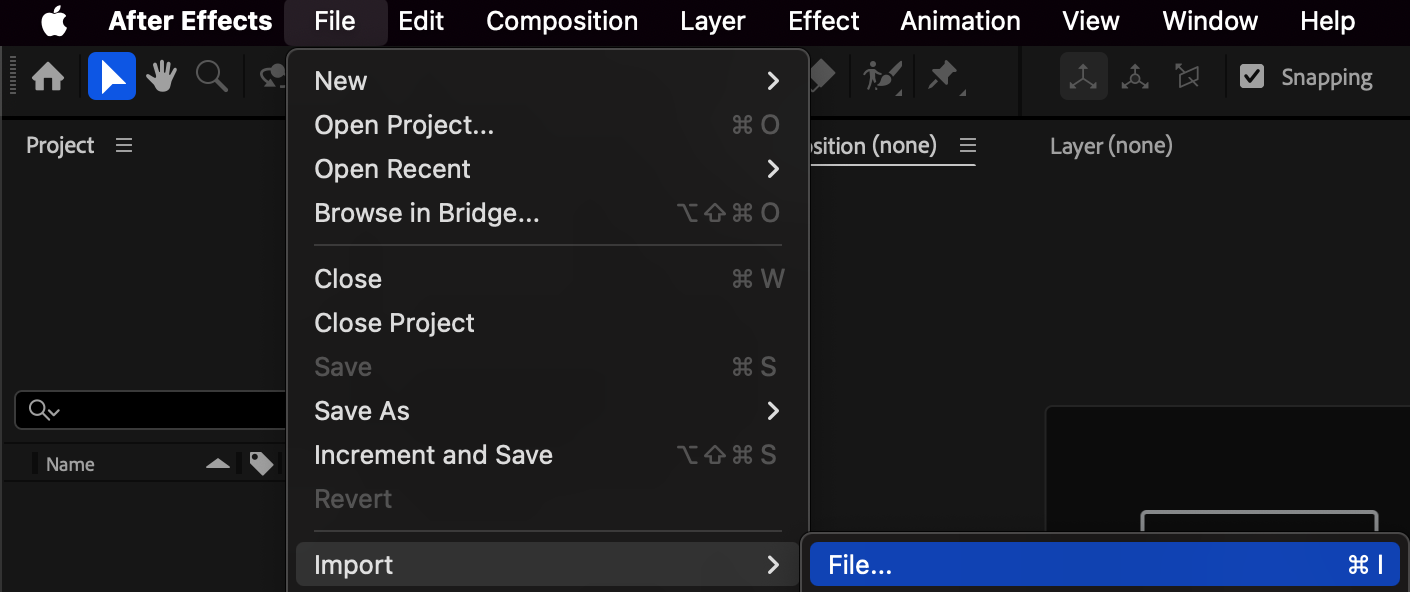
 Step 2: Apply the CC Spotlight Effect
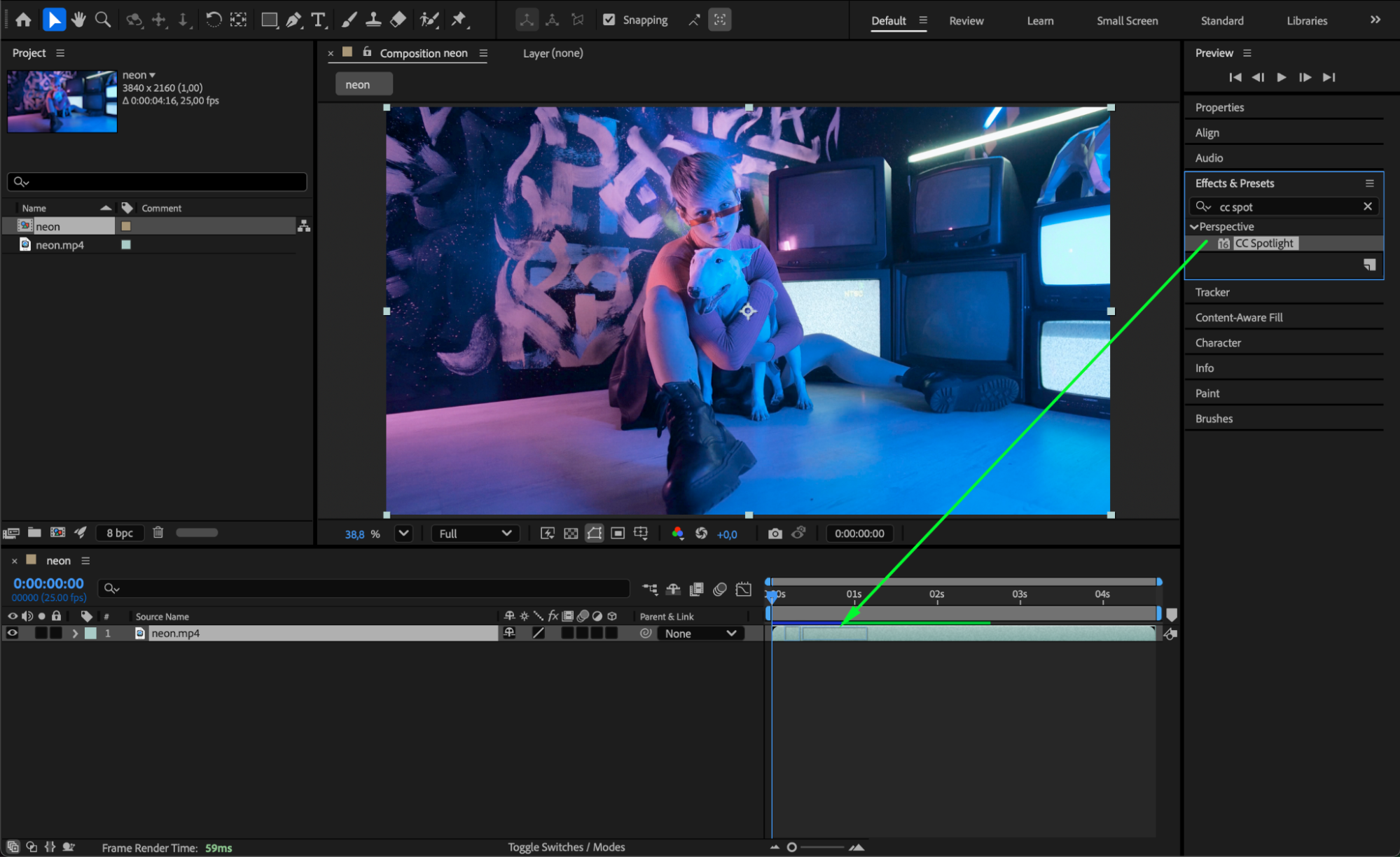
Open the Effects & Presets panel, search for CC Spotlight, and drag it onto your video layer in the Timeline. The effect will instantly add a light source to your scene.
Get 10% off when you subscribe to our newsletter

Step 3: Adjust Light Settings
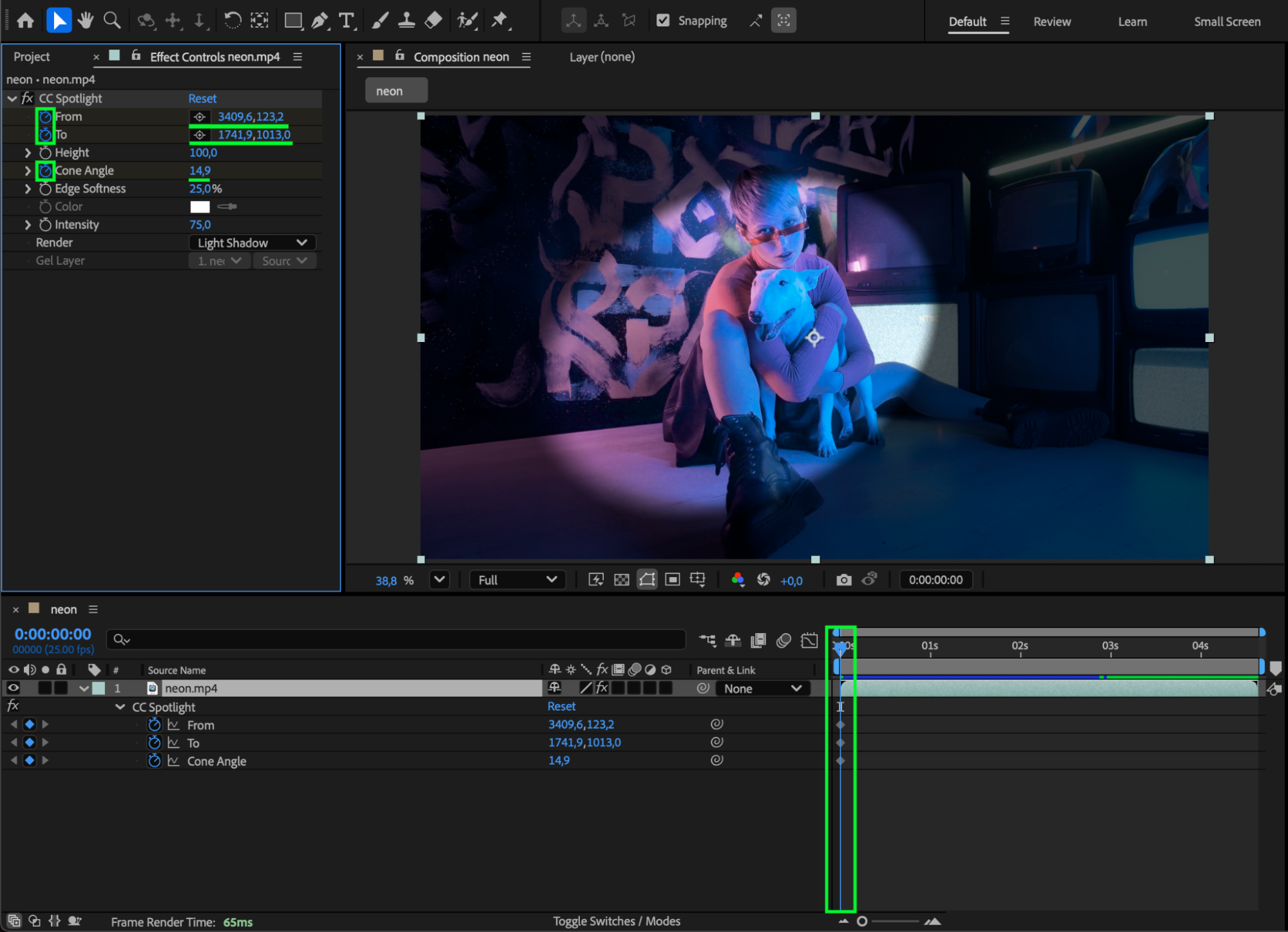
In the Effect Controls Panel, customize the From (light source) and To (light target) points to define the light direction. You can also modify the Height, Cone Angle, and Edge Softness to control the shape and intensity of the light beam.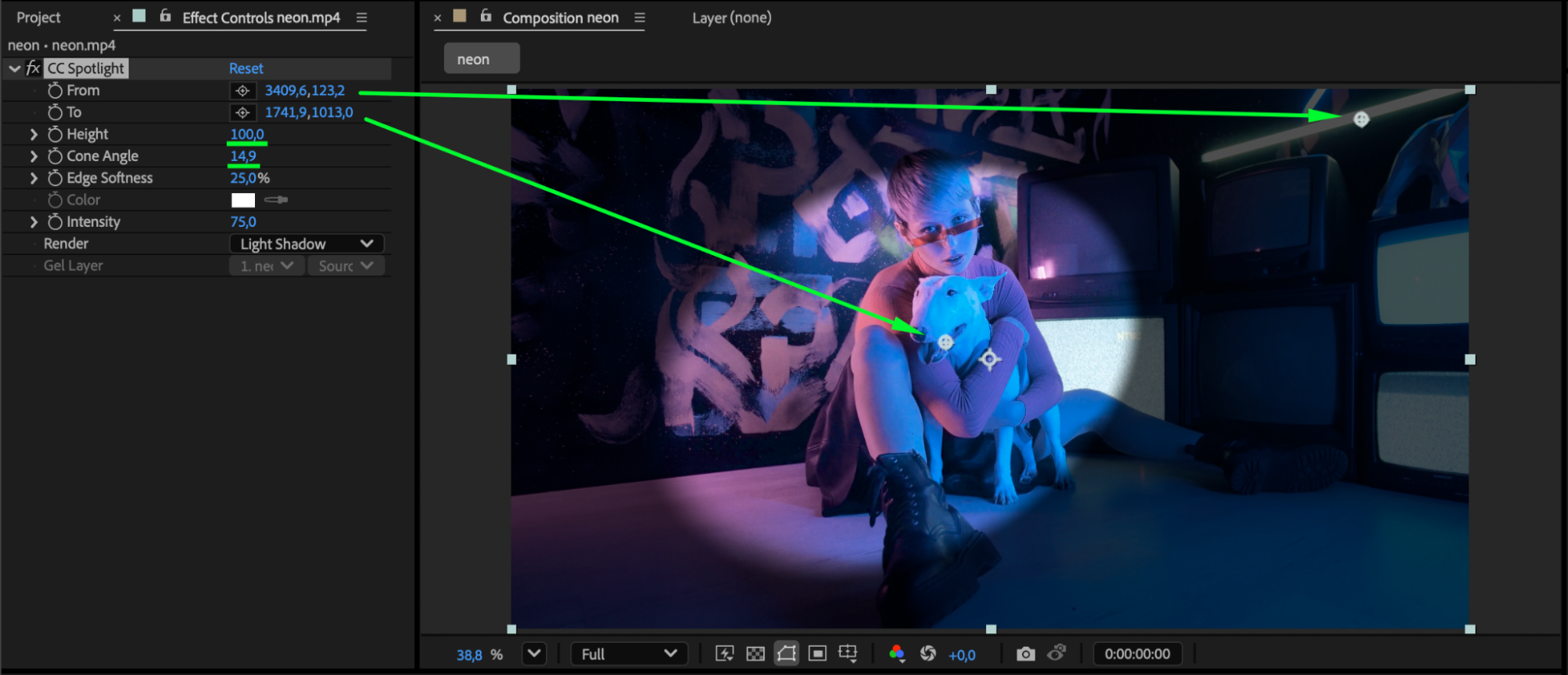
Step 4: Animate the Light Movement
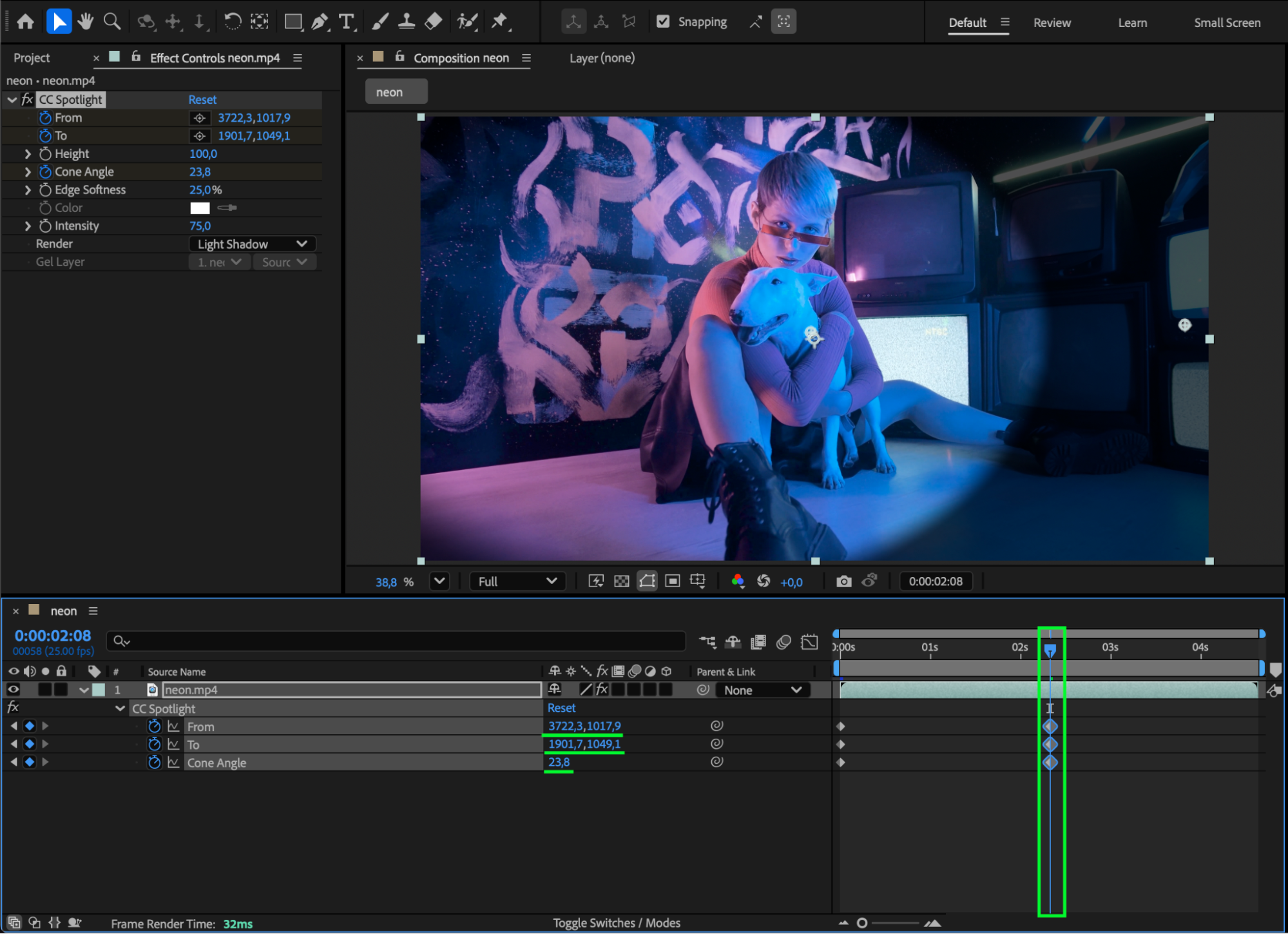
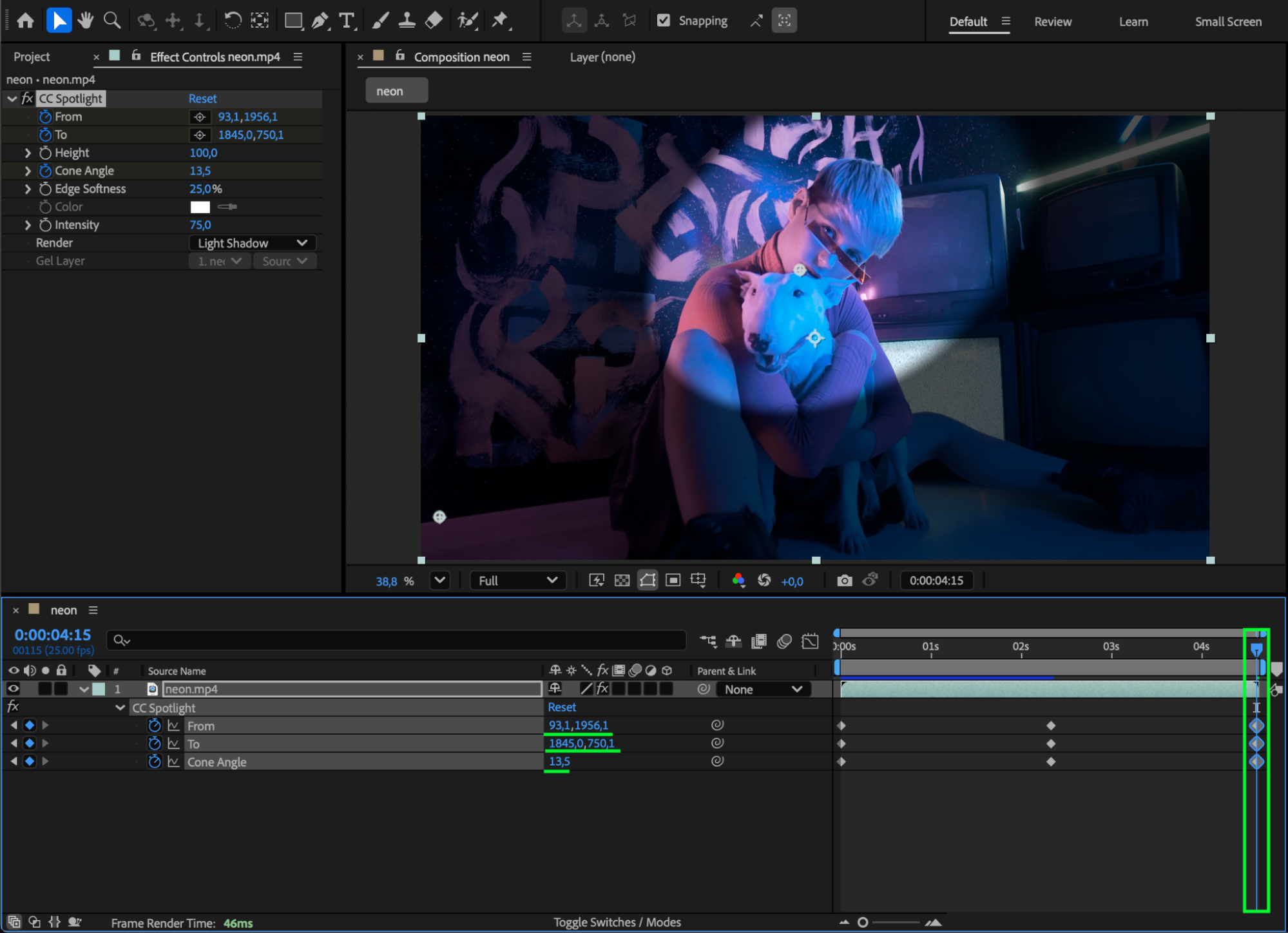
To create a moving light effect, set the CTI (Current Time Indicator) to the start of your composition. Click the stopwatch icons next to the From and To properties to create keyframes. Then move the CTI forward and change their positions to animate the light sweeping or moving across your video.
Step 5: Smooth the Animation
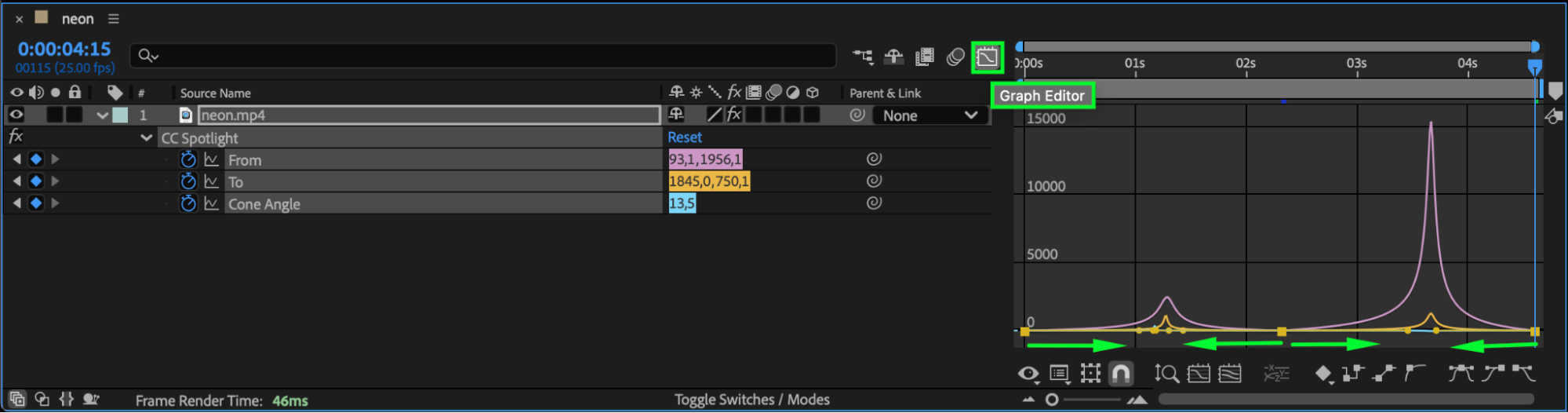
Select all light keyframes, right-click, and choose Keyframe Assistant > Easy Ease for smooth transitions. You can refine the motion using the Graph Editor to adjust the speed curve and make the light movement feel more natural.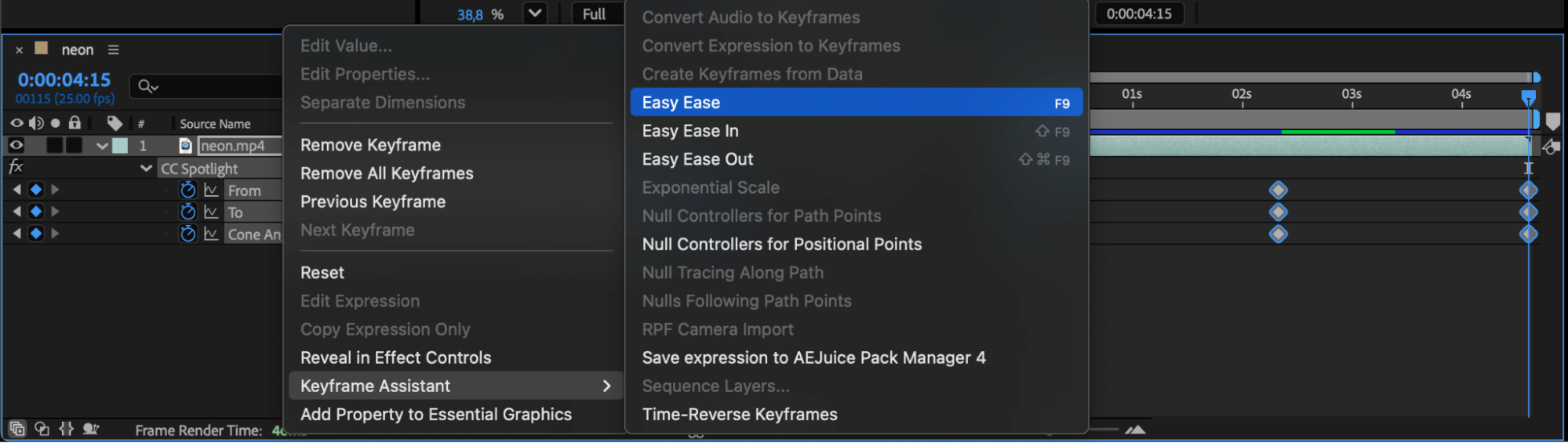
 Step 6: Add Extra Glow (Optional)
To enhance the effect, apply the Glow effect from the Effects & Presets panel. Adjust Glow Radius and Intensity to create a soft light bloom that blends beautifully with your footage.
Step 7: Preview Your Composition
Press Spacebar to preview the result. You’ll see your light dynamically moving across the scene, adding cinematic depth and atmosphere.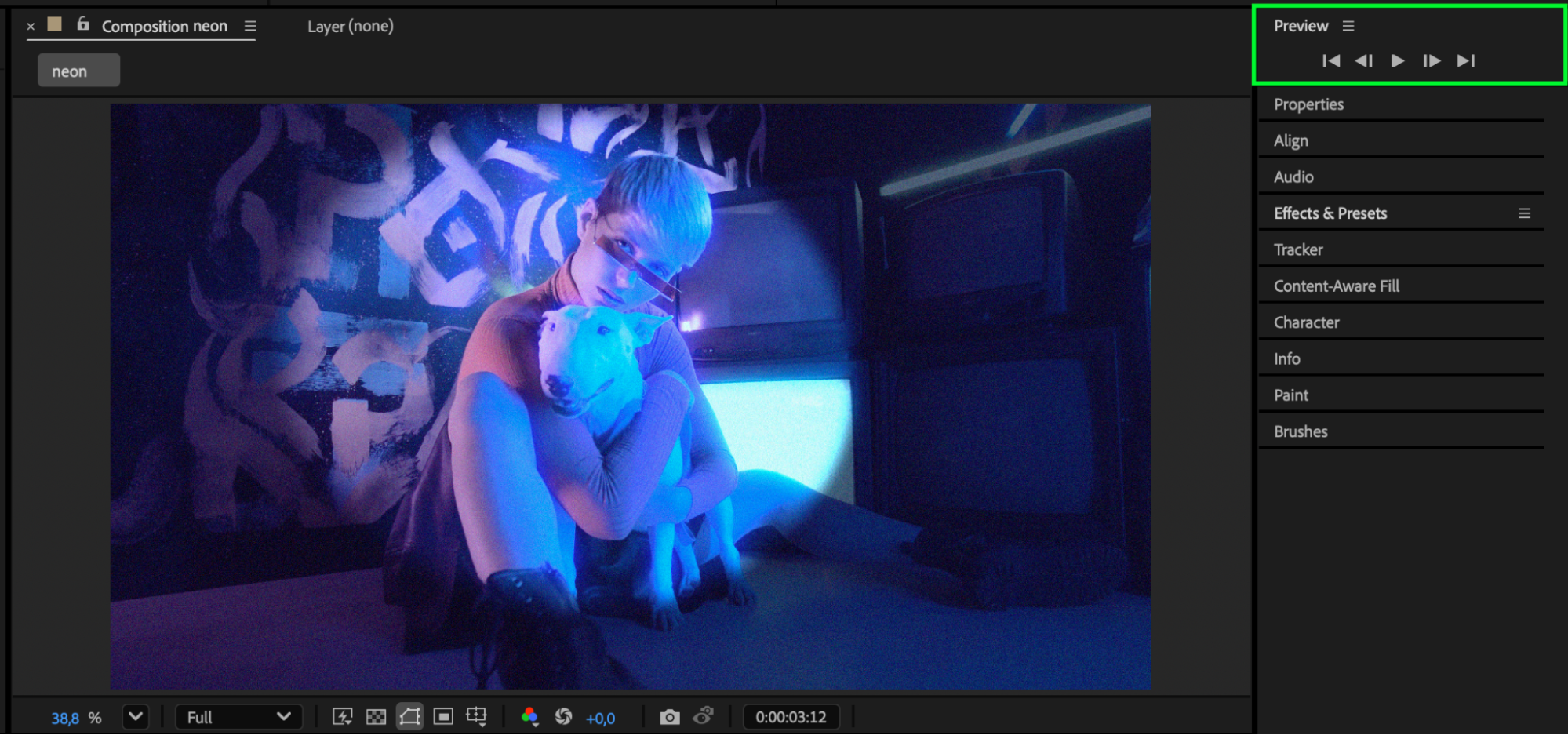
Conclusion
Creating moving lights in After Effects is simple and visually powerful using CC Spotlight.
By animating light direction and adding subtle glow, you can produce professional lighting effects that elevate your video’s mood and visual impact.
Our Bestsellers


