Free Plugins
Products
All Access
Resources
HomeBlogReverse keyframes in After Effects

Reverse keyframes in After Effects

TipsJacob Syrytsia
506487
After Effects
13 Nov, 2023
Save with an AEJuice promo code
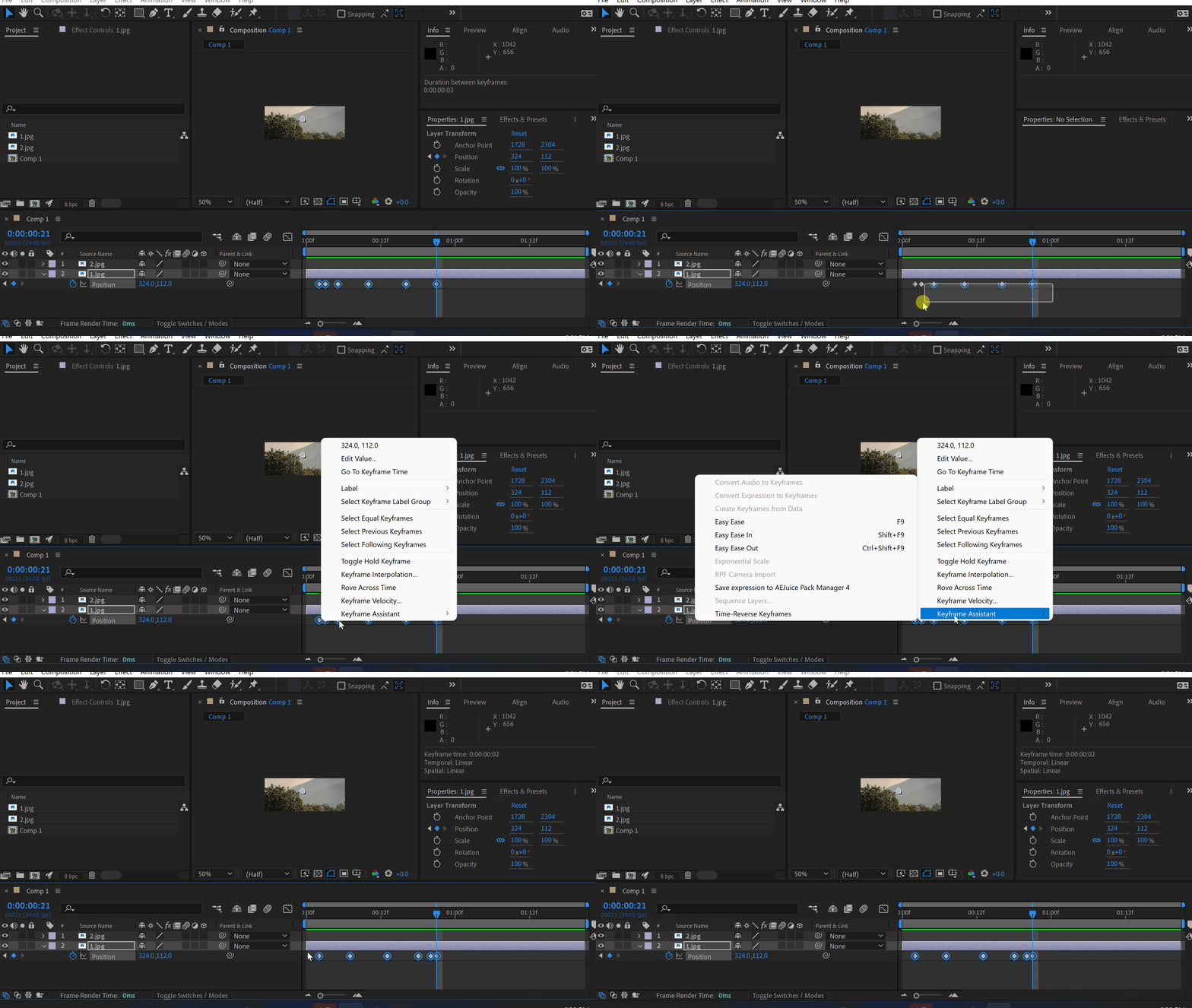
You might need to reverse an animation.
The easiest way to do it is to select keyframes, right-click – Keyframe Assistant – Reverse
Click here to receive more tips by email.
-50%
-50%
00hrs : 00mins : 00sec
Happy HolidaysSale sitewide
Shop now

Our Bestsellers

Our Bestsellers

Jacob Syrytsia
Similar Articles
thumbnail-fallback.16c3af4eHow to Animate a Cape in the Wind in After Effects
Tutorials
thumbnail-fallback.16c3af4eHow to Animate a Cape in the Wind in After Effects
Tutorials
thumbnail-fallback.16c3af4eHow to Align Objects on a Diagonal Axis in After Effects
Tutorials
thumbnail-fallback.16c3af4eHow to Align Objects on a Diagonal Axis in After Effects
Tutorials
thumbnail-fallback.16c3af4eHow to Animate a Jumping Logo in After Effects
Tutorials
thumbnail-fallback.16c3af4eHow to Animate a Jumping Logo in After Effects
Tutorials
3526675
Email usAnswer within 24 hoursHelp centreDetailed documentation
Quick Links
HomeAffiliatesPrivacy PolicyTerms of UseRefundsContact
Support
ProductsFree PluginsWhat's new?BlogAboutStart Selling
Get 10% Off – Straight to Your Inbox!
Copyright © 2021 - 2026 AEJuice LLC. All rights reserved.
support@aejuice.com