
Introduction: Embark on Your Animation Journey
Embark on a journey into the dynamic realm of animation with Adobe After Effects. This guide is your passport to mastering the art of motion graphics, offering step-by-step instructions and insider tips to bring your visions to life. Whether you’re a novice or a seasoned animator, prepare to delve into the boundless possibilities of After Effects and unleash your creative potential like never before.
Animating in Adobe After Effects can be both exciting and challenging. Here’s a general guide to help you get started:
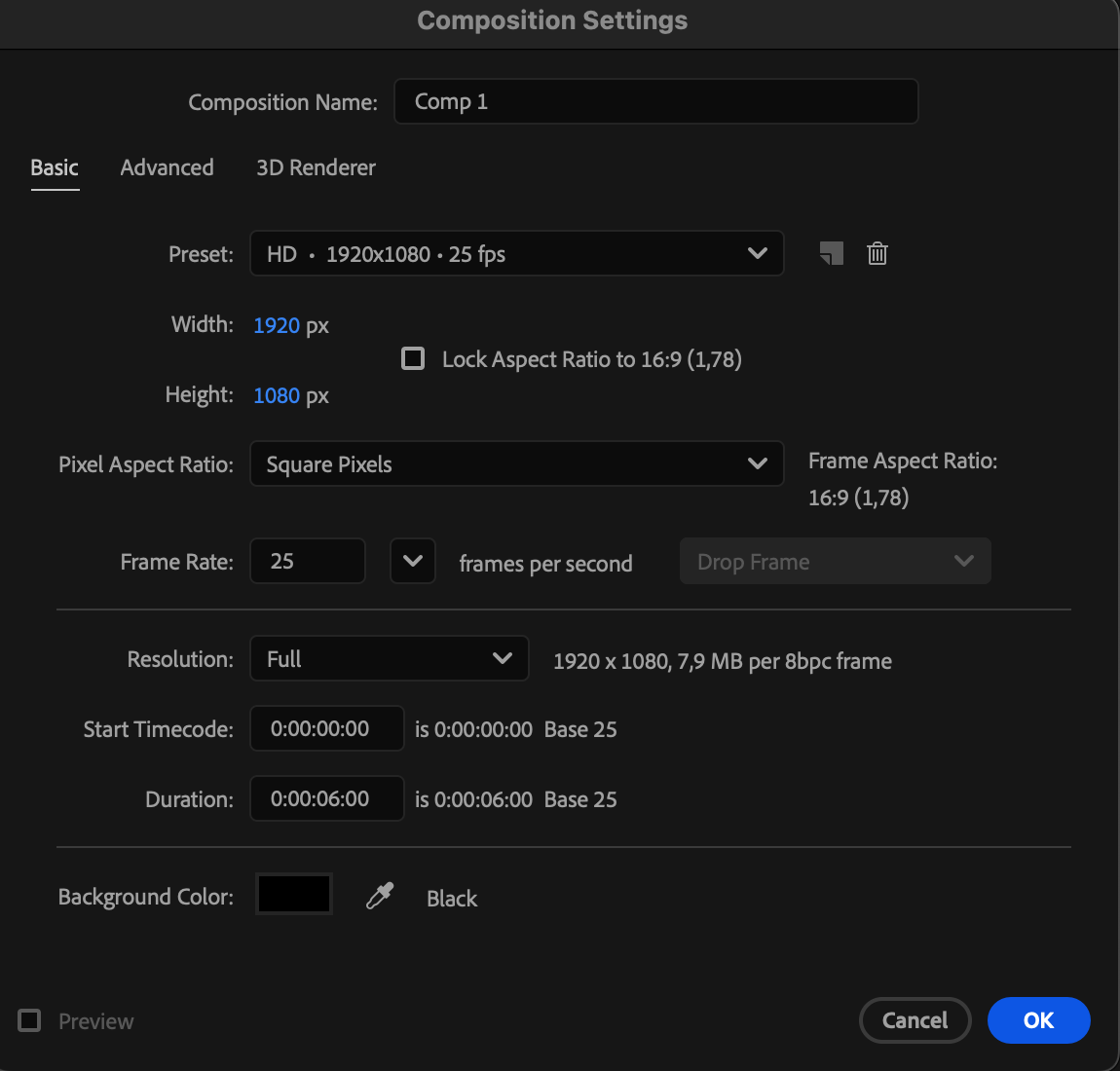
1.Create a New Composition:
Open After Effects and create a new composition. Set the dimensions, duration, and frame rate according to your project needs.
 2.Import Assets:
Import the assets you want to animate into your composition by going to File > Import > File. This can include images, videos, audio files, etc.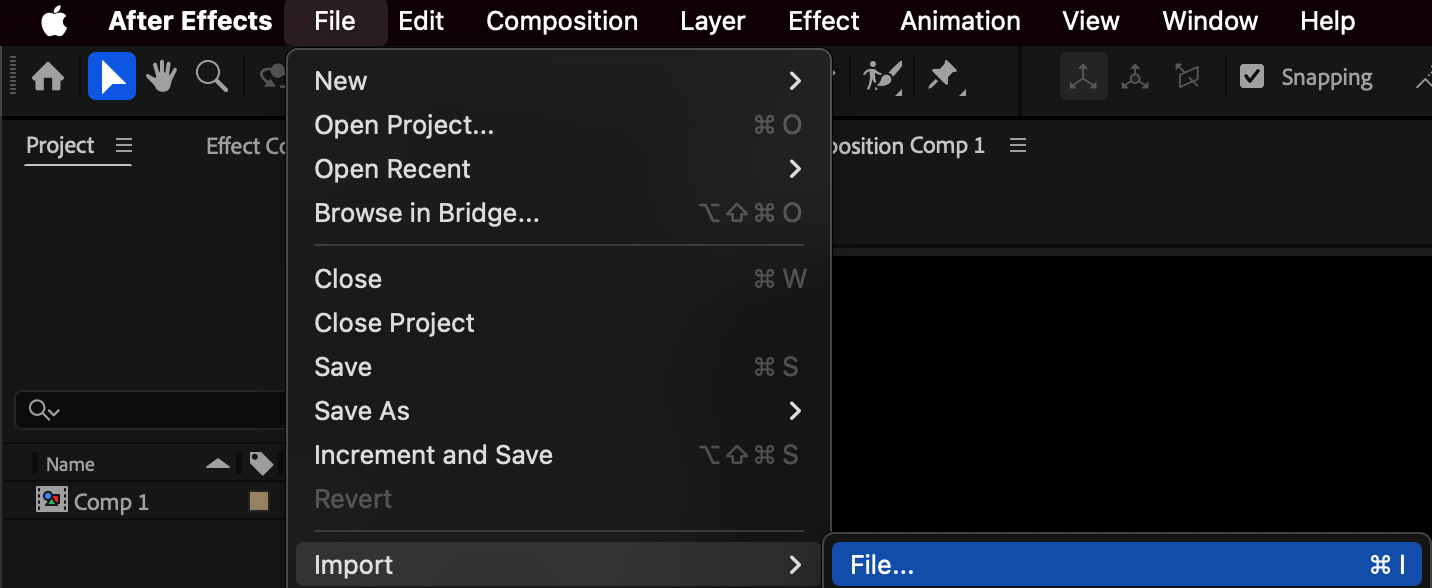
3.Arrange Layers:
Arrange your assets in the timeline panel. Layers are stacked from bottom to top, with the topmost layer being the one closest to the viewer.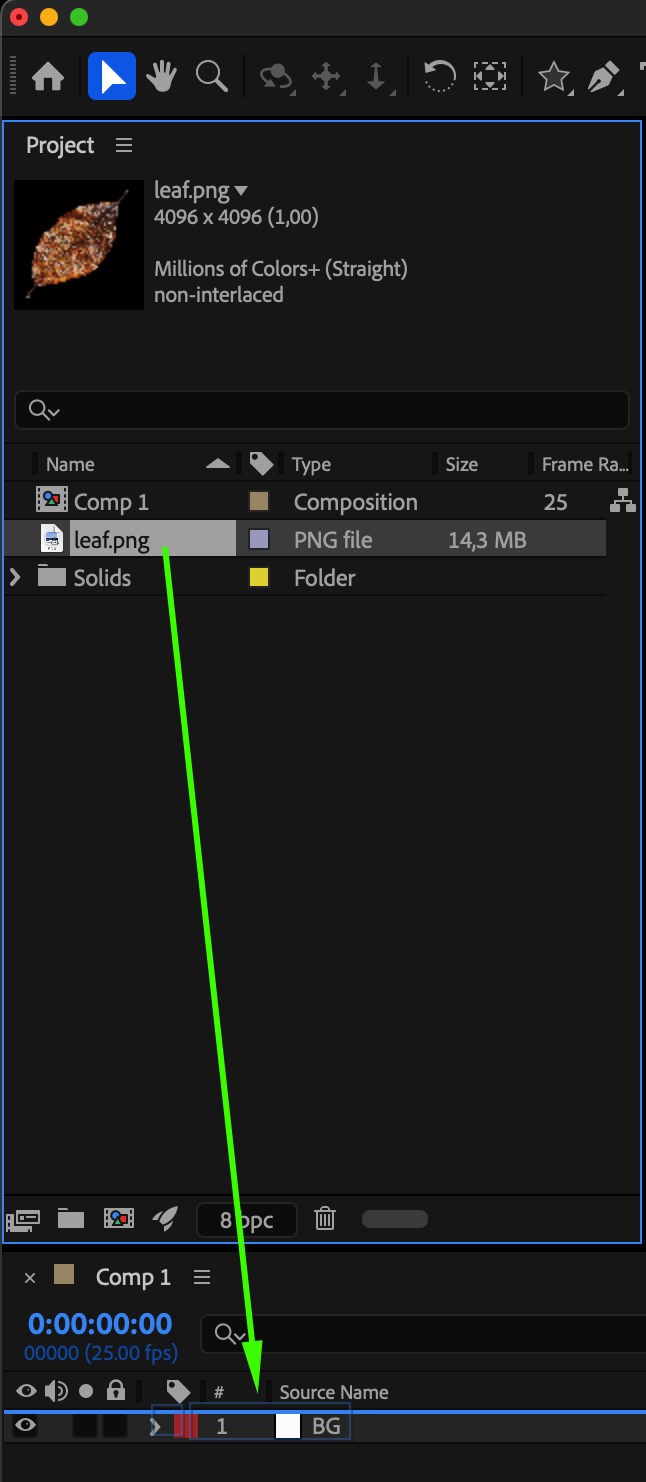
Our Bestsellers
Our Bestsellers

