
Exporting Videos Without Backgrounds in After Effects
Introduction
Exporting videos from After Effects without a background is a common need for many video projects. This can be achieved using different techniques and settings. In this blog post, we will explore various methods that will help you create a professional-looking final product with no background.
One popular way to export without a background is by using the alpha channel. The alpha channel determines the transparency of a pixel, allowing you to seamlessly composite your video with other footage or graphics. To export with an alpha channel, follow these steps:
Step 1: Preparing Your Composition
Open your After Effects project and select the composition you want to export without the background. Ensure that all your elements are correctly positioned and ready for export. Step 2: Adding to Render Queue
Go to the “Composition” menu and choose “Add to Render Queue”. This will open the “Render Queue” tab, where you can adjust the settings for your export.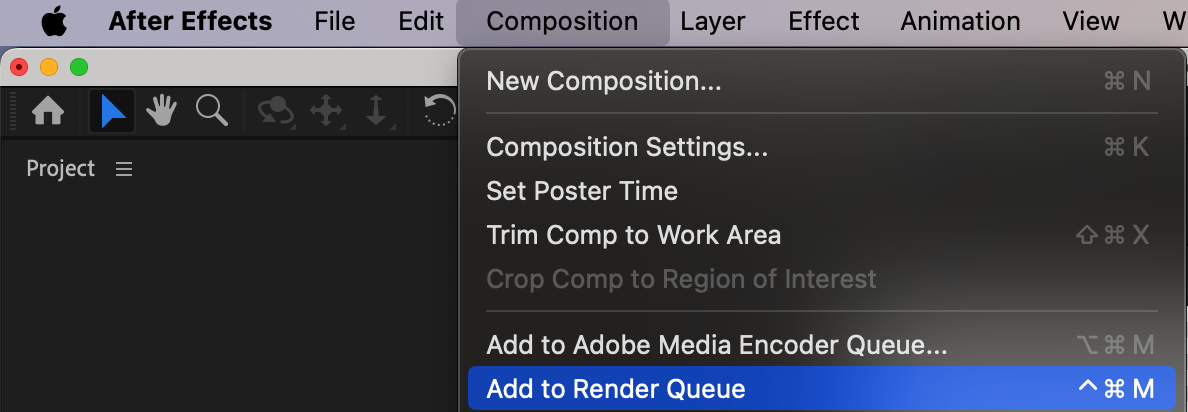 Step 3: Configuring Output Module
In the Render Queue tab, click on the “Output Module” section. This is where you will configure the settings to ensure the background is removed during export.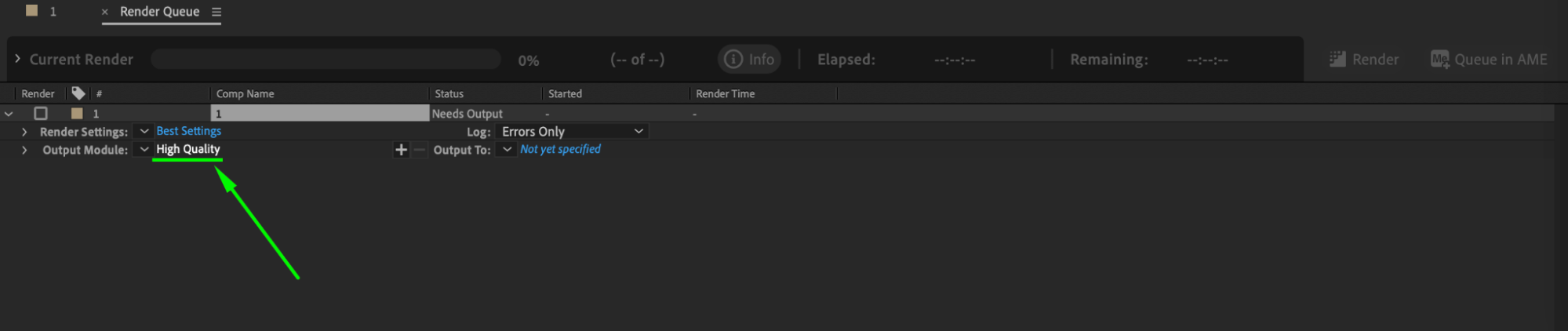 Step 4: Choosing the Right Format
In the Output Module settings, select a format that supports the alpha channel, like QuickTime or PNG Sequence. These formats preserve transparency, allowing for a background-free export.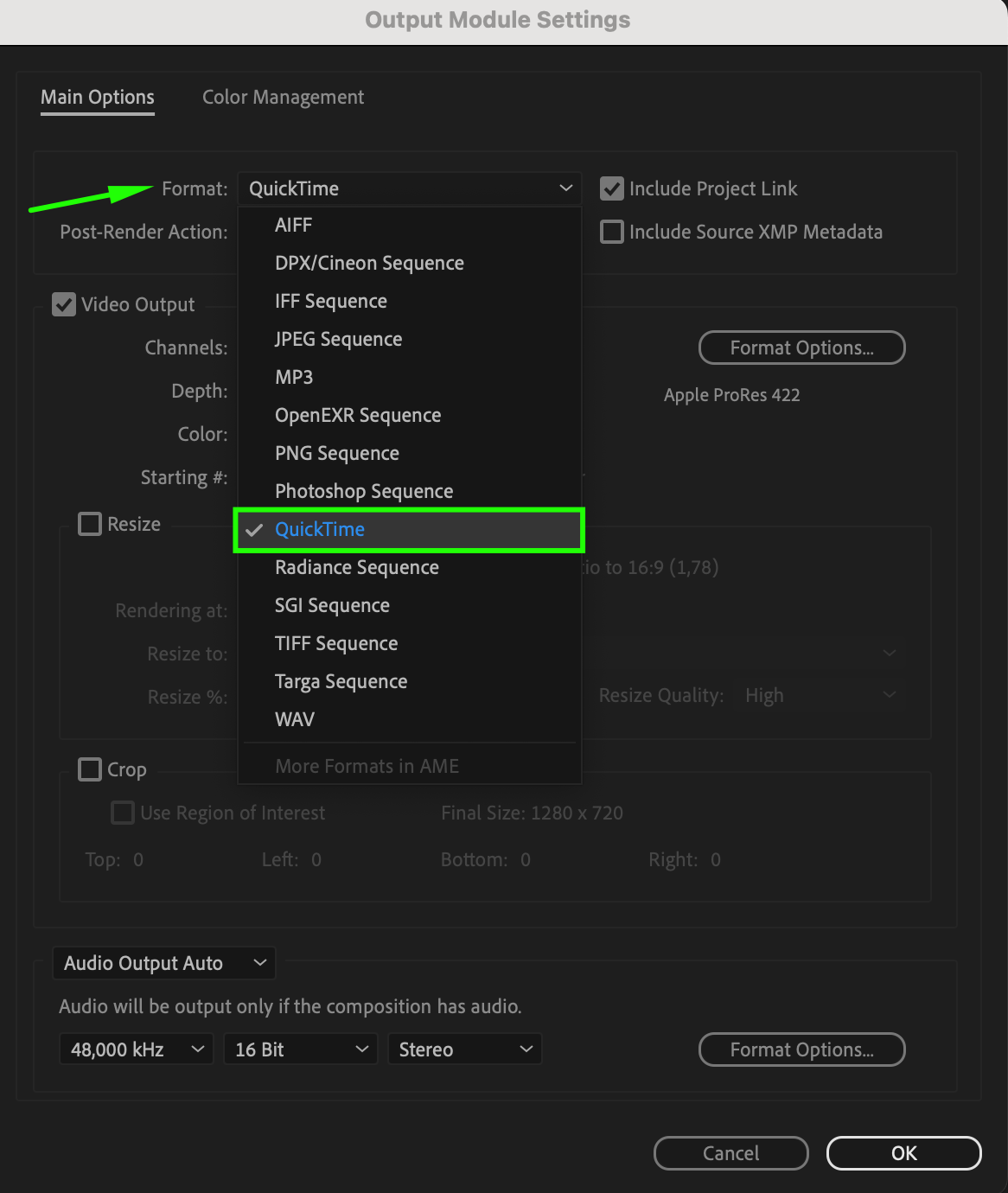 Step 5: Setting Alpha Channel Options
Once you’ve chosen your format, click on the “Format Options” button to access additional settings. Look for the “Channels” and “Depth” options and make sure they’re set to “RGB + Alpha” and “Millions of Colors+”.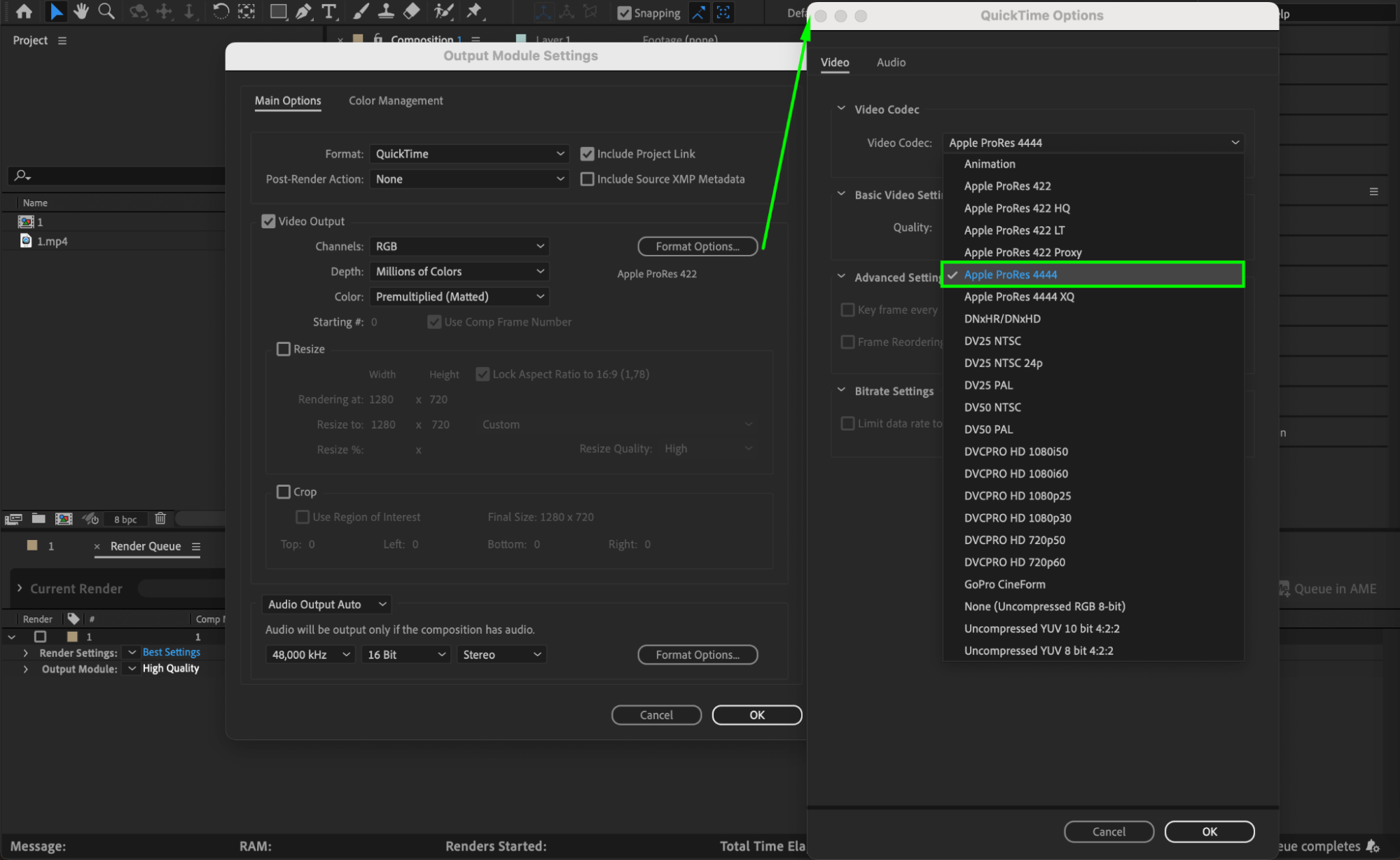
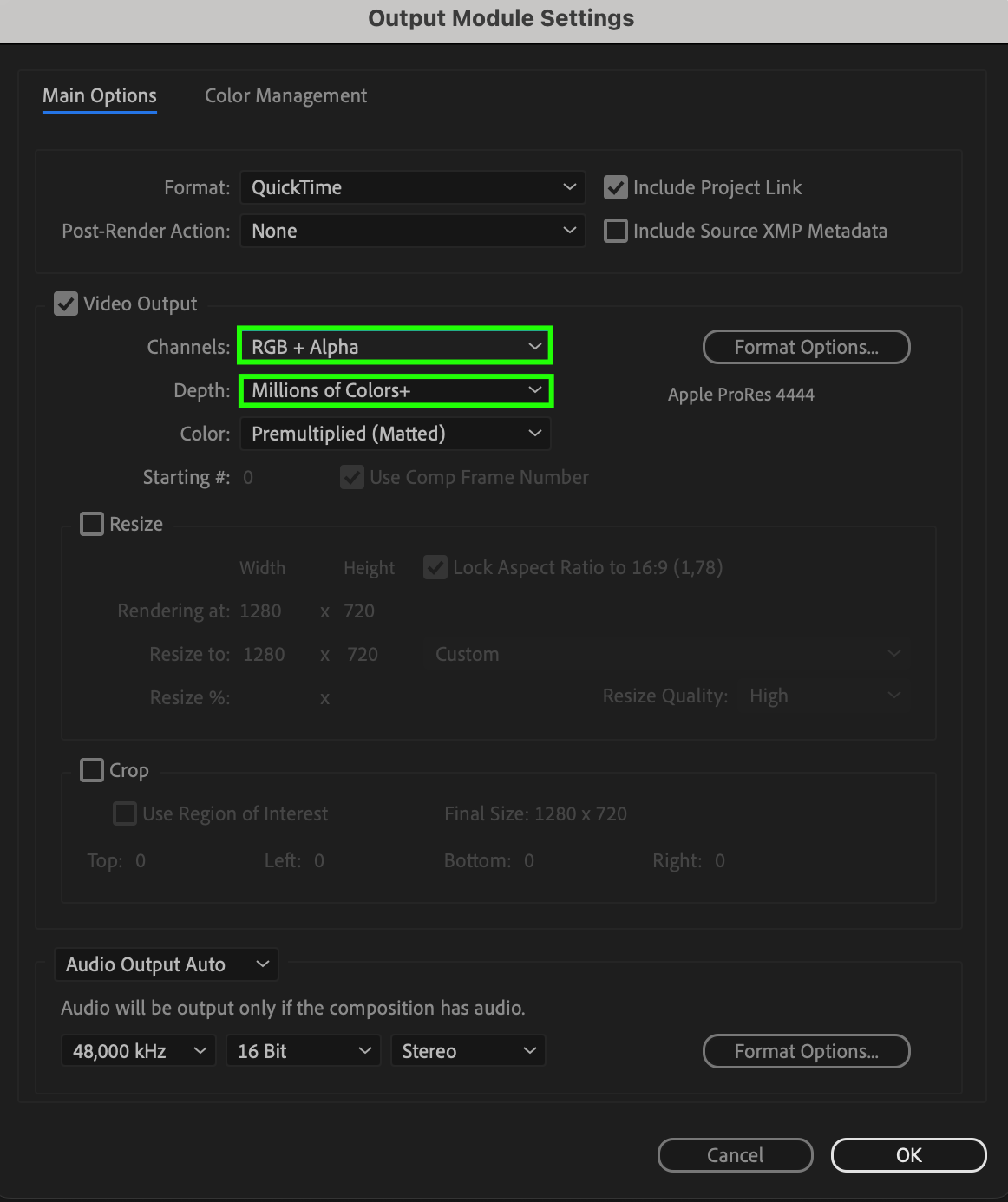 Step 6: Adjusting Additional Settings
Adjust any other settings as needed to match your project requirements and click “OK” to apply the changes. This ensures that your video will be exported with the correct transparency settings.
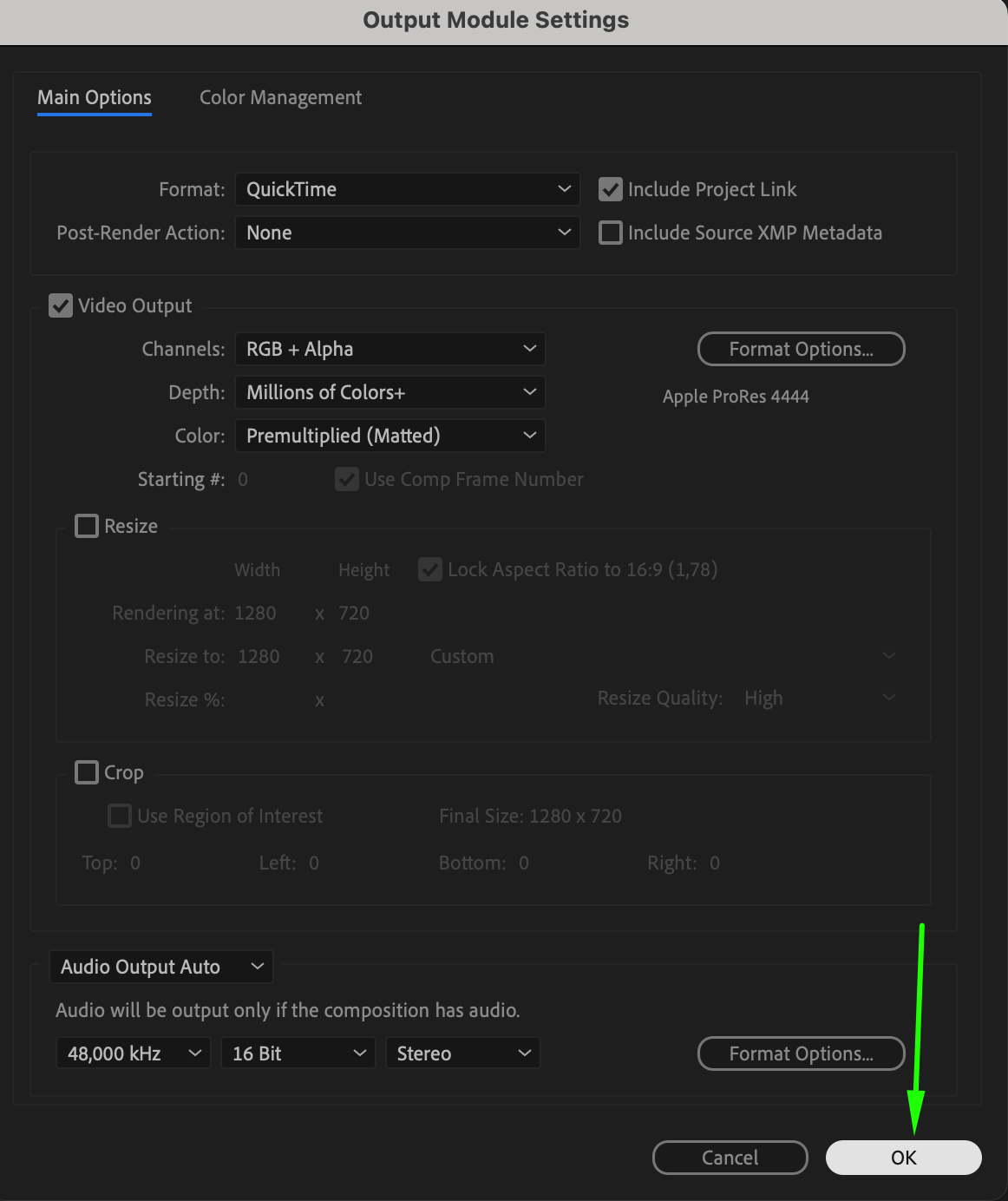 Step 7: Specifying Output Destination
In the Render Queue tab, specify a destination folder for your exported file by clicking on the “Output To” section. Choose a location that is easy to access and remember.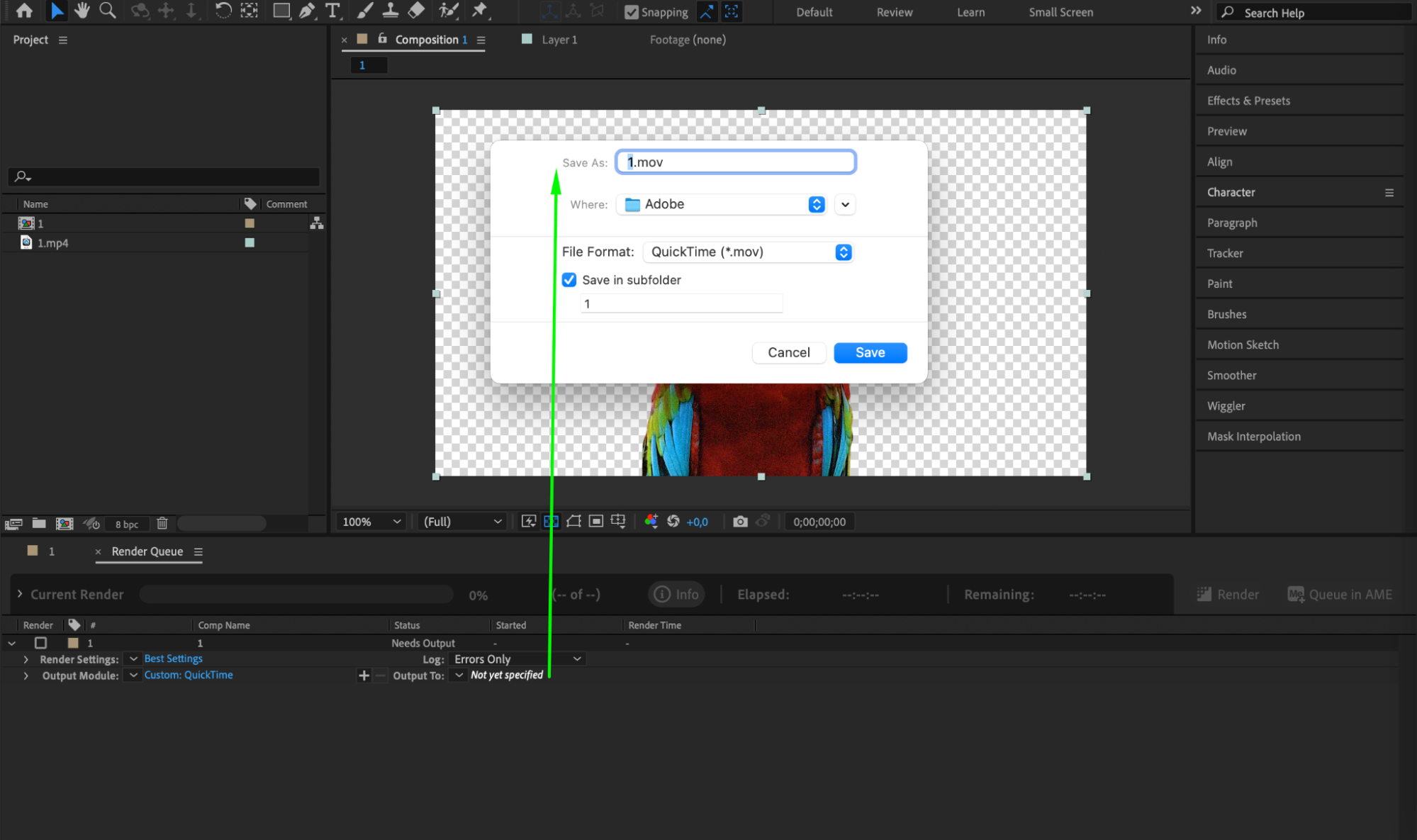 Step 8: Rendering Your Composition
Finally, click on the “Render” button to start exporting your composition without the background. After Effects will process the composition and generate a file with transparency.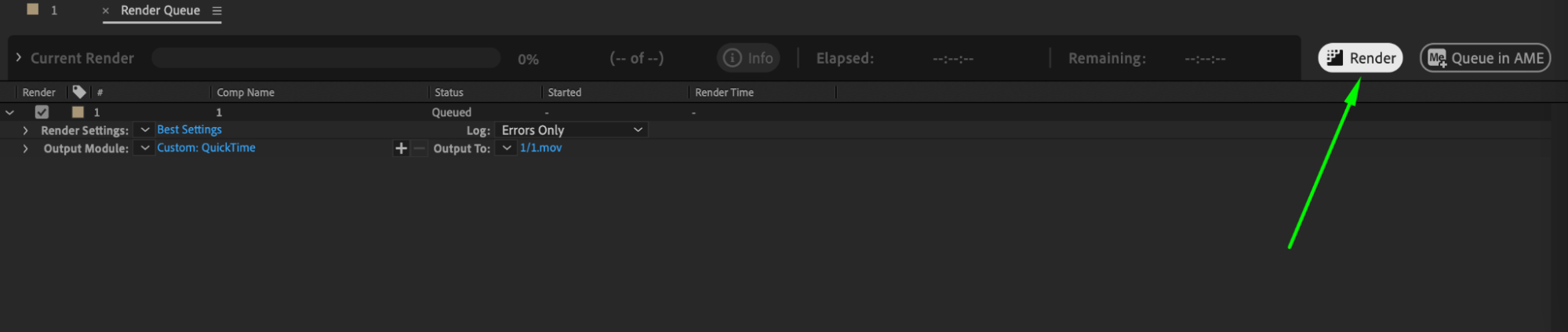 Advanced Techniques for Background Removal
Using the alpha channel is just one method. You can also employ other advanced techniques like the “Set Matte” effect, keying effects such as “Keylight”, or custom masks to remove the background. These techniques allow you to isolate your subject or hide unwanted elements.
Conclusion
Exporting without a background is not only beneficial for compositing, but it can also give your videos a clean and professional look. This is particularly useful if you plan to use them on websites, social media, or platforms that support transparent backgrounds.
In conclusion, After Effects offers several ways to export compositions without a background. Whether you use the alpha channel, advanced keying techniques, or custom masks, the possibilities are endless. Feel free to experiment with these techniques and find what works best for your project. Happy exporting!
Our Bestsellers
Our Bestsellers


