
Introduction to Creating Curved Shapes
Curved shapes are essential in motion design, whether you’re creating smooth paths, flowing elements, or organic forms. In Adobe After Effects, you can easily draw and modify curves using the Pen Tool and Convert Vertex Tool. This gives you full control over how your lines bend and move, helping you design custom shapes for animation, motion graphics, or transitions.
Step 1: Create a New Composition
Start by going to Composition > New Composition. Set your resolution, frame rate, and duration, then click OK. This will create the workspace where you’ll draw your curved shape.
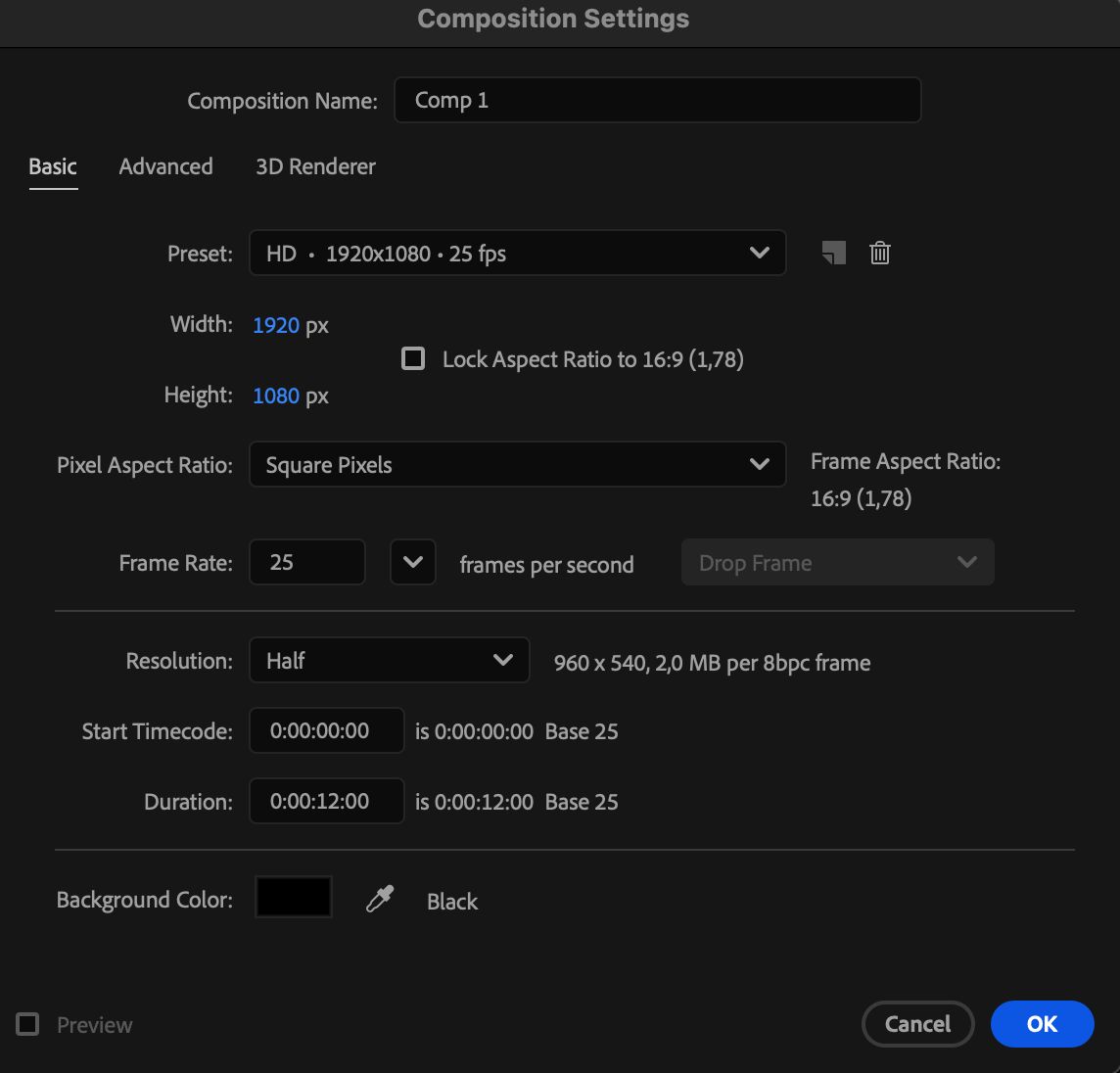
Step 2: Draw a Base Shape Using the Pen Tool
Select the Pen Tool (G) from the toolbar. Click on the composition panel to create points and form a shape. At first, your shape will consist of straight lines connecting the points — this will serve as your base outline. Above the composition panel, set the Fill to your preferred color and adjust the Stroke width and color to define the outline of your shape. This will help you clearly see and style your shape as you design it.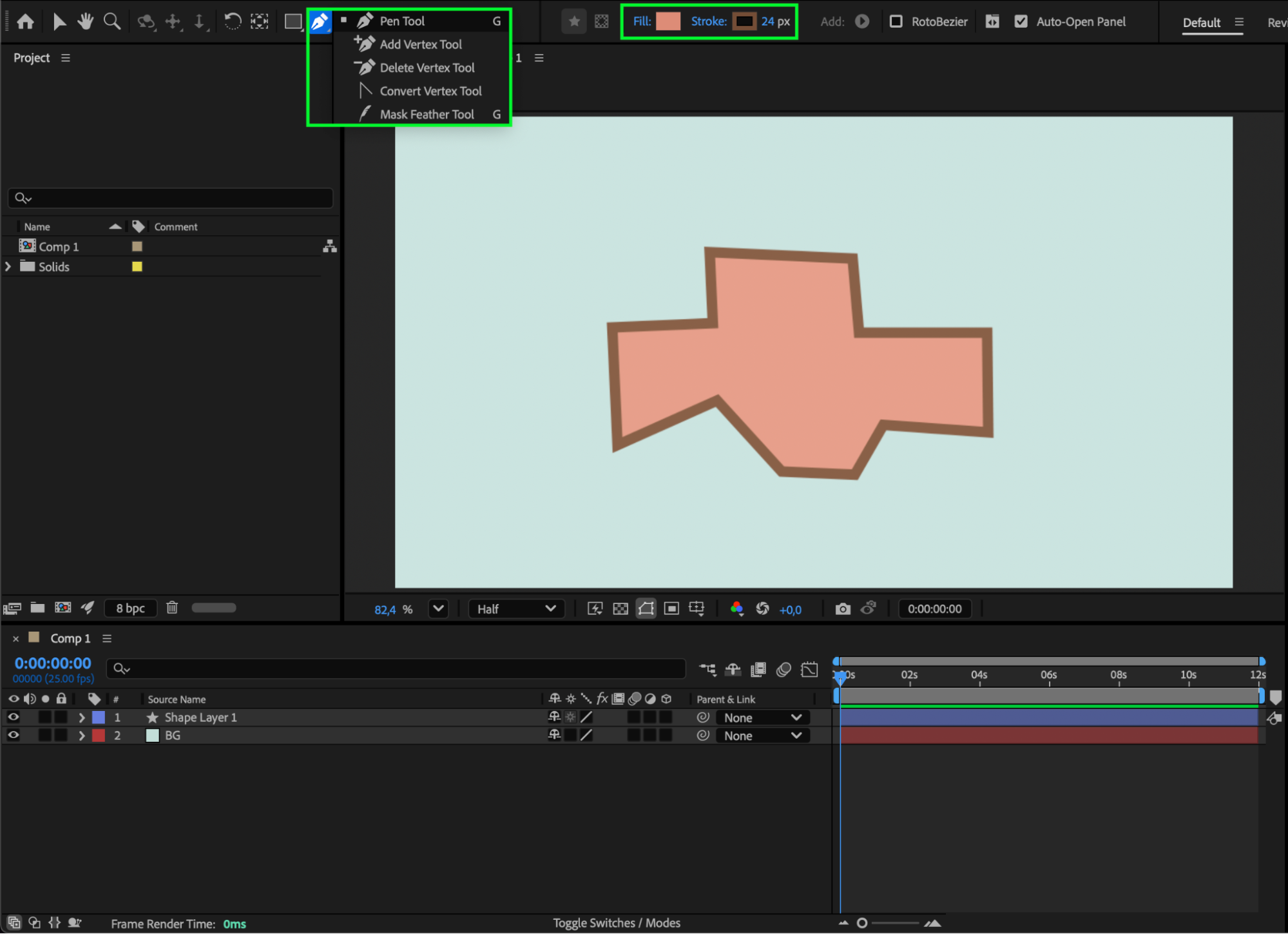
Step 3: Convert Angles into Curves
With the shape layer selected, choose the Convert Vertex Tool (G). Click and drag on any corner point (vertex) to convert the sharp angle into a smooth curve. You’ll see two direction handles appear — drag them to control the intensity and direction of the curve. Adjust until your shape has the desired curvature.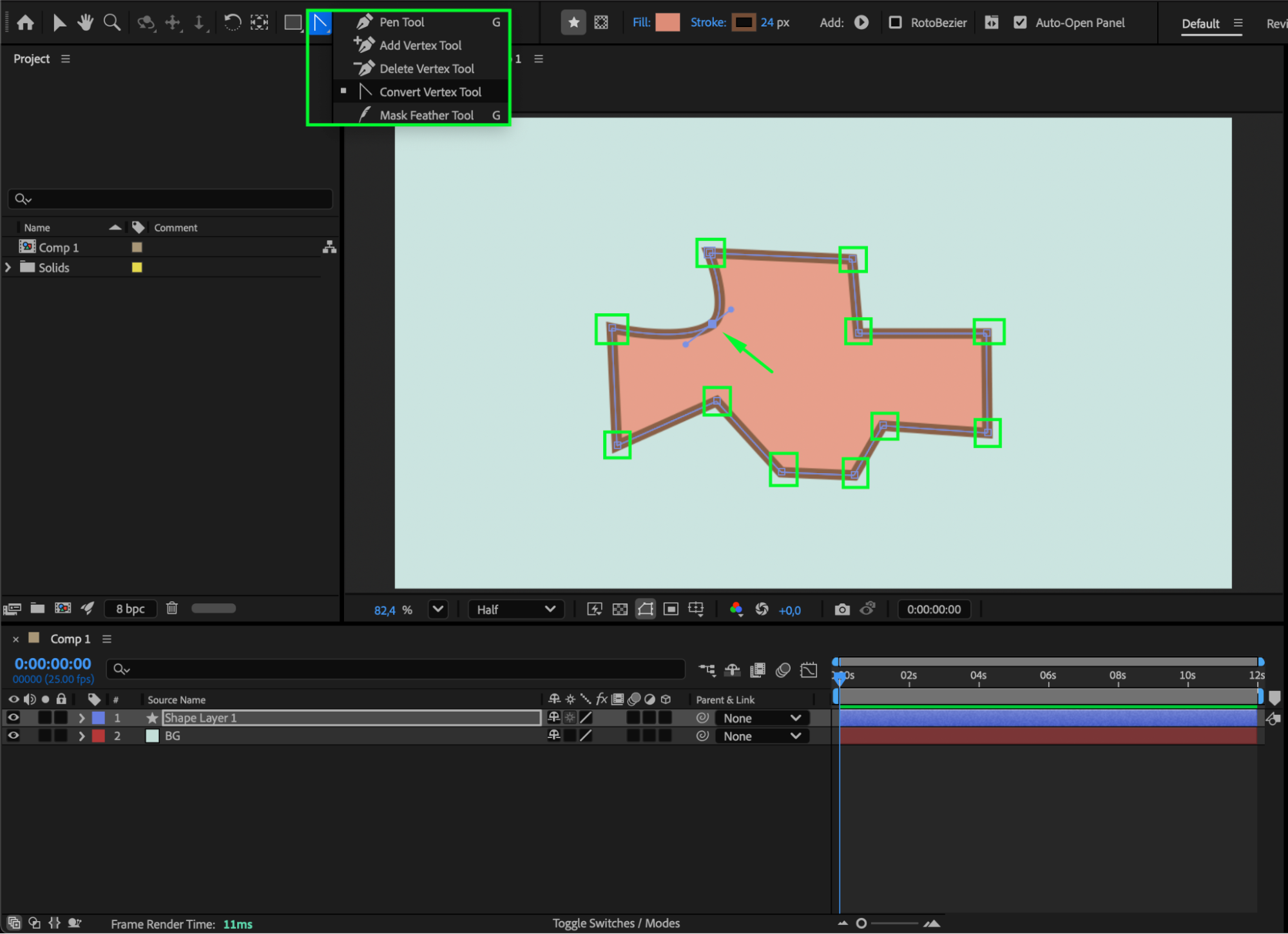
Step 4: Refine the Shape with the Selection Tool
Select the Selection Tool (V) to move or adjust the individual points of your shape. You can reposition vertices or curve handles directly in the Composition panel. Experiment with their placement to create dynamic and organic curved shapes.
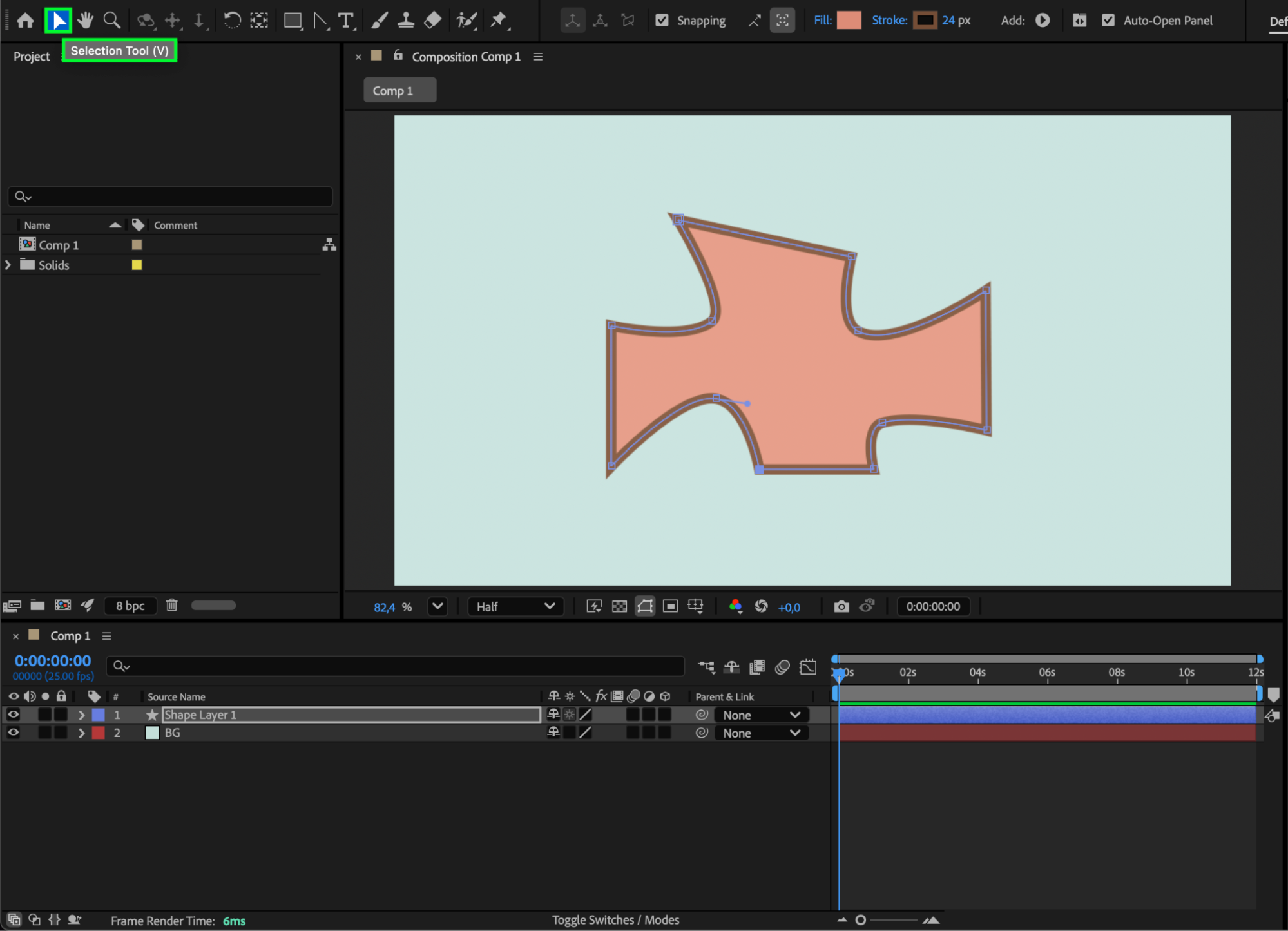
Step 5: Preview and Fine-Tune Your Shape
Press Spacebar to preview your composition and make sure the curve looks natural and balanced. You can always return to the Pen Tool or Convert Vertex Tool to adjust the curve further if needed.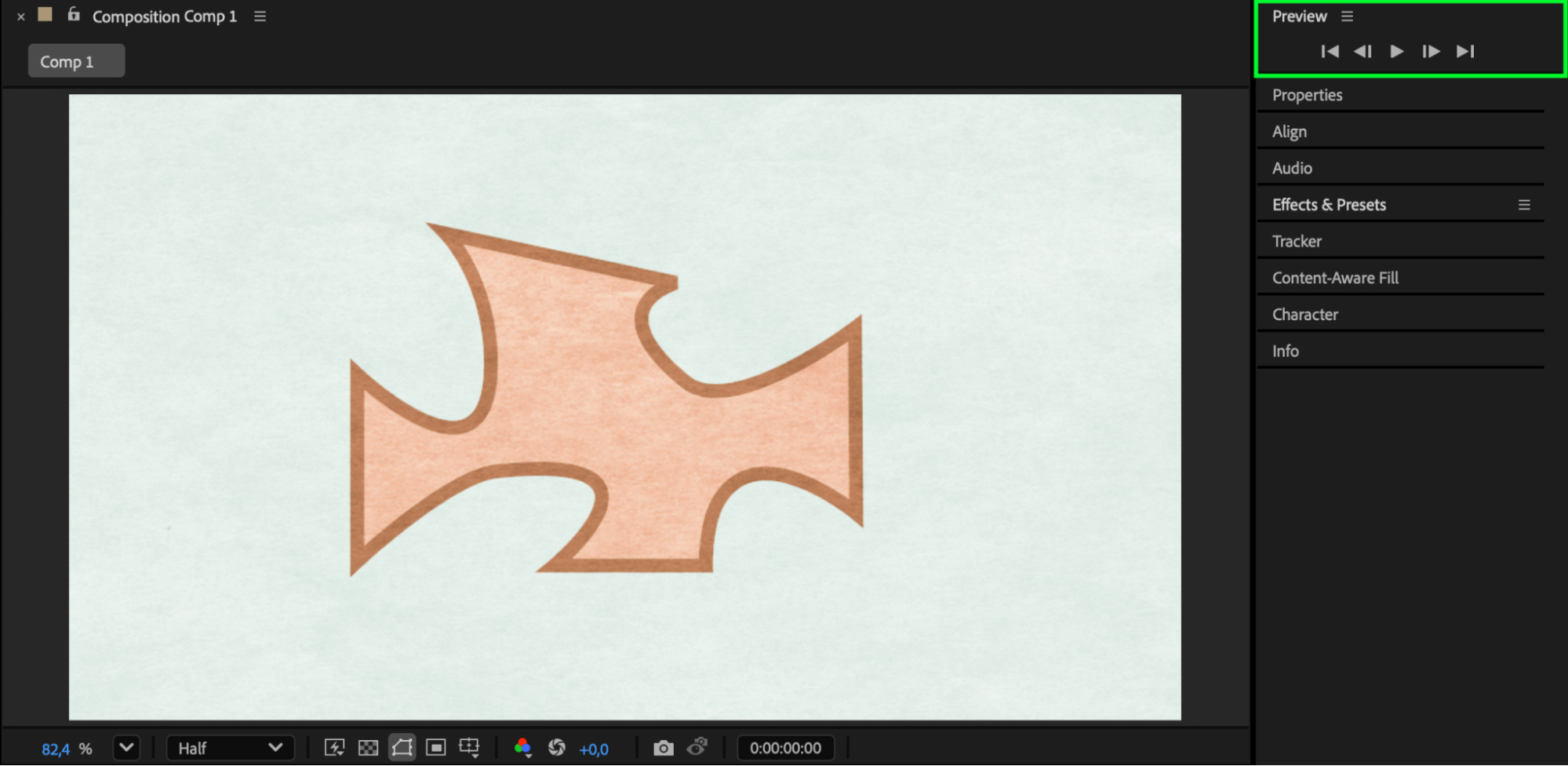
Conclusion
Creating a curved shape in After Effects is simple yet powerful. By combining the Pen Tool, Convert Vertex Tool, and Selection Tool, you can design elegant, fluid shapes that enhance your motion graphics. With a bit of experimentation, you’ll be able to create unique curves that bring your compositions to life.
Our Bestsellers
Our Bestsellers

