
Adobe removed the option to export to mp4 from recent versions of After Effects.
I’ll show you a few ways to export mp4 from After Effects.
Option 1. AEJuice Tools – Export MP4 plugin
We’ve developed a free plugin that exports mp4 right from After Effects.
Option 2. Adobe Media Encoder. In case you don’t have it you can use a different option or install it from the Adobe Creative Cloud.
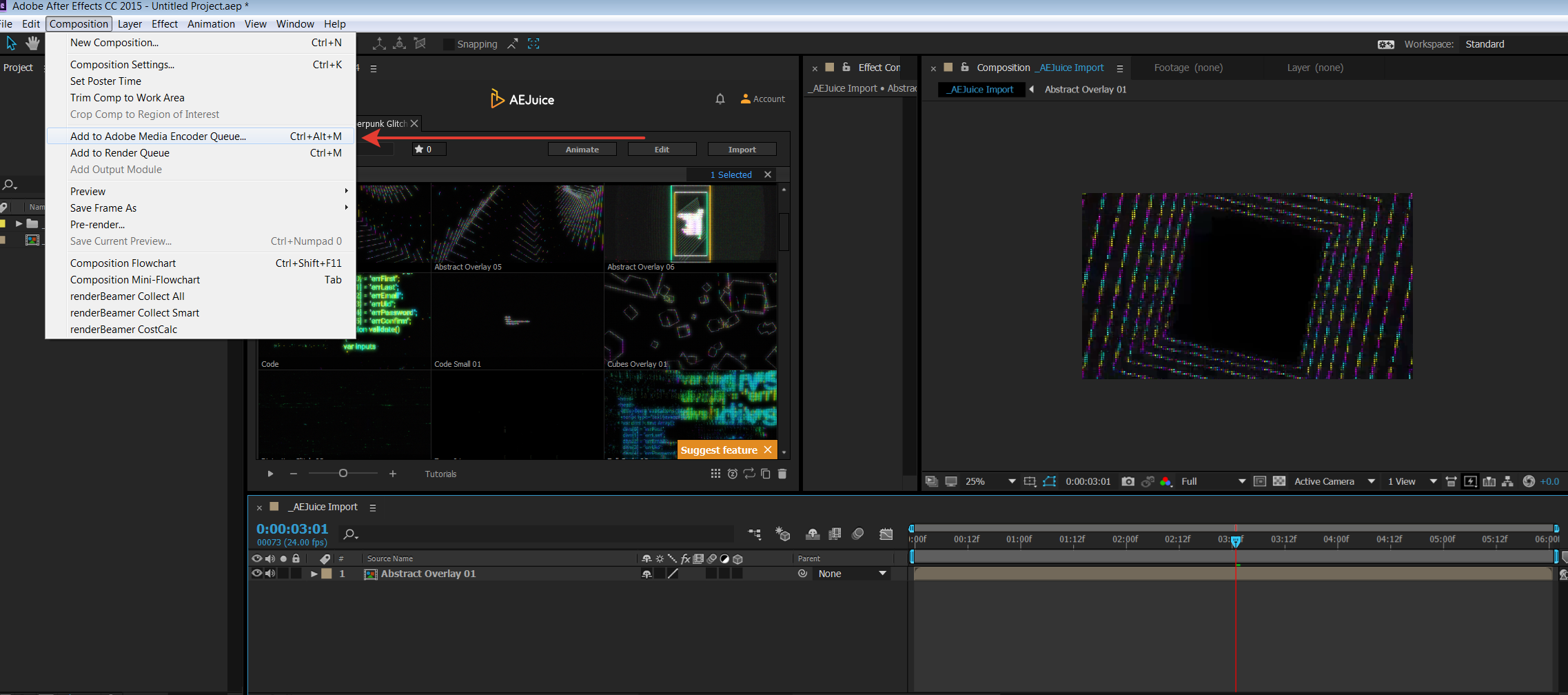
- Open a composition you’d like to render
- Go to Composition – Add to Adobe Media Encoder Render Queue…
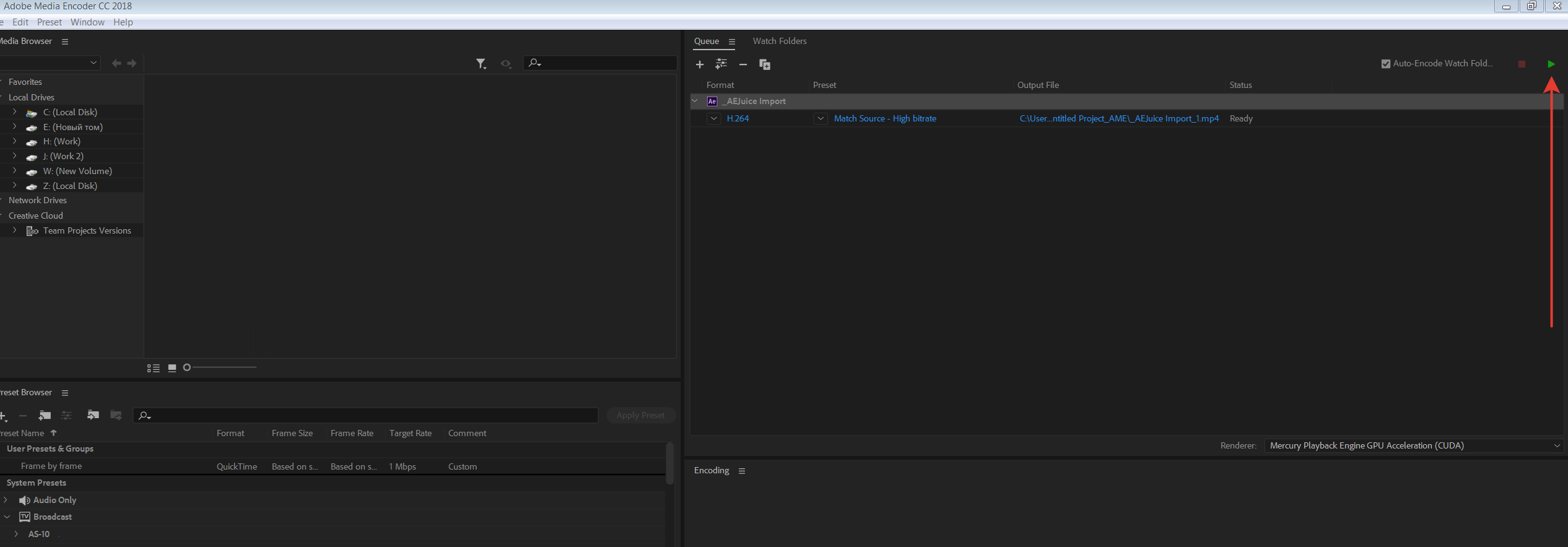
- Click start render. It might take a minute but you should see Adobe Media Encoder opened and your composition added to the render queue.
Our Bestsellers
Our Bestsellers
Similar Articles

