
To generate a see-through background in Adobe After Effects, you will need to follow these steps:
1. Launch Adobe After Effects and commence a new project.
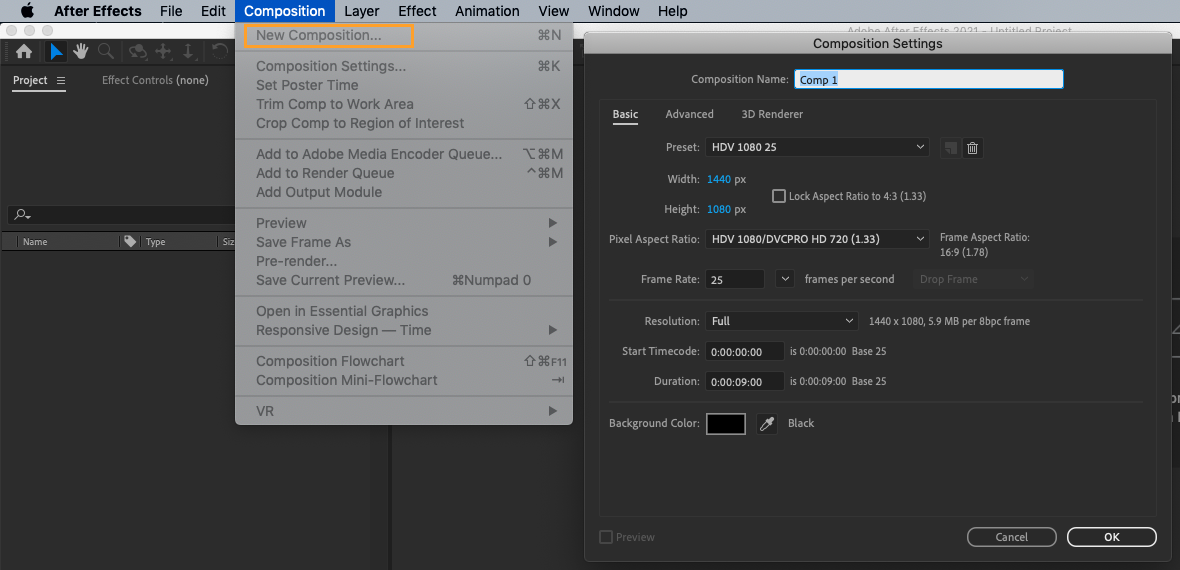
2. Go to the Composition menu and select New Composition. Set the desired width, height, duration, and frame rate for your project.
Our Bestsellers
Our Bestsellers
Similar Articles

