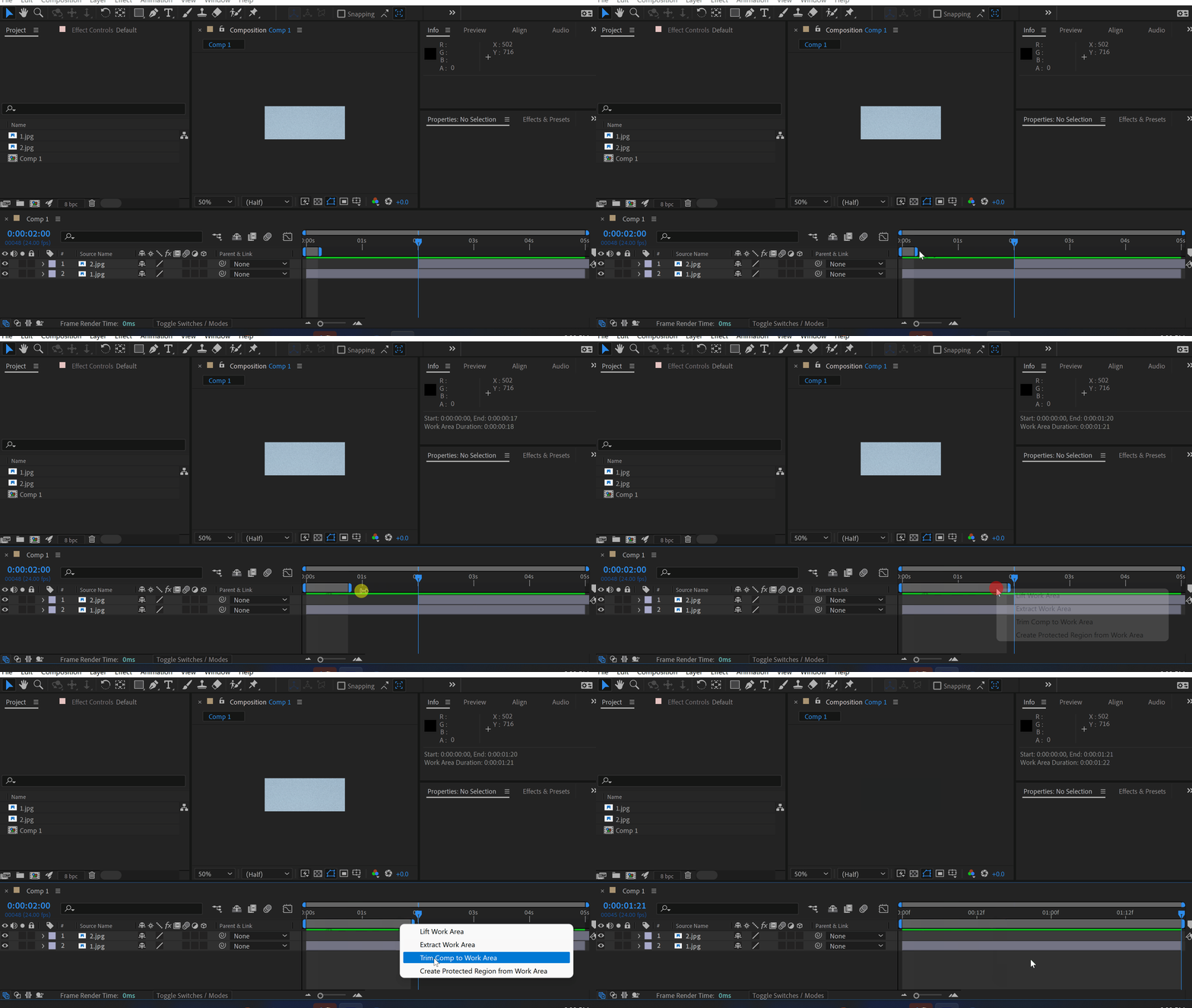
Use your work area duration to trim a composition. It is much faster than adjusting the comp’s duration in settings. Pro tip: use shortcuts B and N to adjust the work area. Click here to receive more tips by email. -%-%00Std. : 00Min. : 00Sek.Sale auf allesShoppenJacob SyrytsiaSimilar ArticlesHow to Create a VHS Effect in After EffectsTutorialsHow to Create a VHS Effect in After EffectsTutorialsHow to Make an Object Fade in After EffectsTutorialsAfter EffectsHow to Make an Object Fade in After EffectsTutorialsAfter EffectsHow to Make Animation in Adobe After EffectsTutorialsAfter EffectsHow to Make Animation in Adobe After EffectsTutorialsAfter EffectsE-MailAntwort innerhalb von 24 StundenHilfecenterAusführliche DokumentationMit uns chattenAntwort innerhalb von 2 MinutenOnline