
Introduction
After Effects doesn’t support truly independent “two folder columns” in the Project panel.
Opening another Project panel via Window > Project creates a duplicate view, not a separate one. Both panels show the same files and selections, so it can feel like the feature doesn’t work as expected.
A better and more reliable solution is to organize your project with clear folder naming conventions, color labels, and search filters. This approach keeps your assets easy to find and your workspace clean — without the need for two columns.
Step 1: Use Numbered Prefixes in Folder Names
Organizing your folders with numeric prefixes keeps them sorted in a logical order and easy to navigate. In the Project panel, create folders using a numbering system like this:
01_Footage
02_Comps
03_Audio
04_Assets
05_Renders
This ensures that your folders always appear in the same order and are easy to locate.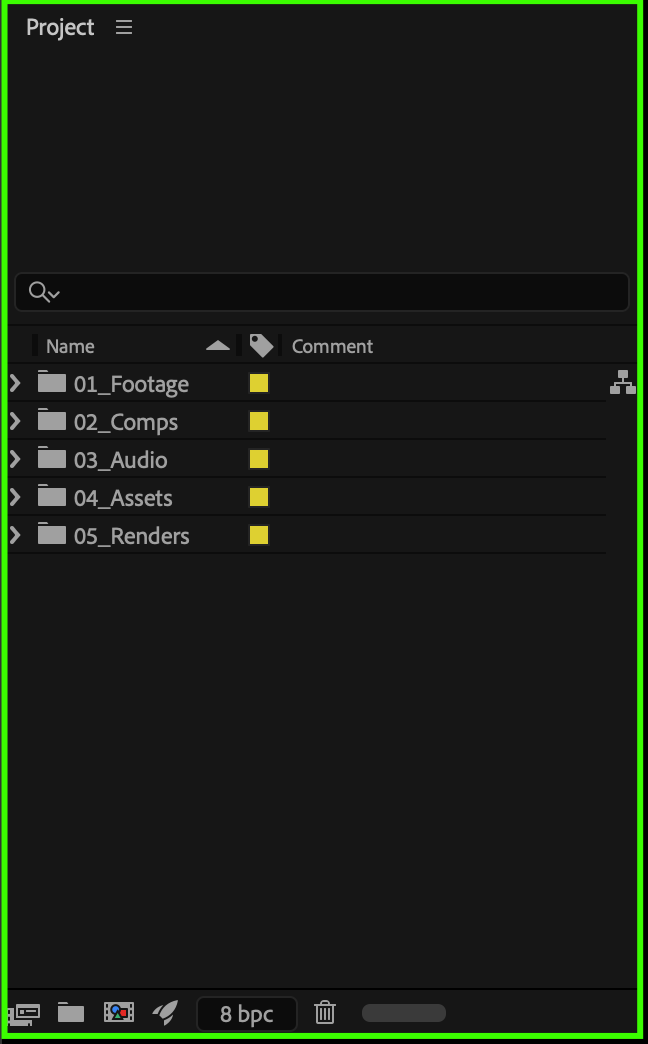
Step 2: Create Subfolders for Clarity
Inside your main folders, add subfolders to separate different types of files. For example:
01_Footage
├── Raw
└── Graded
02_Comps
├── Main
└── Precomps
This hierarchy helps you quickly find specific assets without scrolling or expanding multiple folders at once.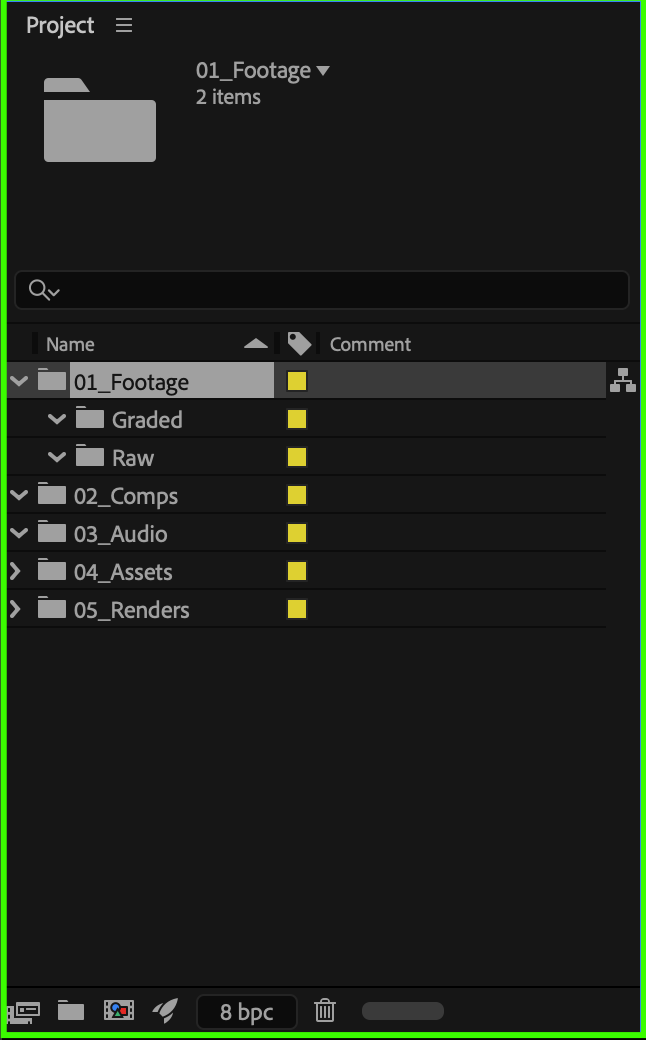 Step 3: Use Color Labels
Right-click any item or folder and go to Label to assign a color. For example:
Blue for footage
Yellow for compositions
Green for audio
These color labels make it easier to visually group and identify your assets, even when folders are expanded.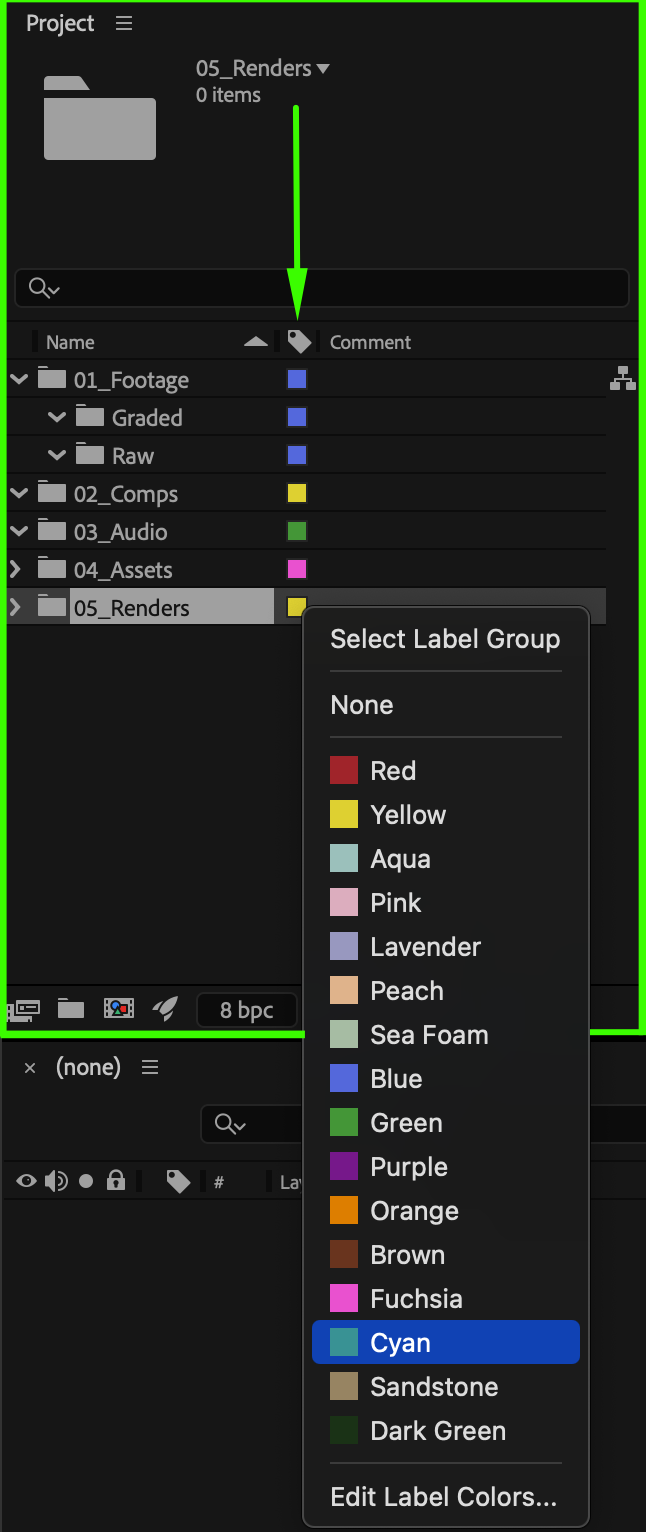
Step 4: Use the Search Field for Quick Access
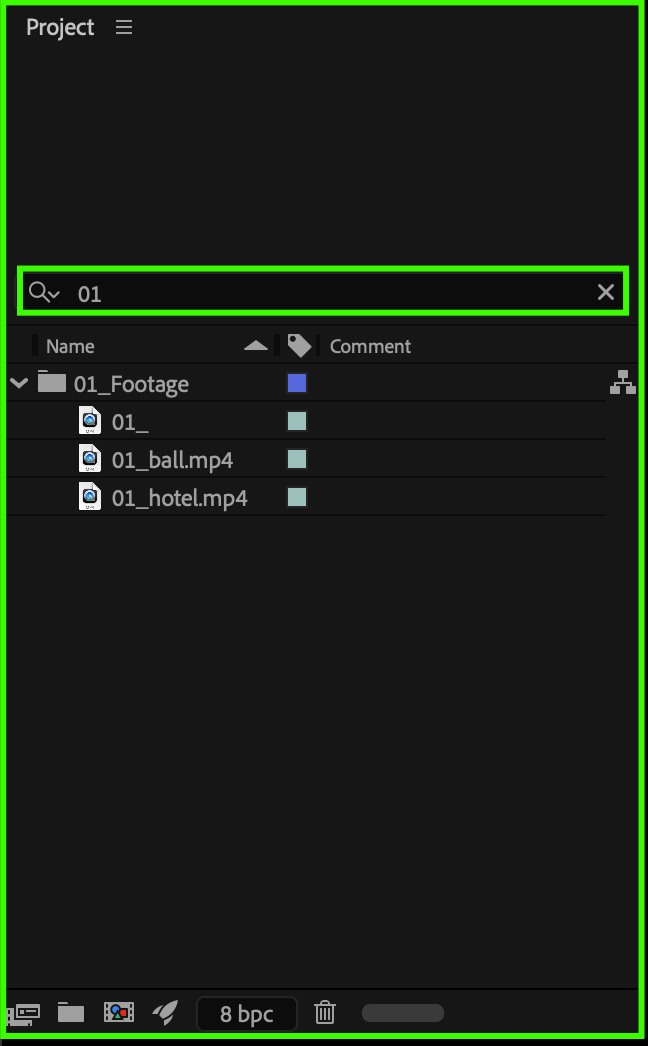
At the top of the Project panel, type a prefix (like 01_ or 02_) to instantly filter all items from that group. For instance, typing 02_ will show only compositions and related subfolders. This method is much faster than manually opening multiple panels or scrolling through a long project list.
Step 5: Save Your Organized Layout
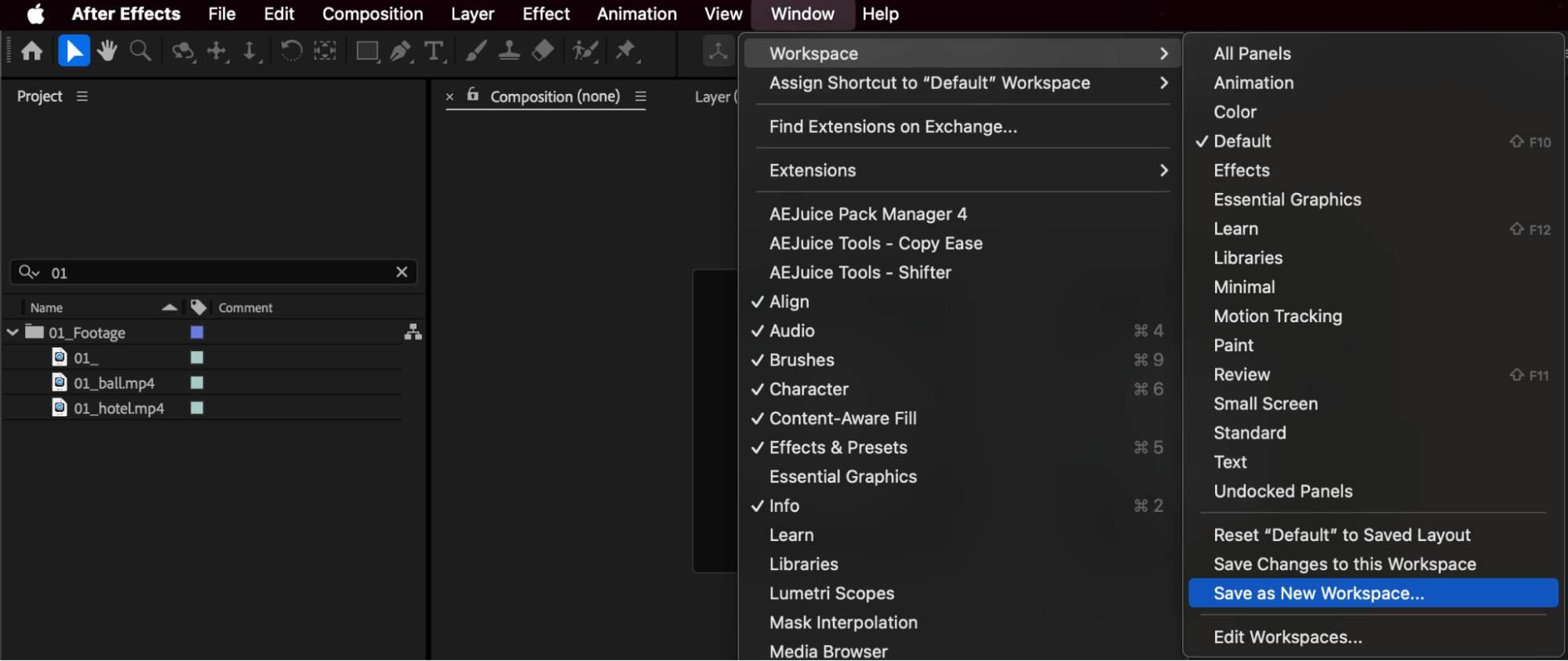
Once your folders are structured and color-coded, go to: Window > Workspaces > Save as New Workspace. Give it a name like Organized Project View so you can always return to this layout with your preferred panel arrangement.
Conclusion
Although After Effects doesn’t allow two independent folder columns, you can achieve an even cleaner and faster workflow by organizing your project with numbered folder names, subfolders, labels, and the search filter.
This system keeps everything visible, structured, and professional — perfect for complex projects and team collaborations.
Our Bestsellers
Our Bestsellers


