
Introduction
This tutorial explains how to add a live focus effect to a video after it has already been recorded. By using camera focus overlays, you can simulate the look of a smartphone or professional camera interface directly in After Effects.
Step 1: Download a Focus Overlay
Find a suitable focus or camera overlay online and download it. You can use overlays designed for:
Smartphone cameras
Professional cameras
Horizontal or vertical video formats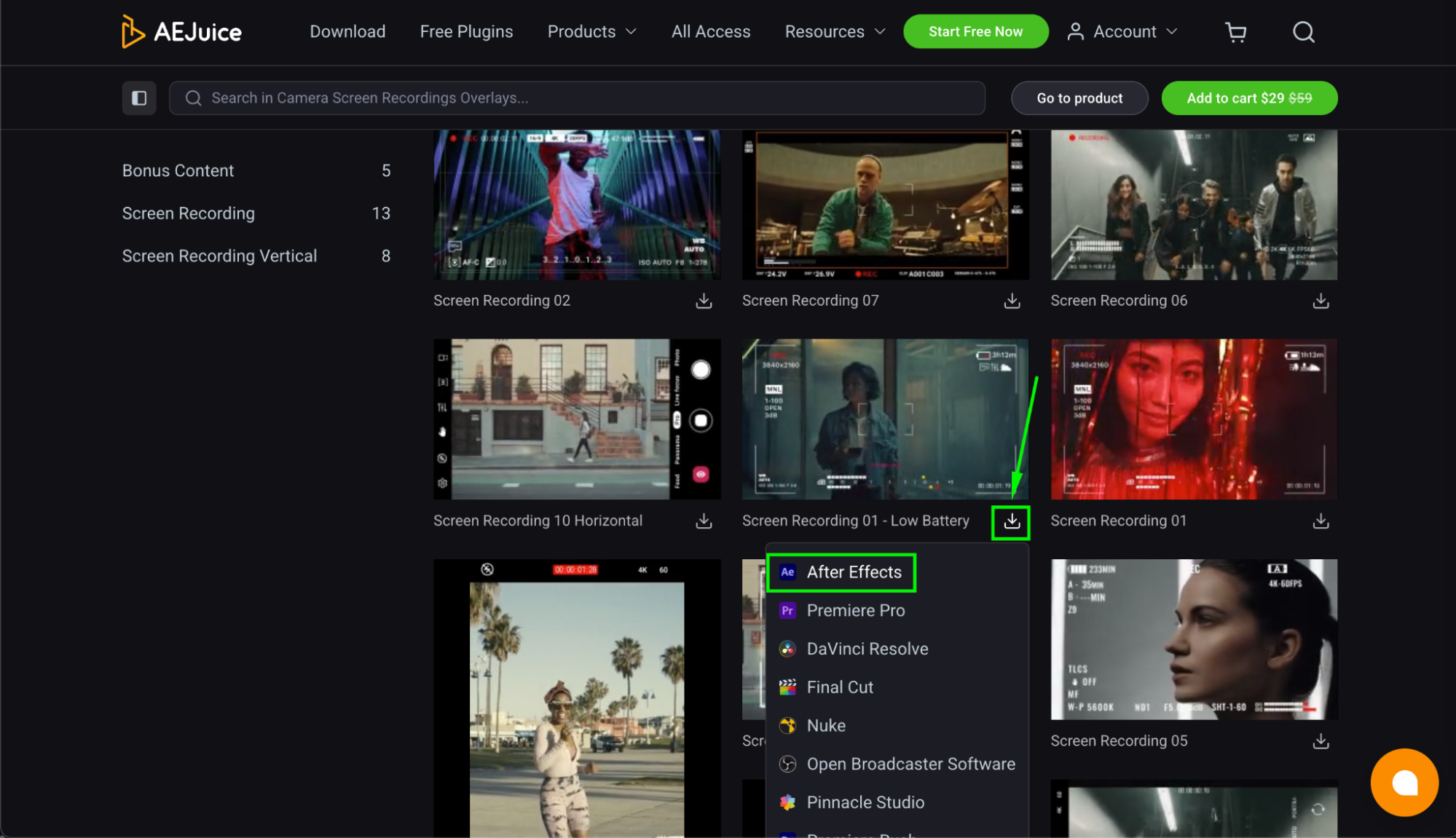
Step 2: Import Video and Overlay
Go to File > Import > File and import:
Your video
The focus overlay
Both files will appear in the Project panel.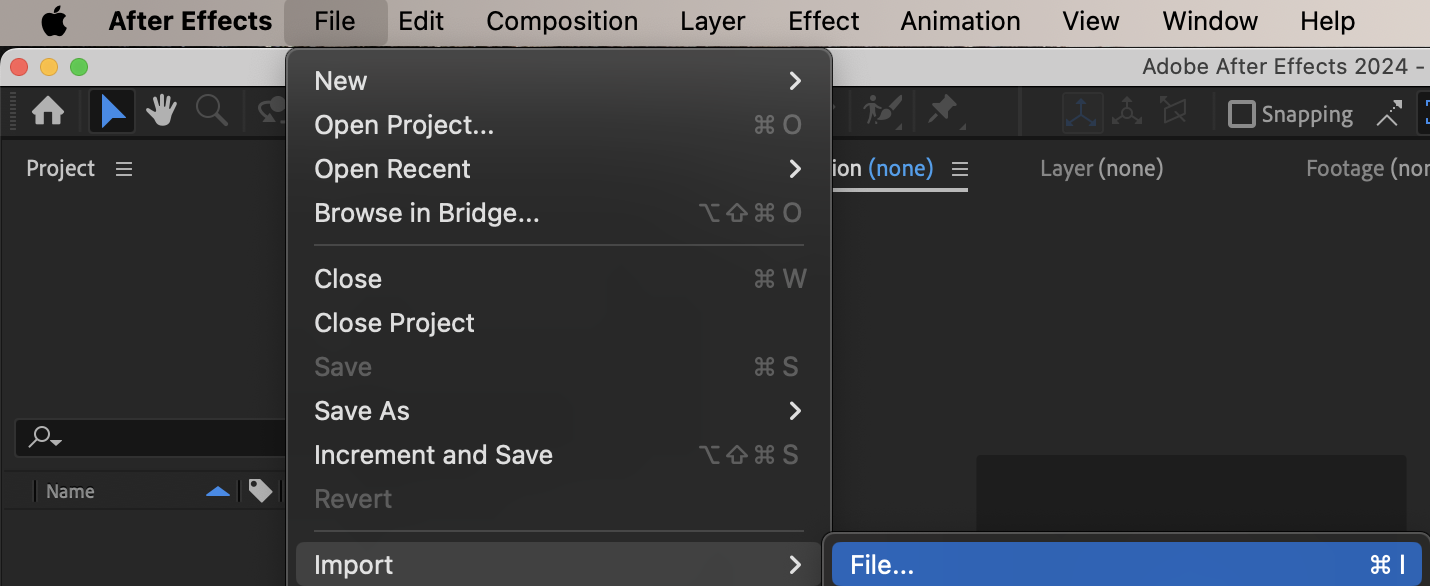
Step 3: Add the Video to the Timeline
Drag your video onto the timeline first. This will be your base layer.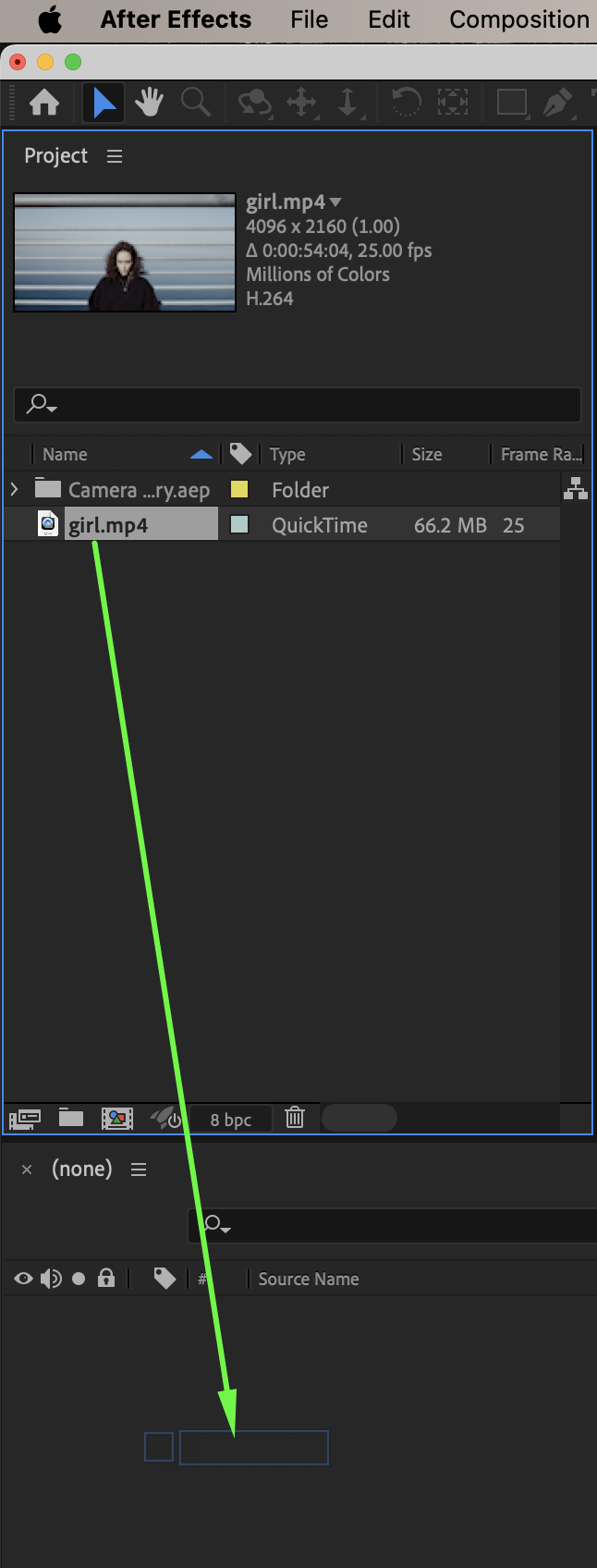 Step 4: Add the Overlay Above the Video
Drag the overlay onto the timeline and place it above the video layer.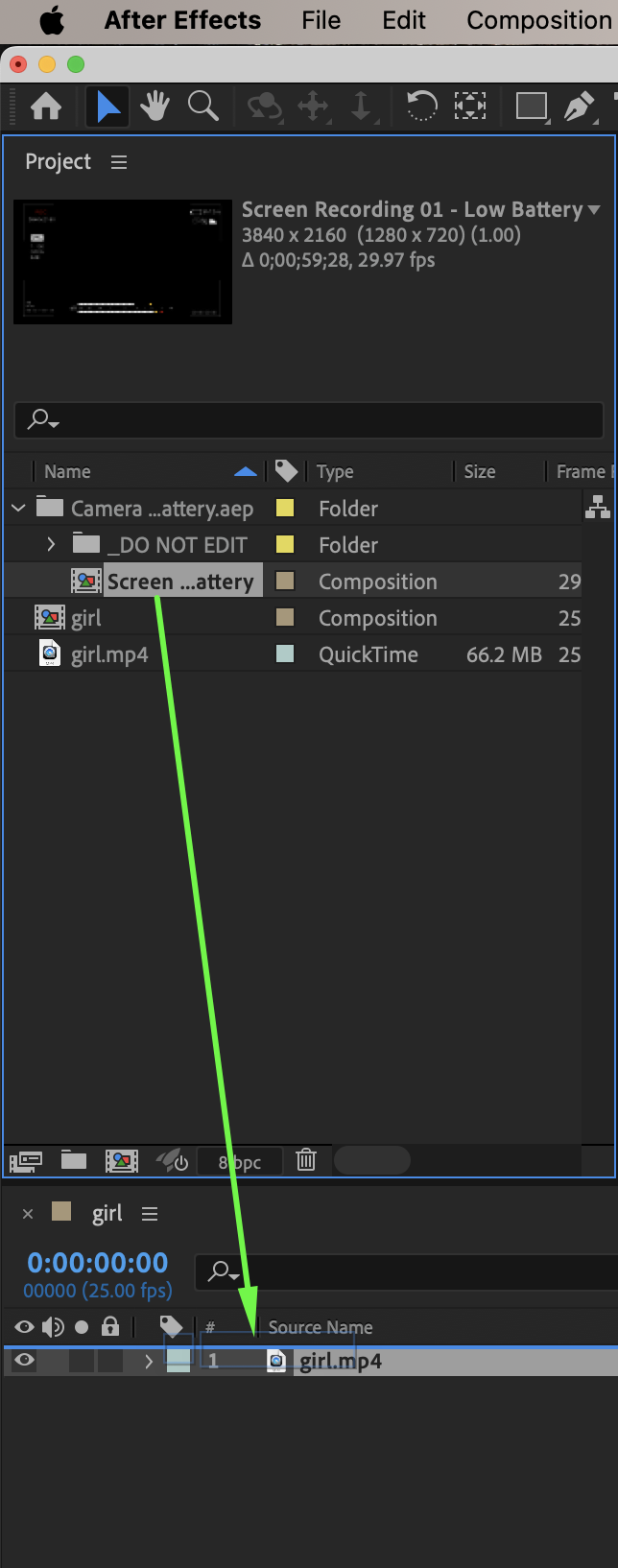
Step 5: Adjust Position and Scale
Adjust the Position and Scale of the overlay layer if needed so it aligns correctly with the video frame.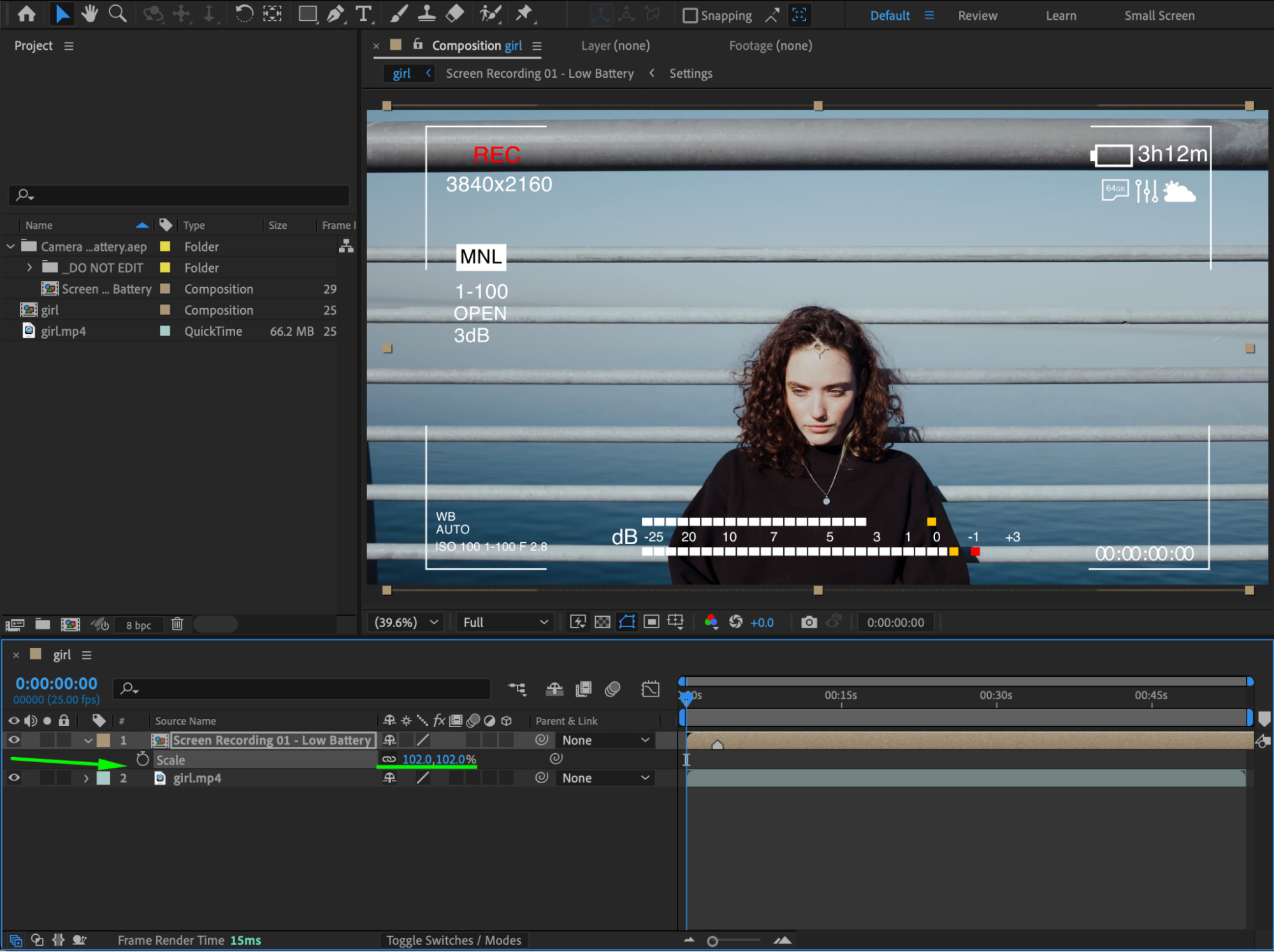 Step 6: Preview and Finalize
Preview the composition and make any final adjustments to ensure the live focus effect looks natural and properly placed.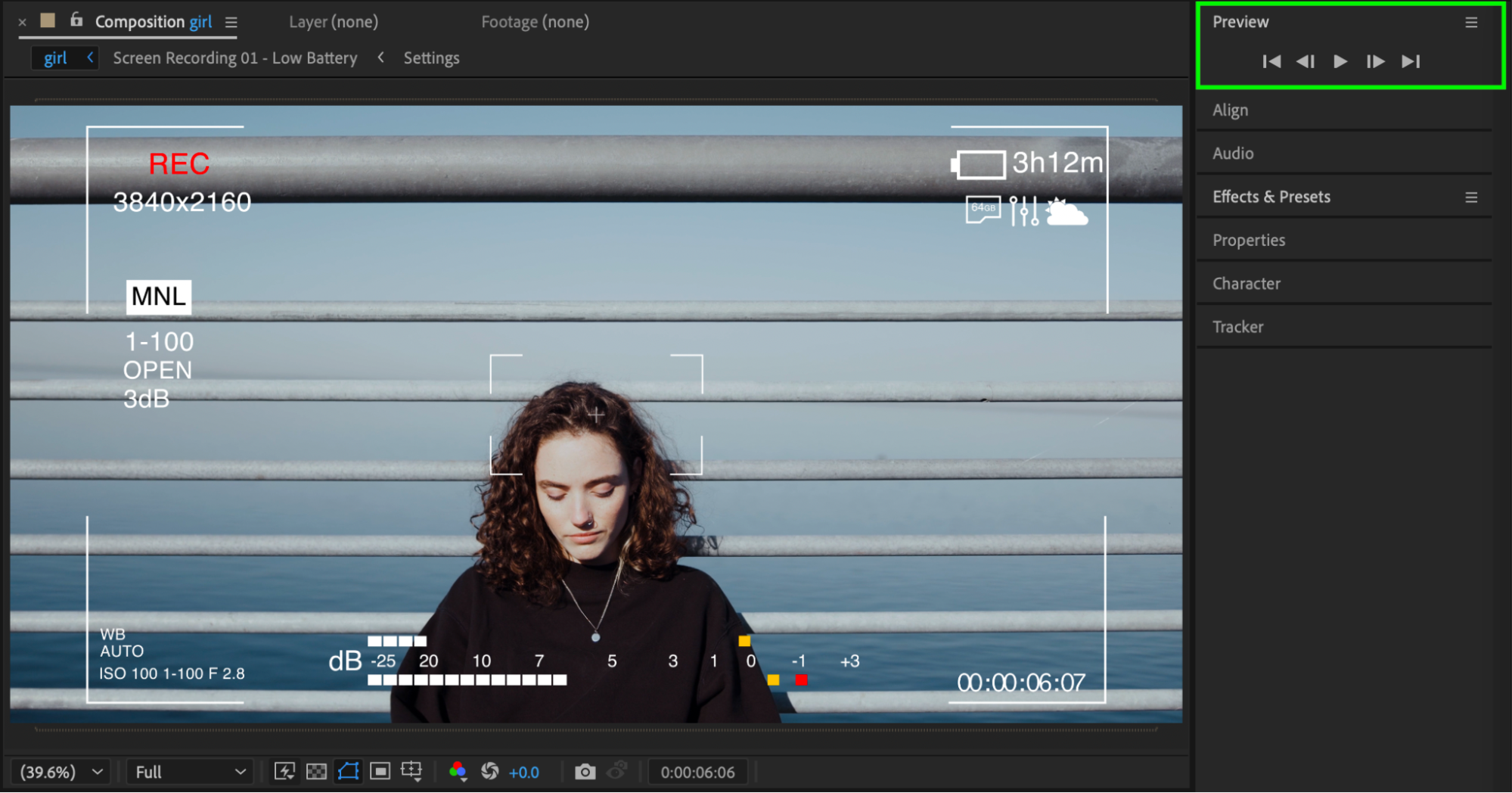
Conclusion
By adding a camera focus overlay on top of your footage, you can easily recreate a live focus effect in After Effects. This method works well for social media videos, cinematic edits, and creative camera-style visuals.
Our Bestsellers
Our Bestsellers


