
Introduction
Stroke outlines are a simple and effective way to highlight images or videos in After Effects. Using Layer Styles, you can quickly add clean borders and customize their appearance without complex masking or effects.
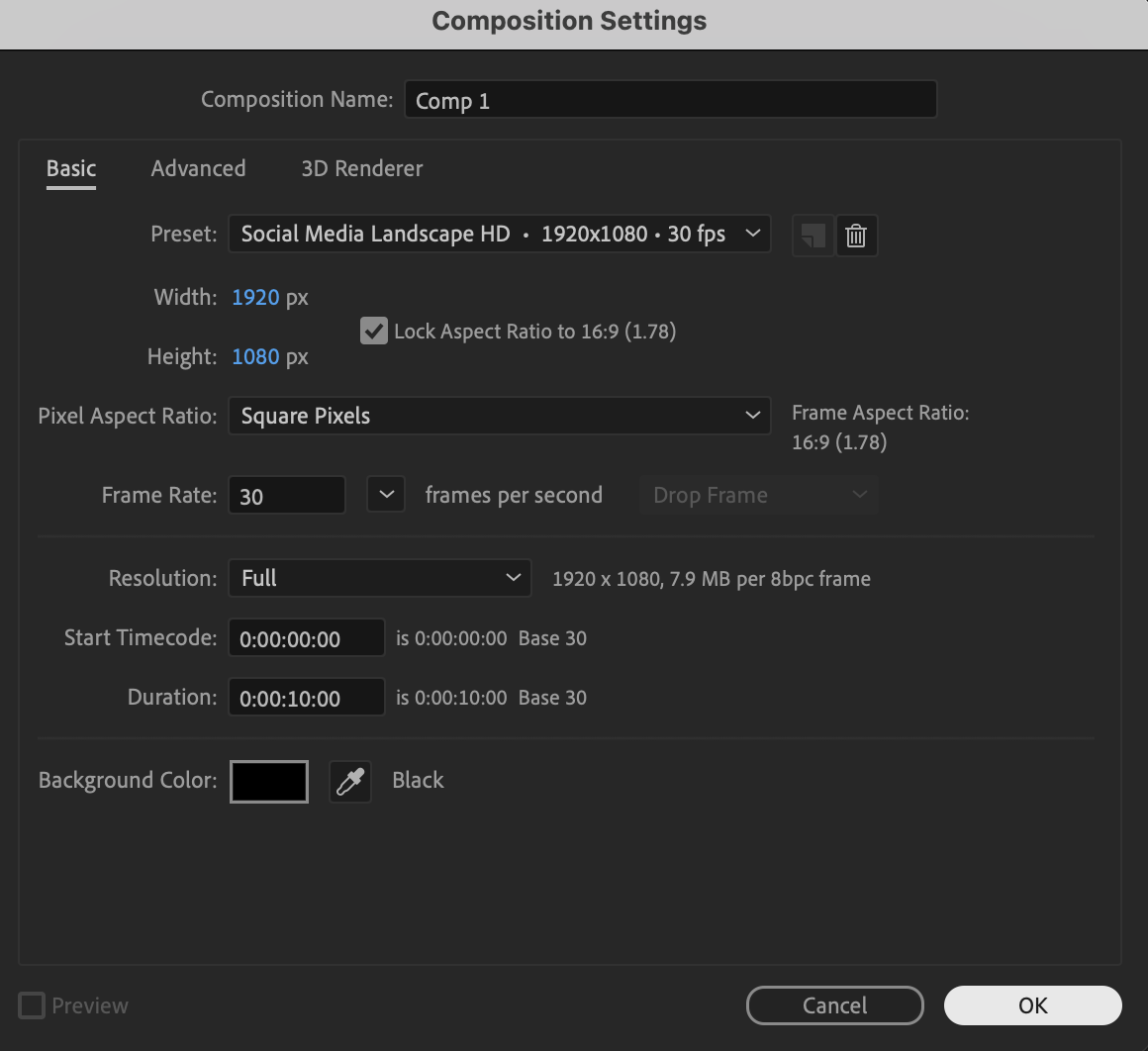
Step 1: Create a New Composition
Create a new composition with the desired resolution and frame rate.
 Step 2: Import Your Media
Go to File → Import → File and import your photo or video. Drag it onto the timeline.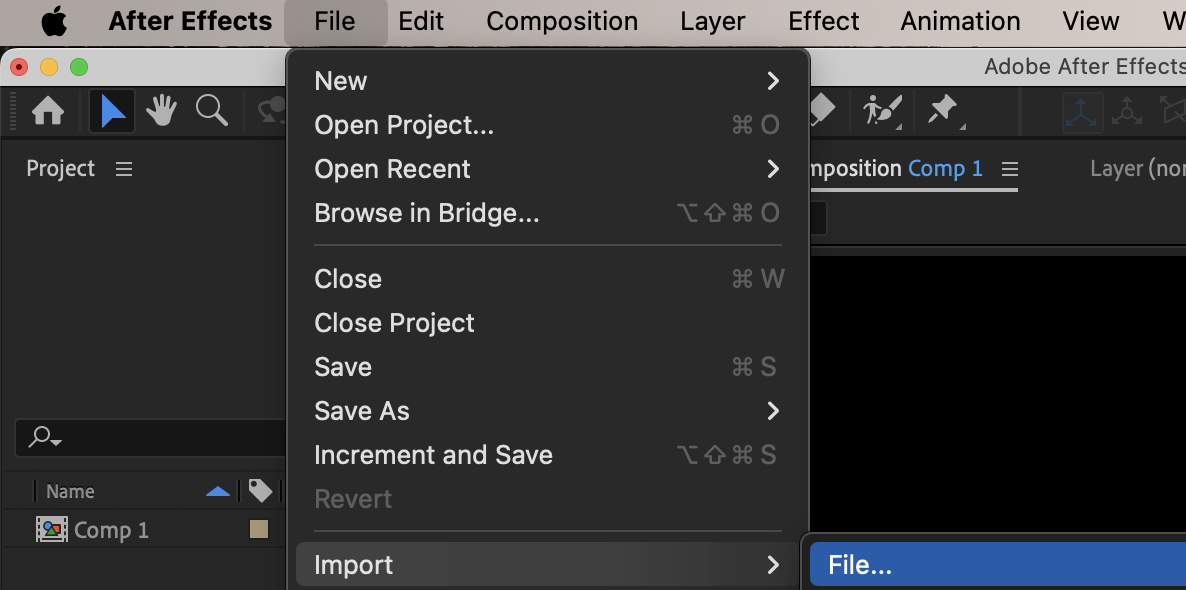
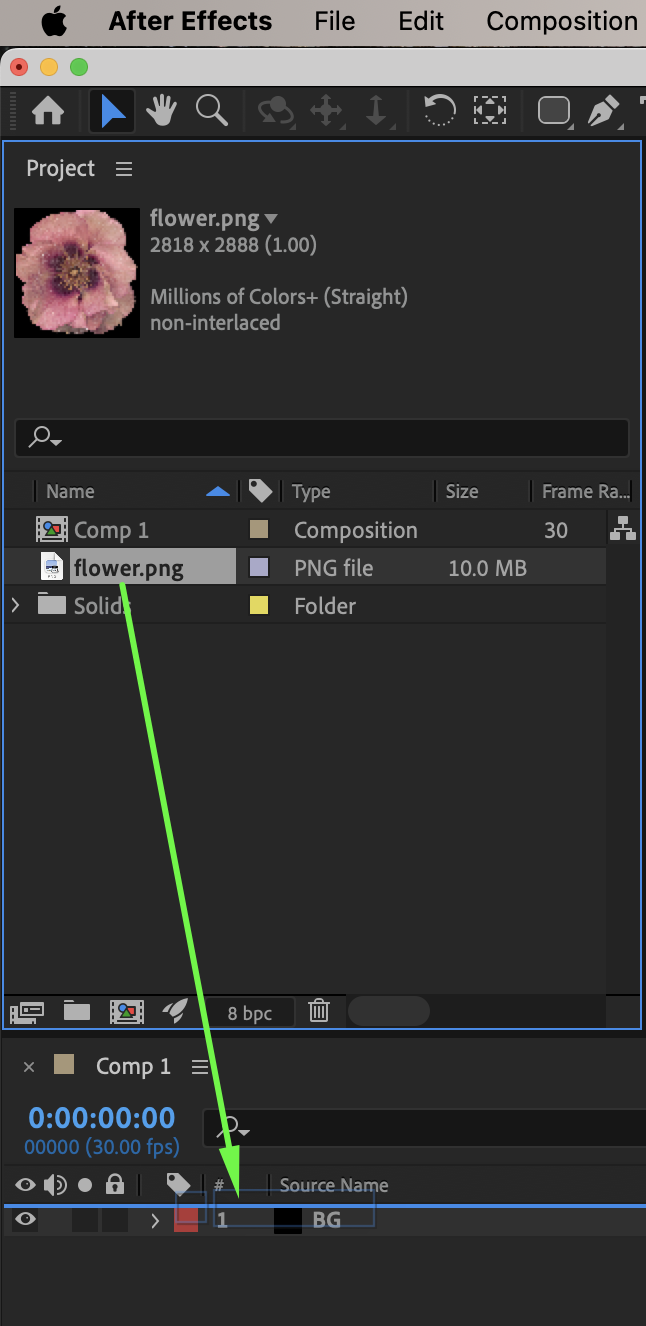
Step 3: Adjust the Layer Scale
Select the media layer and adjust the Scale property to fit the composition as needed.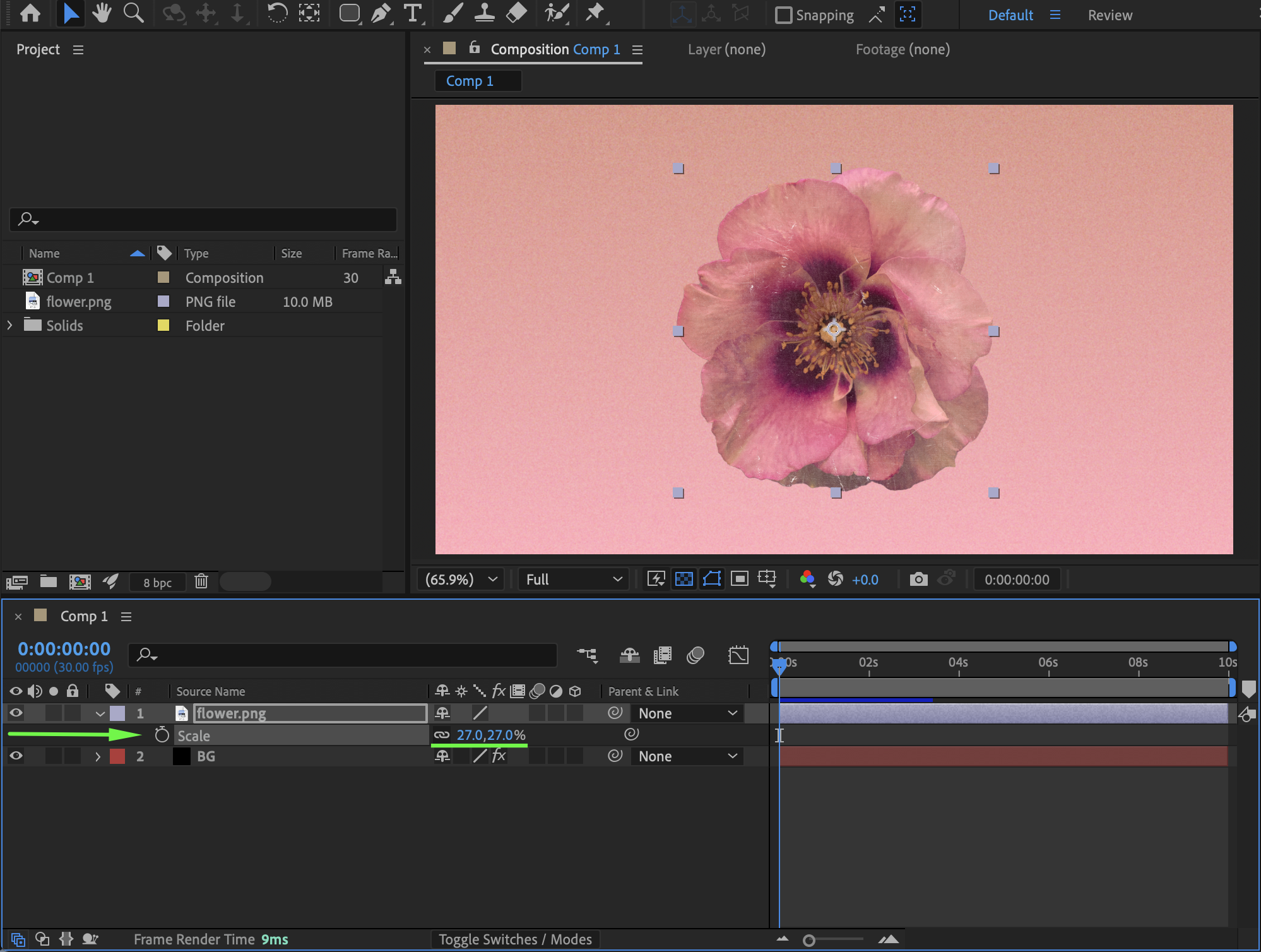 Step 4: Add a Stroke Layer Style
Right-click on the media layer. Choose Layer Styles → Stroke.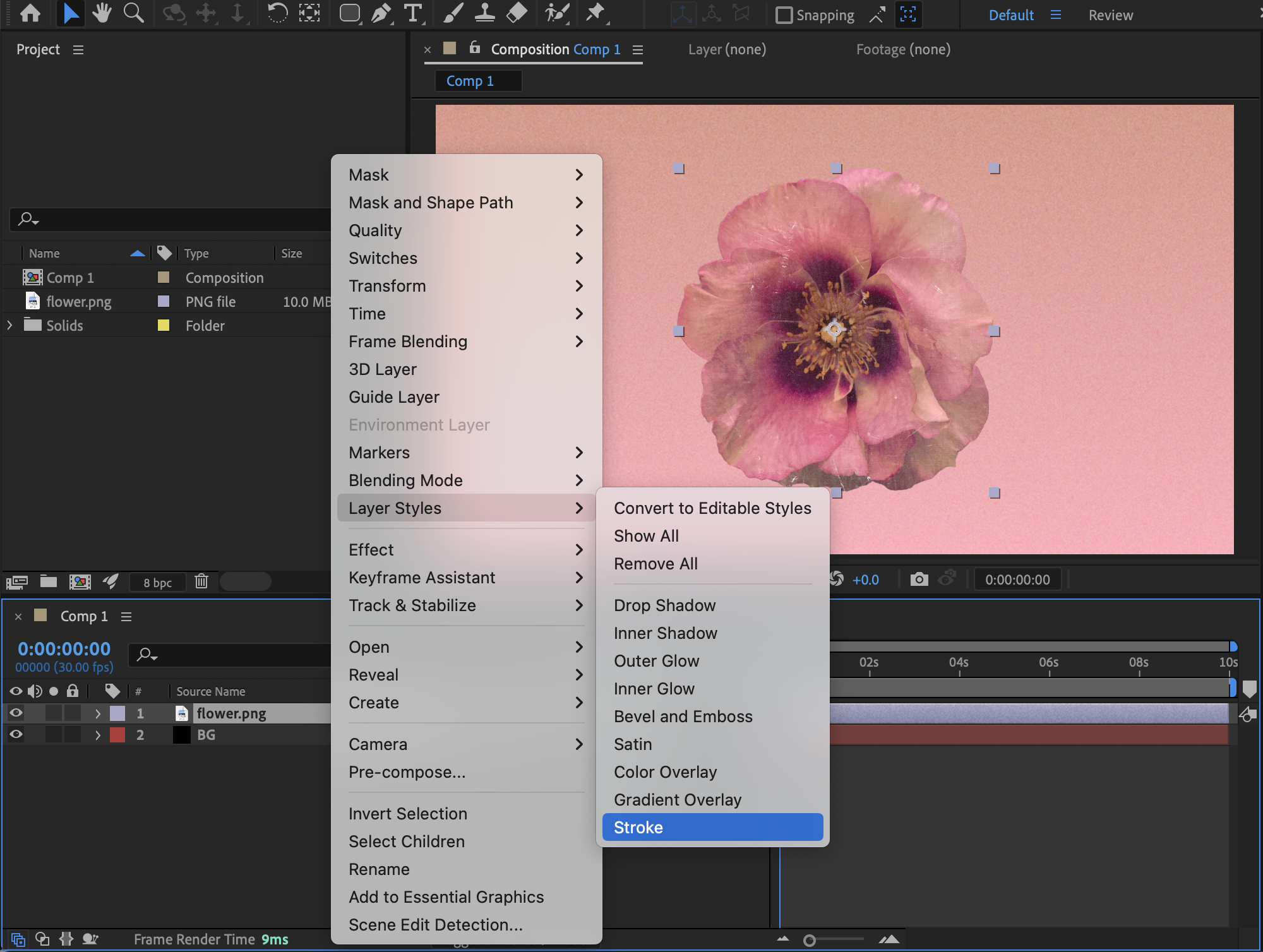 Step 5: Customize the Stroke
Expand the layer properties and open Layer Styles → Stroke. Adjust the following settings:
Color – choose the stroke color
Size – control the thickness of the stroke
Position – set the stroke to Inside, Outside, or Center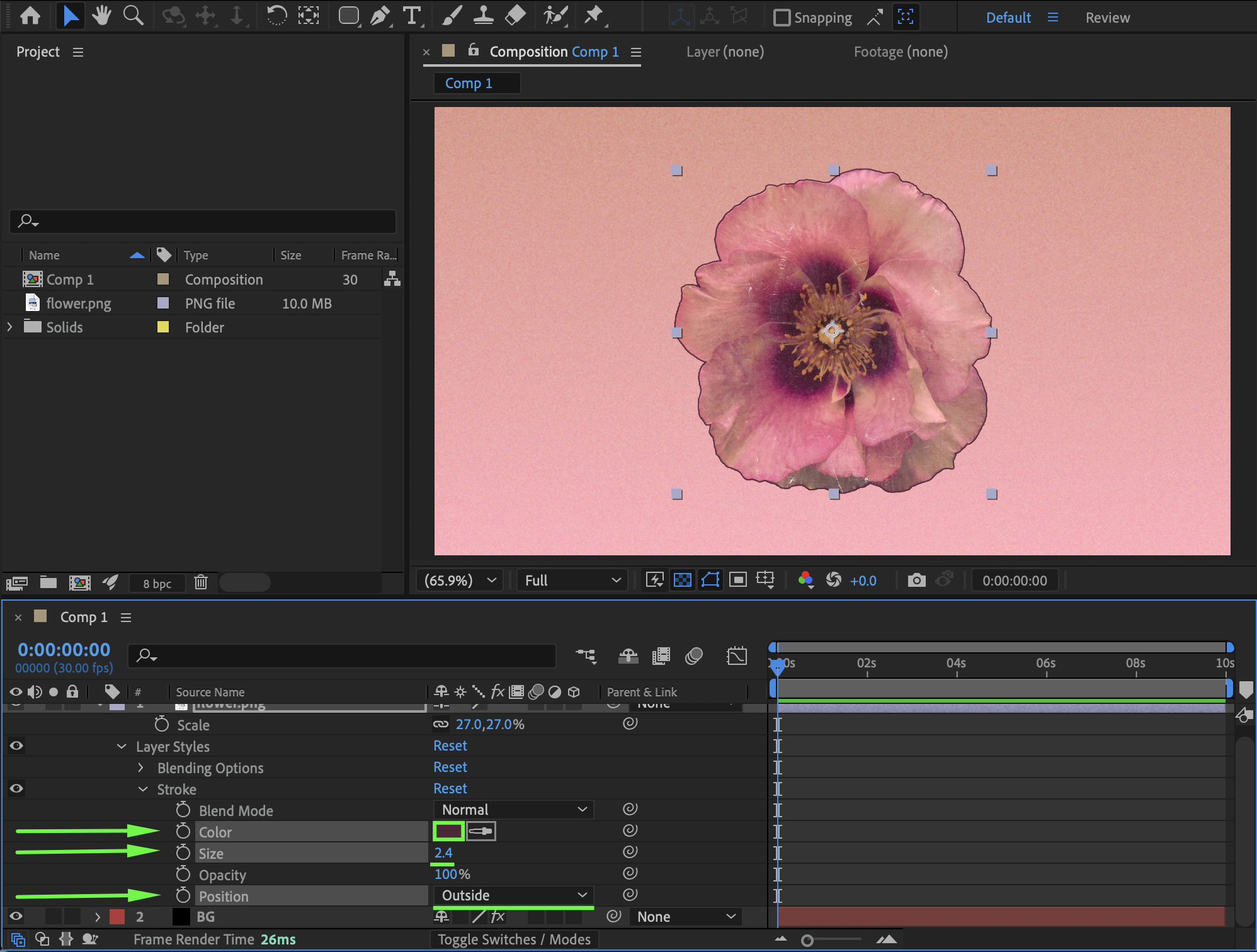
Step 6: Optional – Customize the Edges
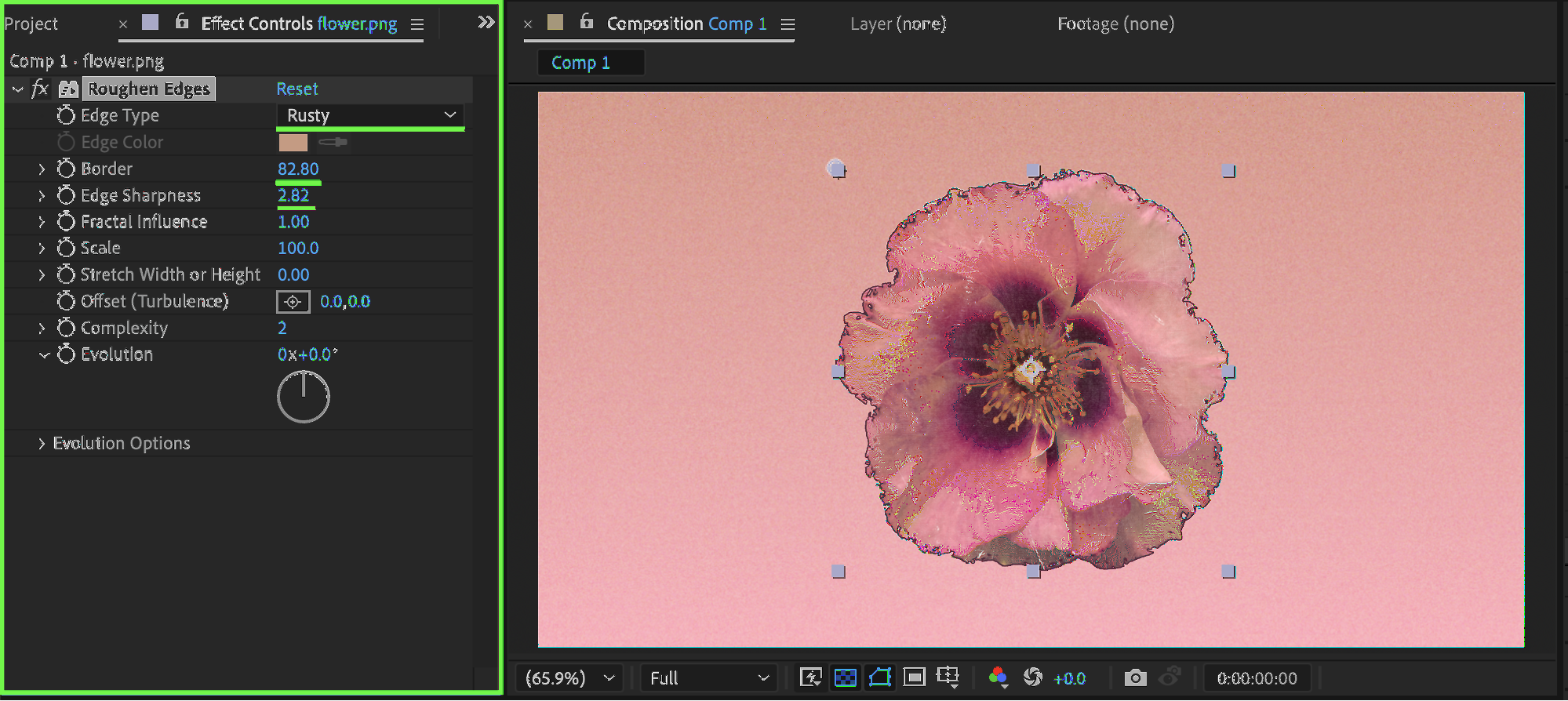
For a more stylized look, apply the Roughen Edges effect from Effects & Presets. In the Effect Controls panel, adjust:
Edge Type (for example, Rusty)
Border
Edge Sharpness
This adds an organic or distressed feel to the stroke.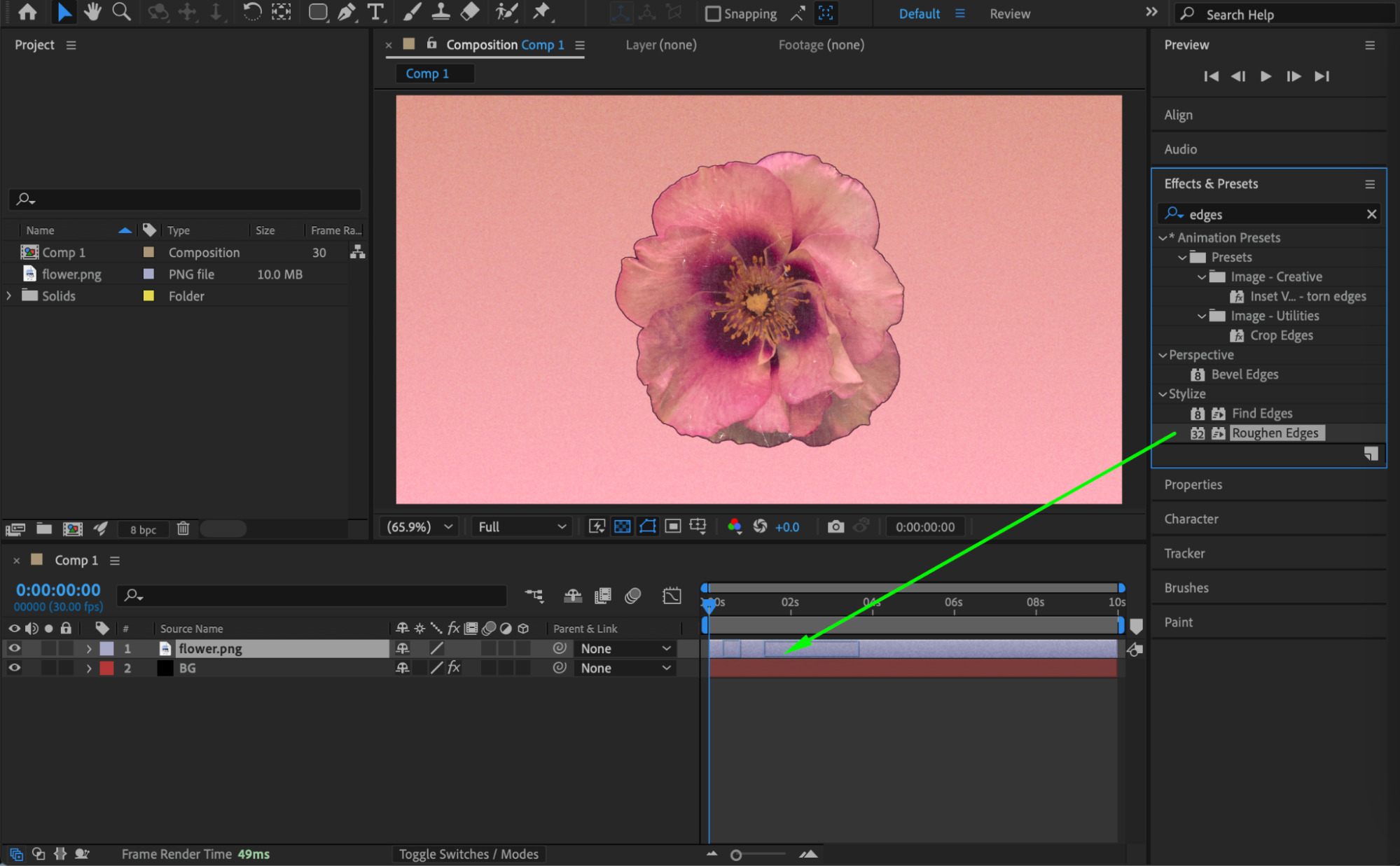
 Step 7: Preview the Result
Preview the composition and fine-tune the stroke and edge settings until you achieve the desired look.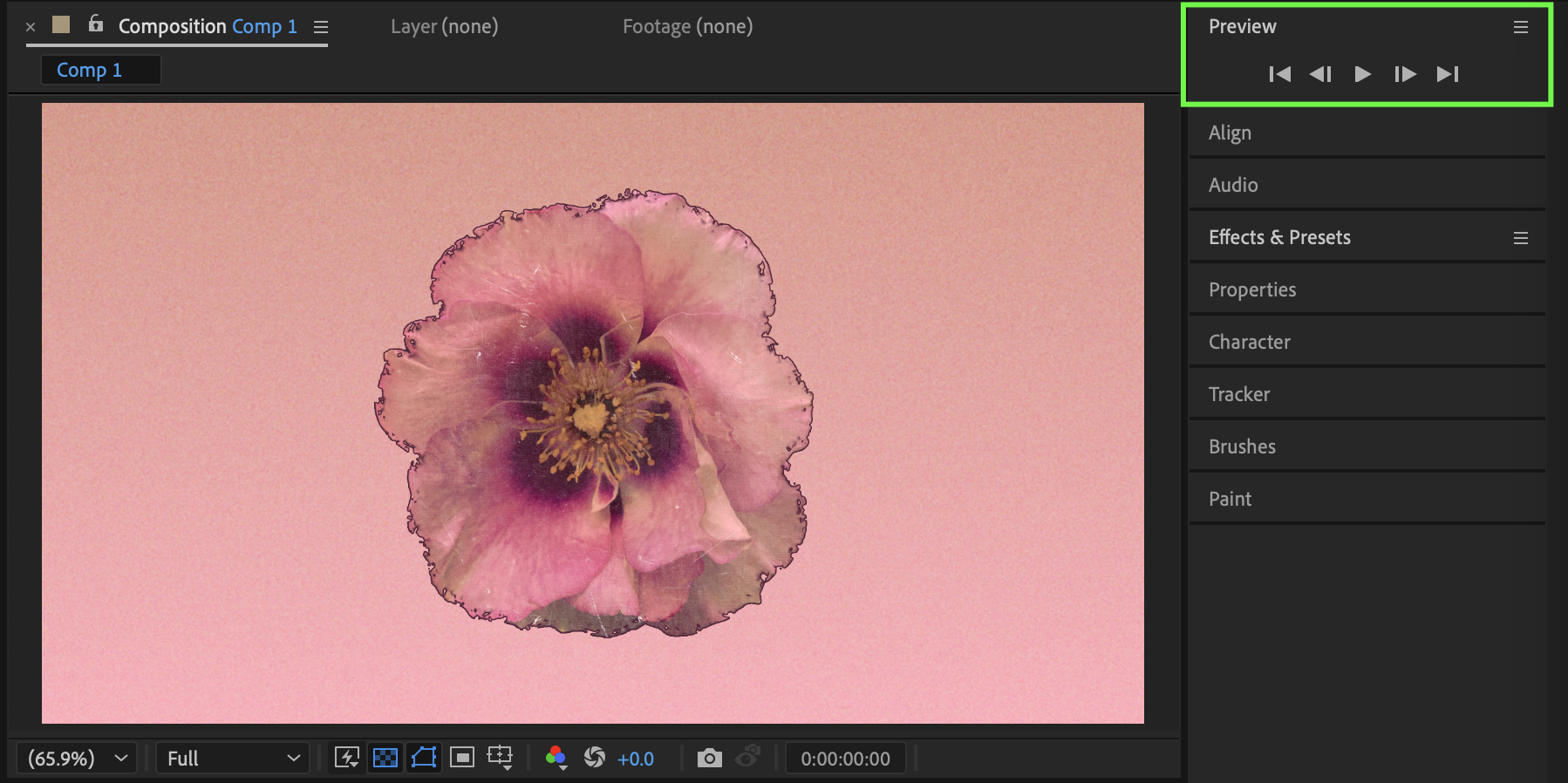
Conclusion
Using Layer Styles → Stroke is a fast and flexible way to add outlines in After Effects. Combined with effects like Roughen Edges, you can create anything from clean borders to highly stylized strokes.
Our Bestsellers
Our Bestsellers


