
Introduction
Creating a dynamic wave form in After Effects is simple with the Wave Warp effect. You can animate smooth, looping waves or chaotic distortions using just a few built-in tools. This technique is perfect for water animations, abstract motion graphics, or flowing visual effects.
Step 1: Create a New Composition
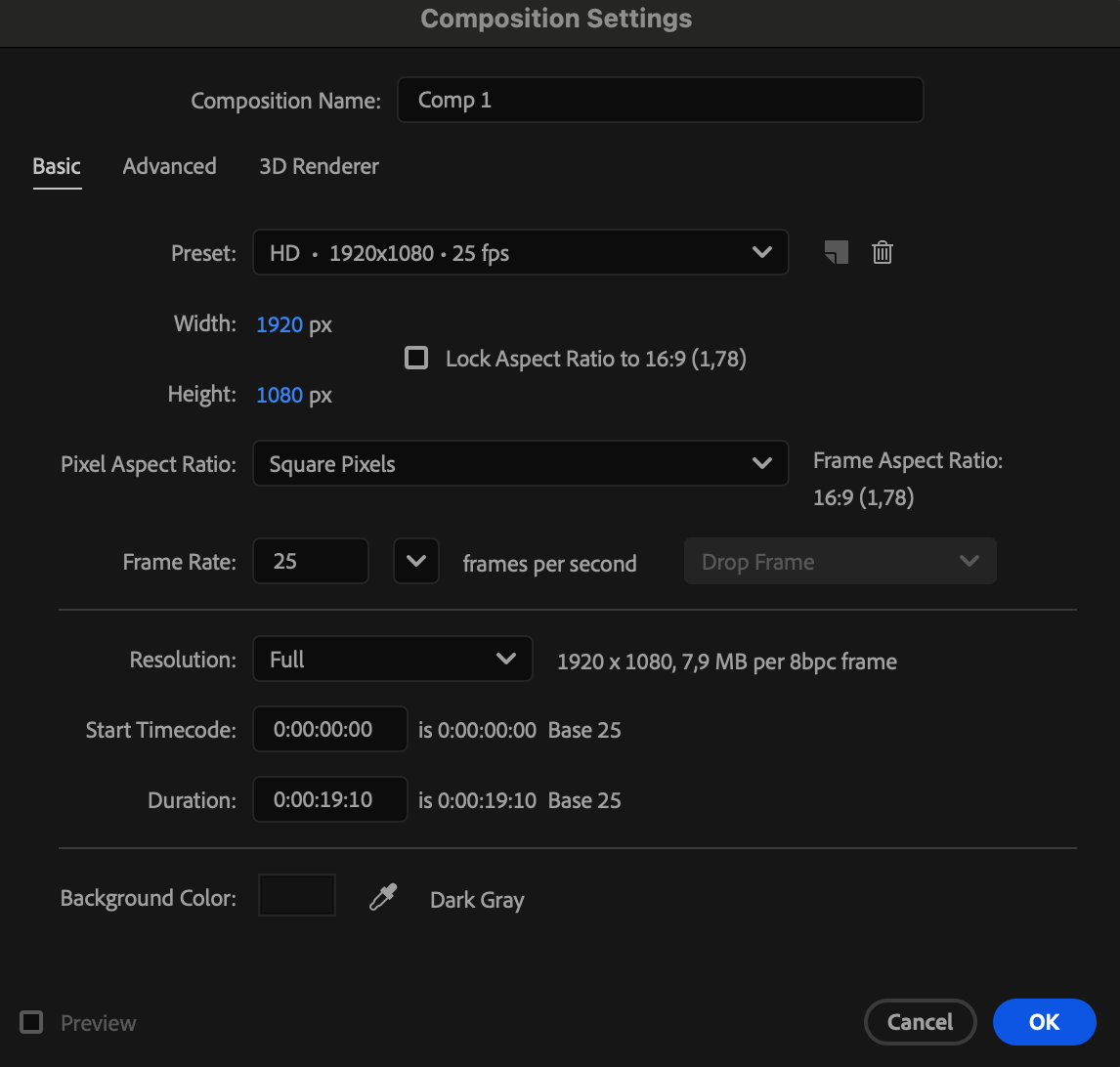
Go to Composition > New Composition, set your desired resolution and duration, and click OK to create your workspace.
 Step 2: Add a Background Solid
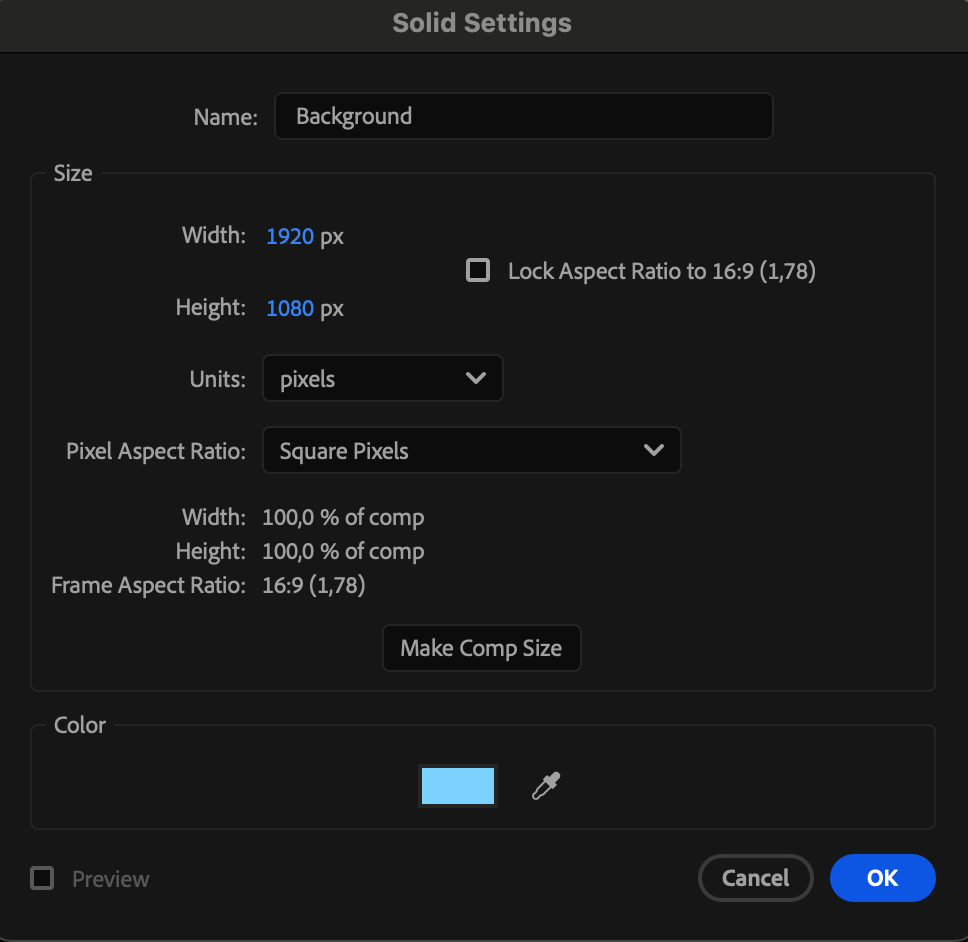
Go to Layer > New > Solid, choose a blue color, and name it “Background.” This will act as the base for your wave animation.
Step 3: Draw a Horizontal Line
Select the Pen Tool (G) and draw a straight horizontal line across the composition. In the toolbar, set Fill to None, Stroke Width to 13 px, and Stroke Color to White. This will be your main wave line.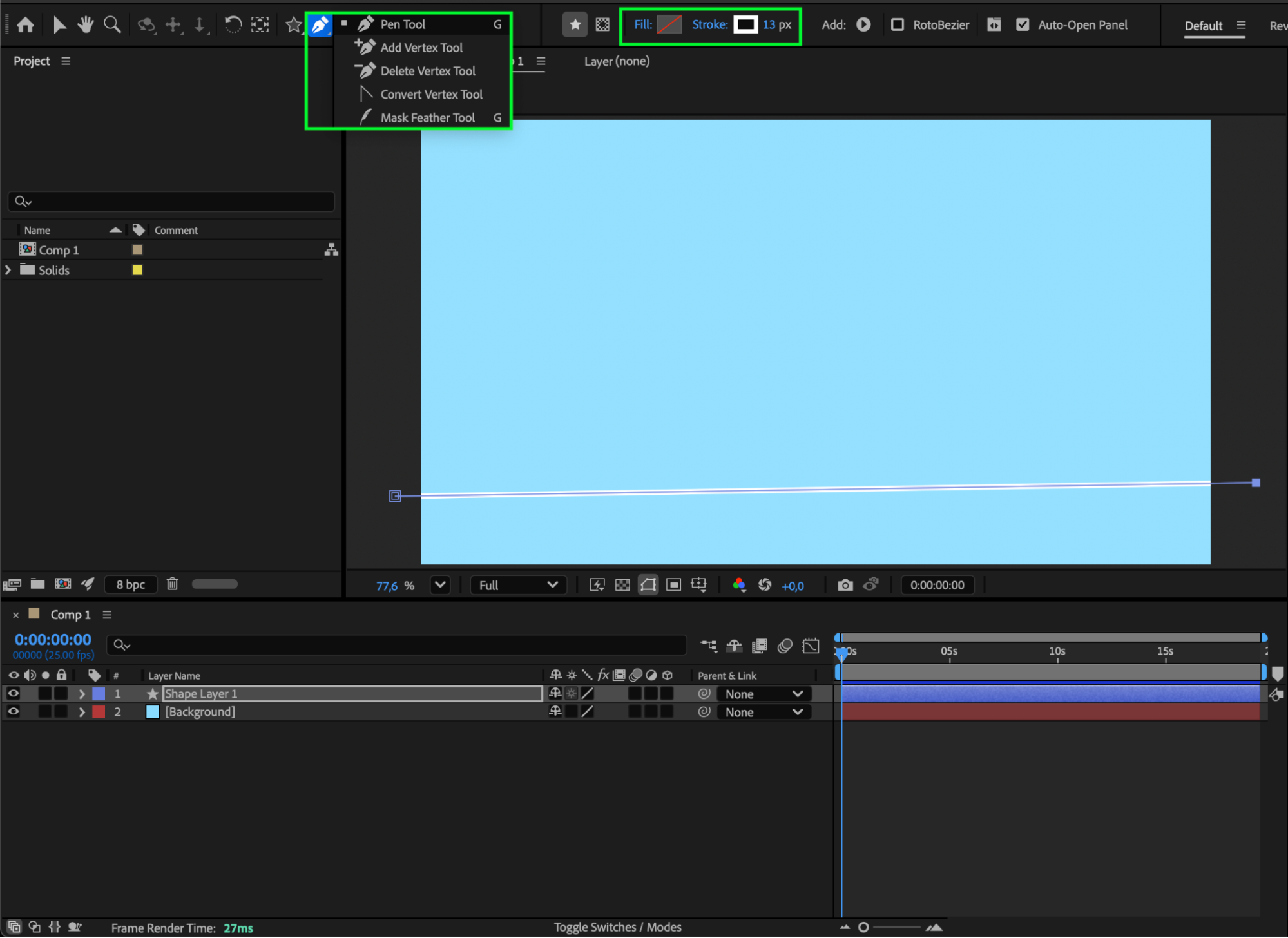 Step 4: Apply the Wave Warp Effect
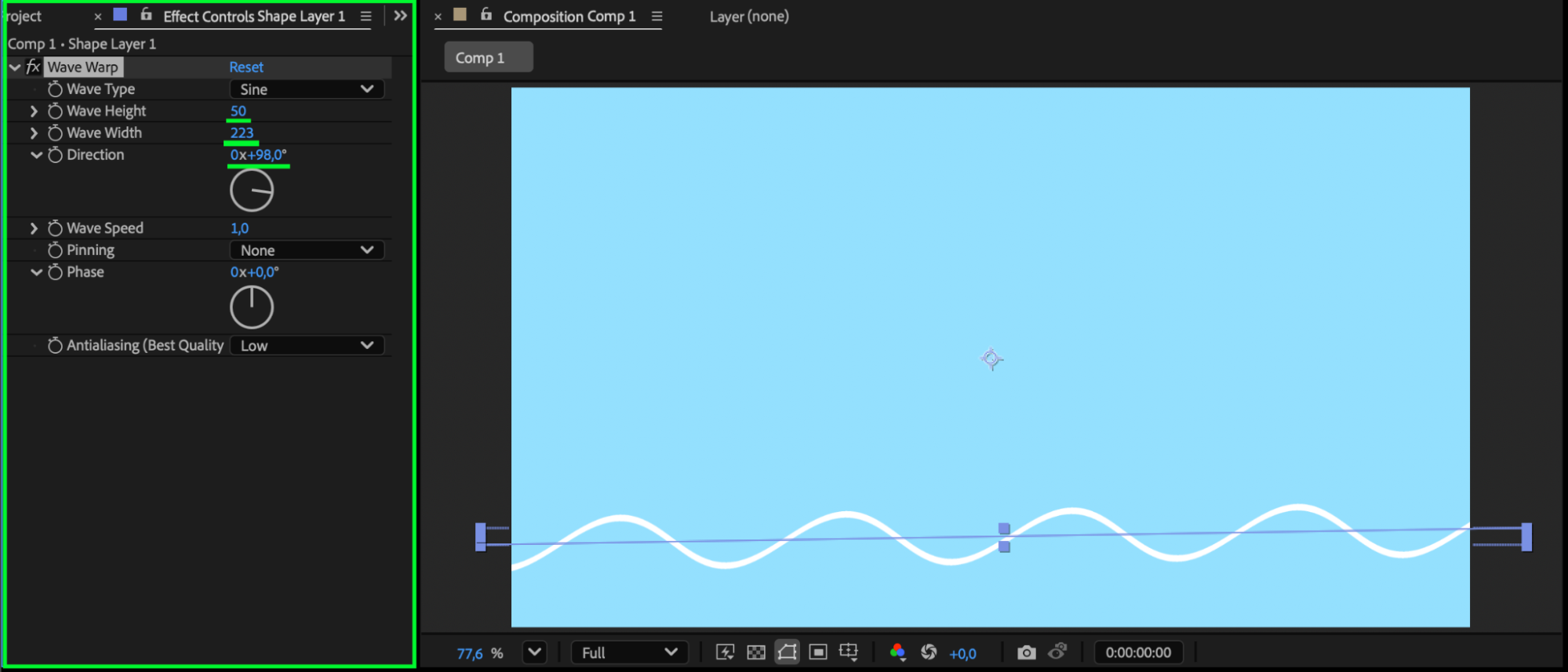
With the line selected, go to Effect > Distort > Wave Warp. In the Effect Controls panel, adjust these settings:
Wave Height – controls how tall the waves appear
Wave Width – adjusts how long each wave is
Direction – sets the wave’s angle (e.g., 0° for horizontal waves)
Optional: You can animate these parameters (e.g., Wave Height or Wave Width) over time by clicking the stopwatch icon next to each property to create dynamic wave motion.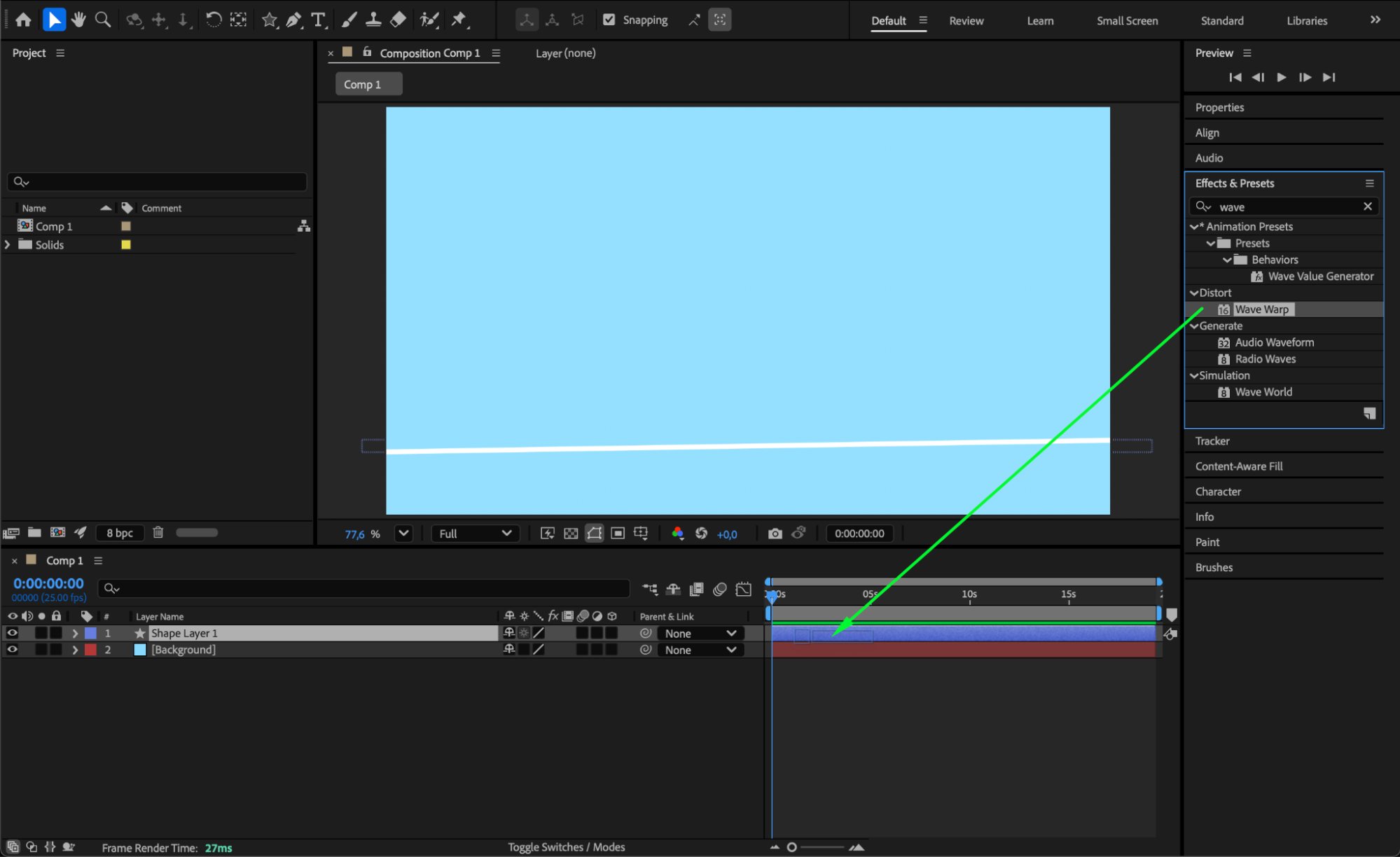
Step 5: Add Turbulent Displace for Chaos
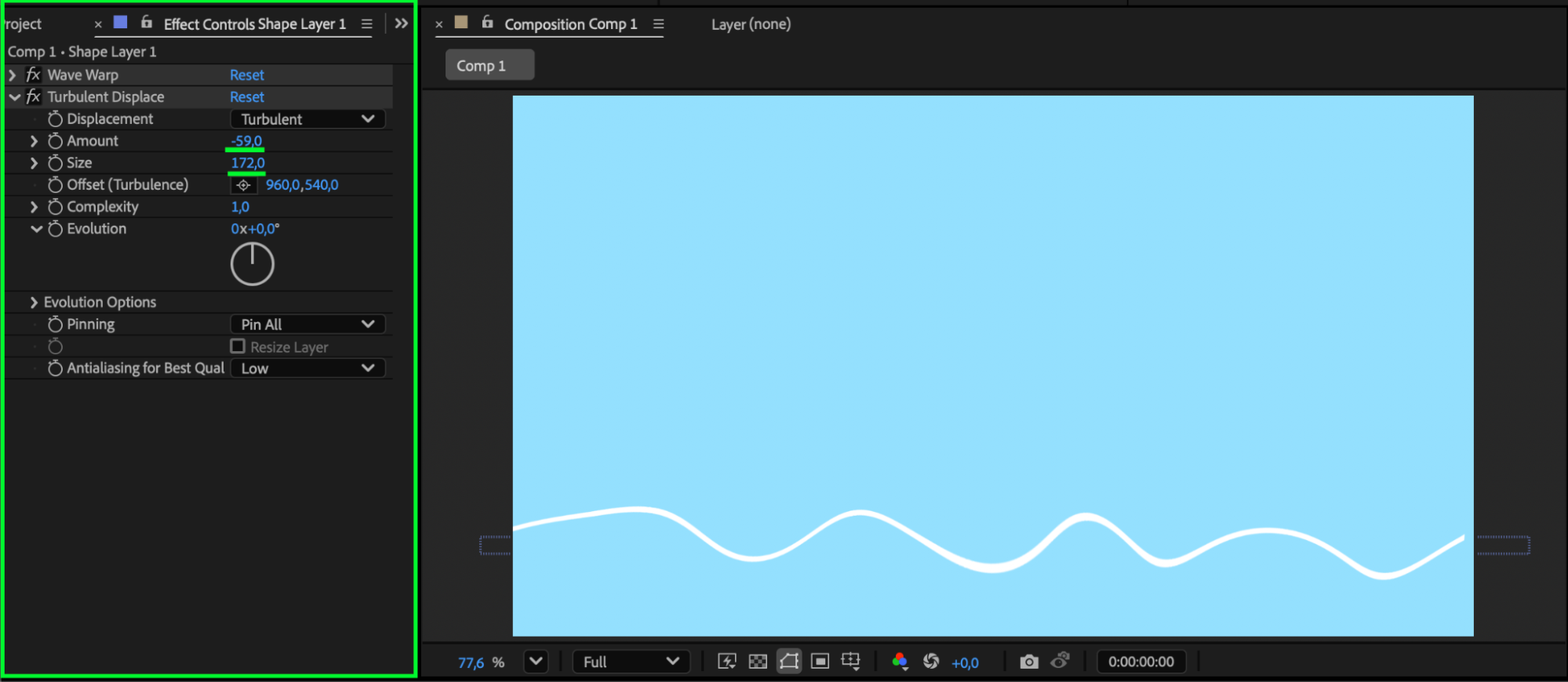
To make the wave look more natural and less uniform, apply Effect > Distort > Turbulent Displace. This effect will break up the wave pattern slightly, creating an organic water-like flow.
Optional: Animate the Amount or Size parameters in Turbulent Displace to make the movement more lively and dynamic.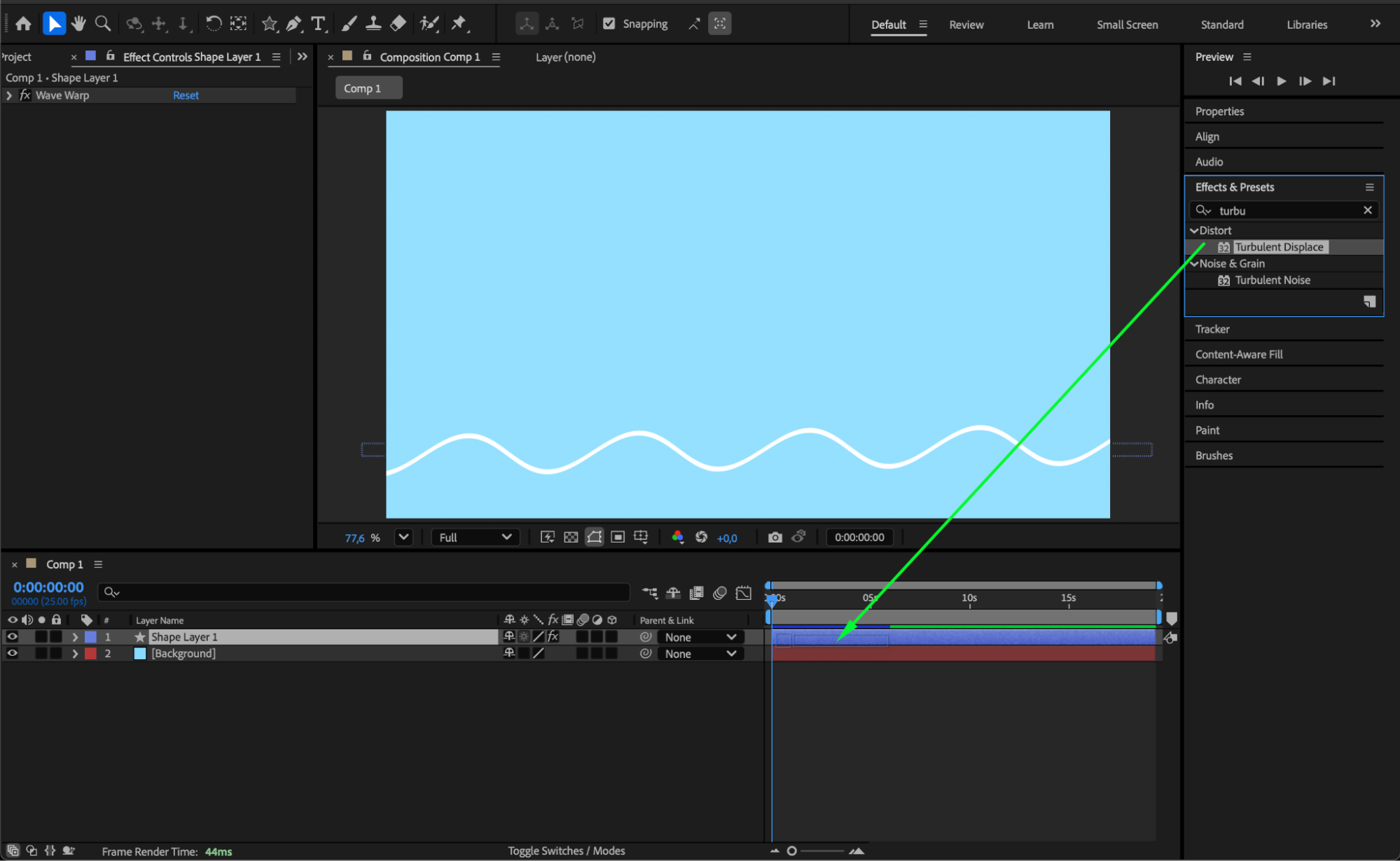
 Step 6: Duplicate and Customize Layers
Duplicate the wave line (Ctrl/Cmd + D) several times. For each duplicate:
Slightly rotate the layer
Lower the opacity
Adjust the Wave Warp and Turbulent Displace settings in the Effect Controls panel
This layering creates depth and a more realistic animation.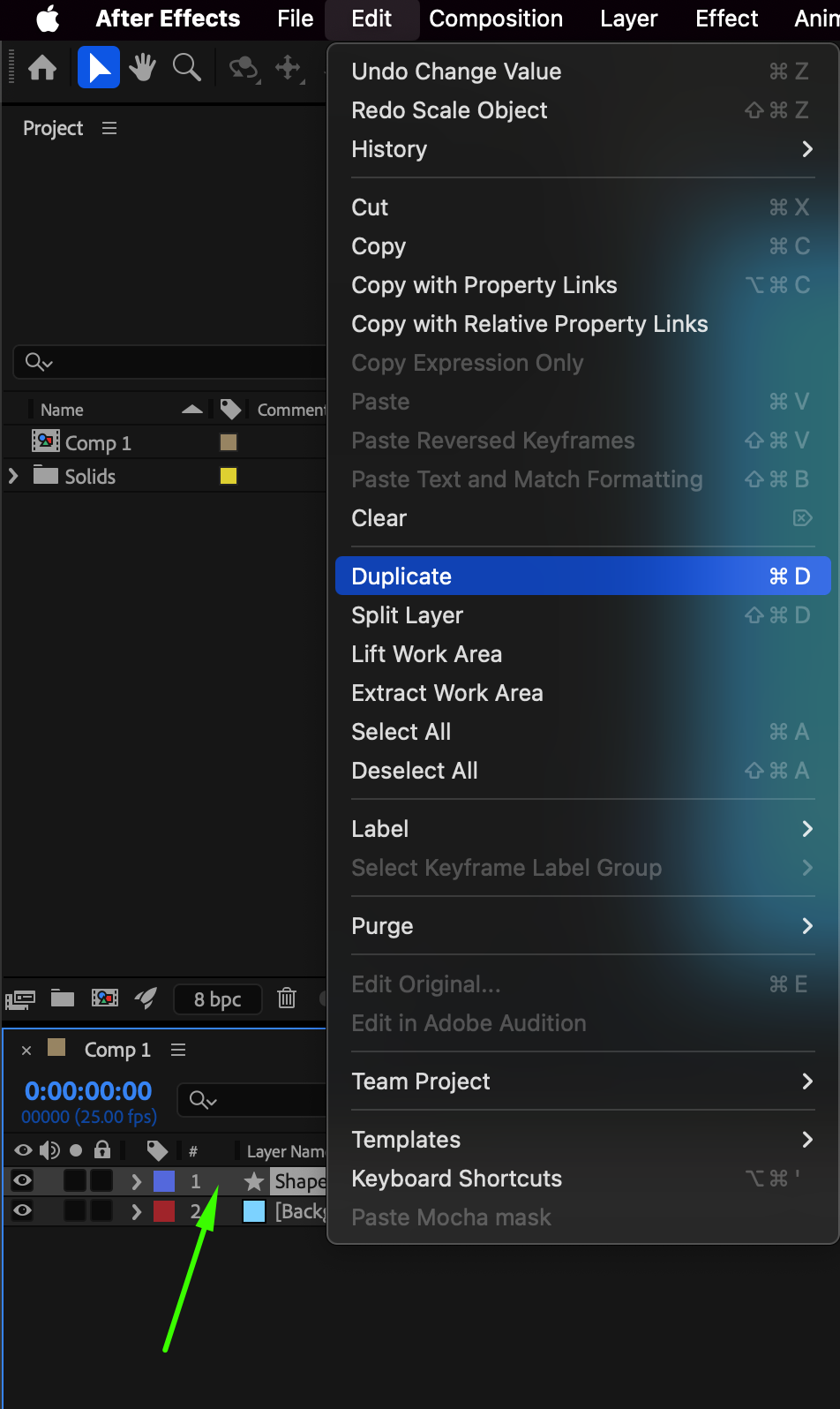
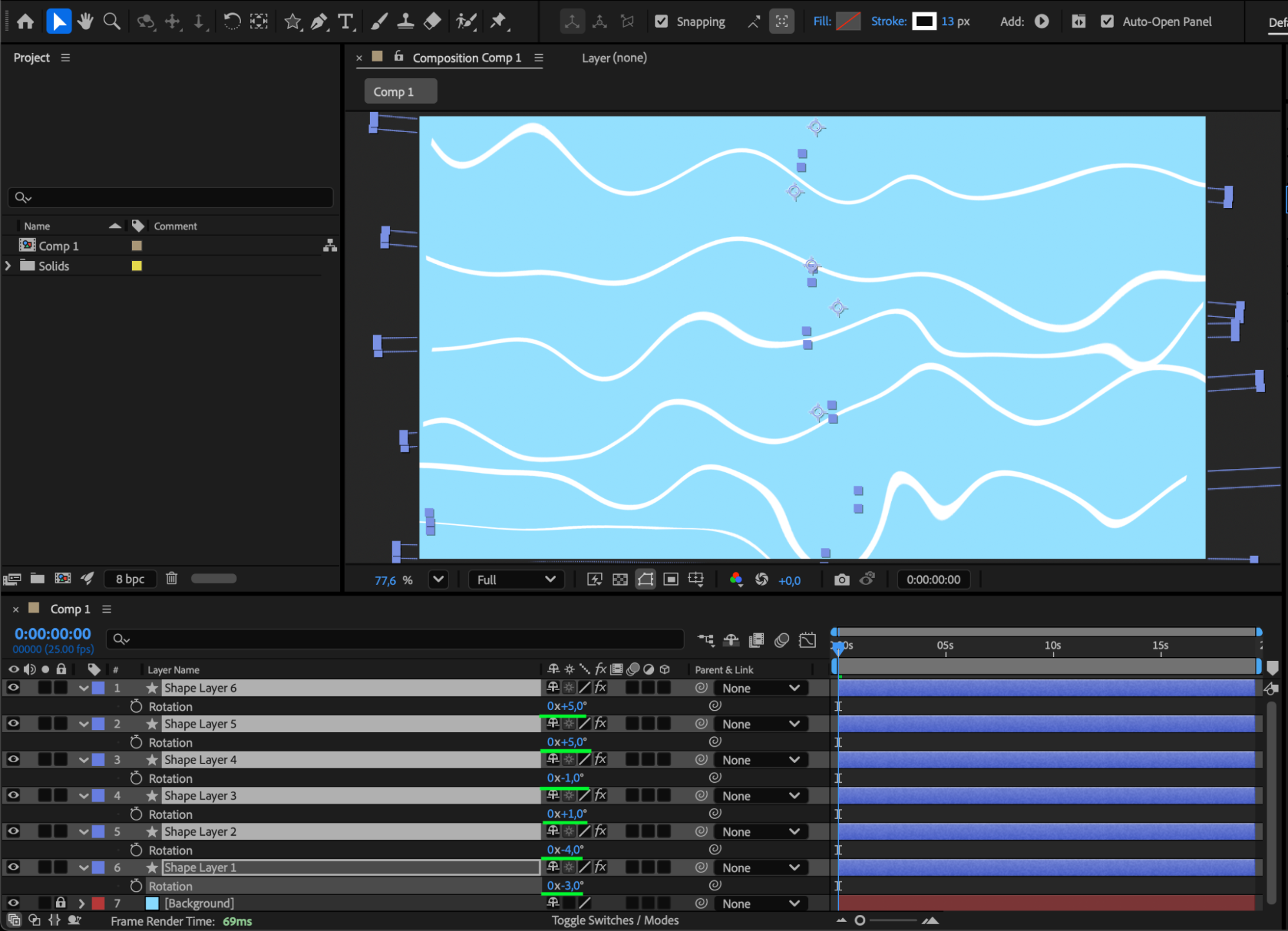 Step 7: Preview Your Composition
Press the Spacebar to preview your animation. You should see multiple animated wave lines moving fluidly with natural motion.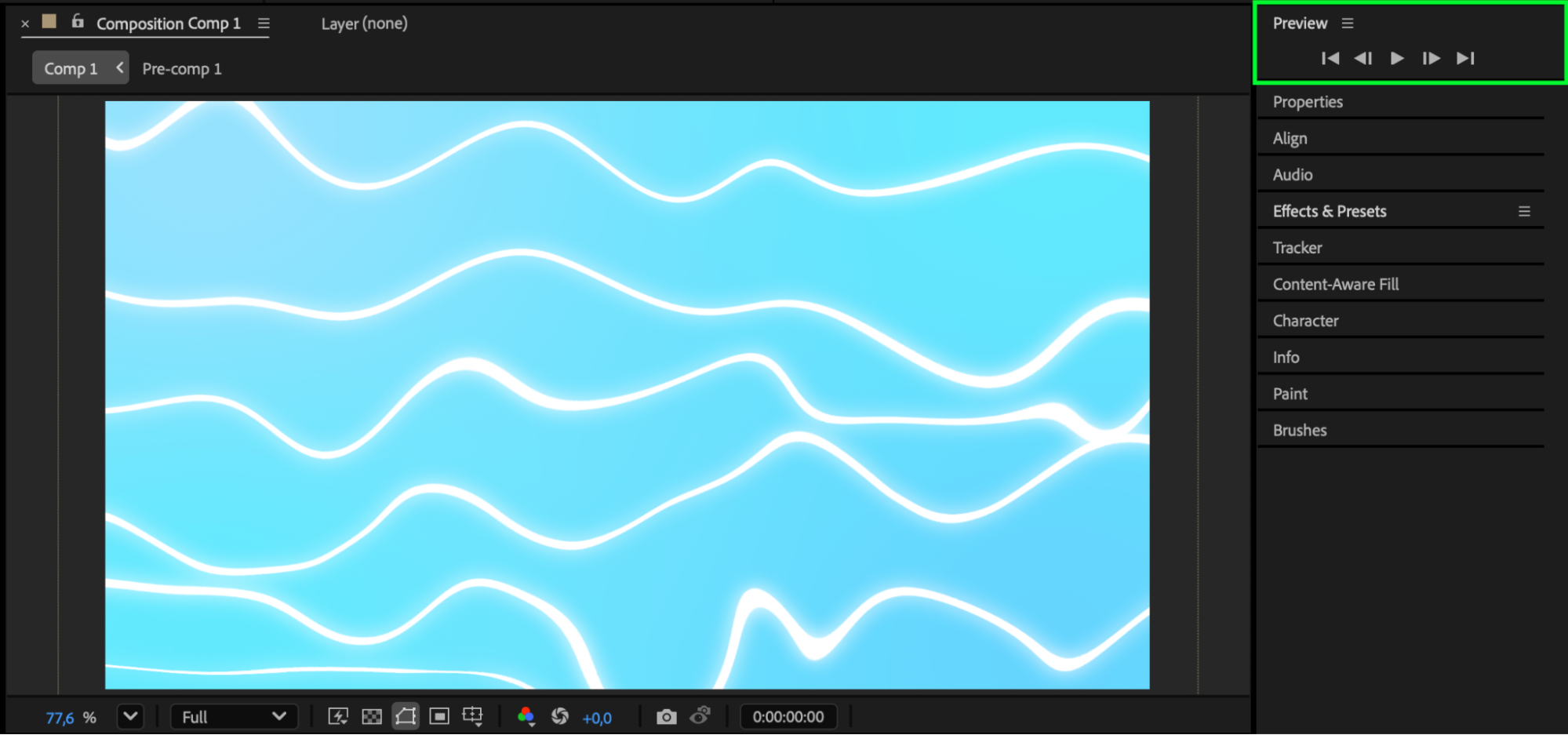
Conclusion
Adjusting wave forms in After Effects using Wave Warp and Turbulent Displace allows you to create smooth, flowing animations that resemble realistic or stylized water. By animating parameters and layering multiple wave lines, you can achieve professional, organic motion for any creative project.
Our Bestsellers
Our Bestsellers


