
Introduction
In After Effects, expressions let you automate text and layer properties using simple JavaScript-based code.
If you want to display two separate text values together — for example, combining numbers, variables, or words — you can do this easily by joining strings in an expression.
Step 1: Create a New Text Layer
Go to Layer > New > Text and type a placeholder word or leave it blank. This layer will display your combined text through an expression.
Step 2: Open the Expression Editor
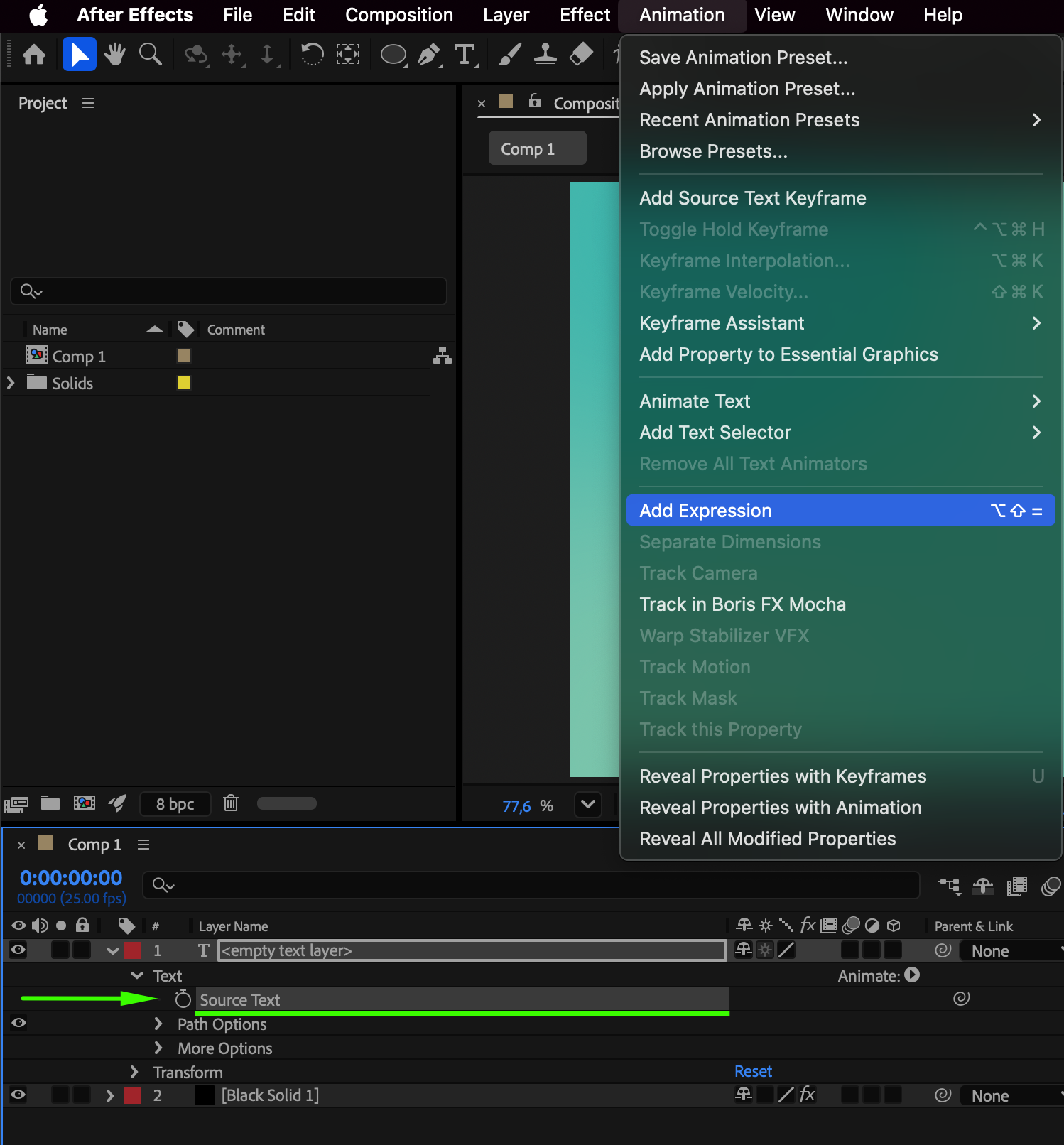
Select the text layer and hold Alt (Windows) or Option (Mac), then click the Source Text stopwatch in the Timeline.
This will open the expression editor where you can write your code.
Step 3: Define Two Strings
In the expression field, define two text variables. For example:
var text1 = “After”;
var text2 = “Effects”;
These are your two separate string values that you will combine.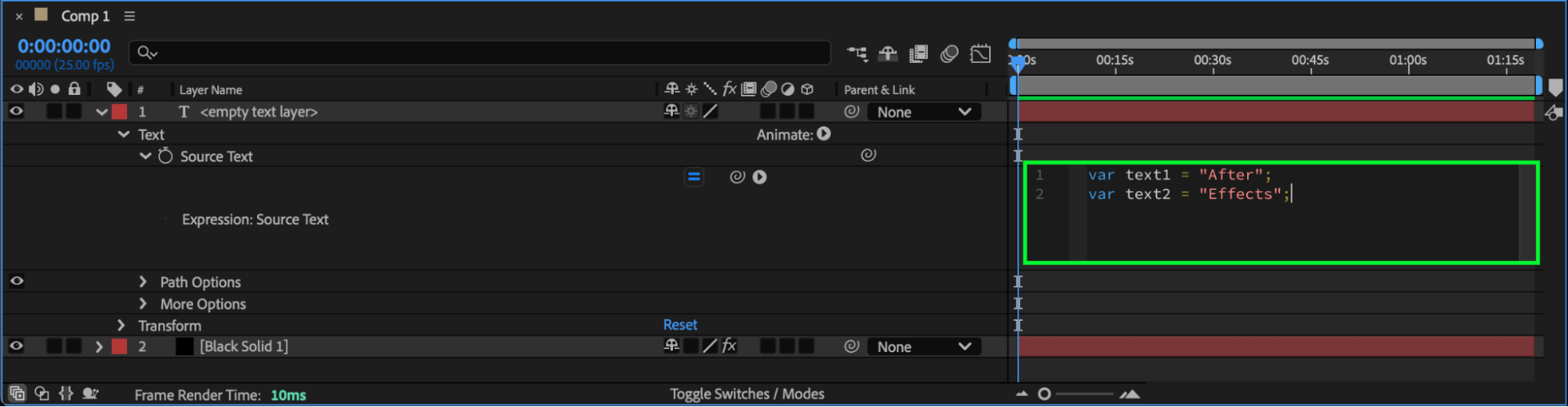
Step 4: Combine the Strings
To merge them into one line, use the + operator:
text1 + ” ” + text2;
This expression combines the two strings with a space in between, displaying “After Effects” as the result.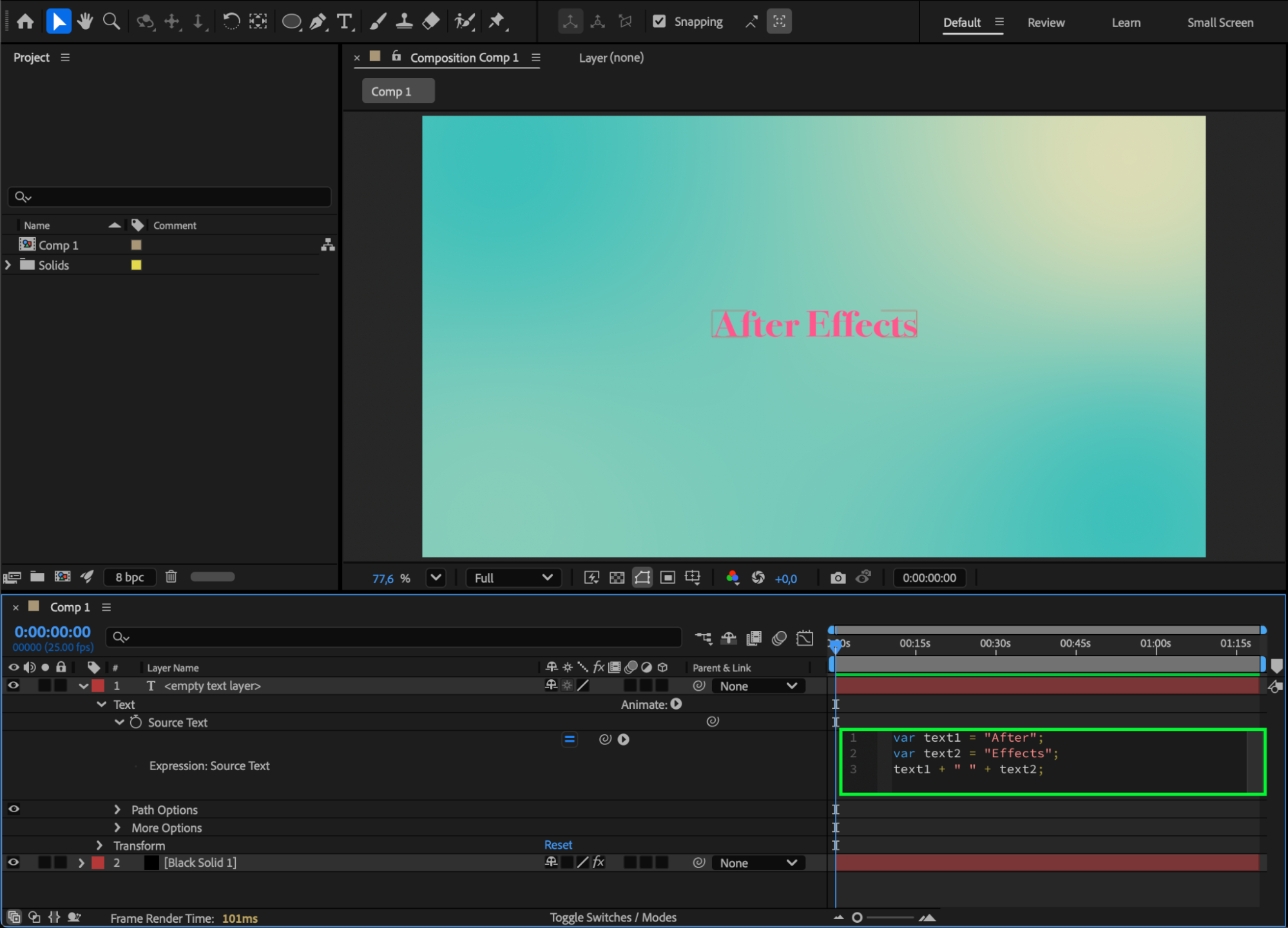 Step 5: Preview the Result
Click outside the expression box or press Enter (numeric keypad) to apply it. You’ll see both strings combined and displayed in your text layer.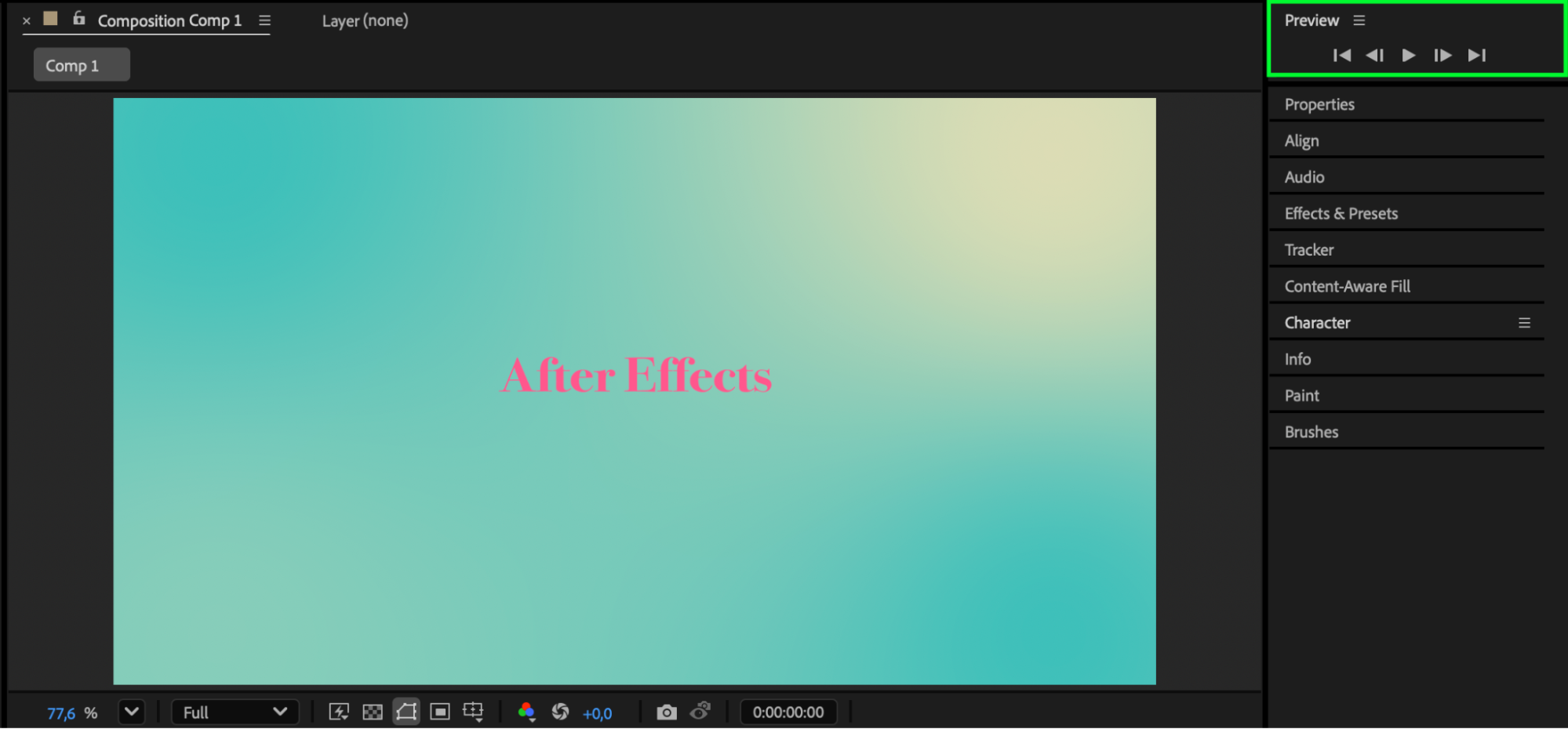
Conclusion
Combining strings with expressions in After Effects is a simple but powerful technique for creating dynamic text.
Our Bestsellers
Our Bestsellers


