
Learn how to use AEJuice Typography Titles Pack in Premiere Pro to design cinematic and dynamic text animations with ease.
Create Cinematic Typography Titles in Premiere Pro Using AEJuice
Introduction to Typography Title Templates for Film and Video Editors
Typography is a key part of modern video editing. Whether you’re working on a documentary, commercial, or cinematic project, animated titles help deliver your message with style. The AEJuice Typography Titles Pack gives you access to professionally designed templates that are easy to customize inside Premiere Pro. This step-by-step tutorial will show you how to use them.
Step 1: Launch Premiere Pro and Create a New Project
Open Premiere Pro, name your project in the Project Name field, select your footage for import, and click Create to begin working on your timeline.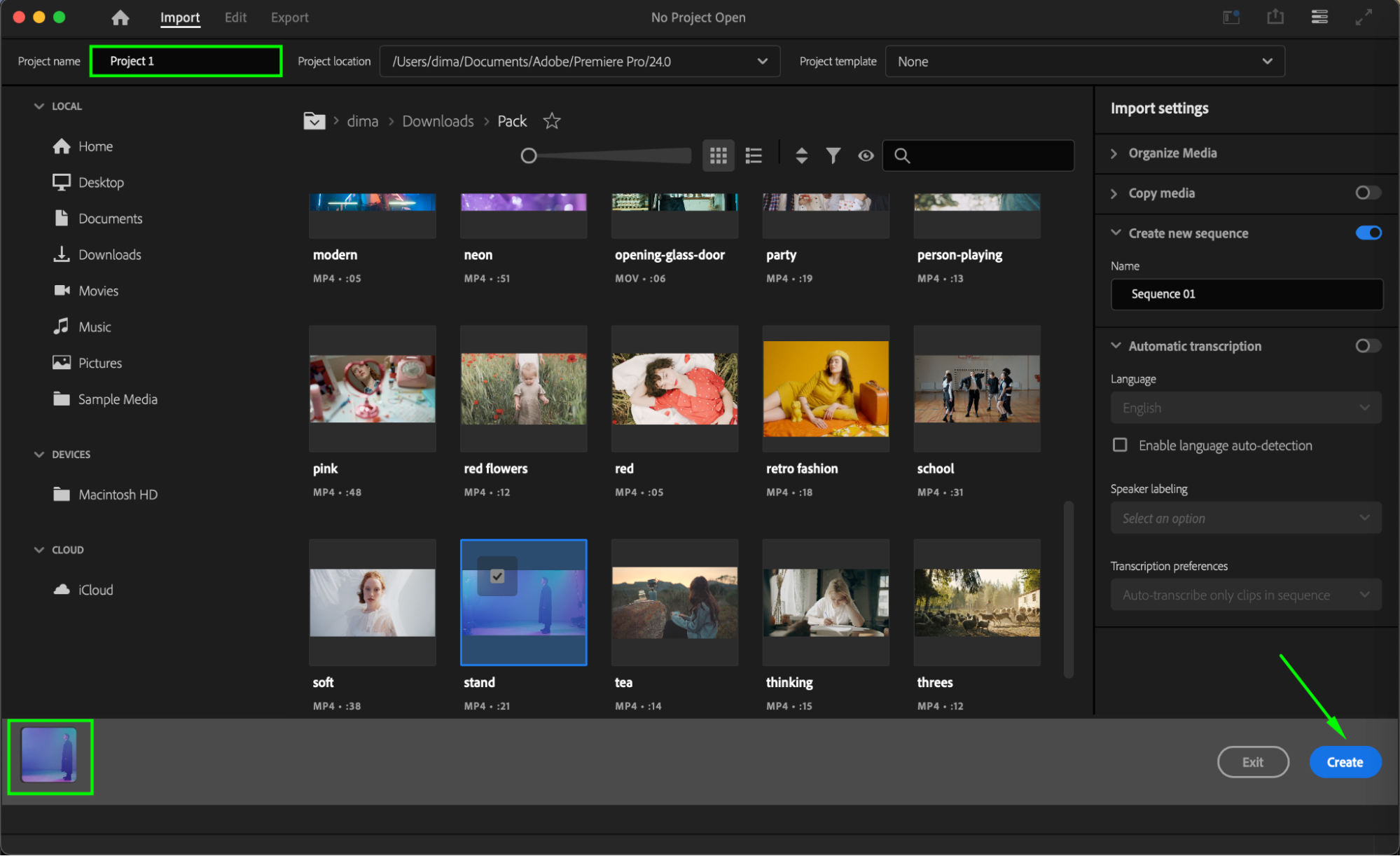
Step 2: Open AEJuice Pack Manager
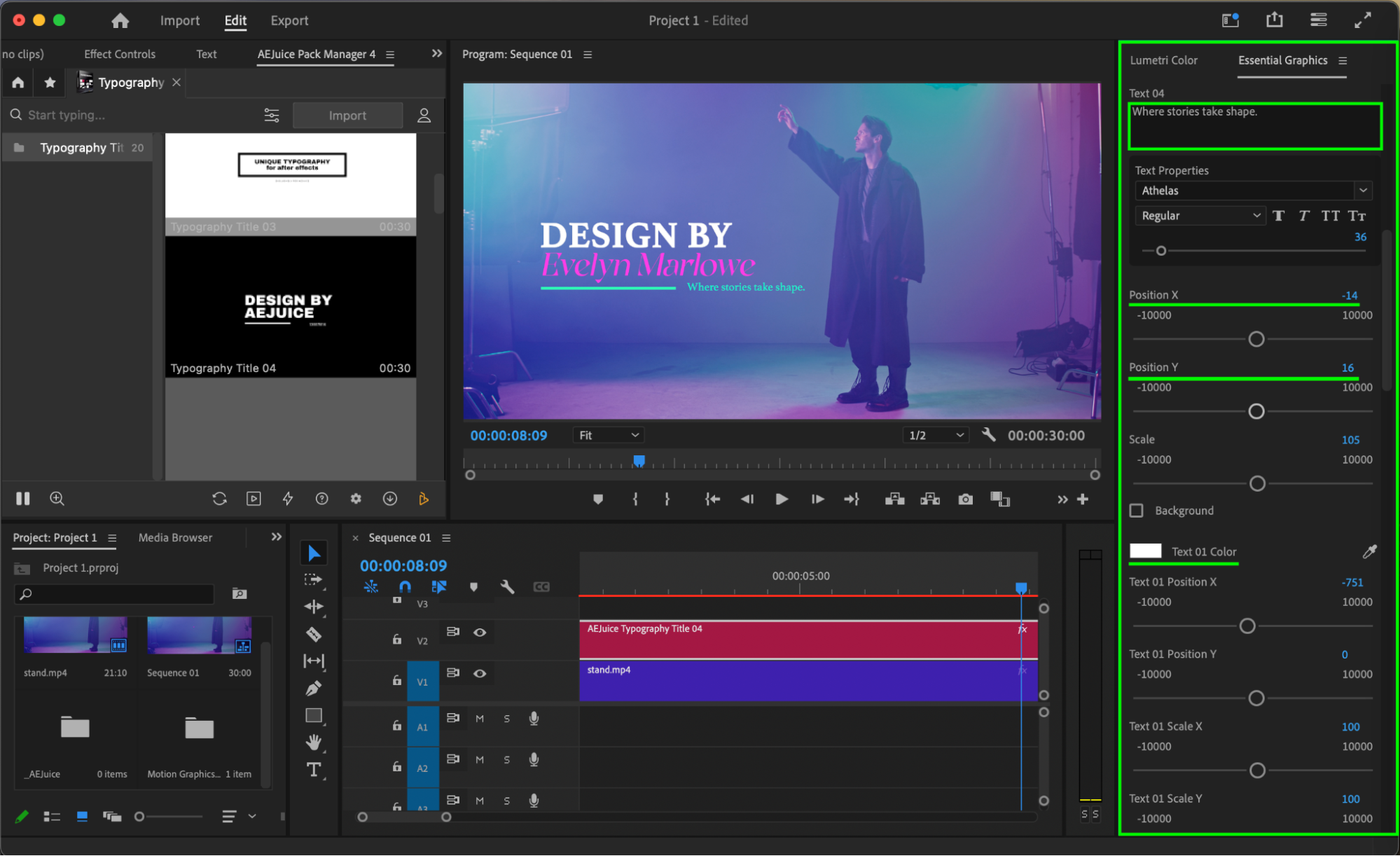
Go to Window > Extensions > AEJuice Pack Manager 4 to launch the plugin panel. This is where you can access and manage all your installed AEJuice packs. Step 3: Download the Typography Titles Pack
Inside the AEJuice Pack Manager, locate the Typography Titles Pack. If it’s not installed yet, click to download it. Once it’s installed, you can preview and use a wide range of animated typography templates.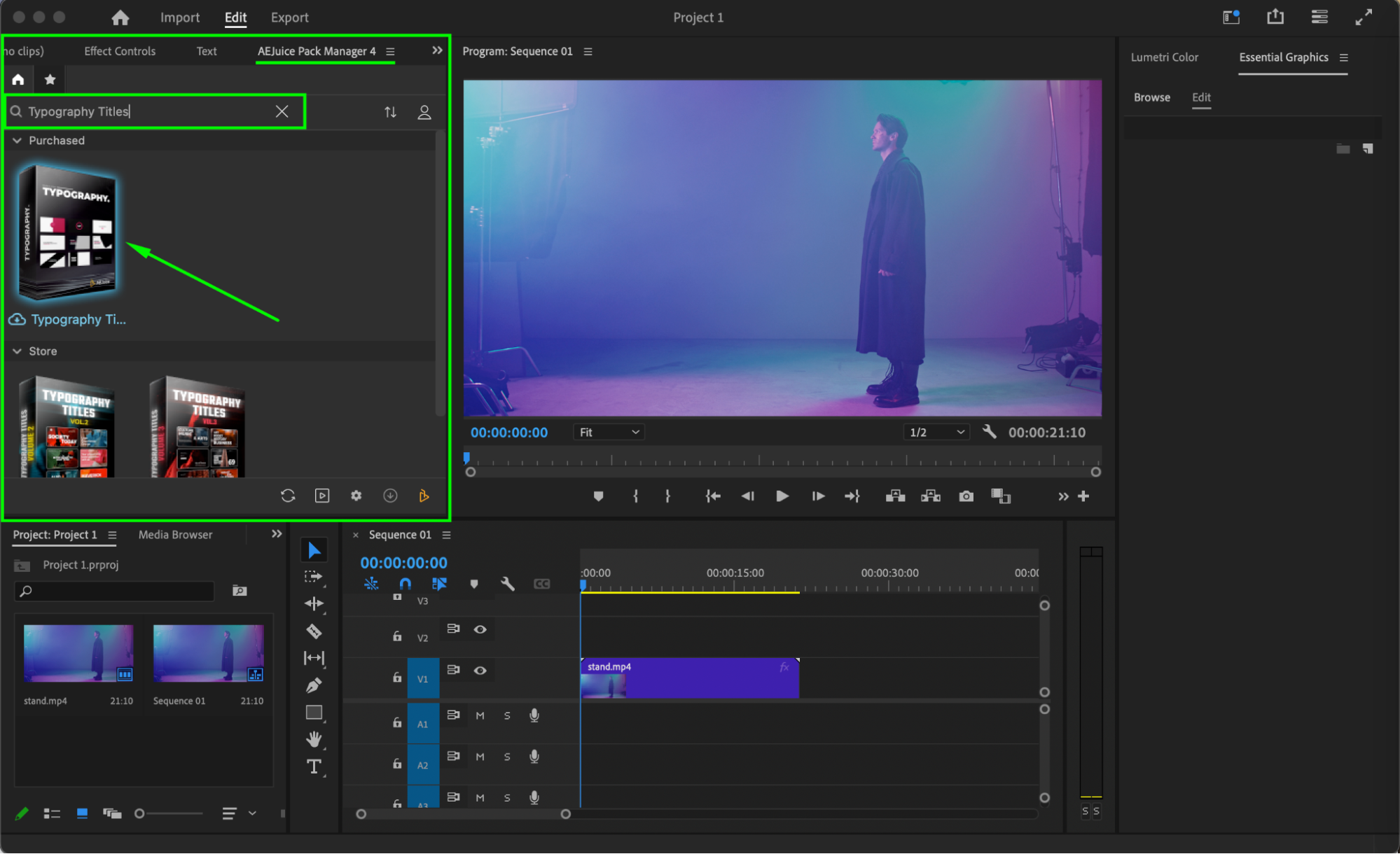 Step 4: Choose and Import a Title Template
Browse through the available templates and pick one that fits your video style. Make sure the playhead is placed at the moment in the timeline where you want the title to appear. Then click on the chosen template and press Import.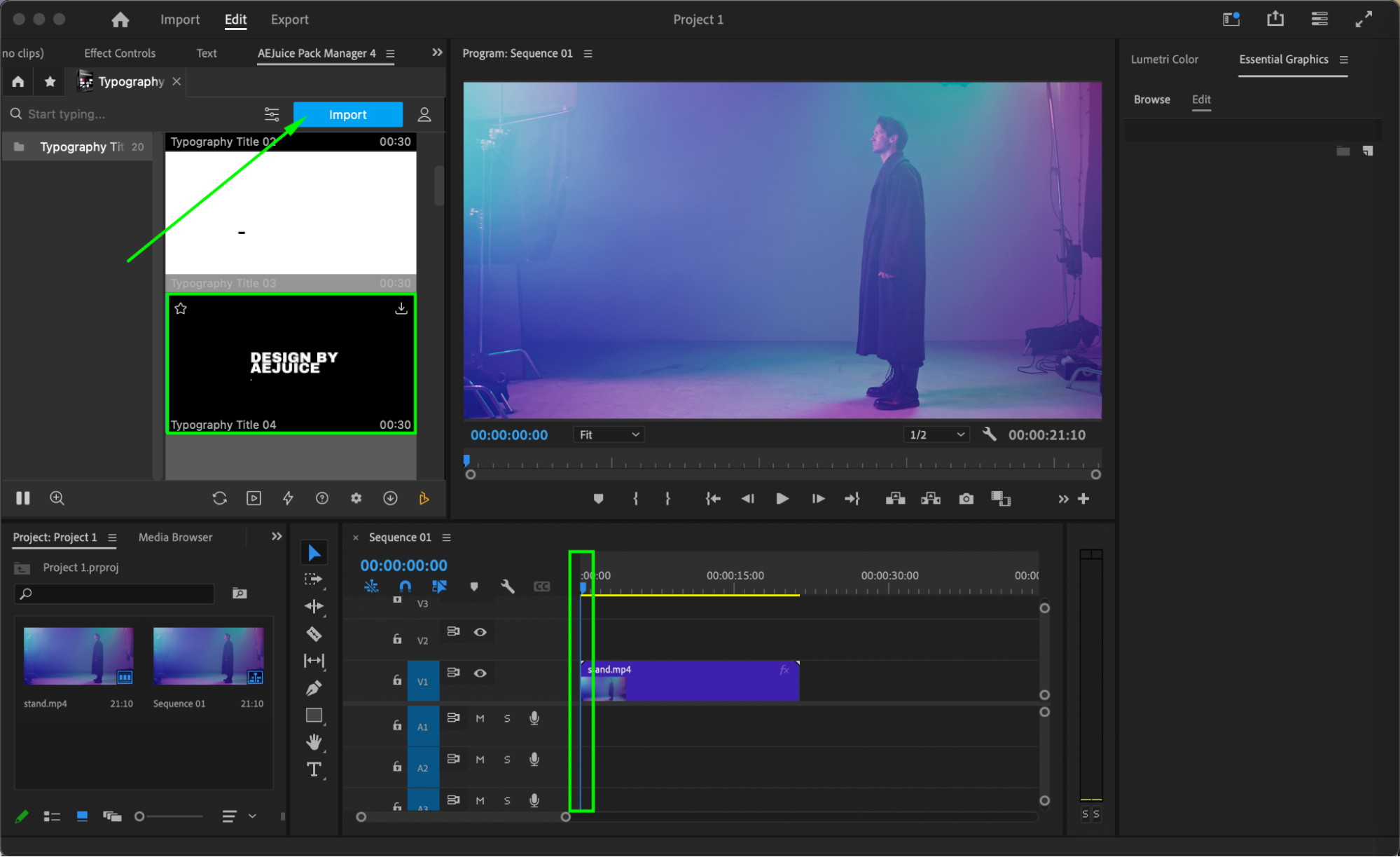
Step 5: Customize the Typography Title
Select the imported title layer in the timeline. Go to the Essential Graphics panel and open the Edit section. From here, you can adjust the text, font, size, color, position, and other animation settings to match your project.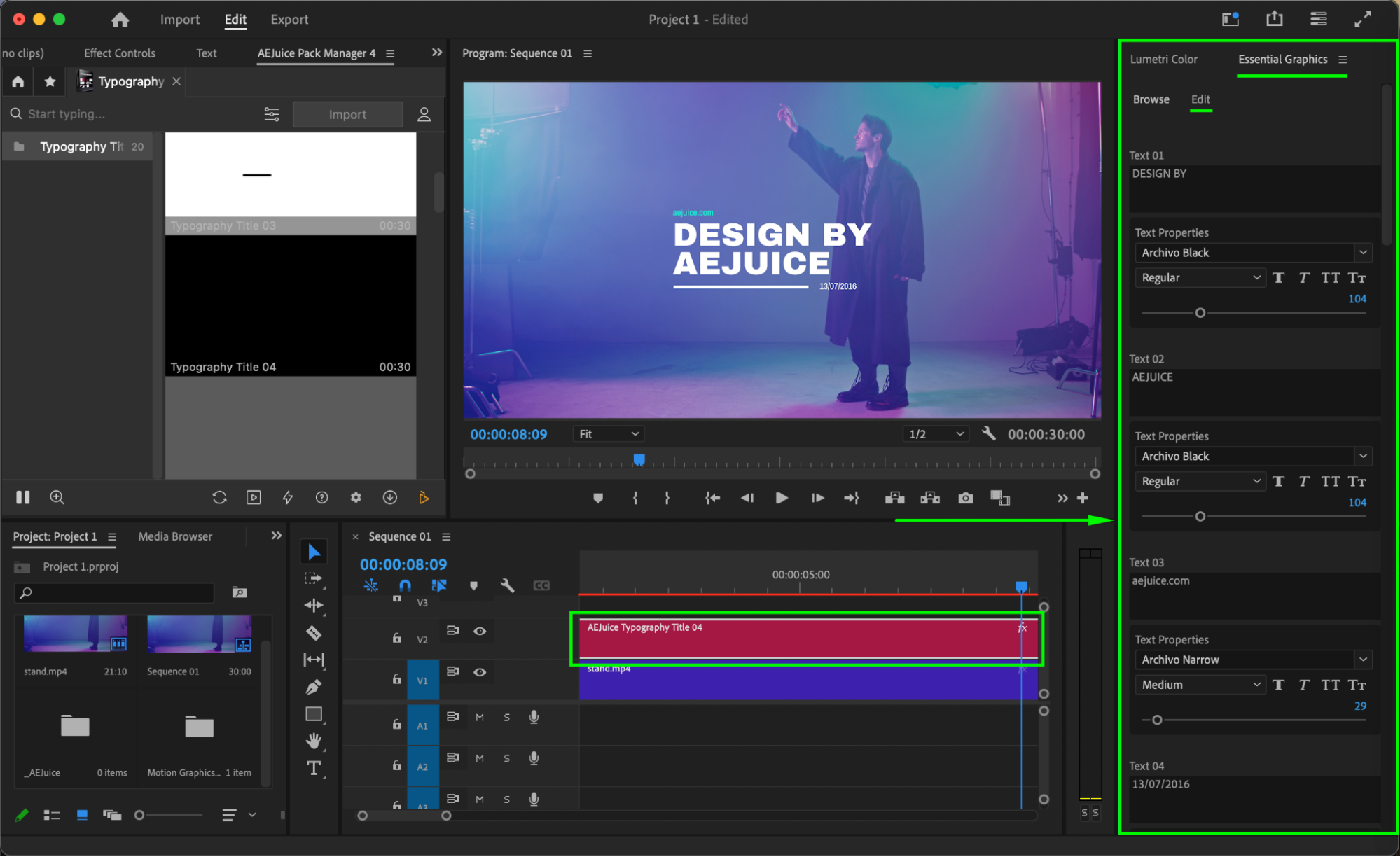
 Step 6: Preview and Final Adjustments
Press Play to preview your animation in the timeline. Fine-tune your settings if needed, ensuring your typography animation blends well with the visual style of your video.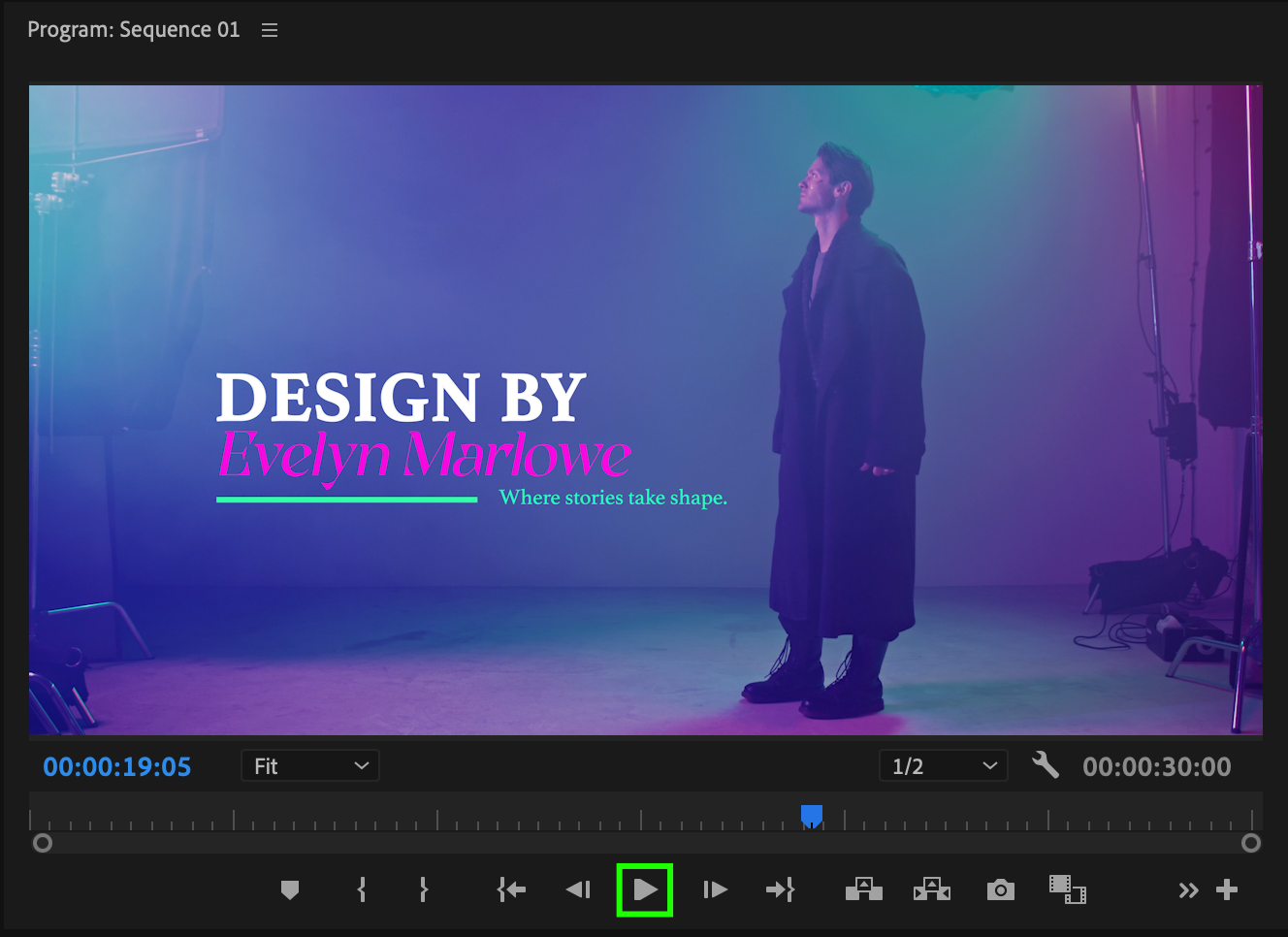
Conclusion
With the AEJuice Typography Titles Pack, creating polished, cinematic text animations is quick and easy. Whether you’re working on film edits, trailers, or social content, this pack gives you the flexibility to deliver stunning titles.
Our Bestsellers
Our Bestsellers


