
Add a VHS Look to Your Video with AEJuice VHS Retro Pack in Premiere Pro
Introduction to Vintage VHS Effects for Modern Projects
VHS effects bring nostalgic, analog charm to modern videos. Whether you’re working on a music video, promo, or YouTube edit, retro overlays and animations can set the mood instantly. In this tutorial, we’ll walk you through how to create VHS-style visuals in Premiere Pro using the AEJuice VHS Retro Pack — one of the best retro VHS animation packs available.
Step 1: Launch Premiere Pro
Open Premiere Pro and either start a new project or open an existing one.
Step 2: Open AEJuice Pack Manager
Go to Window > Extensions > AEJuice Pack Manager 4 to open the plugin panel. This panel allows you to browse, preview, and import assets from your installed AEJuice packs directly into Premiere Pro.

Step 3: Download the VHS Retro Pack
In the AEJuice Pack Manager, locate the VHS Retro Pack. If you haven’t downloaded it yet, click on it to install. After the pack is installed, you’ll be able to access a wide range of retro VHS templates and transitions.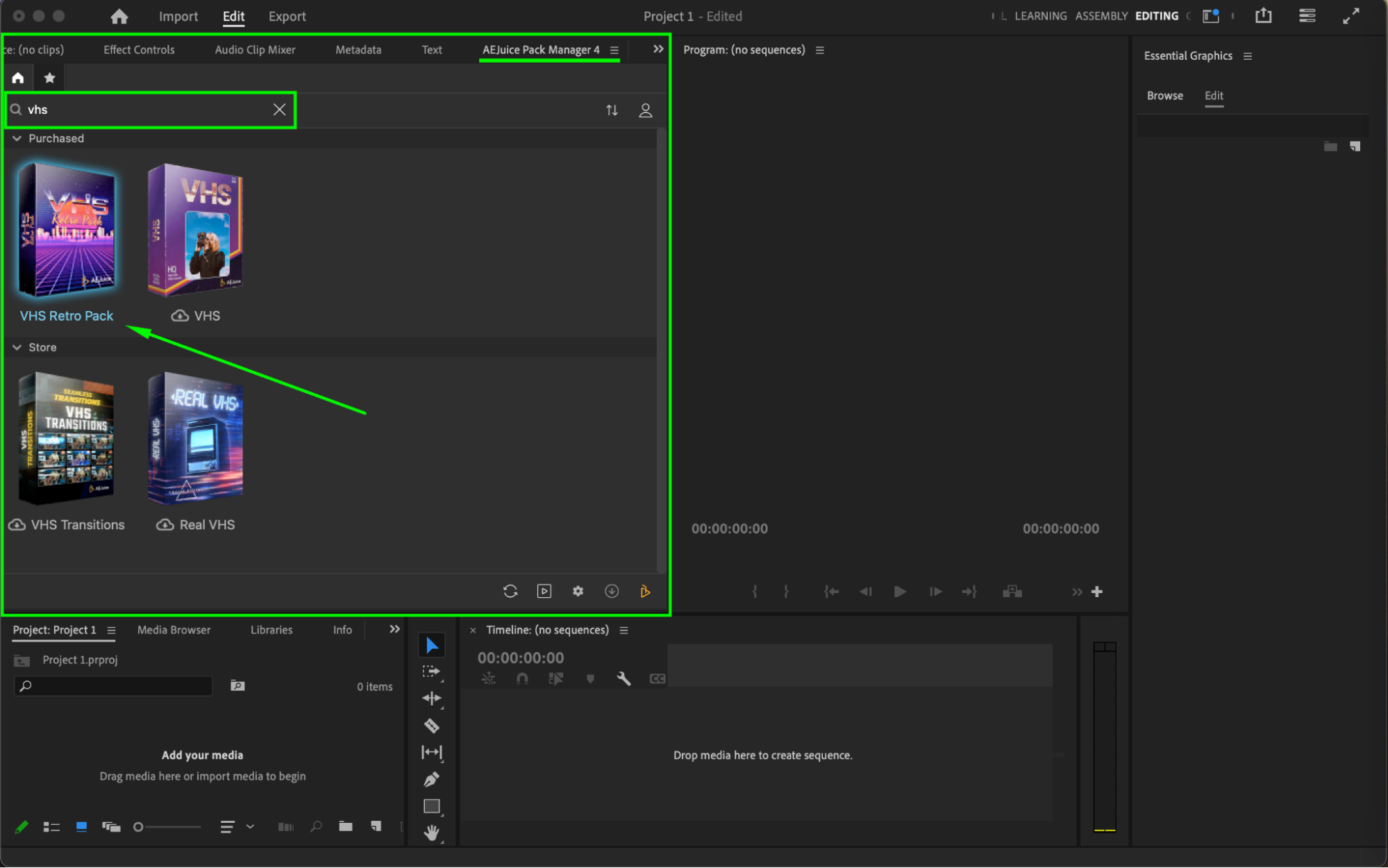
Step 4: Choose and Import a Template
Browse through the available templates and pick the one that fits your style. Before importing, make sure the playhead is positioned where you want the VHS template to begin. Then, click on the template and press Import. The element will be added to your timeline automatically.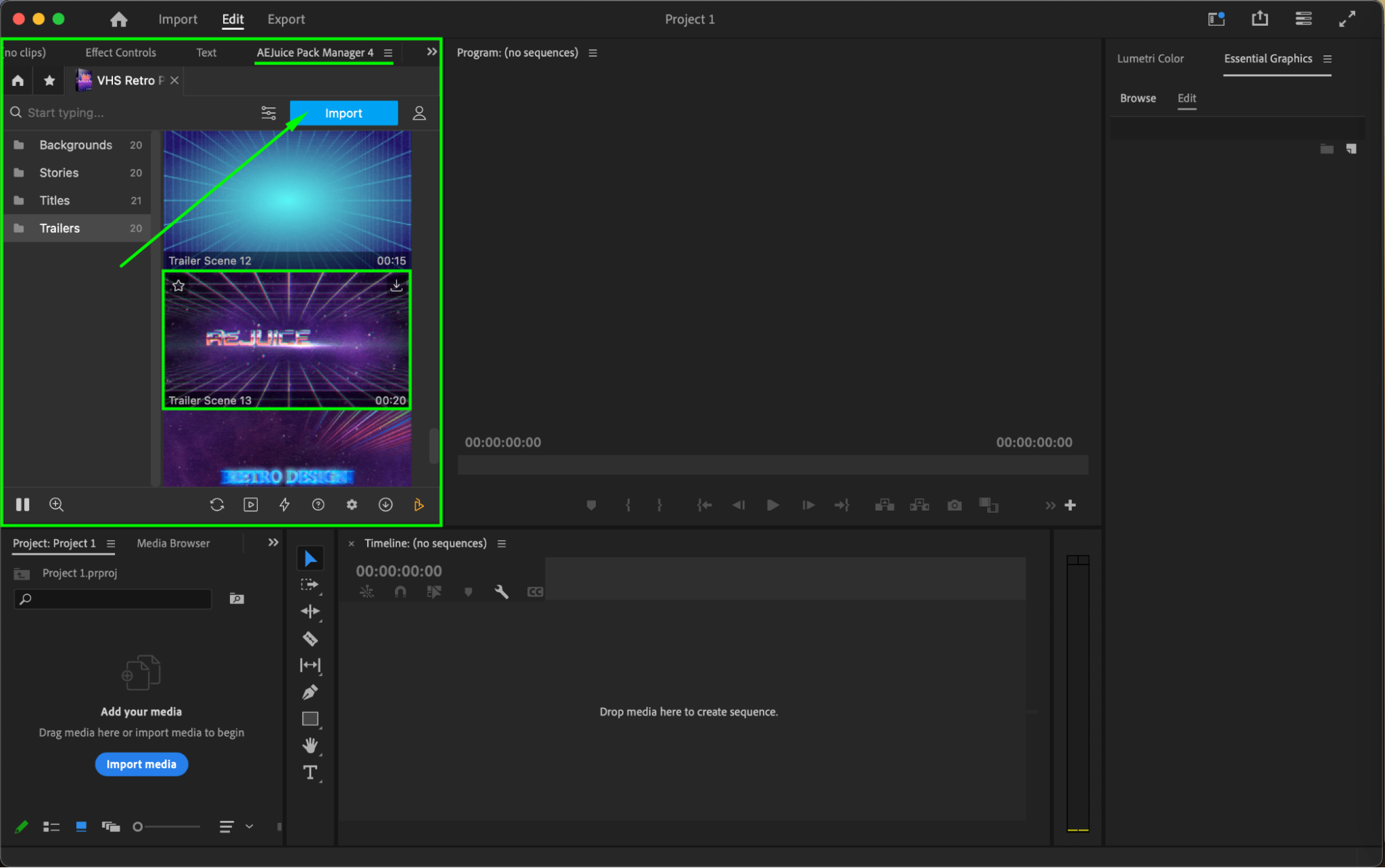
Step 5: Customize the VHS Template
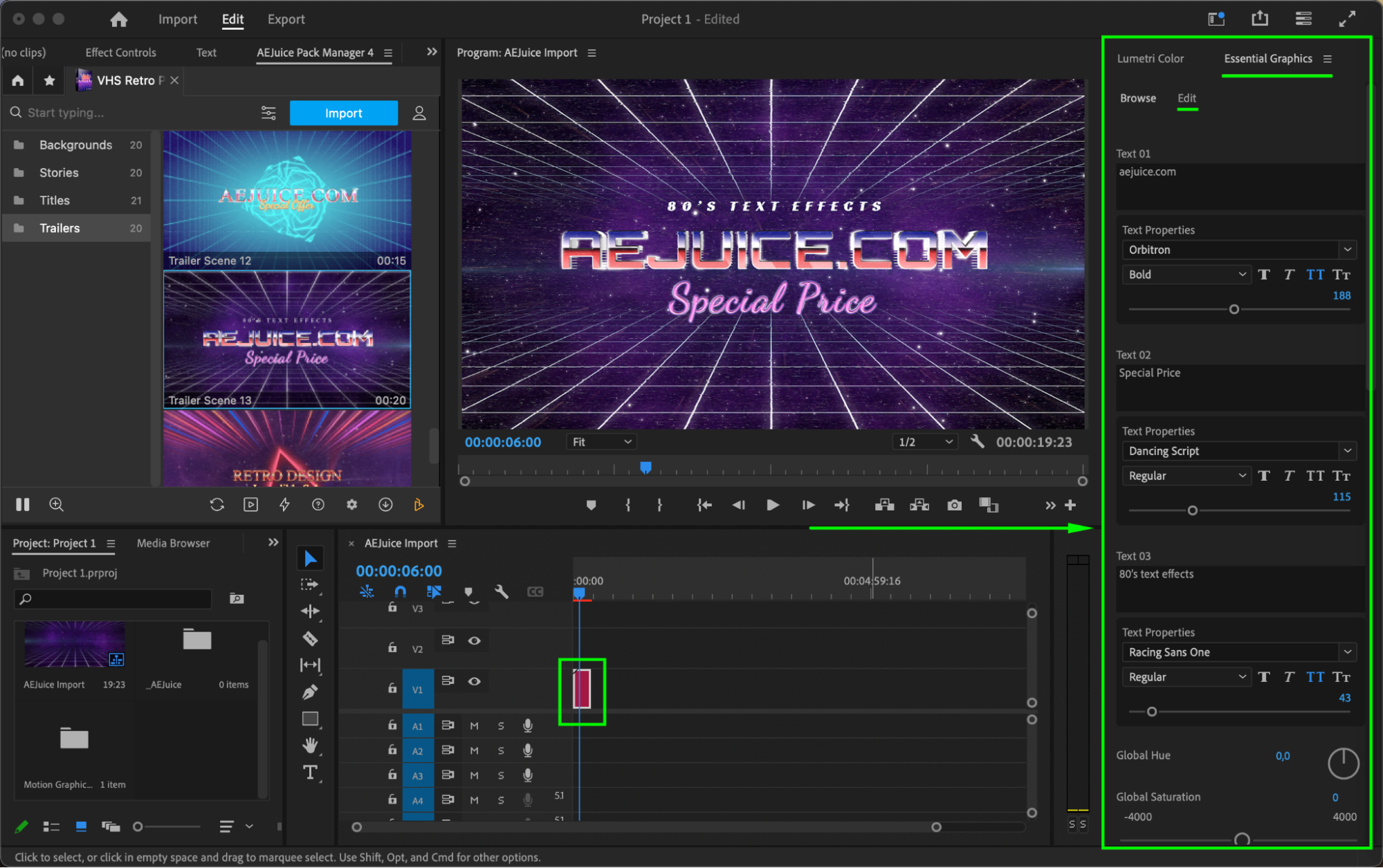
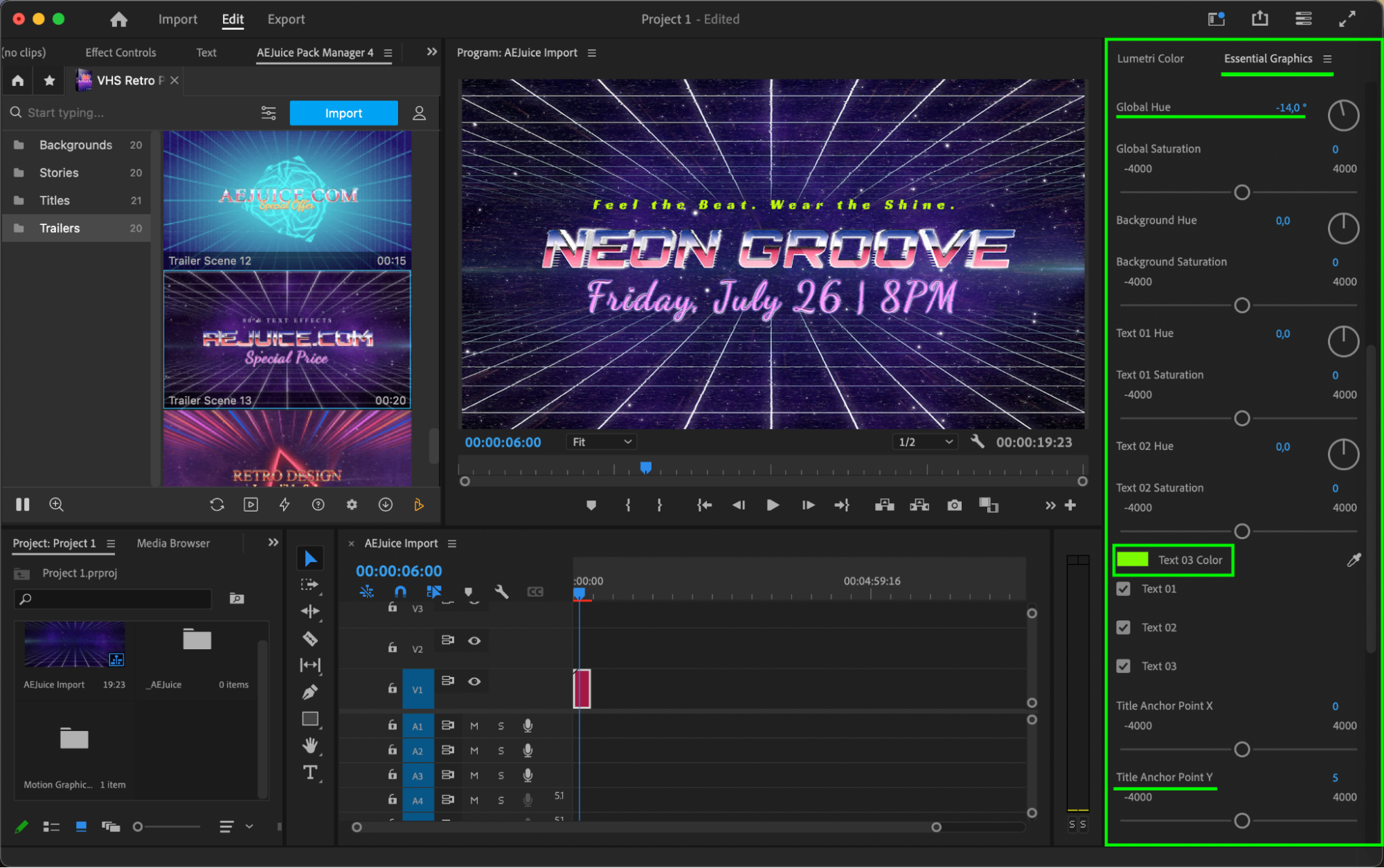
Select the imported layer on the timeline. Open the Essential Graphics panel and switch to the Edit tab. From here, you can adjust all key settings:
Replace any placeholder text
Change font, size, and color
Modify hue, saturation, and anchor point
Set background colors with Global Hue
Take your time to match the design to your project’s tone.
 Step 6: Preview and Finalize
Press Spacebar to preview your VHS animation in real time. Adjust placement or styling if needed. When satisfied, export your video or keep editing.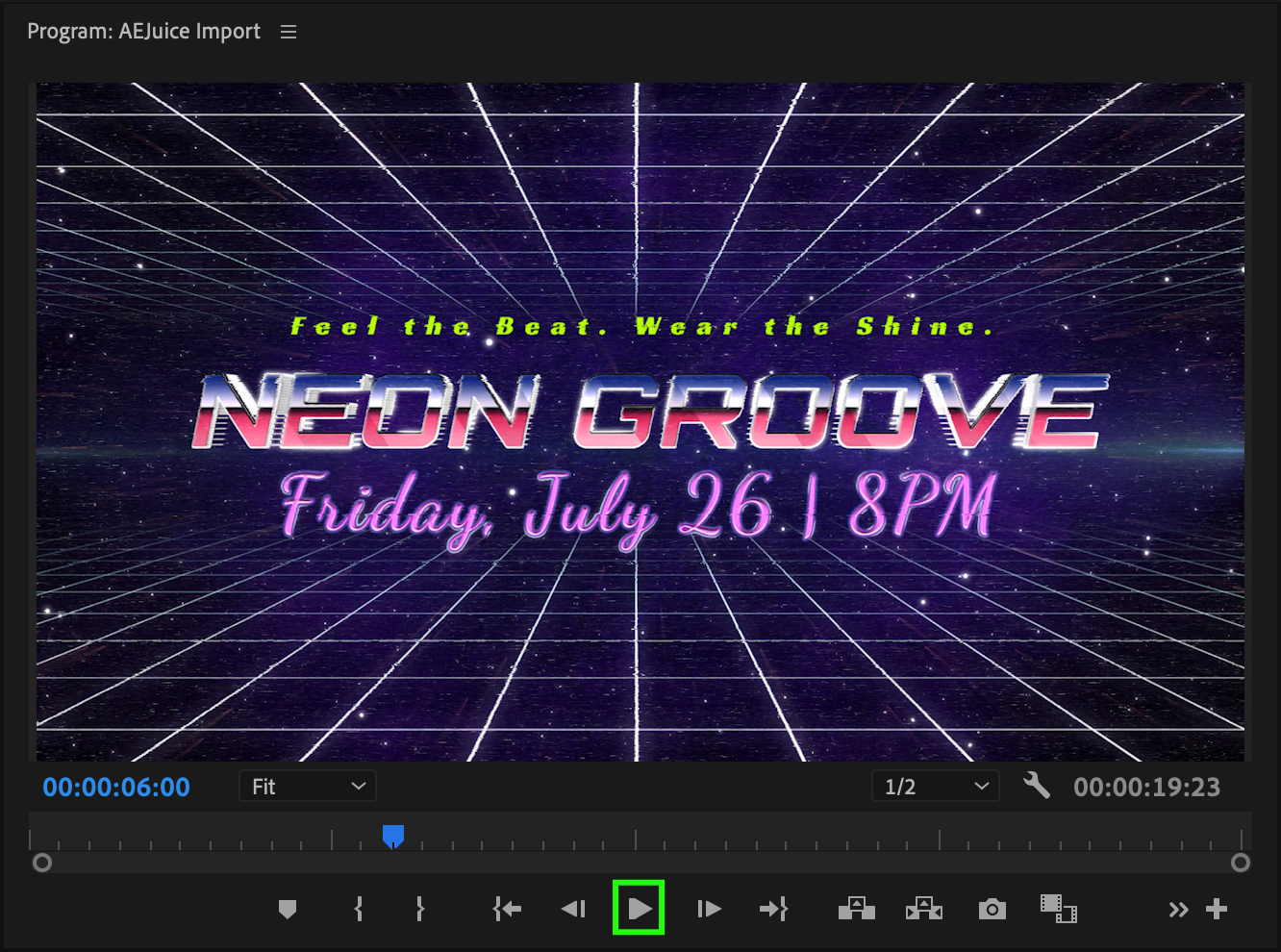 Conclusion
With the AEJuice VHS Retro Pack, adding nostalgic VHS effects to your videos in Premiere Pro is fast and easy. Whether you’re making a retro short film or spicing up a party video, these templates offer high-quality results without hours of manual design.
Our Bestsellers
Our Bestsellers


