
Introduction – Why You Might Need to Change the Background Color
Sometimes after you’ve started working in After Effects, you realize the background color doesn’t match your design. Whether you need a white background for clean animation or a bold color for contrast, updating the background helps you preview and export your project more accurately — especially when you’re not using a background layer.
Step 1: Open Your Project and Select the Composition
Start by opening your After Effects project. In the Project panel, double-click the composition you want to edit. It will open in the timeline and composition viewer.
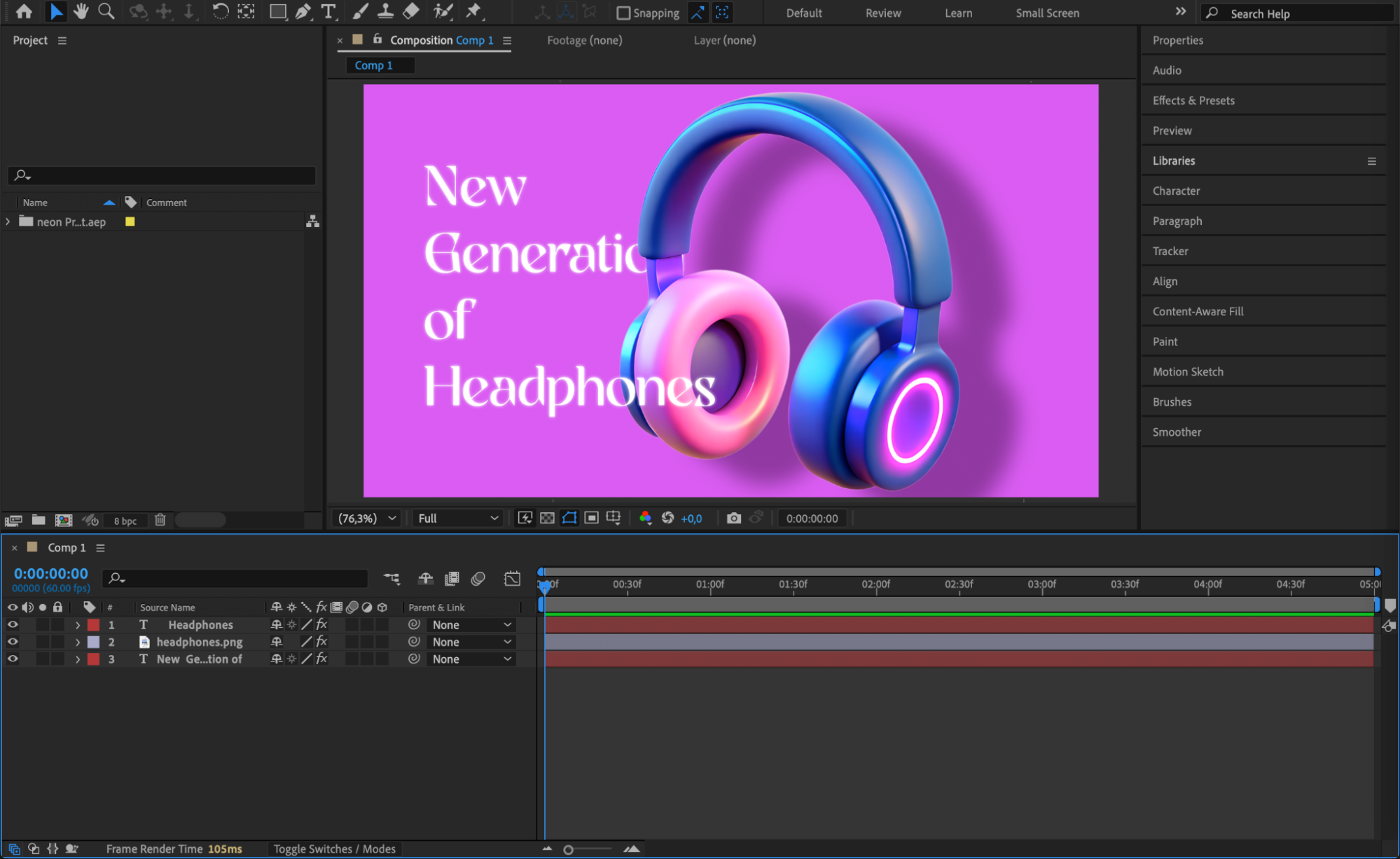
Step 2: Go to Composition Settings
Go to the top menu and click on Composition > Composition Settings (or press Ctrl/Cmd + K). This will open the settings window where you can adjust various properties of the comp.
Step 3: Choose a New Background Color
In the Composition Settings window, look for the section labeled Background Color. Click the color box to open the color picker, then choose the new background color you want. This change only affects how the background looks in the viewer — it doesn’t create an actual layer or render the color unless nothing else is visible behind your content.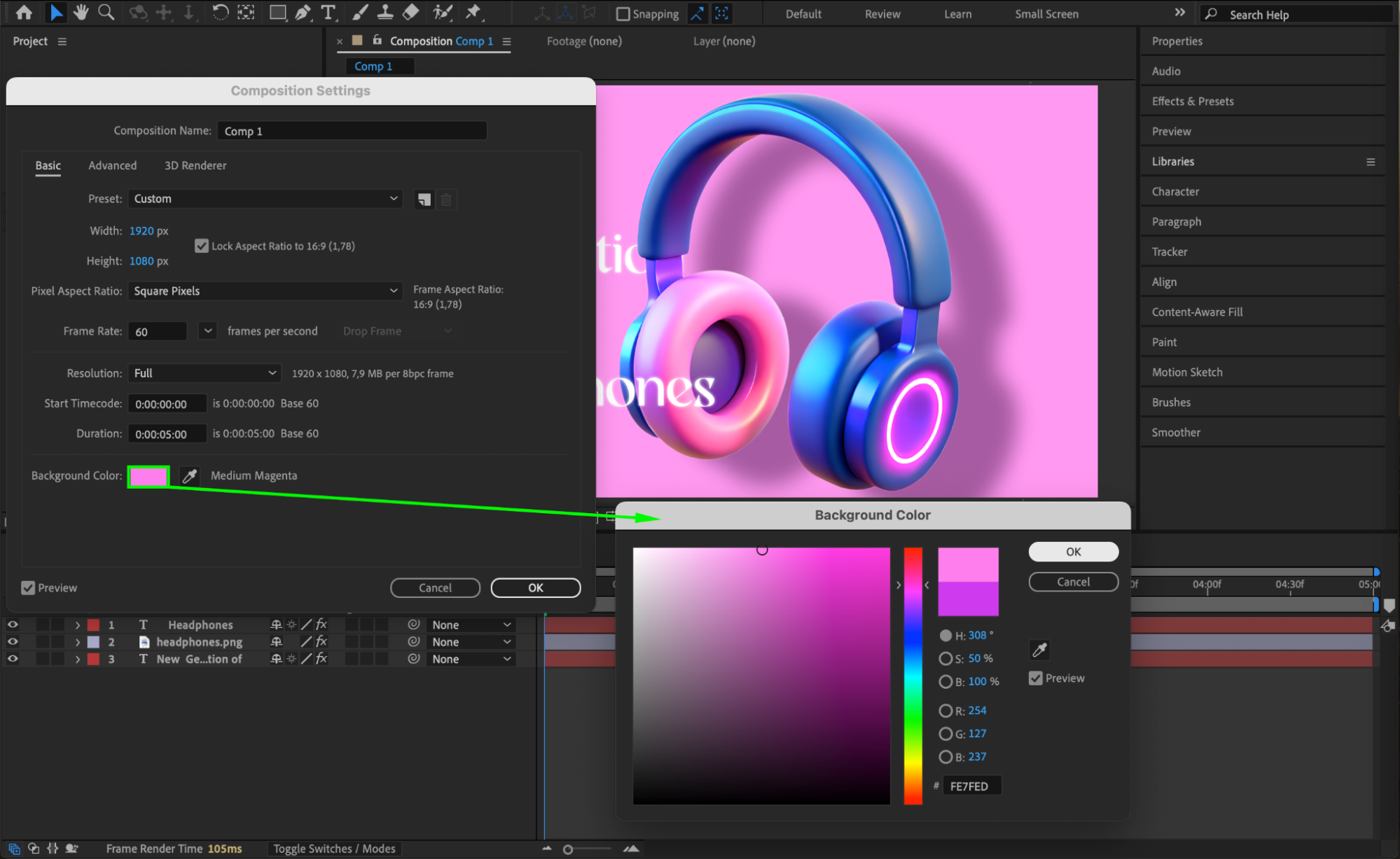
Step 4: Press OK to Apply the Changes
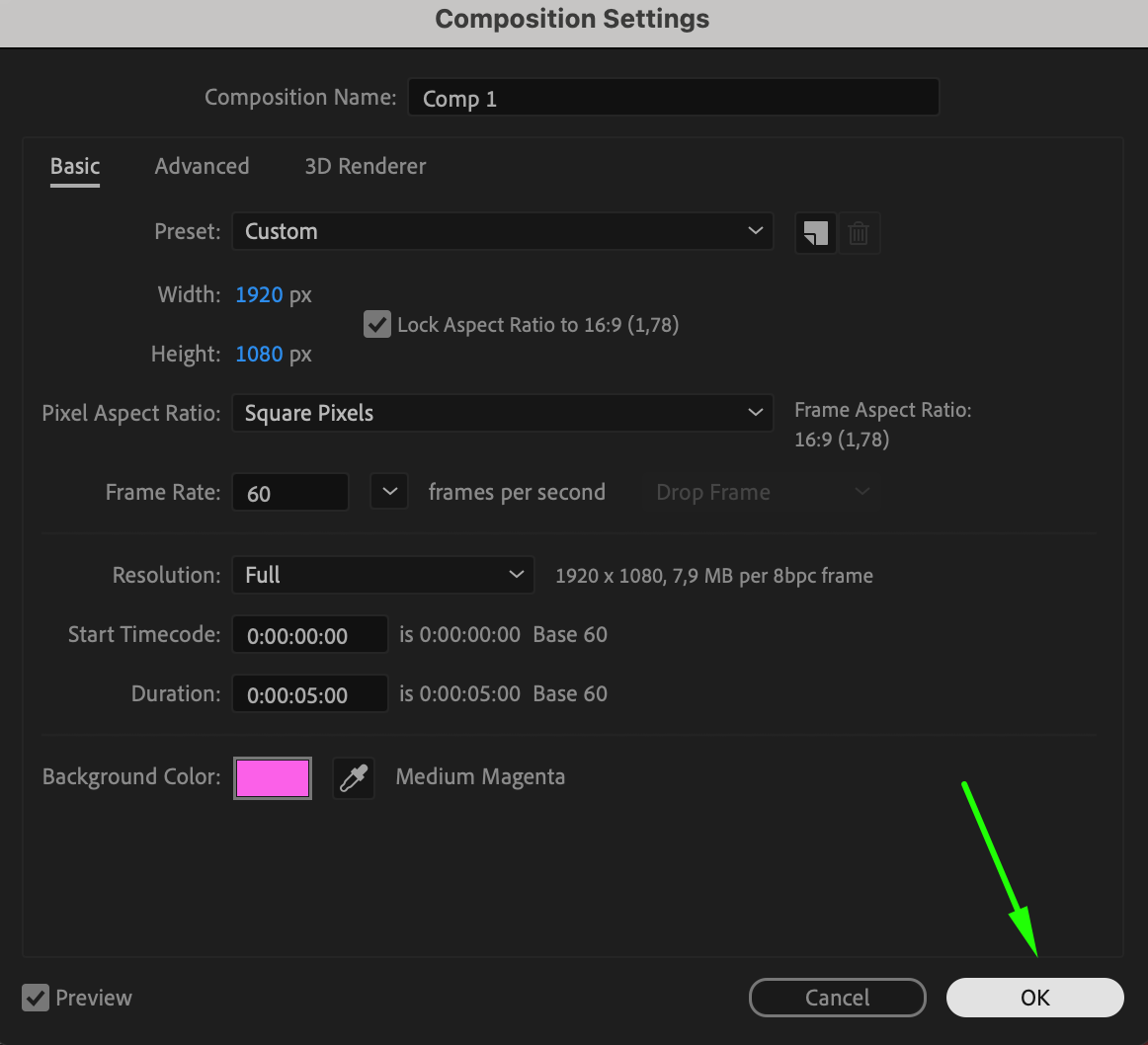
Once you’ve selected your new background color, click OK to confirm. You’ll now see the
updated color behind your layers in the Composition panel.
Optional: Use a Solid Layer with Gradient Background (If Needed)
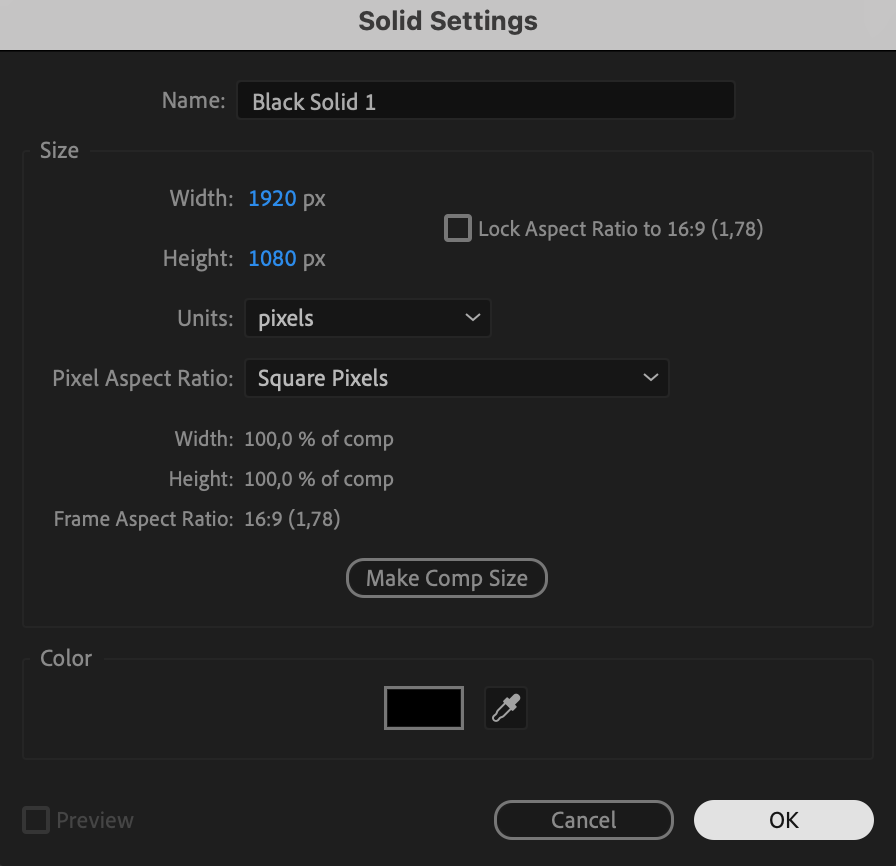
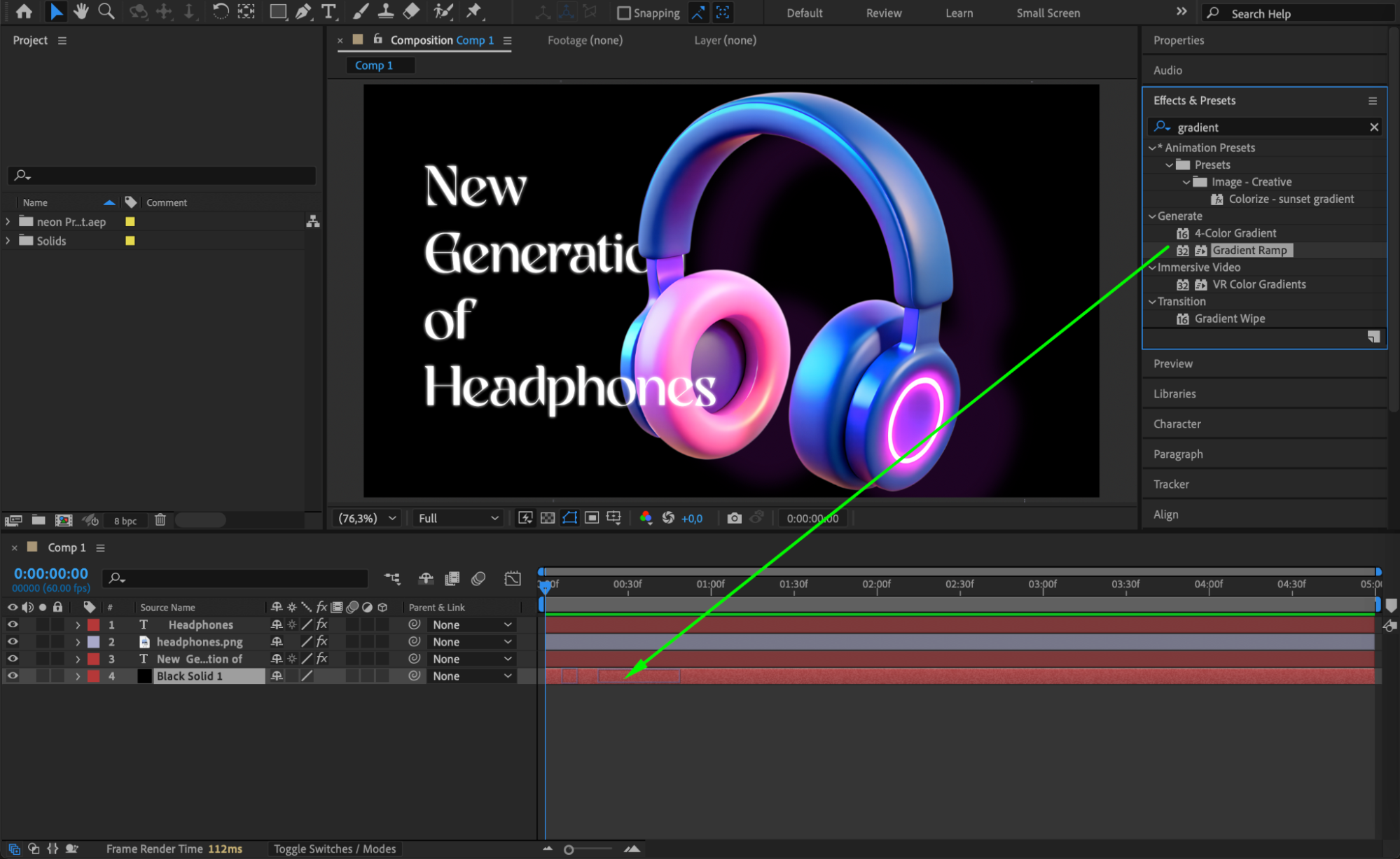
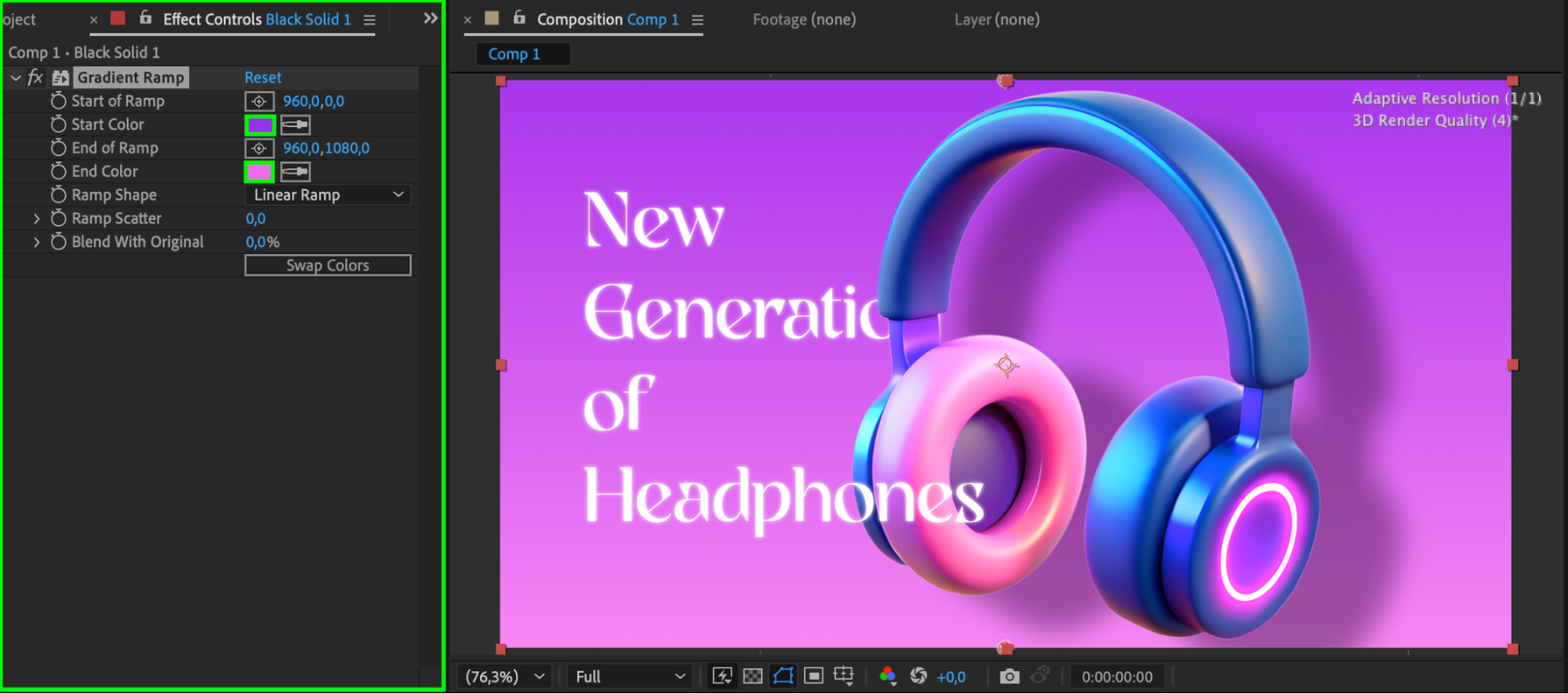
If you want a background color or gradient to appear in the final render, you need to create a solid layer. Go to Layer > New > Solid, choose any base color, and click OK. Then, with the solid layer selected, go to the Effects & Presets panel and search for “Gradient Ramp.” Apply the Gradient Ramp effect by double-clicking it or dragging it onto the solid layer. You can then customize the start and end colors, and adjust the ramp points to create a smooth background gradient. Be sure to place this solid layer at the bottom of the layer stack so it sits behind all other elements in your composition.
Conclusion
Changing the background color in After Effects is quick and helpful for previewing your animation in the right context. While the composition background color is great for preview, don’t forget to add a solid layer if you need that color in the final render. With just a few clicks, you can keep your scene clean, consistent, and visually aligned with your project goals.
Our Bestsellers
Our Bestsellers


