
Introduction – Why Export the Work Area Only?
In many cases, you don’t need to export the entire timeline of your project. You might only want to render a preview, a short animation loop, or just test a specific scene. Instead of rendering the whole composition, After Effects allows you to export only the defined work area — a custom range of frames set directly in your timeline.
Step 1: Open Your Project
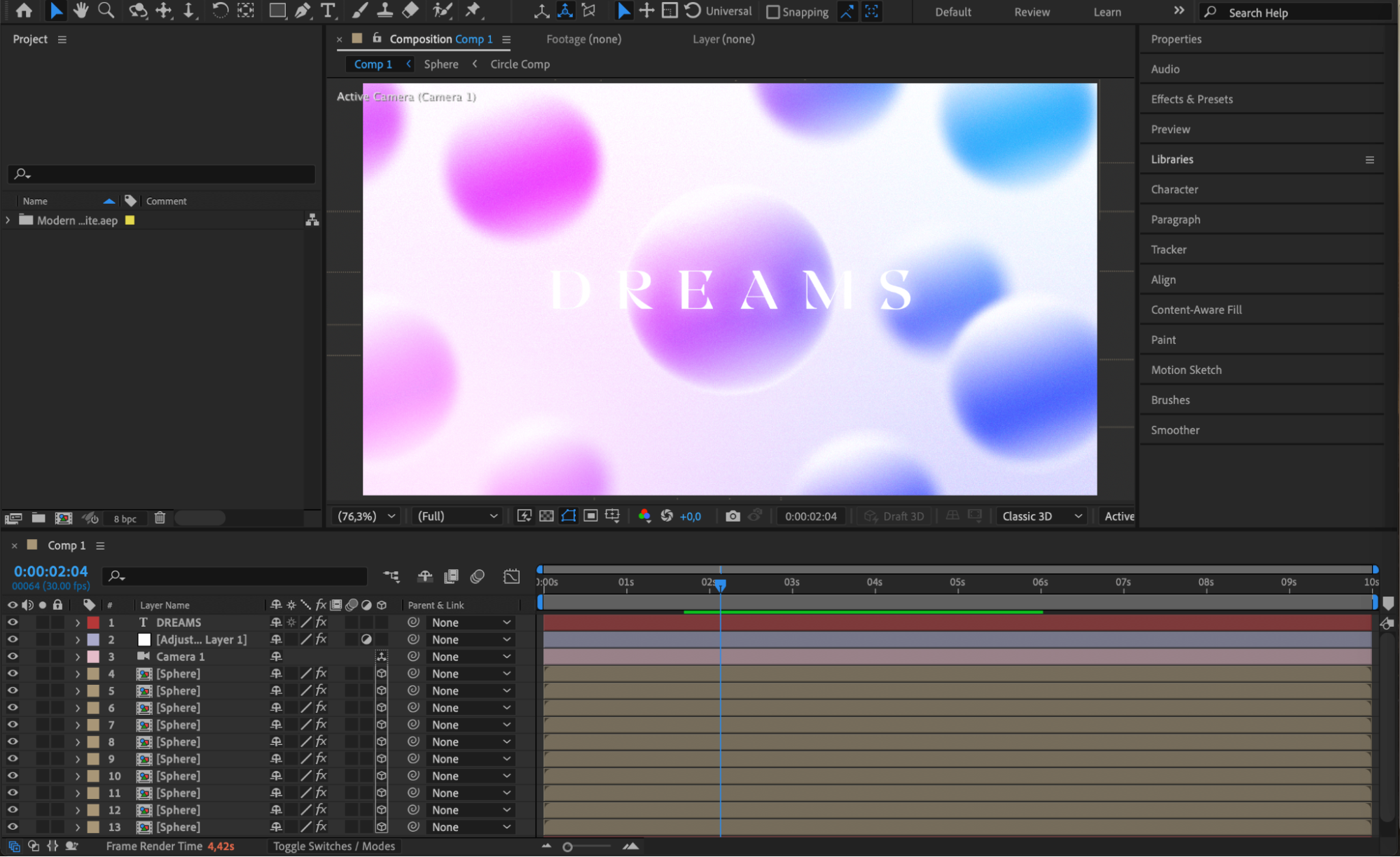
Start by opening your After Effects project. Make sure your timeline is set up and your composition is ready for export.
Step 2: Set the Work Area
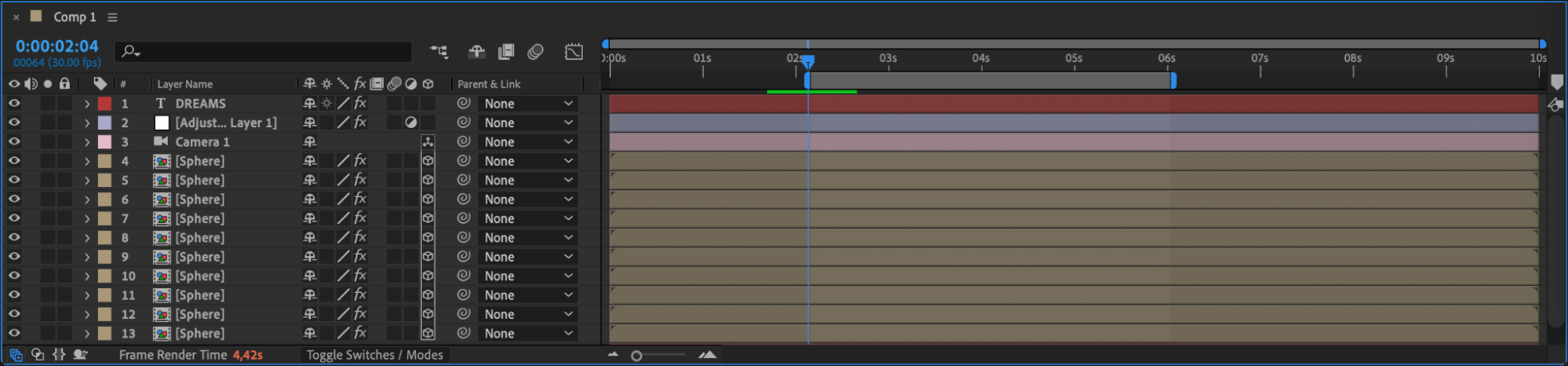
At the top of the timeline panel, locate the work area bar. Drag the work area start and work area end sliders to define the beginning and end of the segment you want to export. This section will be the only part rendered in your final output.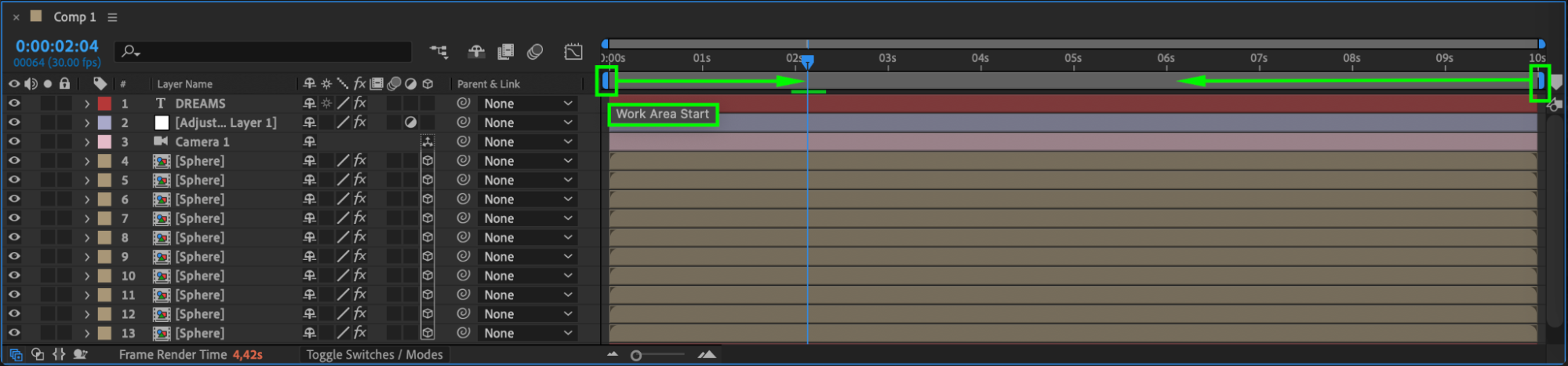
 Step 3: Add Composition to Render Queue
Go to the top menu and select Composition > Add to Render Queue. This sends your active composition to the Render Queue panel, where you’ll control output settings.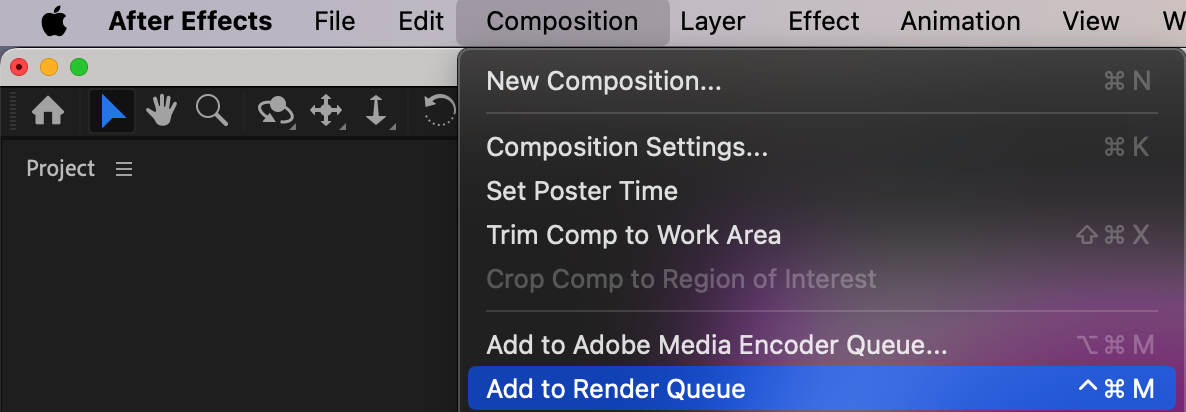 Step 4: Adjust Render Settings to Work Area Only
In the Render Queue panel, find the Render Settings section. Click the blue text that says Best Settings. In the dialog box that appears, locate the Time Span dropdown and choose Work Area Only. This ensures only the selected portion of your timeline will be exported. Press OK.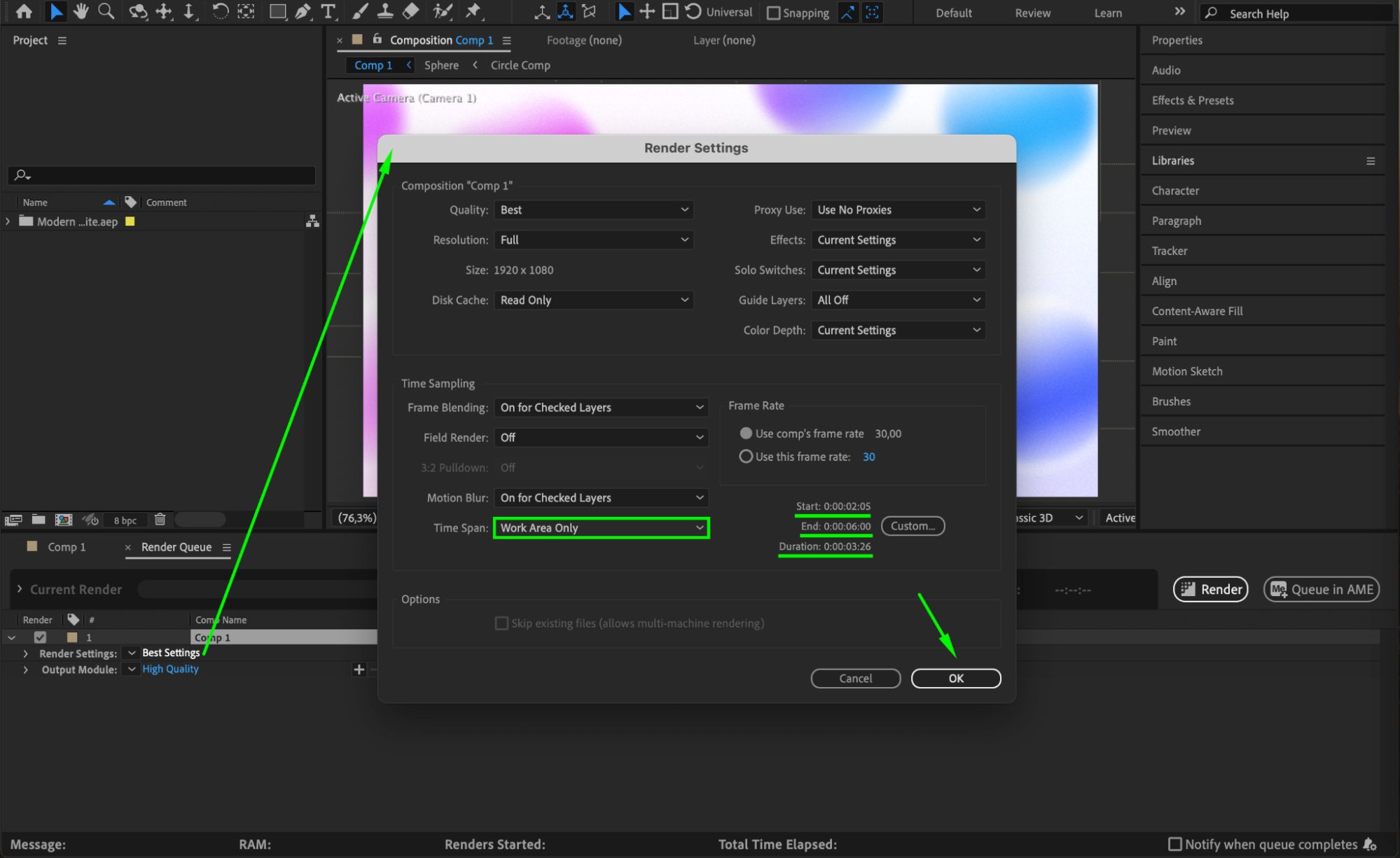
Step 5: Choose Output Format
Next to Output Module, click the text (usually says High Quality by default). Here, you can set your desired export format, codec, and additional options based on your project’s needs.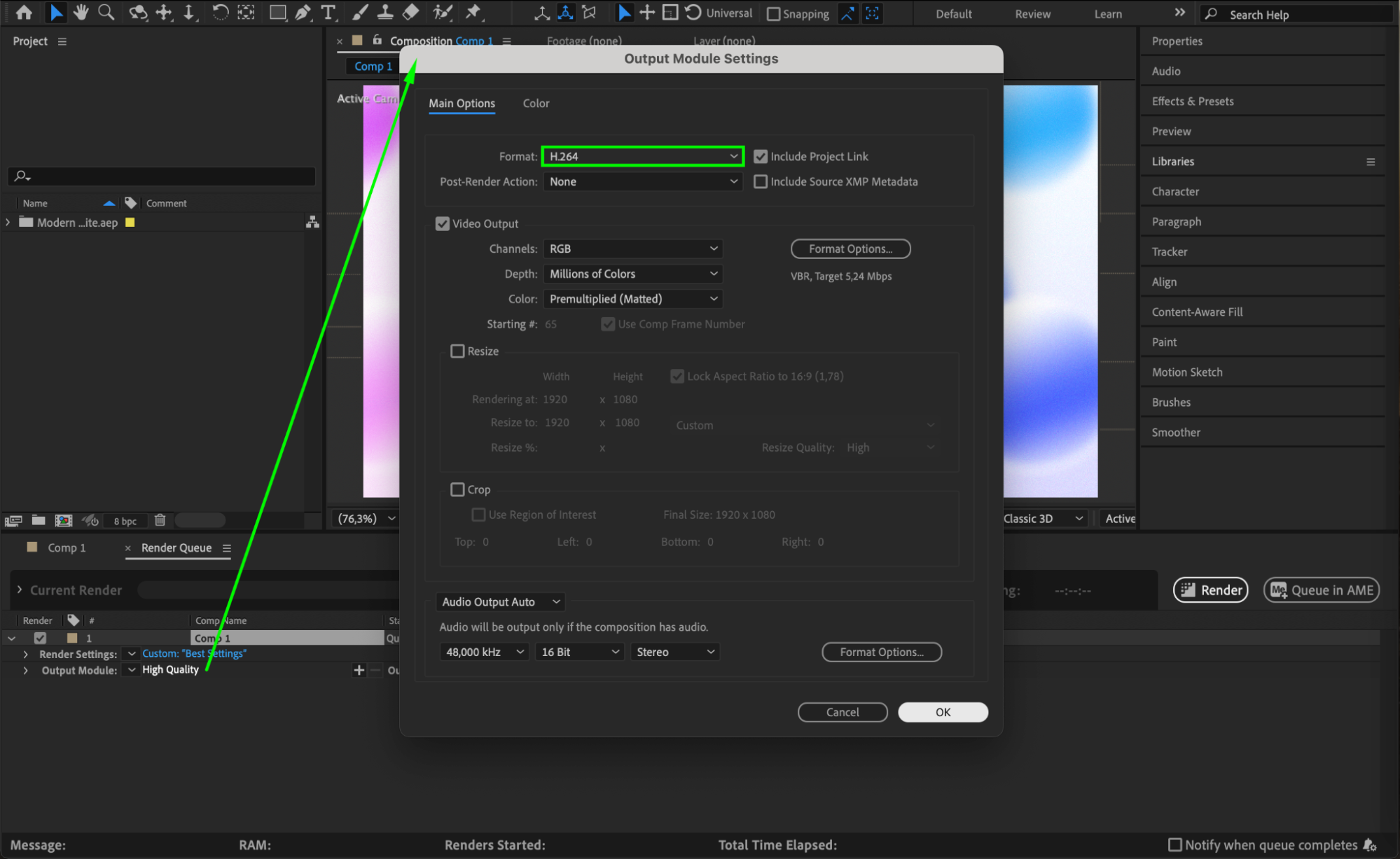
Step 6: Choose File Name and Save Location
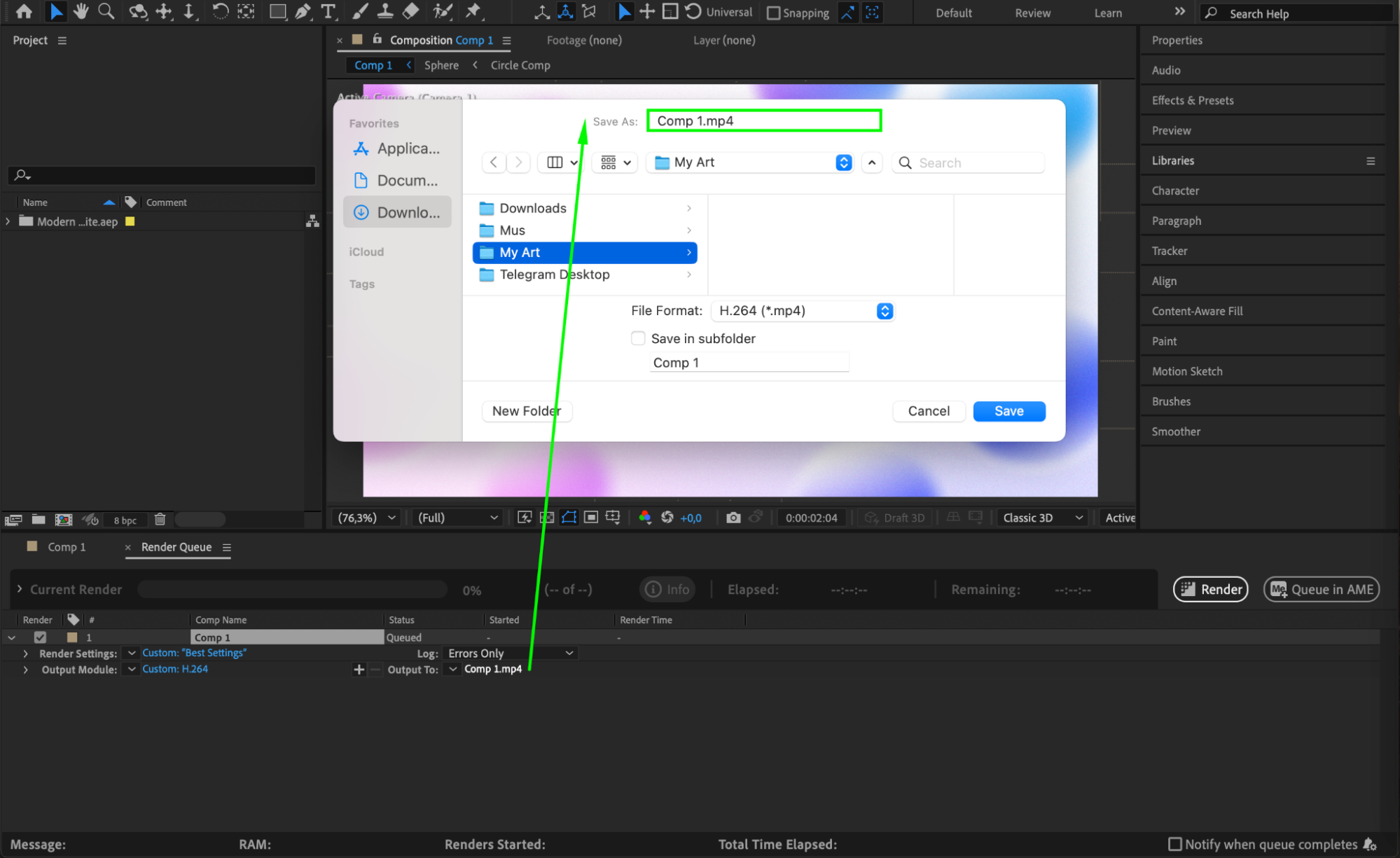
Next to Output To, click the file name (usually the name of your composition). Choose the name for your final file and select the destination folder on your computer where the rendered video will be saved.
Step 7: Press Render
Once everything is set, click the Render button on the far right of the Render Queue. After Effects will now export only the frames inside your defined work area.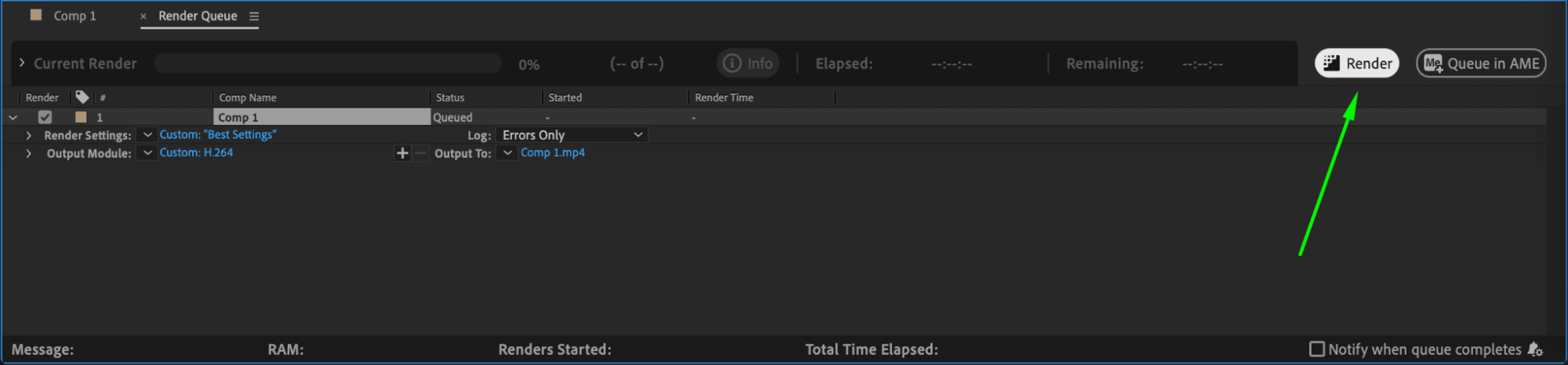
Conclusion
Using the work area to export only a portion of your timeline can save time and improve workflow — especially when working on long projects or testing short animations. It’s a simple yet powerful feature in After Effects.
Our Bestsellers
Our Bestsellers


