
Introduction
After Effects is a powerful tool for creating energetic sport videos. By combining motion effects, the Roto Brush tool, and glow adjustments, you can emphasize an athlete’s action and make your footage stand out with a professional cinematic feel.
Step 1: Import Your Footage
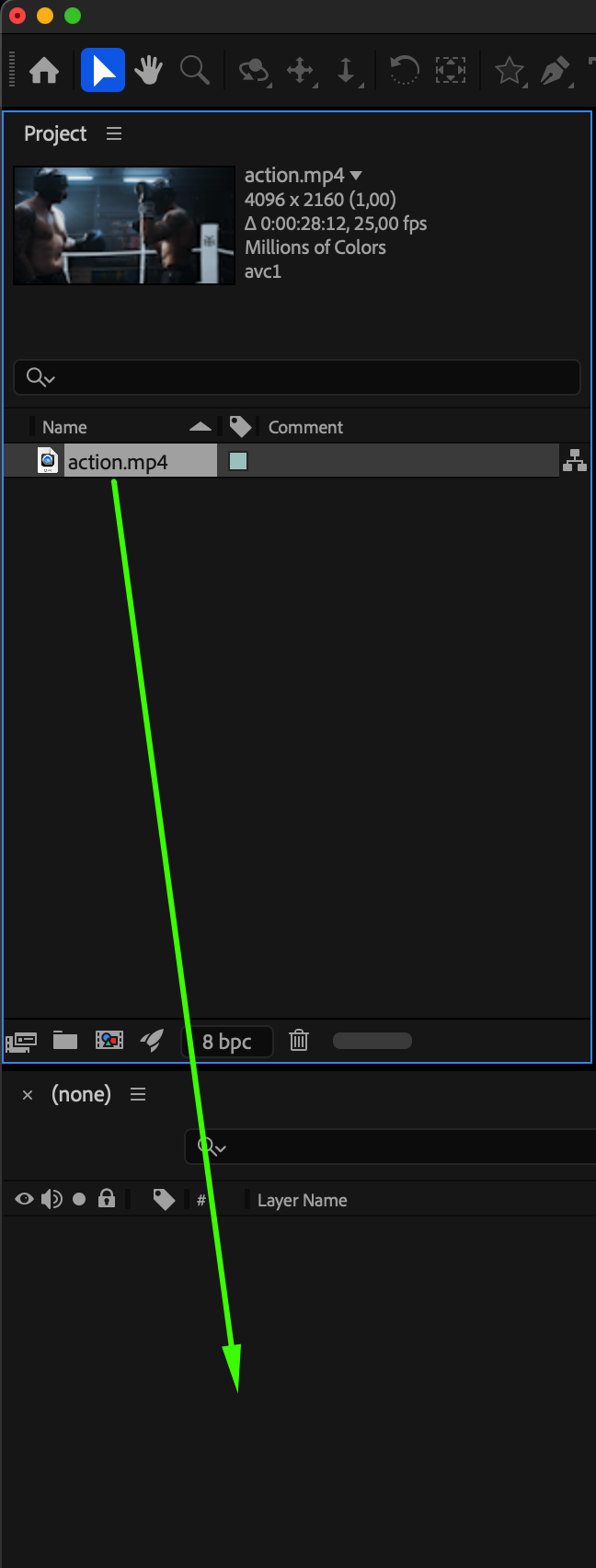
Go to File > Import > File and select your video clip. Drag it to the Timeline to create a new composition.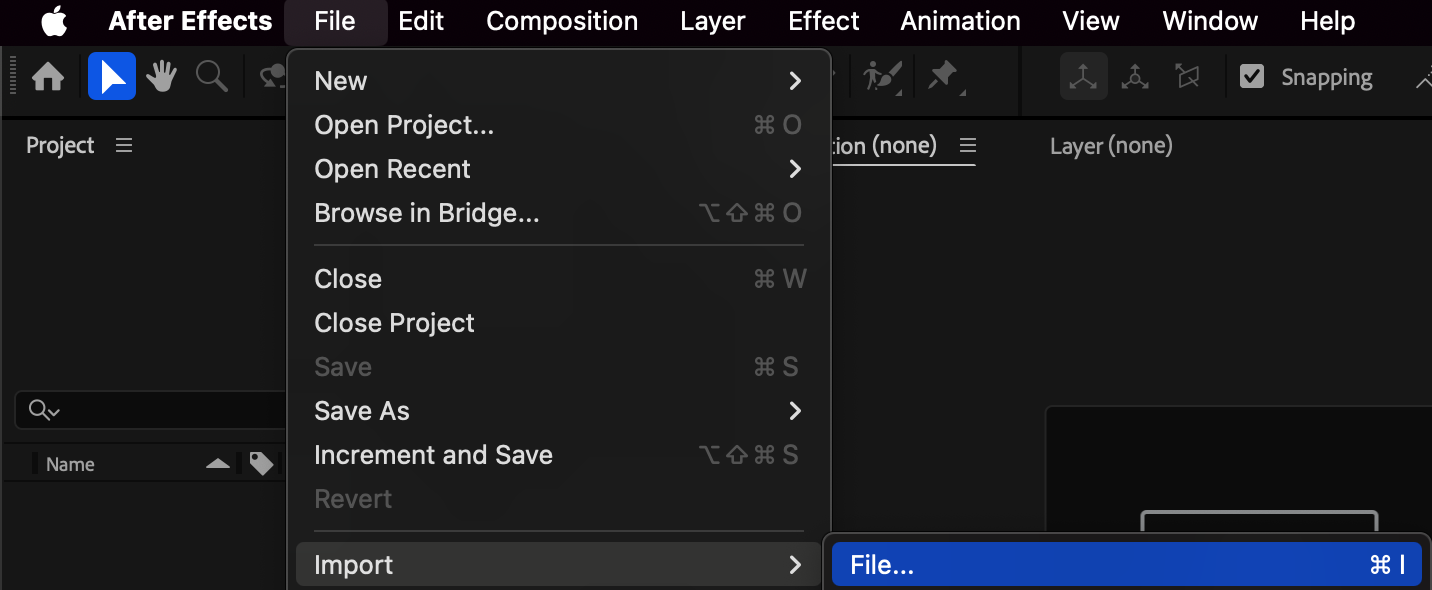
 Step 2: Duplicate and Organize Layers
Duplicate your video layer twice. Name the bottom layer Background and the top layer Foreground. Keep the structure organized — this will help when applying effects later.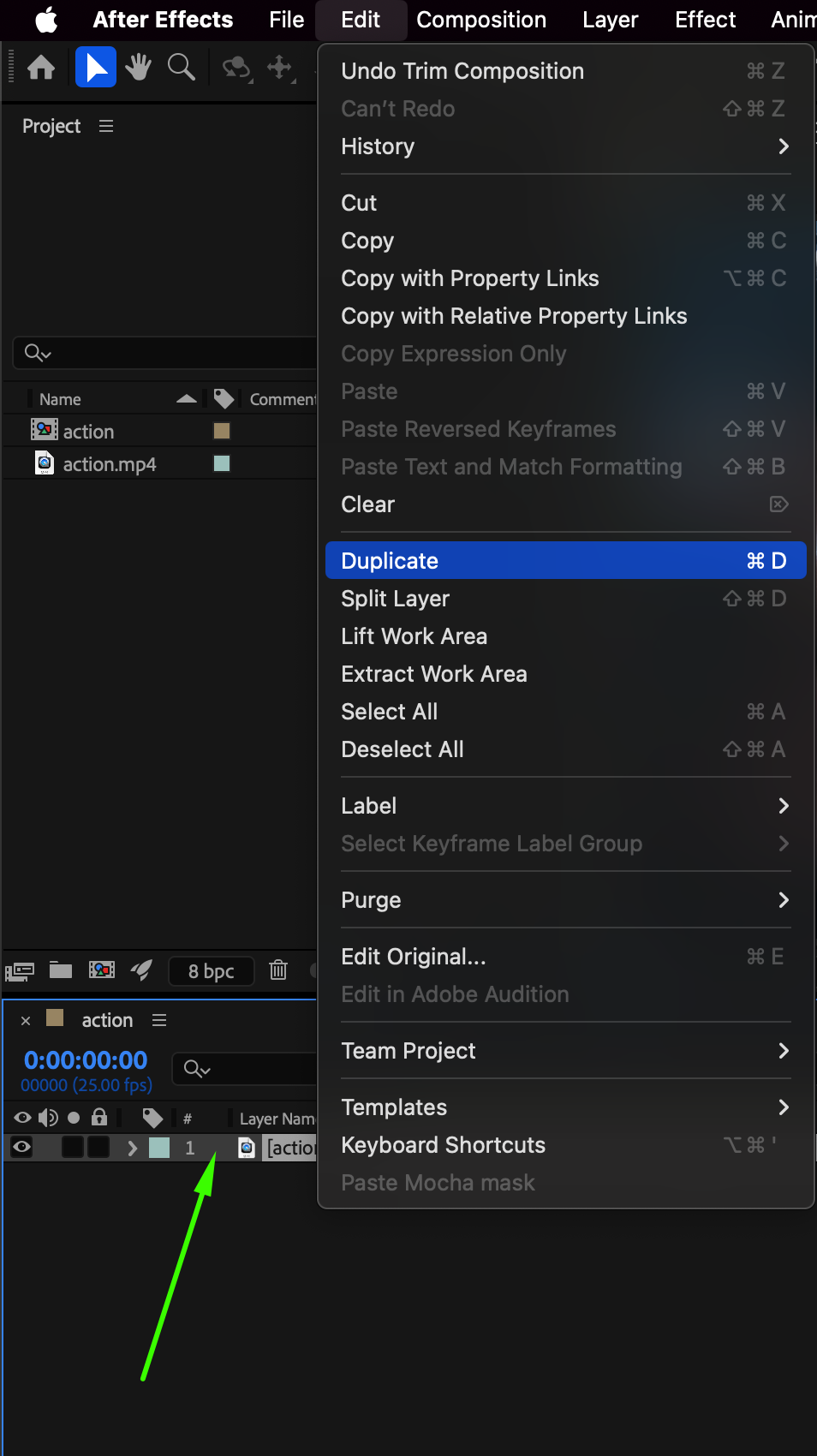
Step 3: Isolate the Athlete with the Roto Brush Tool
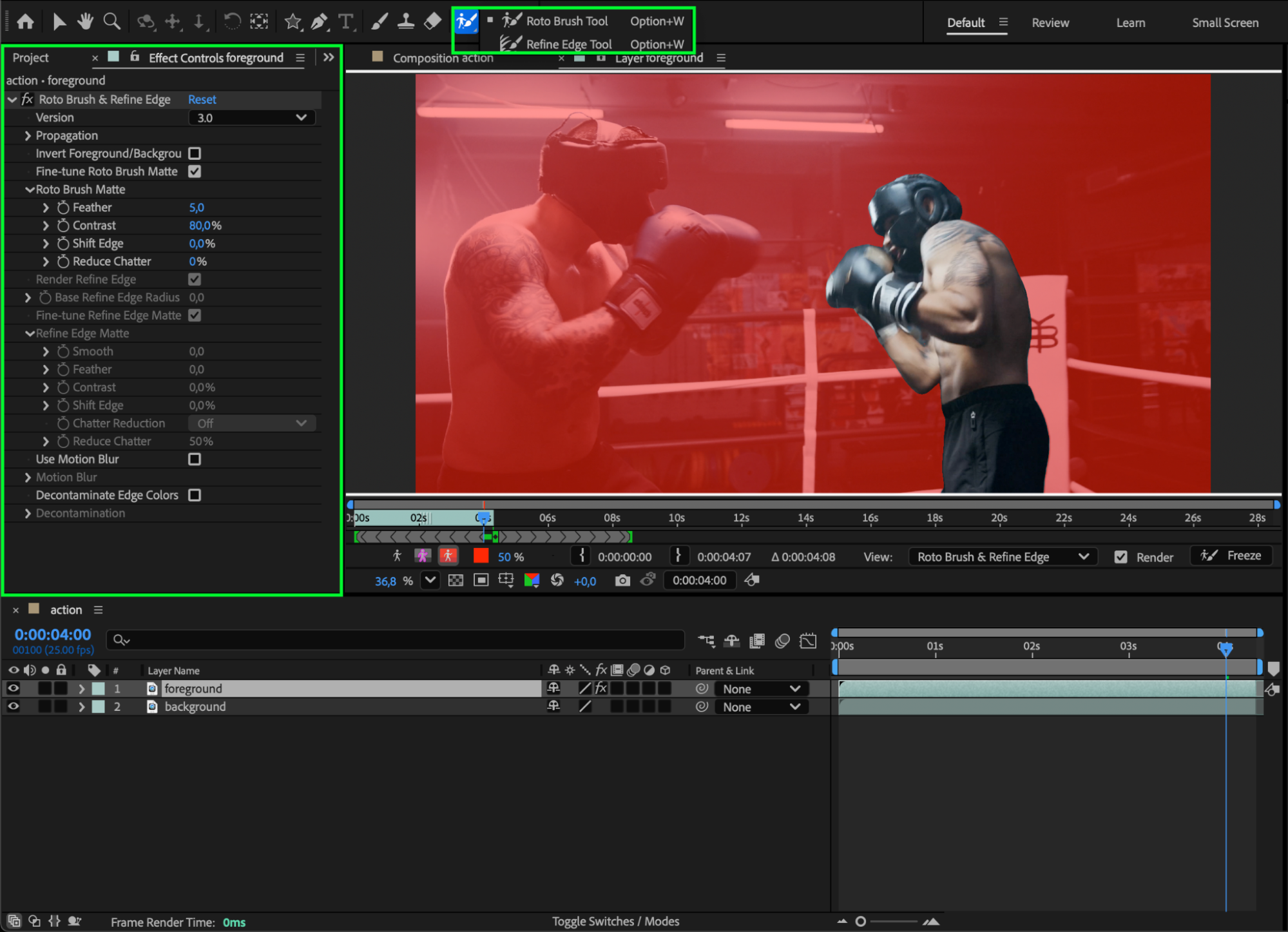
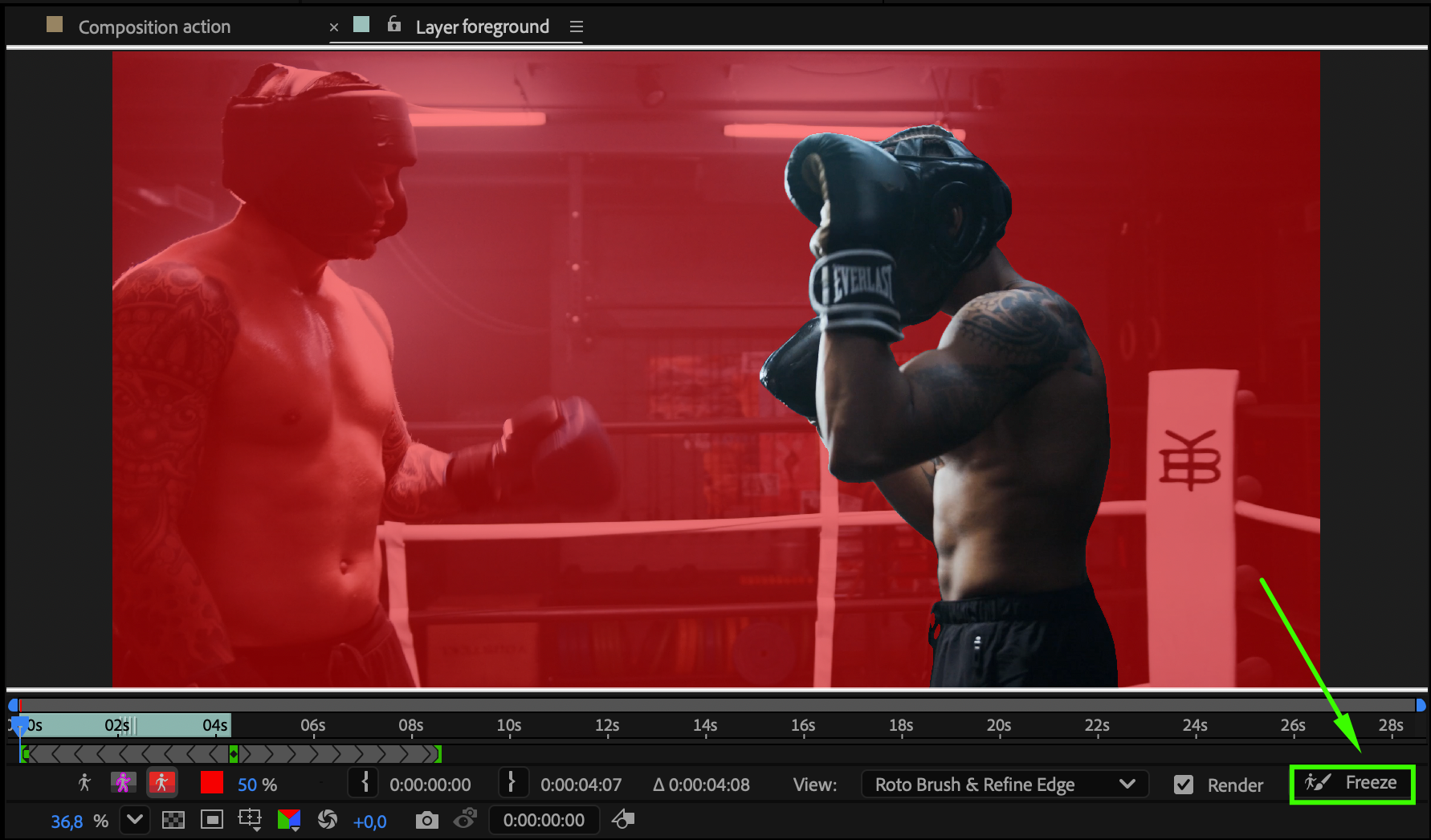
Double-click the Foreground layer to open the Layer panel. Select the Roto Brush Tool (Alt/Option + W) and paint over your athlete to select them. After refining the selection, click Freeze to lock the mask and return to the main Composition Panel.
Step 4: Create a Motion Effect
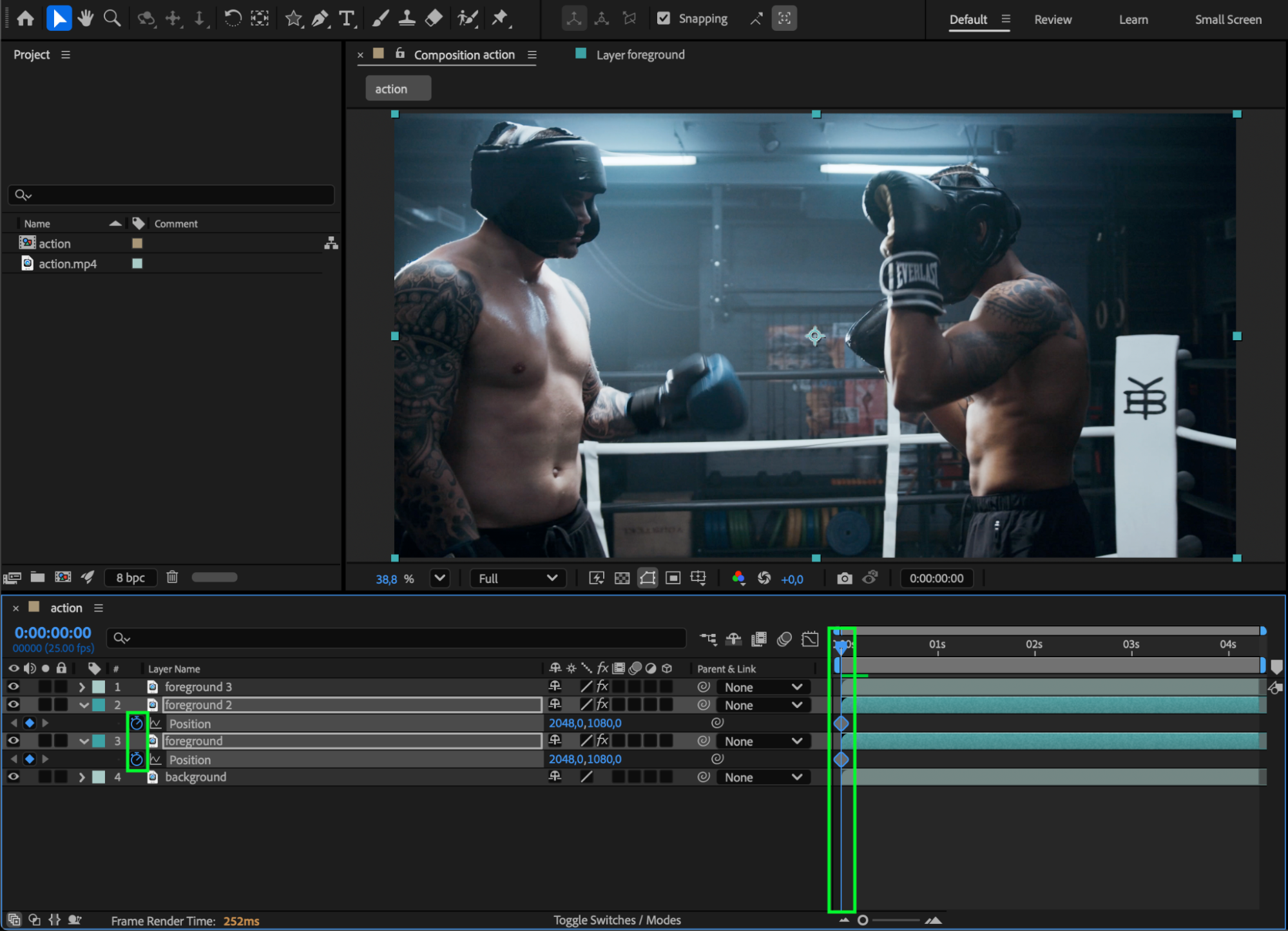
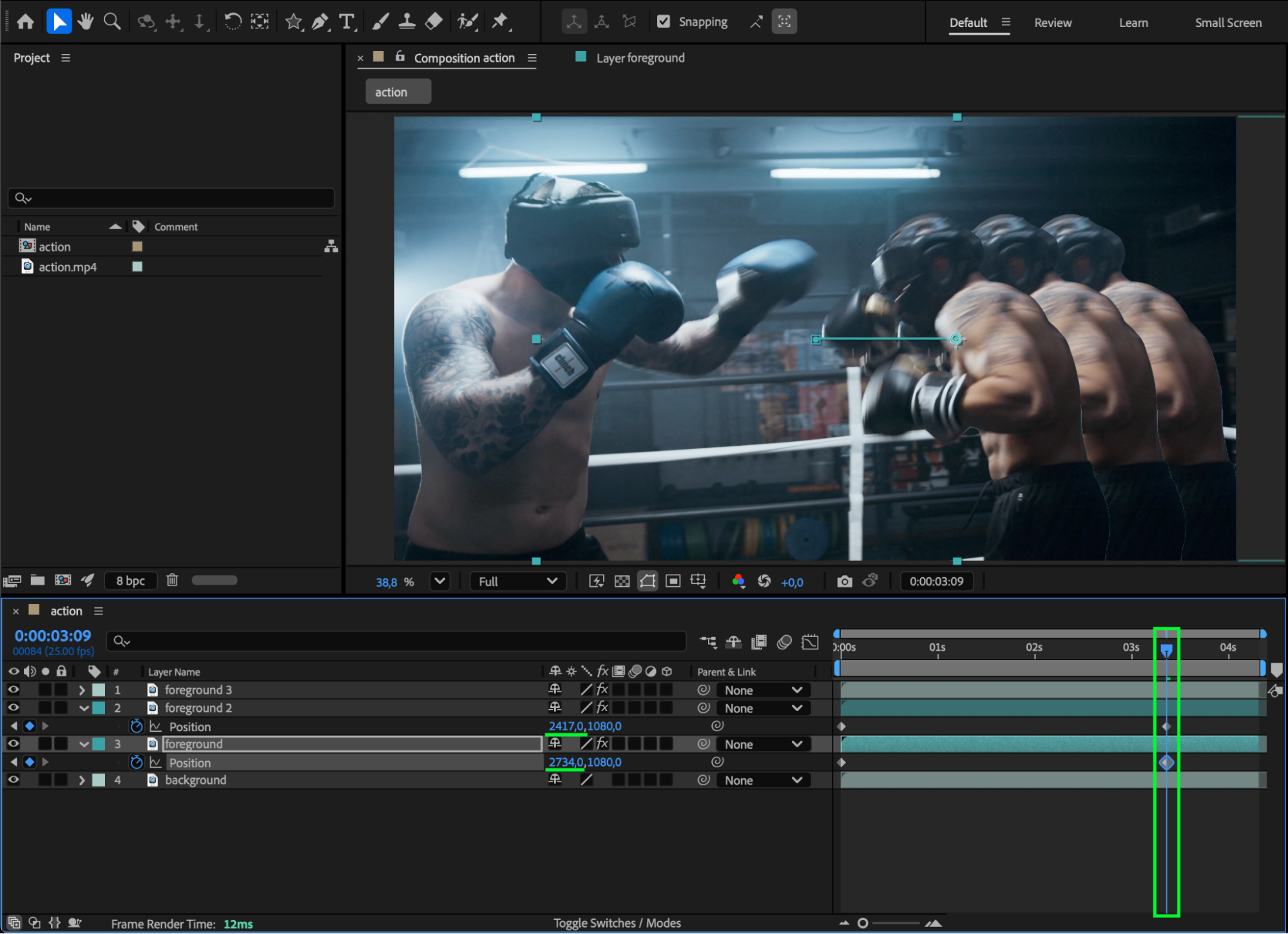
Duplicate the Foreground layer two more times. Label the two lower foreground layers with a different color for clarity. Animate their Position so they slightly move to the side during the athlete’s key action — this creates a stylized “shadow” or glitch effect during movement.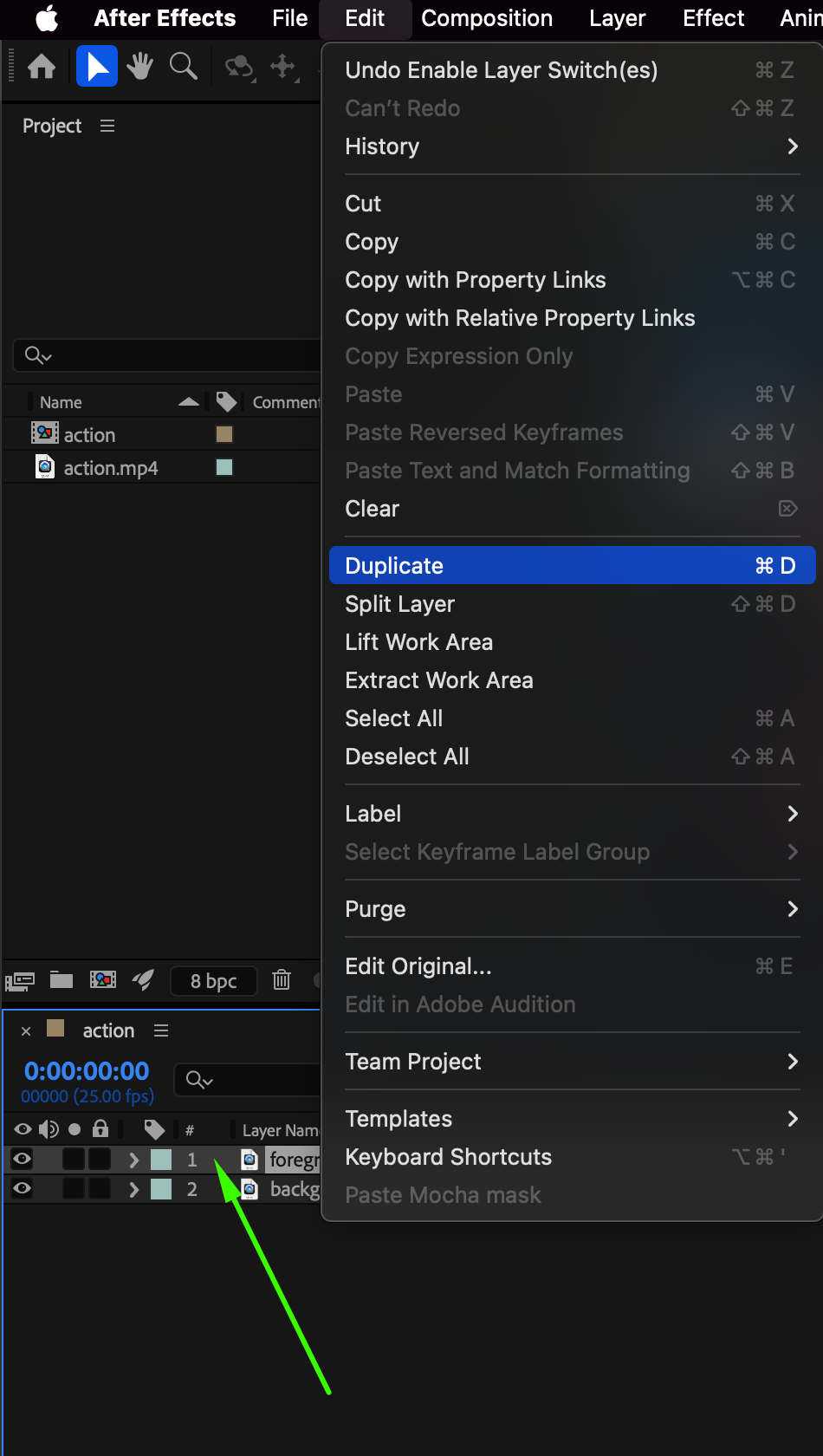
Step 5: Apply the Glow Effect
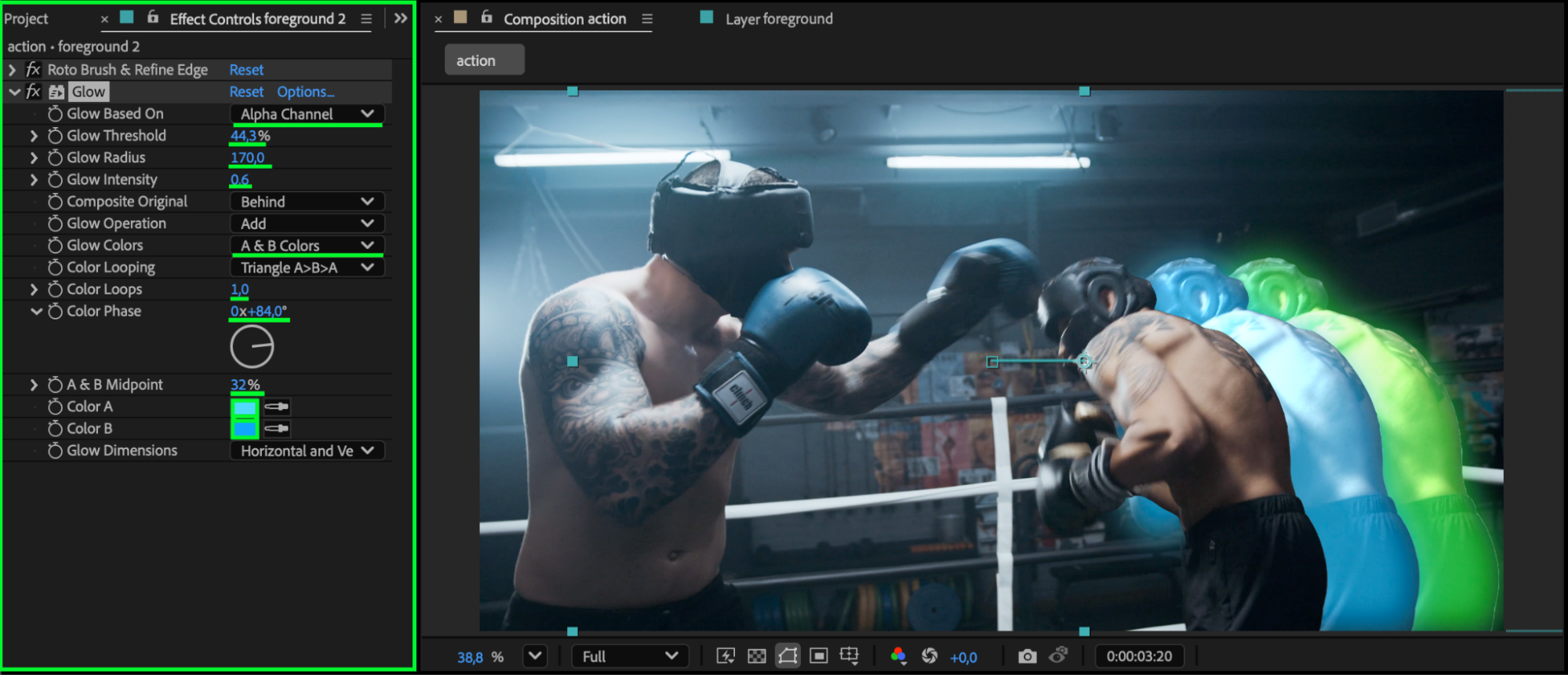
Select the top Foreground layer and apply Effect > Stylize > Glow. Adjust the settings for a sporty, neon look:
Glow Based On: Alpha Channel
Glow Threshold: 44
Glow Radius: 170
Glow Intensity: 0.6
Glow Colors: A & B Colors
A Color: Light Blue
B Color: Slightly Darker Blue
Color Loops: 1
Color Phase: 84
A&B Midpoint: 32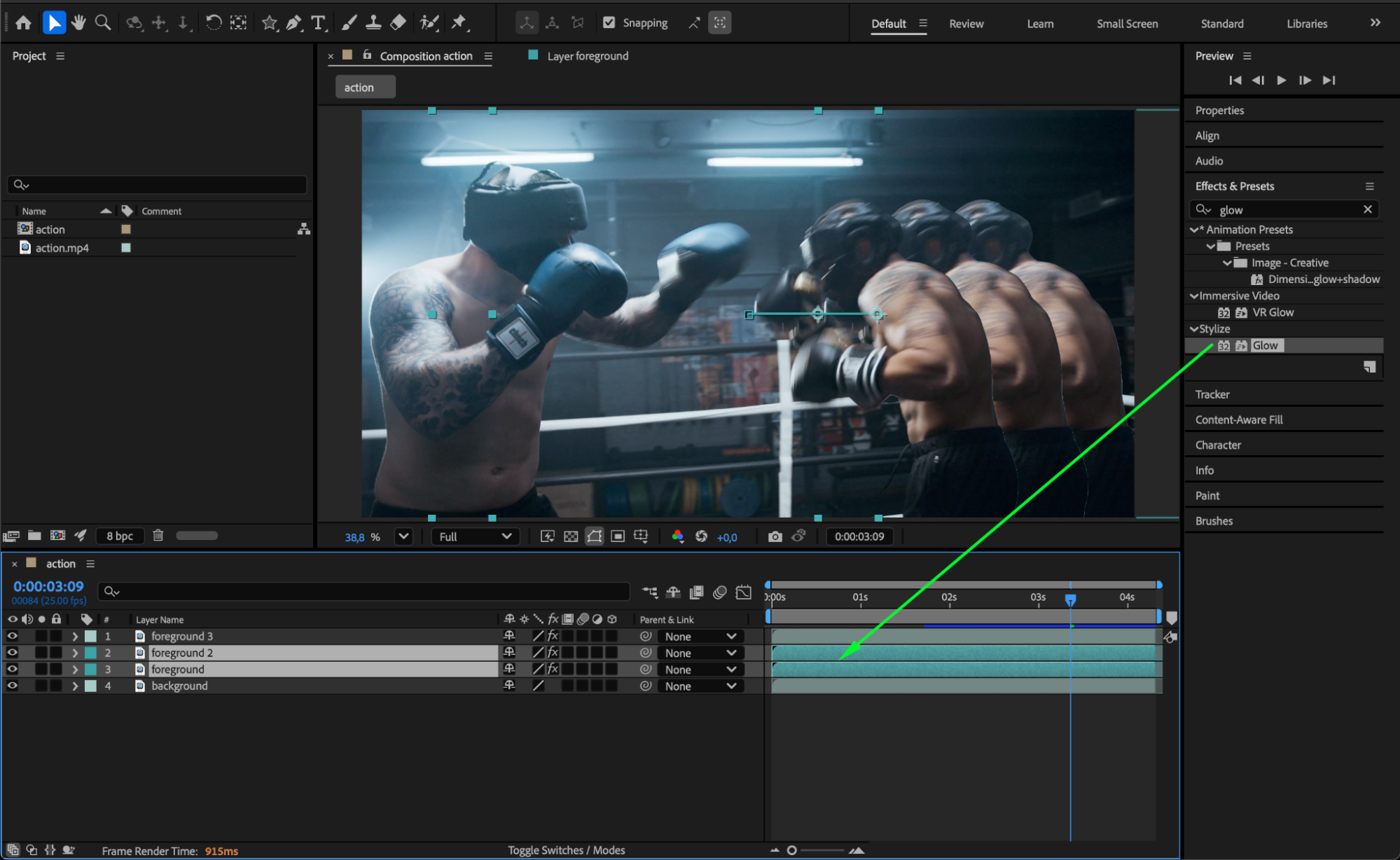
 Step 6: Add Motion Blur or Directional Blur
Enable Motion Blur for both the layers and the composition to create a smooth motion trail. Alternatively, apply Effect > Blur & Sharpen > Directional Blur for extra dynamic movement.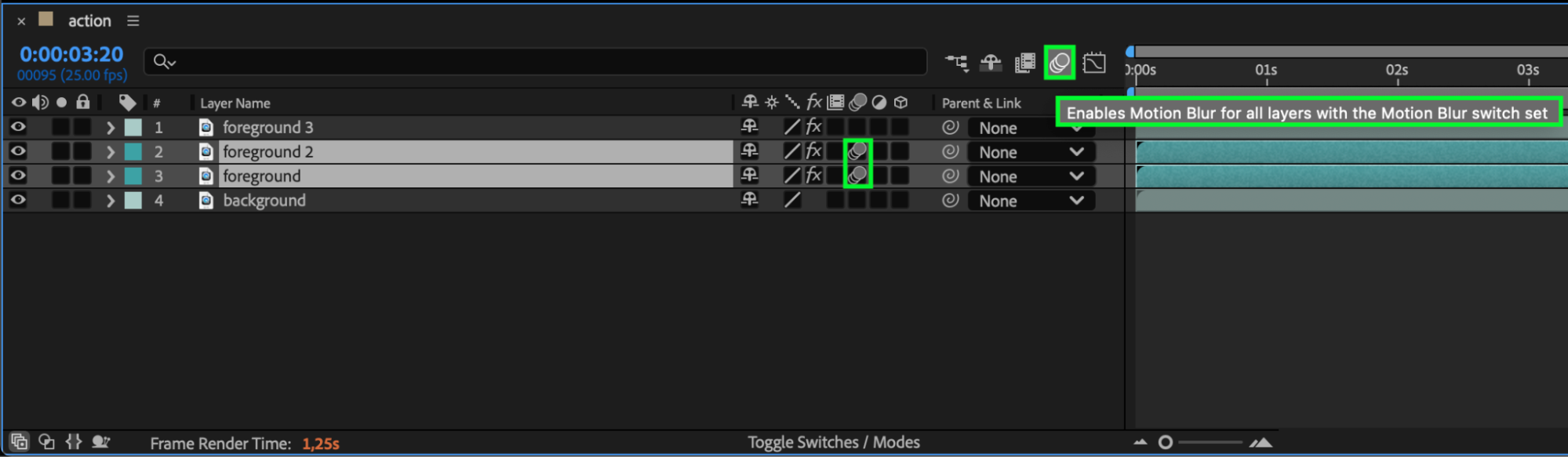 Step 7: Preview and Finalize
Press Spacebar to preview your composition. Fine-tune your animation timing, glow intensity, or blur settings until you achieve a smooth and energetic result.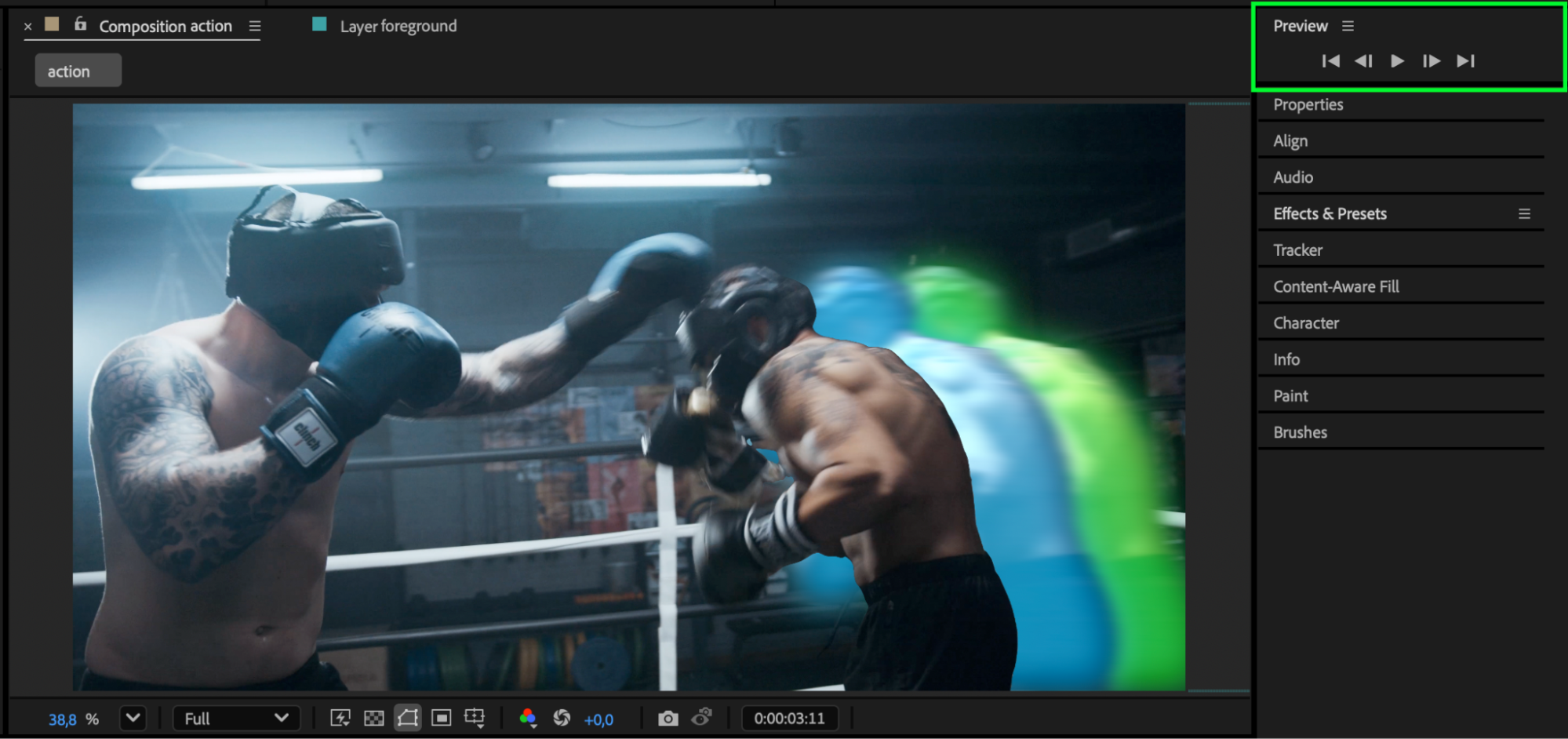
Conclusion
By combining the Roto Brush tool, layer animation, and glow effects, you can create a professional, high-impact sport video in After Effects. This technique enhances motion and energy, making your athlete the star of the scene — perfect for highlight reels, intros, or social media promos.
Our Bestsellers
Our Bestsellers


