
Learn how to create dramatic broken glass effects in After Effects using AEJuice Broken Glass 2 pack — perfect for trailers, intros, or cinematic shots.
Creating Broken Glass Effects for Dramatic Video Scenes
Introduction to Using AEJuice Broken Glass 2 for Cinematic Transitions
Broken glass overlays are a powerful way to add tension, drama, or visual impact to your video projects. Whether you want to simulate a screen cracking or transition through shattered glass, the AEJuice Broken Glass 2 pack offers high-quality effects that are easy to apply. In this tutorial, you’ll learn how to use these elements in After Effects to elevate your motion design.
Step 1: Import Your Footage
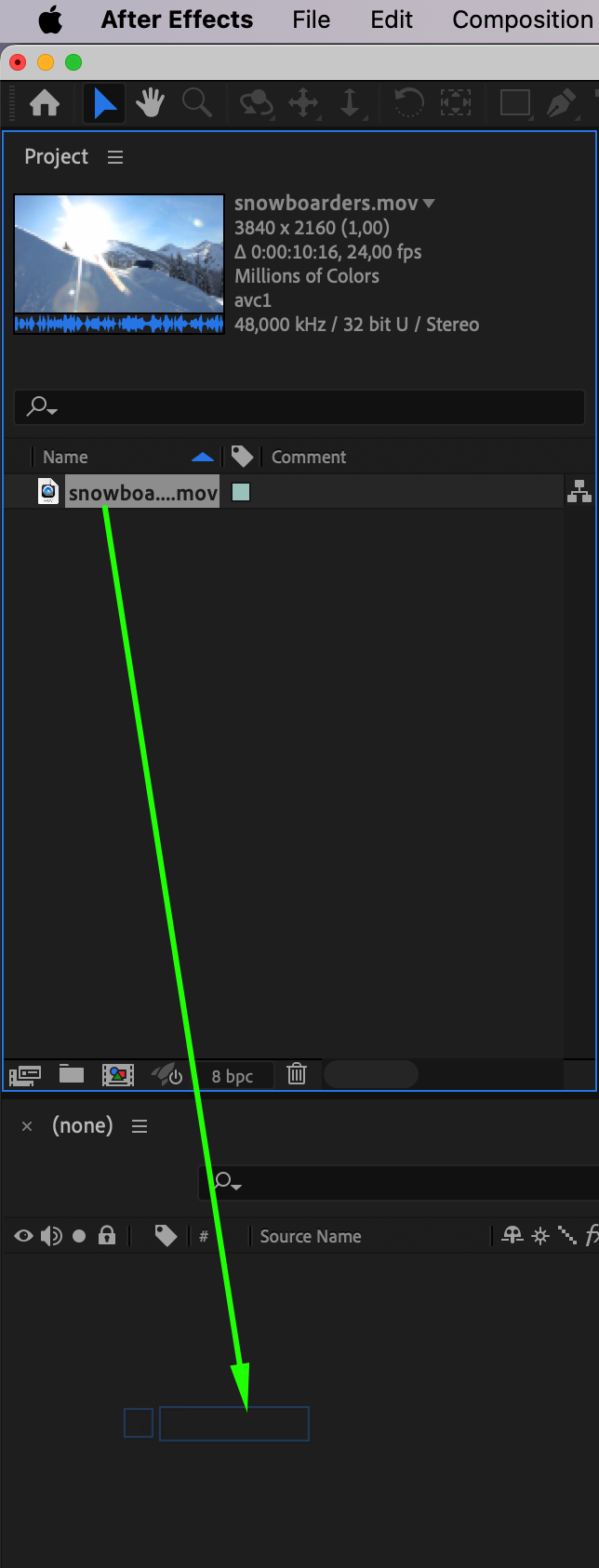
Open After Effects and go to File > Import > File. Choose the footage you want to use and drag it into the timeline. This creates a new composition based on your clip’s resolution and frame rate, which will serve as your base layer.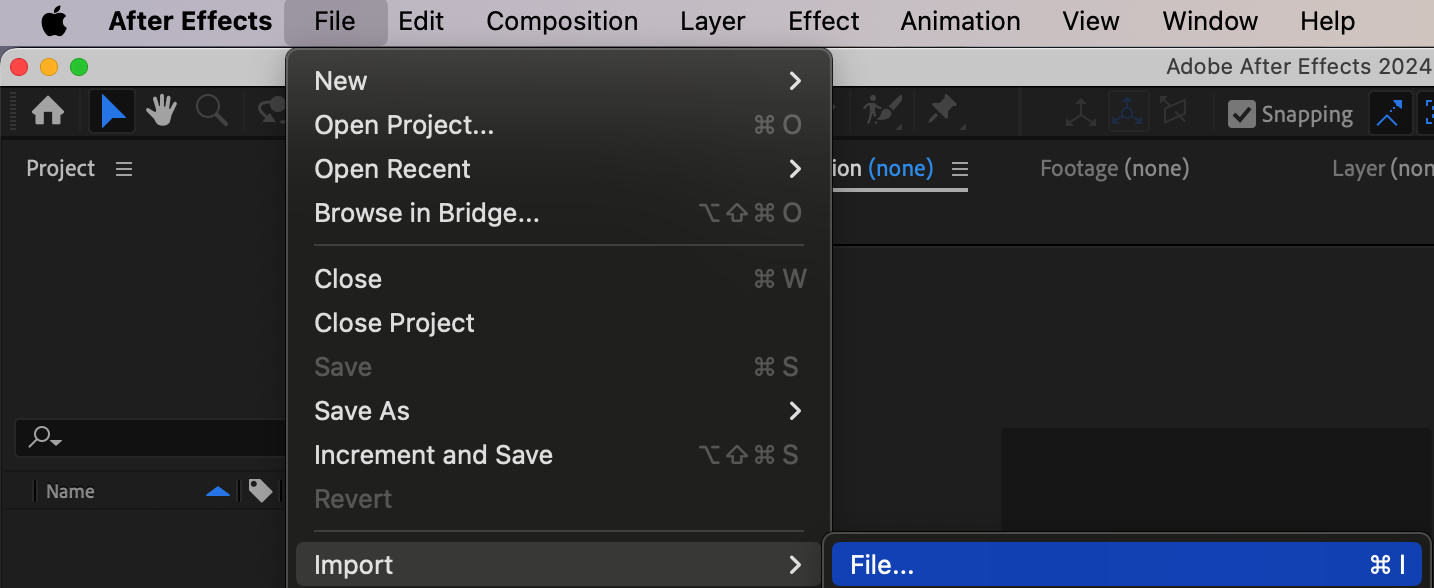
 Step 2: Open AEJuice Pack Manager
Navigate to Window > AEJuice Pack Manager 4. This will open the AEJuice panel where you can access all your installed packs. Make sure you’re logged in to see your full library of assets.
Step 3: Download the Broken Glass 2 Pack
Inside the AEJuice panel, search for the Broken Glass 2 pack. If it’s not yet downloaded, click on it to begin installation. After it’s ready, you’ll be able to preview and apply shattered glass effects directly into your project.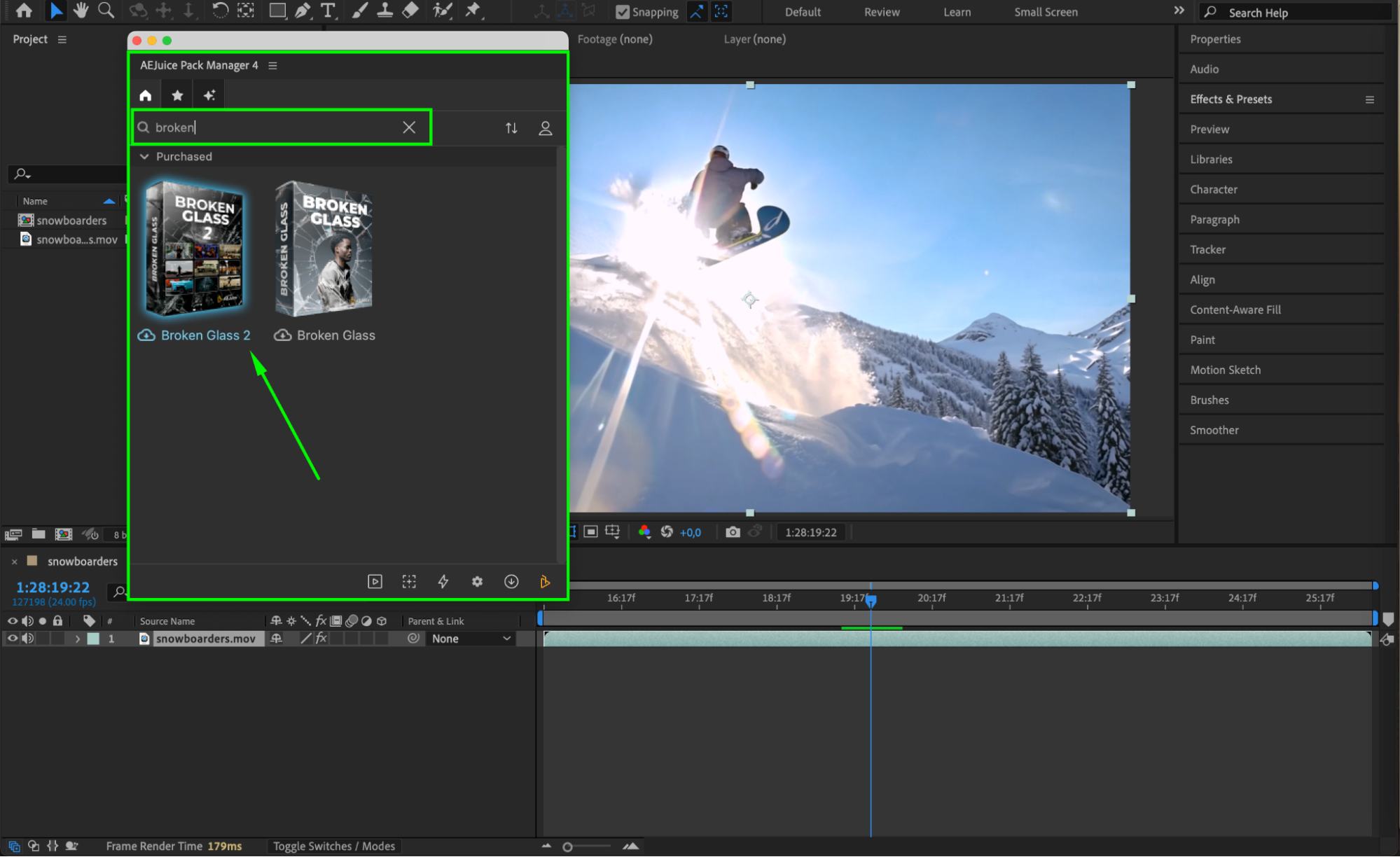 Step 4: Choose and Import a Glass Effect
Browse the pack to find a broken glass effect that fits your scene. When ready, click on the effect and hit Import. The selected effect will automatically be added to your timeline as a new pre-comp and resized to match your composition.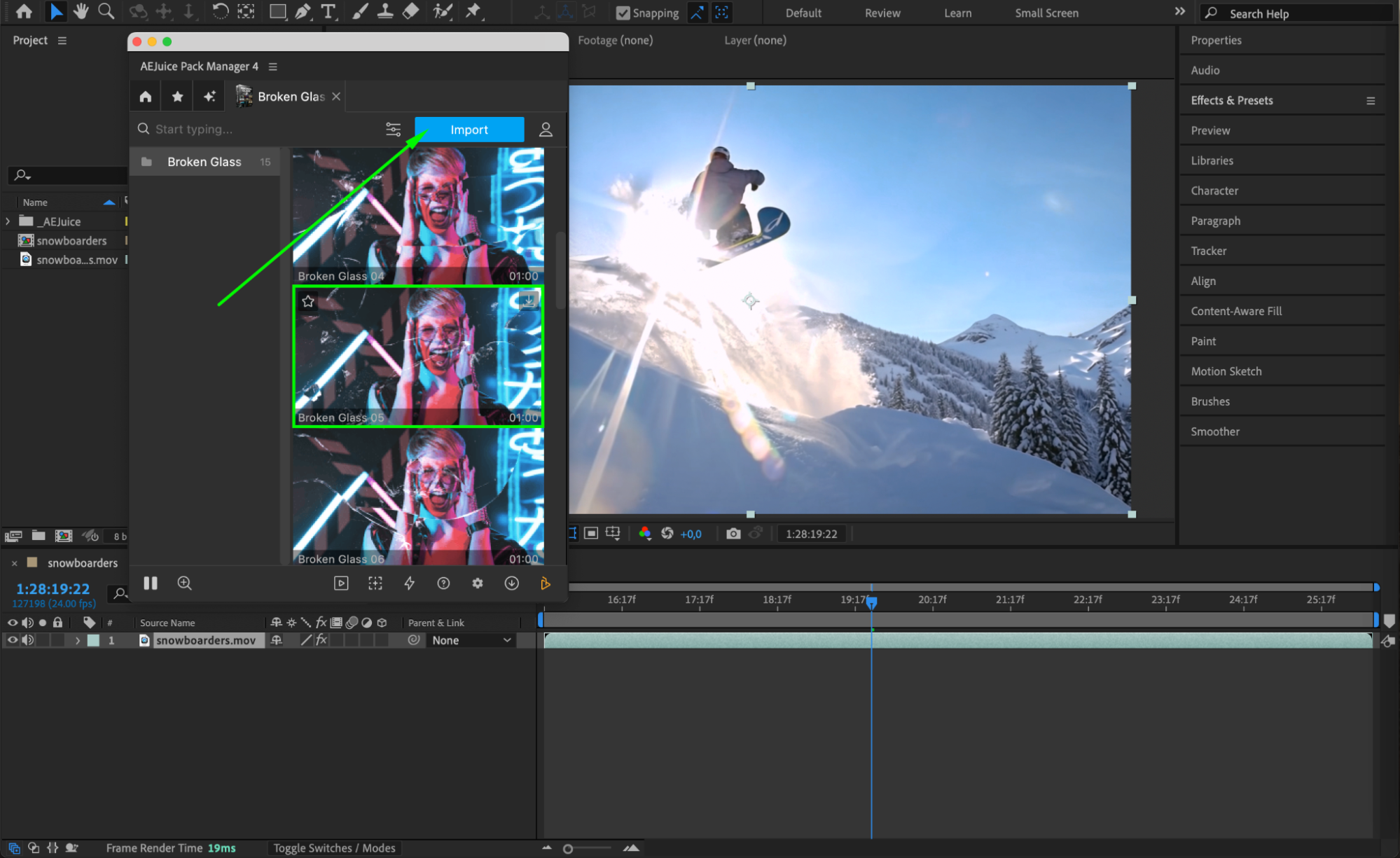 Step 5: Trim and Adjust Layer Timing
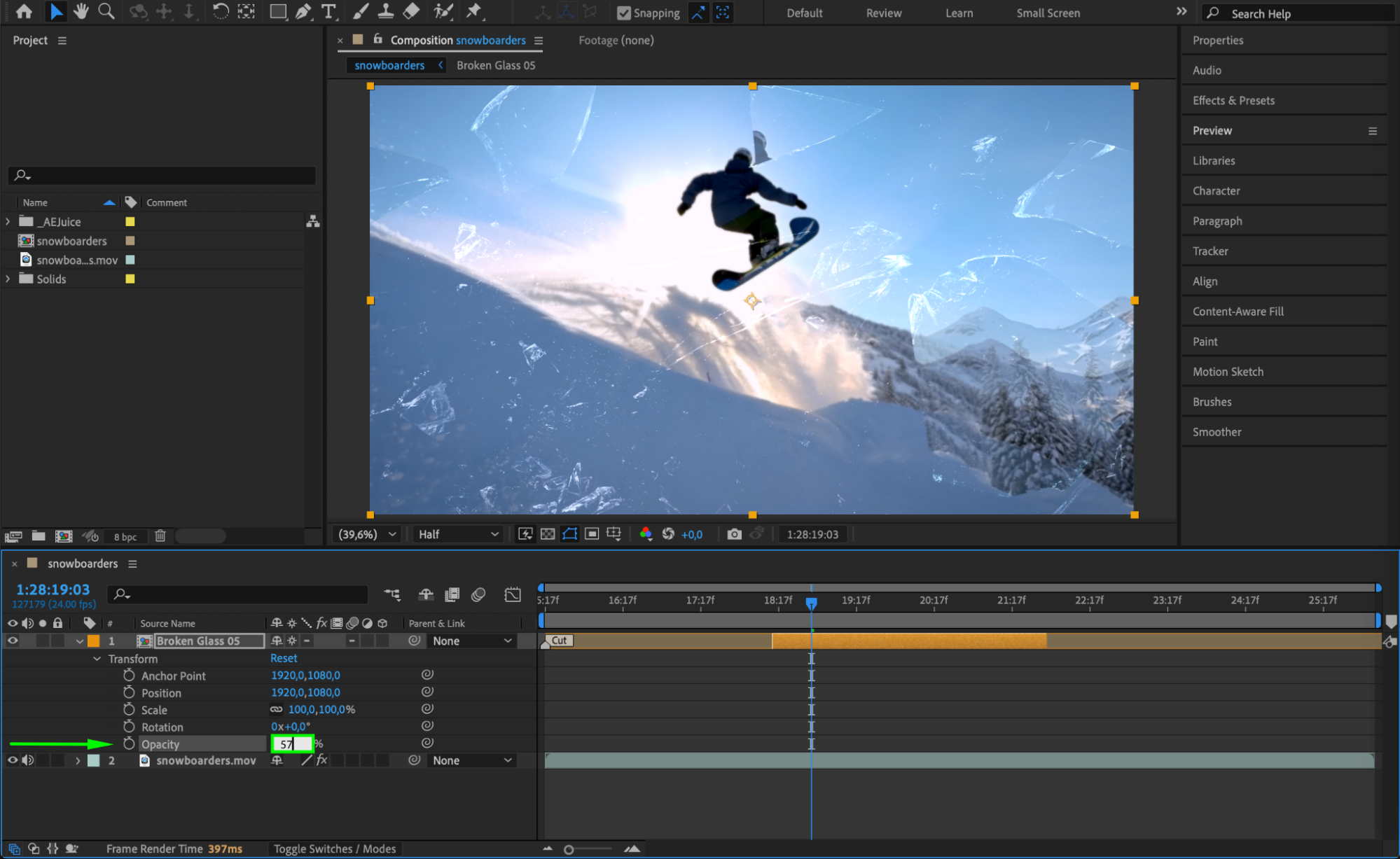
Use the Current Time Indicator to position the glass effect where you want the impact to happen. Then use the shortcuts “Alt/Option + [” and “Alt/Option + ]” to trim the in/out points of the layer. You can also reduce Opacity (T key) to blend the effect more naturally with your footage if needed.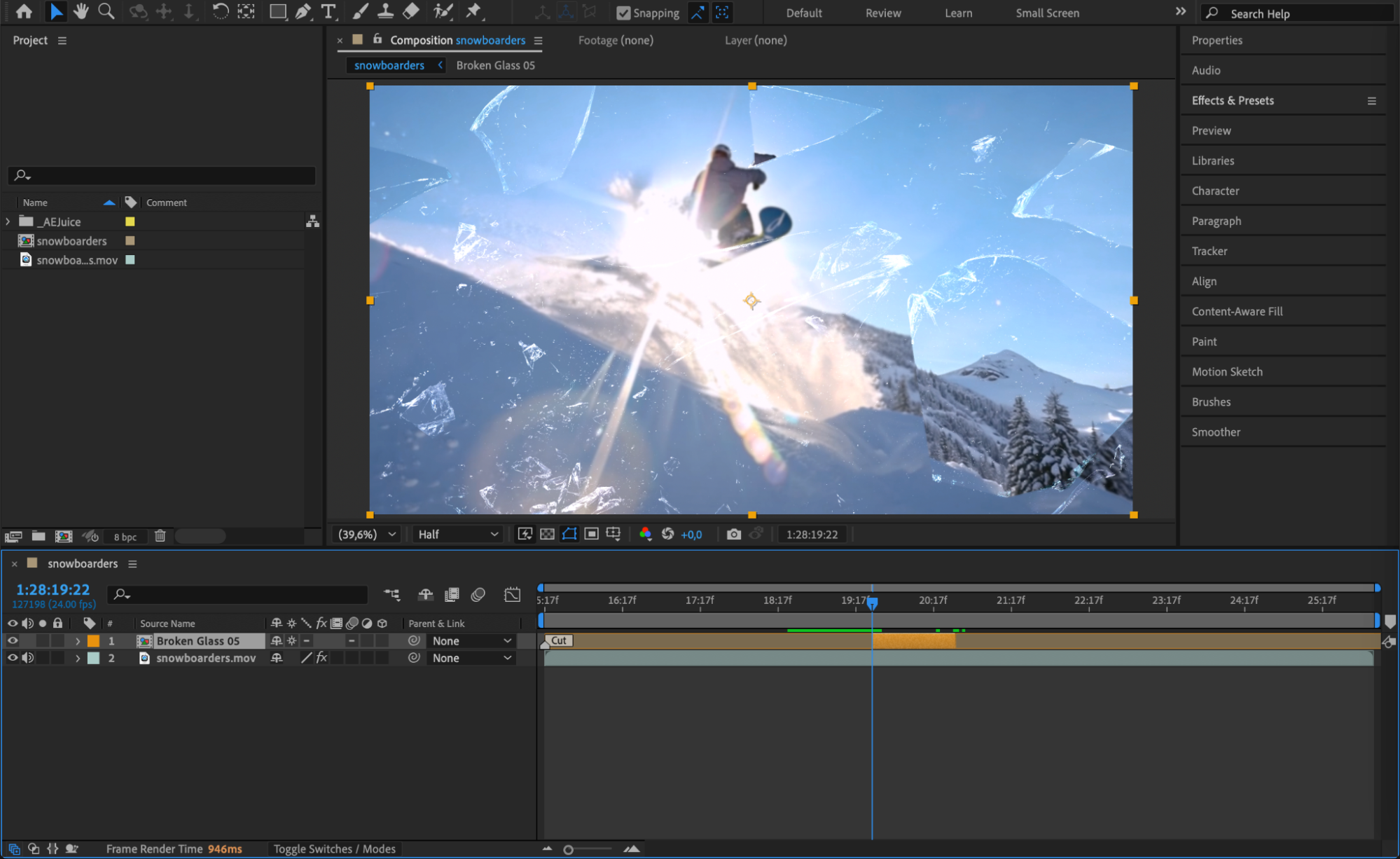
Step 6: Enhance with Additional Effects
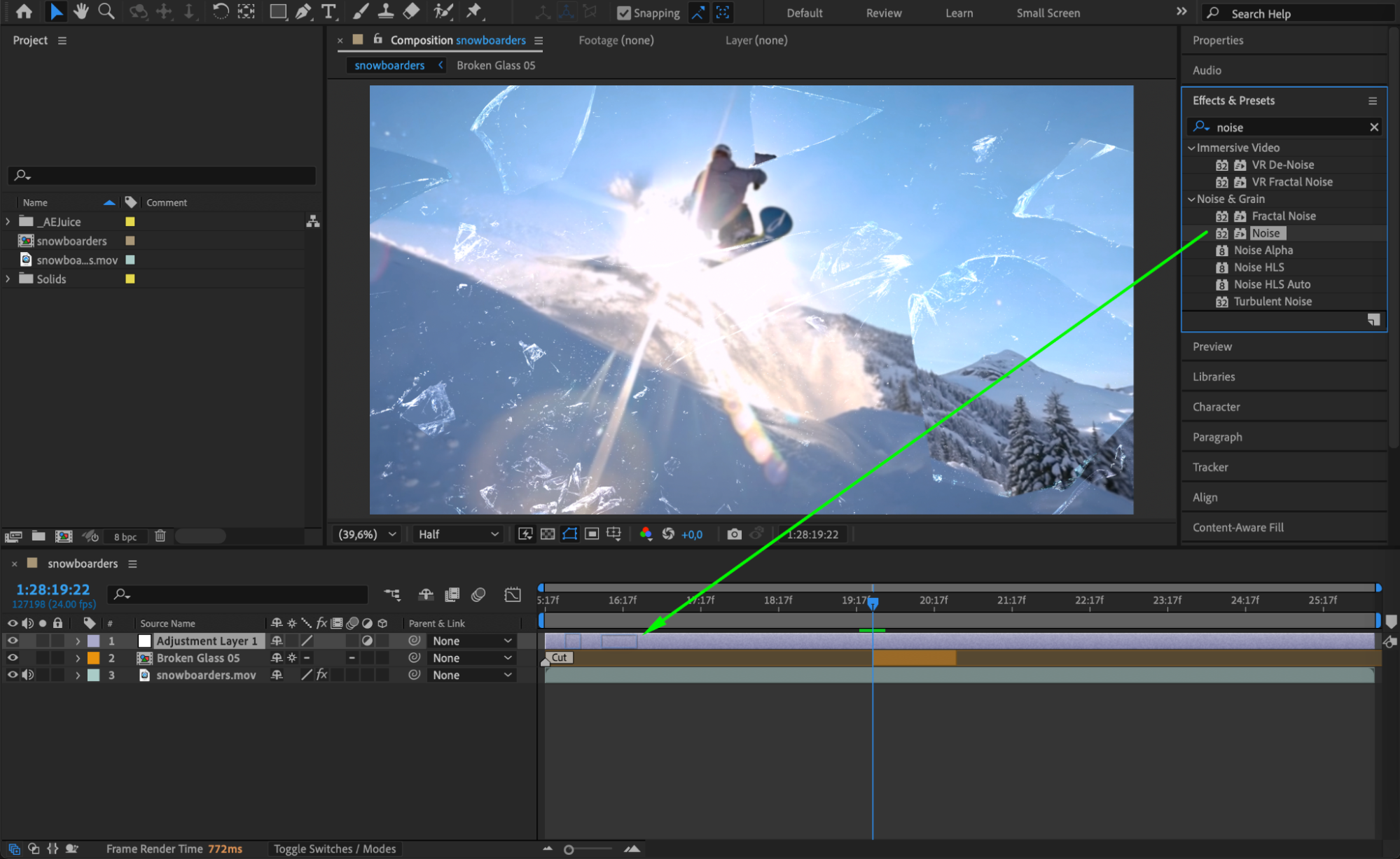
To make the glass break feel even more realistic, you can add an Adjustment Layer above your clip (Layer > New > Adjustment Layer). Apply effects like Turbulent Displace or Noise from the Effects & Presets panel. These subtle distortions can enhance the sense of motion and impact.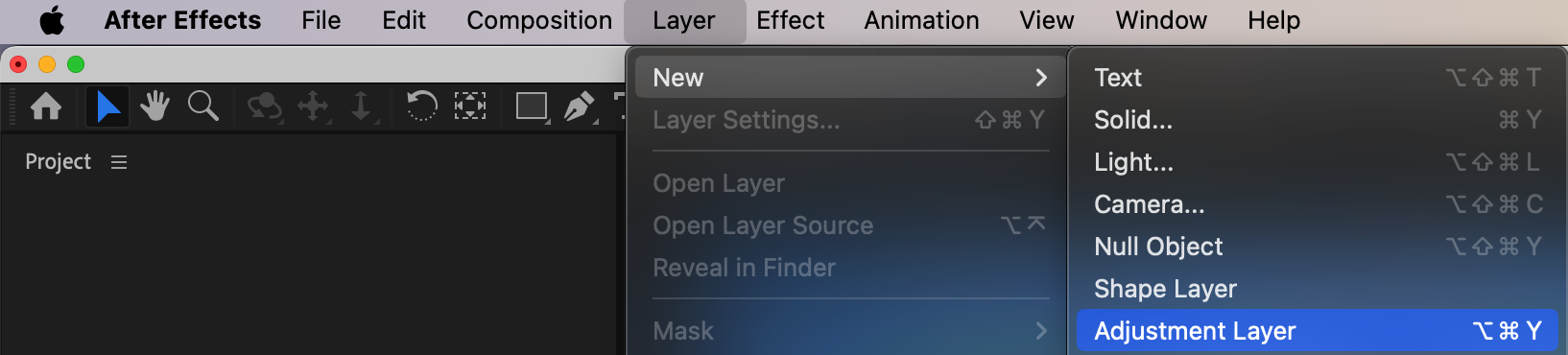
 Step 7: Preview and Finalize
Hit Spacebar to preview the full animation. Check that the glass effect lines up with the right moment in your video. Make any final tweaks to scale, timing, or blending modes for a seamless result.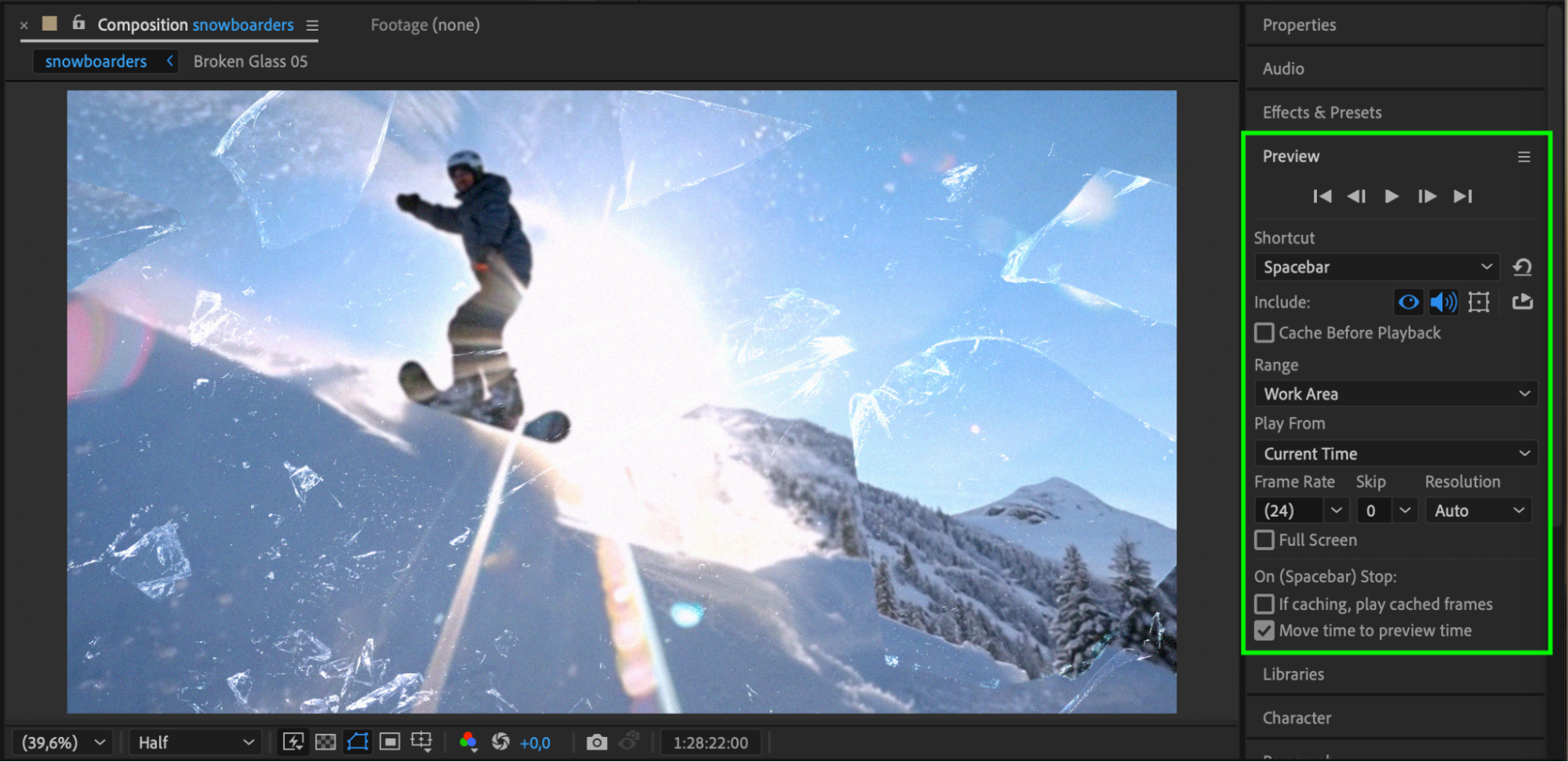 Conclusion
The Broken Glass 2 pack by AEJuice makes it easy to add intense and cinematic glass shatter effects to your videos. Whether you’re creating a dramatic scene, an action sequence, or a stylish transition, this pack offers ready-to-use effects that save time and deliver professional results.
Our Bestsellers
Our Bestsellers


