
Create Glitch Effects in After Effects Using AEJuice Glitch Pack
Introduction to Glitch Effects for Video Editors
Glitch effects can add energy, tension, or a futuristic look to your videos. Whether you’re editing music videos, YouTube intros, or transitions, using pre-made glitch elements can save time while delivering professional results. In this tutorial, you’ll learn how to apply glitch effects in Adobe After Effects using the AEJuice Glitch Pack, one of the best glitch packs for video editors. If you’re working in Premiere Pro, this also works as a glitch transition tutorial when you export the animation as a transparent video.
Step 1: Import Your Footage
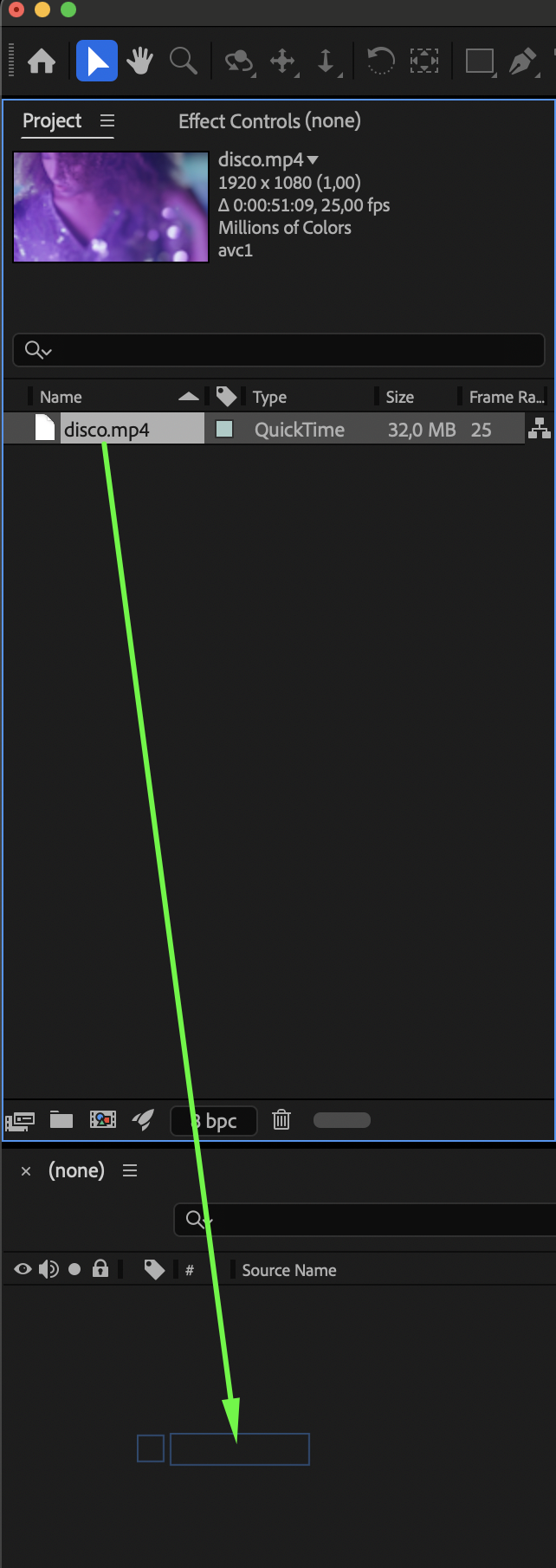
Start by going to File > Import > File and selecting your video clip. Drag it into the timeline to automatically create a new composition. This will serve as the base for your glitch overlay.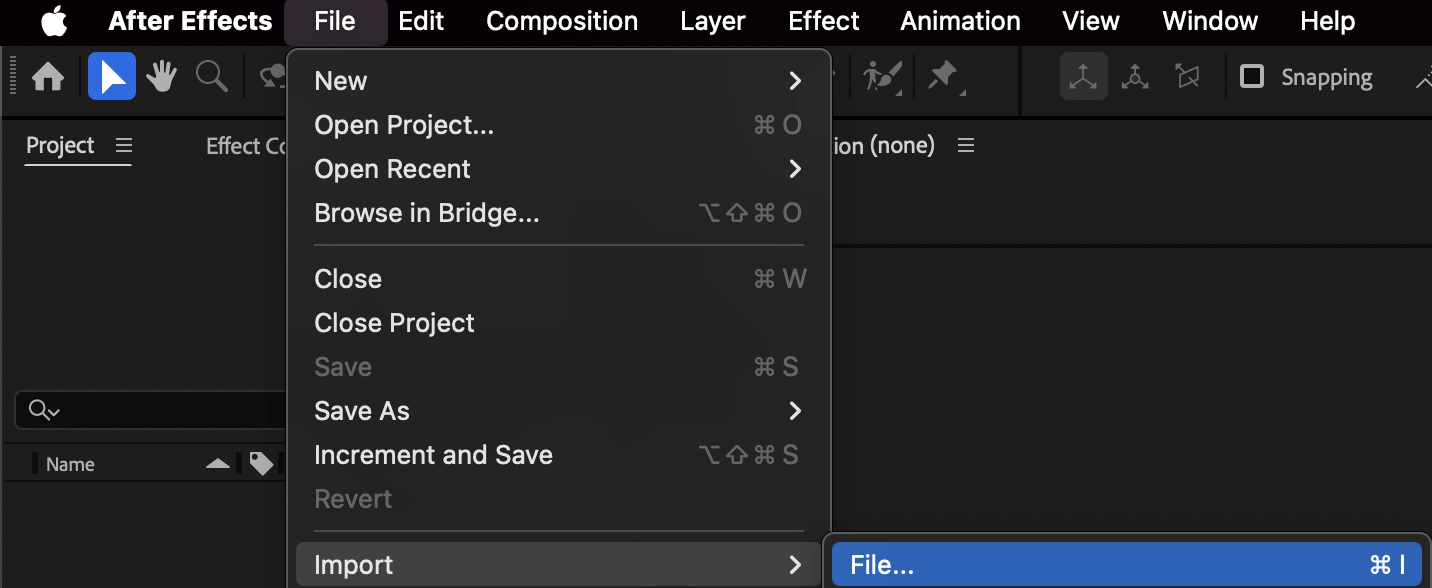
Step 2: Open AEJuice Pack Manager
Go to Window > AEJuice Pack Manager 4 to open the AEJuice panel inside After Effects. This tool gives you access to a wide variety of packs including the Glitch Pack. Step 3: Download the Glitch Pack
Inside Pack Manager, scroll to find the Glitch Pack. Click on it to download the contents if you haven’t already. Once installed, you’ll be able to preview and apply glitch overlays, transitions, and elements.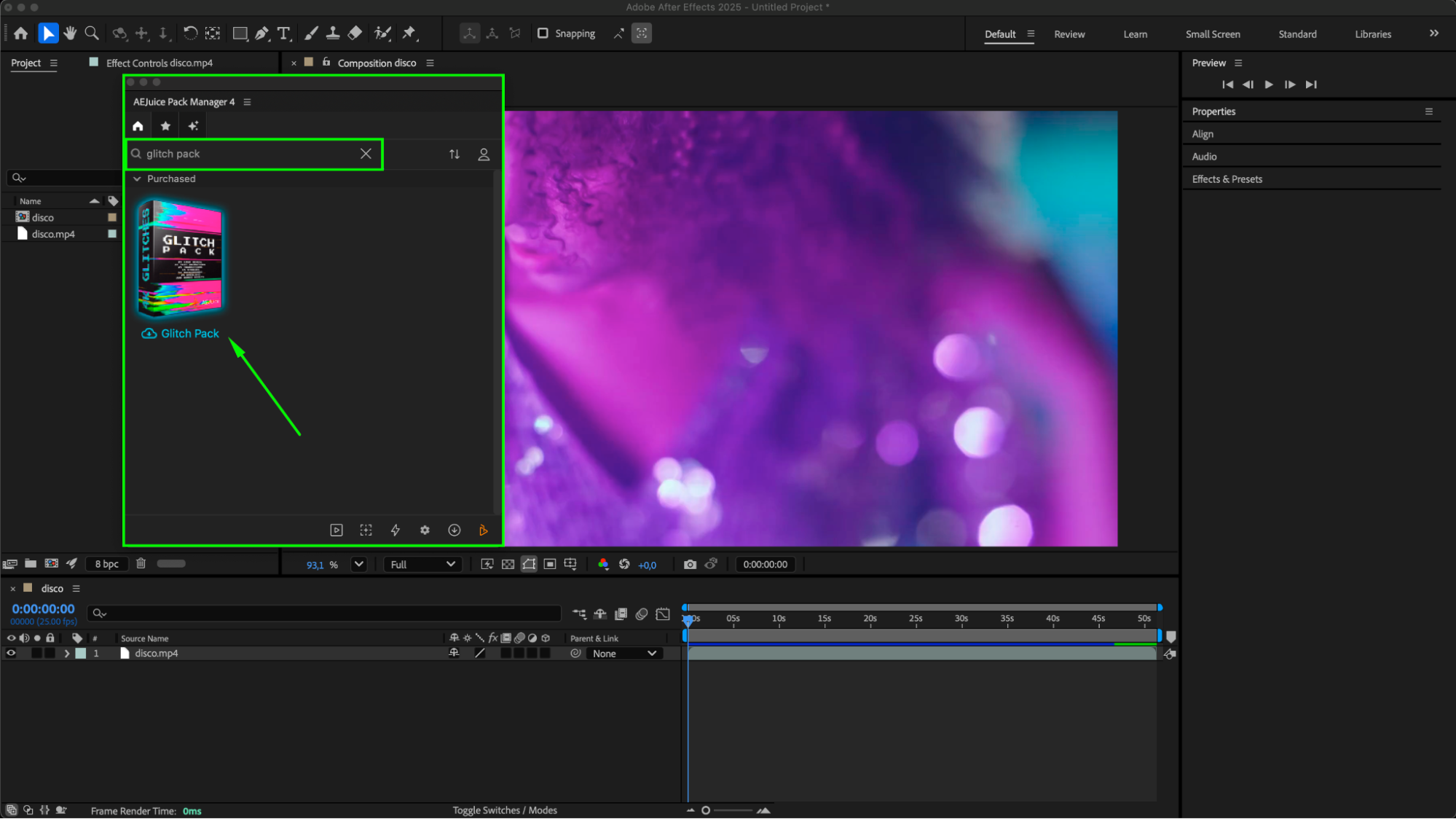
Step 4: Choose and Import a Glitch Effect
Browse the pack and find an effect that fits your scene — for example, Glitch Video Overlay 11. Click on the effect to preview it, then click Import to add it directly to your timeline as a pre-composition.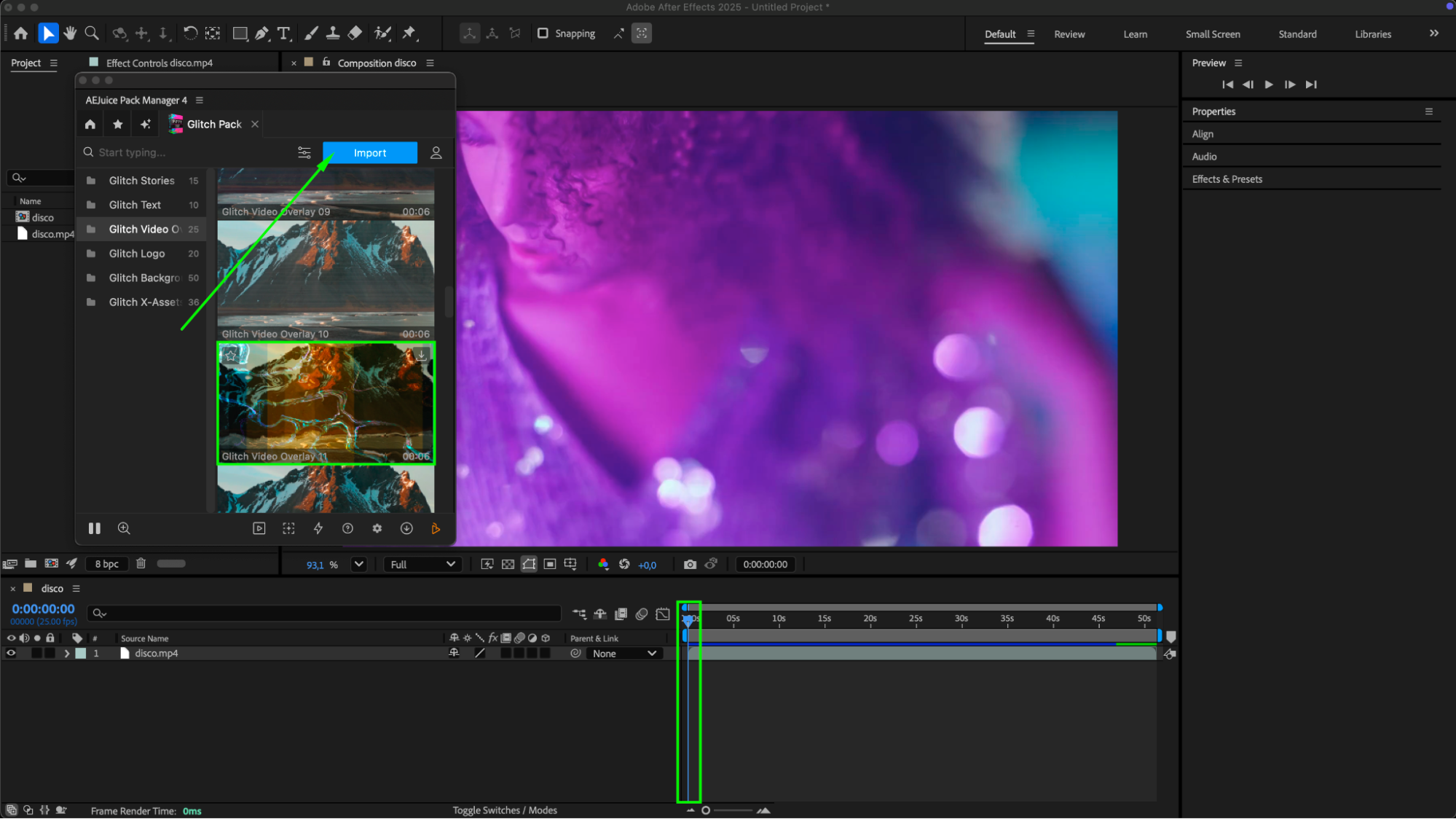 Step 5: Customize
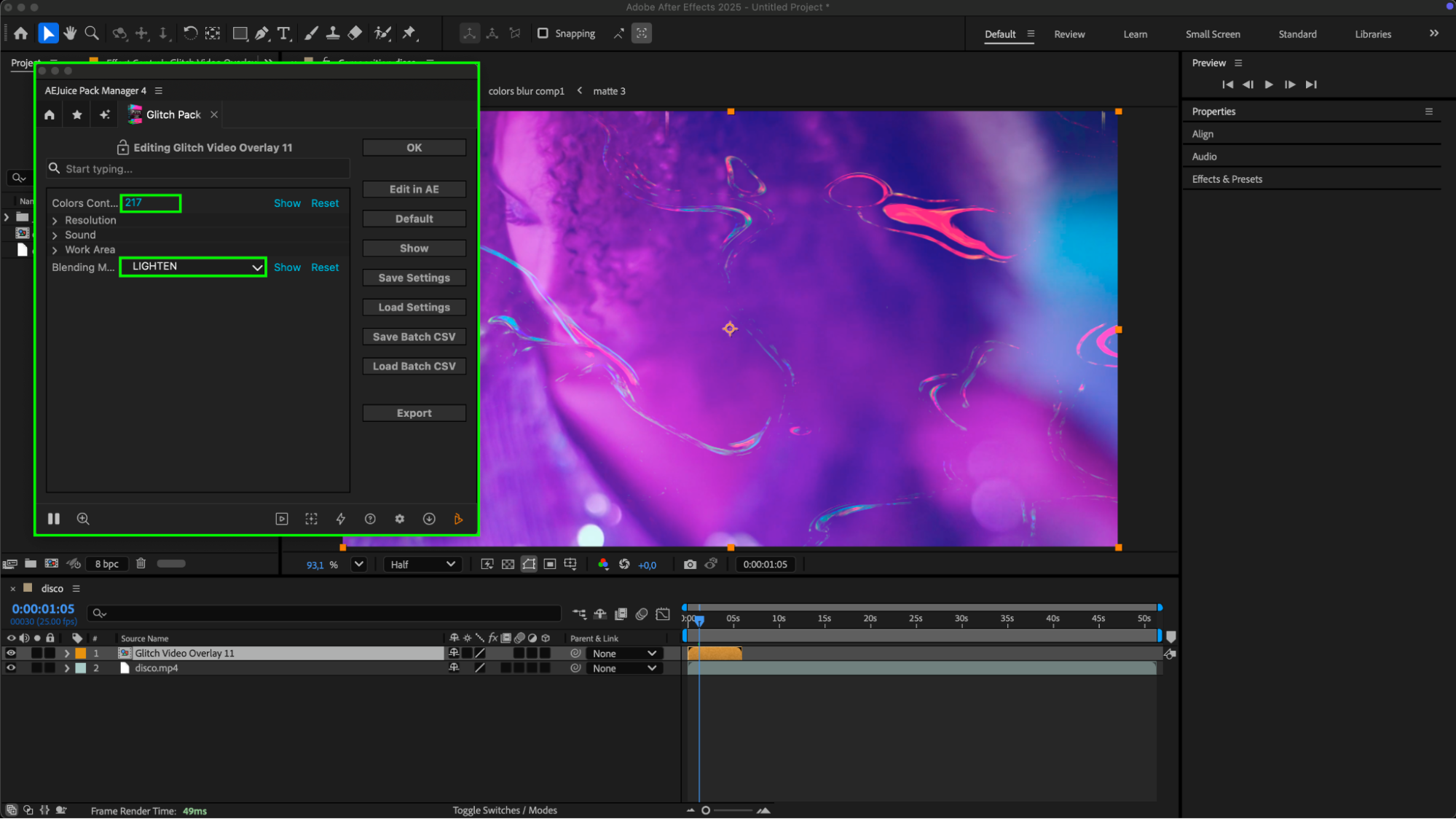
Select the pre-comp layer in the timeline. Then, in the AEJuice Pack Manager 4 panel, click the Edit button (represented by three sliders). This opens a customization panel where you can adjust options like color controls to change the overlay color, and you can also experiment with the blending mode for different visual effects.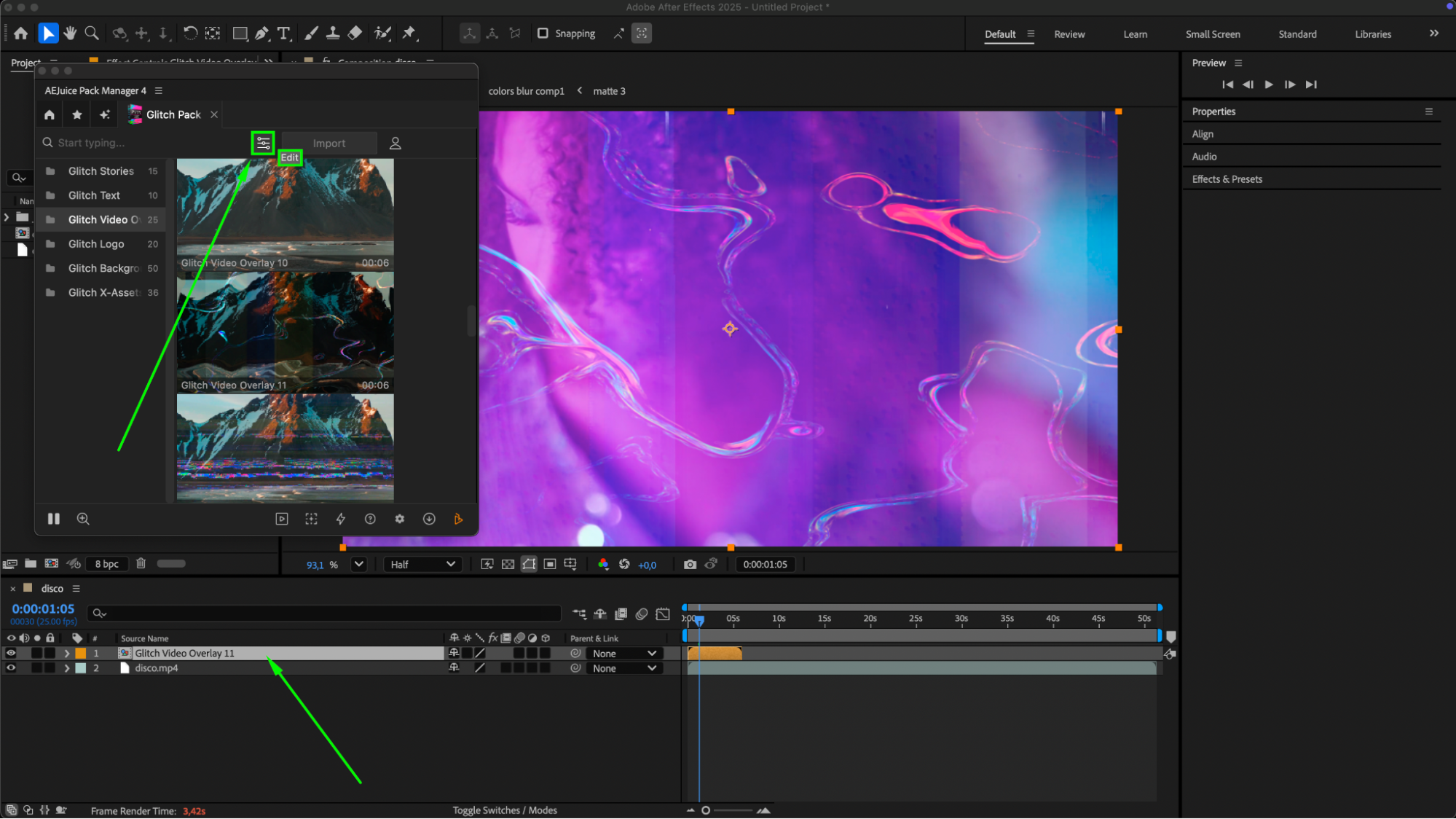
Step 6: Preview and Fine-Tune
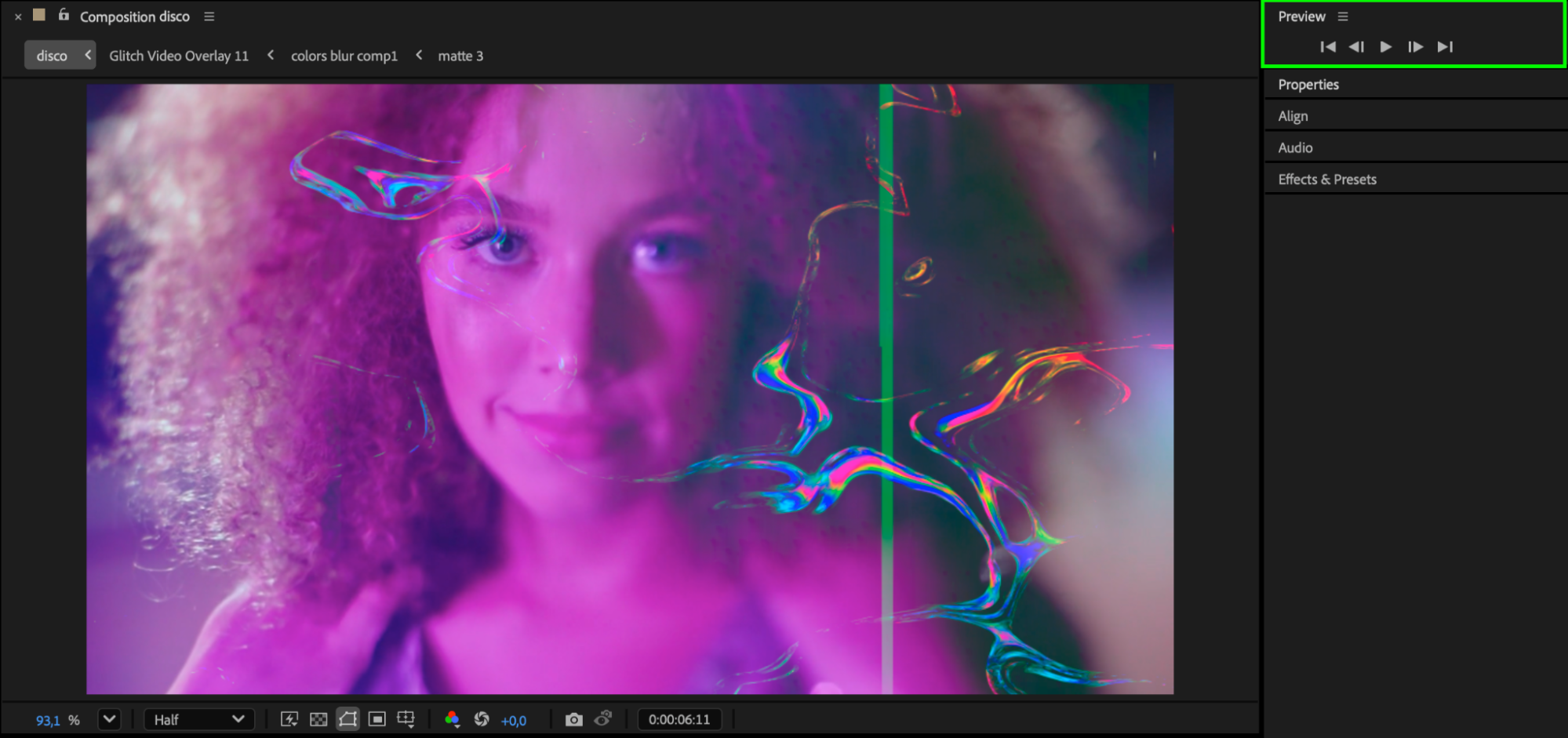
Press Spacebar to preview your animation. You can also combine multiple glitch overlays or stack them for more complex distortion effects.
 Conclusion
Using the AEJuice Glitch Pack is a fast and powerful way to add glitch effects to your videos in After Effects. It’s especially helpful for editors looking to create impactful visuals, energetic intros, or glitch transitions for Premiere Pro workflows. With just a few clicks, you can achieve stunning results without building everything from scratch.
Our Bestsellers
Our Bestsellers


