
Create Seamless Paper Tear Transitions in Premiere Pro
Introduction to Paper Tear Effects for Stylized Video Editing
Paper tear transitions add a handmade, textured feel to your videos — perfect for creative edits, vlogs, music videos, or retro-style reels. In this paper tear transition tutorial, we’ll show you how to use one of the best paper tear overlays for editors: the AEJuice Paper Tear Transitions Pack in Adobe Premiere Pro. These drag-and-drop presets are easy to use and highly customizable.
Step 1: Launch Premiere Pro and Create Your Project
Open Premiere Pro and start a new project. In the Project Name field, enter a name for your project. Select the video clips you want to work with. Once your assets are ready, press Create to open your timeline.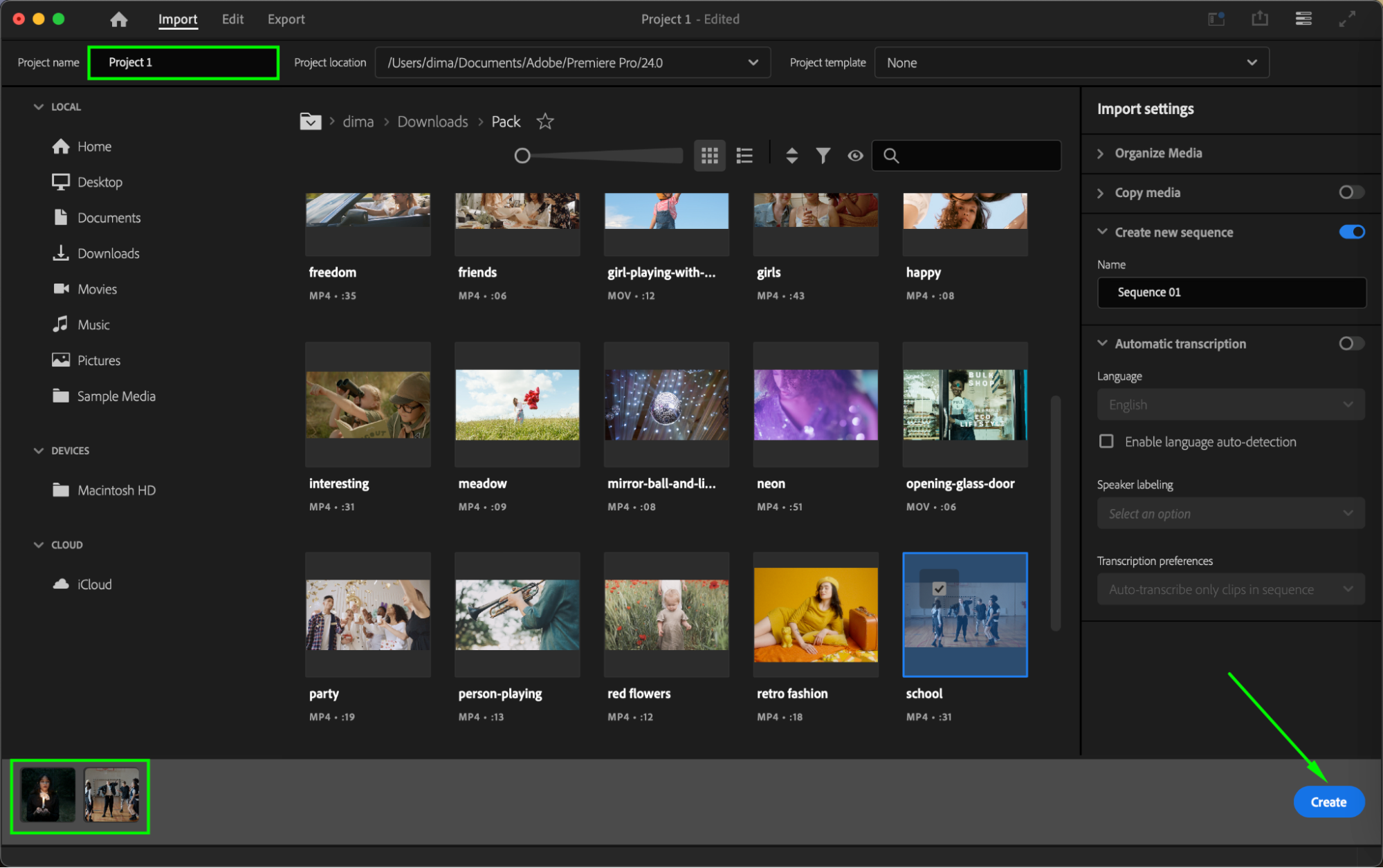
Step 2: Open AEJuice Pack Manager
Go to Window > Extensions > AEJuice Pack Manager 4 to open the plugin panel. This is where you’ll find all AEJuice transition packs and other animation tools you’ve installed.

Step 3: Download the Paper Tear Transitions Pack
Inside the Pack Manager, scroll or search for the Paper Tear Transitions Pack. If it’s not installed yet, click the pack name to begin downloading. Once finished, you can explore and preview various paper rip transitions.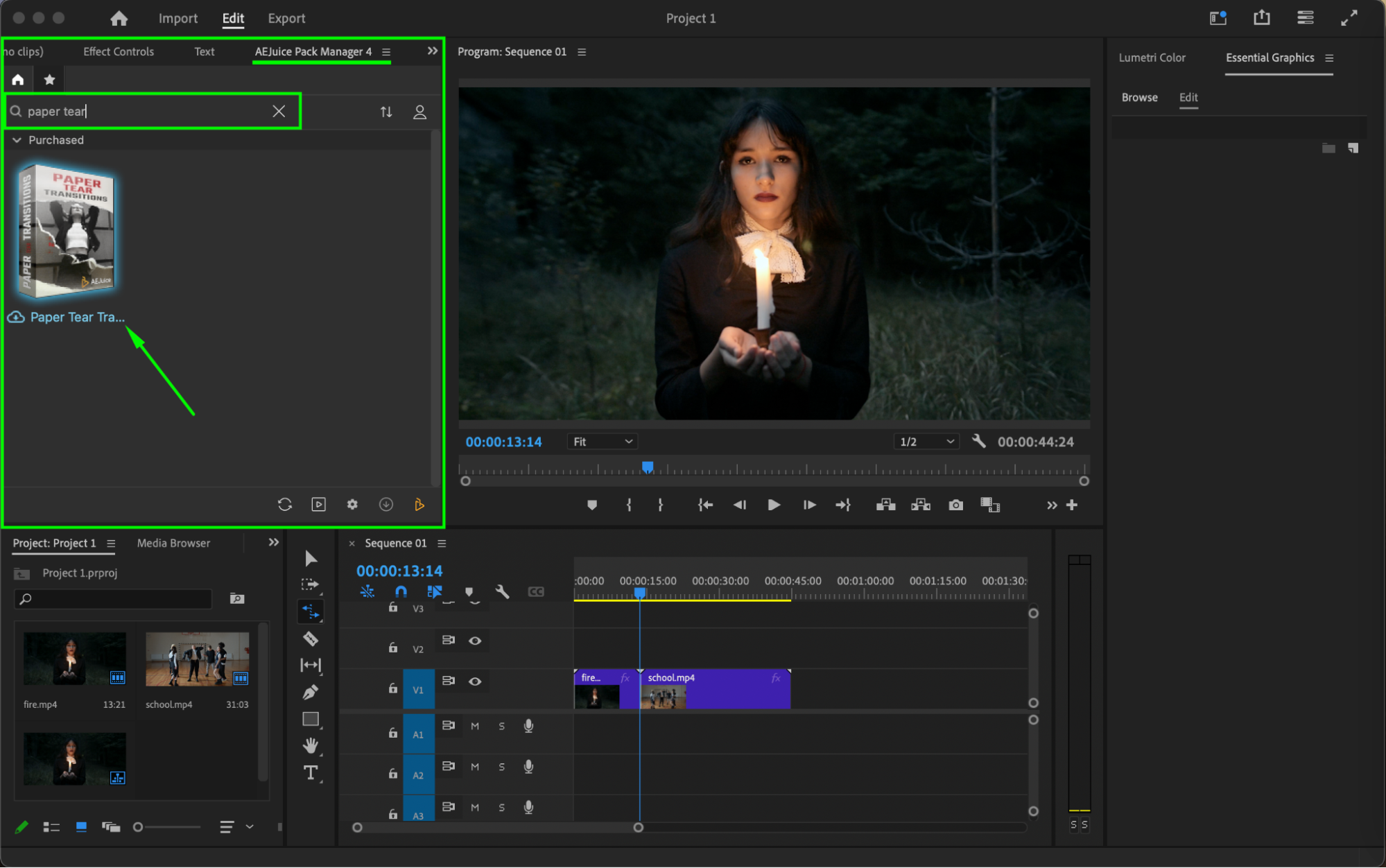 Step 4: Choose and Import a Paper Tear Transition
Find a transition style you like. Make sure your playhead is positioned between your first and second clips on the timeline. Then select both video clips and click Import on your chosen transition. The transition will be automatically placed between the clips.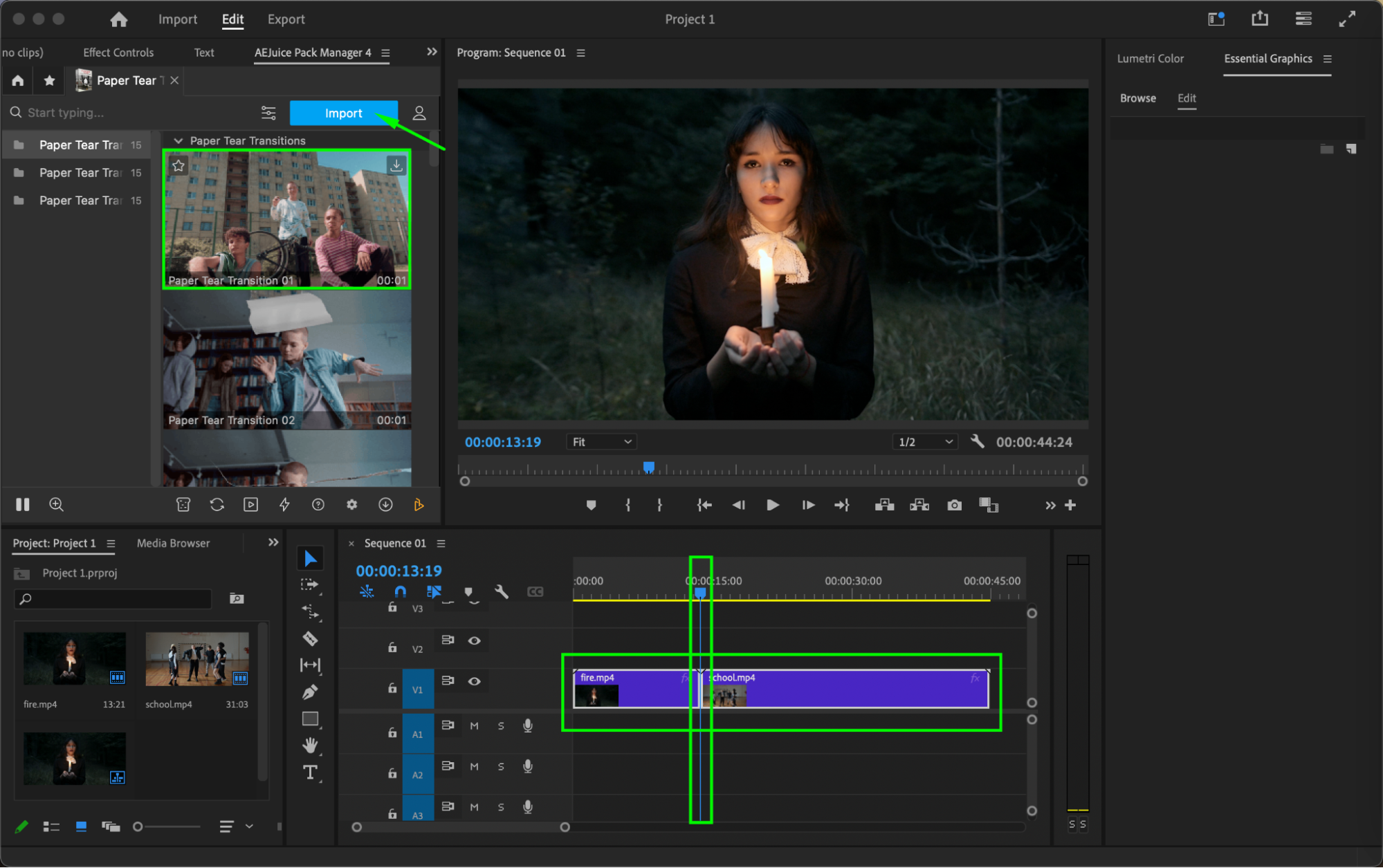
Step 5: Customize the Transition
Select the imported transition layer on your timeline. Open the Essential Graphics panel and go to the Edit section. Here you can fine-tune the effect:
Adjust Placeholder Position
Modify Scale
Change Start Time for better sync
Pick a Paper Tint Color to match your footage or aesthetic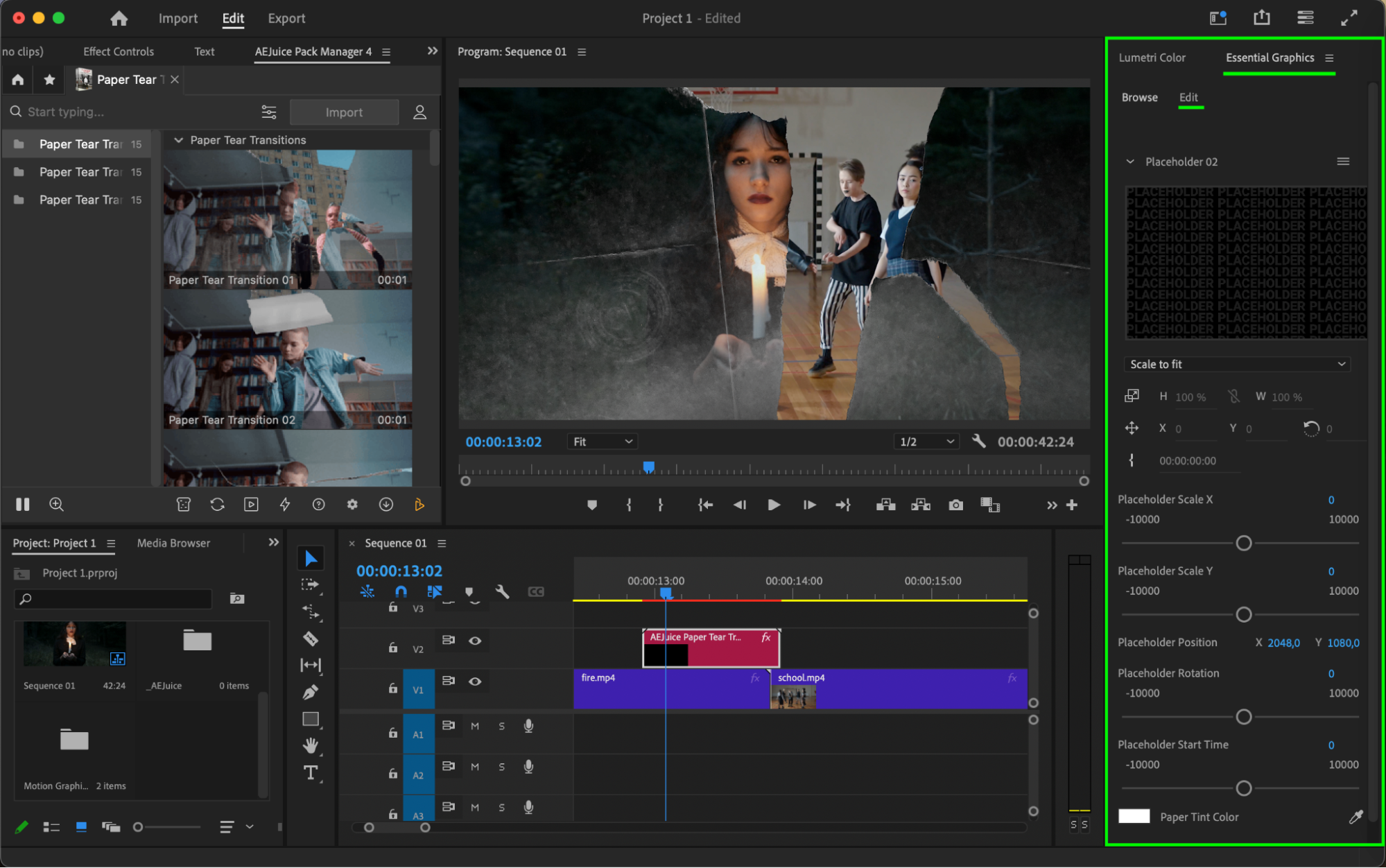 Step 6: Preview and Finalize
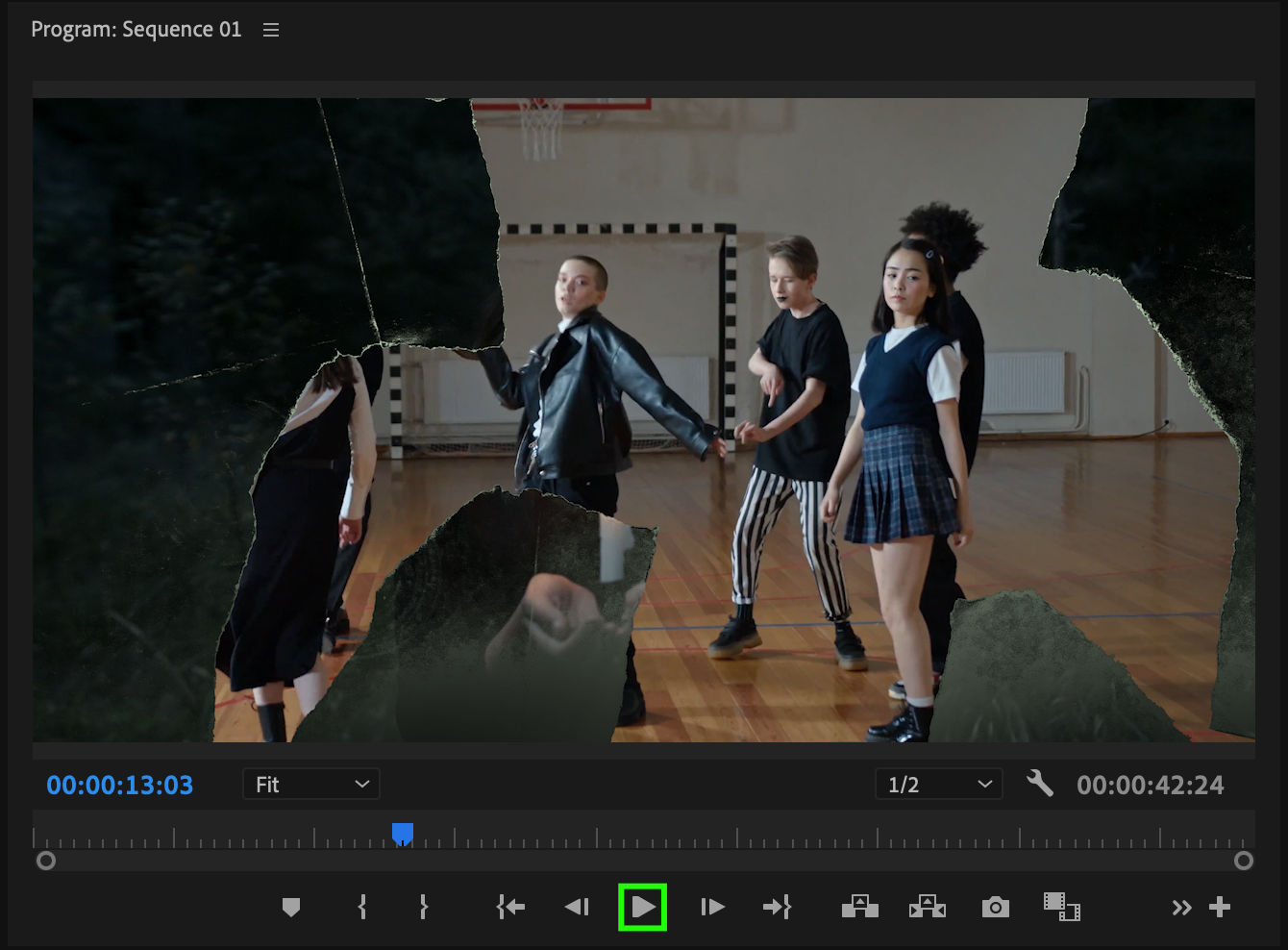
Press the Play button or hit the Spacebar to preview your transition in real time. Make final tweaks if needed to ensure the transition flows smoothly and fits the tone of your video.
Conclusion
The AEJuice Paper Tear Transitions Pack offers a fast, high-quality way to add stylish, textured transitions to your edits. Perfect for editors looking to bring a handcrafted look to modern videos.
Our Bestsellers
Our Bestsellers


