
Introduction
The Star Tool in After Effects allows you to create customizable star shapes for motion graphics and design. By changing its radius and point settings, you can make the star appear wider, flatter, or more stretched to fit your project’s visual style.
Step 1: Create a Star Shape
Go to the Toolbar and click and hold the Rectangle Tool, then choose the Star Tool. Click and drag in the Composition Panel to draw your star shape layer. You’ll see it automatically appear in the Timeline.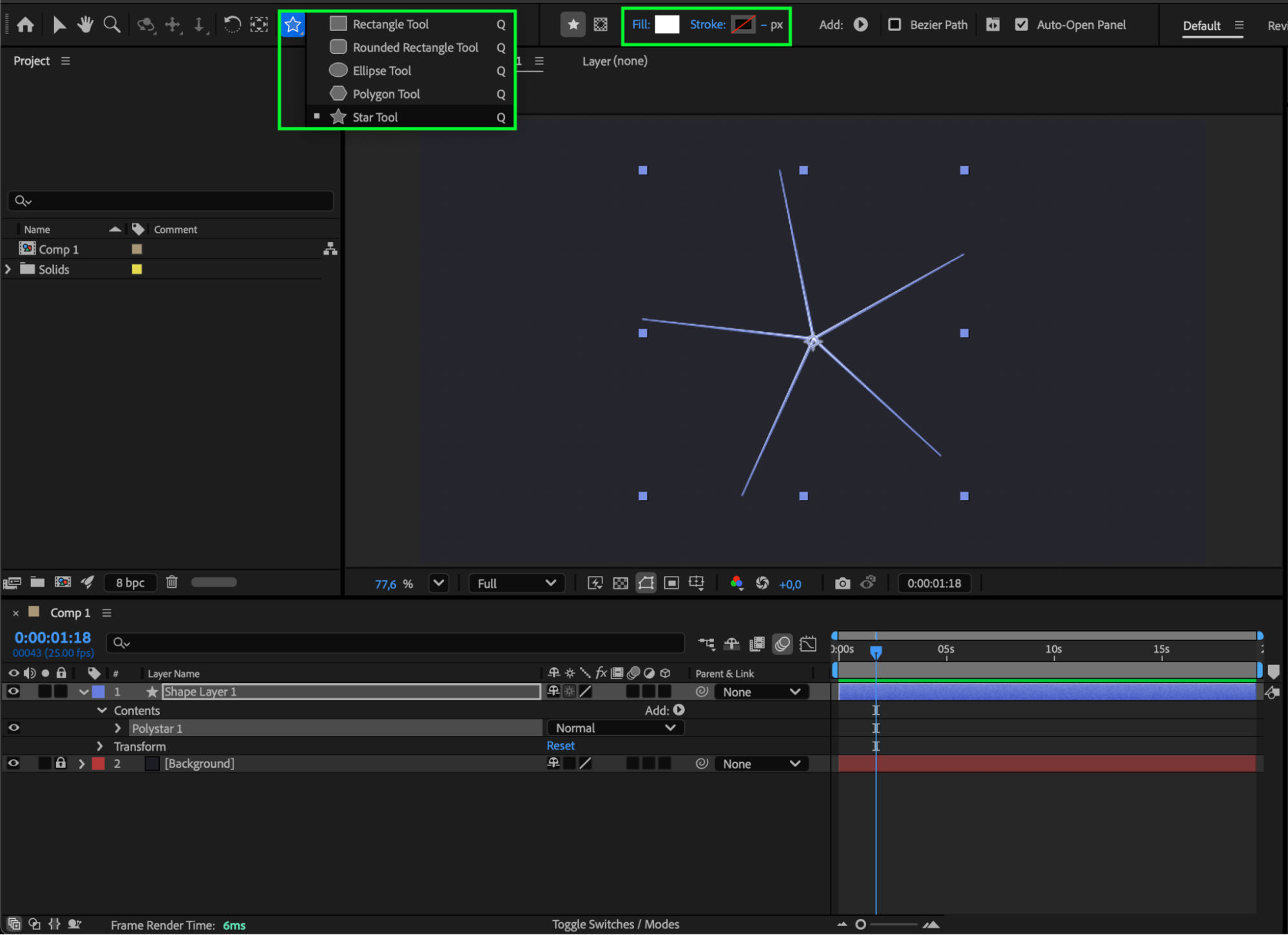
Step 2: Open Star Path Properties
In the Timeline Panel, expand the Shape Layer by clicking the dropdown arrow. Go to Contents > Polystar 1 > Polystar Path 1. This section contains all the editable properties for your star shape.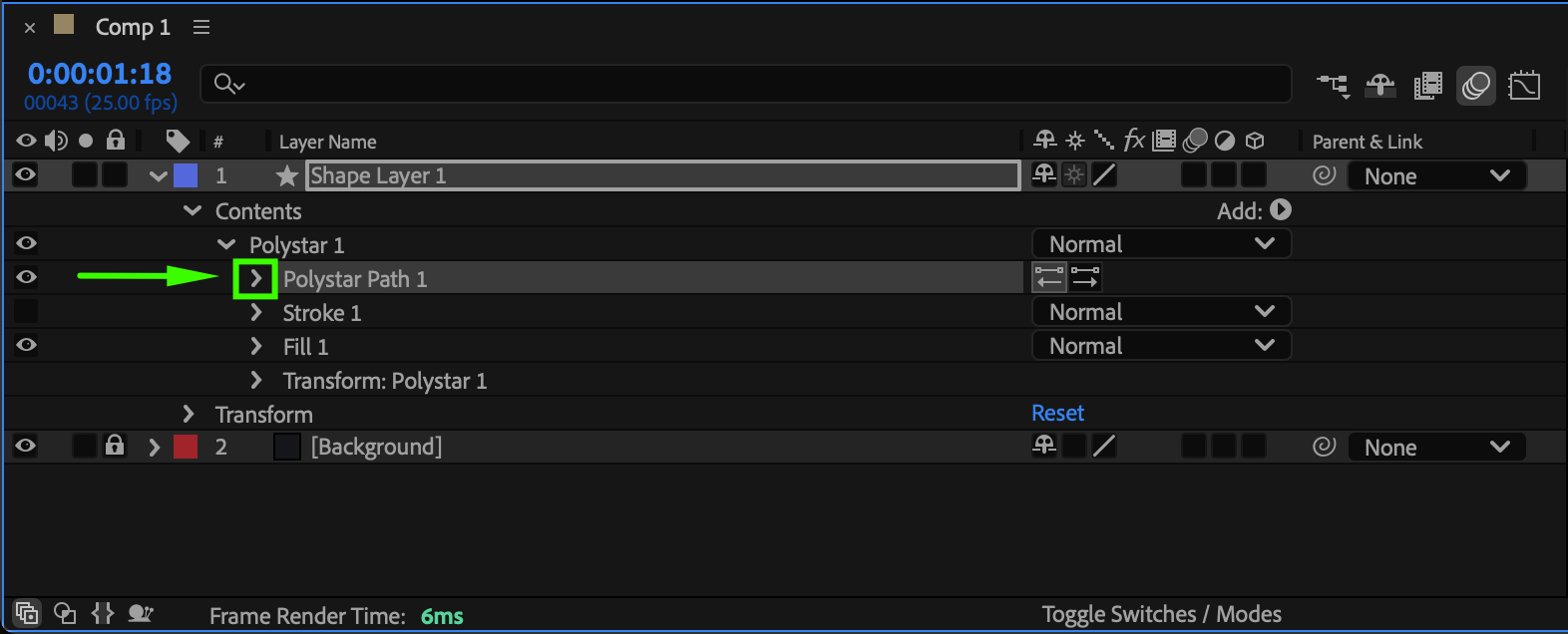 Step 3: Adjust the Outer and Inner Radius
To make the star wider, increase the Outer Radius value — this will stretch the points outward, making the overall shape larger. If the star looks too thin, also adjust the Inner Radius to balance its proportions.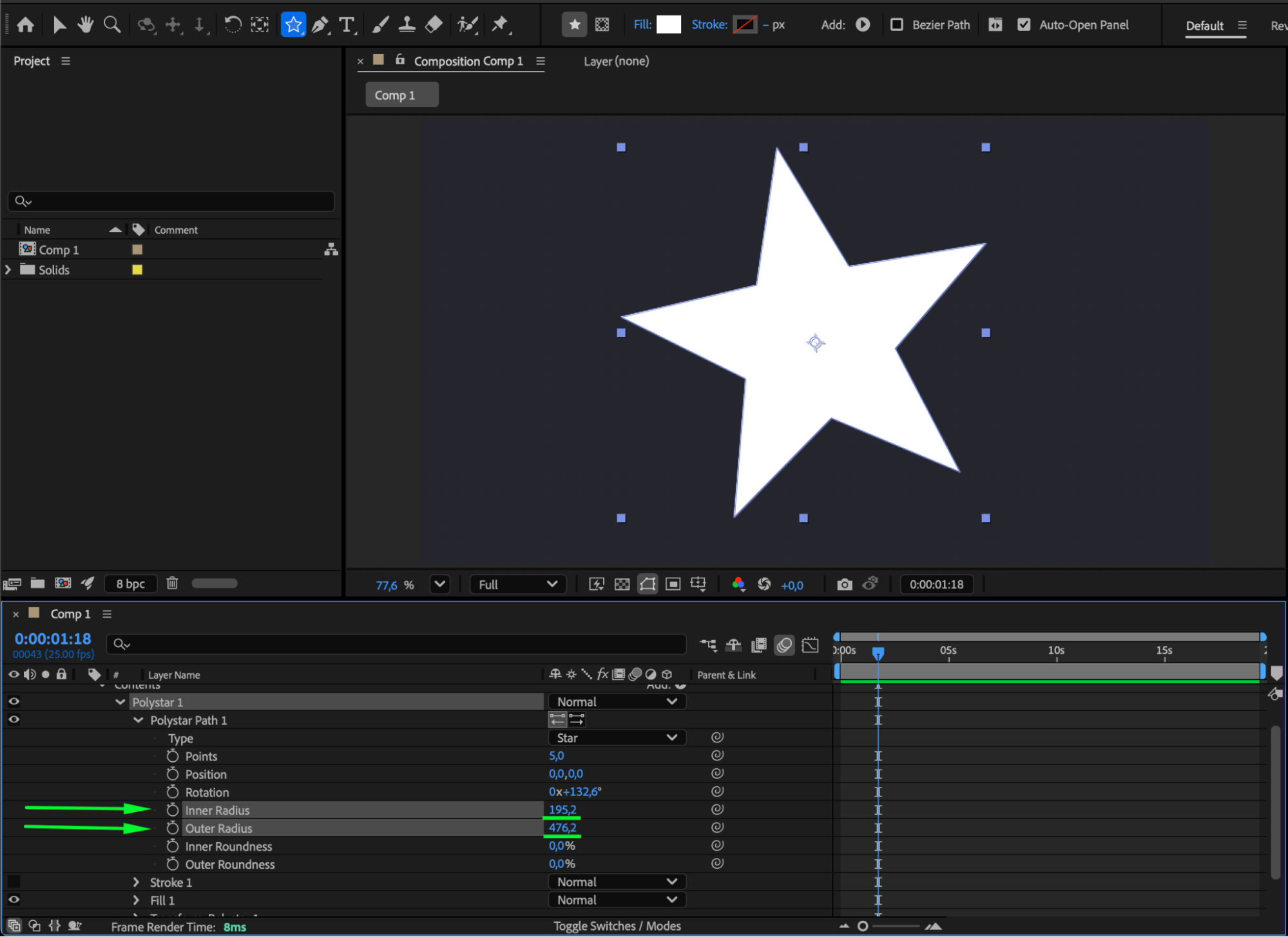
Step 4: Modify the Number of Points (Optional)
For stylistic variations, change the Points value. Fewer points will make the star simpler and wider between edges, while more points create a denser and sharper look.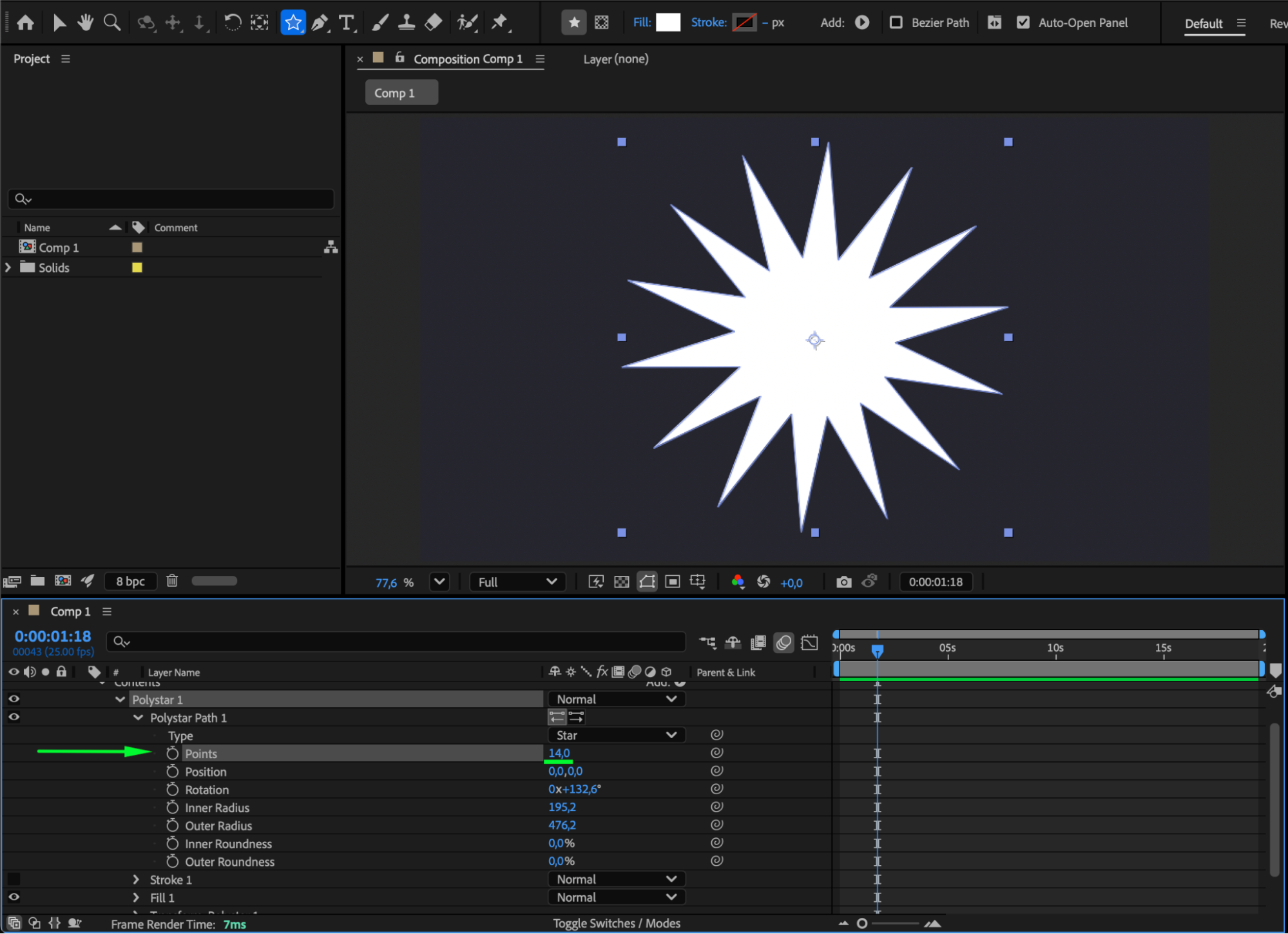 Step 5: Use the Scale Property for Extra Width
You can also make the entire star wider by scaling it horizontally. Select the Shape Layer, press “S” to open the Scale property, unlink the chain icon between width and height, and increase only the X-axis value. This will stretch the star horizontally without affecting its height.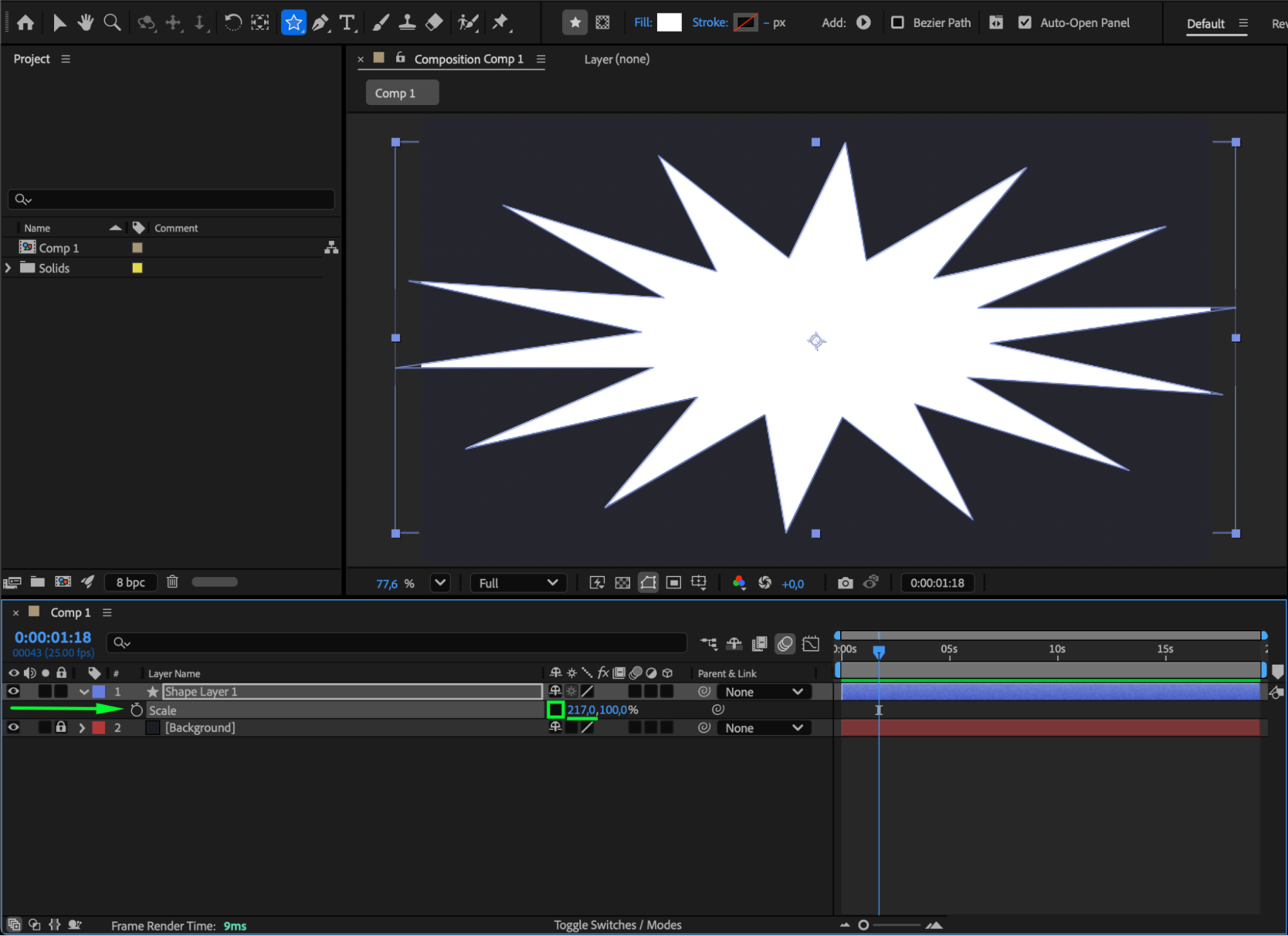 Step 6: Preview the Result
Press the Spacebar to preview your composition and fine-tune the radius or scale values until your star has the desired width and look.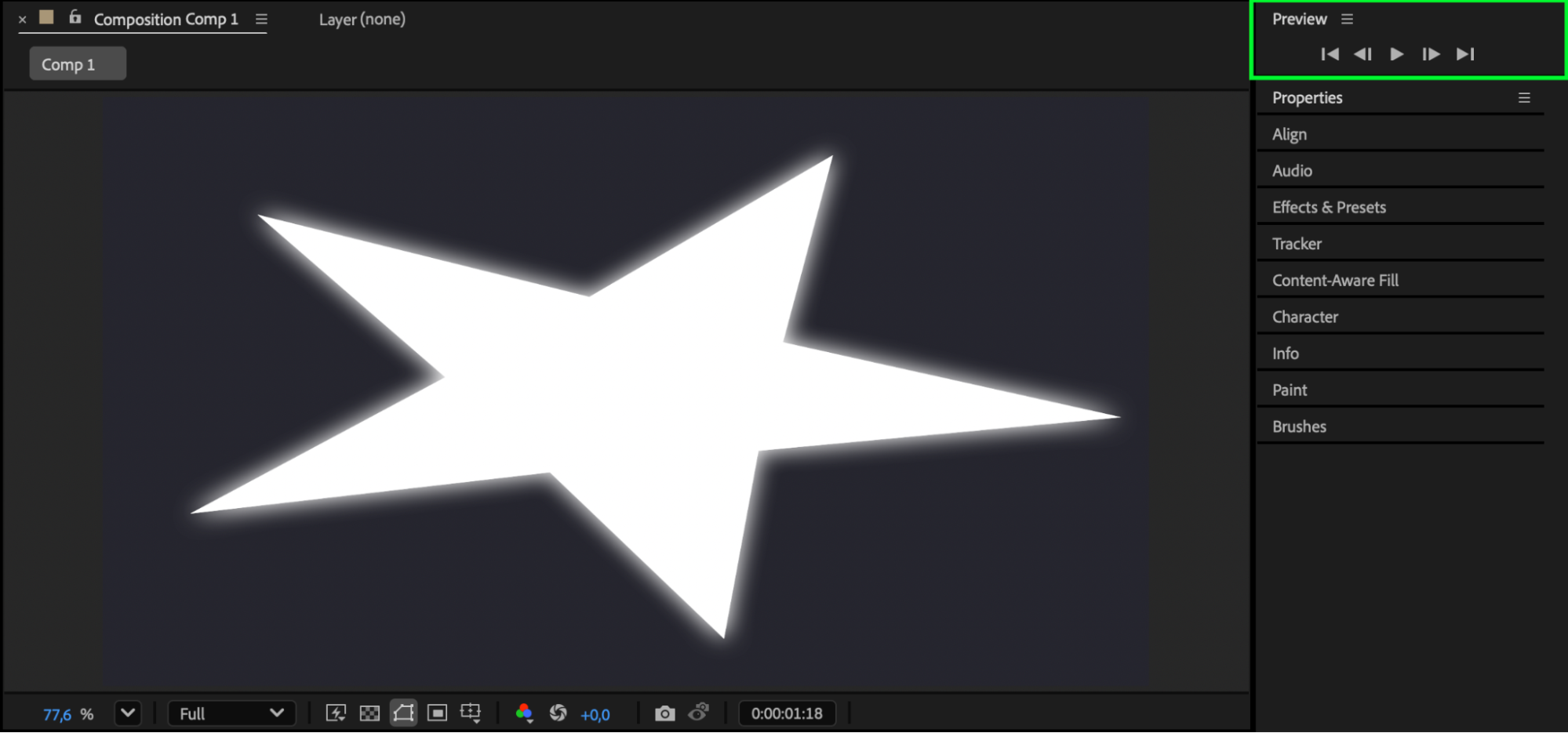 Conclusion
Making a star wider in After Effects is simple using the Outer Radius and Scale controls. By fine-tuning these settings, you can achieve anything from compact stars to elongated, stylized ones — perfect for logos, transitions, or motion graphics designs.
Our Bestsellers
Our Bestsellers


