
Introduction
Moving an object into the background in After Effects is a simple yet effective way to create depth and realism. By adjusting scale, position, and blending elements correctly, you can integrate graphics, characters, or objects naturally into your scene.
Step 1: Import Your Assets
Go to File > Import > File, choose your footage or images, and drag them into your composition so they appear in the Timeline ready for arrangement.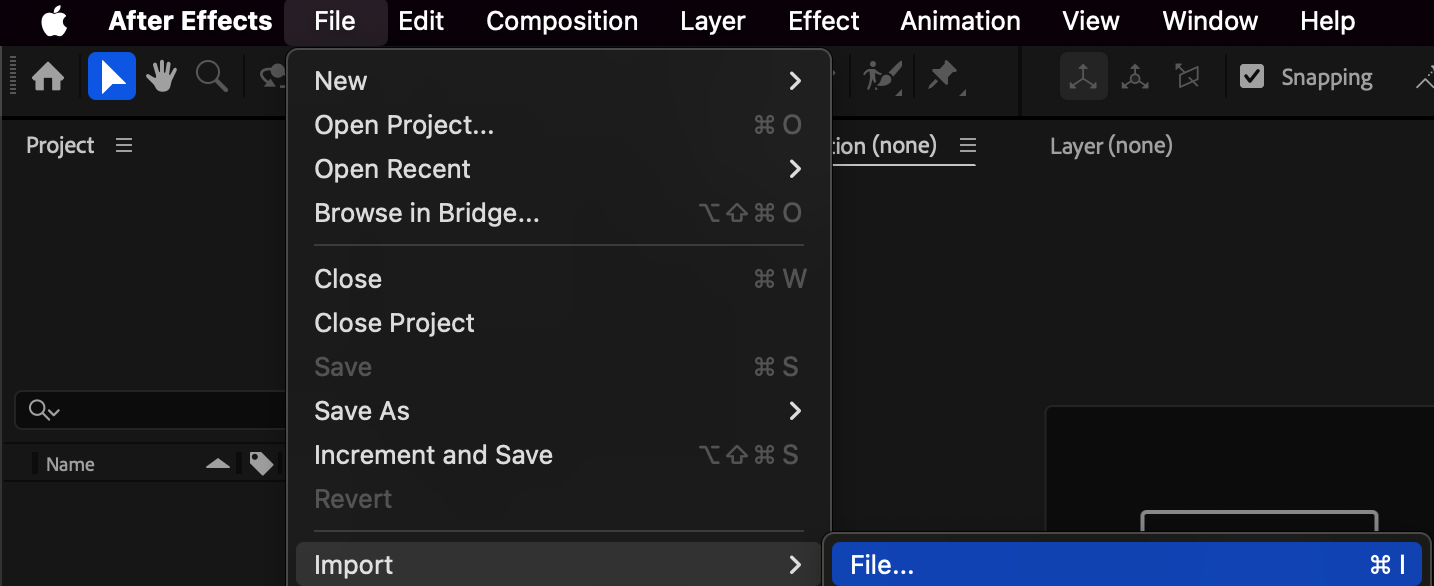
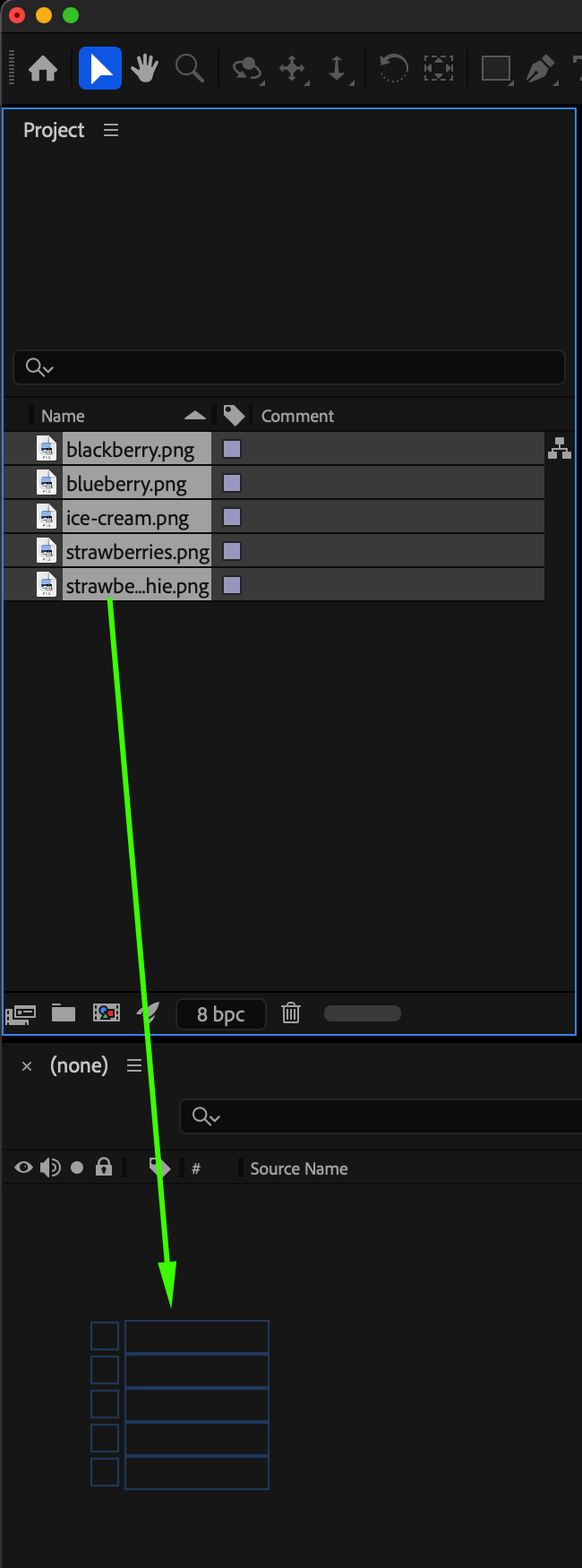 Step 2: Arrange the Layers in the Timeline
Place your object layer above the background layer so both remain visible, and ensure the background fully covers the composition area for proper scene layout.
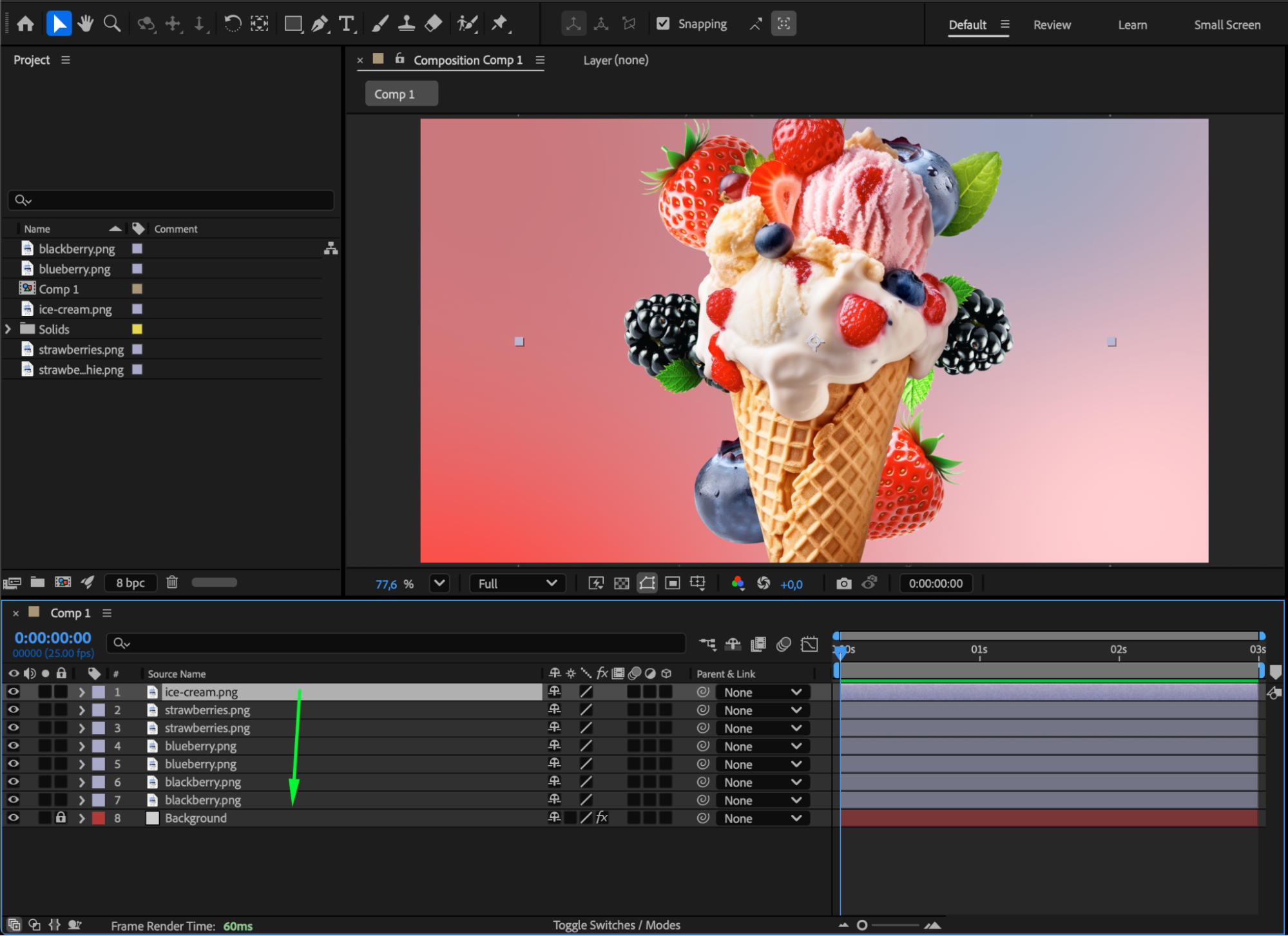
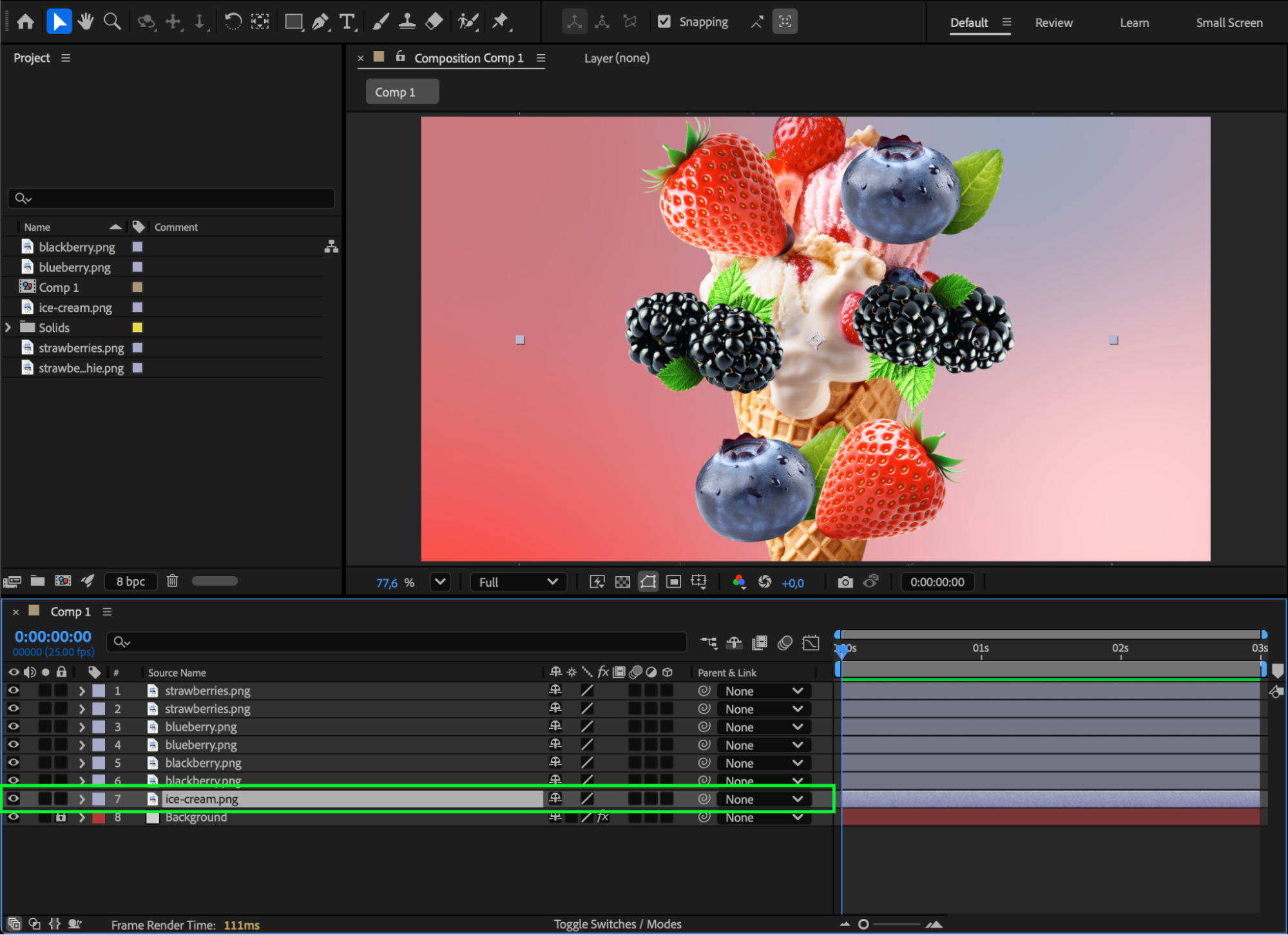
Step 3: Move the Object Back Using Scale
Select your object layer and lower its Scale value to make it appear farther away. Smaller scale values visually push the object into the background. Adjust Position as needed to place it correctly within the scene.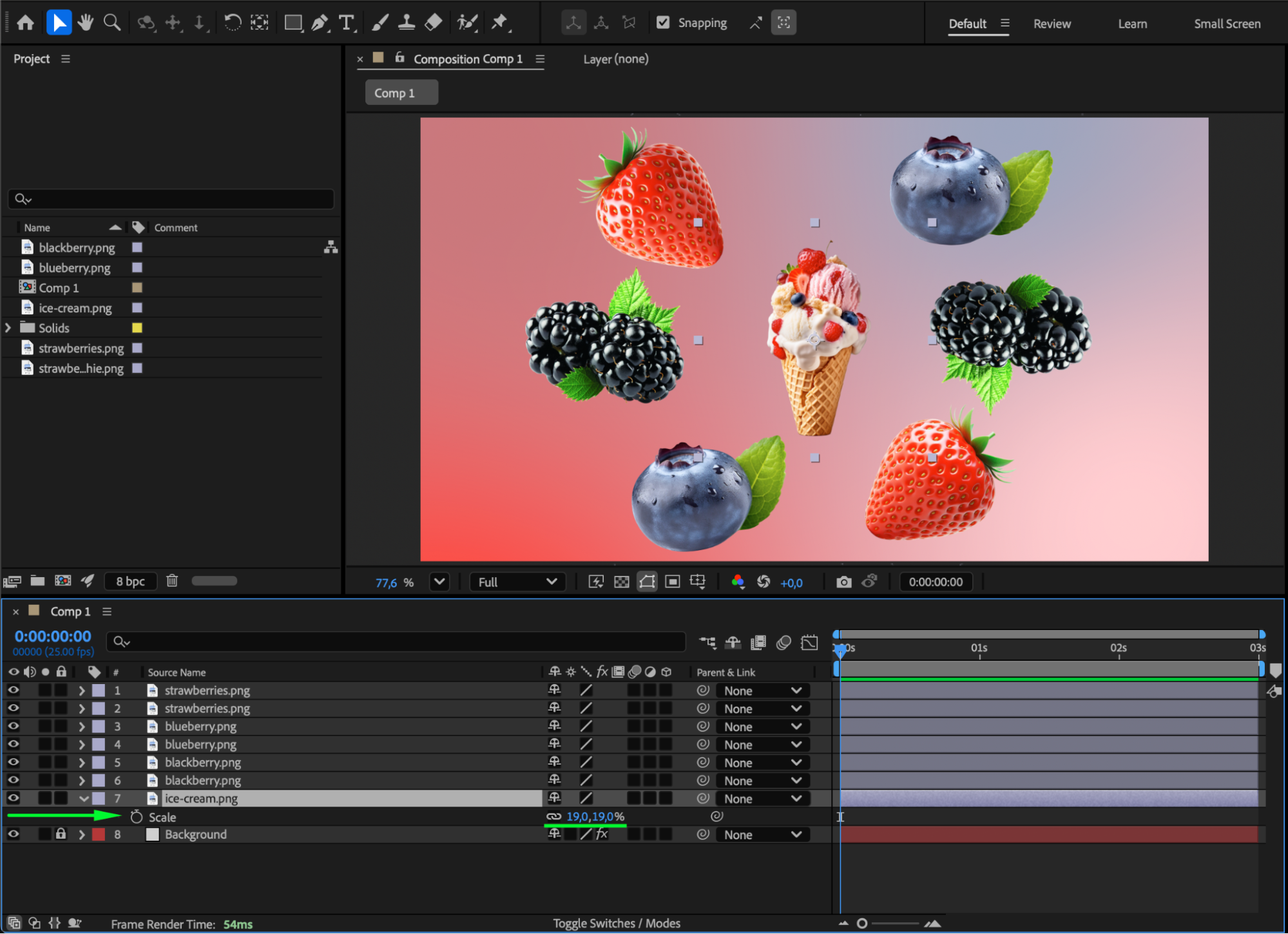
Step 4: Add Shadows or Blur for Realism (Optional)
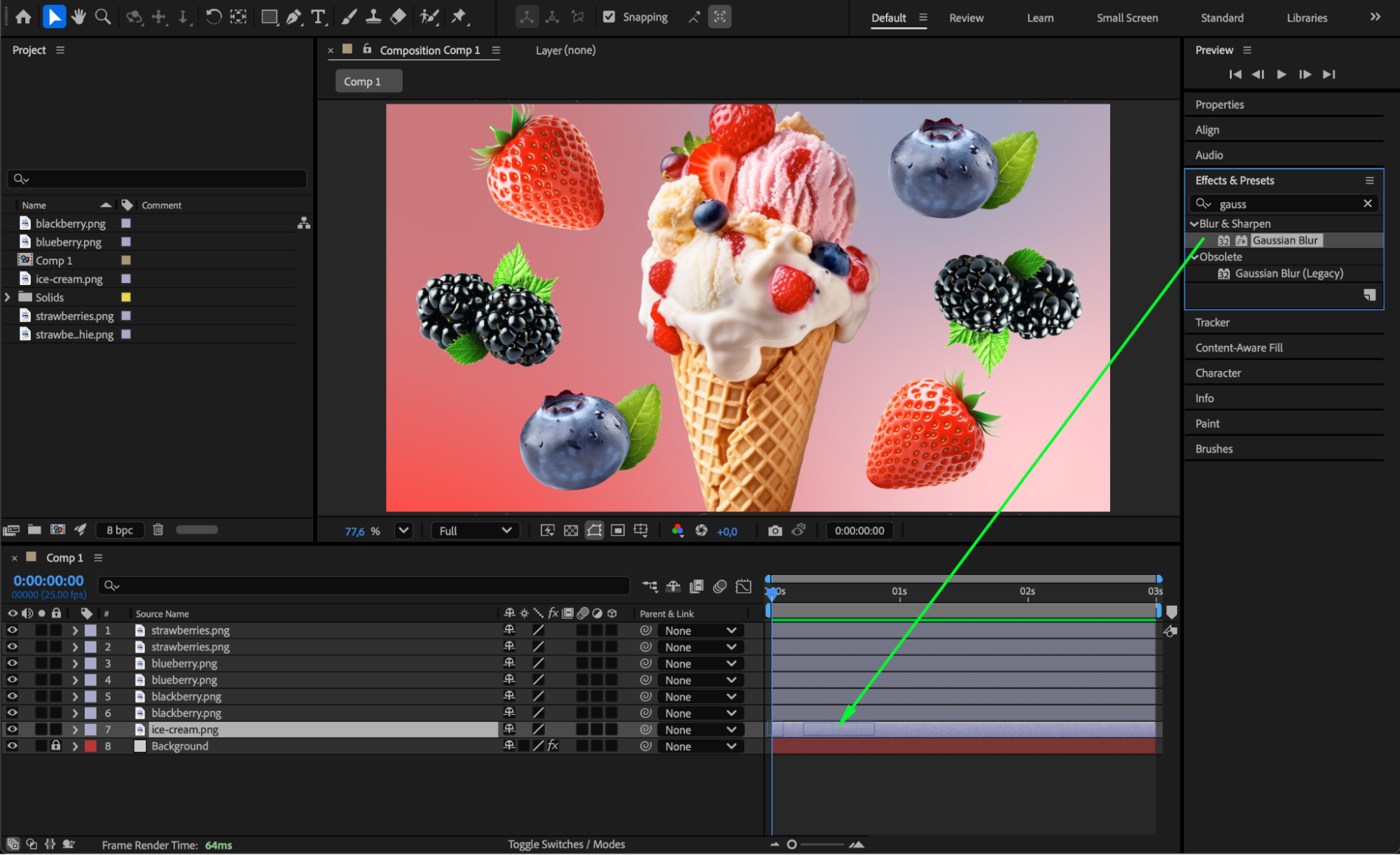
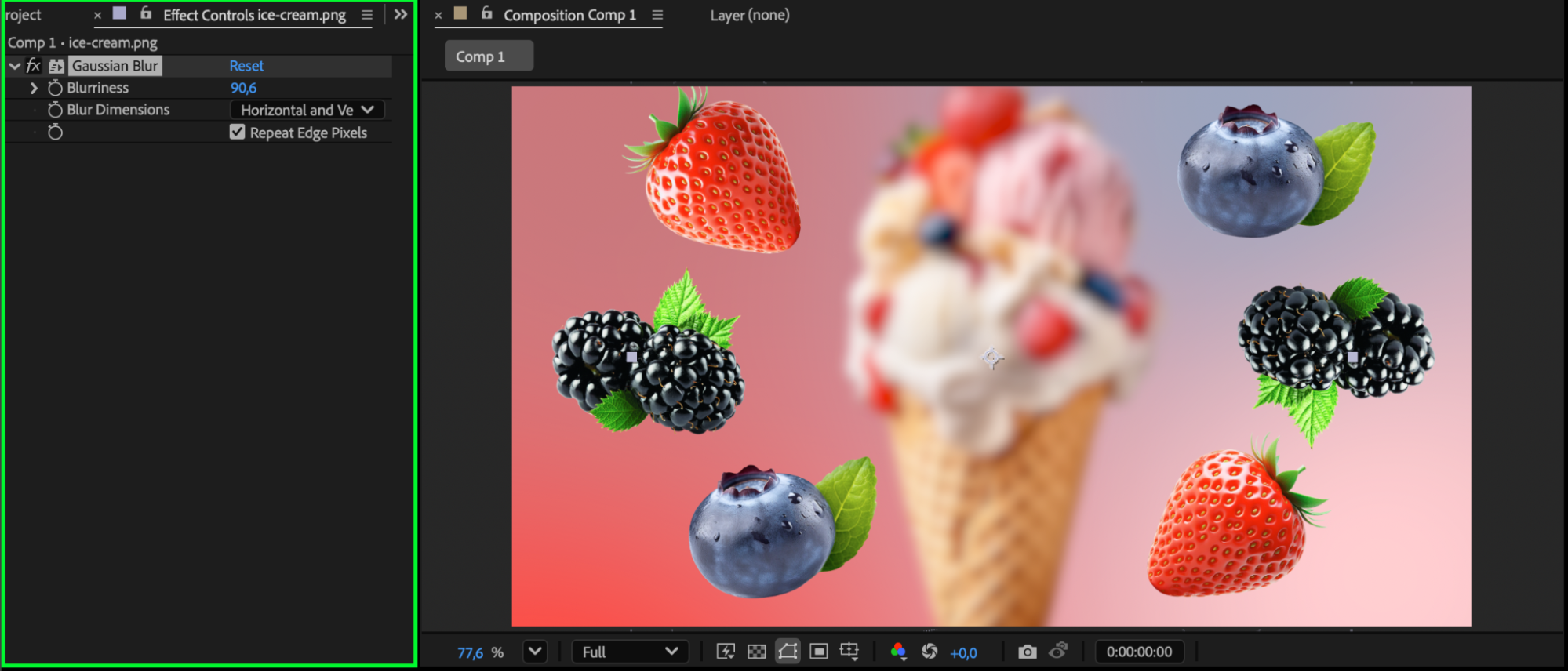
Apply Gaussian Blur to gently soften the object so it matches the depth of the scene, or use Drop Shadow to improve blending. Objects placed farther into the background usually appear softer and lower in contrast.
Step 5: Split Foreground and Background With Layer Duplication
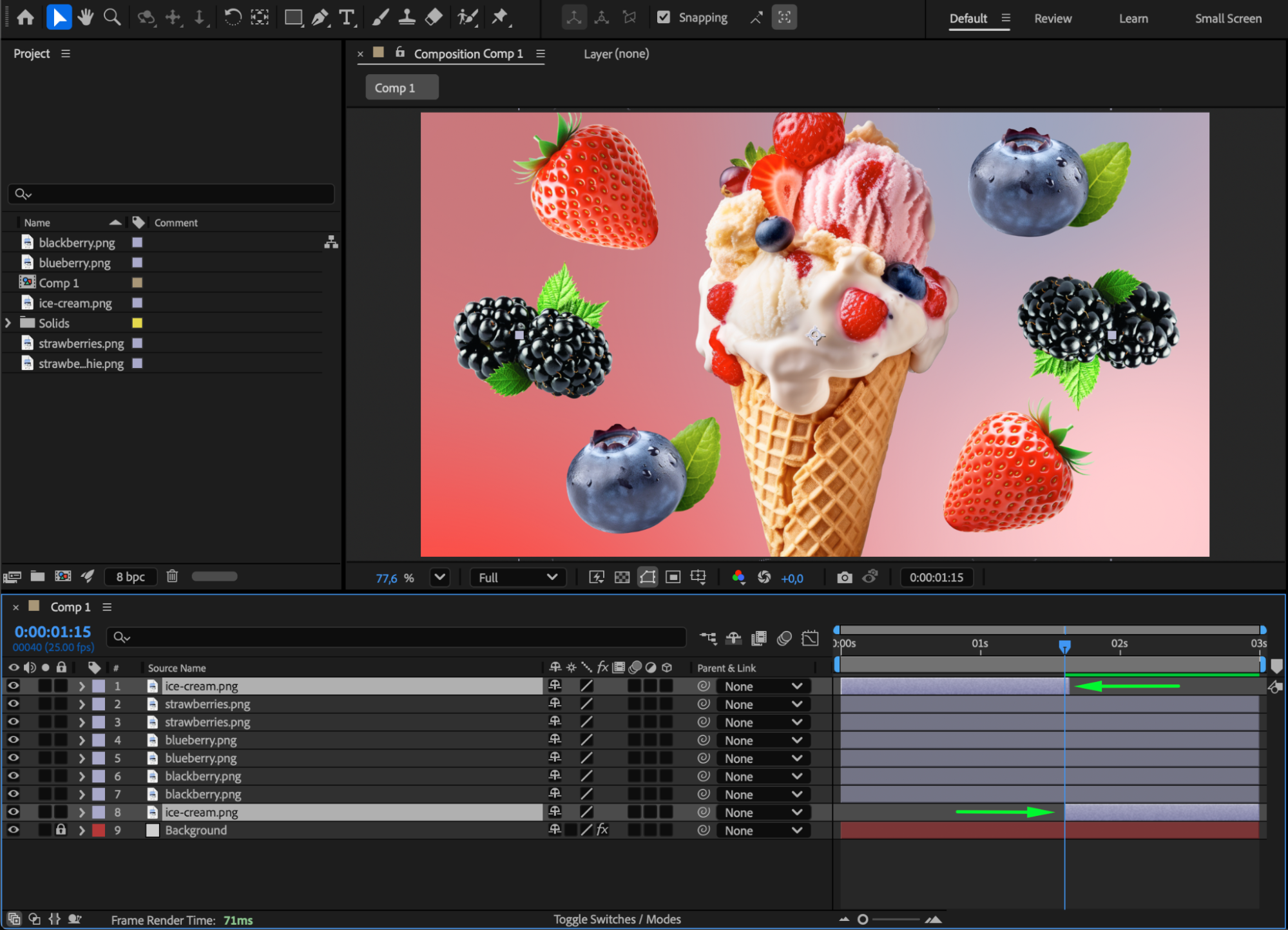
If you want part of an object or image to appear in front of other layers while another part appears behind them, simply duplicate the layer and trim the timing so one version appears when the other ends. This technique lets you animate portions of the same object above and below different elements in the scene.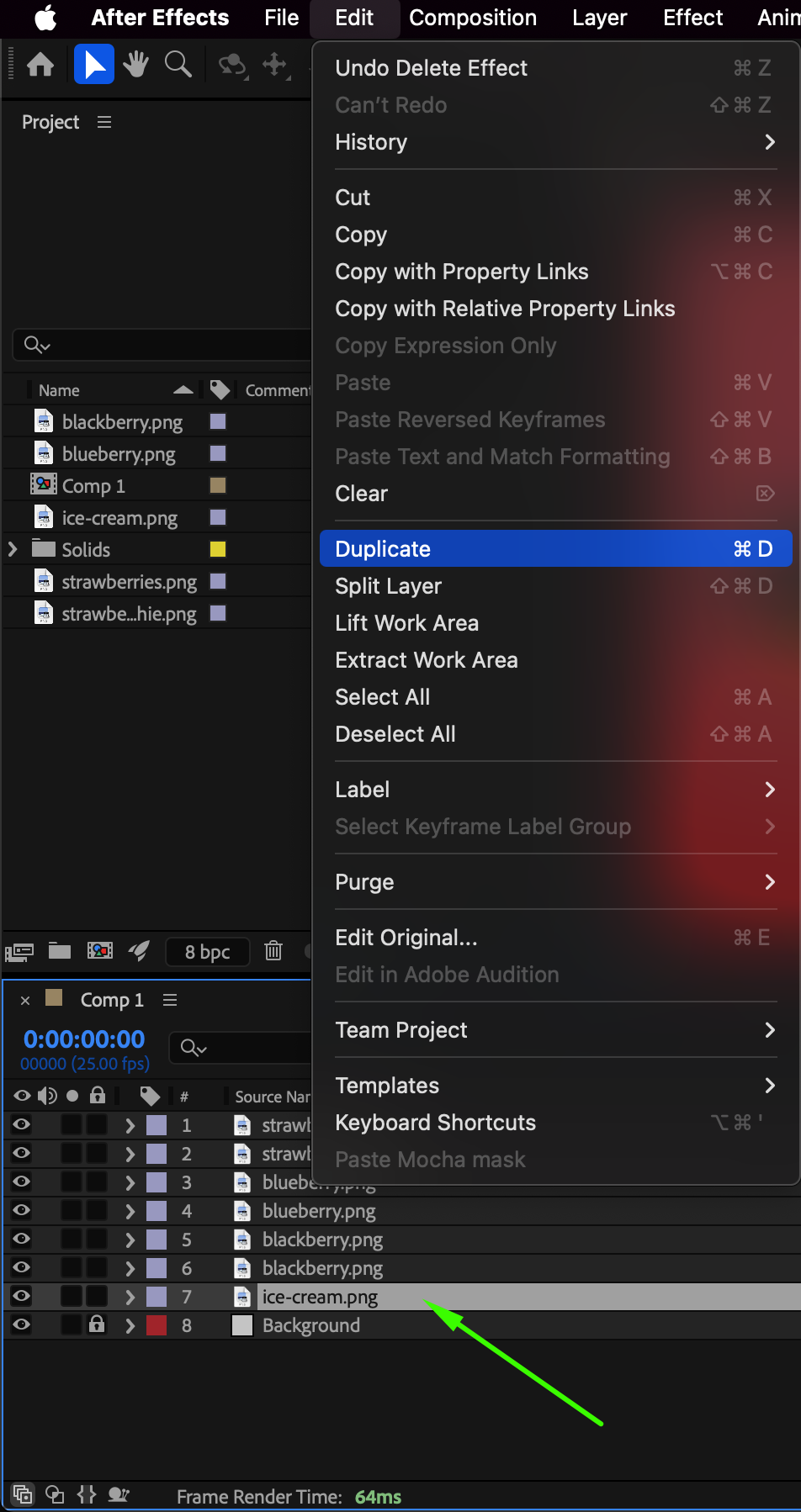
 Step 6: Preview and Adjust
Press Spacebar to preview your animation and refine scale, position, blur, or timing until the object integrates naturally into the background.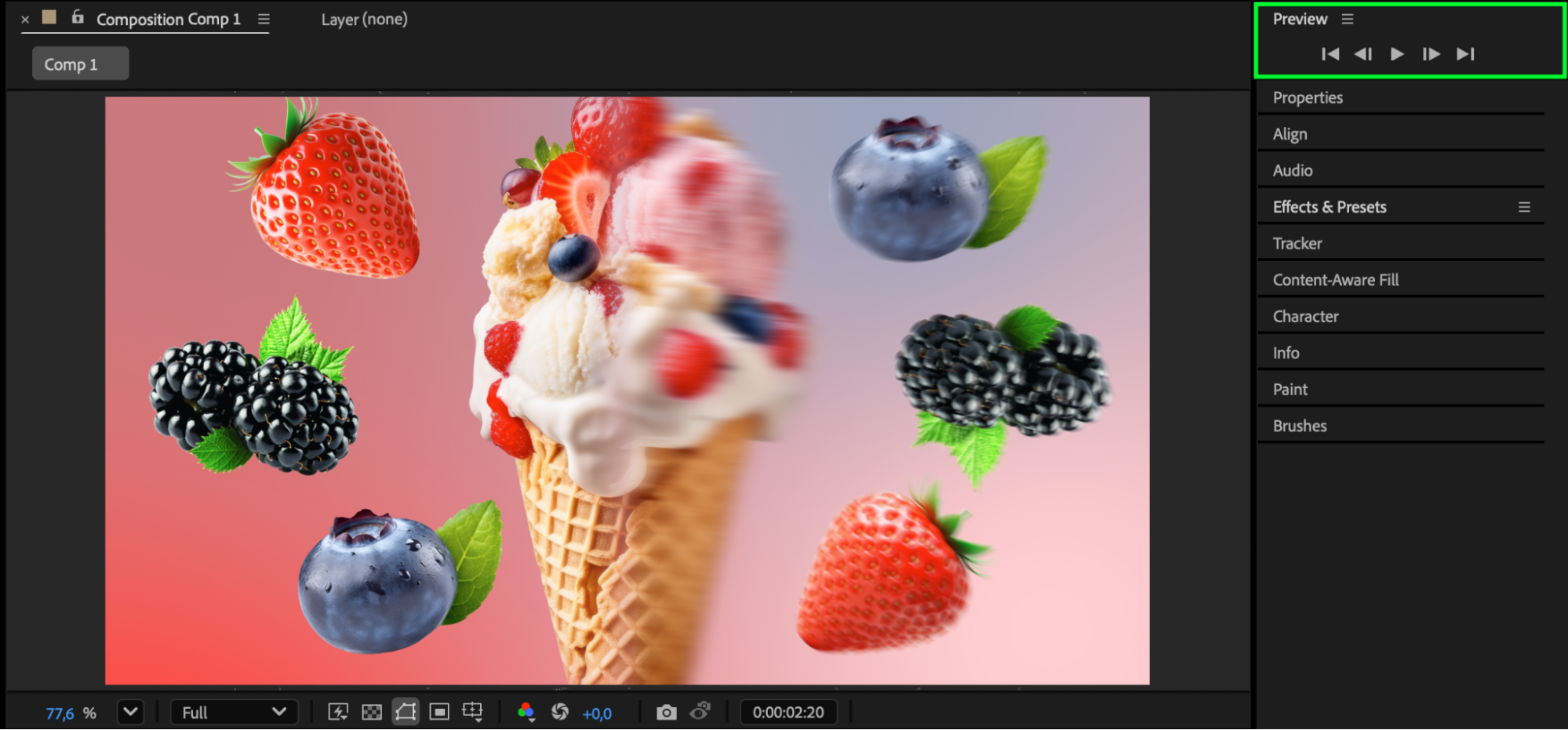 Conclusion
Moving an object into the background in After Effects can be done quickly using scale, position, and optional effects like blur or shadows. By carefully arranging layers and using duplication techniques, you can achieve realistic depth and seamless scene compositing.
Our Bestsellers
Our Bestsellers


