
Introduction
Creating custom textures in After Effects allows you to add artistic and unique visual elements to your projects. Whether you want to make a hand-painted background or a subtle overlay, you can easily achieve this with the Brush Tool and blending effects.
Step 1: Create a New Composition
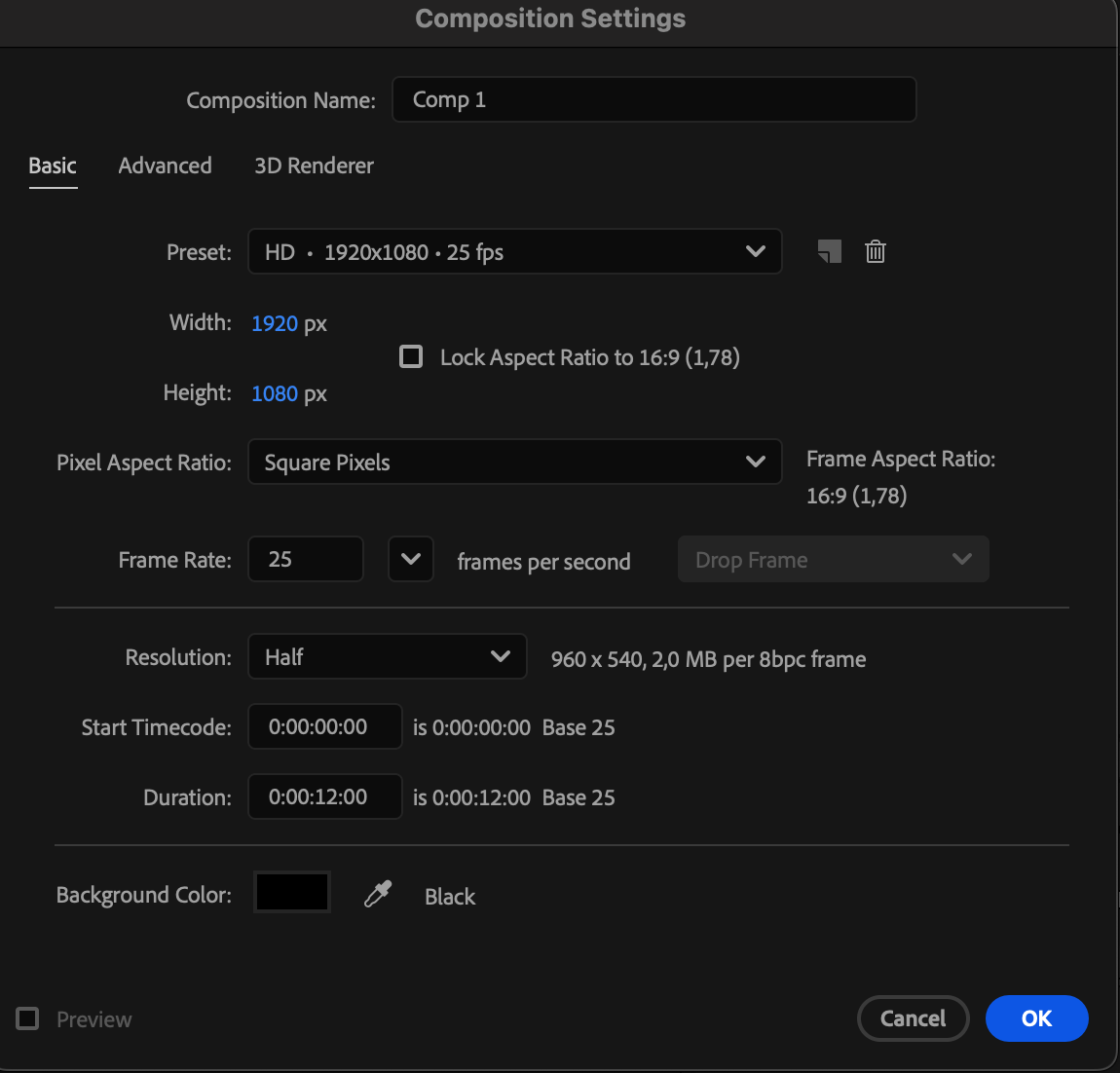
Go to Composition > New Composition and set your desired resolution and duration. This will serve as the base for your texture project.
 Step 2: Add a Solid Layer
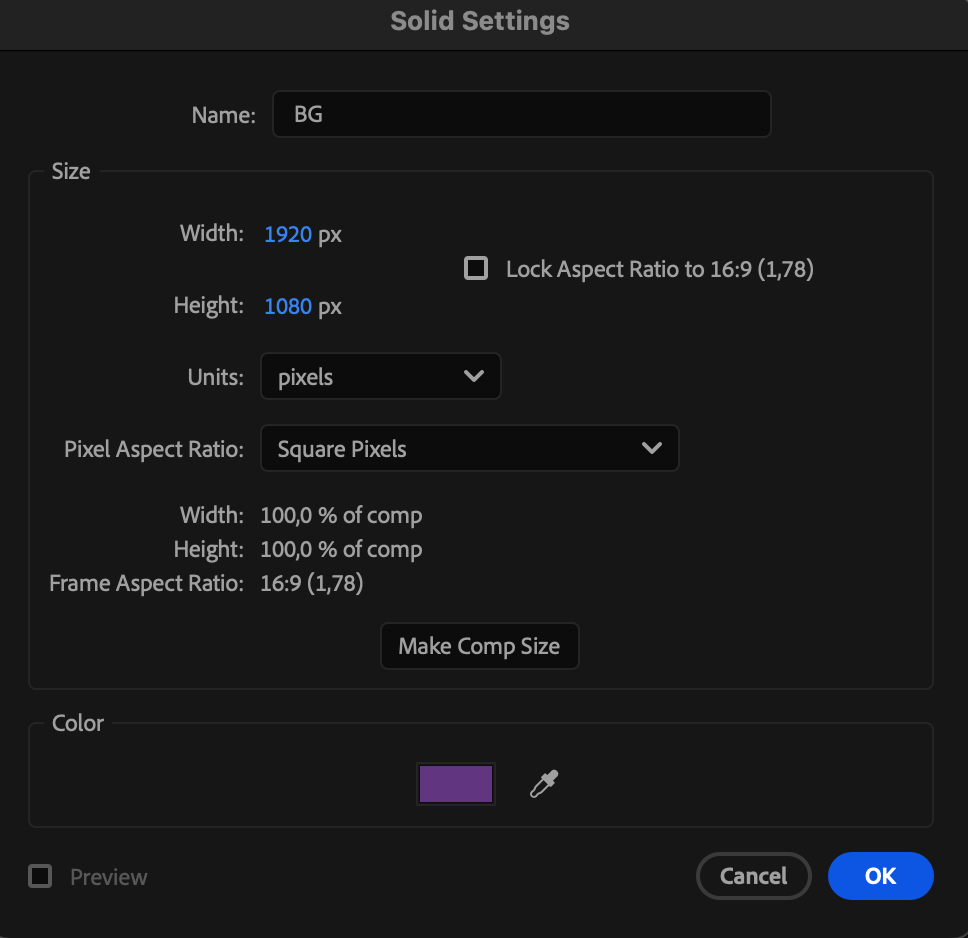
Navigate to Layer > New > Solid and choose a base color for your texture. This solid will be your canvas for painting.
Step 3: Paint the Texture
Double-click on the solid layer in the Timeline to open it in the Layer Panel. Select the Brush Tool by pressing “Ctrl/Cmd + B”. In the Paint panel, set Duration to Constant — this ensures the paint stays visible throughout the composition. Now, start painting directly on the solid to create your own custom texture. Experiment with different brush sizes and hardness for various effects.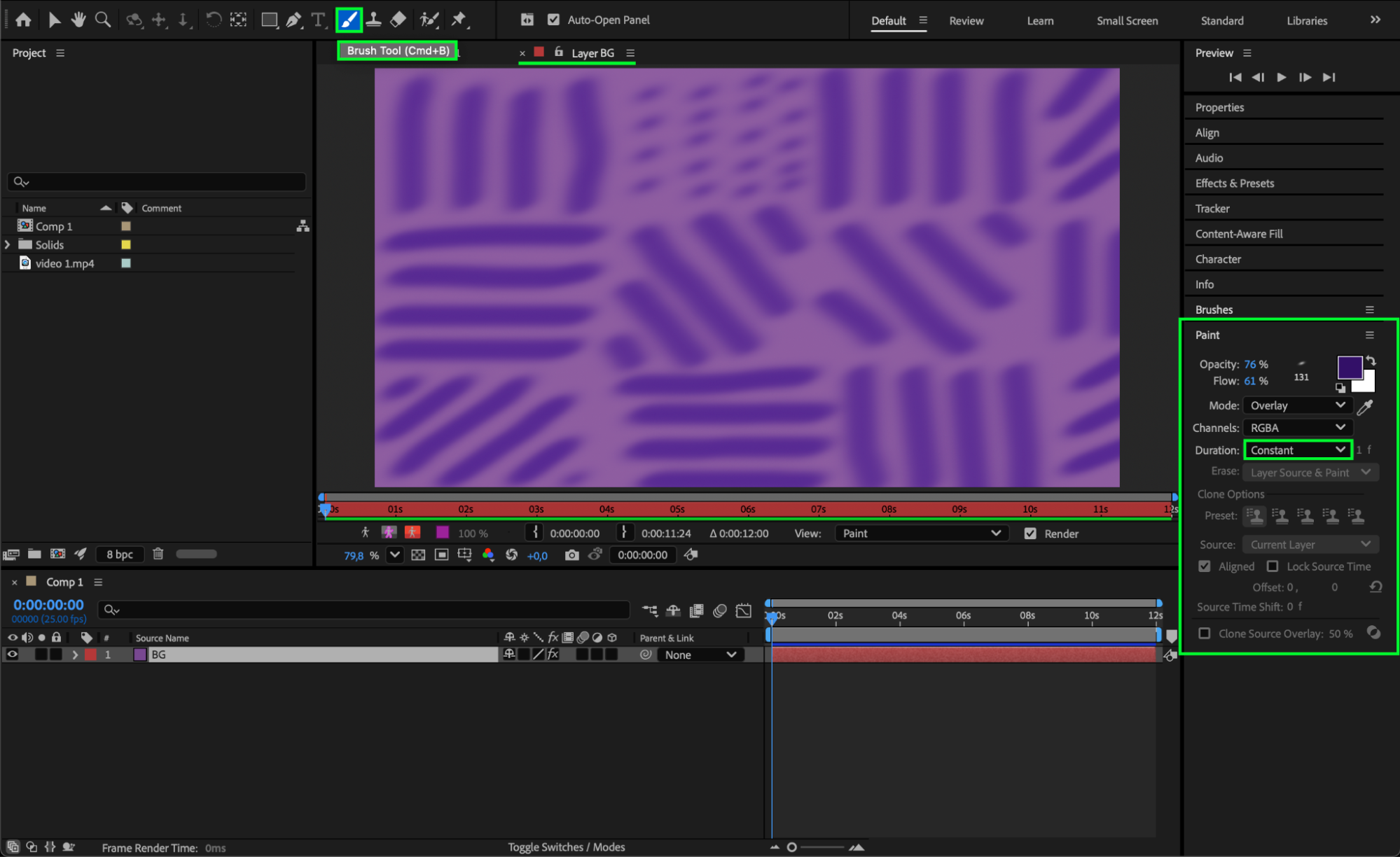 Step 4: Add Effects for More Detail
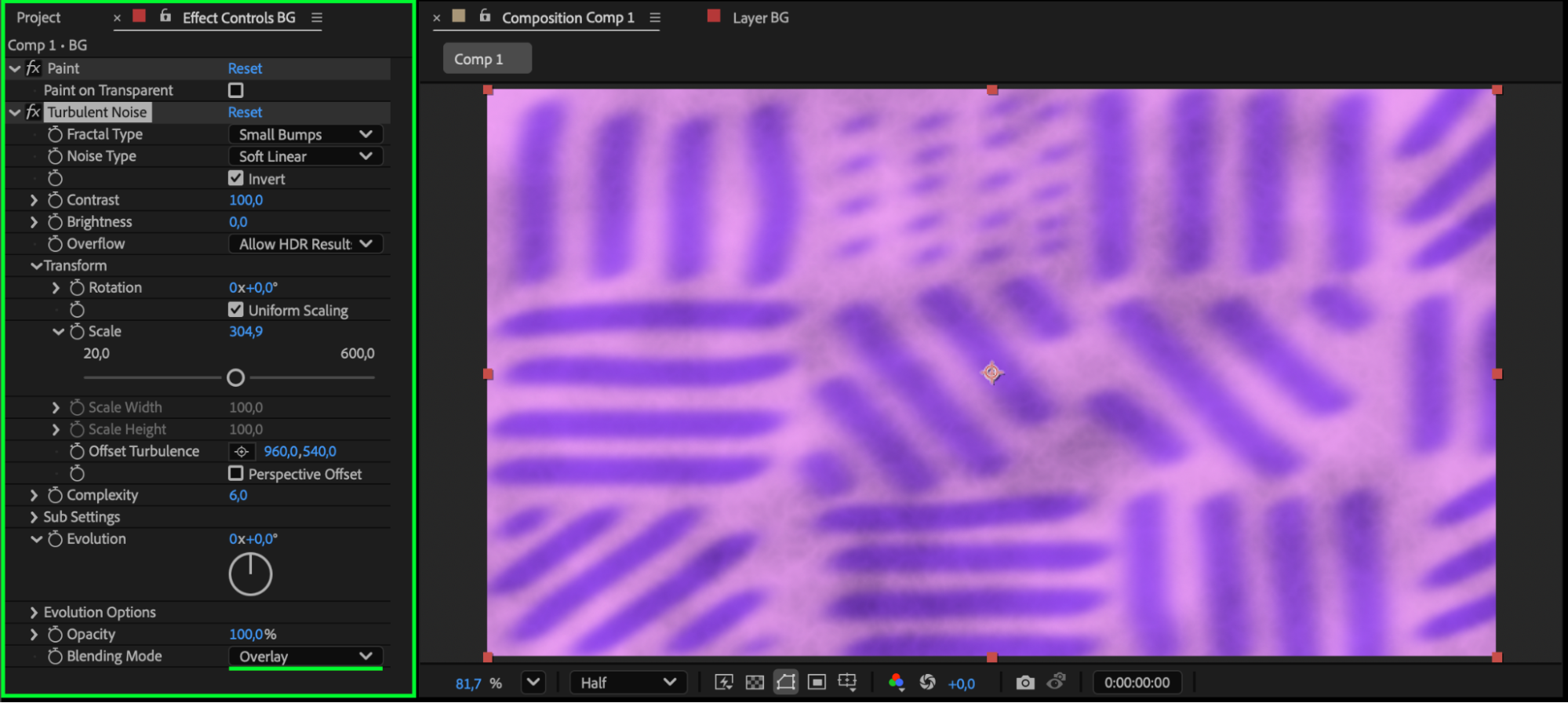
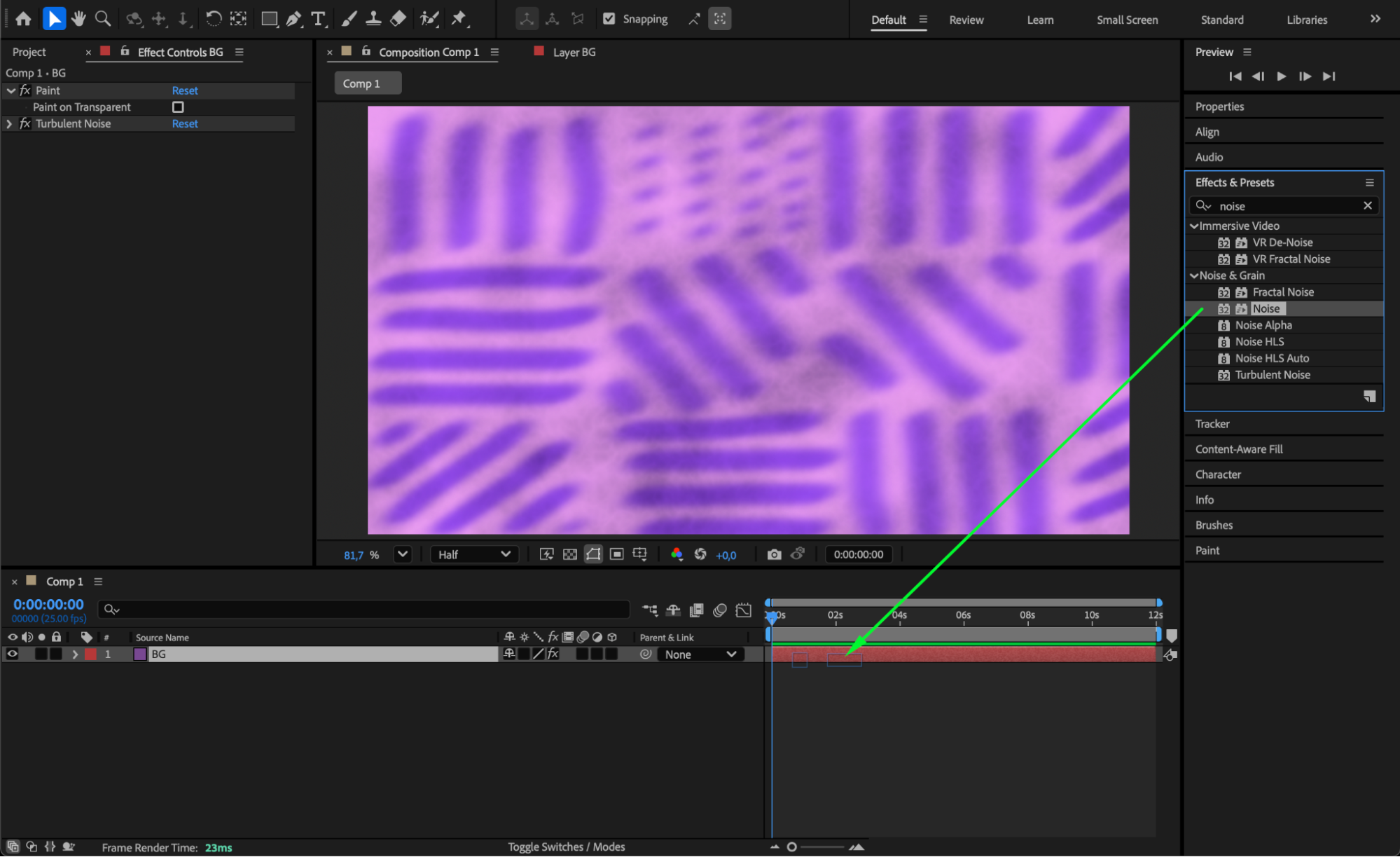
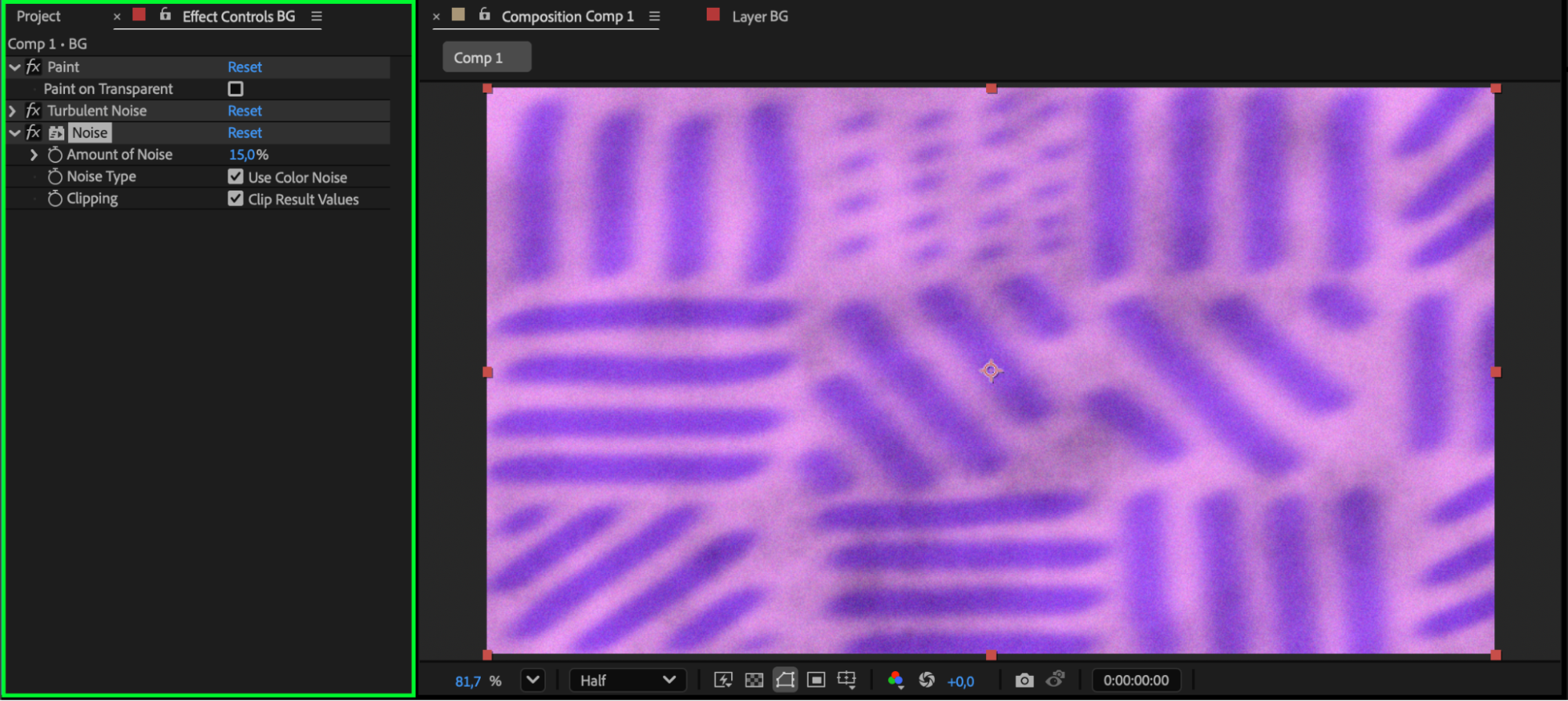
Enhance your painted texture by applying effects such as Noise, Turbulent Noise, or Glow.
You can find these in the Effects & Presets panel. Adjust their settings to add depth and style to your texture.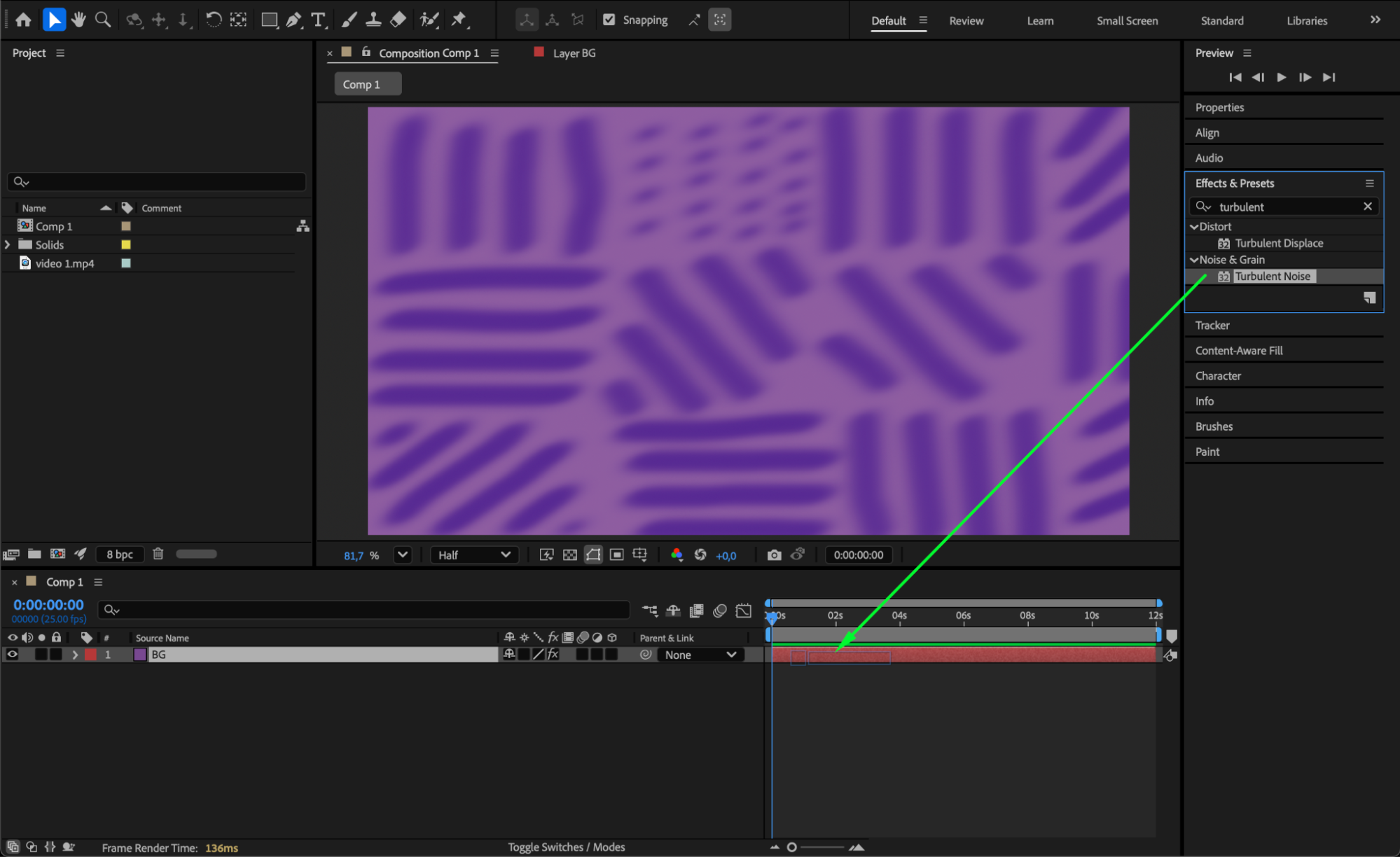
Step 5: Blend with Video
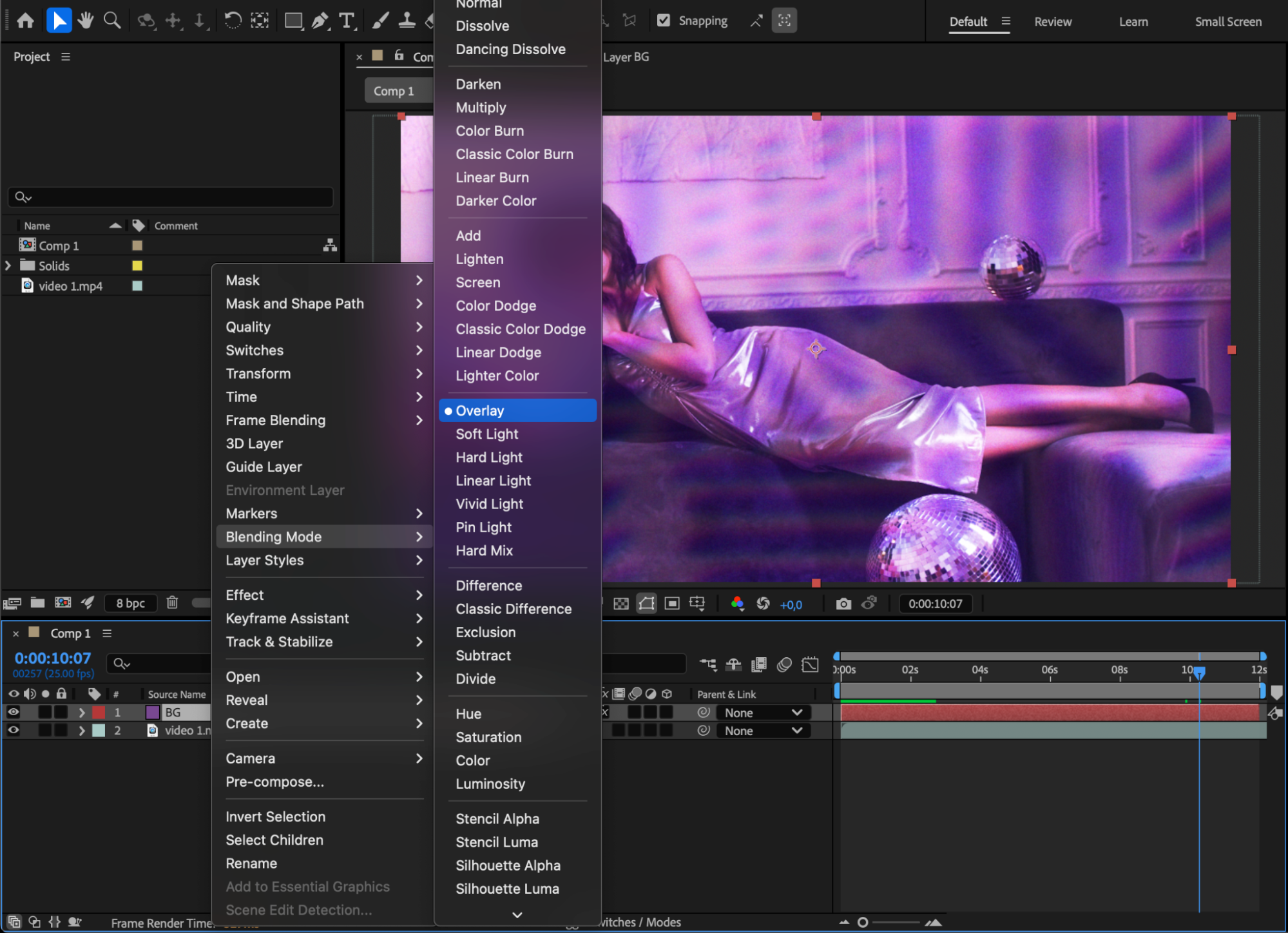
Place your video layer below the solid texture layer in the timeline. Change the Blending Mode of the solid to Overlay, Soft Light, or any other mode that fits your project. This will merge the texture with the video, creating a natural and visually appealing look.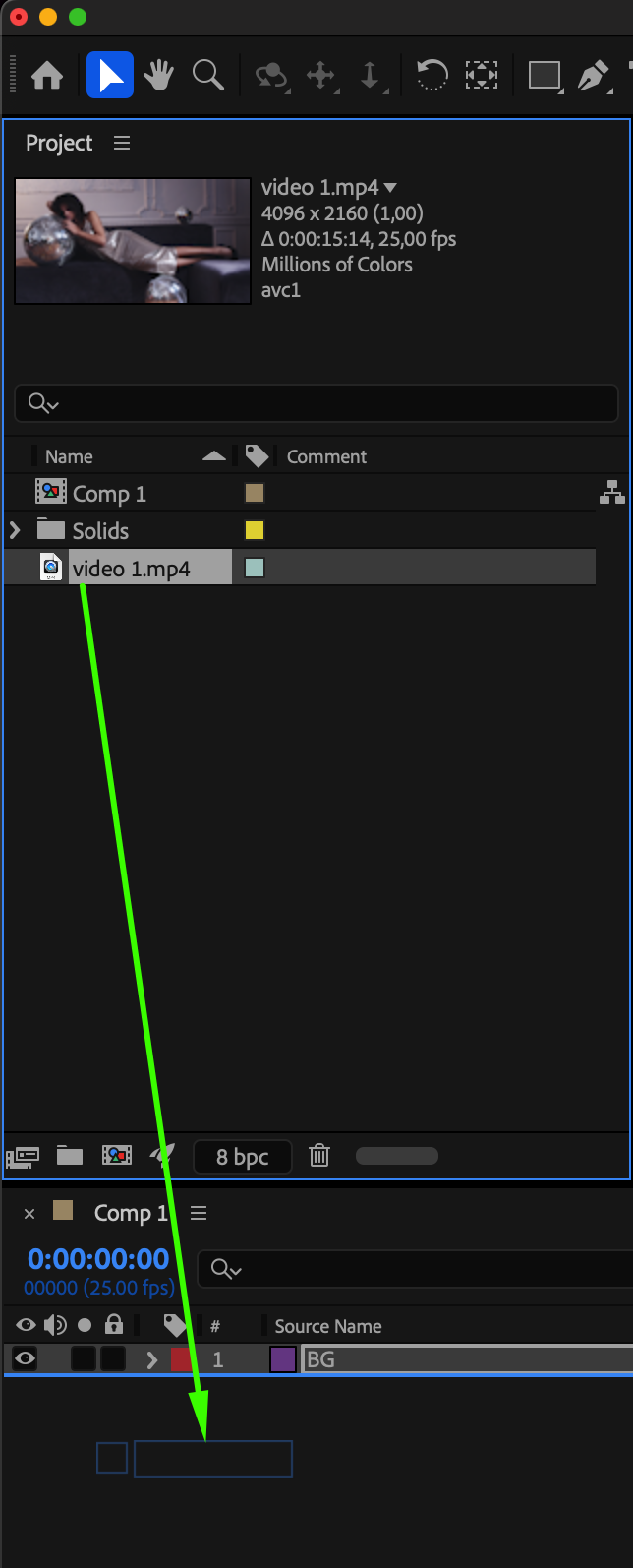
 Step 6: Preview and Adjust
Press the Spacebar to preview your animation. If needed, tweak the opacity, brush strokes, or effects until you’re satisfied with the result.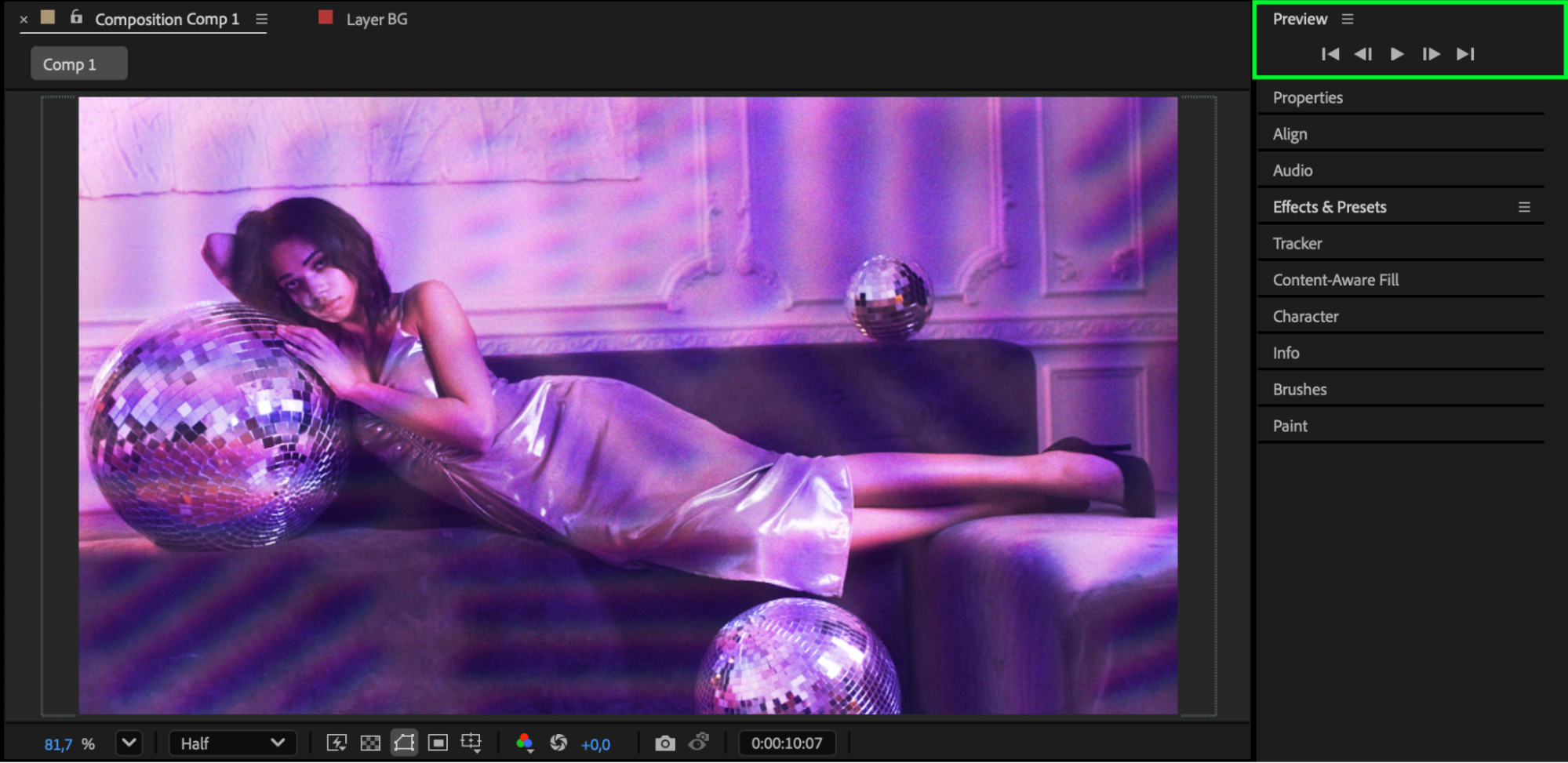
Conclusion
Painting textures directly in After Effects gives you full creative control over your project’s style. By combining the Brush Tool with blending modes and effects, you can easily design dynamic, artistic visuals that enhance your videos or motion graphics.
Our Bestsellers
Our Bestsellers


