
Comment enregistrer un projet After Effects au format MP4 avec Adobe Media Encoder :
- Tout d'abord, ouvrez le projet After Effects que vous souhaitez exporter. Vous pouvez le faire en allant dans File > Open Project…, ou en double-cliquant sur le fichier du projet sur votre ordinateur.
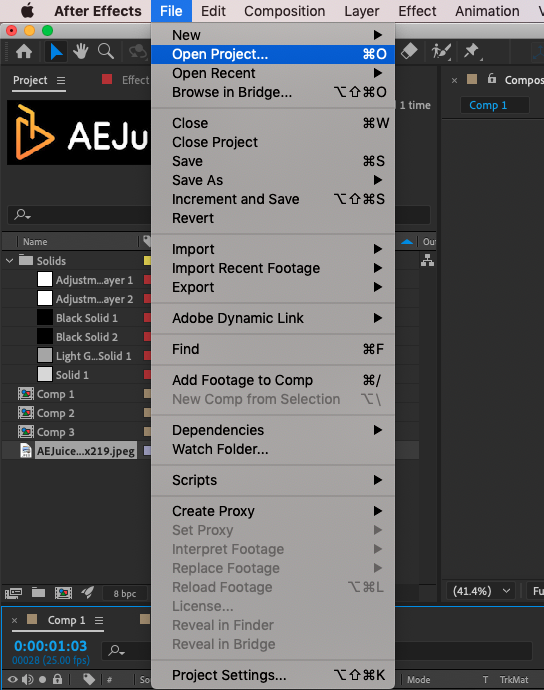
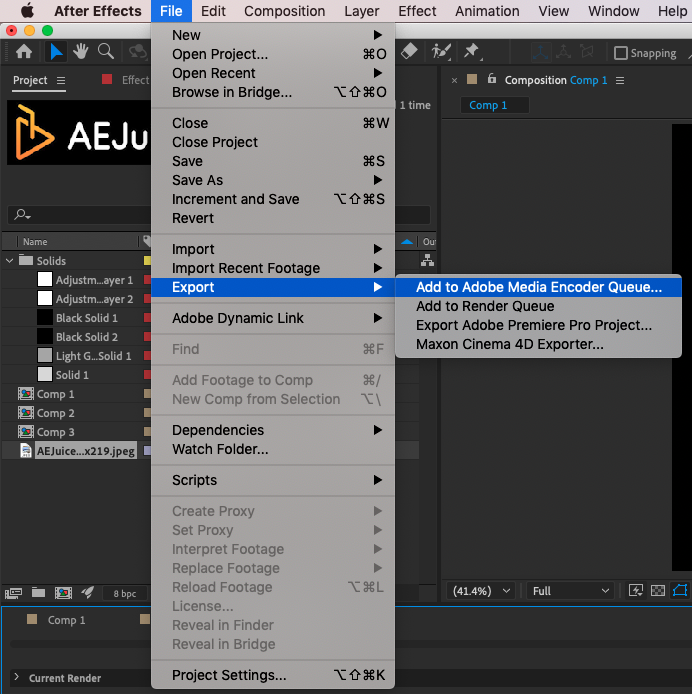
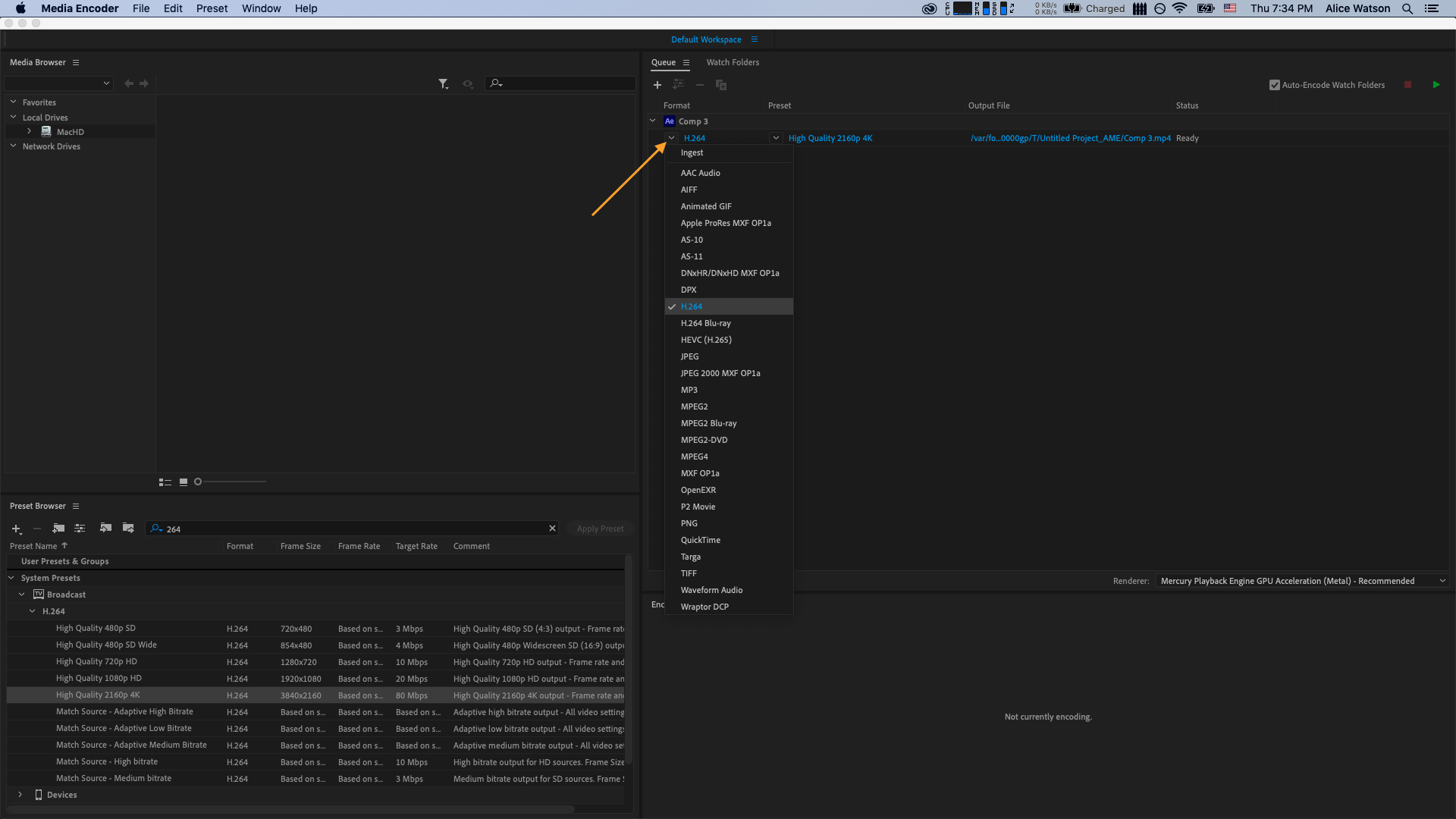
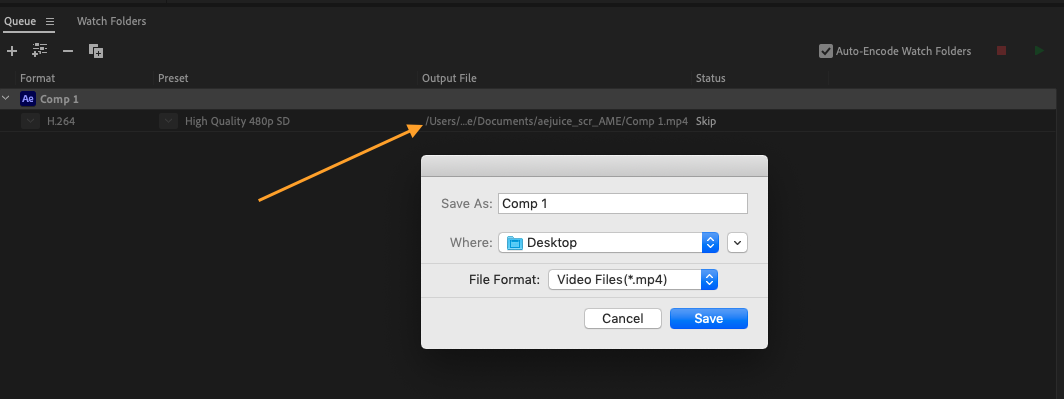
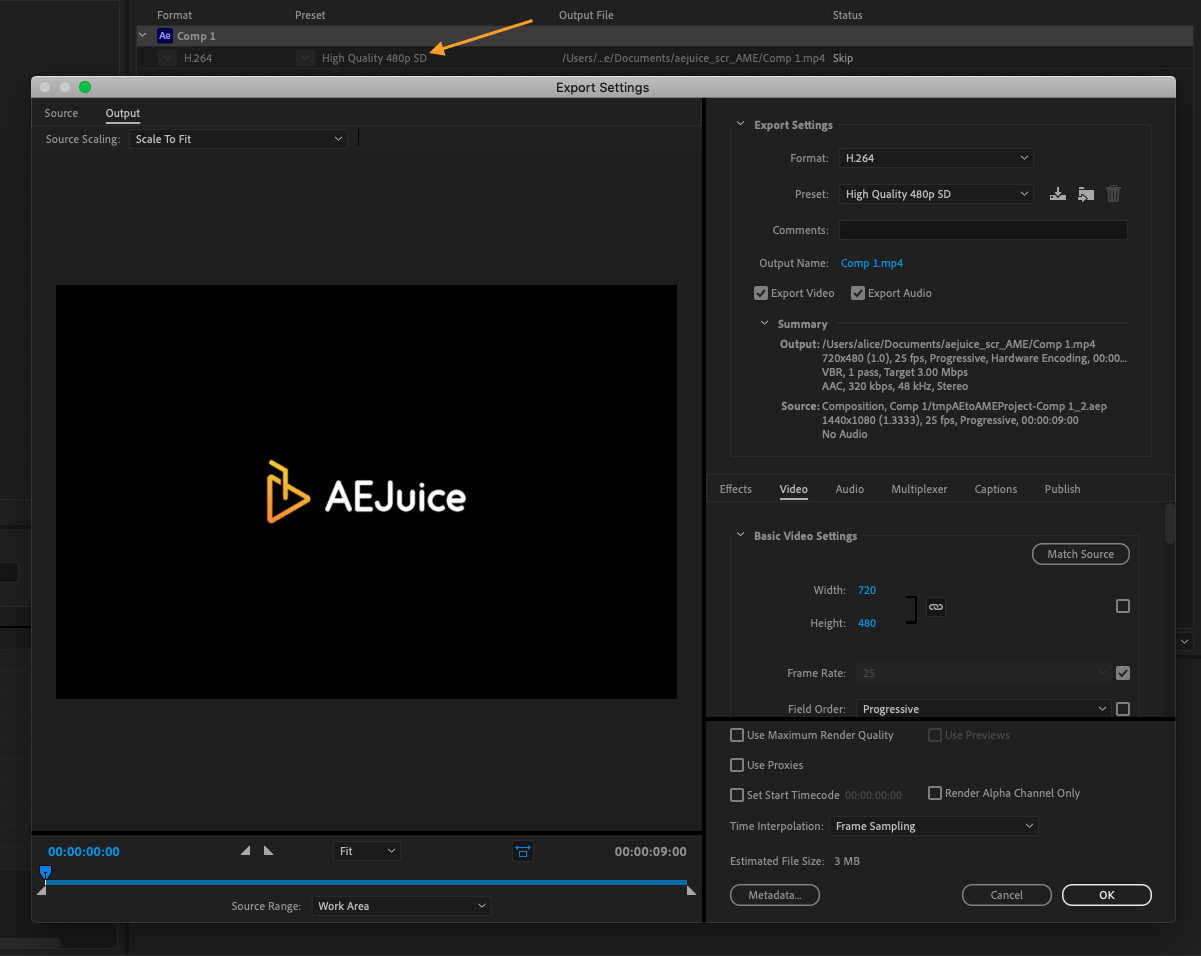
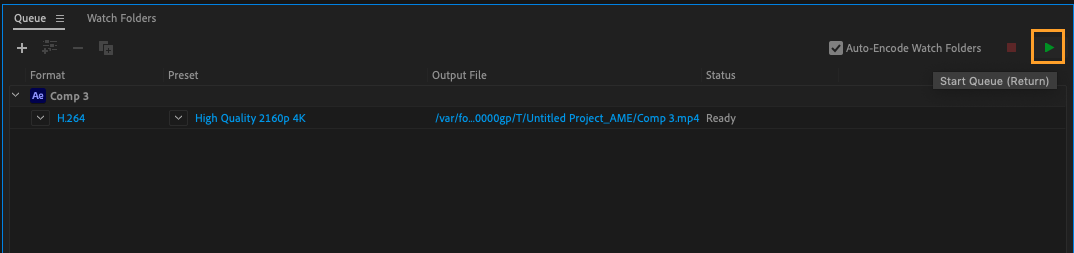
- Ensuite, allez dans File > Export > Add to Adobe Media Encoder Queue… Cela lancera Media Encoder, où vous pourrez préciser les détails de l'exportation de votre projet.
Conclusion
Adobe Media Encoder est très utile en matière de productivité, car vous pouvez lancer le rendu du fichier tout en continuant à utiliser After Effects.
Une autre fonctionnalité intéressante est la capacité de Media Encoder à mettre en file d'attente et à effectuer le rendu de plusieurs exportations à la fois. Cela peut être utile si vous devez enregistrer différentes versions de votre projet avec des réglages distincts, ou si vous souhaitez exporter plusieurs projets en même temps.
Globalement, enregistrer un projet After Effects au format MP4 est un processus simple qui vous permet de partager votre travail avec un public plus large. Avec un peu de connaissances et de pratique, vous serez en mesure de maîtriser cette compétence essentielle et de créer des vidéos de haute qualité qui mettent en valeur votre créativité et votre savoir-faire.
Our Bestsellers
Our Bestsellers


