
Introduction
In After Effects, scaling a composition by pixels means zooming in or out to view or resize elements with pixel-level accuracy. Whether you’re adjusting your workspace view, scaling layers without losing quality, or resizing an entire scene, there are several effective ways to do it.
Step 1: Use the Zoom Tool or Composition View Percentage
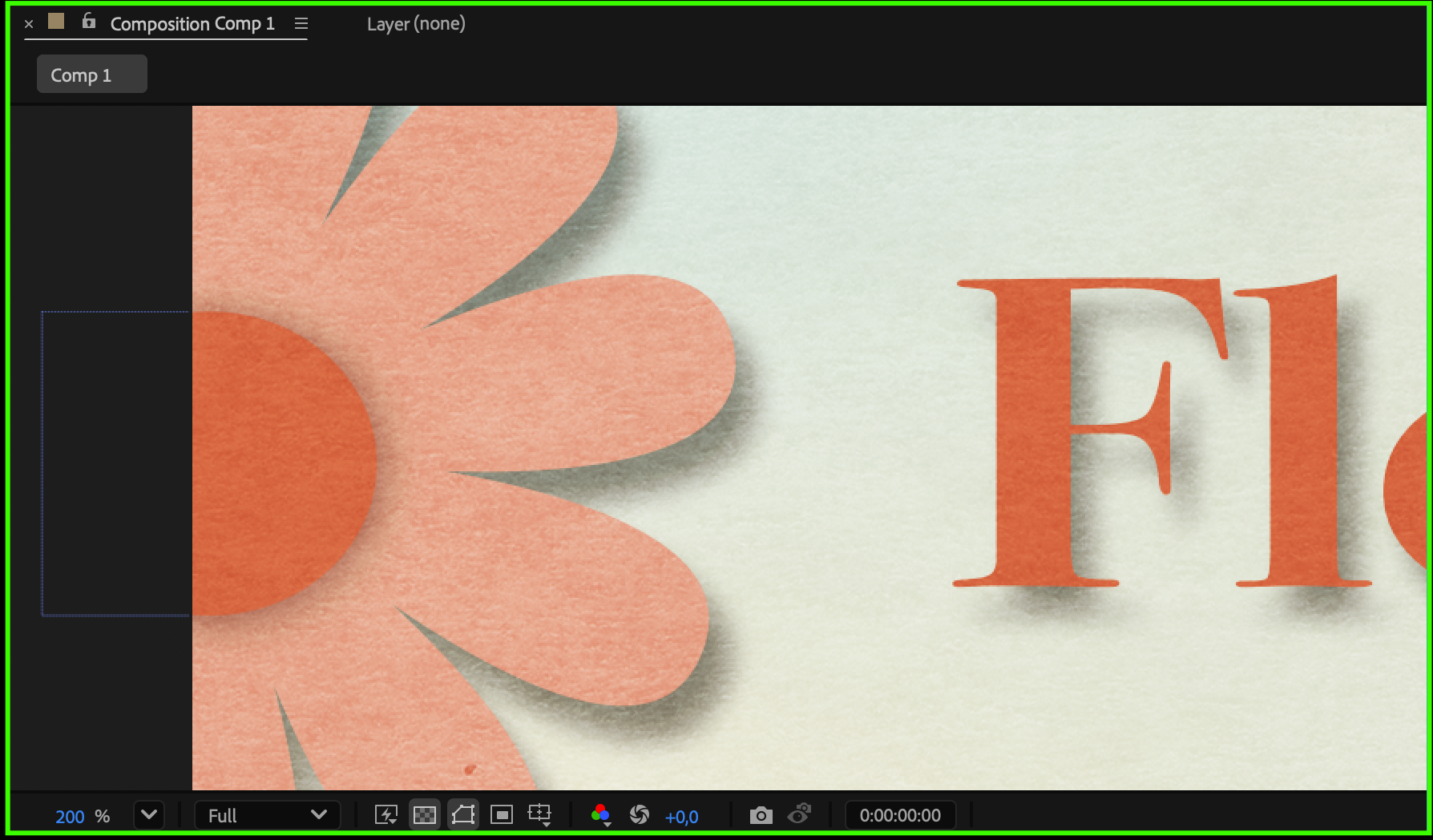
To see your composition at a specific pixel level, use the Zoom Tool (Z) or the percentage dropdown at the bottom left of the Composition panel. Click and drag with the Zoom Tool to zoom in or out, or select a value such as 100%, 200%, or Fit to view your comp precisely by pixel. This method changes only your view, not the actual size of the composition.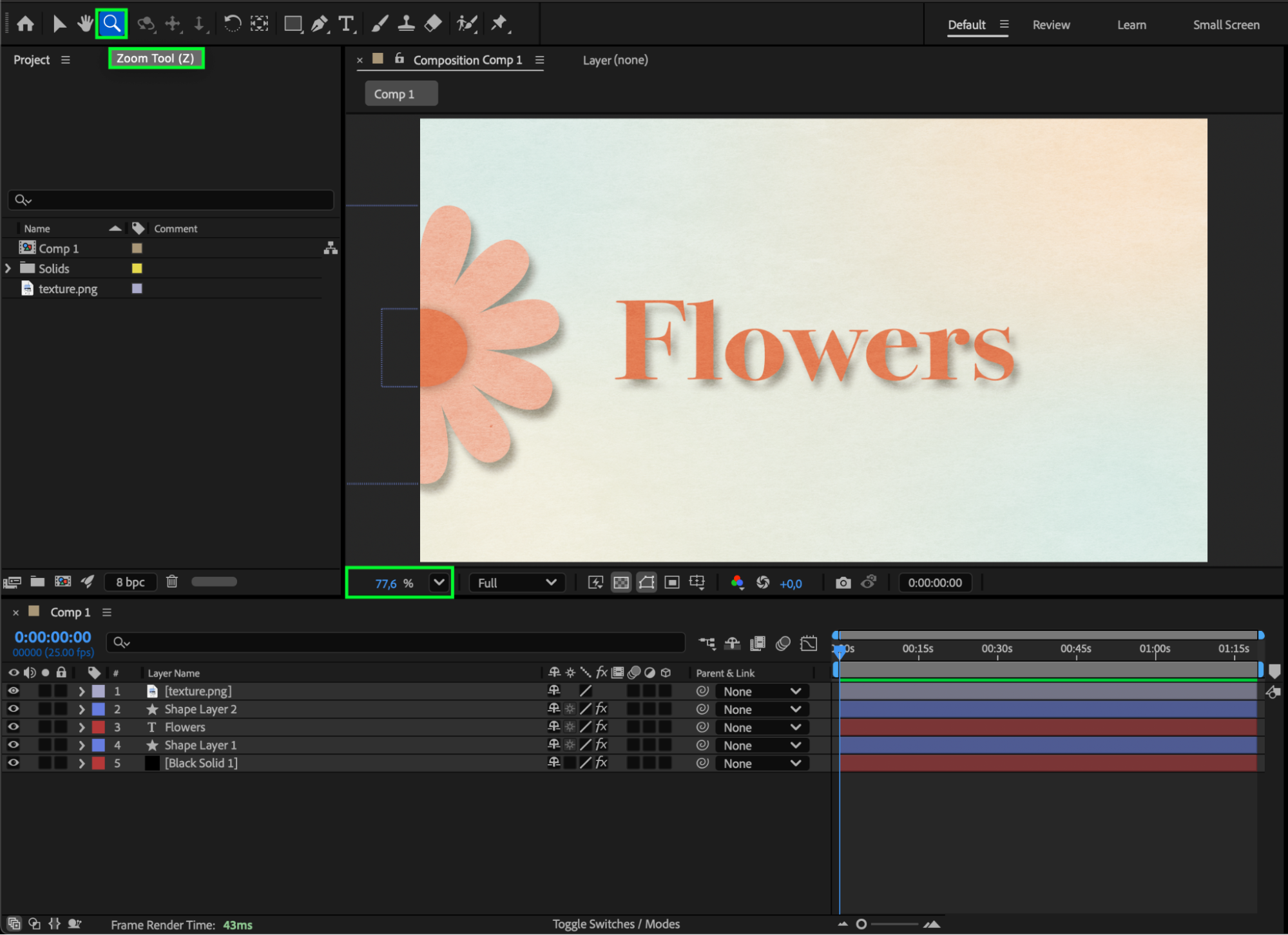
Step 2: Pre-Compose All Layers for Scaling
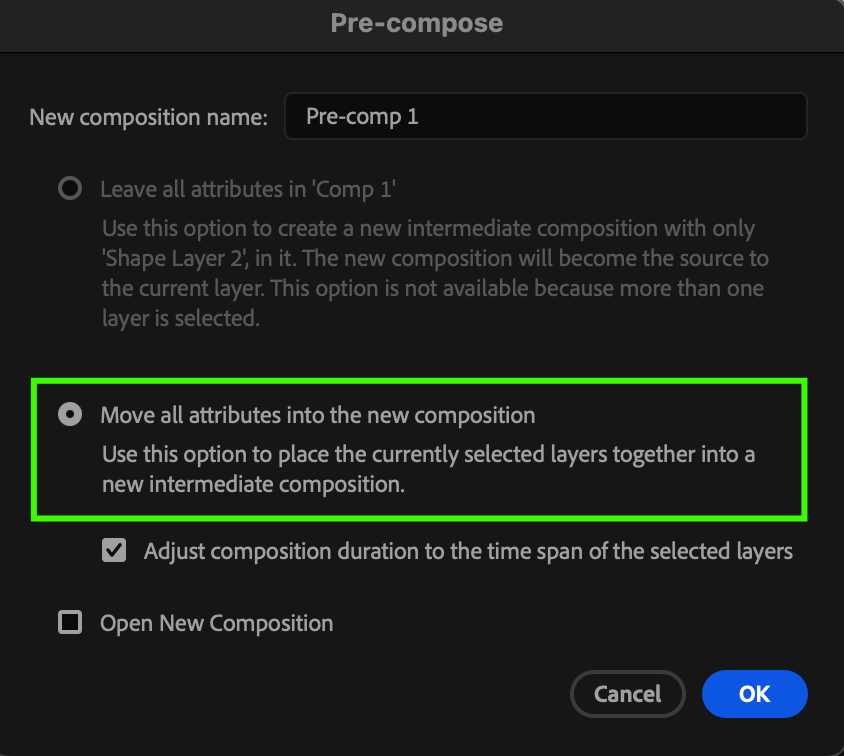
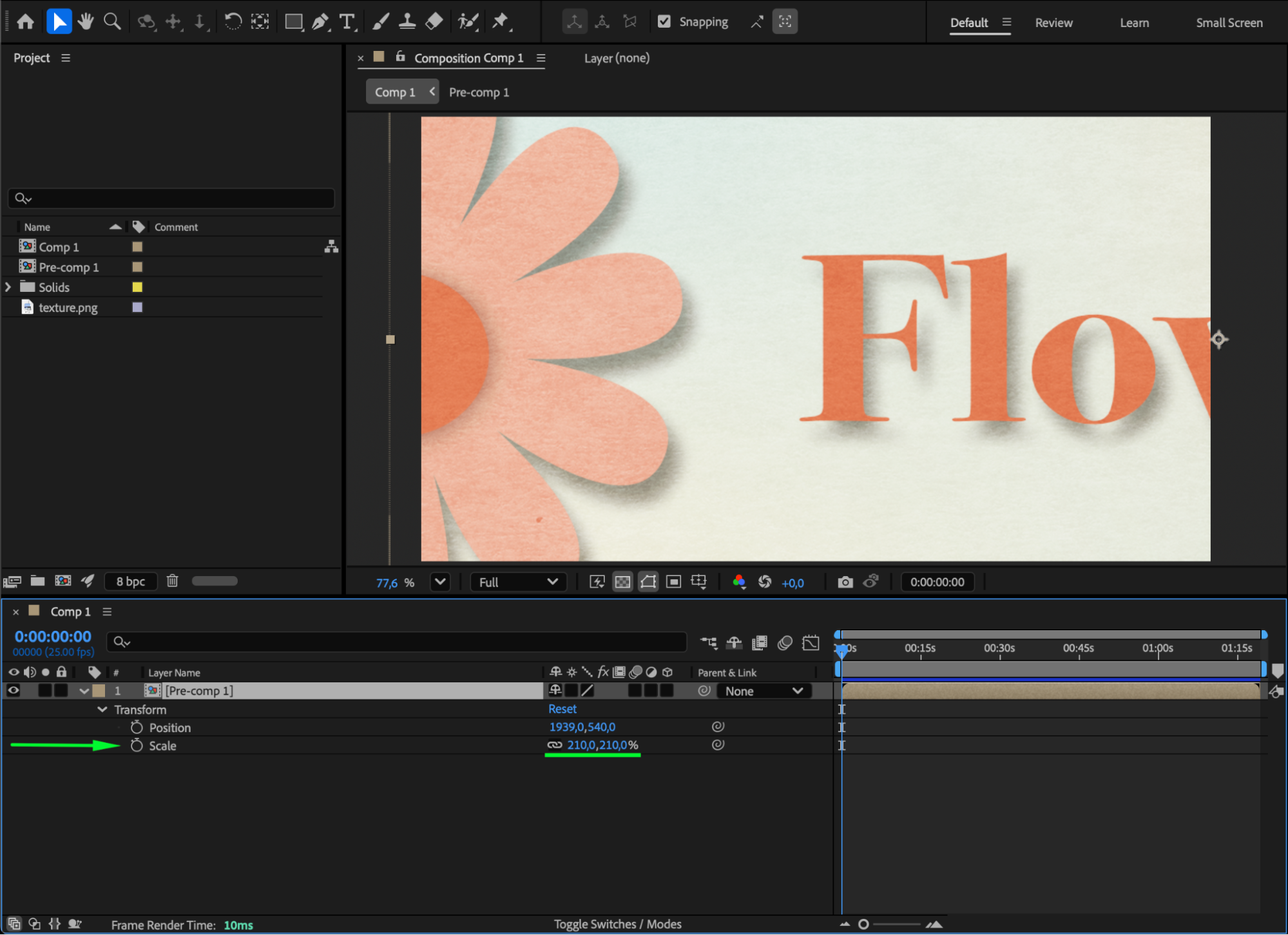
If you want to resize the entire scene (not just view it), select all your layers, then go to Layer > Pre-compose. Choose Move all attributes into the new composition and click OK. Now, you can scale the new pre-comp layer like a single object by pressing “S” and adjusting the Scale property — this effectively scales your whole composition content.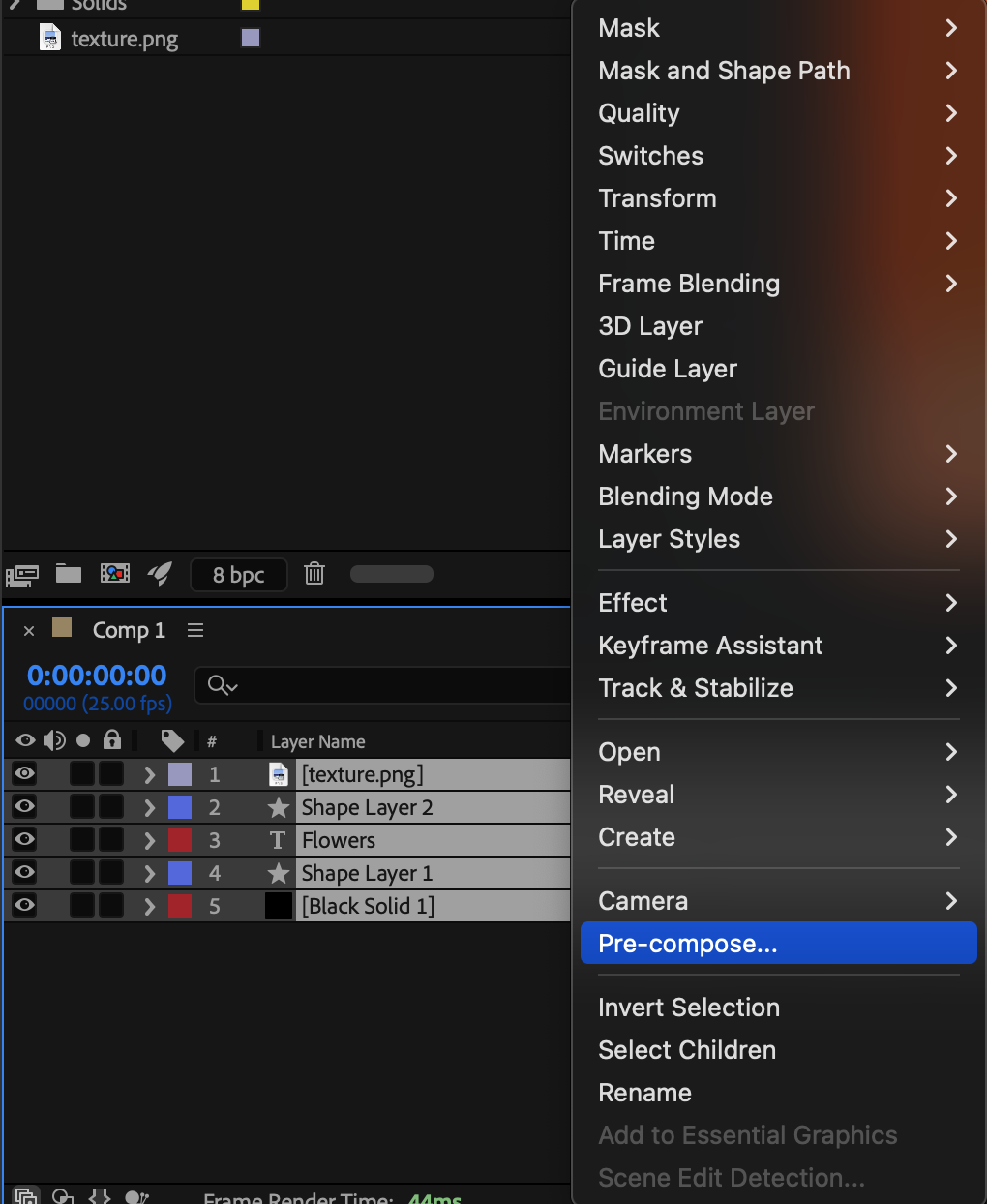
Step 3: Maintain Sharpness with Continuously Rasterize
When scaling layers that contain vector graphics (such as text or Illustrator files), enable the Continuously Rasterize switch (the small sun/star icon in the Timeline).
This ensures that your layers remain sharp and clean, even when scaled up to larger pixel values.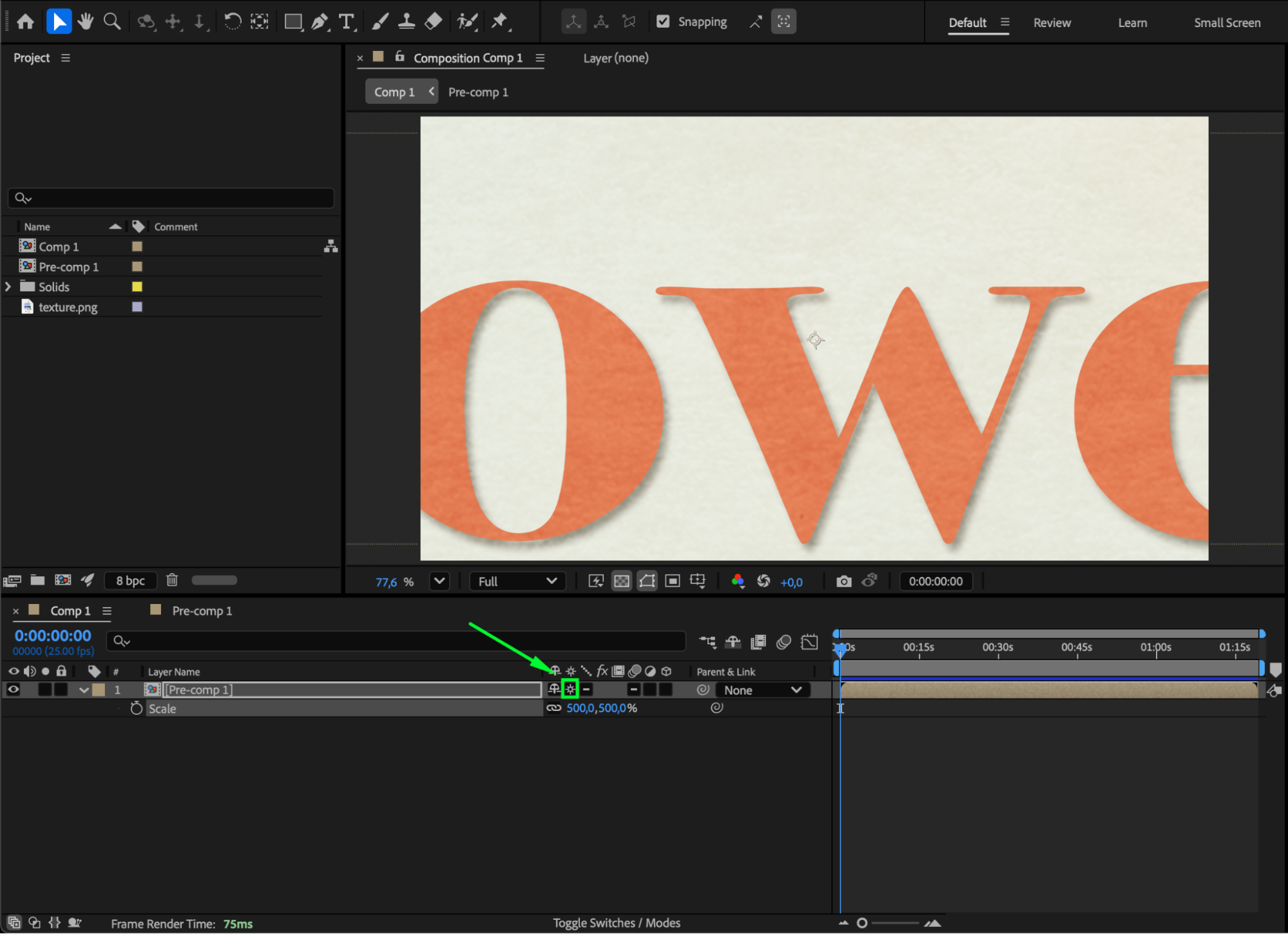
Step 4: Check Pixel Accuracy
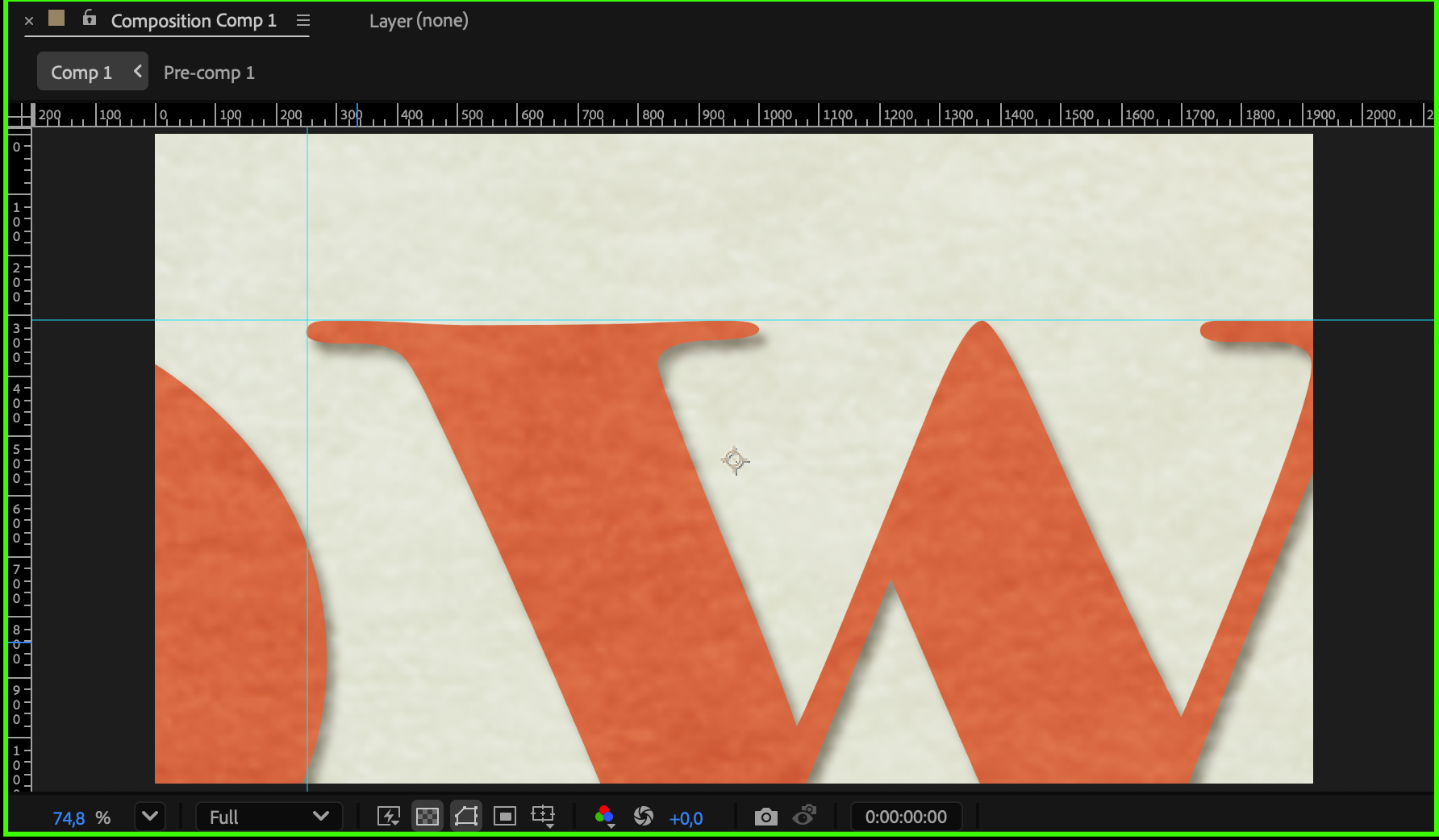
For precise pixel-level work, enable View > Show Grid or View > Show Rulers, and use snapping for exact alignment. You can also switch to 100% zoom to ensure you’re seeing one image pixel per screen pixel — ideal for detailed adjustments.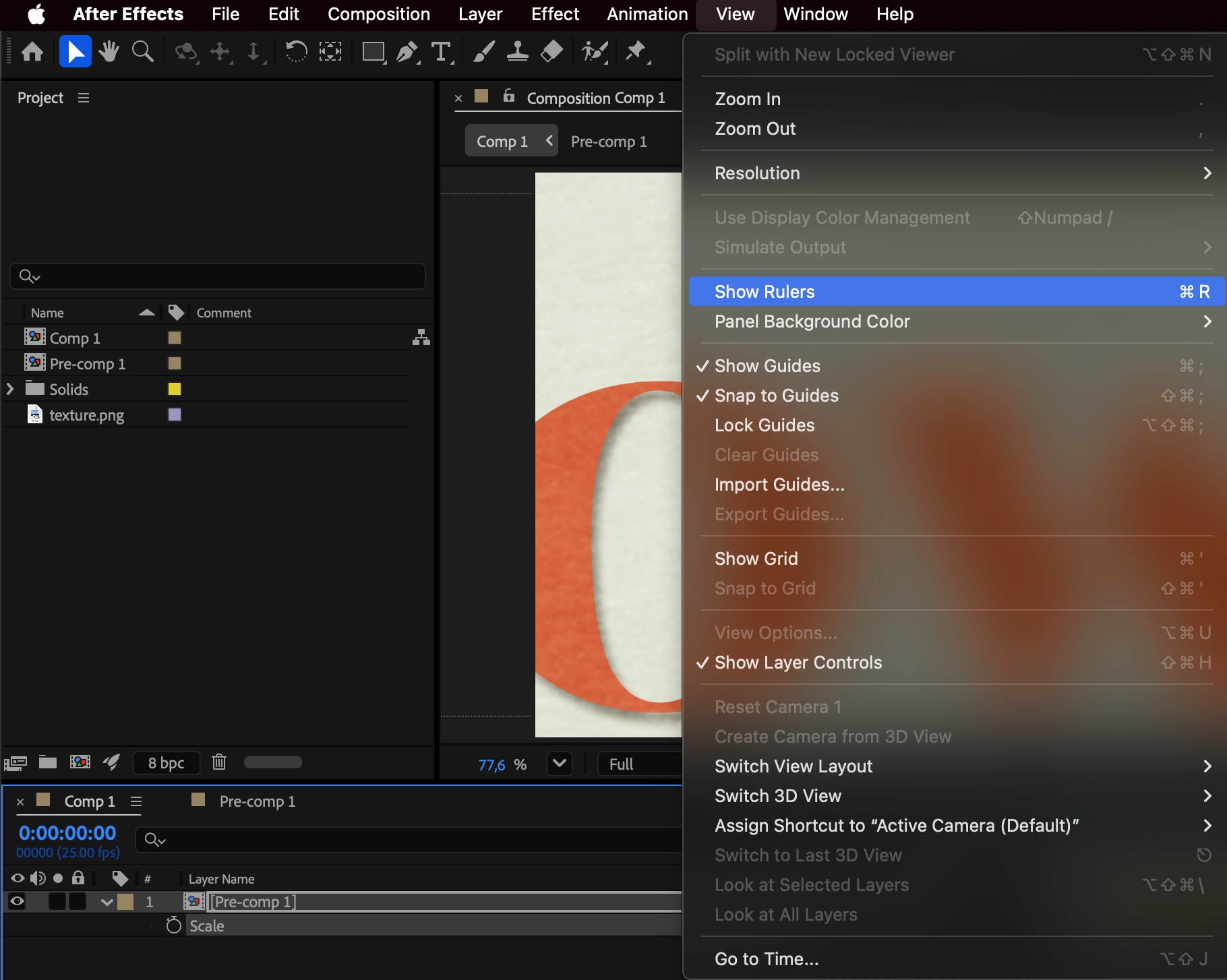
Step 5: Preview and Adjust
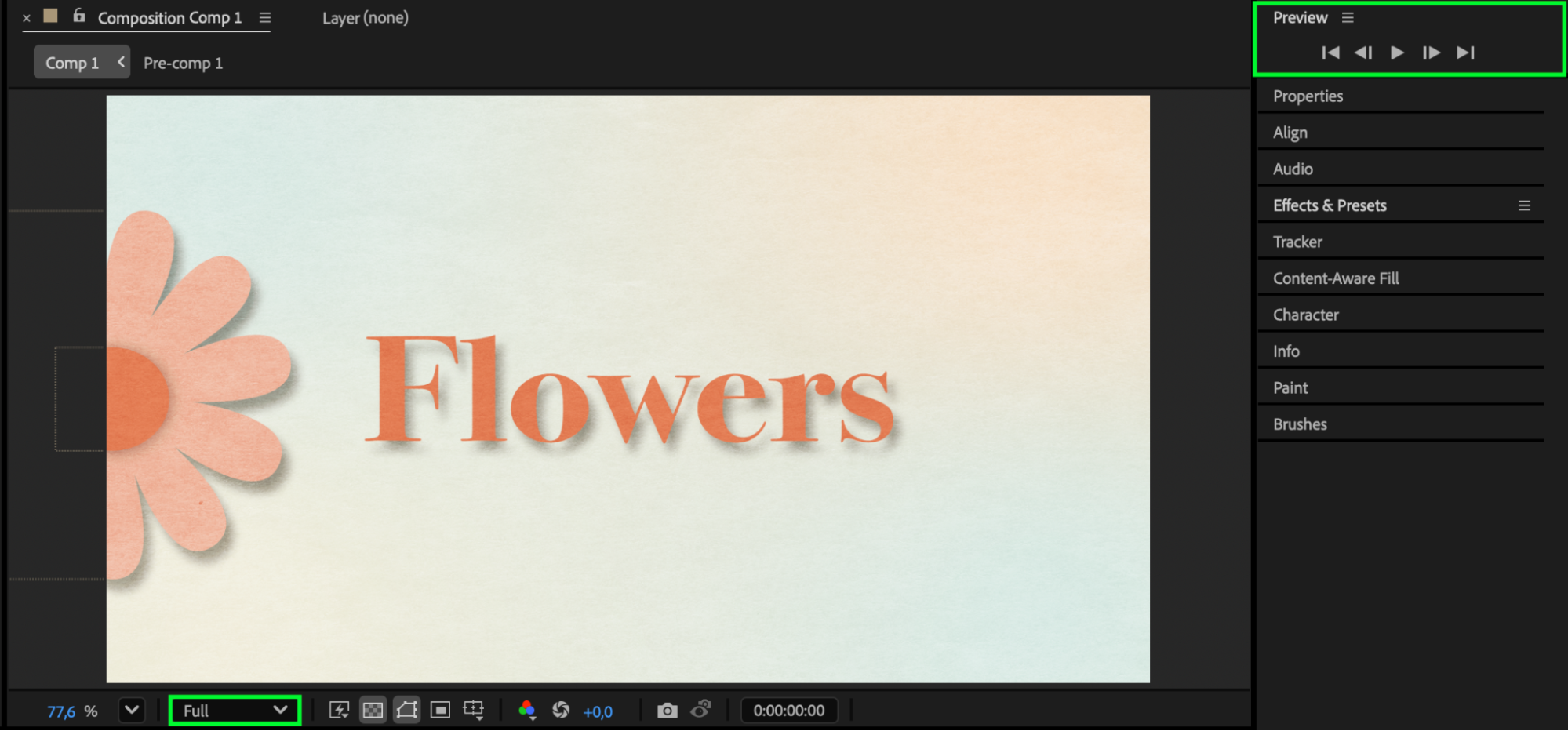
Press Spacebar to preview your composition. Check that the scaling and sharpness look consistent. If your elements appear blurry, verify that Continuously Rasterize is on and that your composition resolution is set to Full in the Preview panel.
Conclusion
Scaling a composition by pixels in After Effects can be done visually with the Zoom Tool or more structurally by pre-composing and adjusting scale.
For professional results, always enable Continuously Rasterize for vector layers and work at 100% zoom to maintain pixel-perfect precision. These techniques help you control both how you see and how you resize your projects accurately.
Our Bestsellers
Our Bestsellers


