
Introduction
If you want your image to fit perfectly inside a shape — such as a circle, rectangle, or custom mask — After Effects offers several simple methods. You can achieve this effect using Track Mattes, the Scale property, or pre-composing layers for flexible, precise control.
Step 1: Import Your Image
Go to File > Import > File and select your images. After importing, you’ll see them in the Project panel, ready to use in your composition.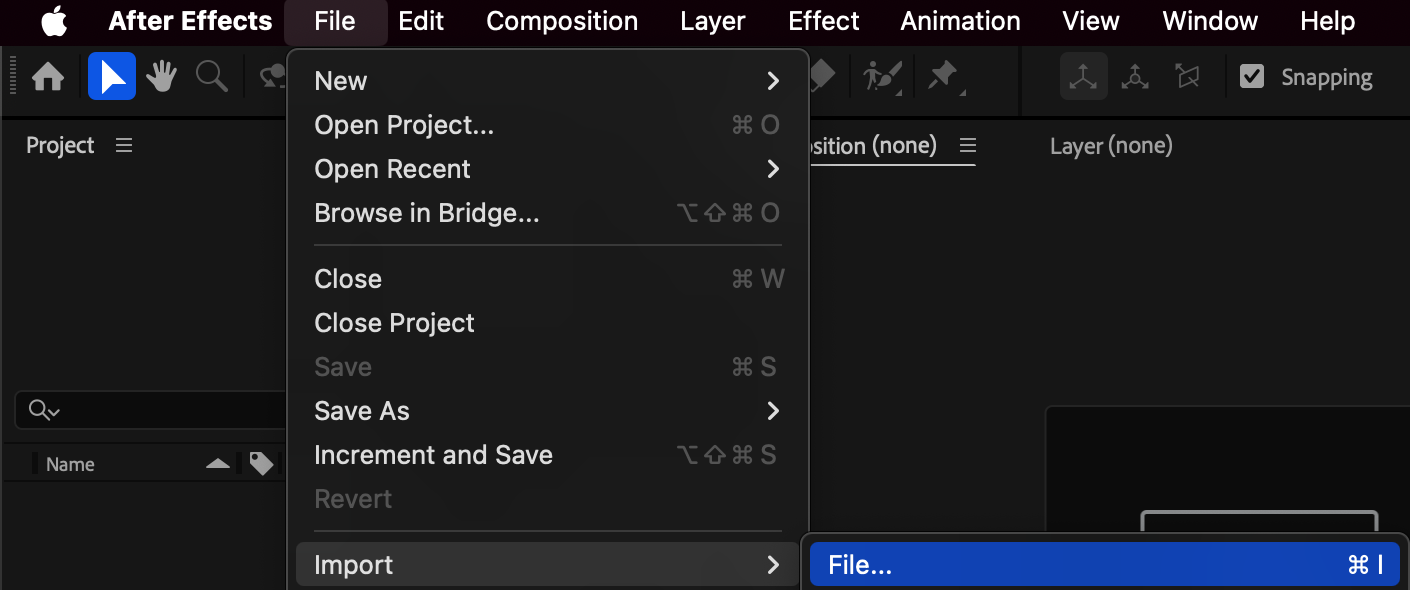 Step 2: Create a New Composition
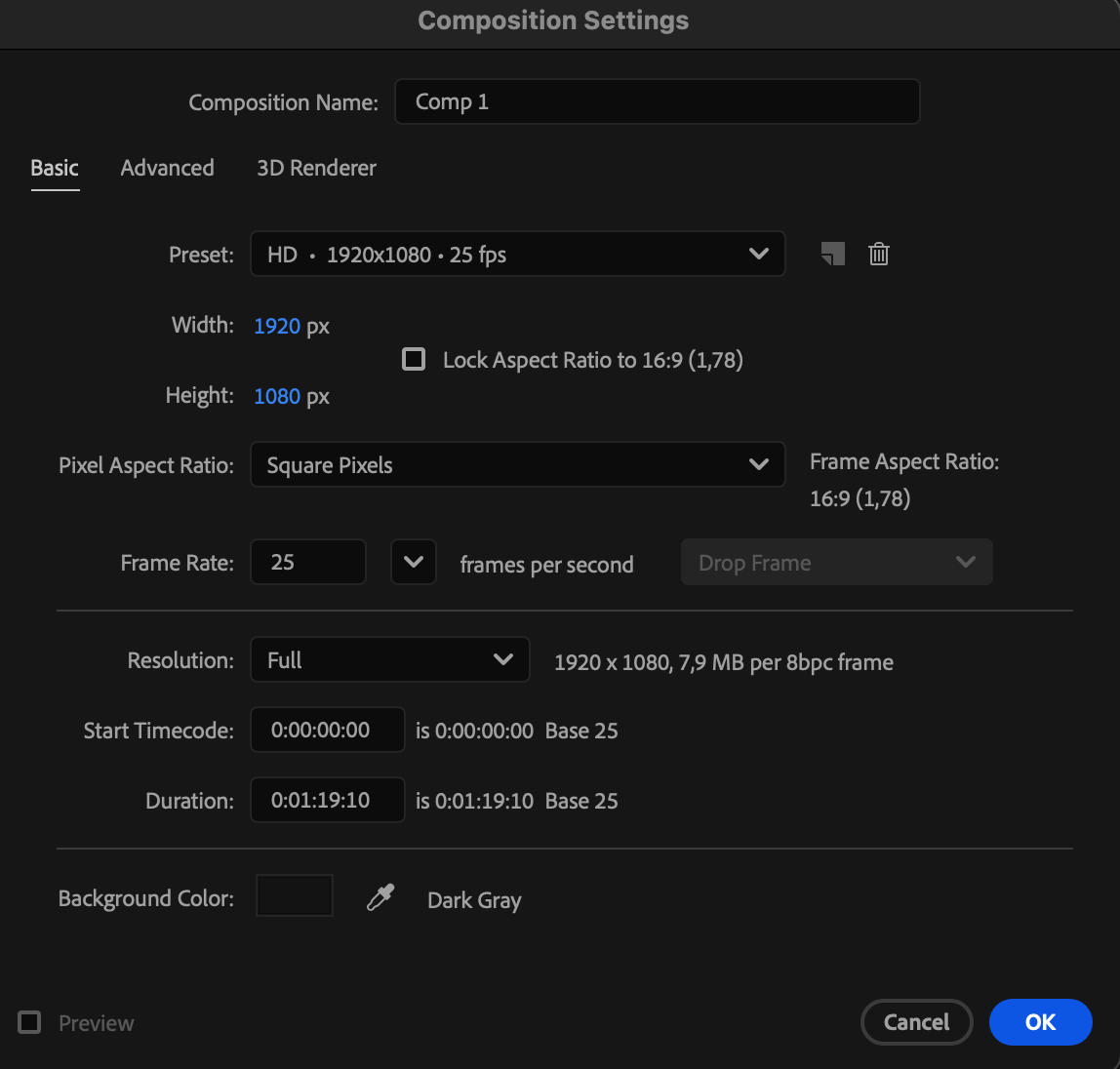
Go to Composition > New Composition, set your resolution, duration, and frame rate, then click OK. This will be your working area for placing shapes and images.
Step 3: Create Shape Layers
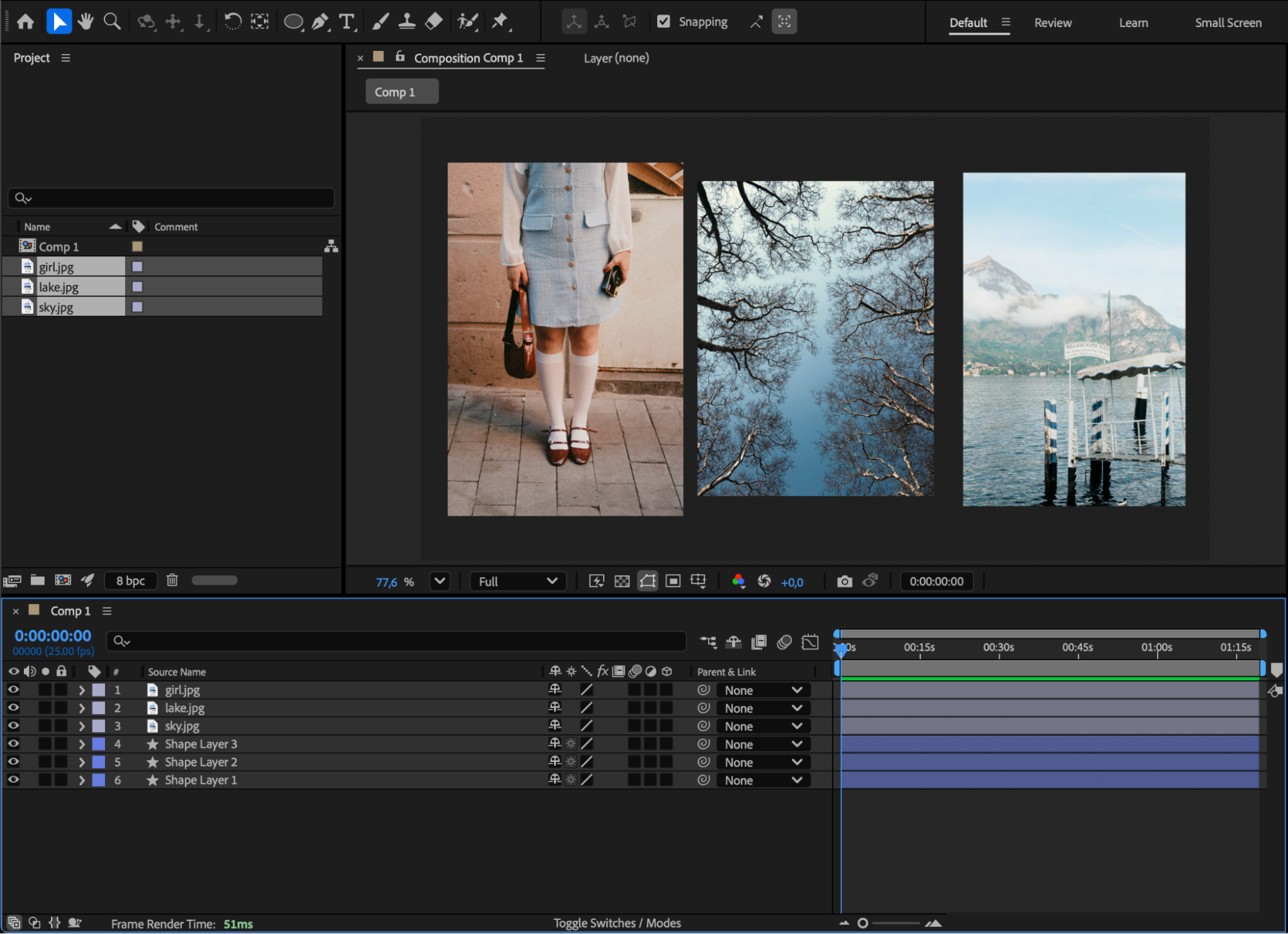
Use the Shape Tool (Q) to draw one or multiple shapes — circles, rectangles, or custom forms — depending on where you want each image to appear.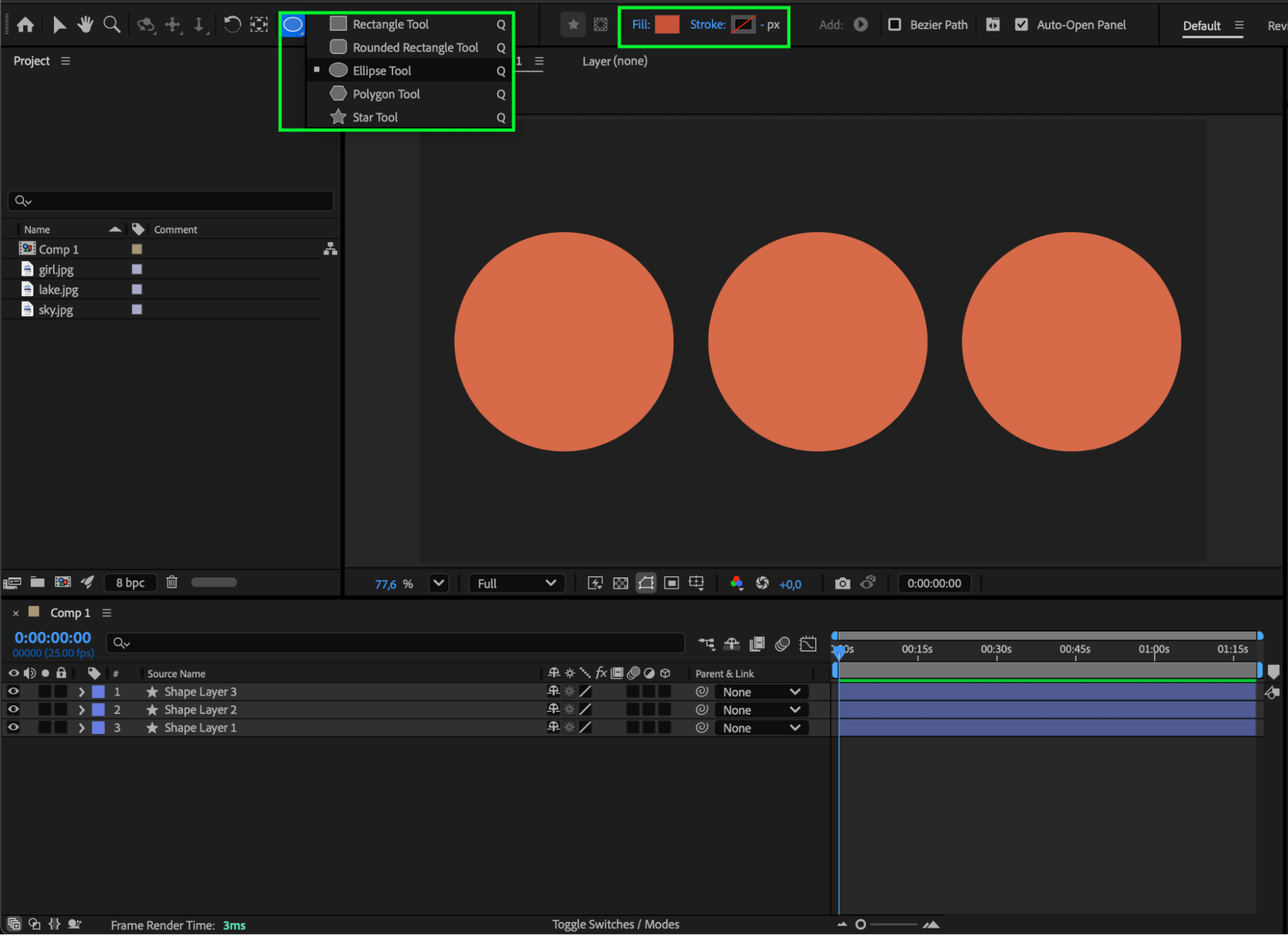 Step 4: Add Your Images to the Timeline
Drag each image from the Project panel onto the Timeline. 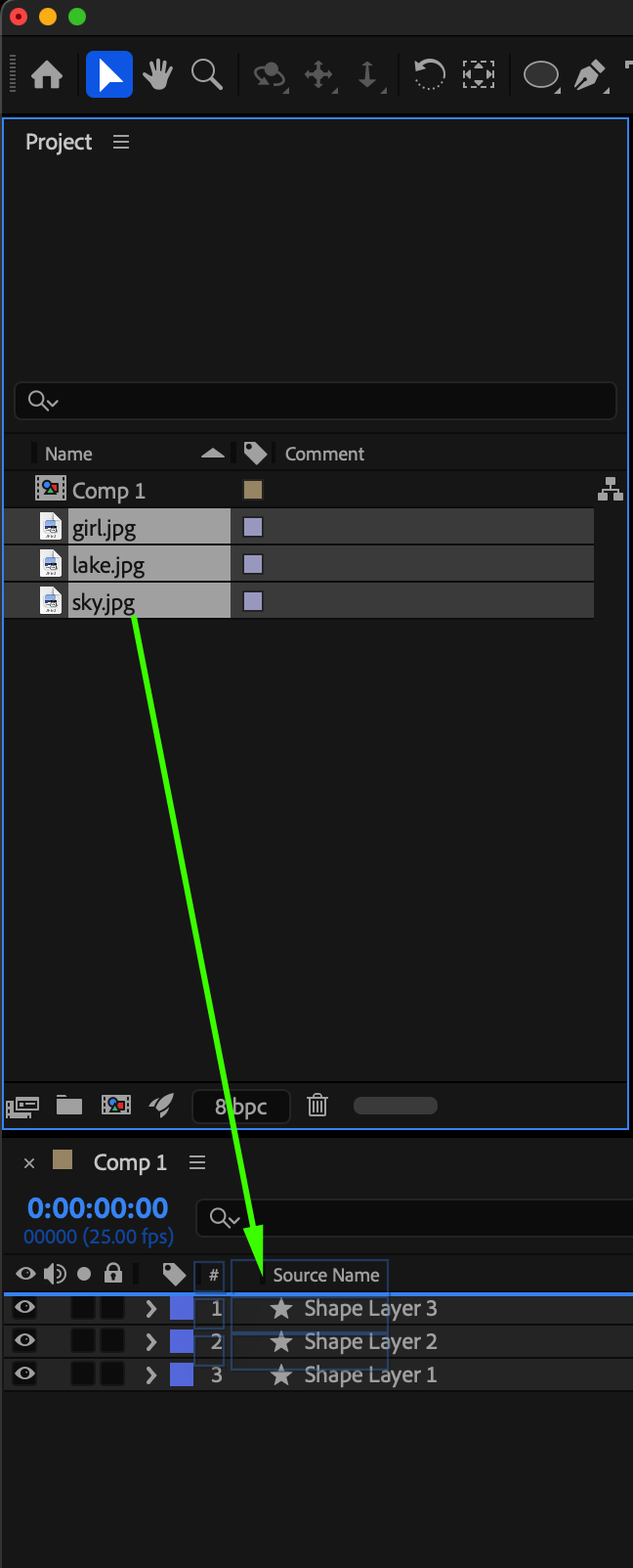
Step 5: Adjust Image Scale and Position
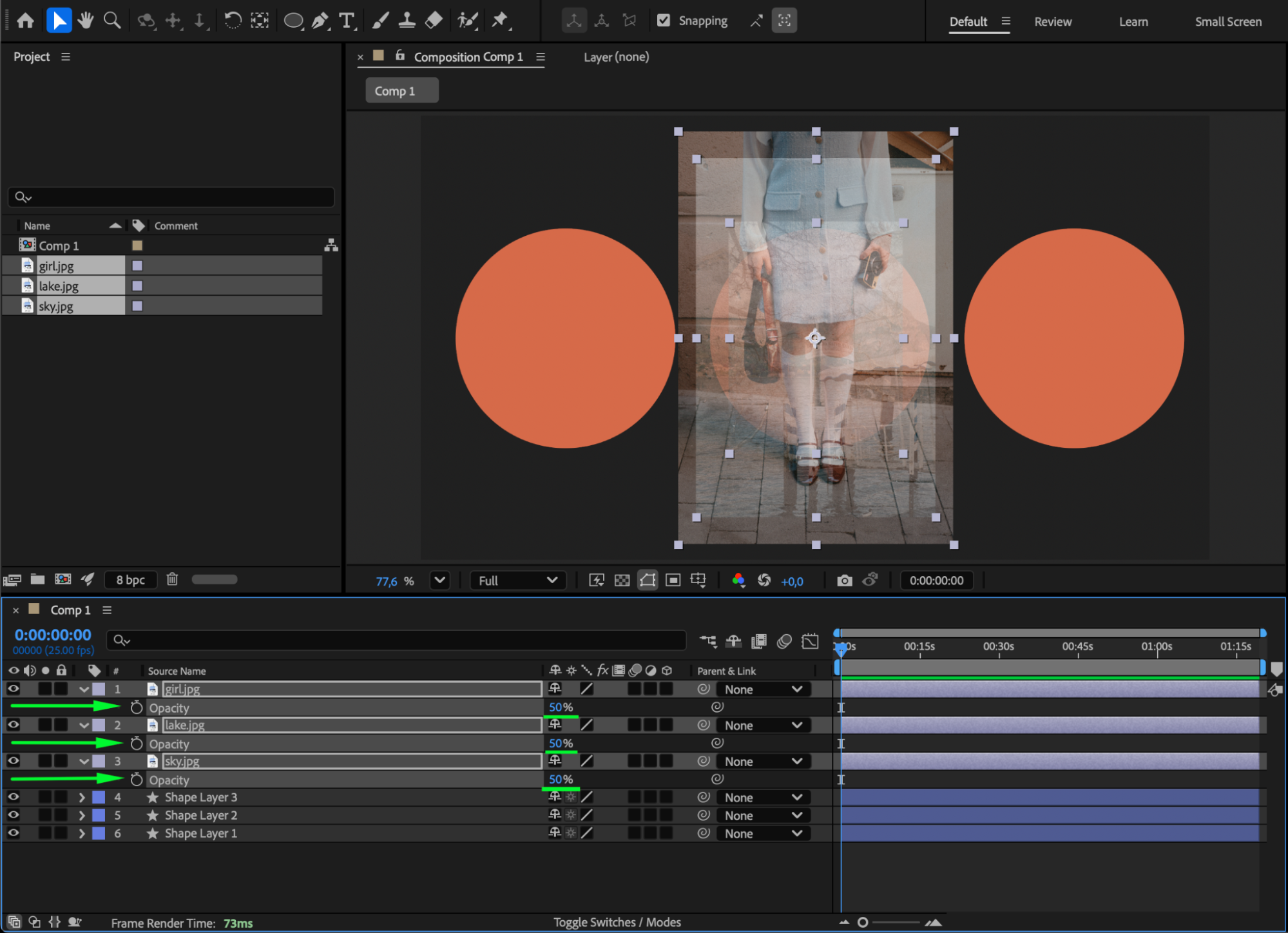
Select an image and press “S” to open the Scale property. Adjust the value to resize the image so it fits neatly under the shape. Use the Selection Tool (V) to move the image into place. If needed, press “T” to lower the opacity temporarily — this helps you align the image perfectly with the shape.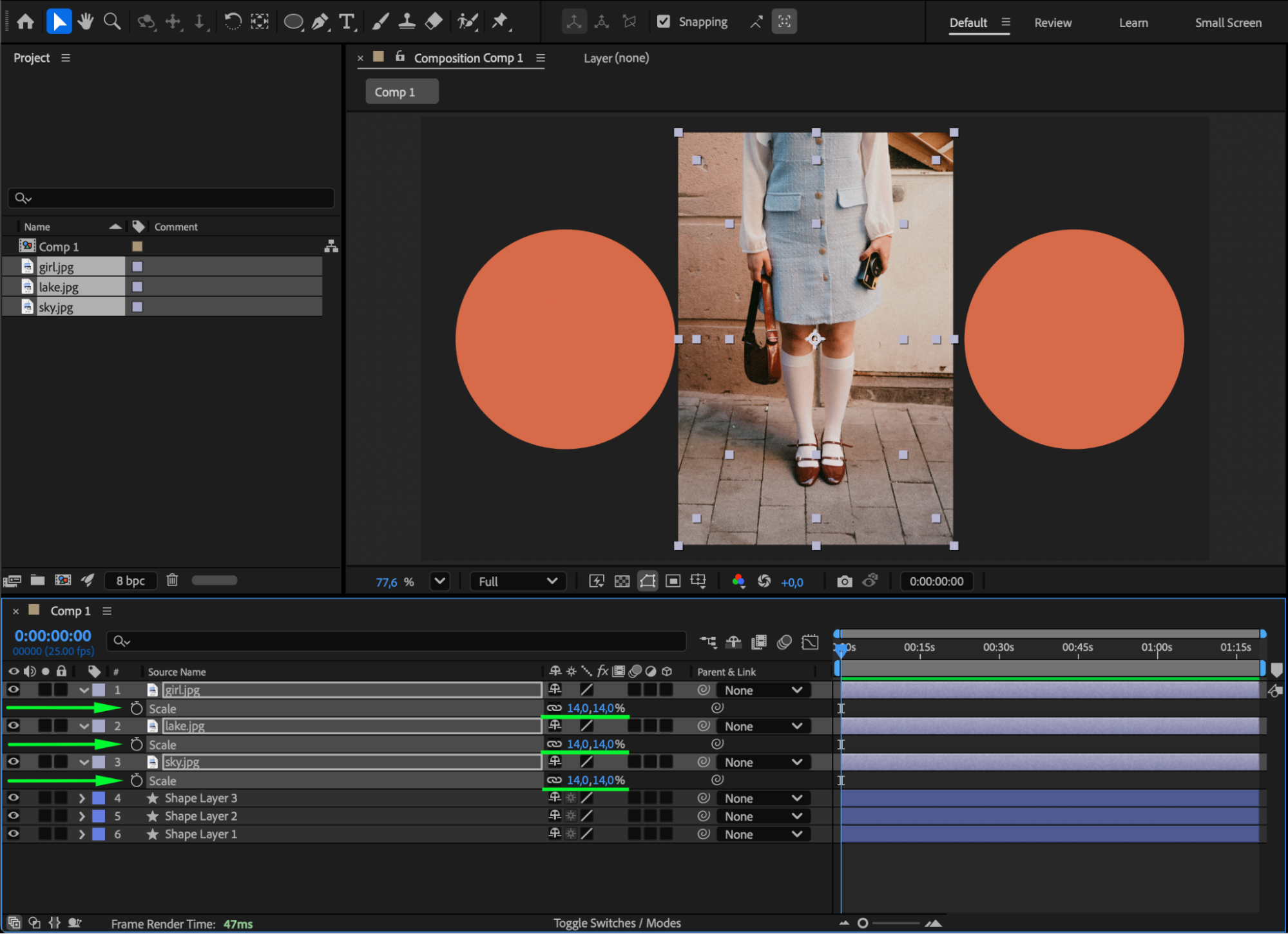
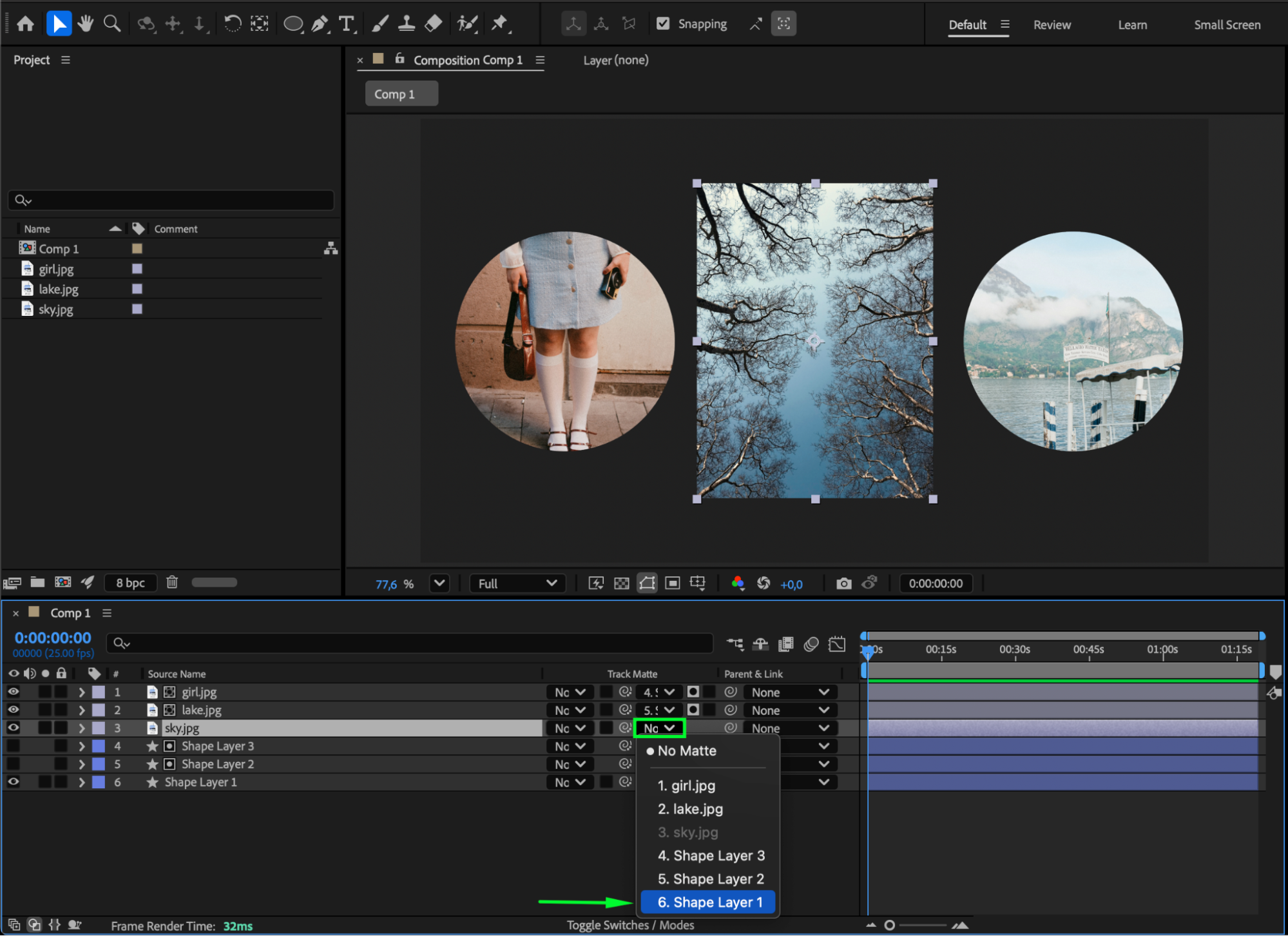
Step 6: Apply Track Matte
Click the Toggle Switches/Modes button if you don’t see the Track Matte column. For each image layer, in the Track Matte dropdown, choose the Shape Layer directly above it as the matte source. The image will now be visible only inside the shape’s area.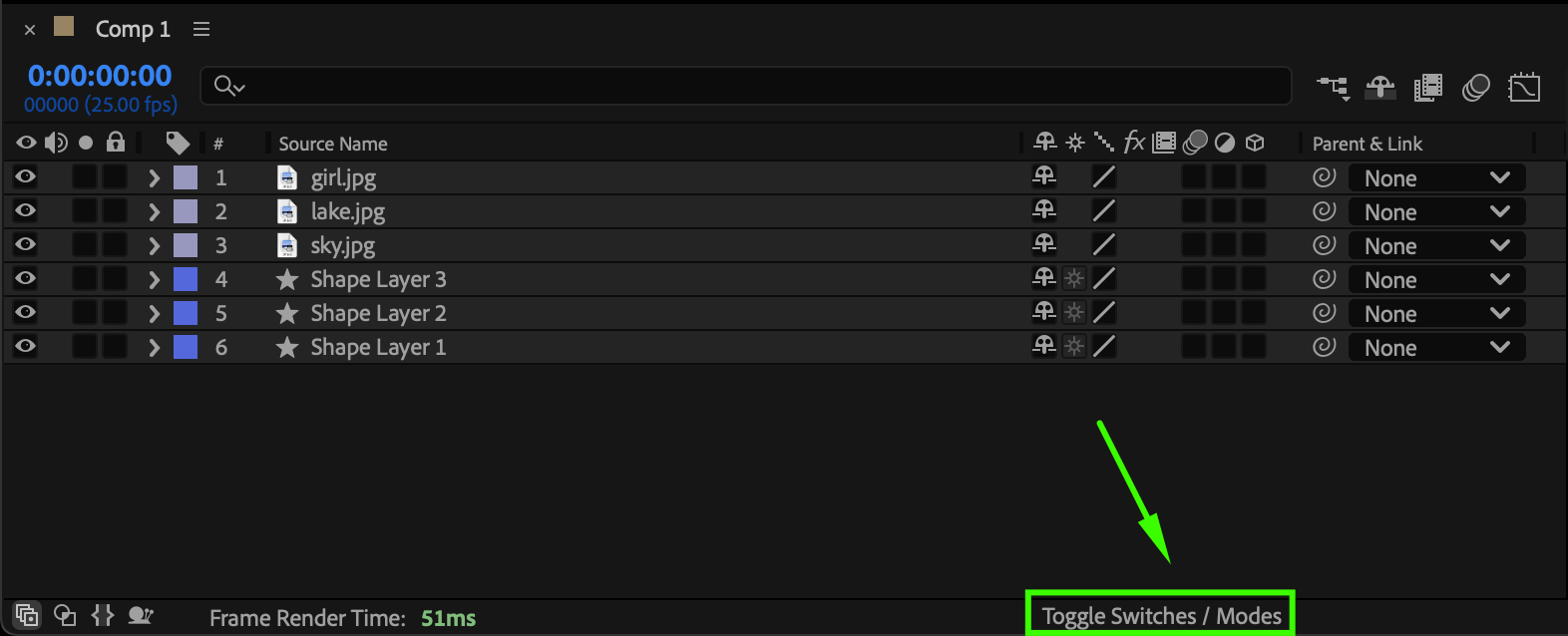
 Step 7: Preview Your Composition
Press the Spacebar to preview the result. You’ll see each image perfectly fit inside its corresponding shape, creating a clean, modern, and organized visual layout.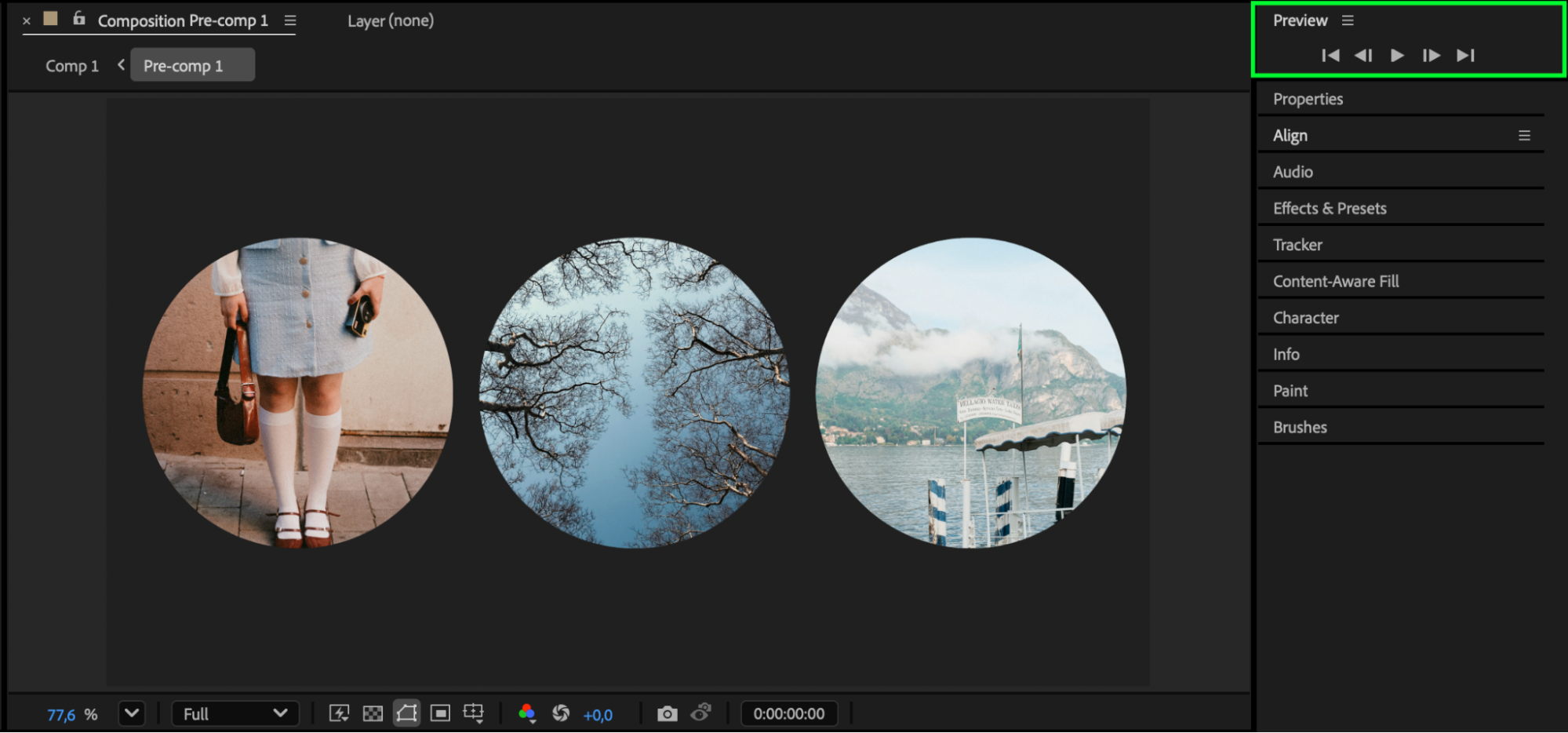
Conclusion
Scaling an image to a shape in After Effects is an easy and effective way to create stylish, masked compositions.
By using Shape Layers, Track Mattes, and Scale adjustments, you can fit any image precisely within a design — perfect for intros, slideshows, and modern motion graphics.
Our Bestsellers
Our Bestsellers


