
Learn how to build futuristic screen layouts using the AEJuice Digital Screen Constructor Pack in After Effects.
Create Futuristic UI Screens with Digital Screen Constructor
Introduction to High-Tech Layout Design in Motion Graphics
Digital screen interfaces are essential in modern tech videos, UI demos, and futuristic motion design. The AEJuice Digital Screen Constructor Pack gives you ready-made, customizable HUD layouts and UI screens that are easy to integrate into your project. In this tutorial, you’ll learn how to import, customize, and animate digital screens in After Effects with just a few steps.
Step 1: Create a New Composition
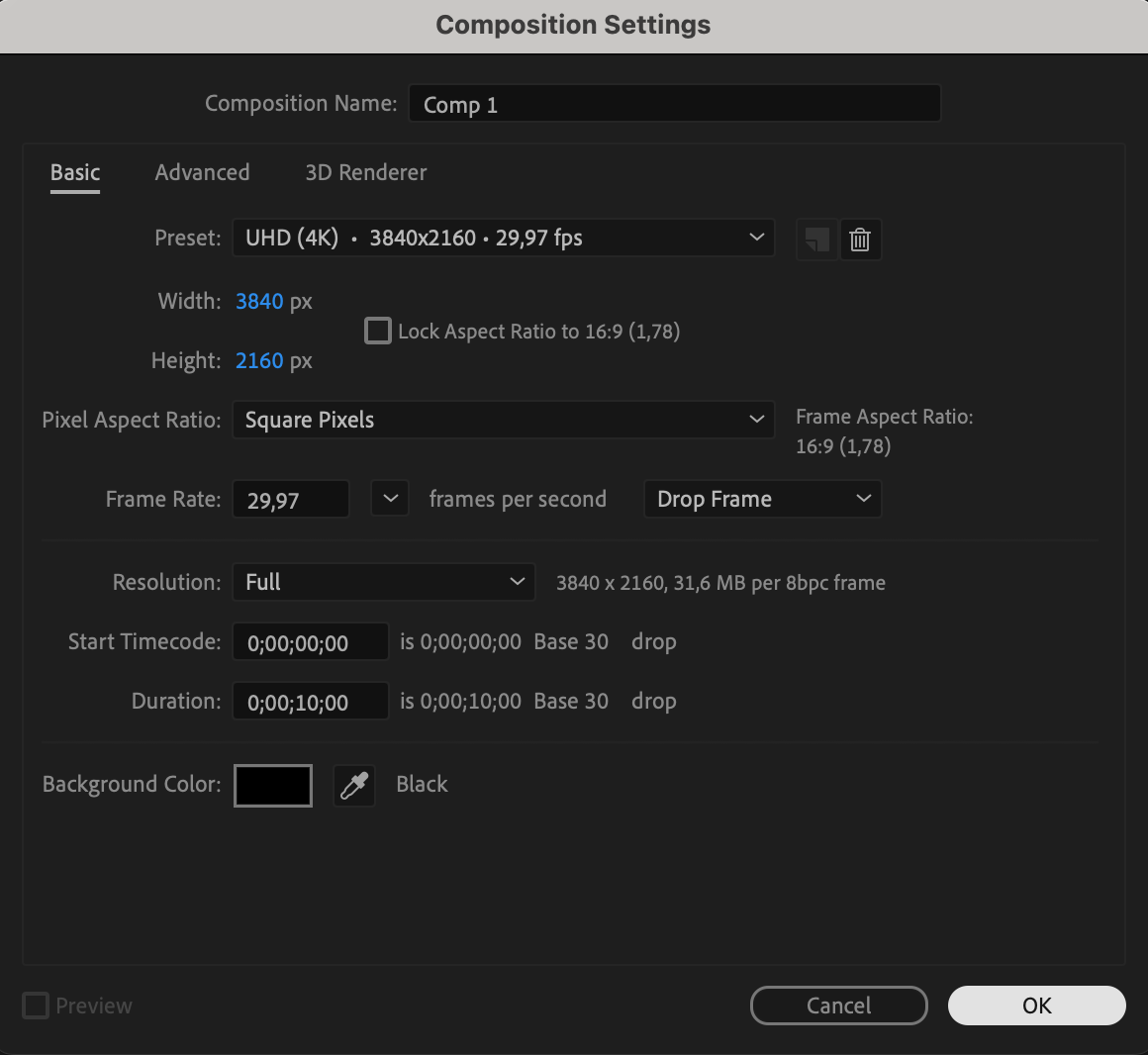
Start by launching After Effects and going to Composition > New Composition. Set your preferred resolution, frame rate, and duration. This comp will serve as your main scene where you’ll build and animate your digital interface.
 Step 2: Open AEJuice Pack Manager
Navigate to Window > AEJuice Pack Manager 4 to launch the plugin panel. This panel gives you access to all your AEJuice content in one place. Make sure you’re logged in to access your purchased packs.
Step 3: Download the Digital Screen Constructor Pack
Scroll or search for Digital Screen Constructor inside the Pack Manager. If you haven’t downloaded it yet, click on it and wait for the download to complete. Once downloaded, you can preview a wide selection of high-tech UI elements and screen designs.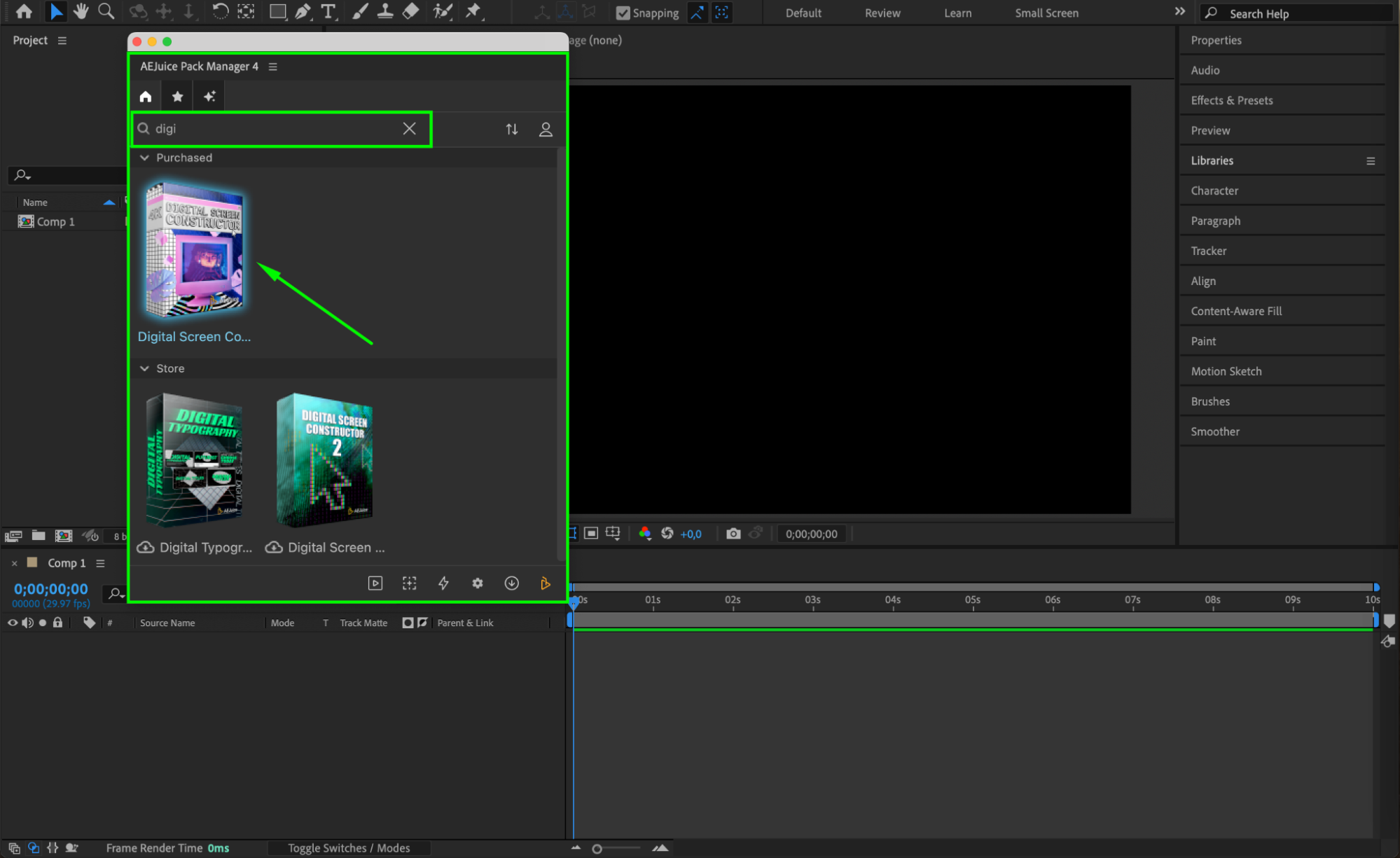 Step 4: Choose and Import a Template
Browse through the pack and find a digital screen template that fits your style. Once you find the one you like, position your CTI (current time indicator) in the timeline, then click Import. The effect will appear in your composition as a pre-comp, automatically resized to fit your comp settings.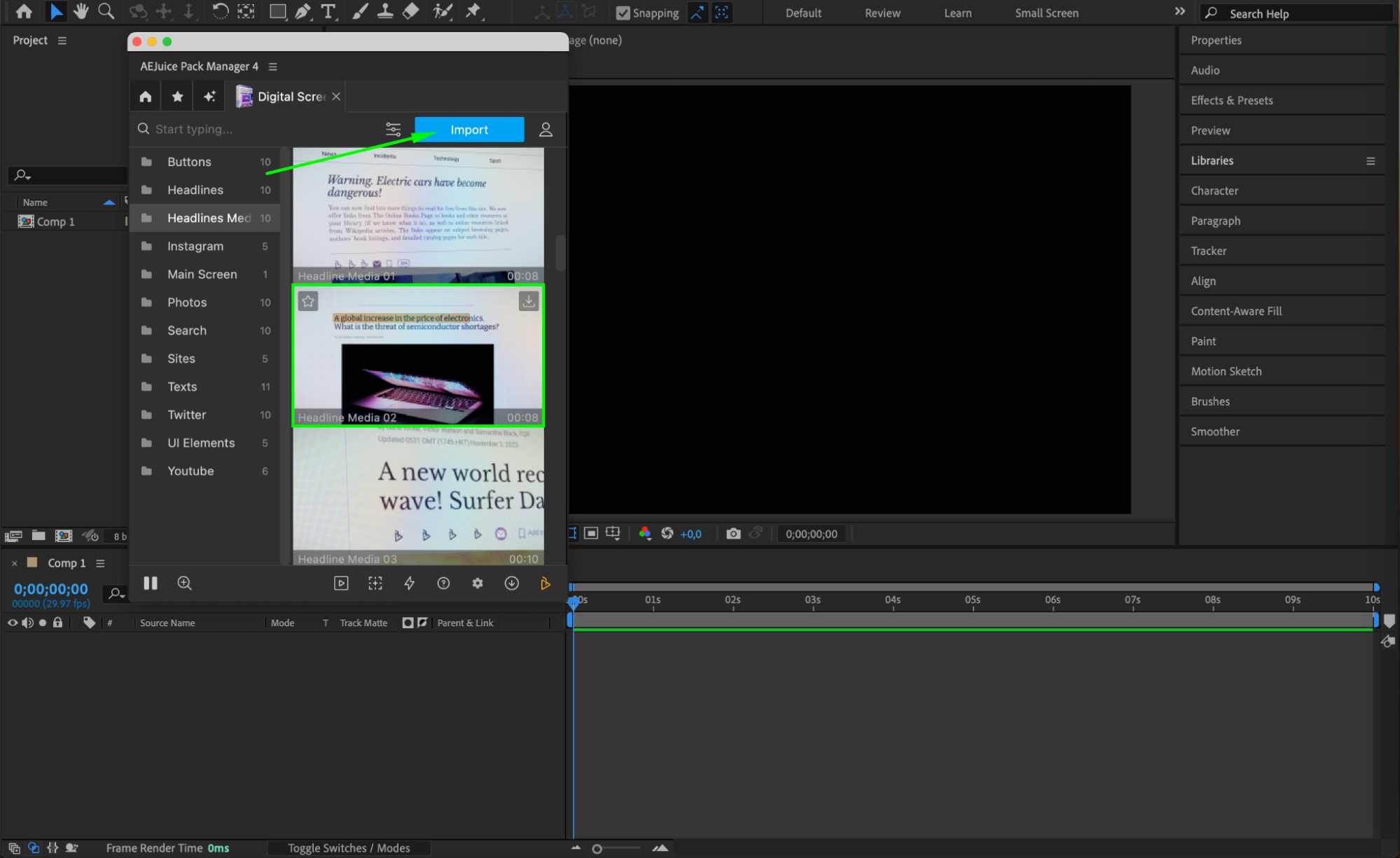
Step 5: Customize the Design
Click on the Edit button (represented by three sliders) next to the imported element in Pack Manager. A customization panel will appear where you can edit the text, font, and text size, as well as replace placeholders by clicking Choose File and uploading your own image or screenshot. This makes it easy to showcase your own content inside a futuristic UI.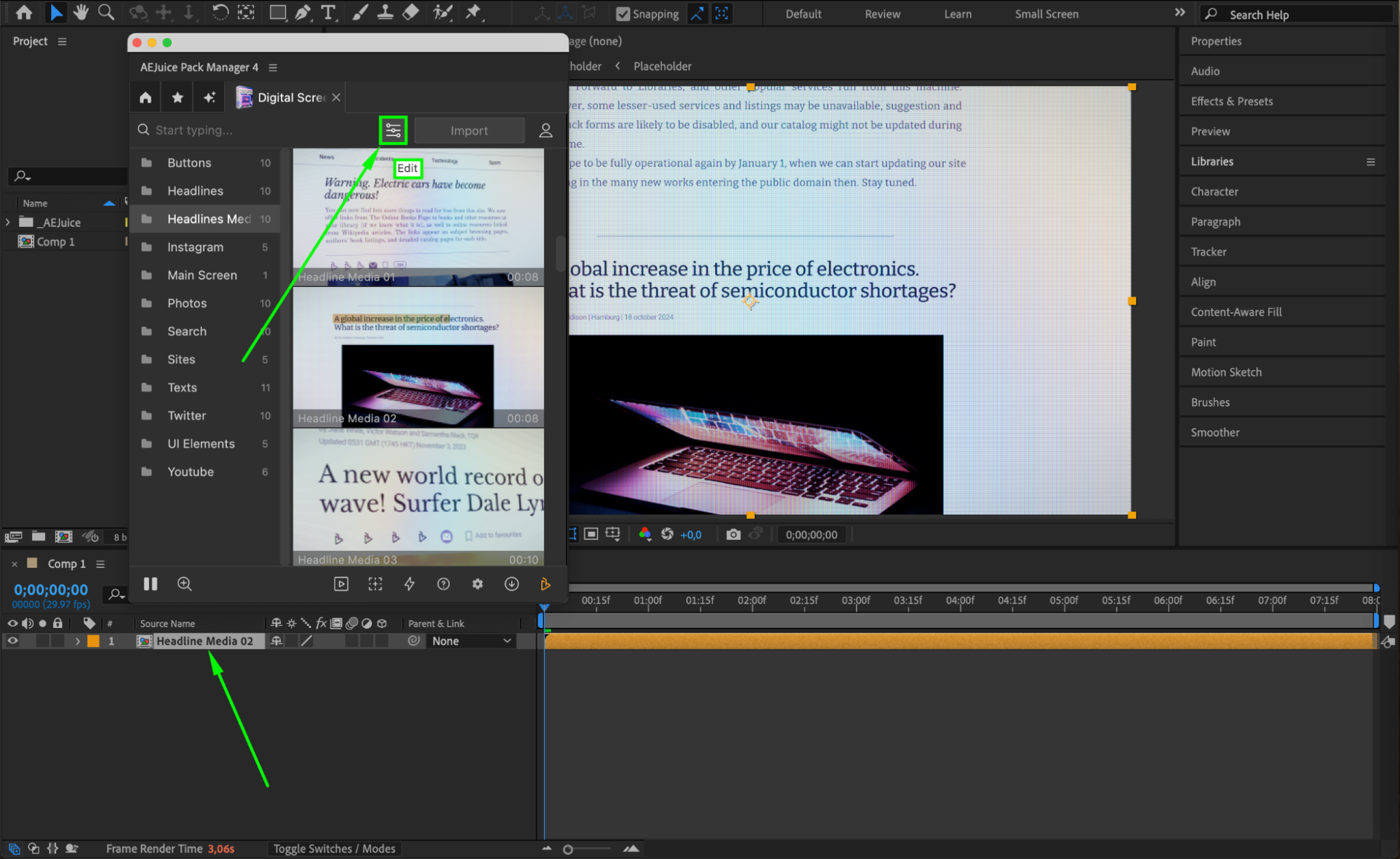
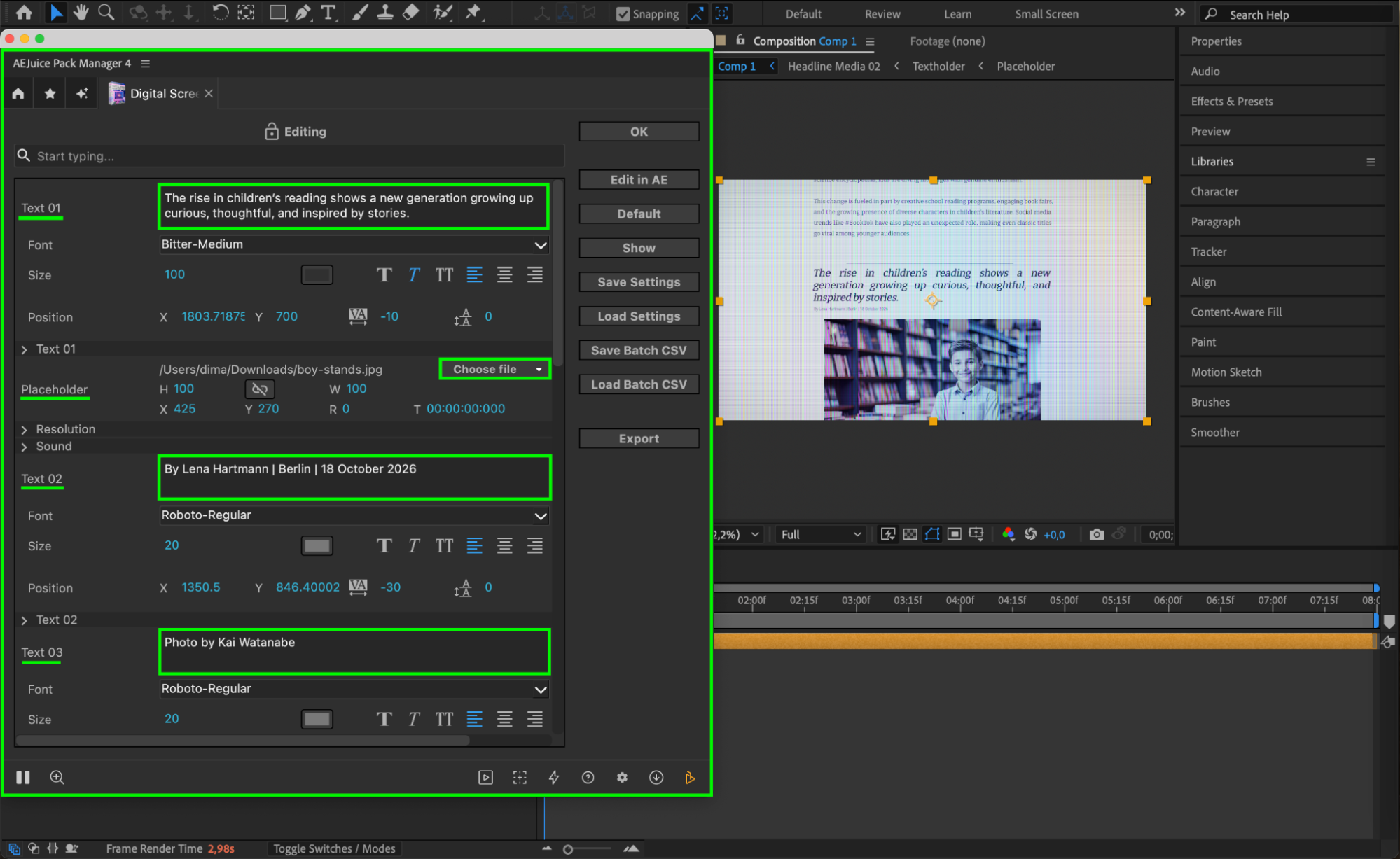 Step 6: Preview and Final Touches
Use the spacebar to preview your animation. You can make final tweaks by adjusting the timing, opacity, or adding effects like glow or noise for extra realism. Combine multiple screen layers to create complex dashboard interfaces.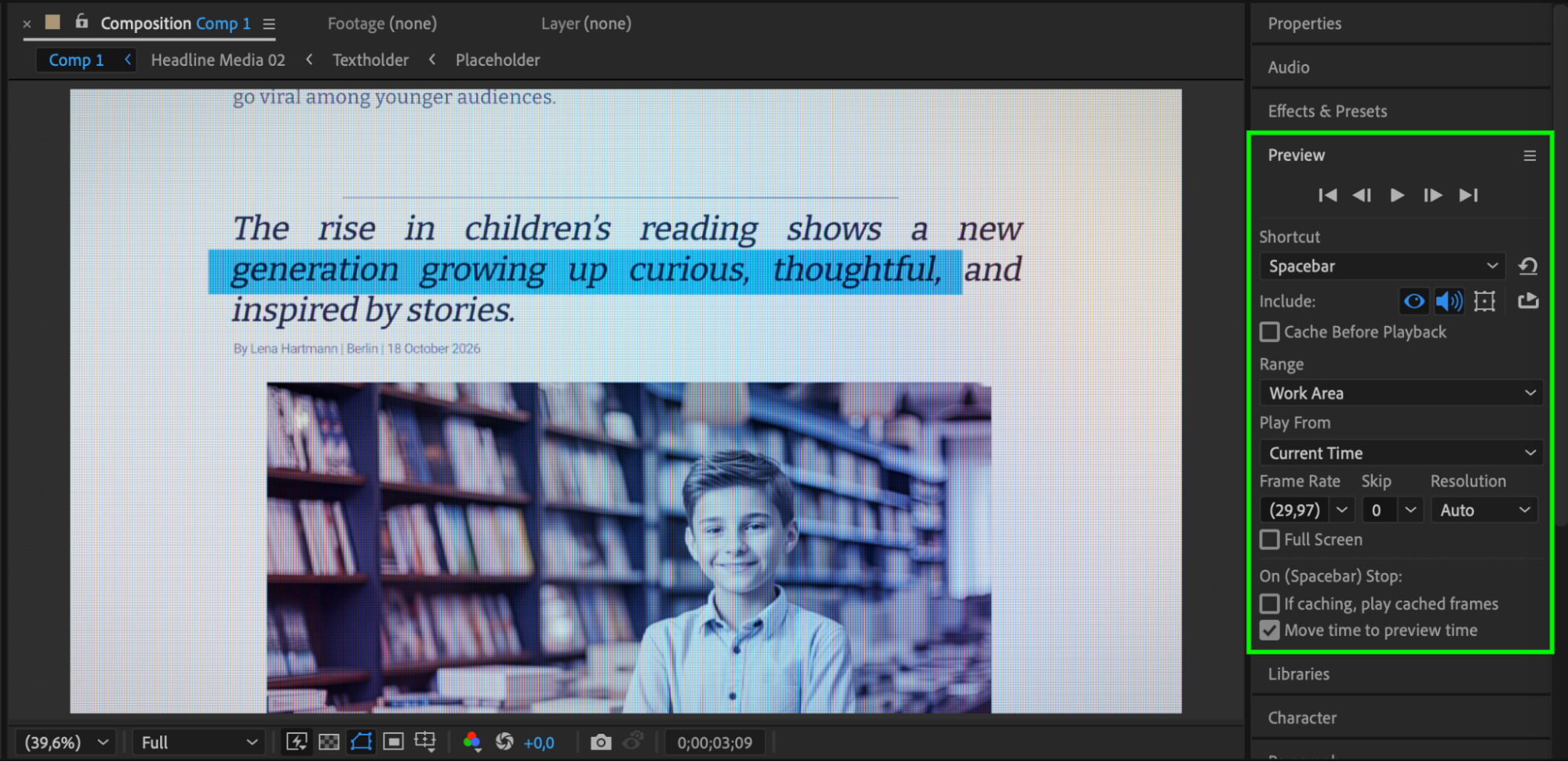
Conclusion
The Digital Screen Constructor Pack is a powerful tool for creating cinematic, tech-style compositions without building everything from scratch. Whether you’re working on a sci-fi video, app promo, or digital display, these templates save time and deliver professional results.
Our Bestsellers
Our Bestsellers


