Plugins Gratuits
Produits
Accès Complet
Ressources
AccueilBlogTrim composition in After Effects

Trim composition in After Effects

TipsJacob Syrytsia
506487
After Effects
13 Nov, 2023
Économisez avec un code promo AEJuice
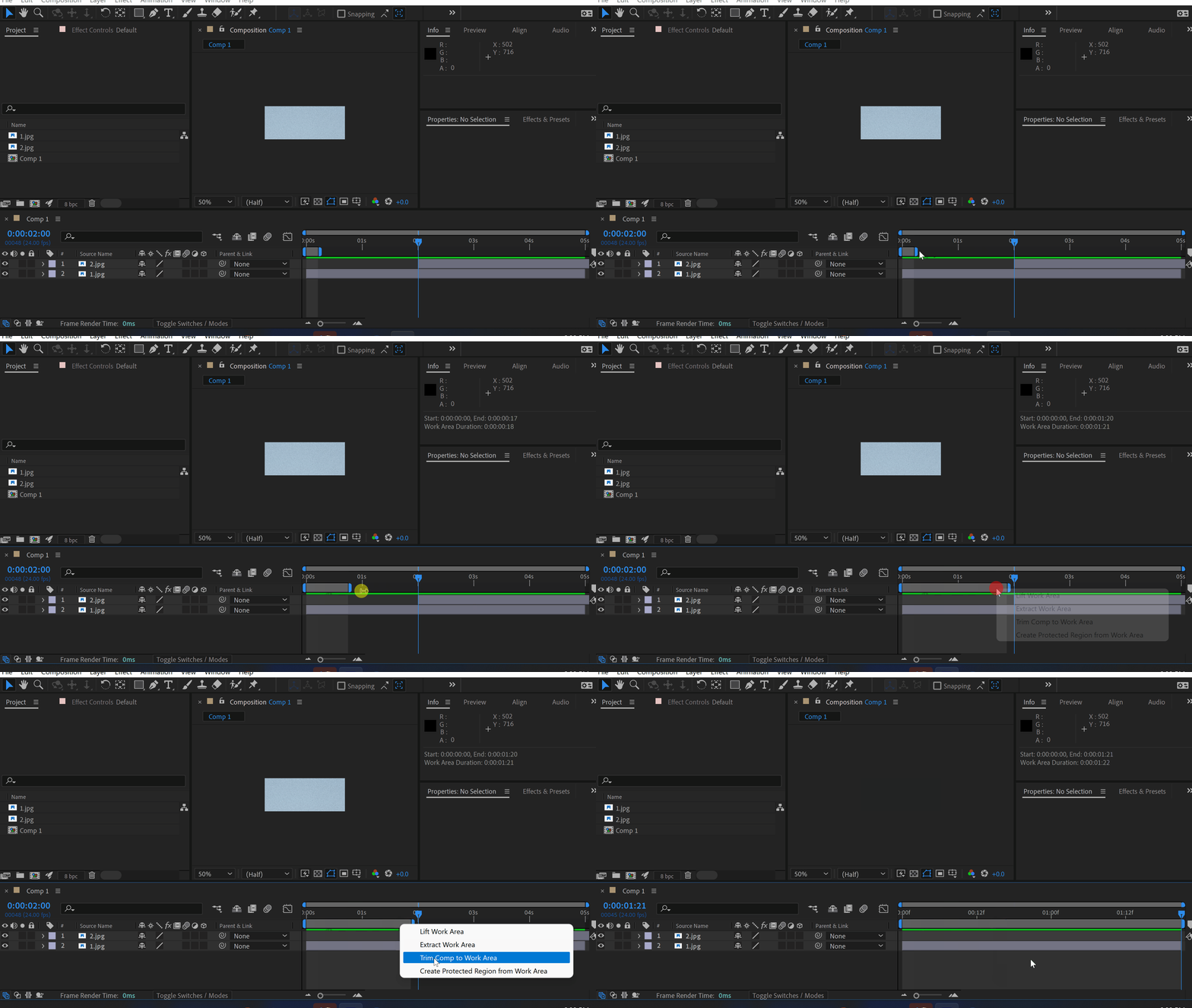
Use your work area duration to trim a composition.
It is much faster than adjusting the comp’s duration in settings.
Pro tip: use shortcuts B and N to adjust the work area.

Click here to receive more tips by email.

-%
-%
00h : 00min : 00s
Promo partout
Acheter
Jacob Syrytsia
Similar Articles
thumbnail-fallback.16c3af4eHow to Create a VHS Effect in After Effects
Tutorials
thumbnail-fallback.16c3af4eHow to Create a VHS Effect in After Effects
Tutorials
thumbnail-fallback.16c3af4eHow to Make an Object Fade in After Effects
Tutorials506487After Effects
thumbnail-fallback.16c3af4eHow to Make an Object Fade in After Effects
Tutorials506487After Effects
thumbnail-fallback.16c3af4eHow to Make Animation in Adobe After Effects
Tutorials506487After Effects
thumbnail-fallback.16c3af4eHow to Make Animation in Adobe After Effects
Tutorials506487After Effects
3526675
E-mailRéponse sous 24 heuresCentre d'aideDocumentation détaillée
Liens Rapides
AccueilAffiliésPolitique de ConfidentialitéConditions d'UtilisationRemboursementsContact
Assistance
ProduitsPlugins GratuitsQuoi de Neuf ?BlogÀ ProposCommencer à Vendre
10 % de réduction par e-mail !
Copyright © 2021 - 2026 AEJuice LLC. Tous droits réservés.
support@aejuice.com