
I have a question: “I have an audio visualizer and I need to manually change the duration of hundreds of comps to adjust it to the new song. Is there a way to automate it?”.
There is!
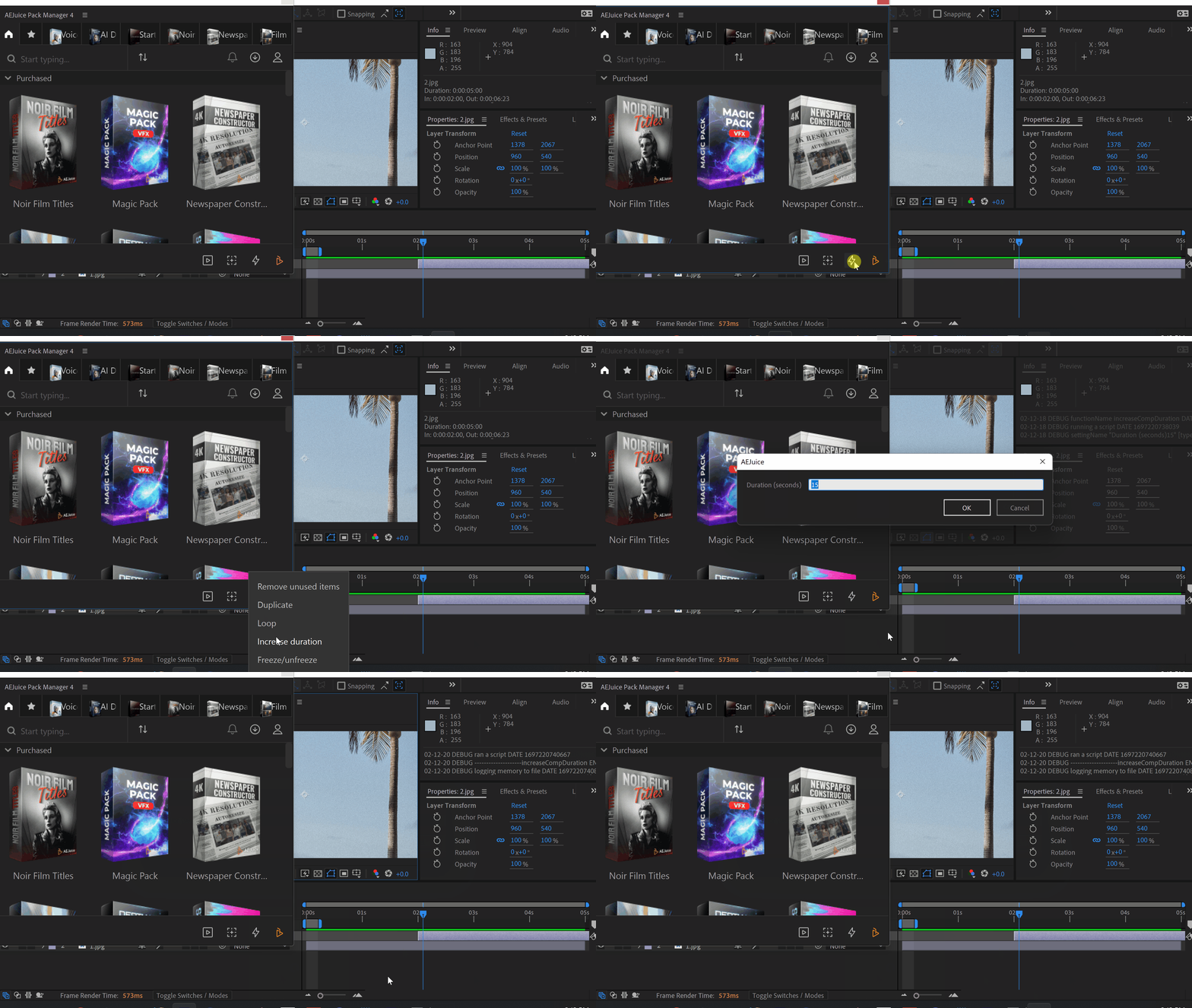
Go to Window-AEJuice Pack Manager.
Click on the lightning icon – Increase duration.
Enter the desired duration.
The script will go through active composition and its nested compositions recursively and adjust duration (both comps and layers).
You can select a layer to increase only the layer’s duration with its nested precopms.
Pro tip: you can enter “+5” or “-5” to increase or decrease the duration by 5 seconds.
If you already have our plugins installed go to Windows-AEJuice Pack Manager
If not, here are direct links for the installer
Windows / macOSClick here to receive more tips by email.
Windows / macOSClick here to receive more tips by email.
Our Bestsellers
Our Bestsellers
Similar Articles

