
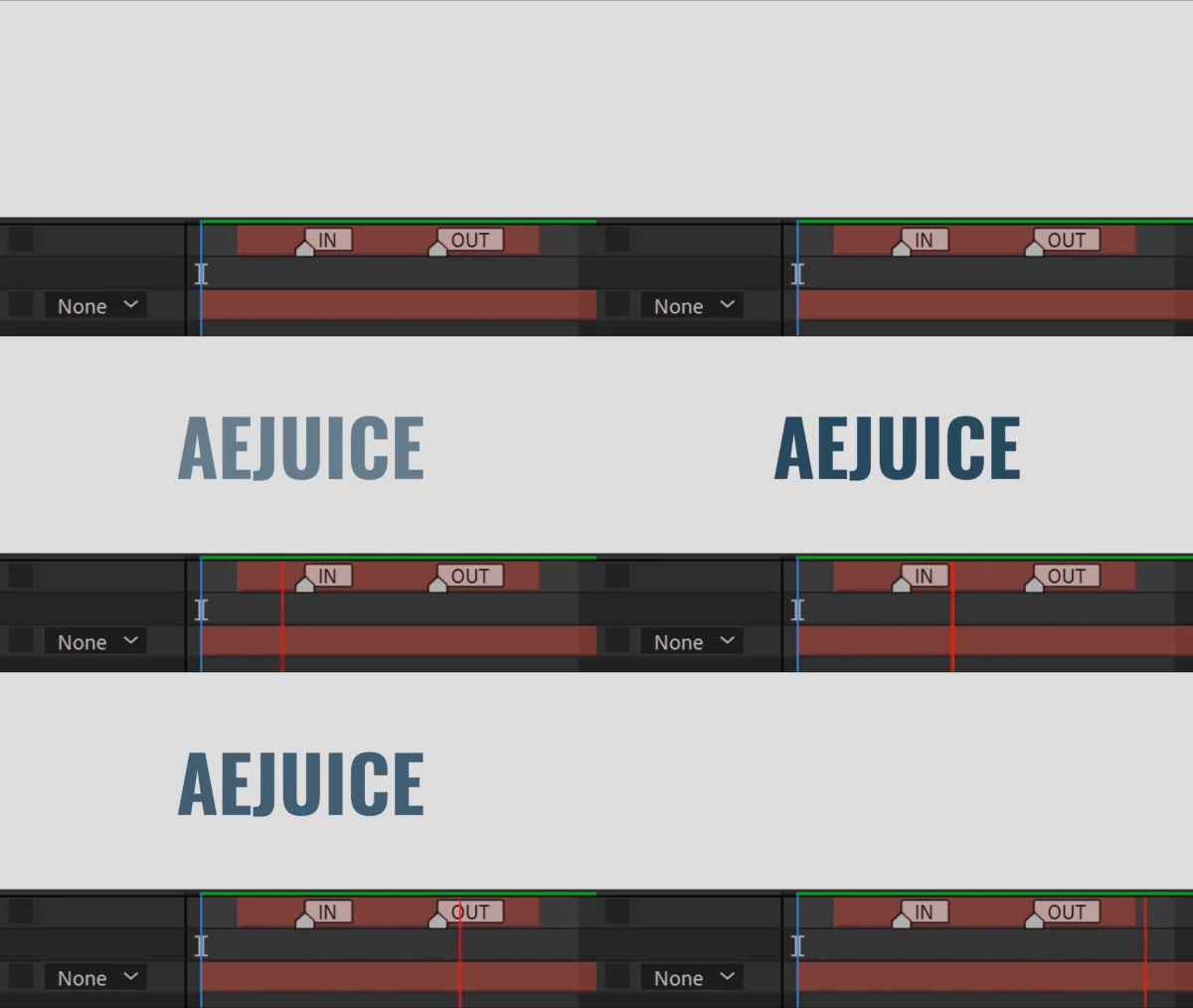
fadeOnMarkers エクスプレッションを使えば、マーカーで長さを設定して、フェードインとフェードアウトのエフェクトを簡単に作成できます。タイムラインに配置したマーカーに基づいてレイヤーの不透明度を制御する処理を簡単にします。Opacity プロパティに適用してください。
var markers = thisLayer.marker;
var numMarkers = markers.numKeys;
var numMarkers = markers.numKeys;
// Ensure there is at least one marker (for the fade-out)
if (numMarkers >= 2) {
// Calculate the fade-in effect based on the in-point
var fadeInStart = inPoint;
var fadeInEnd = markers.key(1).time;
if (numMarkers >= 2) {
// Calculate the fade-in effect based on the in-point
var fadeInStart = inPoint;
var fadeInEnd = markers.key(1).time;
// Calculate the fade-out effect based on the marker
var fadeOutStart = markers.key(2).time;
var fadeOutEnd = outPoint;
var fadeOutStart = markers.key(2).time;
var fadeOutEnd = outPoint;
// Handle the different phases of the animation
if (time < fadeInEnd) {
// Fade-in phase
linear(time, fadeInStart, fadeInEnd, 0, 100);
} else if (time < fadeOutStart) {
// Fully visible phase
100;
} else if (time < fadeOutEnd) {
// Fade-out phase
linear(time, fadeOutStart, fadeOutEnd, 100, 0);
} else {
// Fully transparent phase
0;
}
} else {
// If there’s no marker, keep the layer fully opaque
100;
}レイヤーにマーカーが2つ必要である点に注意してください。
if (time < fadeInEnd) {
// Fade-in phase
linear(time, fadeInStart, fadeInEnd, 0, 100);
} else if (time < fadeOutStart) {
// Fully visible phase
100;
} else if (time < fadeOutEnd) {
// Fade-out phase
linear(time, fadeOutStart, fadeOutEnd, 100, 0);
} else {
// Fully transparent phase
0;
}
} else {
// If there’s no marker, keep the layer fully opaque
100;
}レイヤーにマーカーが2つ必要である点に注意してください。
プロのヒント:AEJuice Pack Manager – Expressions Pack を使えば、このエクスプレッションをワンクリックで適用できます。最新版プラグインの直接リンクはこちらです:
Windows / macOS
さらに多くのヒントをメールで受け取るにはこちらをクリック。
Our Bestsellers
Our Bestsellers
Similar Articles


