
Introduction
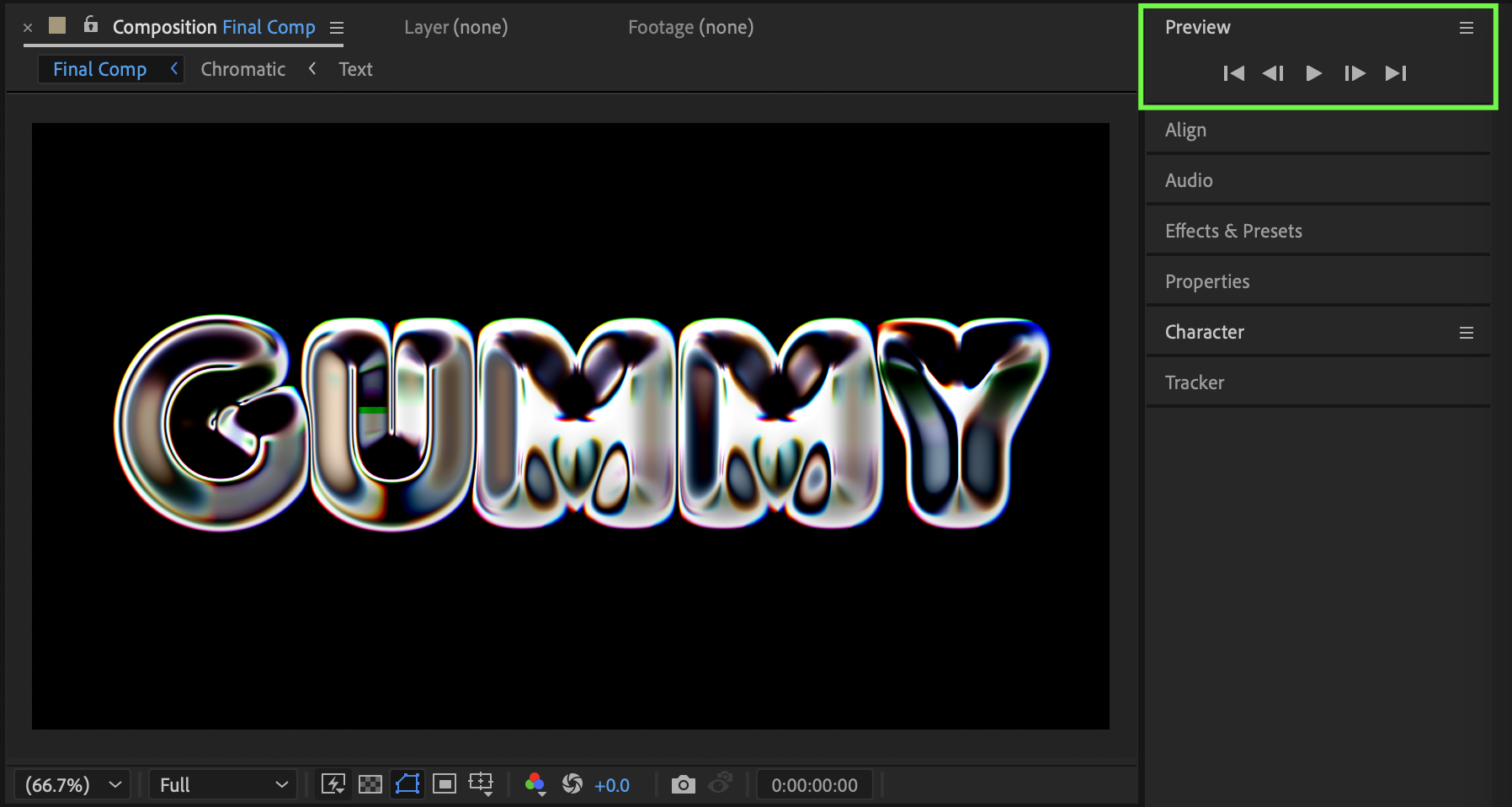
The gummy bubble text effect creates a soft, playful, and glossy look that works perfectly for pop visuals, social media content, and fun motion graphics. In this tutorial, you’ll learn how to build this effect using chromatic color separation and distortion effects in Adobe After Effects.
Step 1: Create the Text Composition
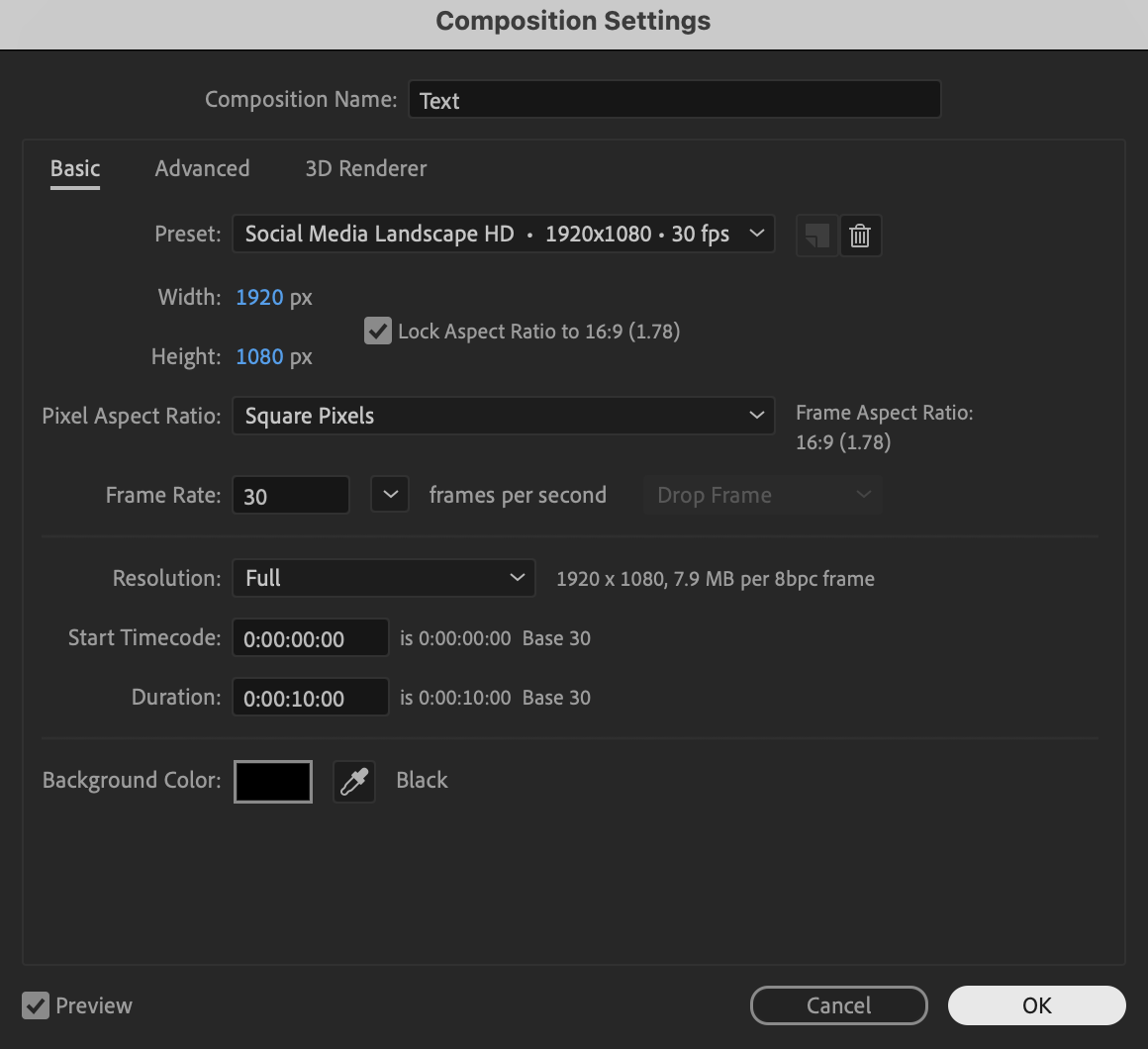
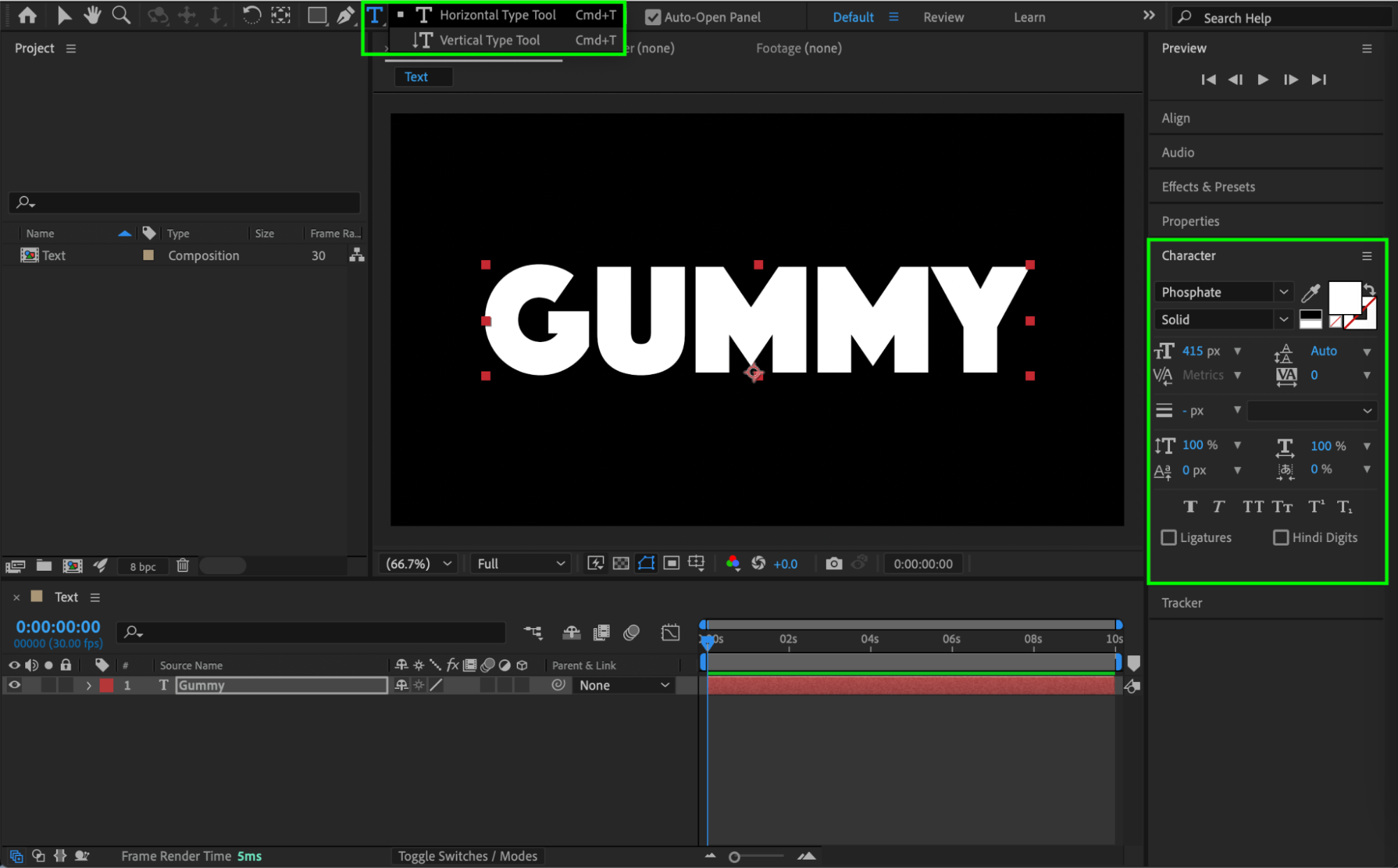
Create a new composition and name it Text. Use the Type Tool (Ctrl/Cmd + T) to create your text. Customize the font, size, and spacing using the Character panel.
 Step 2: Create the Chromatic Composition
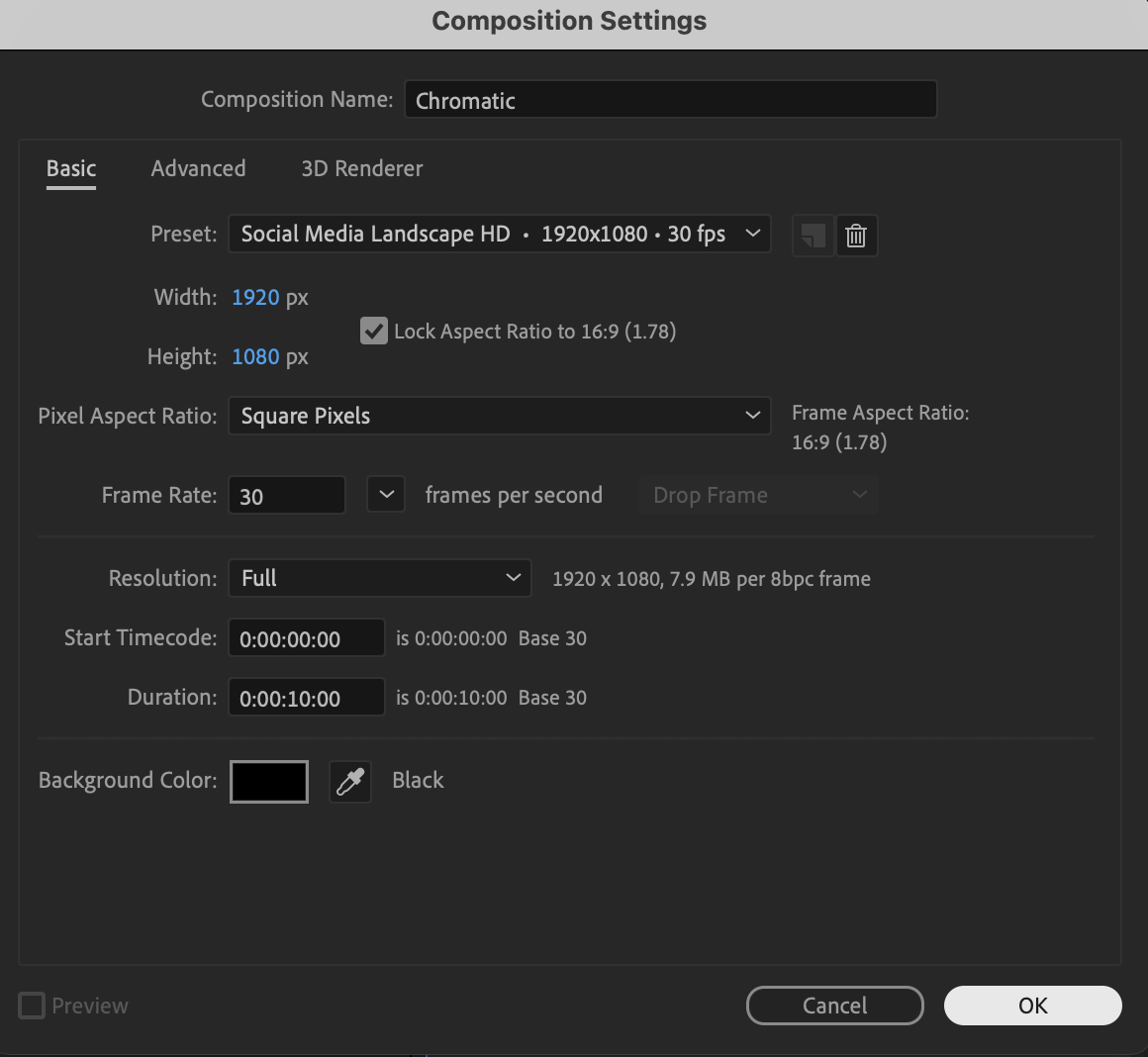
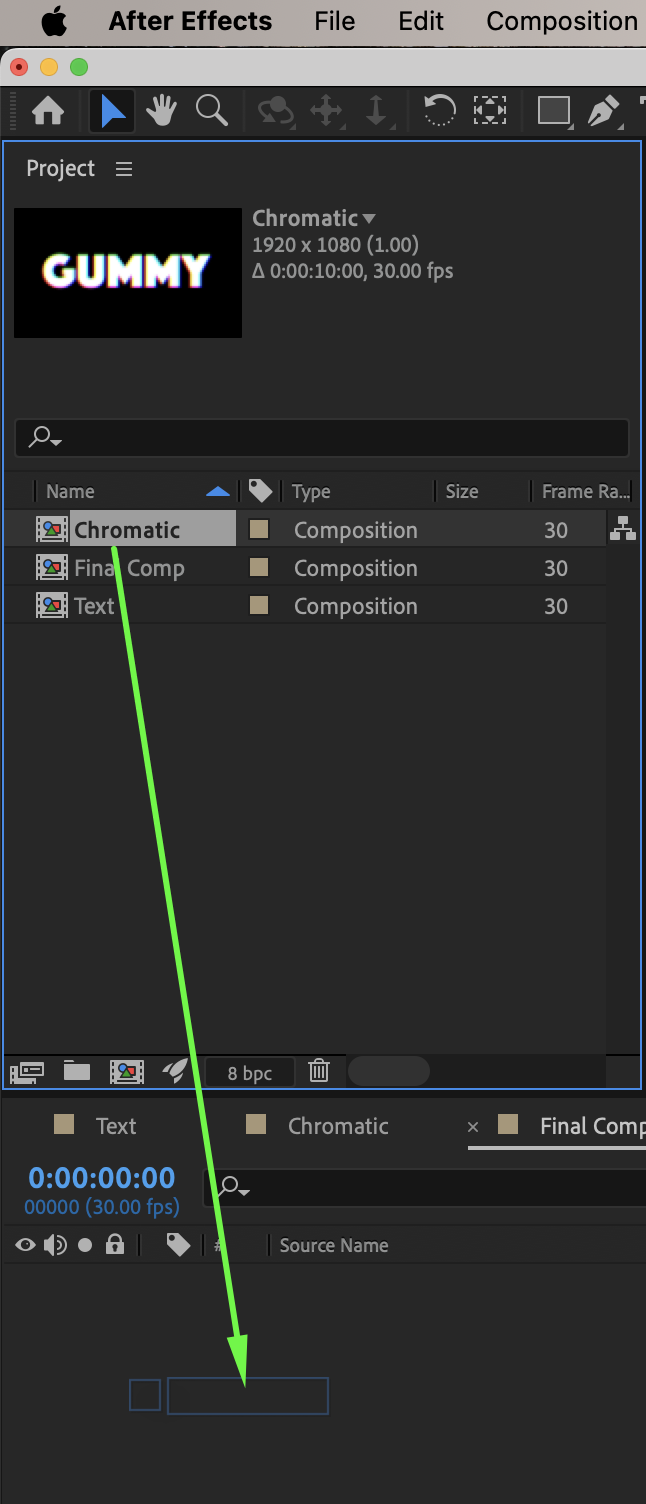
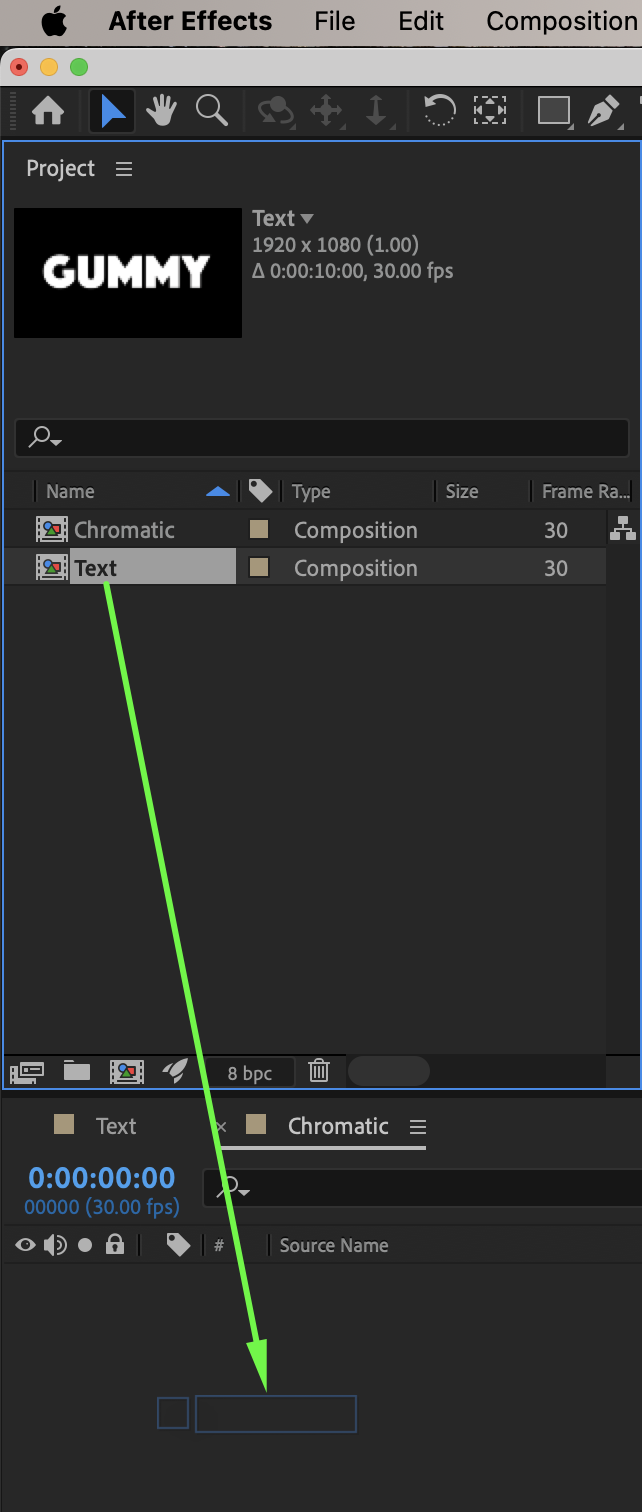
Create another new composition and name it Chromatic. Drag the Text pre-composition from the Project panel into the timeline.

Step 3: Apply Chromatic Color Separation
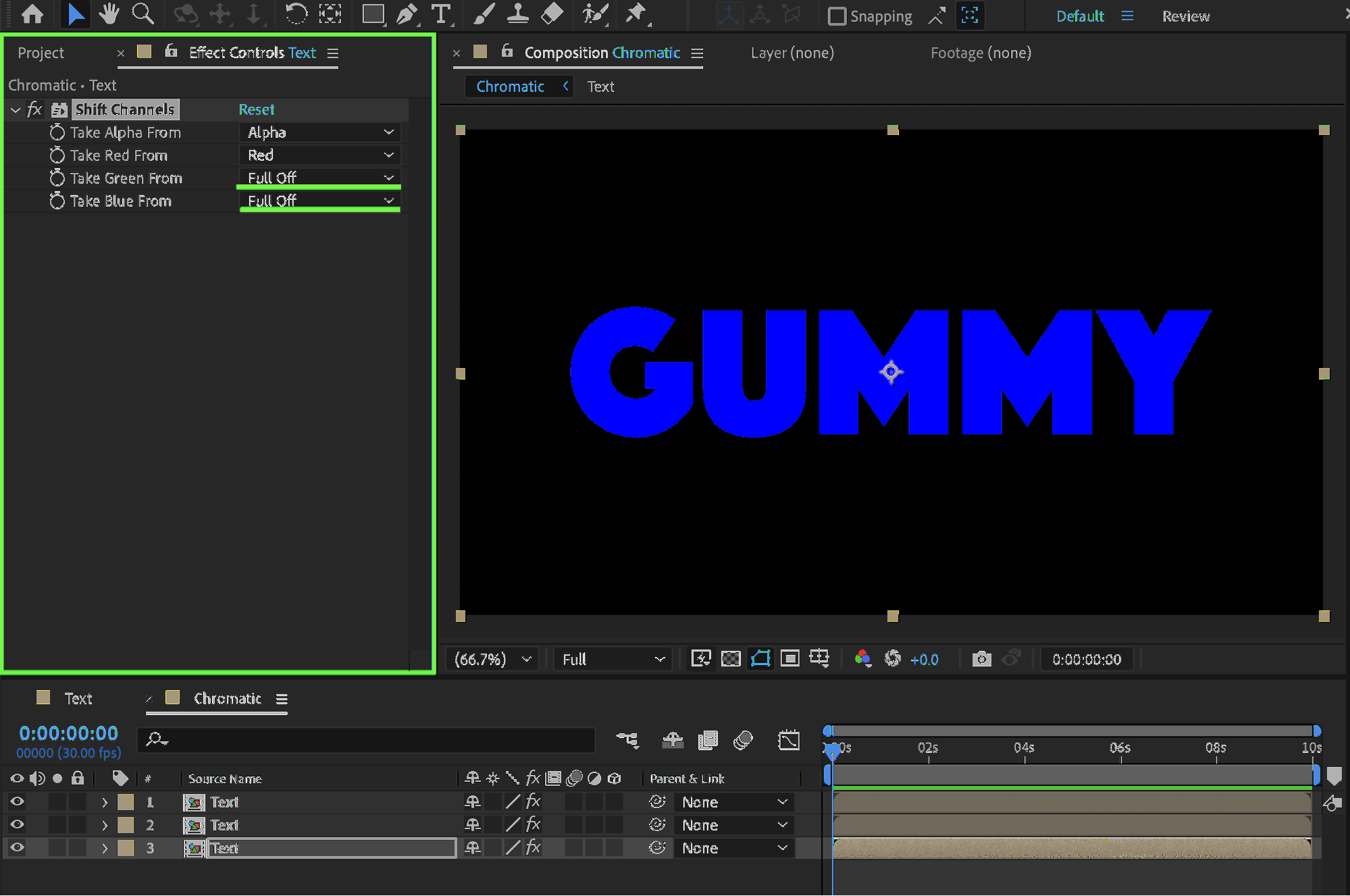
Apply the Shift Channels effect from Effects & Presets to the text pre-comp.
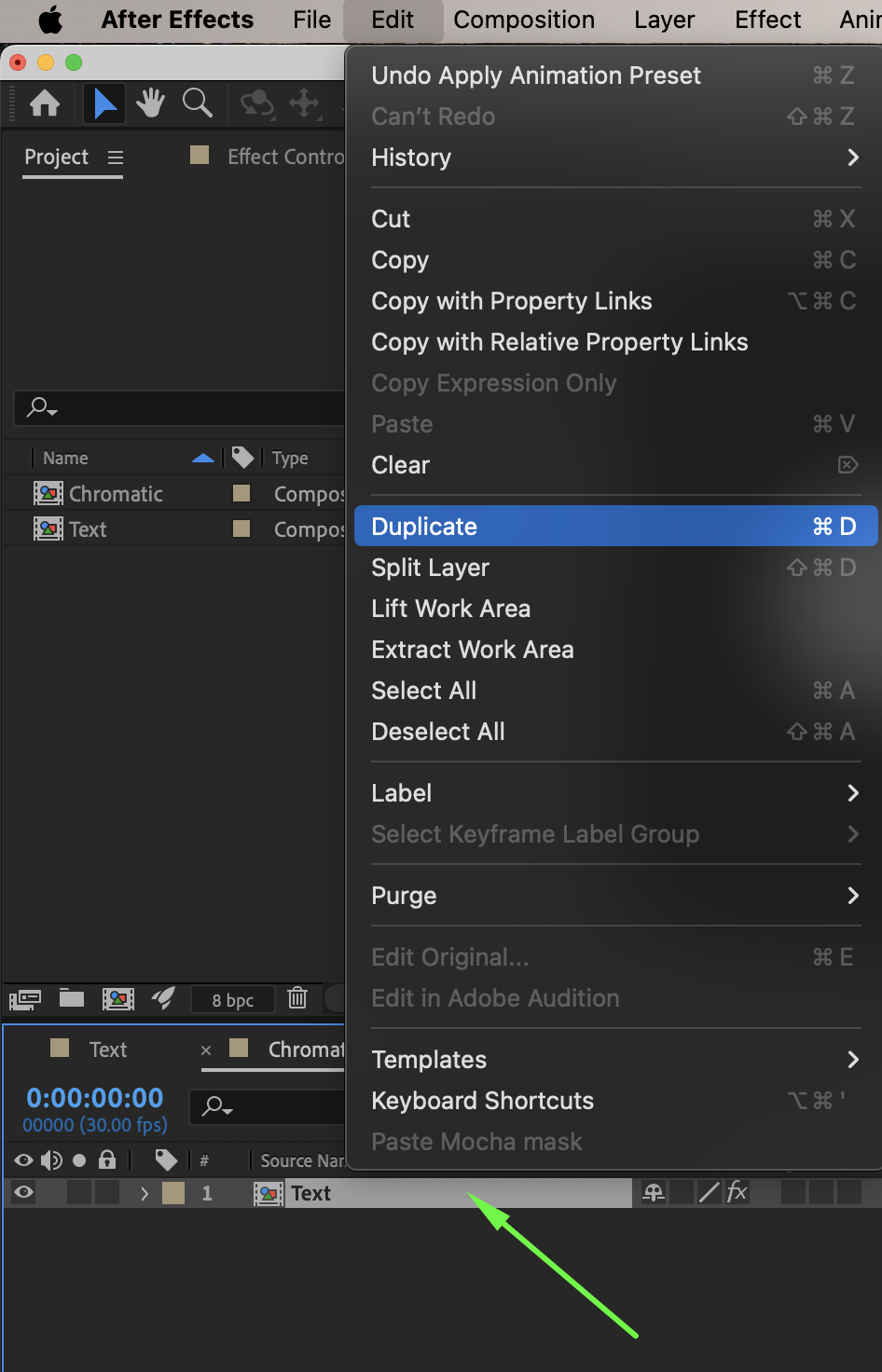
Duplicate the Text pre-comp two times, so you have three layers in total.
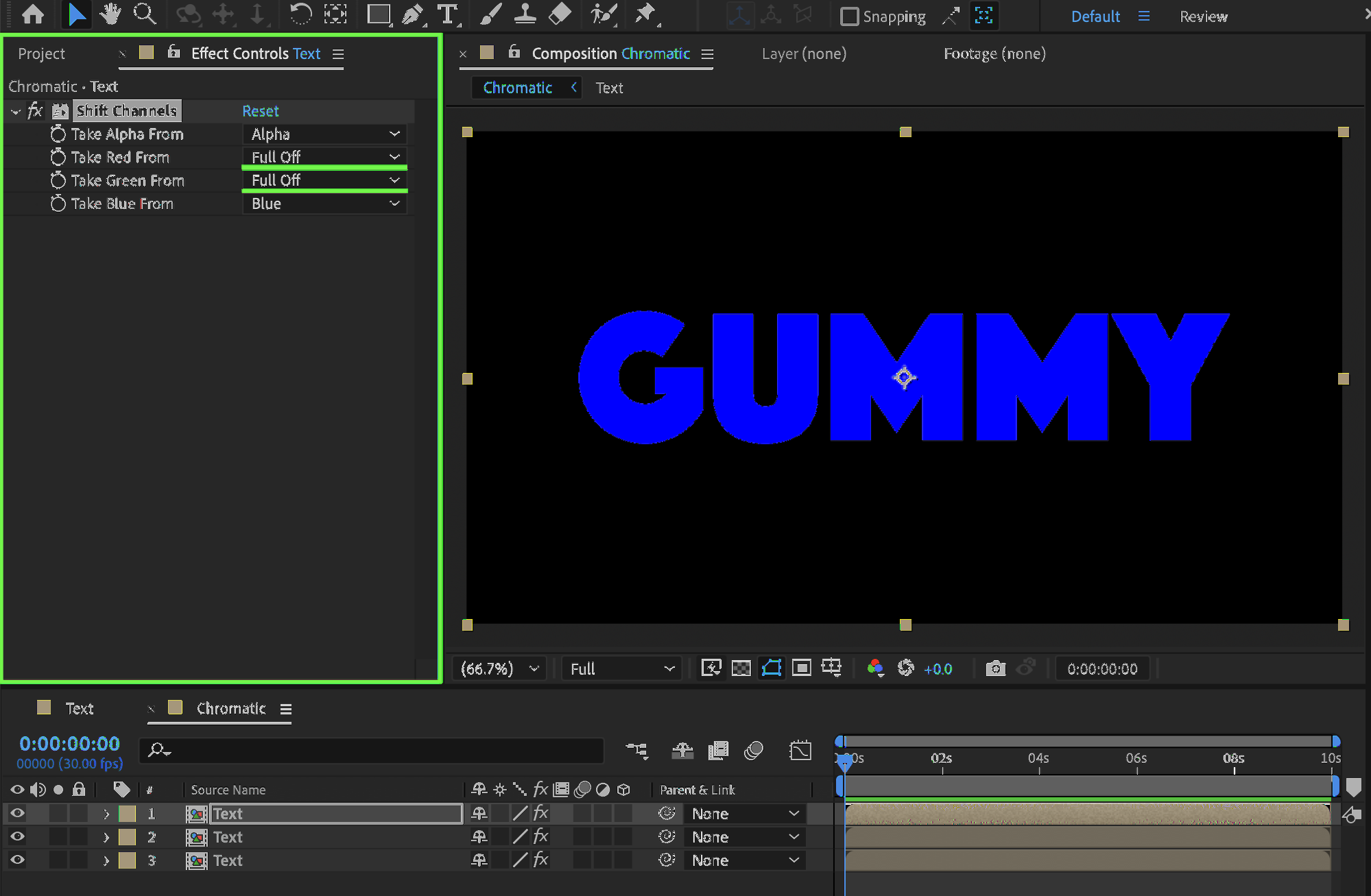
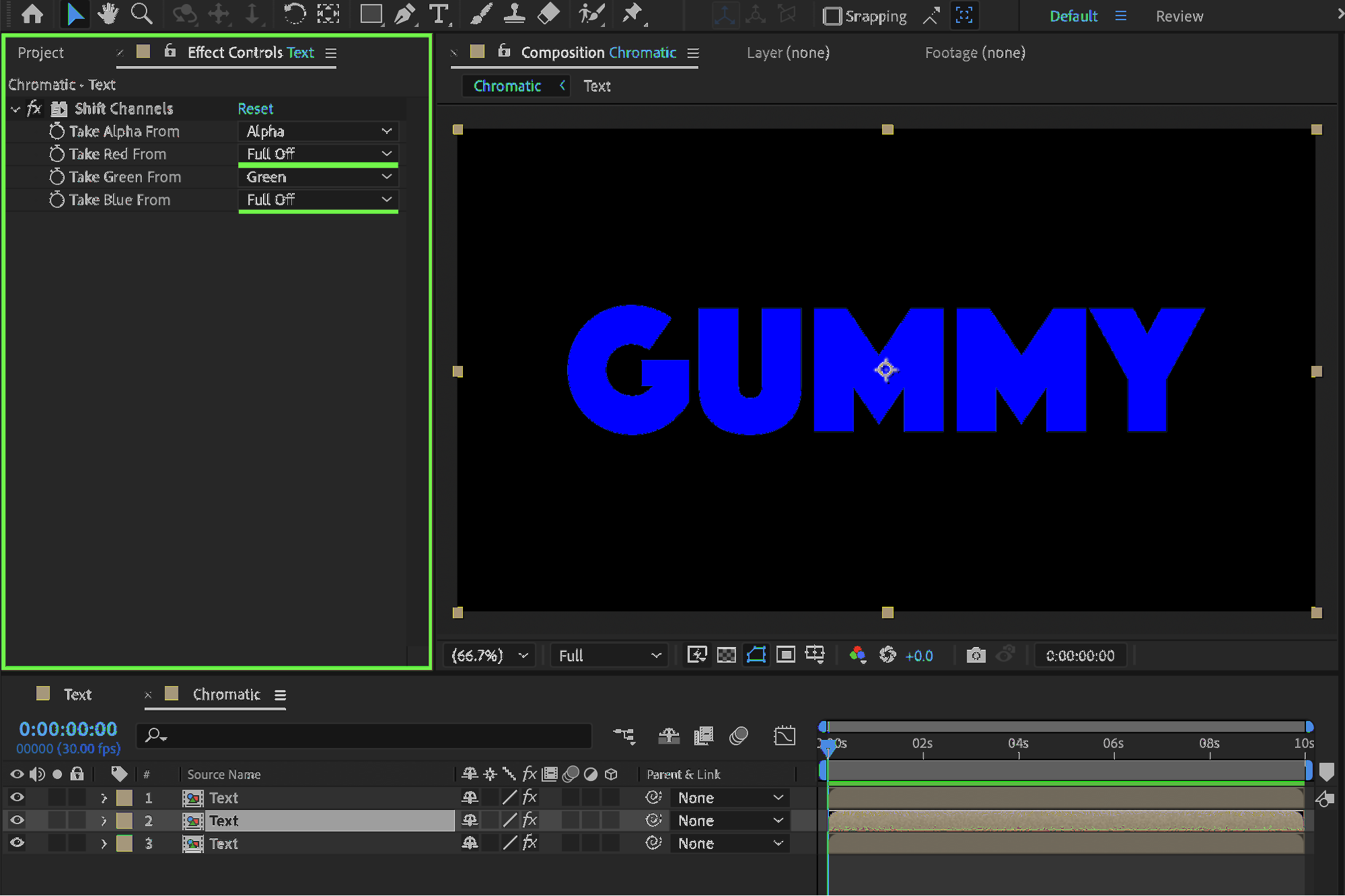
Set the Shift Channels values as follows:
Top layer:
Red: Full Off
Green: Full Off
Middle layer:
Red: Full Off
Blue: Full Off
Bottom layer:
Green: Full Off
Blue: Full Off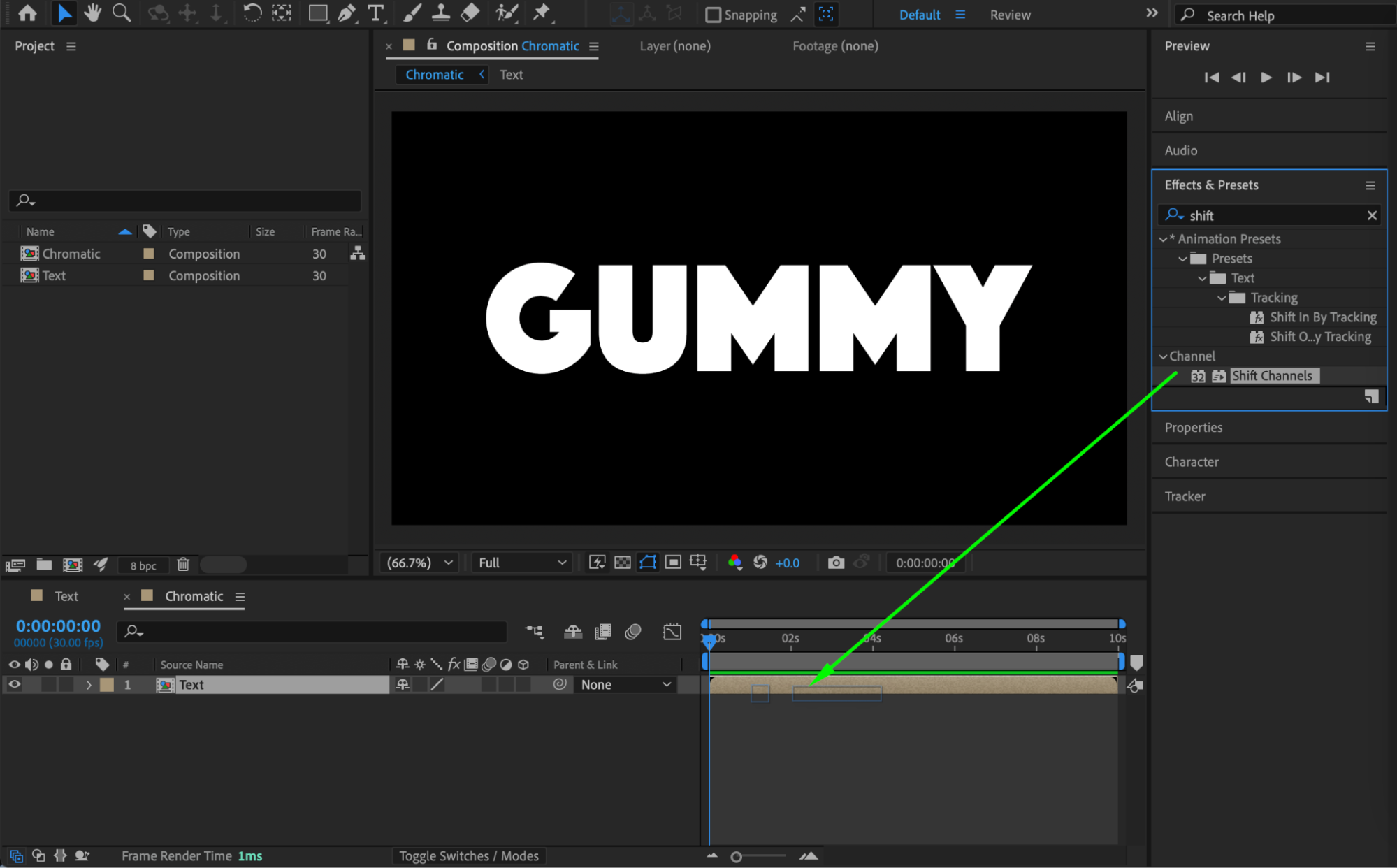
 Step 4: Blend and Offset the Layers
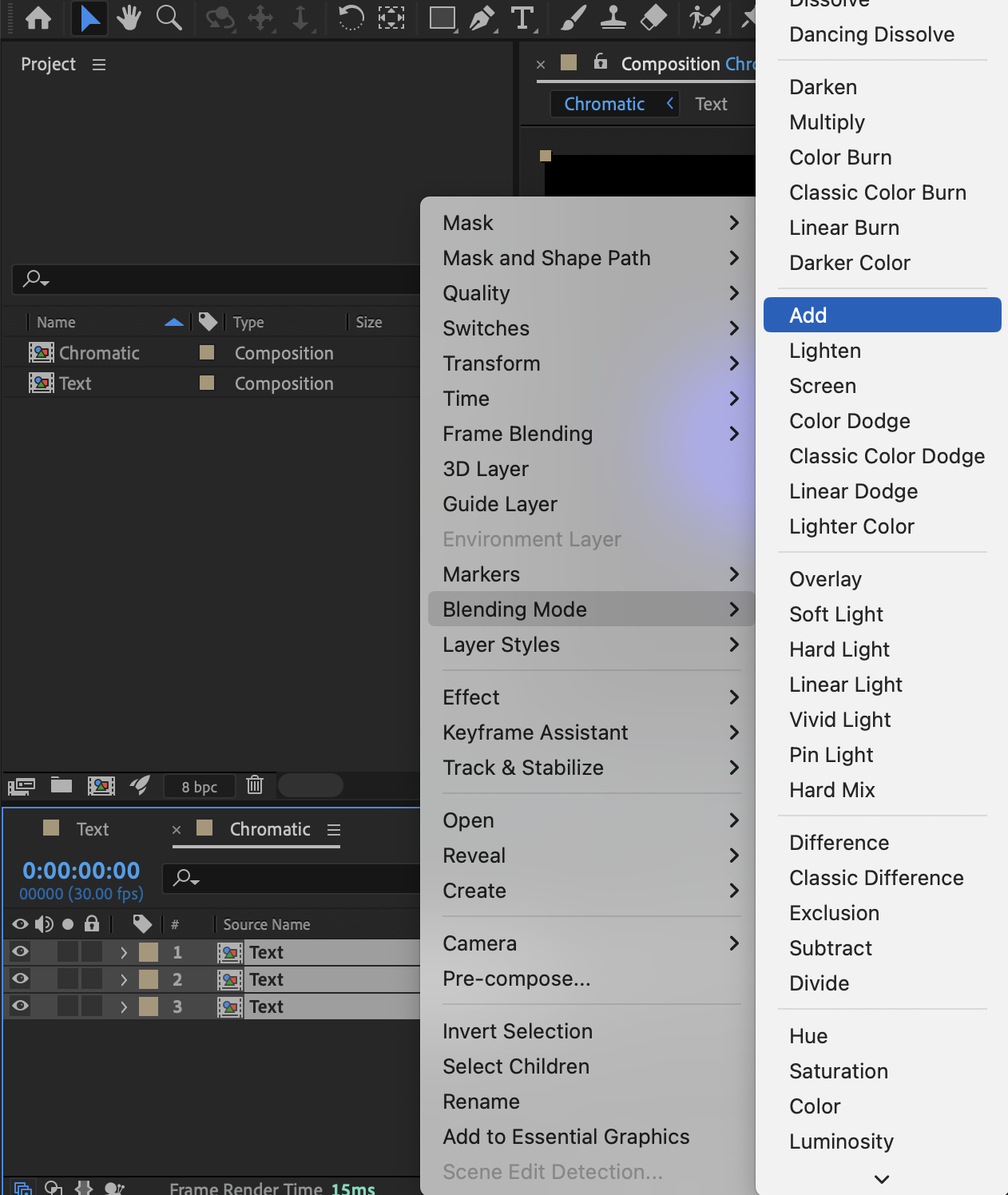
Select all three text layers. Right-click and choose Blending Mode → Add.
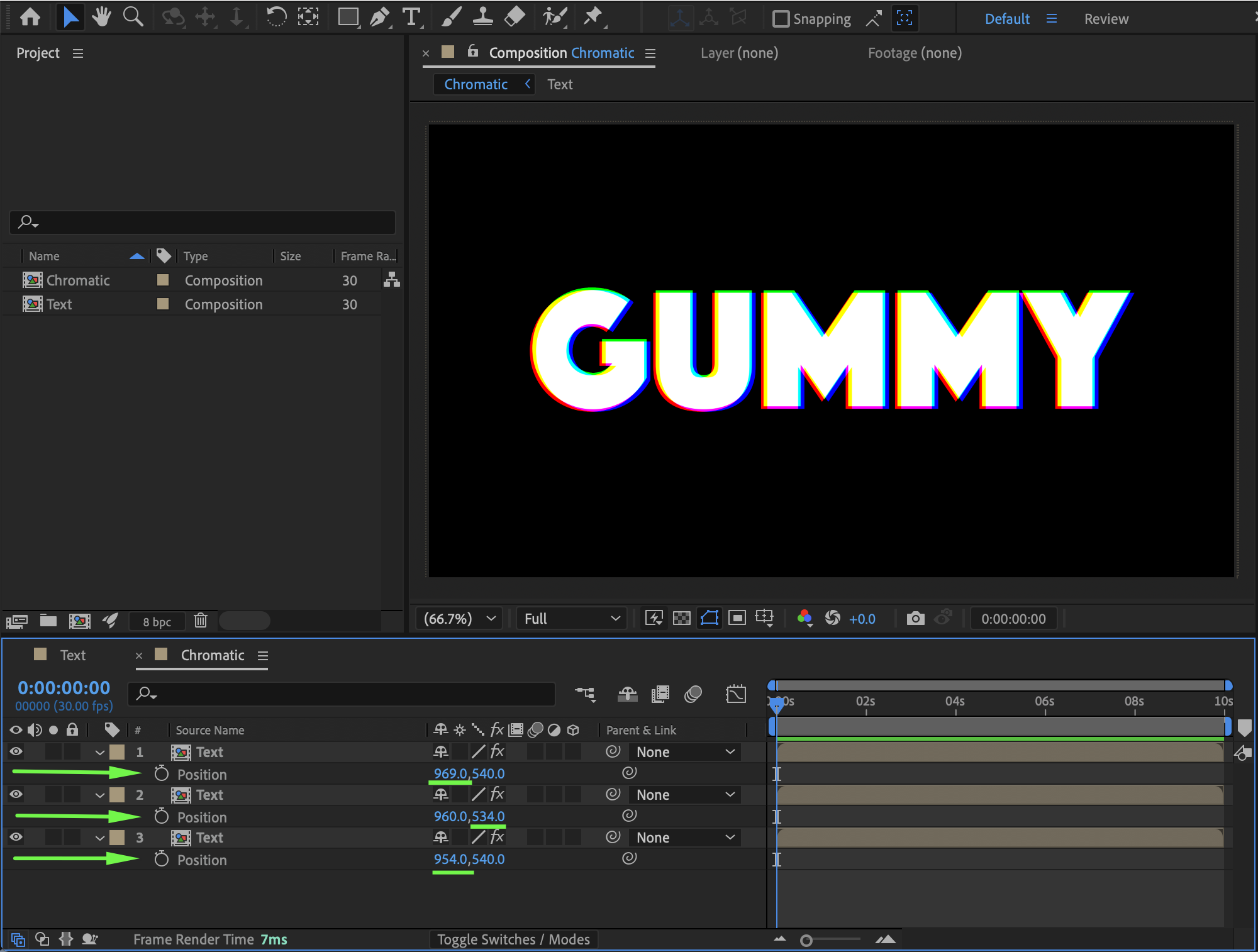
Slightly adjust the Position values of each layer by a few pixels to create a soft chromatic offset and enhance the gummy look.
Step 5: Create the Final Composition
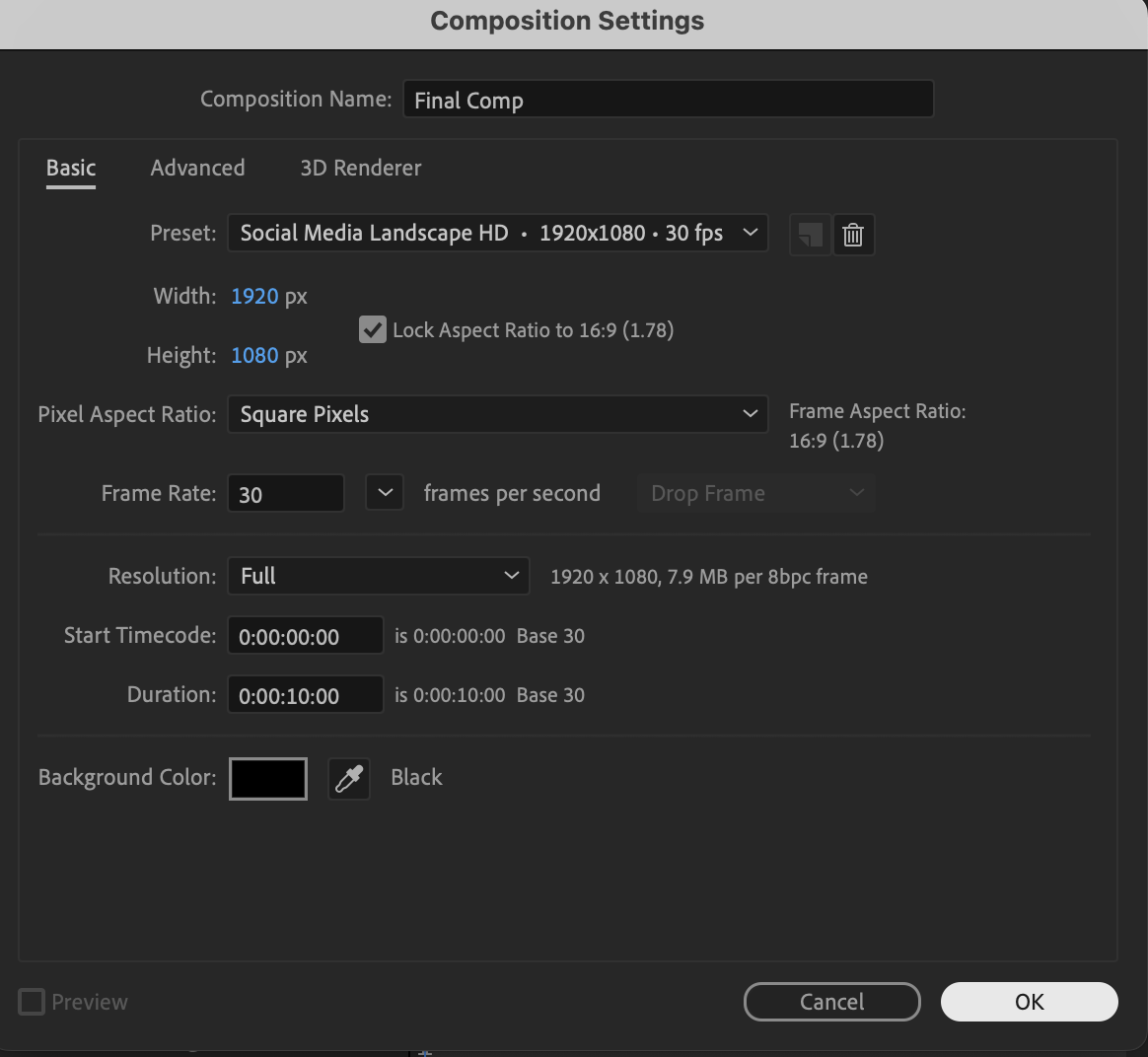
Create a new composition and name it Final Comp. Drag the Chromatic composition into the timeline.

 Step 6: Add the Gummy Bubble Distortion
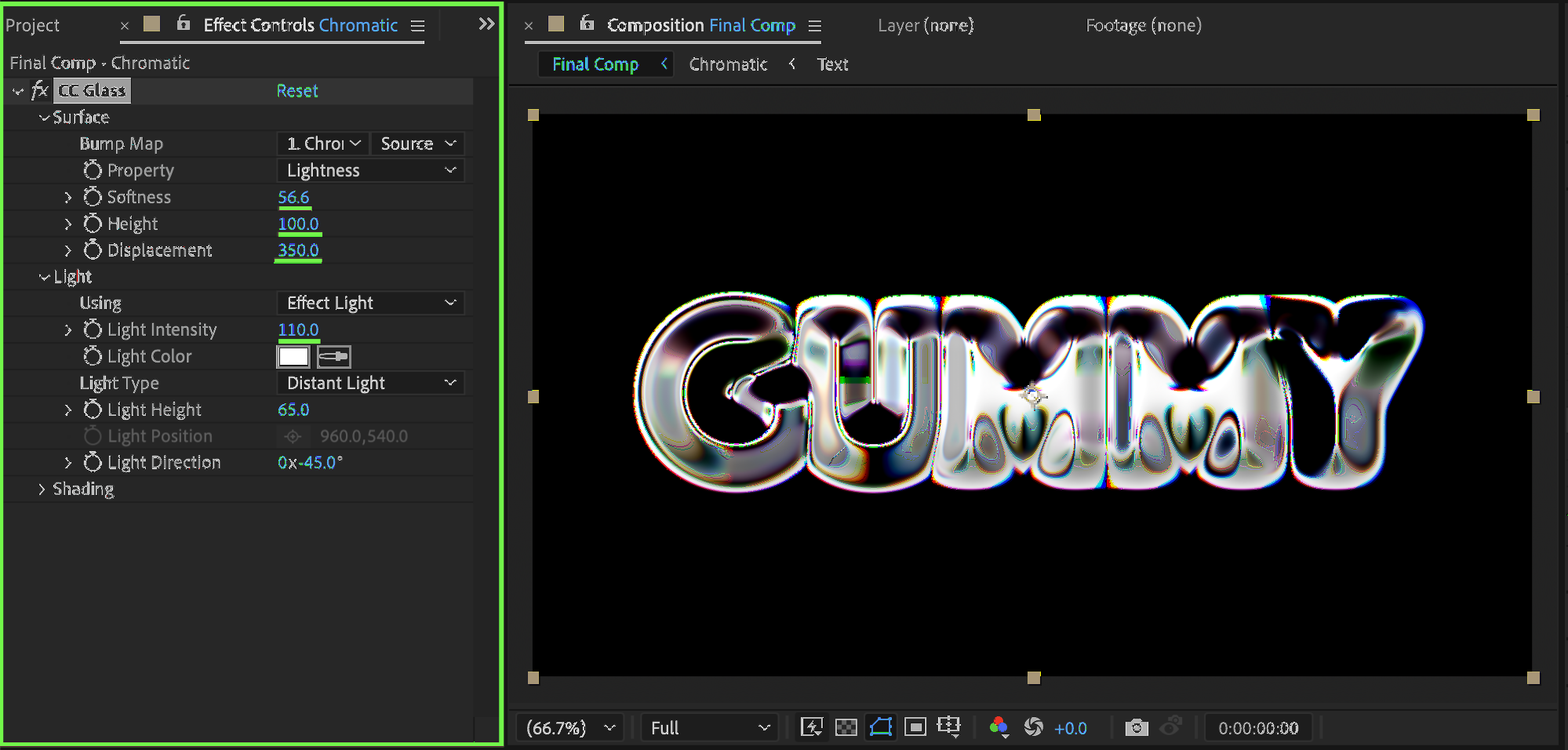
Apply the CC Glass effect from Effects & Presets and set:
Softness: 56
Height: 100
Displacement: 350
Light Intensity: 110
This adds the glossy, inflated bubble appearance to the text.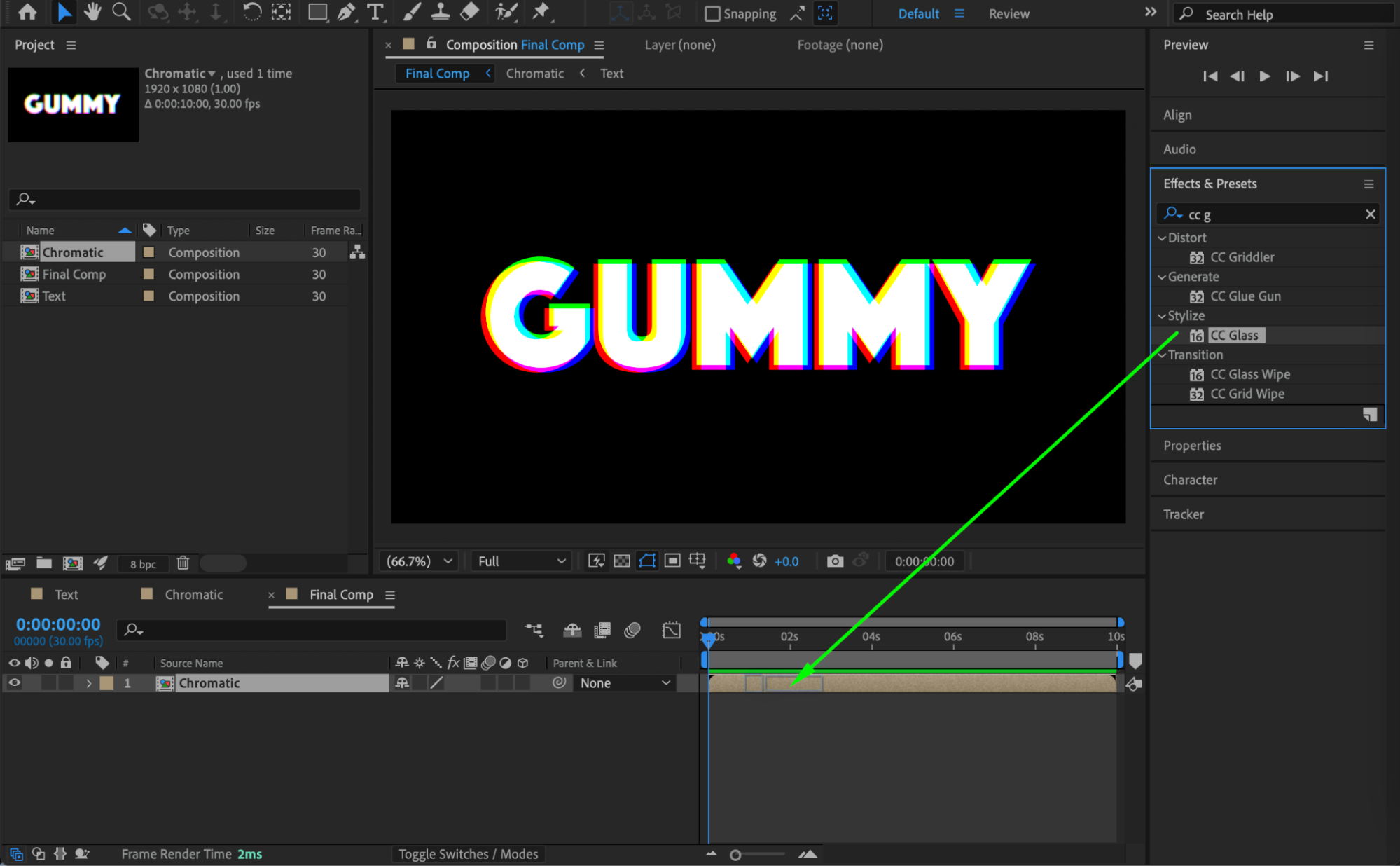
 Step 7: Final Adjustments and Preview
If needed, adjust letter spacing (Tracking) in the Character panel to refine the shape of the bubbles. Preview the composition and fine-tune the CC Glass settings until the text looks soft, rounded, and gummy.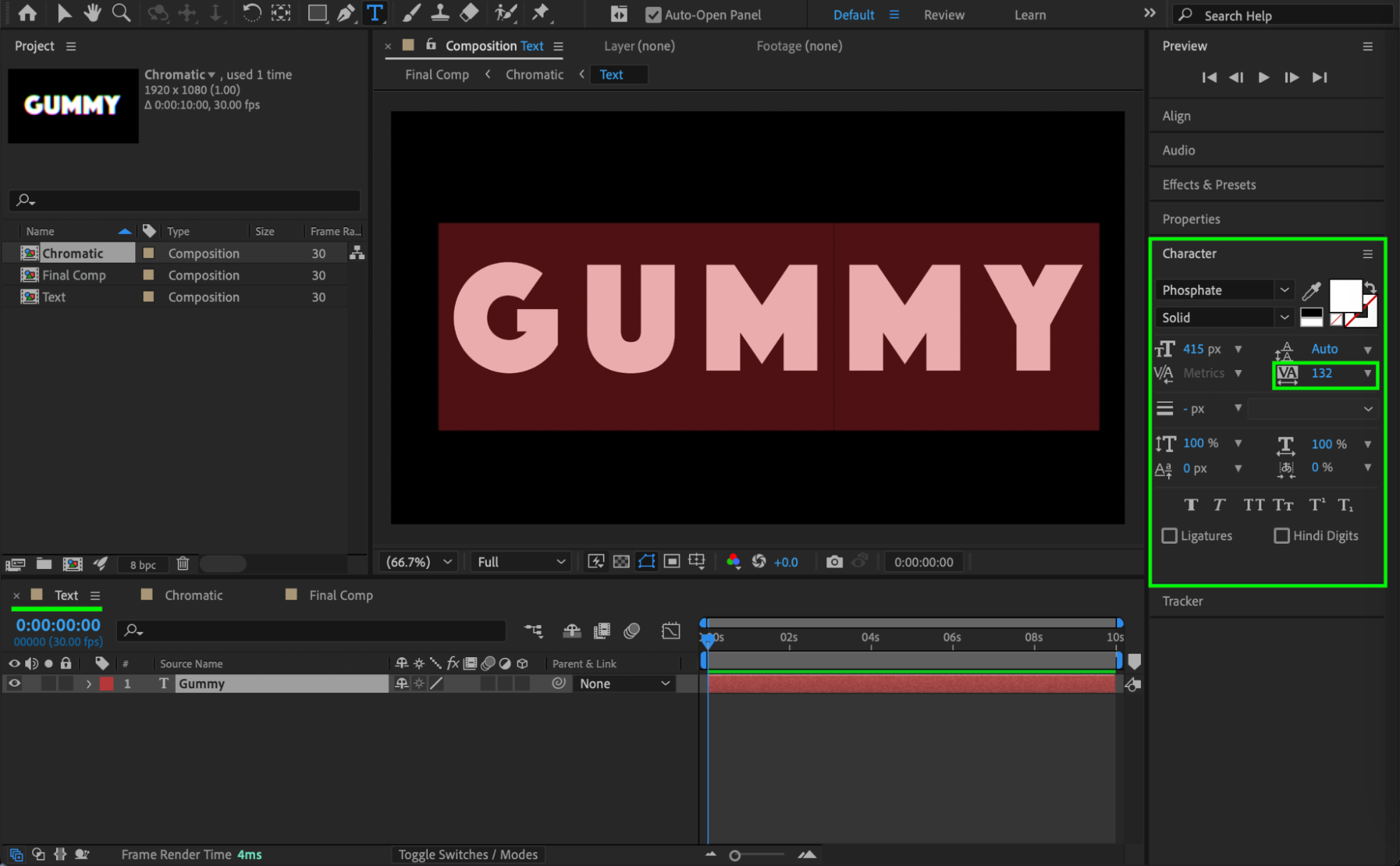
 Conclusion
By combining chromatic color separation with CC Glass distortion, you can easily create a fun gummy bubble text effect in After Effects. This technique is ideal for playful branding, stickers, and eye-catching motion graphics.
Our Bestsellers
Our Bestsellers


