
Introduction
Adding a random position expression to your camera can simulate handheld motion or create organic movement without manually animating keyframes. This is a quick and effective way to make your scene feel more dynamic and realistic.
Step 1: Open Your Project
Launch After Effects and open your existing project or create a new composition where you want to add camera movement.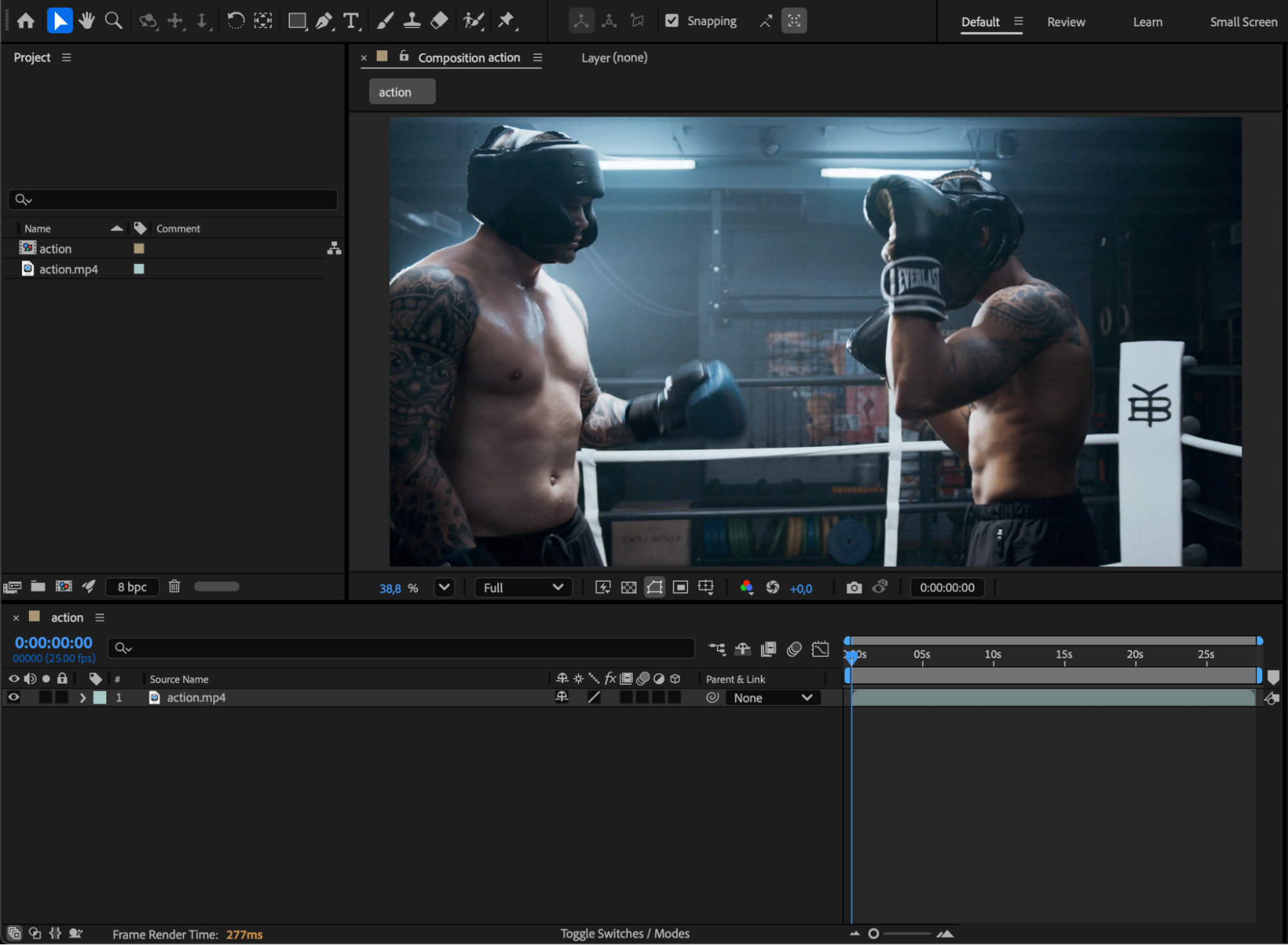 Step 2: Create a New Camera
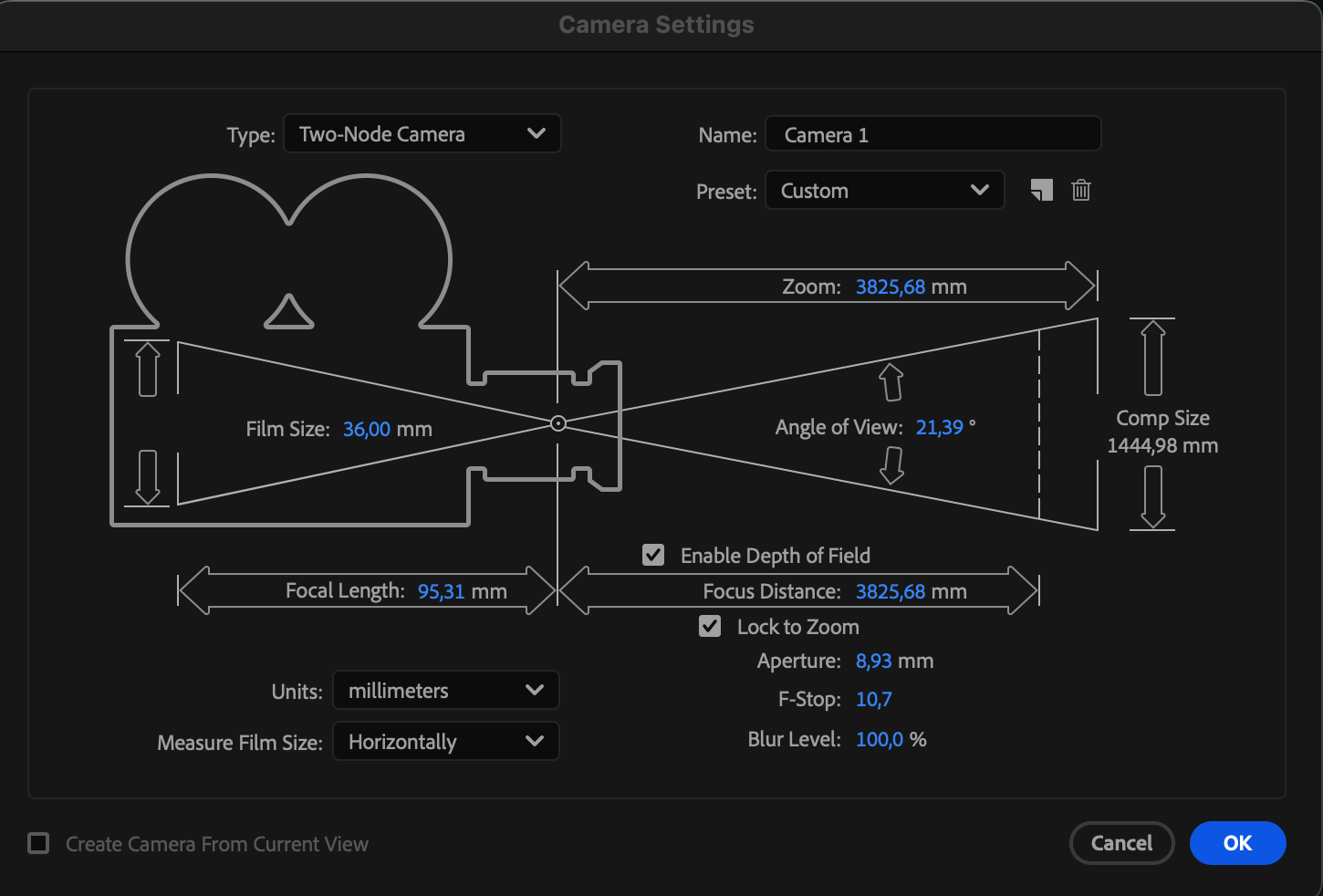
Go to Layer > New > Camera. Choose your preferred camera settings or leave them at default, then click OK. You’ll see a new camera layer in the Timeline.

Step 3: Make Your Layers 3D
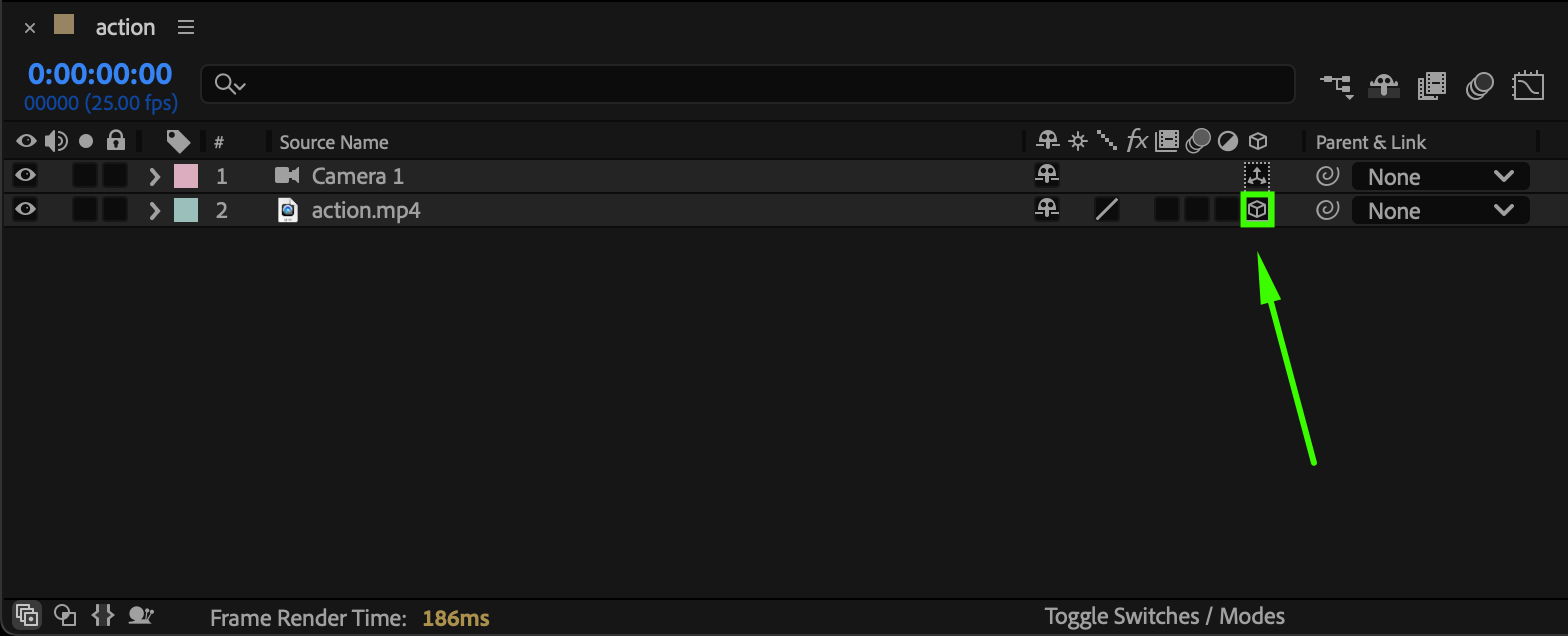
In the Timeline panel, enable the 3D Layer switch (the cube icon) for the layers you want the camera to affect. This allows the camera to interact with your scene in three-dimensional space.
 Step 4: Reveal the Camera’s Position Property
Select the Camera layer and press “P” on your keyboard to reveal the Position property.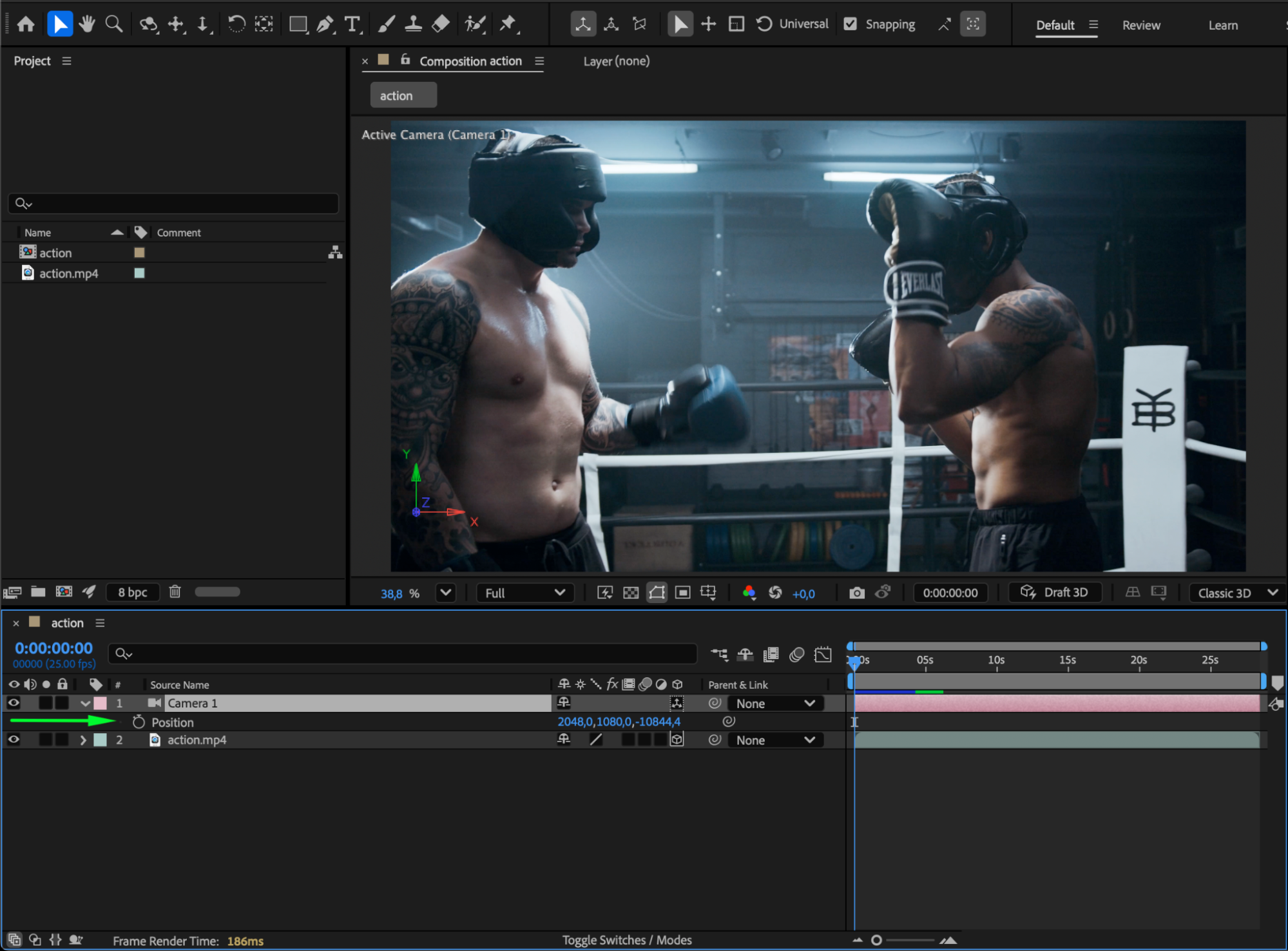 Step 5: Add the Random Expression
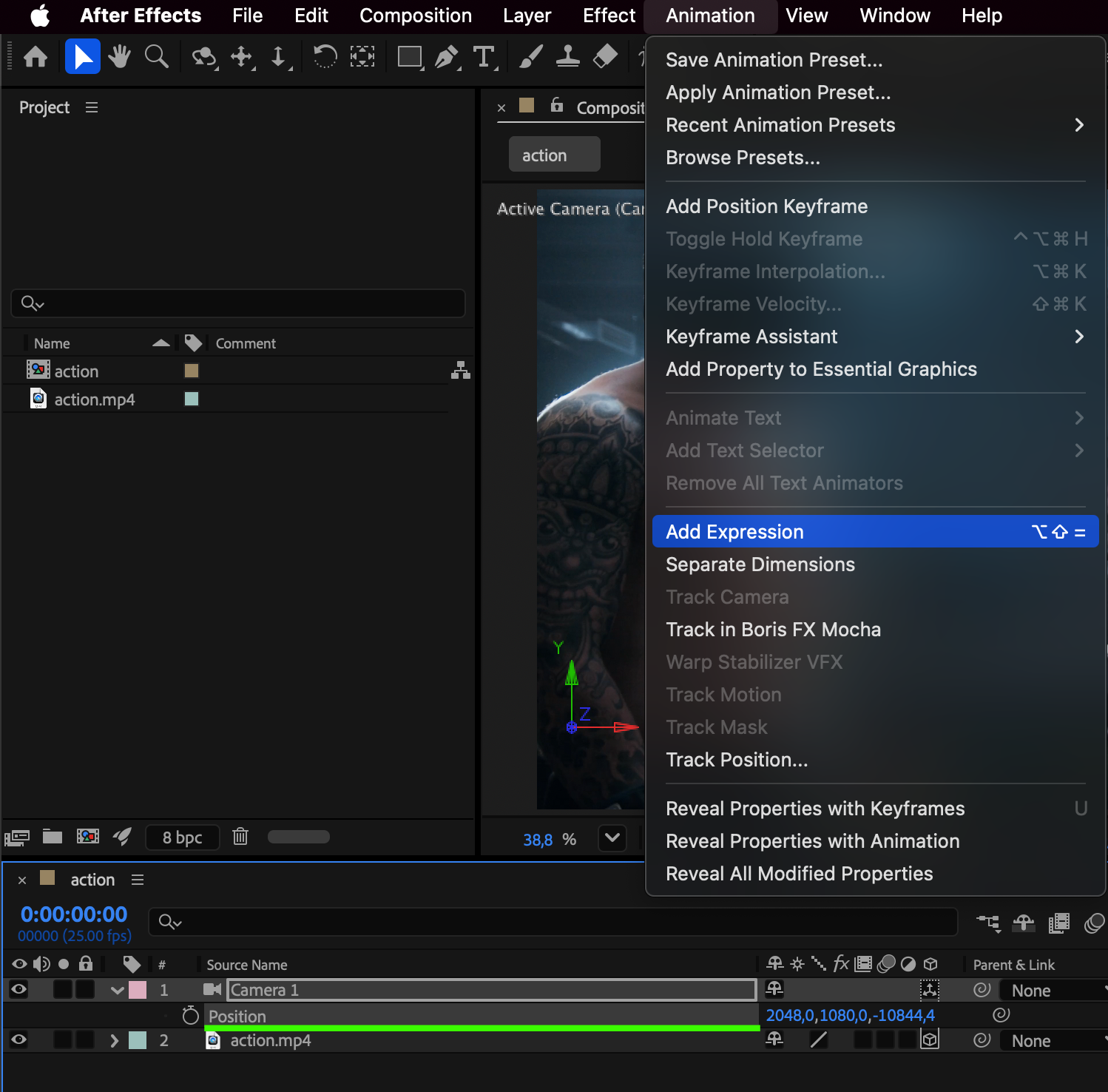
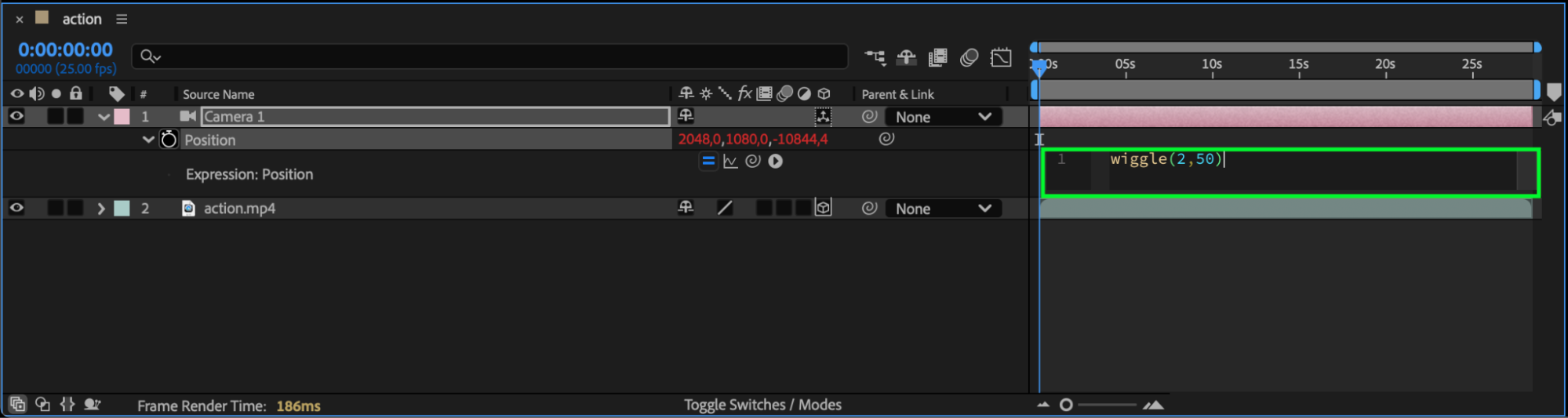
Hold Alt (Windows) or Option (Mac) and click the stopwatch icon next to Position to enable expressions. In the expression field that appears, type the following code:
wiggle(2, 50)
This expression makes the camera move randomly 2 times per second with a maximum offset of 50 pixels in any direction.
Step 6: Adjust Wiggle Settings
The first number (2) controls the frequency — how often the movement happens per second. The second number (50) controls the amplitude — how far the camera moves. For subtle handheld movement, try smaller values like:
wiggle(1, 10)
 Step 7: Preview Your Animation
Press the Spacebar to preview your composition. You’ll see your camera moving randomly, adding life and realism to your scene.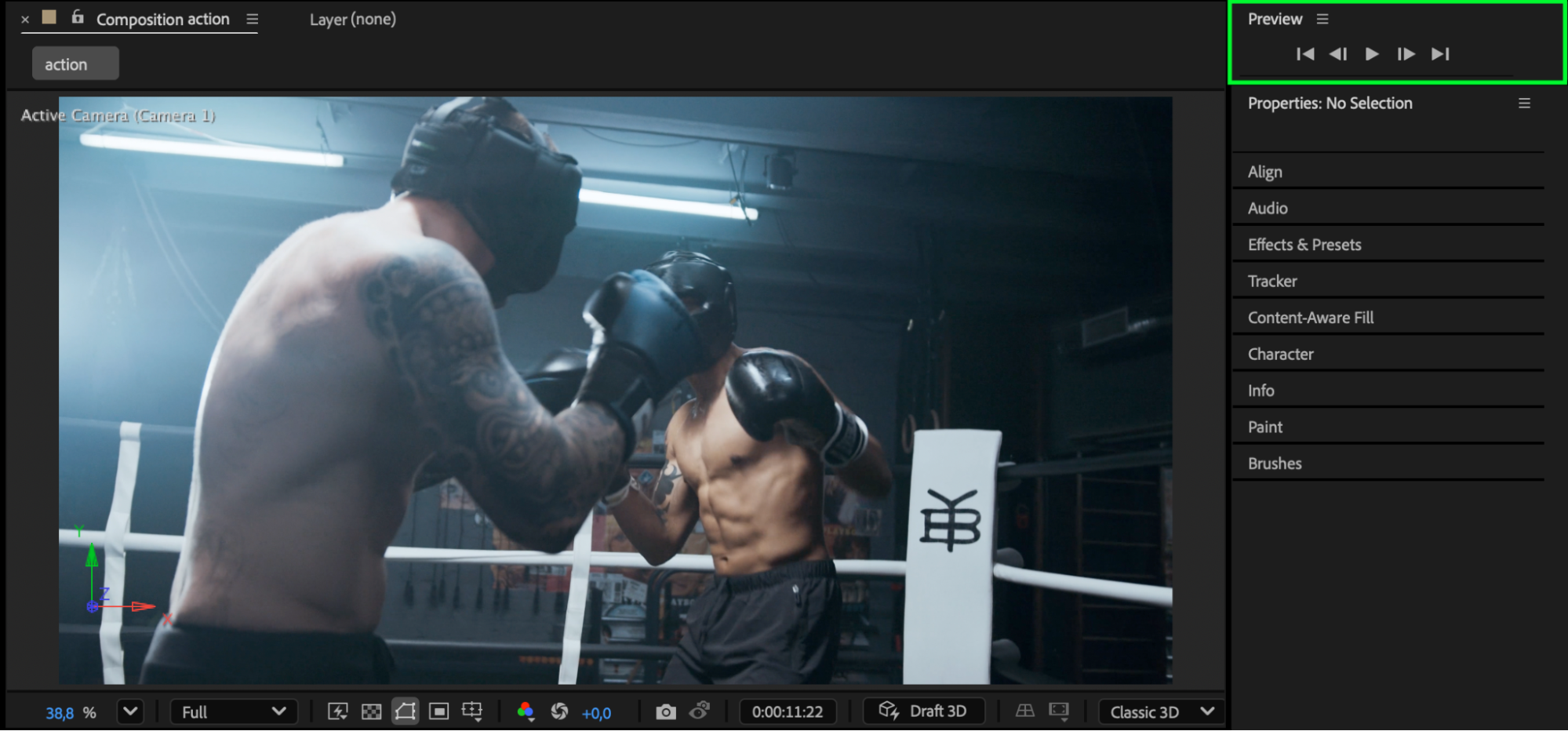 Conclusion
Using the wiggle() expression on a camera’s position in After Effects is an easy way to simulate natural movement without complex keyframing. By adjusting the frequency and amplitude, you can control how smooth or intense the motion feels, giving your shots a more cinematic, organic quality.
Our Bestsellers
Our Bestsellers


