
Learn how to apply letterbox overlays in Premiere Pro to achieve a cinematic widescreen aspect ratio using AEJuice tools.
Adding Cinematic Letterbox Bars in Premiere Pro with AEJuice
Introduction to Letterbox Effects for Filmmakers and Editors
The Letterboxes Pack from AEJuice is perfect for instantly giving your footage a cinematic look. These overlays recreate classic widescreen bars, letting you simulate different film aspect ratios that are often used in trailers, music videos, and storytelling videos. In this tutorial, you’ll learn how to use and customize these overlays directly in Premiere Pro.
Step 1: Launch Premiere Pro and Create a Project
Open Premiere Pro, enter your Project Name, select your footage, and click Create to begin editing in the timeline.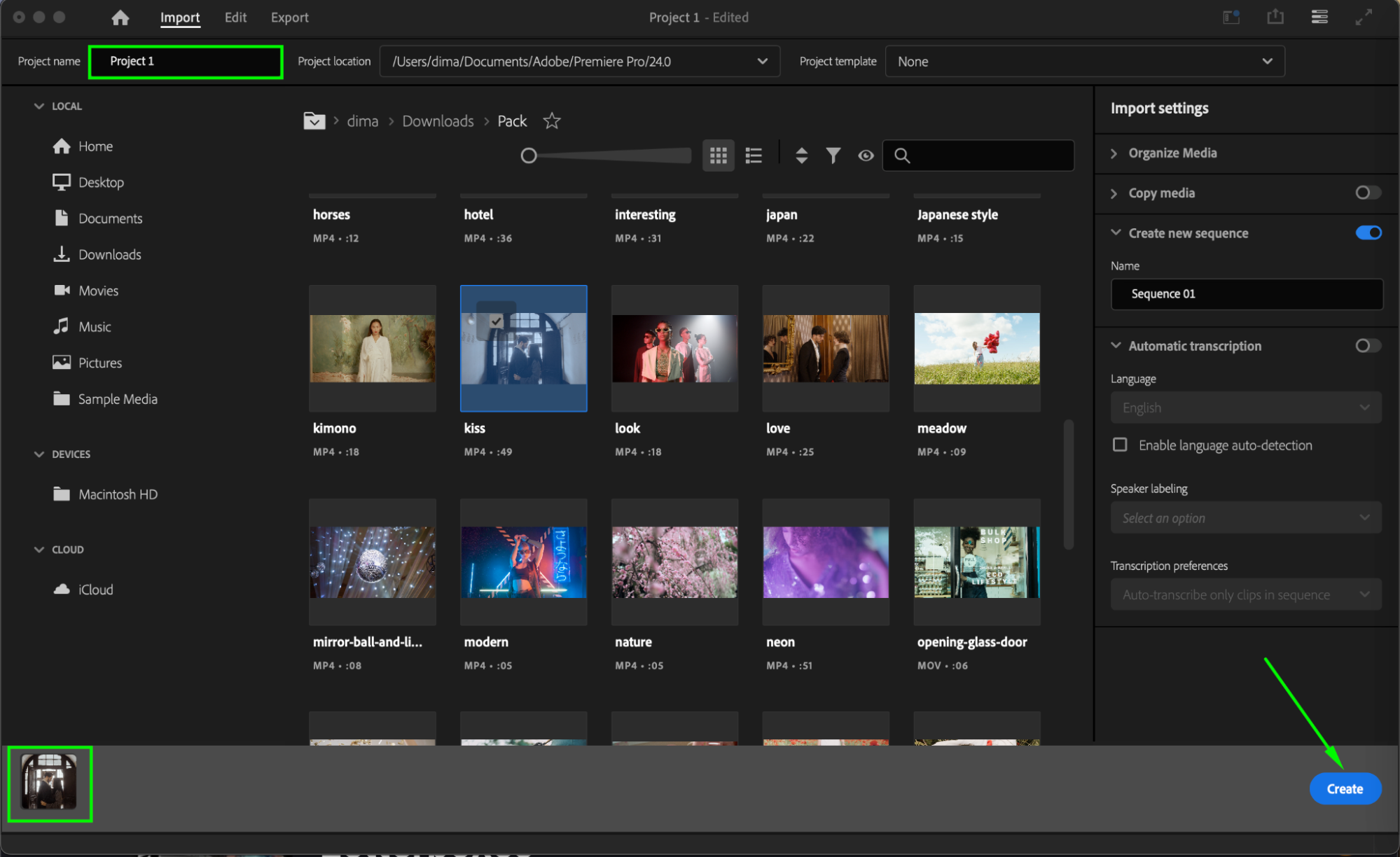
Step 2: Open AEJuice Pack Manager
Navigate to Window > Extensions > AEJuice Pack Manager 4 to launch the plugin panel. This is where you can access all AEJuice packs installed on your system.

Step 3: Download the Letterboxes Pack
Inside the Pack Manager, locate Letterboxes. If it’s not installed yet, click to download it. Once the pack is available, you’ll have access to various letterbox overlay styles.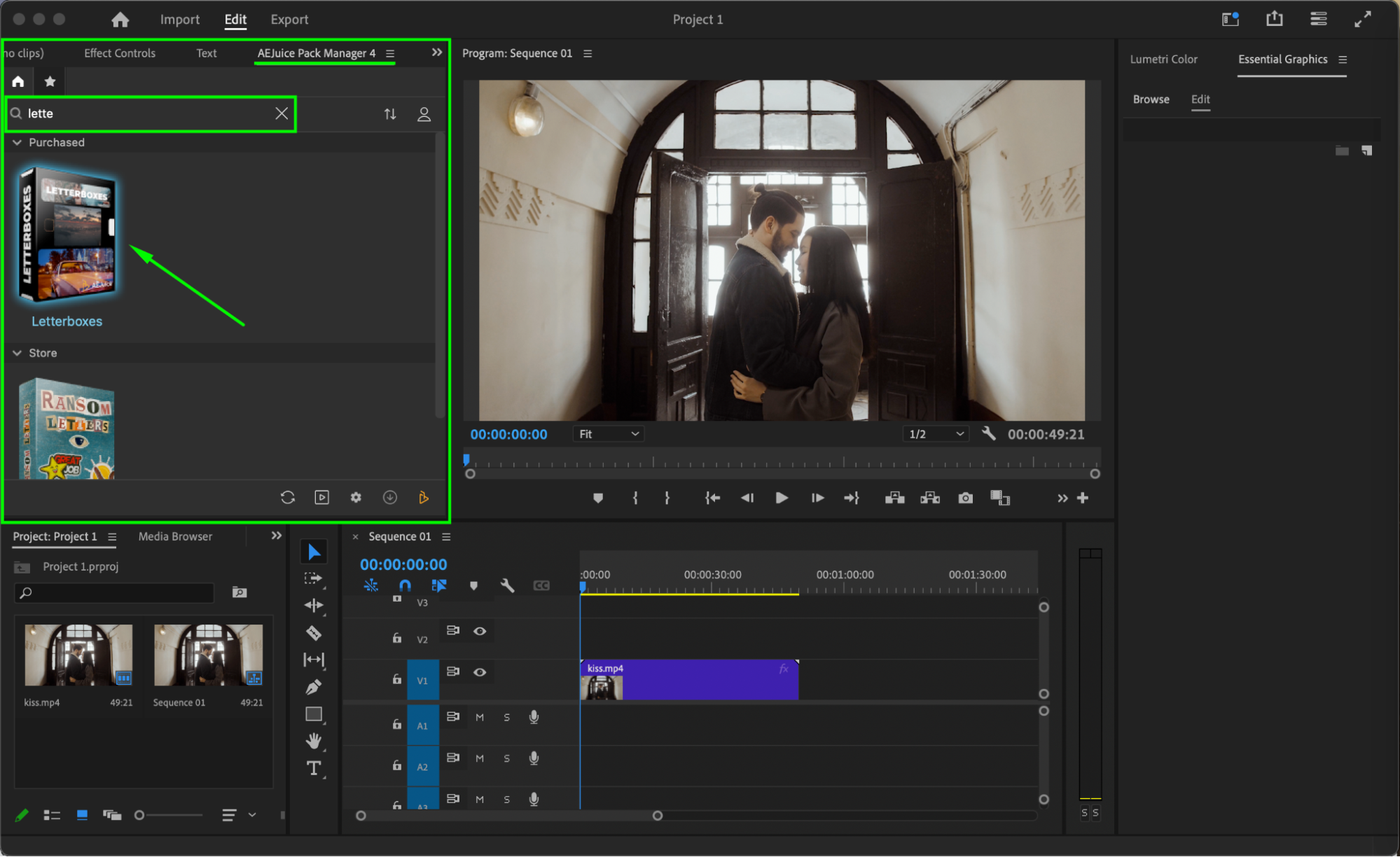 Step 4: Choose and Import a Letterbox Overlay
Browse through the pack and select the letterbox effect that fits your video style. Make sure the playhead is placed at the position where you want the effect to begin. Then click the overlay and press Import.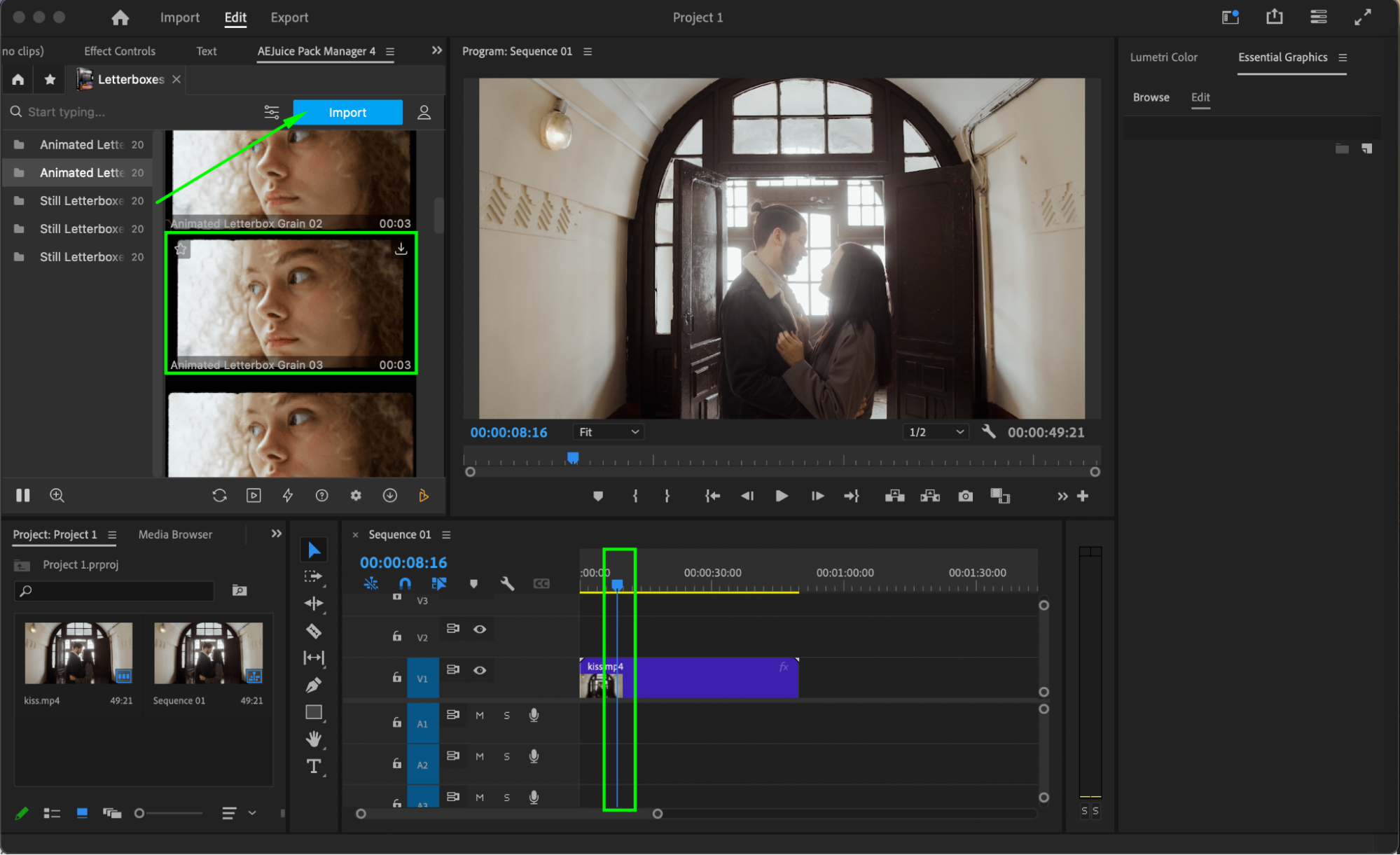
Step 5: Set the Loop Duration
A window titled “Seconds to Loop” will appear. Enter a value such as 3 seconds to determine how long the letterbox effect will play. This helps match the overlay length to your scene.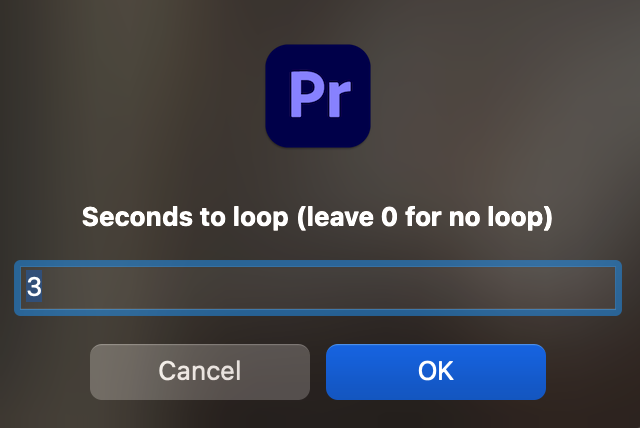 Step 6: Preview and Final Adjustments
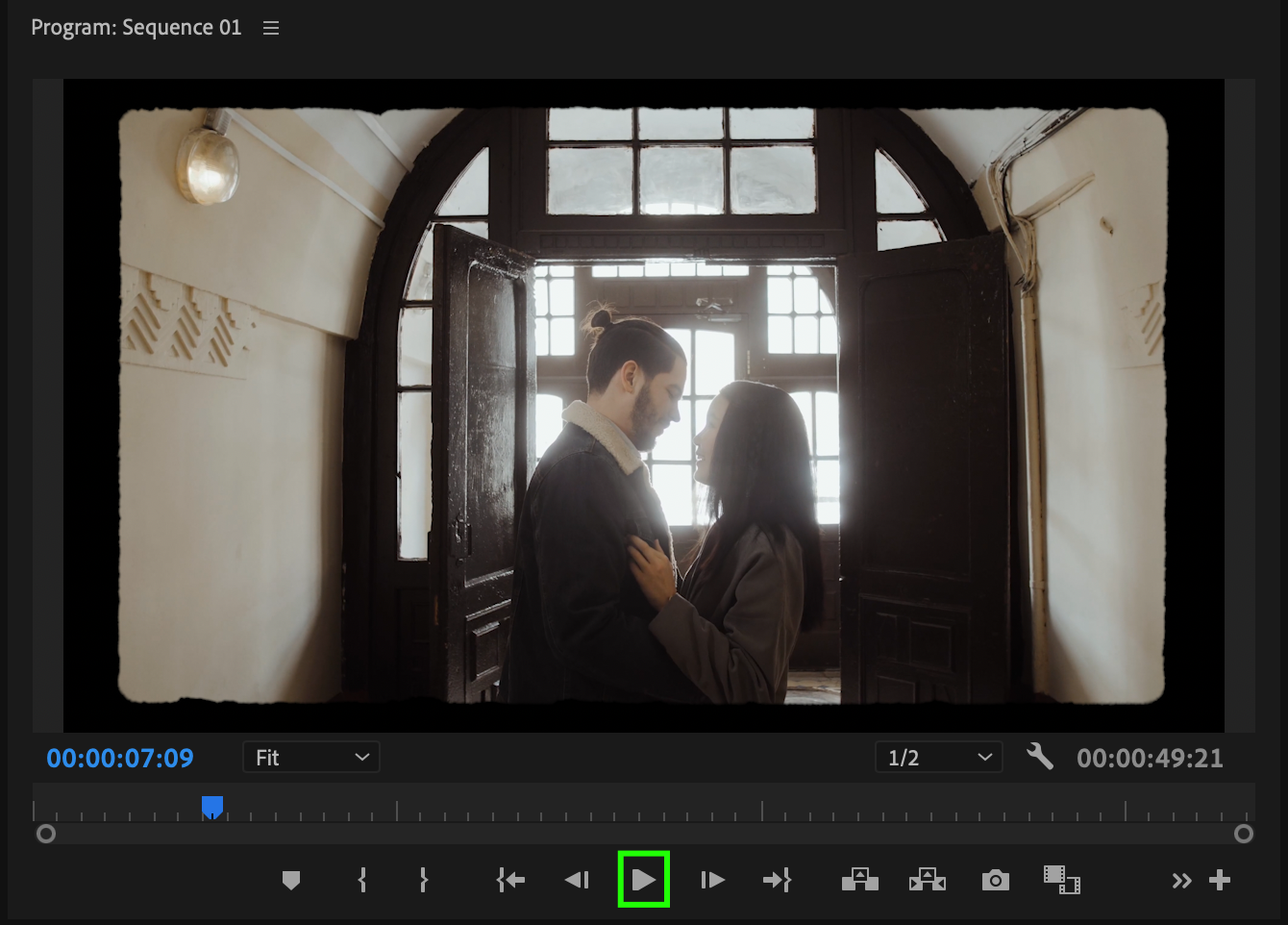
Press Play or hit the Spacebar to preview the effect. You can adjust the position or scale of the letterbox overlay in the Effect Controls panel if needed to ensure it perfectly frames your content.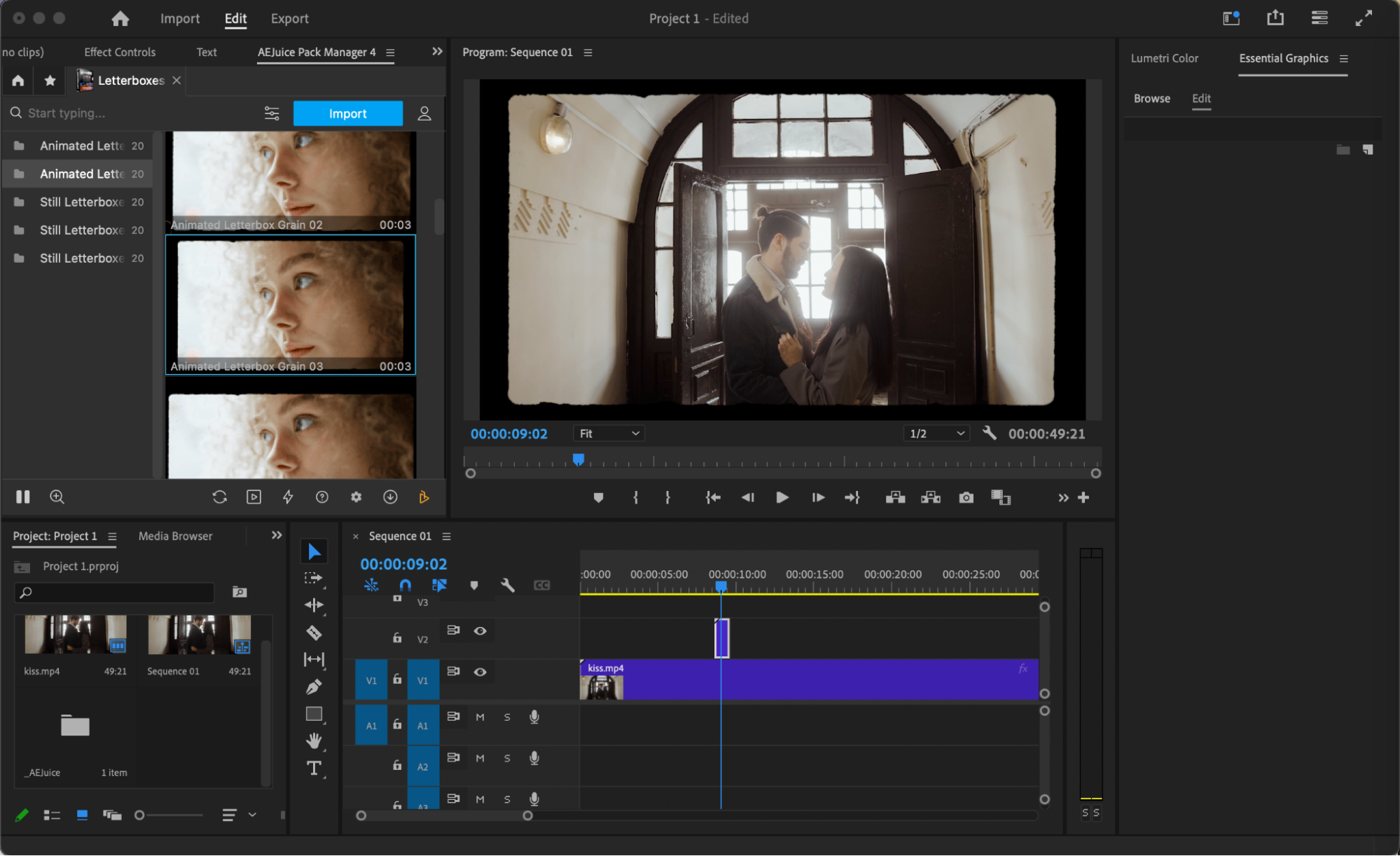 Conclusion
Using letterbox overlays is a quick and effective way to give your video a cinematic aspect ratio. Whether you’re working on a short film, trailer, or music video, the AEJuice Letterboxes Pack provides professional-quality visuals in just a few clicks.
Our Bestsellers
Our Bestsellers


