
Introduction
Adding noise lines in After Effects can give your video a vintage, analog TV, or glitchy digital look. This effect works perfectly for transitions, stylized intros, or to simulate static and interference. You can easily create it using built-in effects like Fractal Noise.
Step 1: Open Your Project
Start by opening your project in After Effects and selecting the composition where you want to add the effect.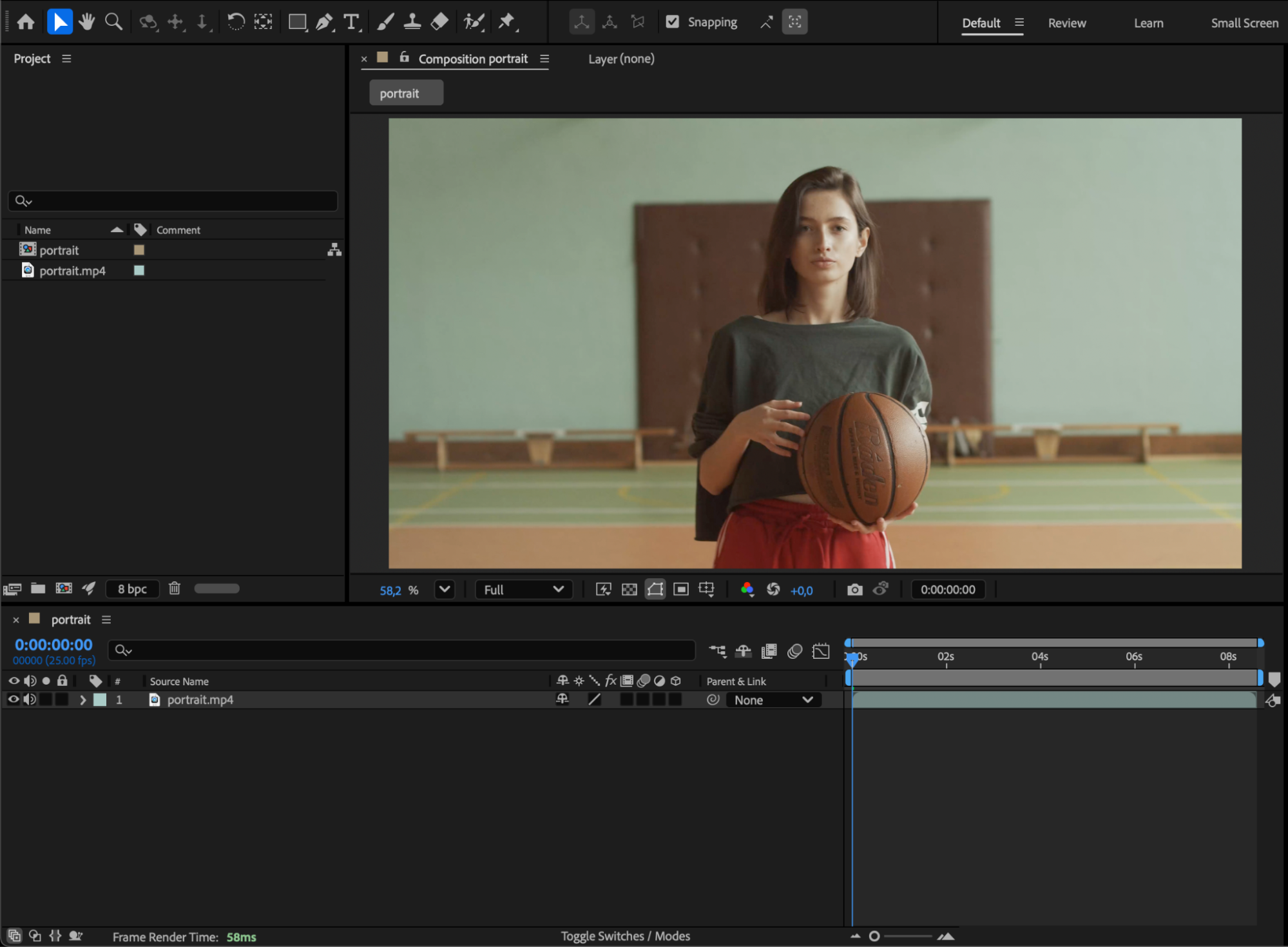 Step 2: Add a Solid Layer
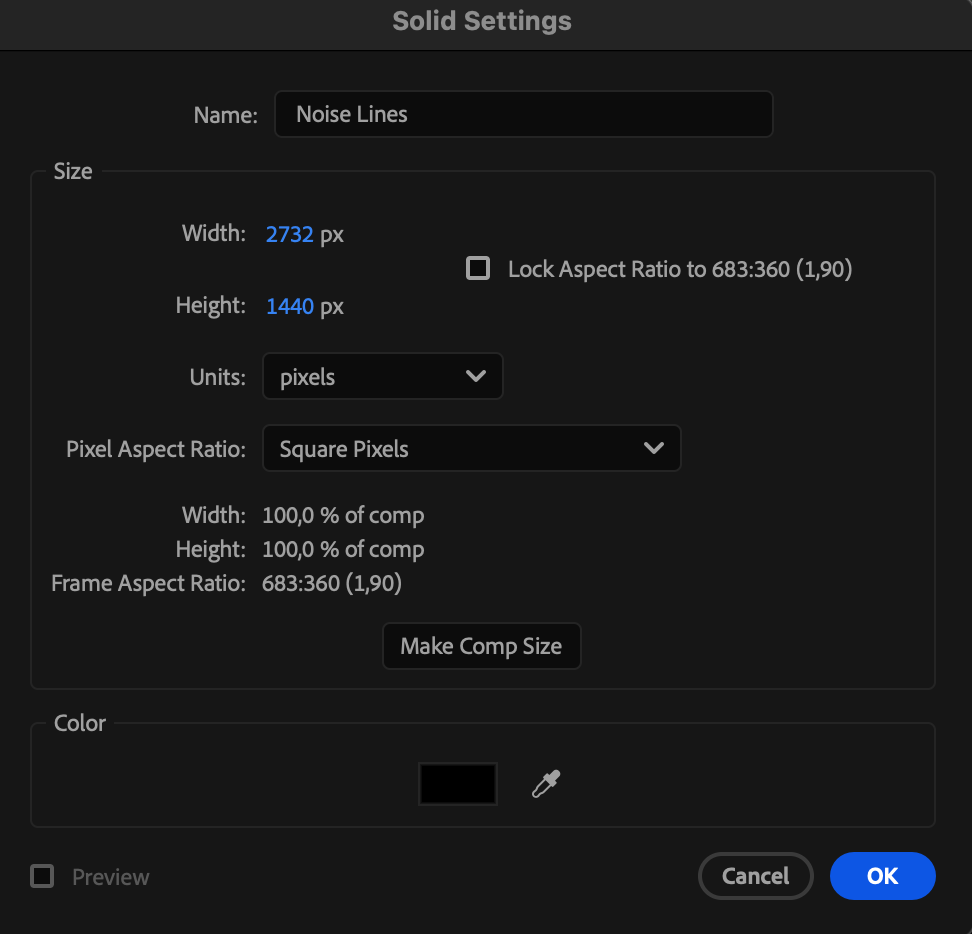
Go to Layer > New > Solid, choose black or dark gray as the color, and name it “Noise Lines.” This layer will serve as the base for your noise effect.
Step 3: Apply the Fractal Noise Effect
With the solid layer selected, go to the Effects & Presets panel and search for Fractal Noise.
Drag it onto the solid layer.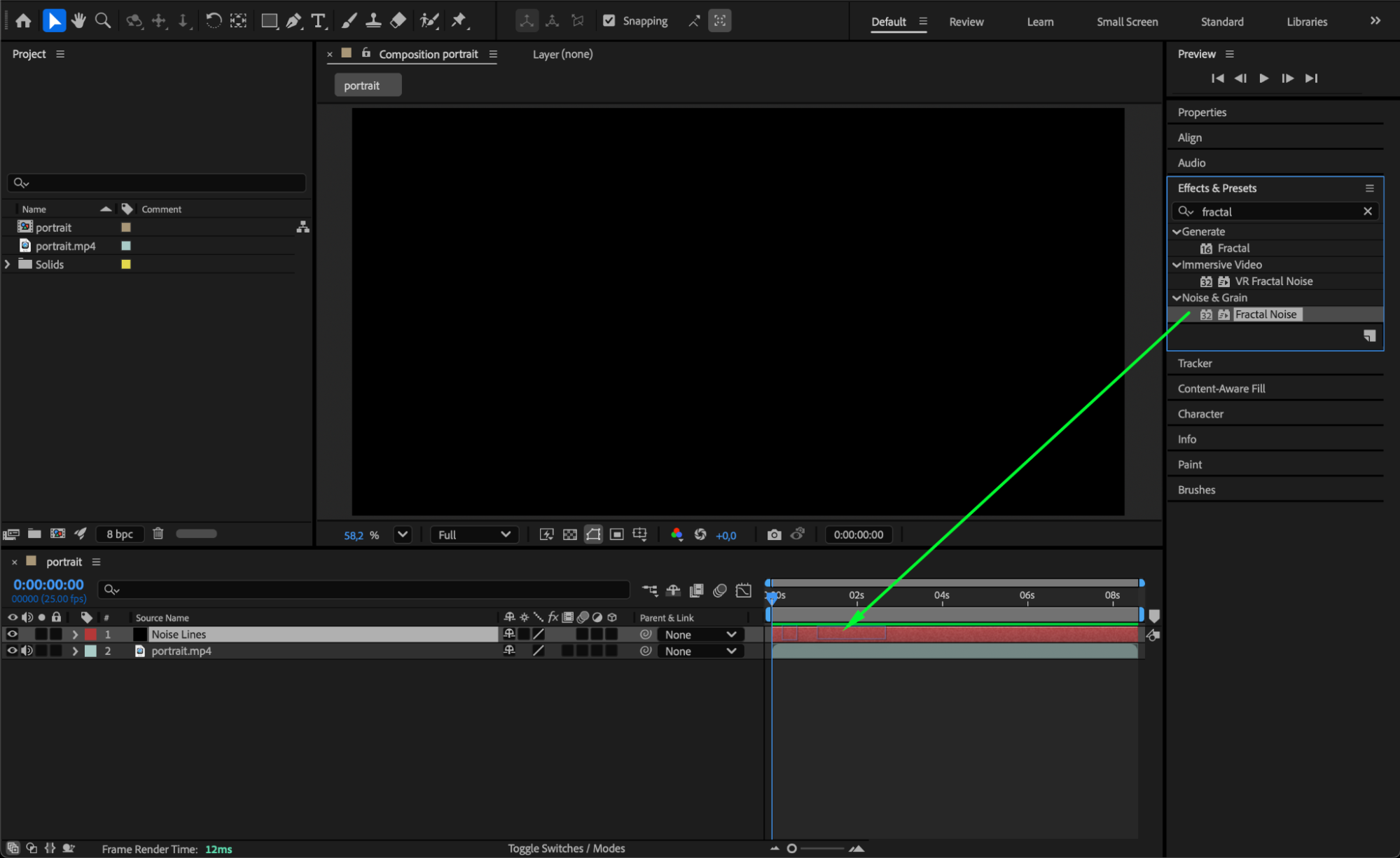
Step 4: Adjust Fractal Noise Settings
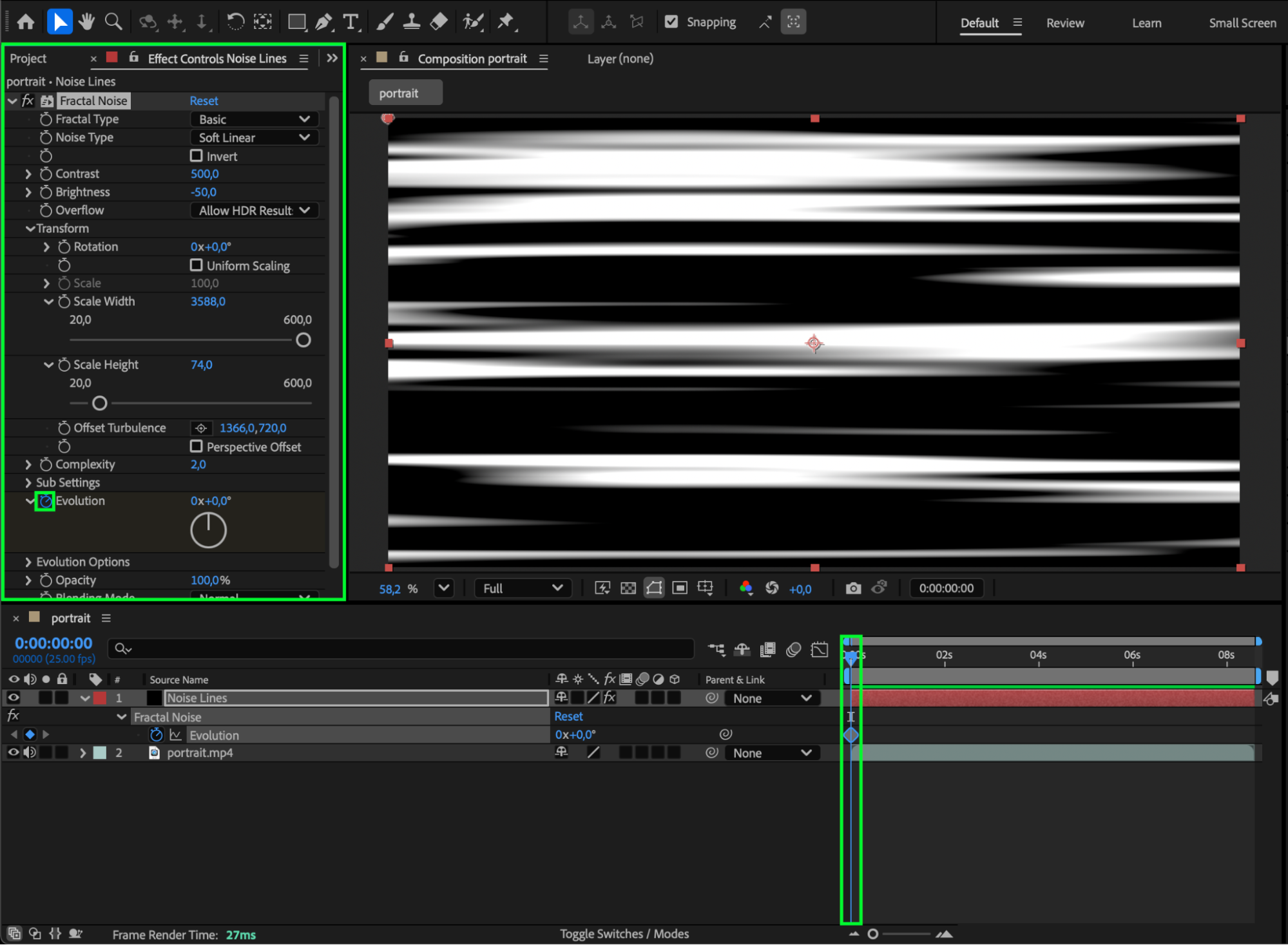
In the Effect Controls panel, set the following values:
Contrast: around 500
Brightness: around –50
Complexity: around 2.0
Then, under Transform, uncheck Uniform Scaling and adjust:
Scale Height: 74
Scale Width: 3500
This creates stretched horizontal noise lines across your composition.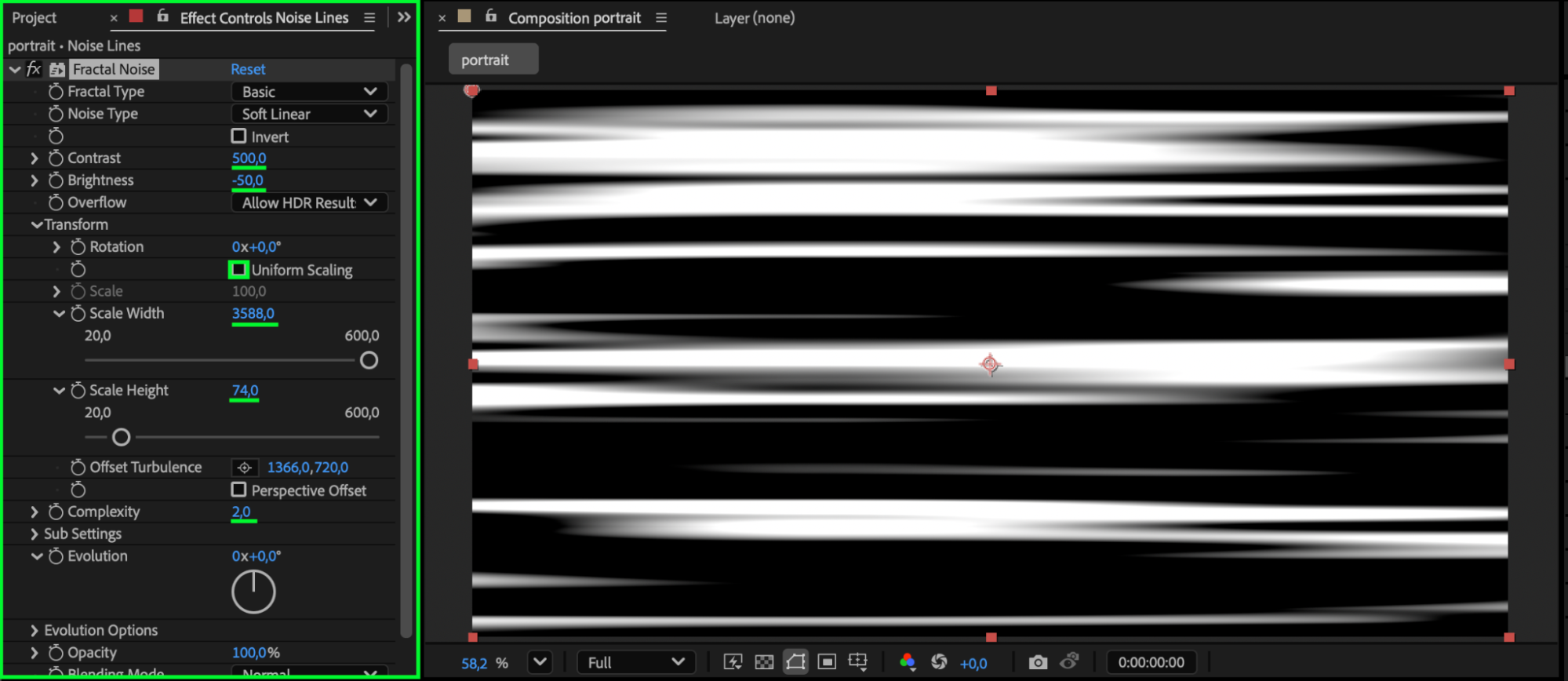
Step 5: Animate the Noise
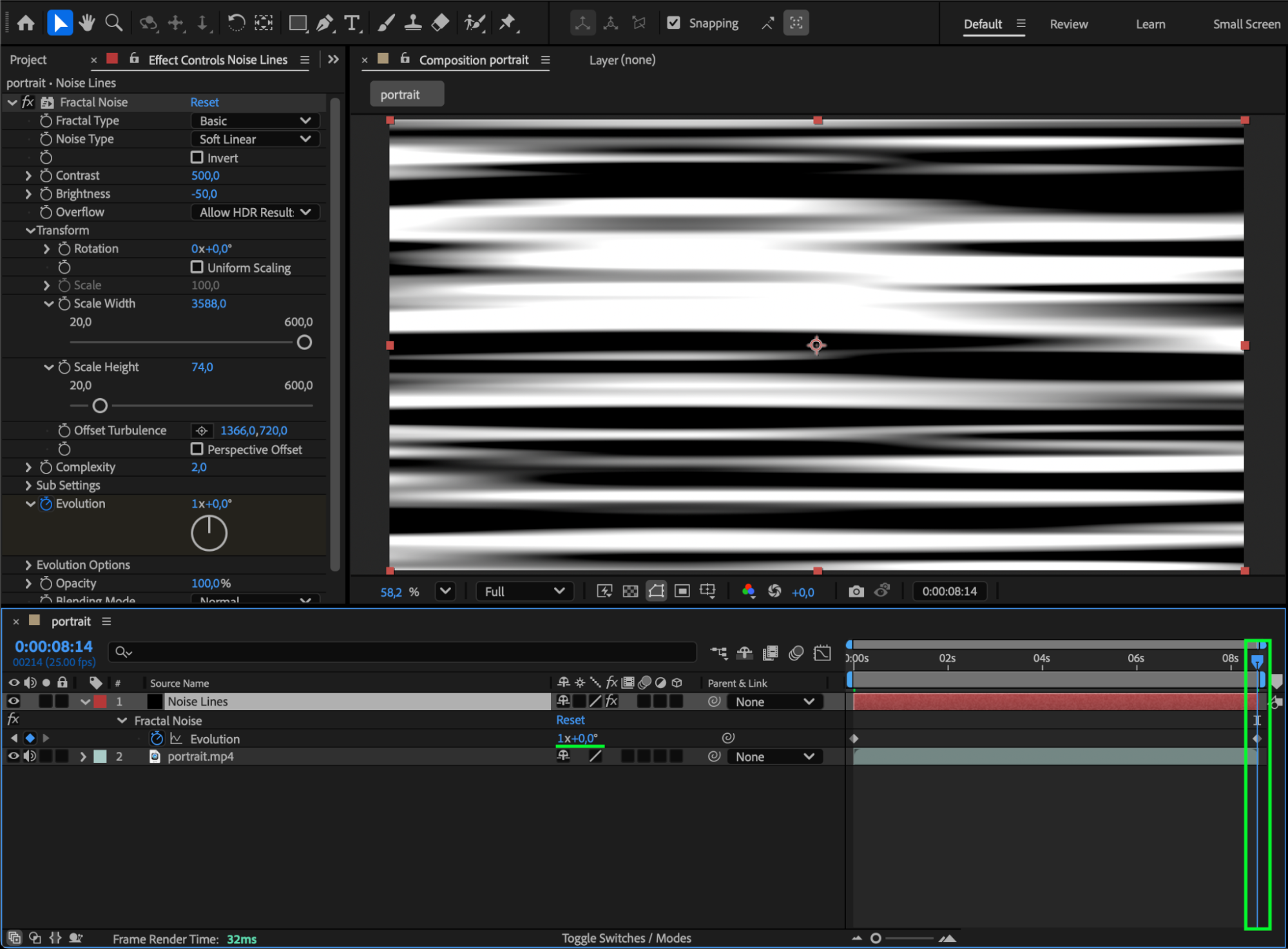
To make the lines move, click the stopwatch next to Evolution and move the CTI forward in time. Increase the Evolution value (for example, one full rotation). After Effects will automatically animate the noise, creating moving interference lines.
Step 6: Blend the Effect with Your Footage
If you have a video background, place it below the Noise Lines layer in the Timeline.
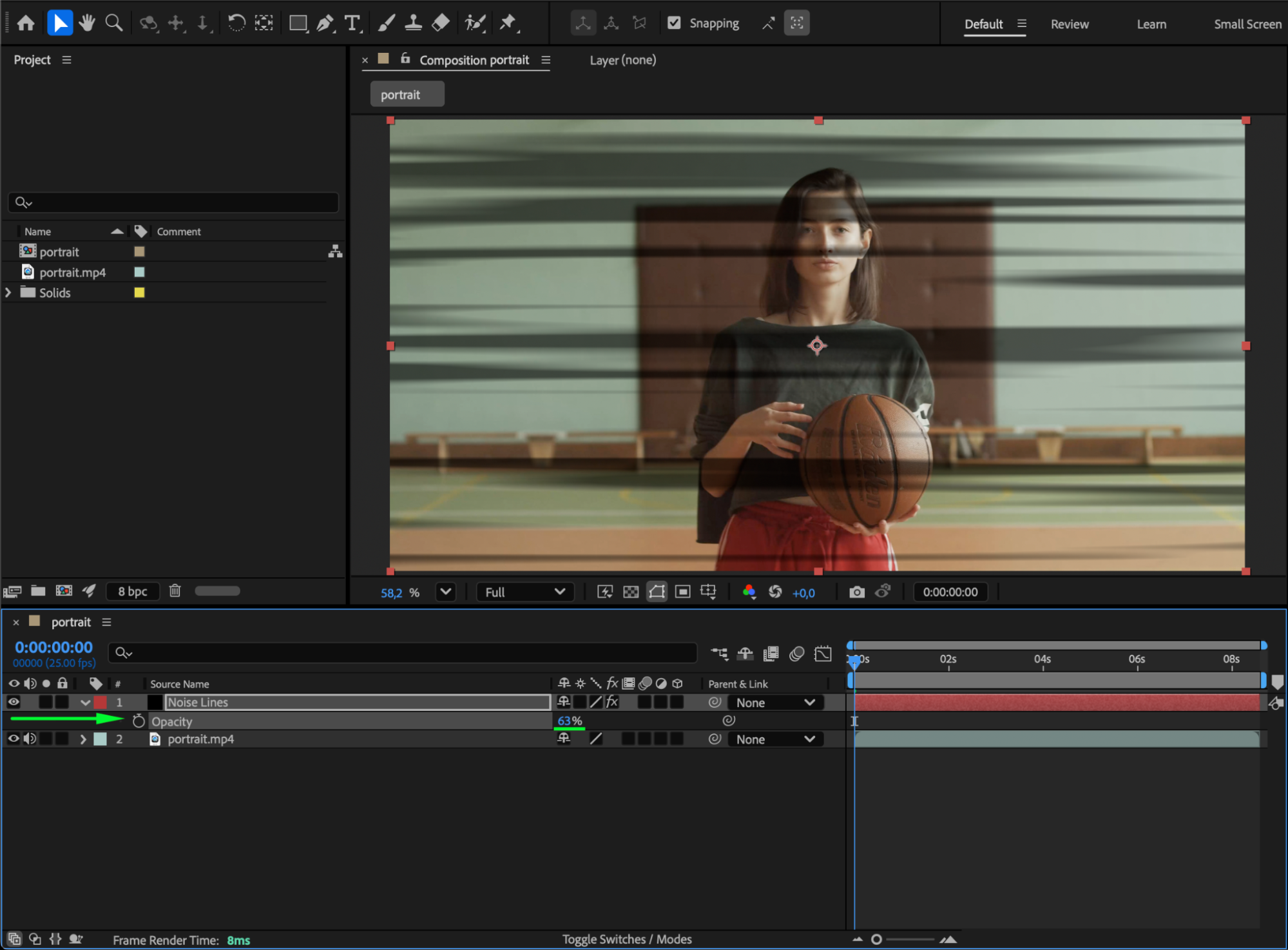
Then change the Blending Mode of the noise layer to Silhouette Luma and set Opacity to around 63% to blend it naturally with your footage.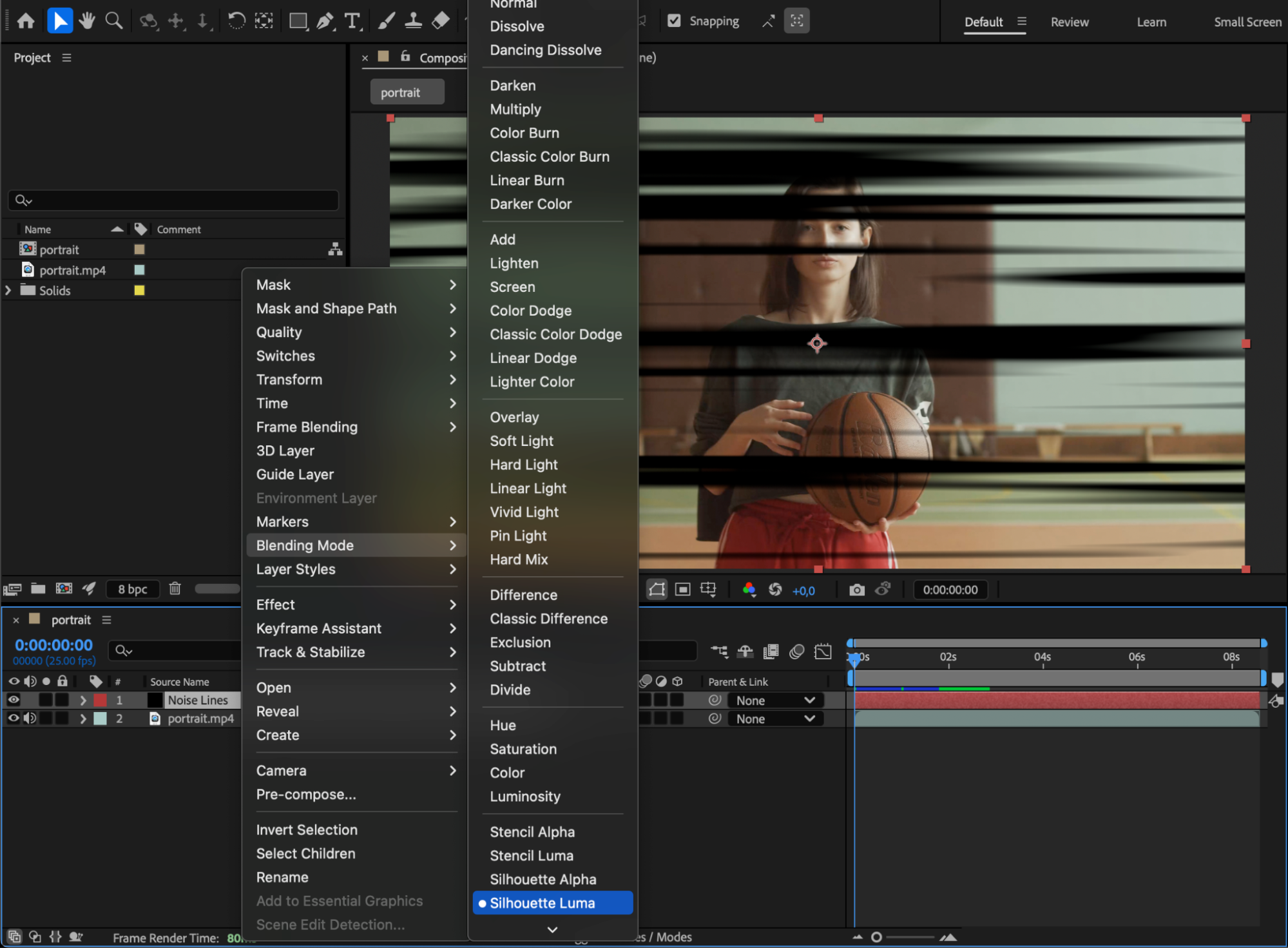
 Step 7: Add Noise Effect and Preview
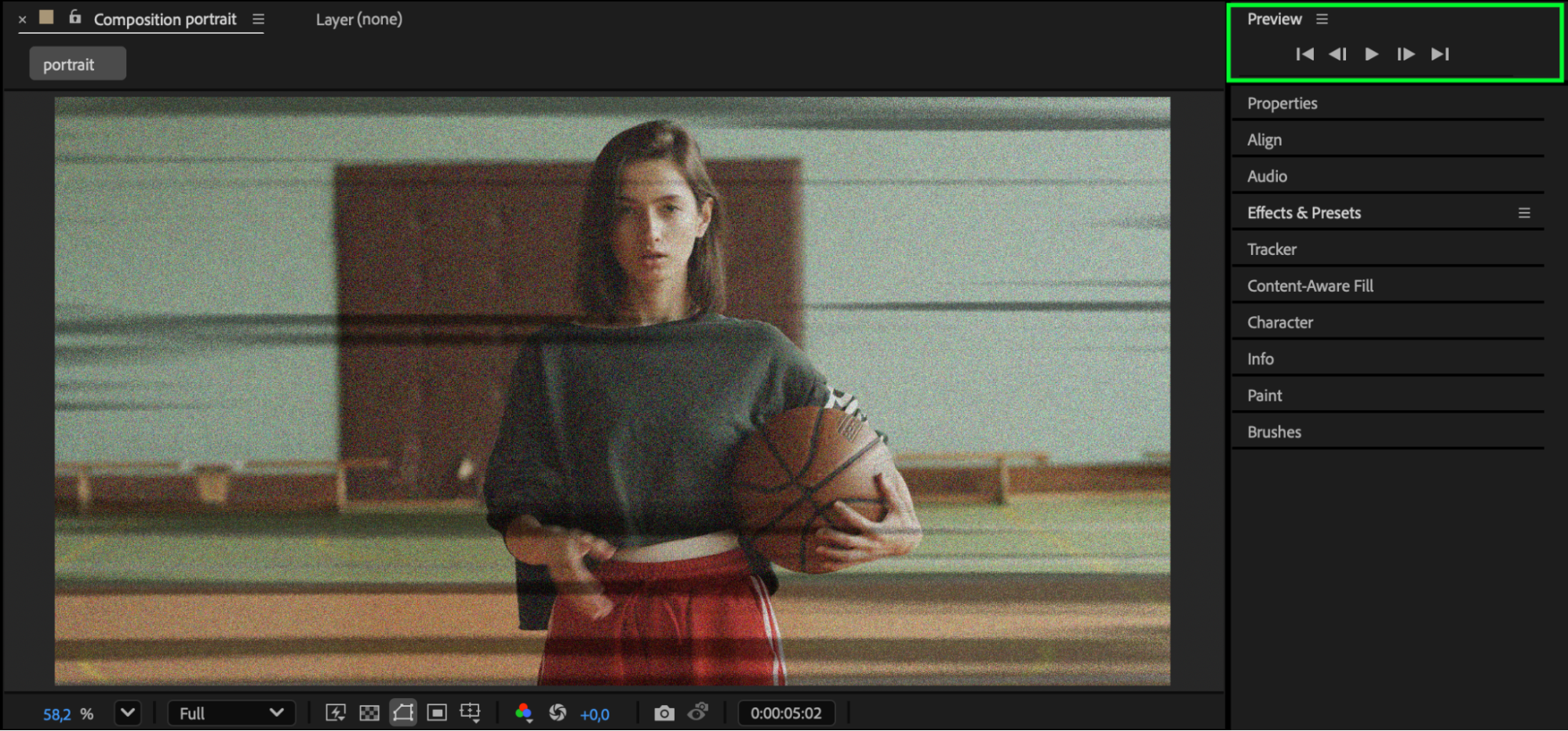
For extra realism, you can also apply the Noise effect (search for “Noise” in the Effects panel) to enhance the texture. Press Spacebar to preview the final look and fine-tune any settings if needed.
Conclusion
Adding noise lines in After Effects is a quick way to achieve a retro, glitch, or analog TV aesthetic. By combining Fractal Noise, Evolution animation, and blending modes, you can create dynamic static effects that make your video look gritty and authentic.
Our Bestsellers
Our Bestsellers


