
Introduction
Sometimes you may want to add a few seconds before your video begins — for example, to include an intro, fade-in, or logo animation. In After Effects, you can easily extend your composition’s duration and shift your video to start later in the timeline.
Step 1: Open Your Composition
Open your project and double-click your composition in the Project panel to view it in the Timeline. You’ll see your video layer starting at the beginning of the timeline (0:00).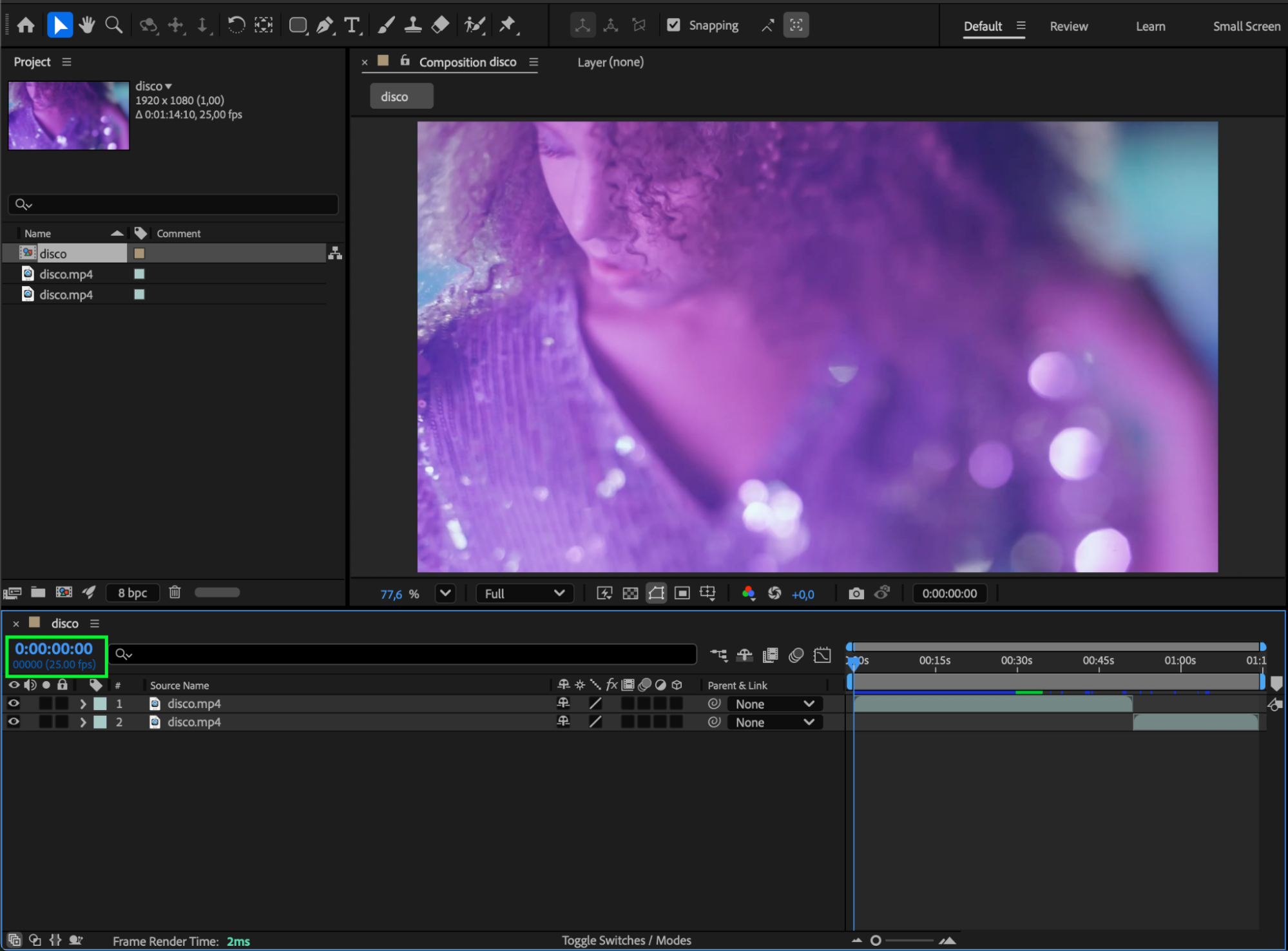 Step 2: Extend the Composition Duration
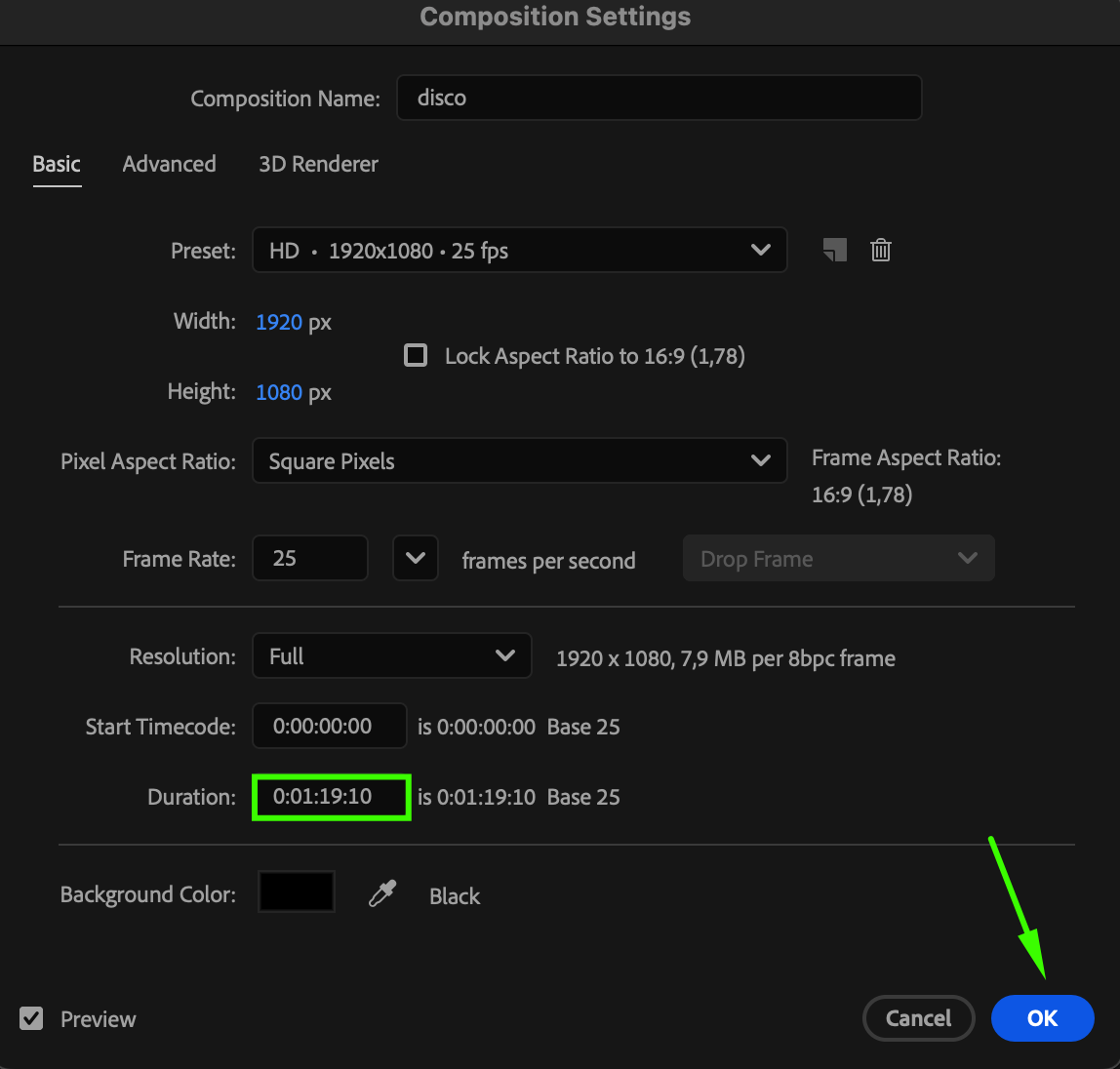
Go to Composition > Composition Settings (or press Ctrl/Cmd + K). In the Duration field, increase the total length of your composition by adding the extra time you need — for example, change 00:00:10:00 to 00:00:15:00 to add 5 seconds. Click OK to confirm.
Step 3: Adjust the Time Navigator
In the Timeline panel, drag the Time Navigator End (the blue handle at the top of the timeline) to the right to include the newly added time. This ensures that your full composition duration is visible in the workspace.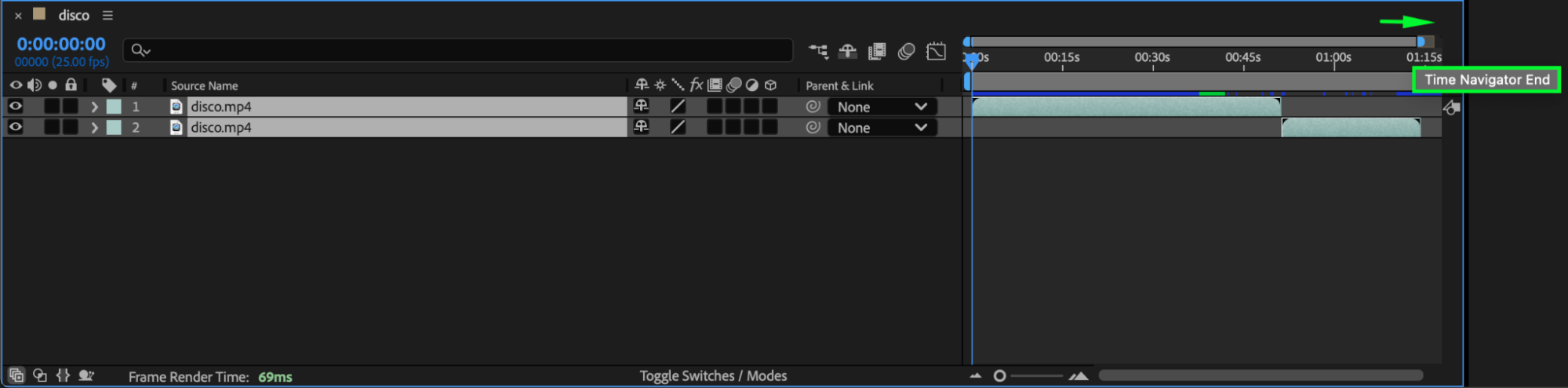 Step 4: Move the Video Layer Forward
Select your video layer (or multiple layers) in the Timeline. Drag them to the right to create empty space at the beginning of the timeline. This space can be used for your intro or transition effects before the main video starts.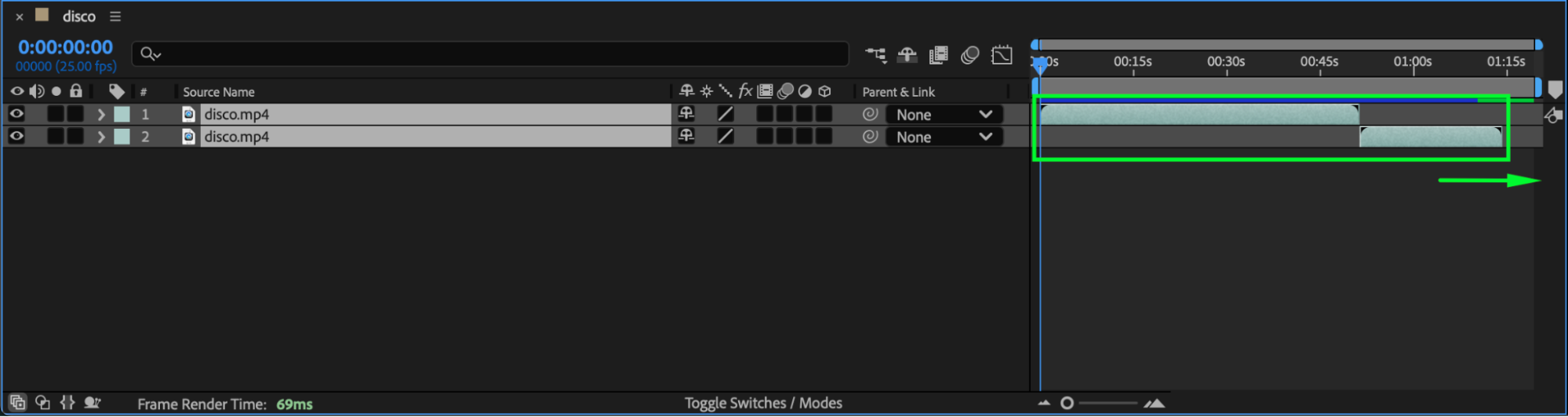
Step 5: Add Intro Elements or Effects (Optional)
You can now use the extra time to add text, logo, fade-in effects, or other elements before your main video begins. This is a great way to build a professional opening or transition.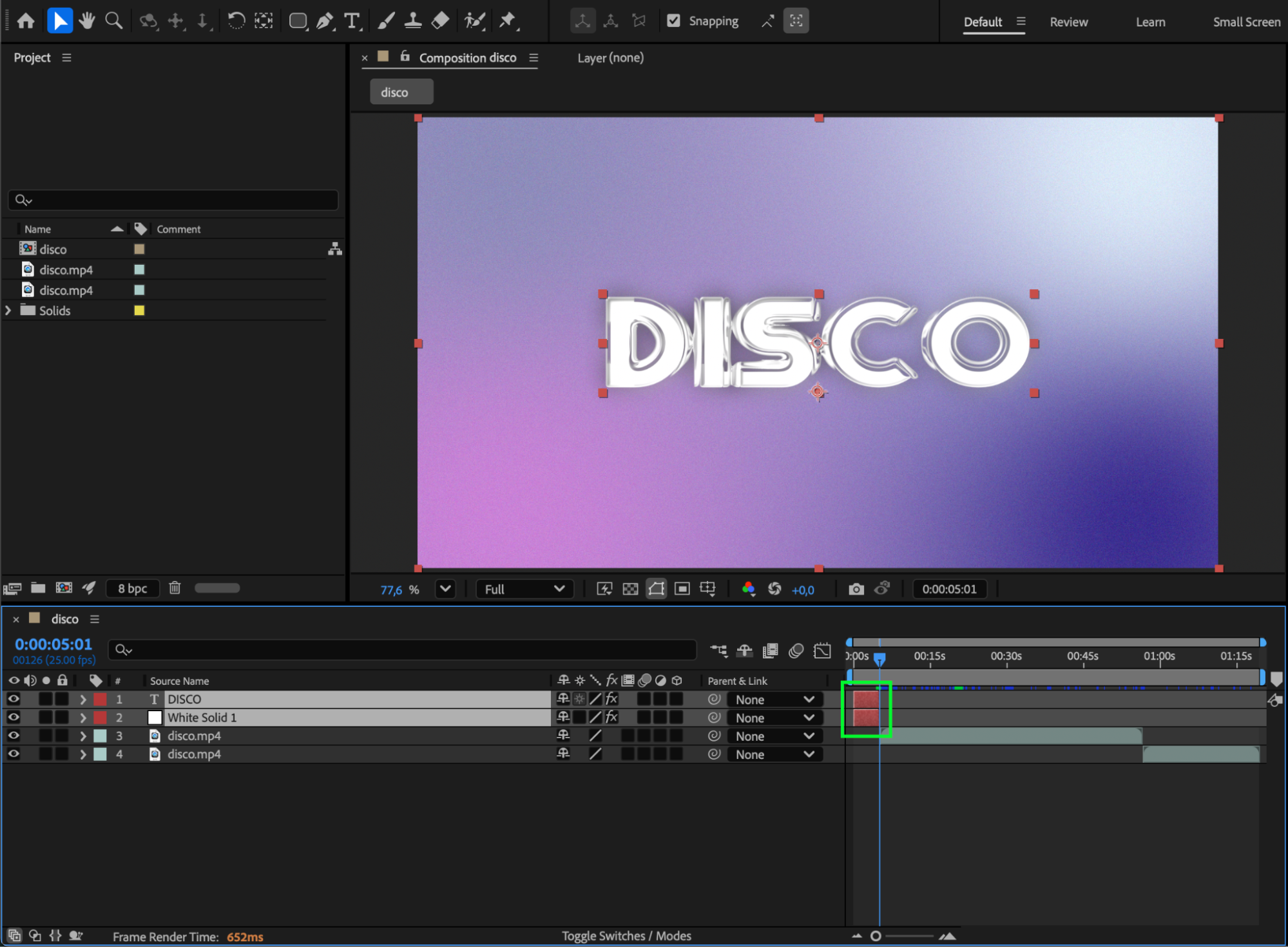
Step 6: Preview Your Composition
Press the Spacebar to preview and ensure your video starts at the correct time with the added intro or delay. Adjust the layer timing if necessary.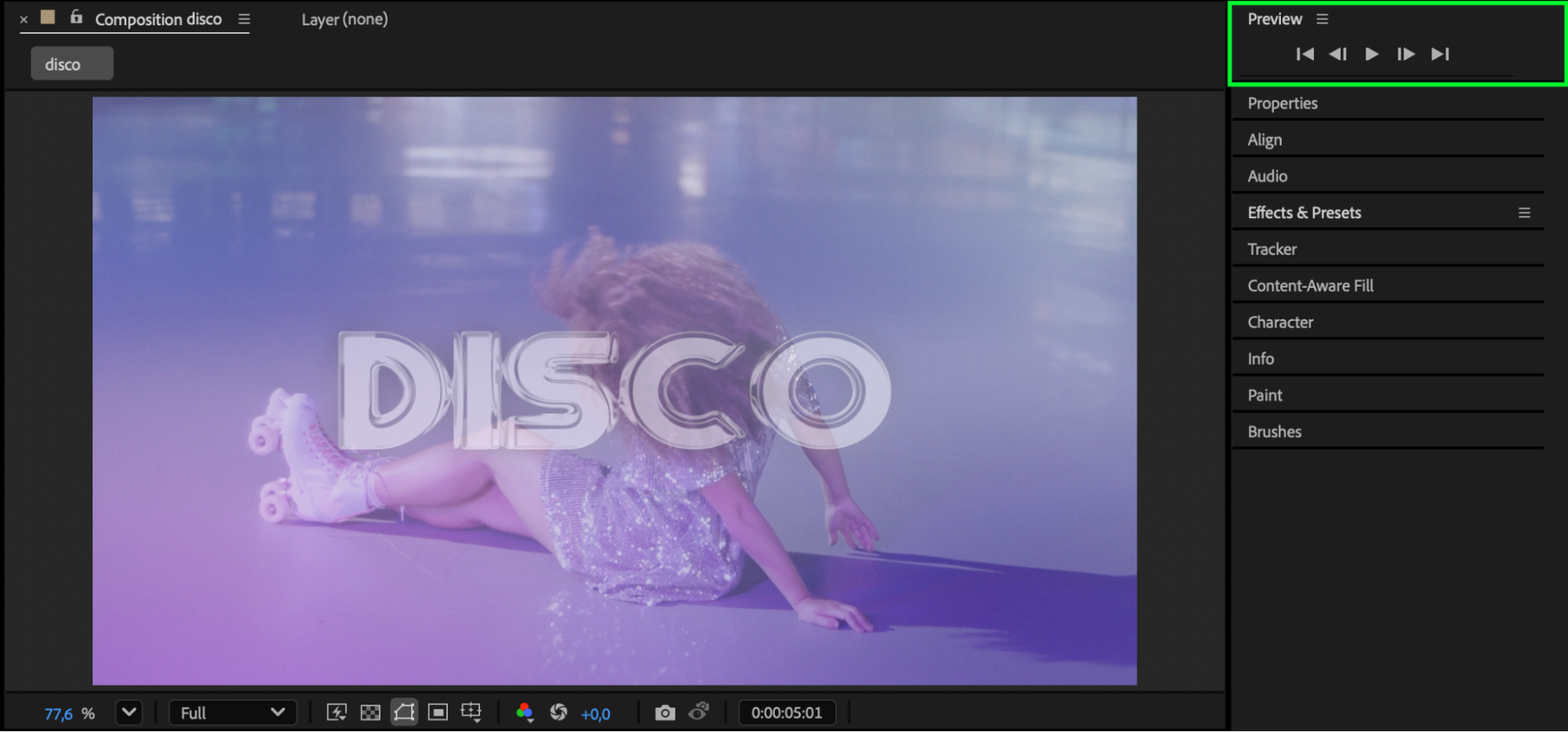
Conclusion
Adding time to the start of your video in After Effects gives you flexibility for intros, transitions, or visual effects. By extending your composition and repositioning layers, you can easily control the pacing and presentation of your final animation.
Our Bestsellers
Our Bestsellers


