
Introduction
In After Effects, masks are powerful tools for controlling visibility and creating custom shapes. By curving a mask line, you can make your shapes smoother and more organic — ideal for stylized motion graphics, transitions, or masking specific areas in your footage.
Step 1: Import Your Footage
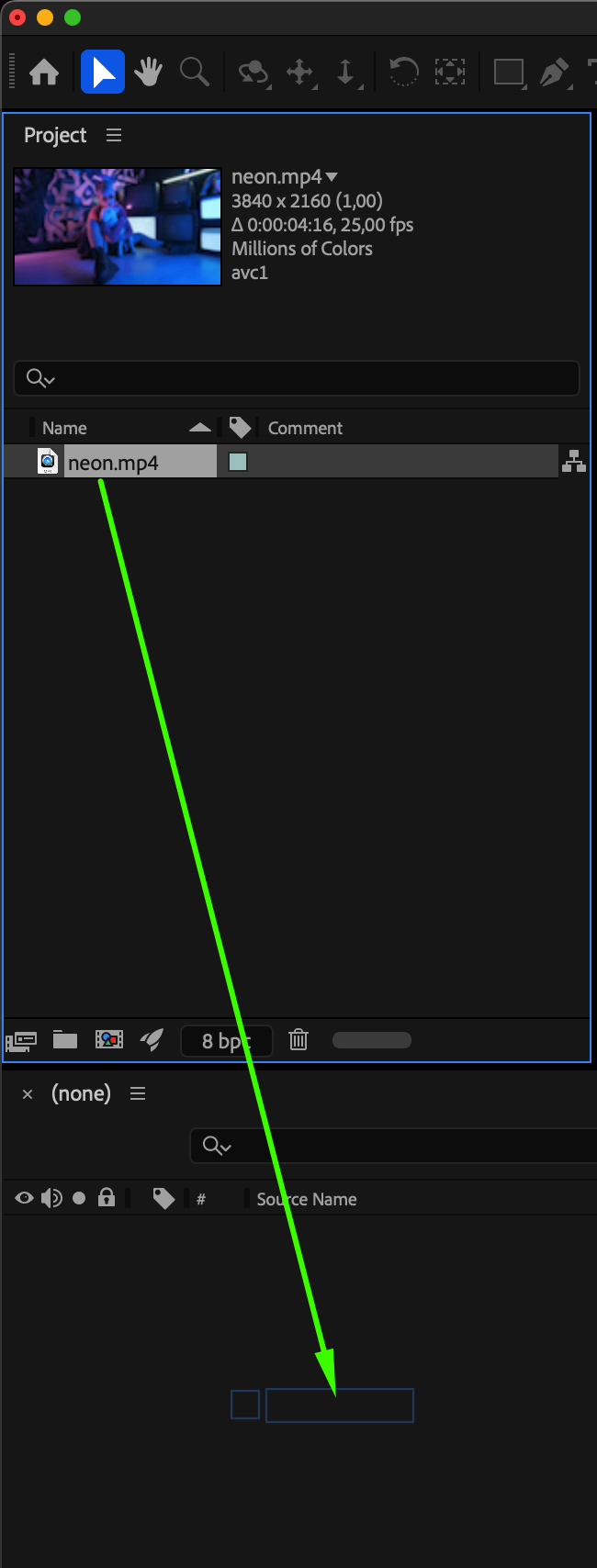
Go to File > Import > File and select your video or image. Drag it to the Timeline to create a new composition.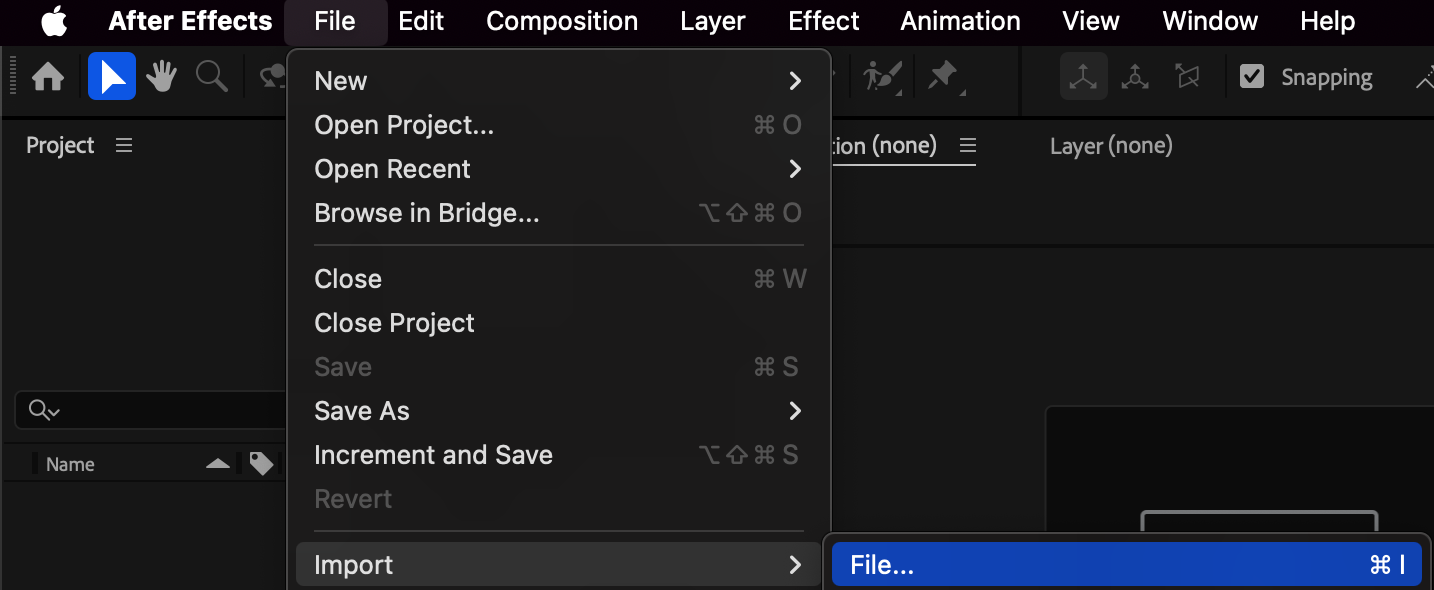
Step 2: Create a Mask
Select the layer you want to mask. Choose the Pen Tool (G) or Shape Tool (Q) from the top toolbar and draw a mask directly on your layer in the Composition Panel. You’ll see straight lines connecting the mask points.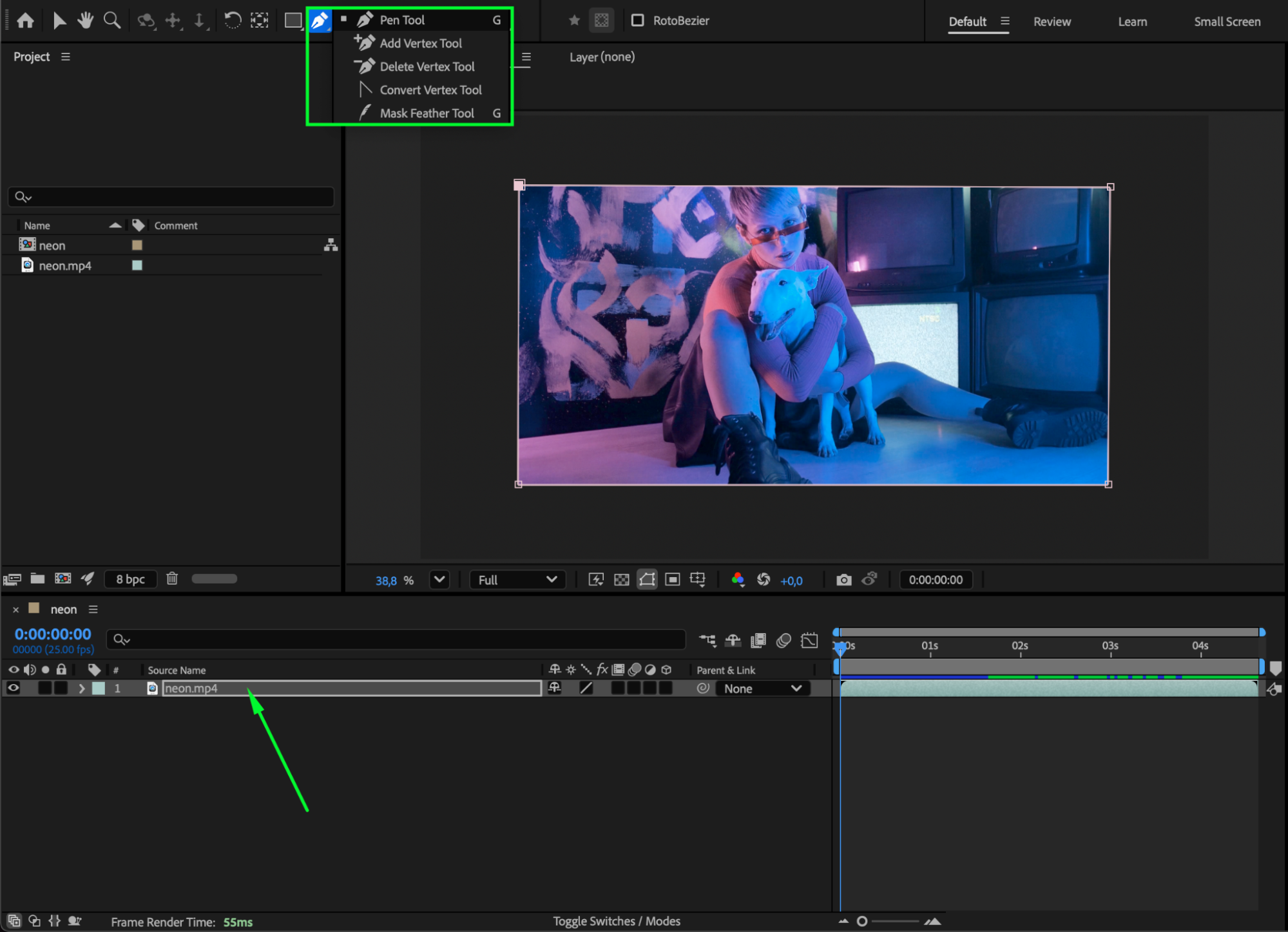
Step 3: Convert Points to Curves
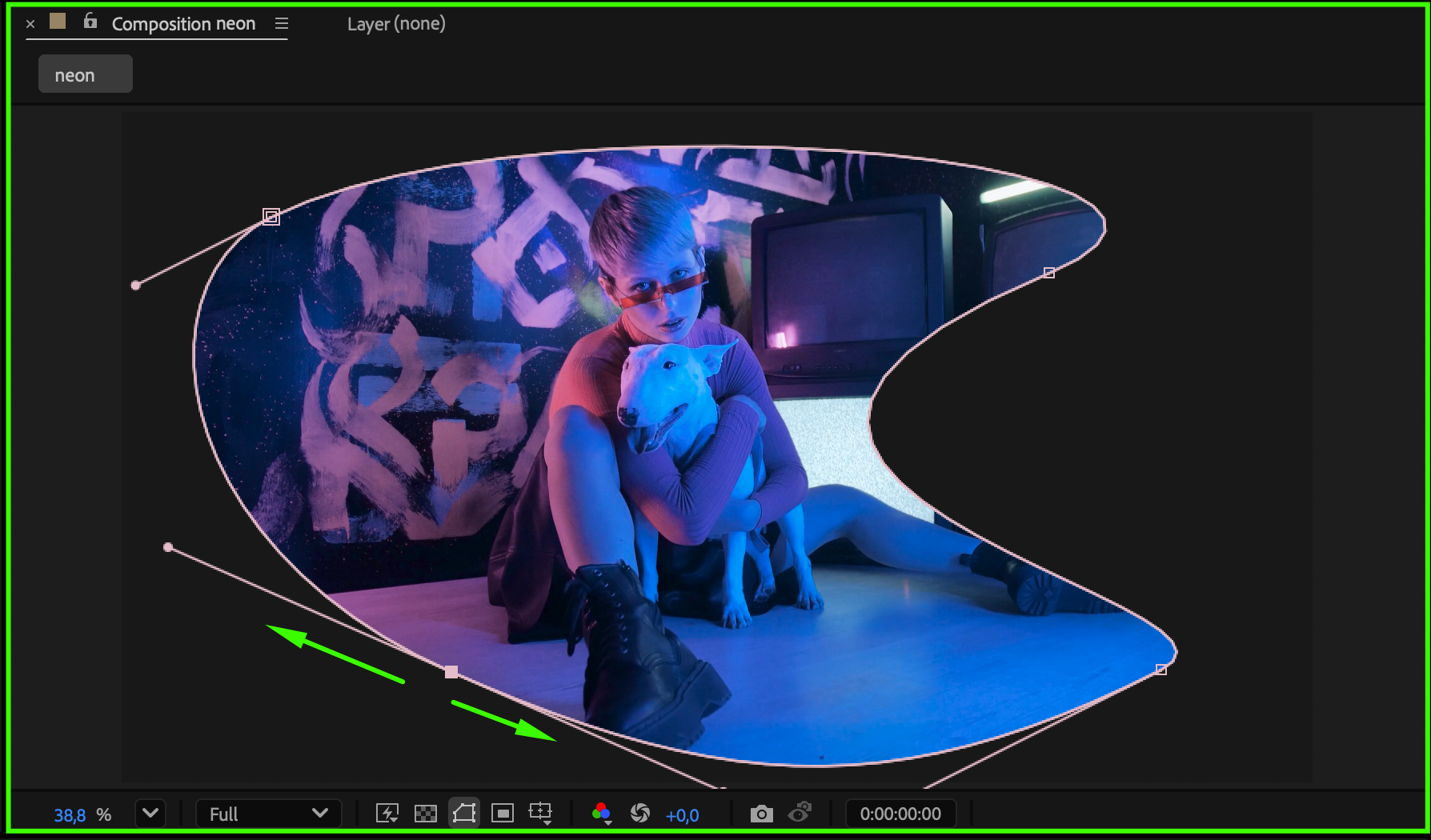
Hold the Pen Tool (G), and from the dropdown, select the Convert Vertex Tool. Click and drag on any mask point to turn the straight corner into a smooth curve. You can curve multiple points to achieve a natural, flowing shape.
Step 4: Adjust Mask Points and Handles
To refine the shape, click on the video layer in the Composition Panel. When mask points become visible, drag them to reposition. Use the Bezier handles (curved lines extending from the points) to fine-tune the curve direction and smoothness.

 Step 5: Customize Mask Properties
Expand the layer in the Timeline, then open the Mask section. Here, you can adjust parameters such as:
Mask Feather – softens the edges of your mask
Mask Expansion – expands or contracts the mask border
Mask Opacity – controls mask transparency
Mask Path – allows you to animate the mask over time
Step 6: Add Effects and Preview
You can now apply effects to your masked area — for example, Color Correction, Blur, or Glow — to enhance your look. Press Spacebar to preview your composition and check how the curved mask behaves in motion.
Conclusion
Curving a mask line in After Effects gives you full creative control over the shape and flow of your masks. Using the Convert Vertex Tool and mask properties, you can easily design smooth, dynamic visuals that bring your compositions to life.
Our Bestsellers
Our Bestsellers


