
Learn how to create vintage-style noir titles in After Effects using AEJuice Noir Film Titles Pack with ready-made cinematic templates.
Create Classic Noir Titles in After Effects Using AEJuice Templates
Introduction to Vintage Title Design in Motion Graphics
Noir film titles are a timeless visual style that bring a sense of drama, mystery, and classic cinema to your project. With high-contrast black and white looks, bold typography, and subtle film noise, these titles are perfect for thrillers, vintage tributes, or stylized branding. In this noir film titles tutorial, you’ll learn how to create cinematic intros using the AEJuice Noir Film Titles Pack — one of the best noir title template collections for After Effects.
Step 1: Create a New Composition
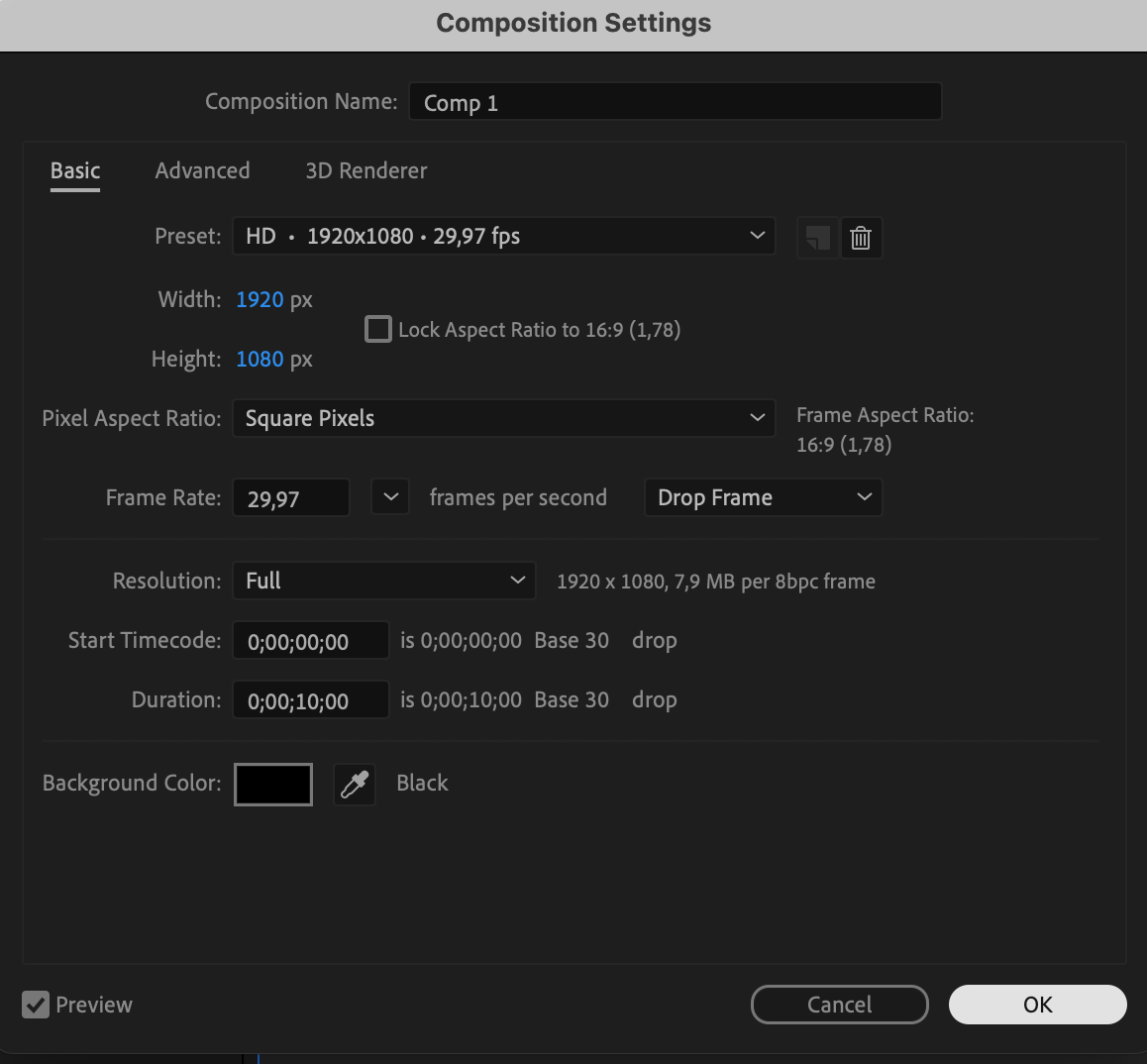
Open After Effects and go to Composition > New Composition. Set your resolution, frame rate, and duration. This will be the base for your noir sequence.
 Step 2: Open AEJuice Pack Manager
Go to Window > AEJuice Pack Manager 4. This opens the plugin panel where you can browse all available AEJuice packs.
Step 3: Download the Noir Film Titles Pack
Inside the Pack Manager, locate the Noir Film Titles pack. If it’s not installed yet, click to download. Once complete, you’ll see a variety of ready-made noir title animations.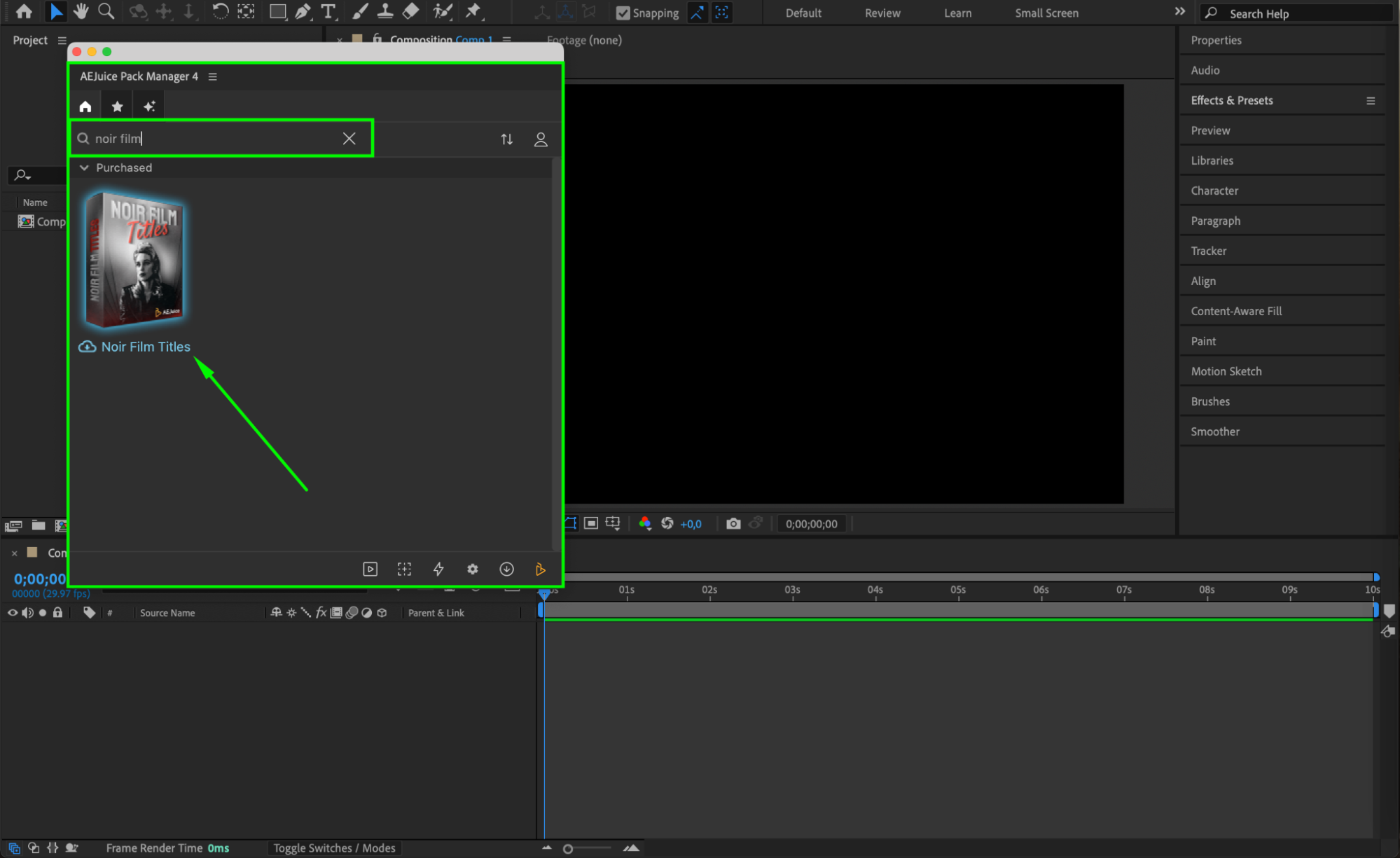 Step 4: Choose and Import a Template
Scroll through the noir title templates and choose the one that matches the mood of your project. Click on it and press Import. It will be added to your timeline as a pre-comp.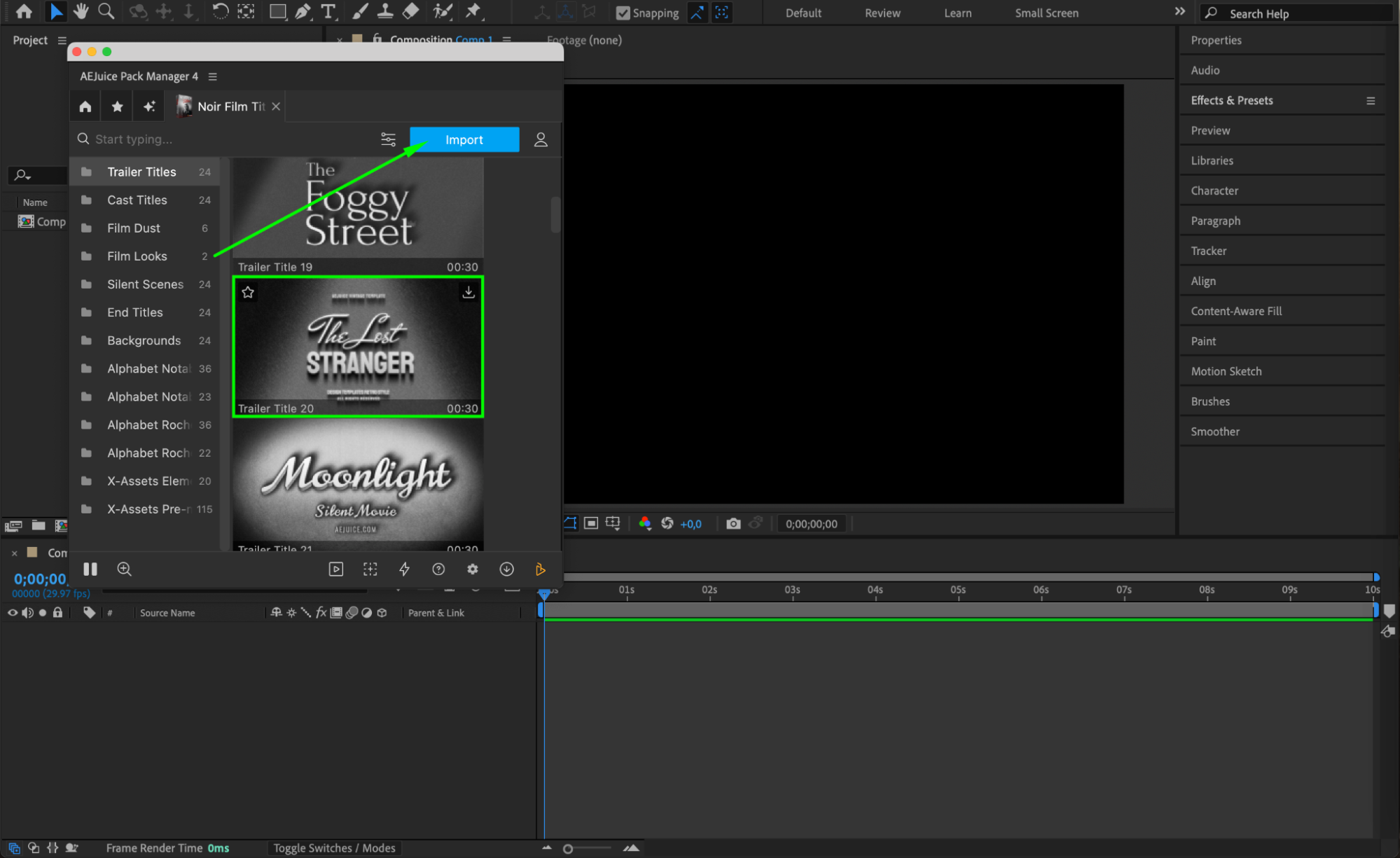
Step 5: Customize Your Title
In your timeline, select the imported pre-comp layer. Then, in AEJuice Pack Manager, click the Edit button (three sliders icon). This opens a panel where you can customize the text, font, text color, background color, and enable or disable film noise effects. Adjust these settings to fit the style of your video.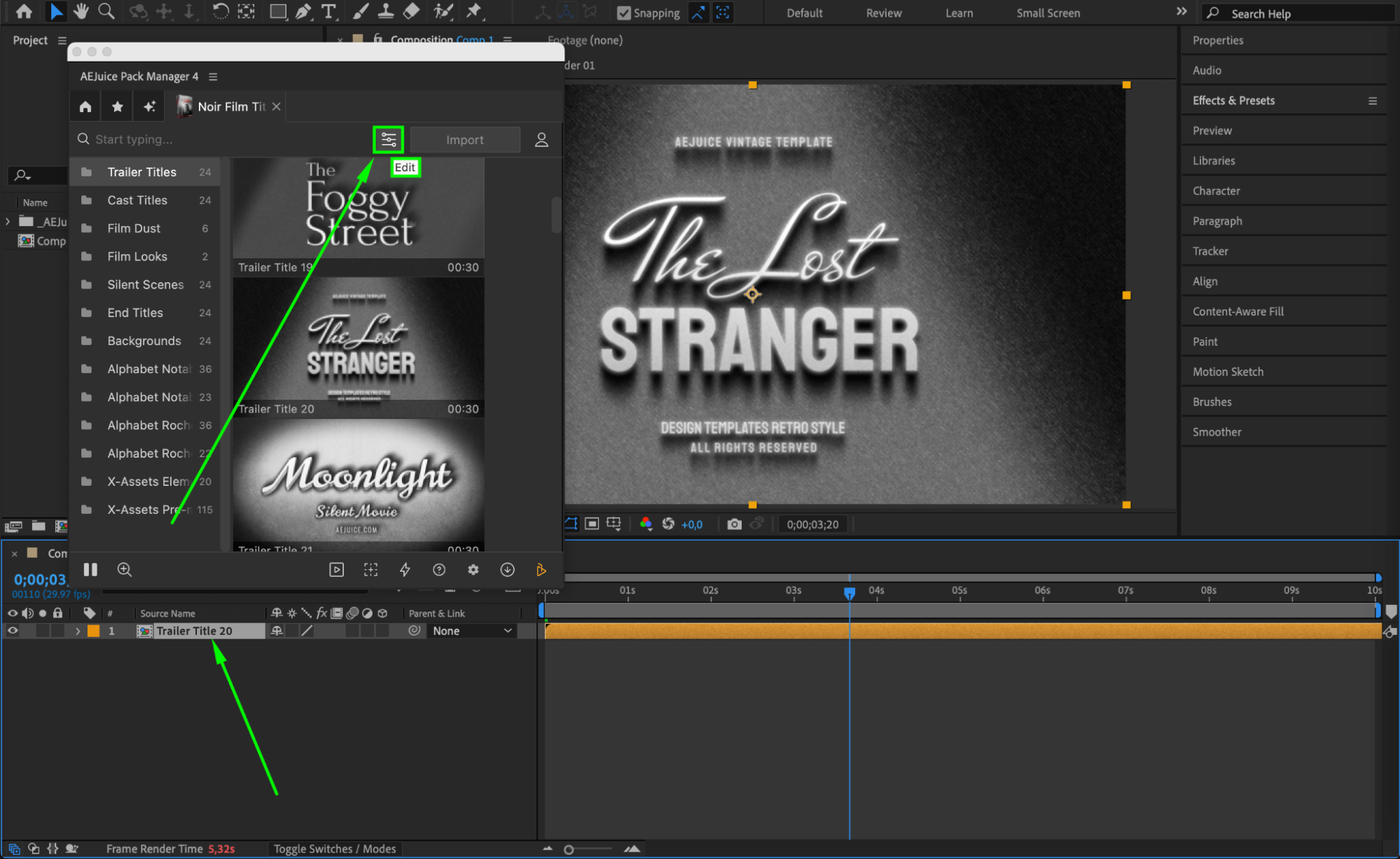
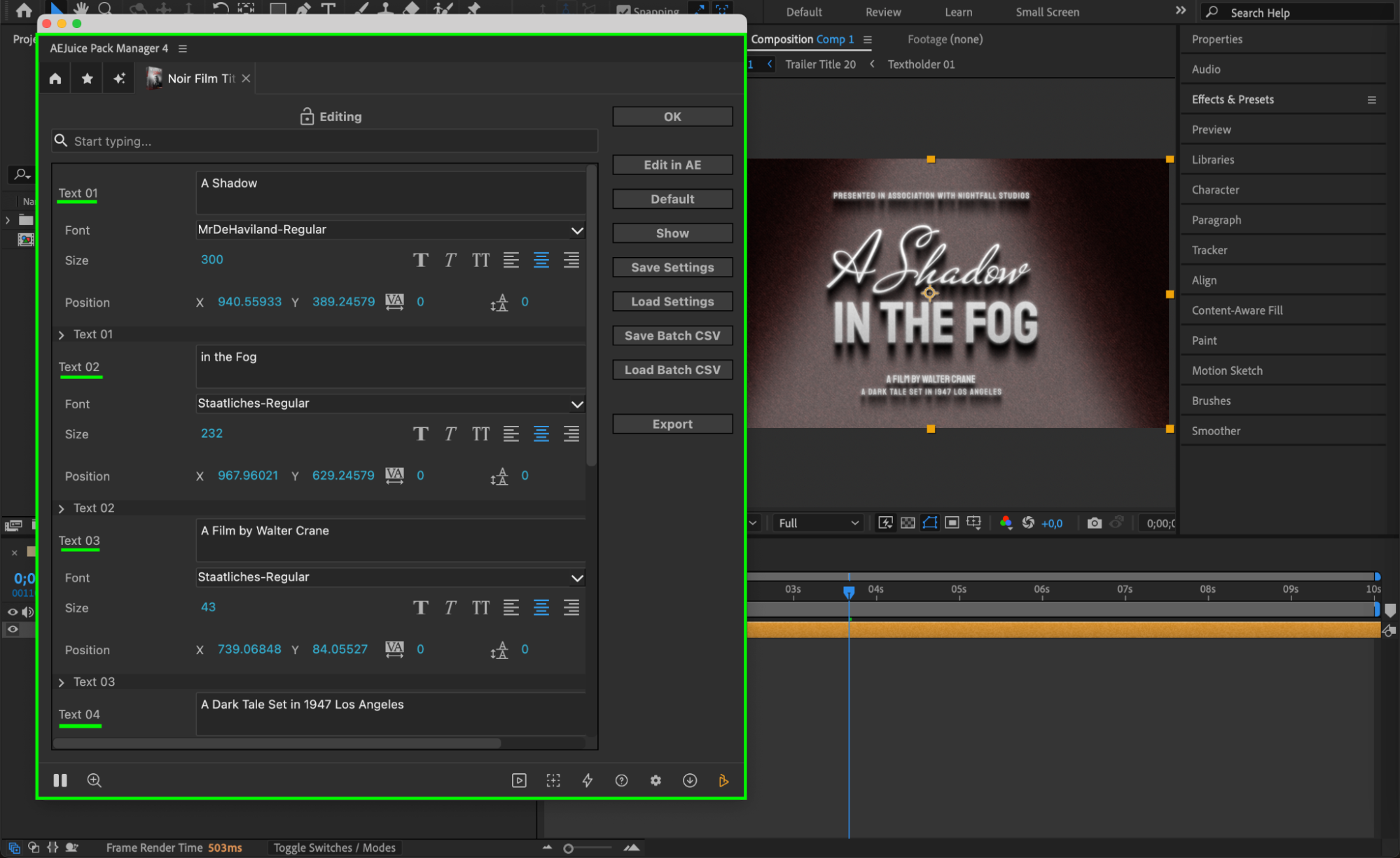 Step 6: Preview and Export
Press the Spacebar to preview your noir titles in motion. Make final adjustments to the timing, scale, or opacity if needed. When everything looks good, export your composition via Composition > Add to Render Queue.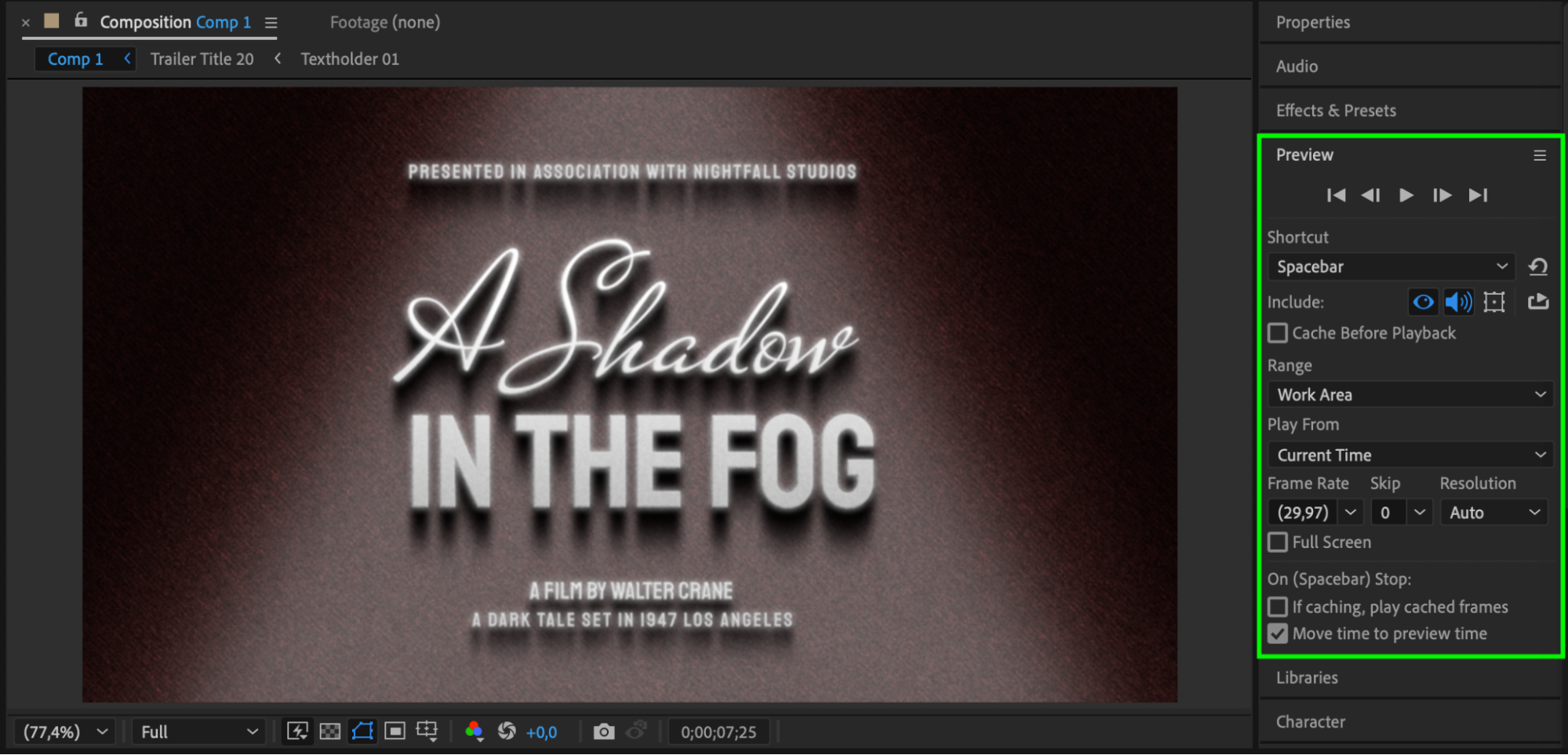 Conclusion
By following these steps, you can easily create stylish noir intros using pre-made templates from the AEJuice Noir Film Titles Pack. These cinematic titles are ideal for classic video projects, short films, trailers, or any scene that needs a bold, dramatic intro.
Our Bestsellers
Our Bestsellers


