
Introduction to Simulating Depth with Effects
Solid layers in After Effects are completely flat by default, but you can easily give them a sense of depth using creative effects. By applying gradients, textures, and lighting simulations, you can make a basic solid feel more dimensional and visually interesting. This method is useful for backgrounds, design elements, or abstract animations where physical 3D depth is not required but a sense of space and volume is needed.
Step 1: Create a New Composition
Open After Effects and go to Composition > New Composition. Set your desired resolution and duration. This will be the workspace for your depth effect.
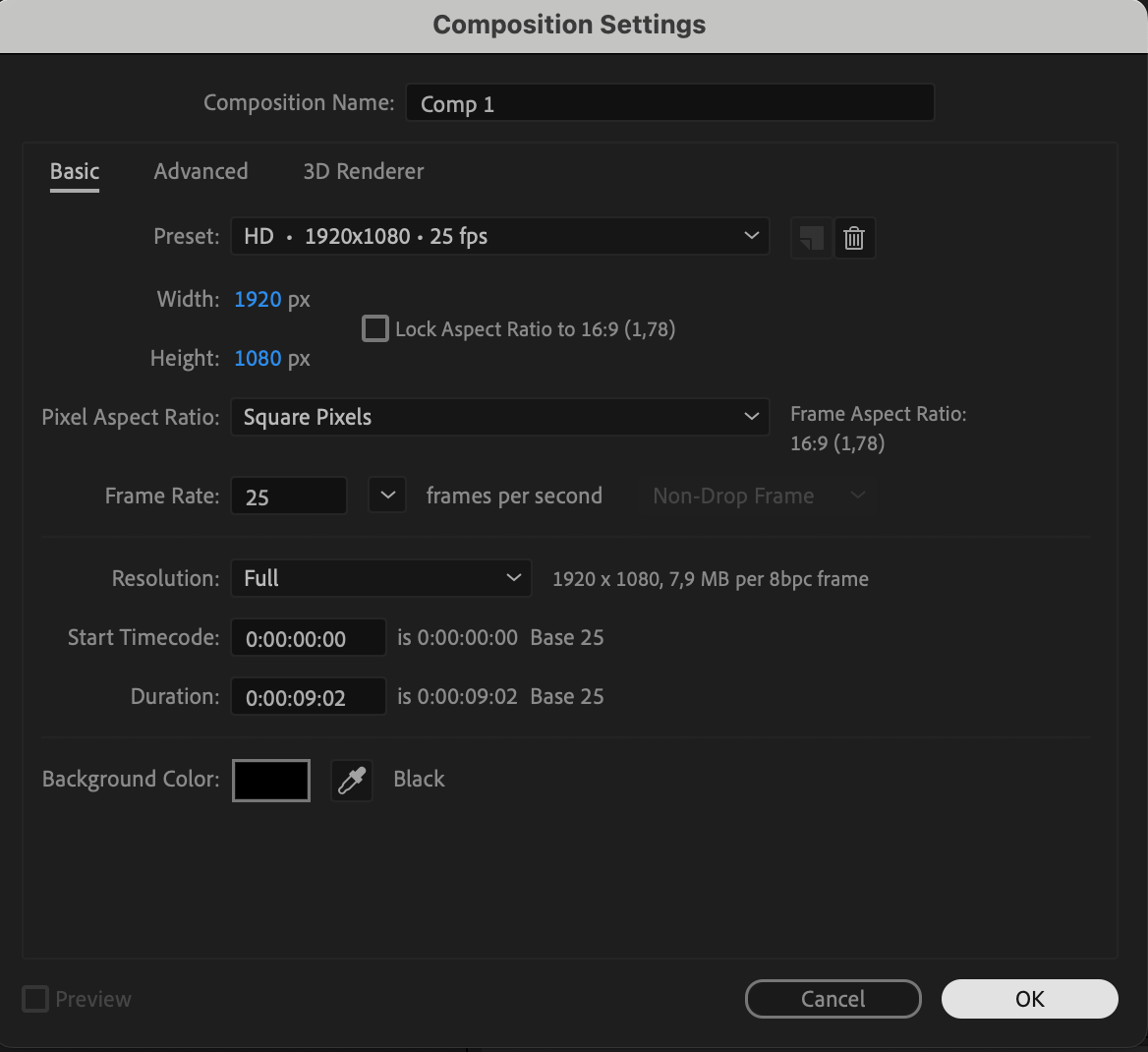 Step 2: Add a Solid Layer
Go to Layer > New > Solid, choose any color, and click OK. This solid will be the base for your depth simulation. You can rename the layer for easier identification.

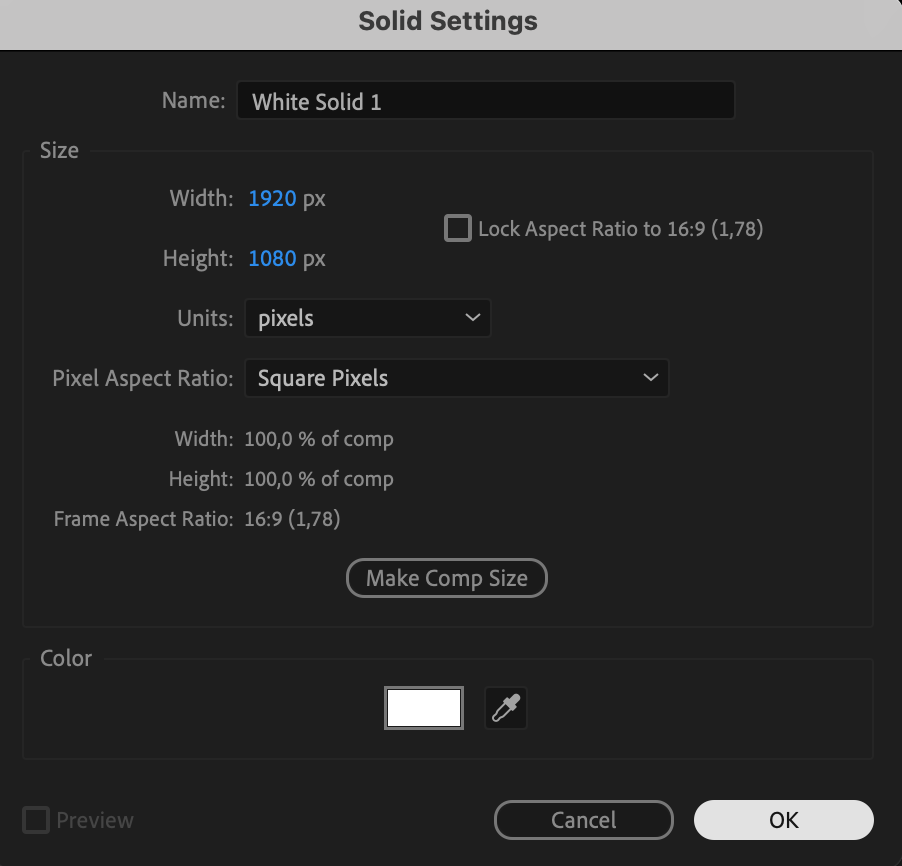
Step 3: Add a Gradient to Simulate Depth
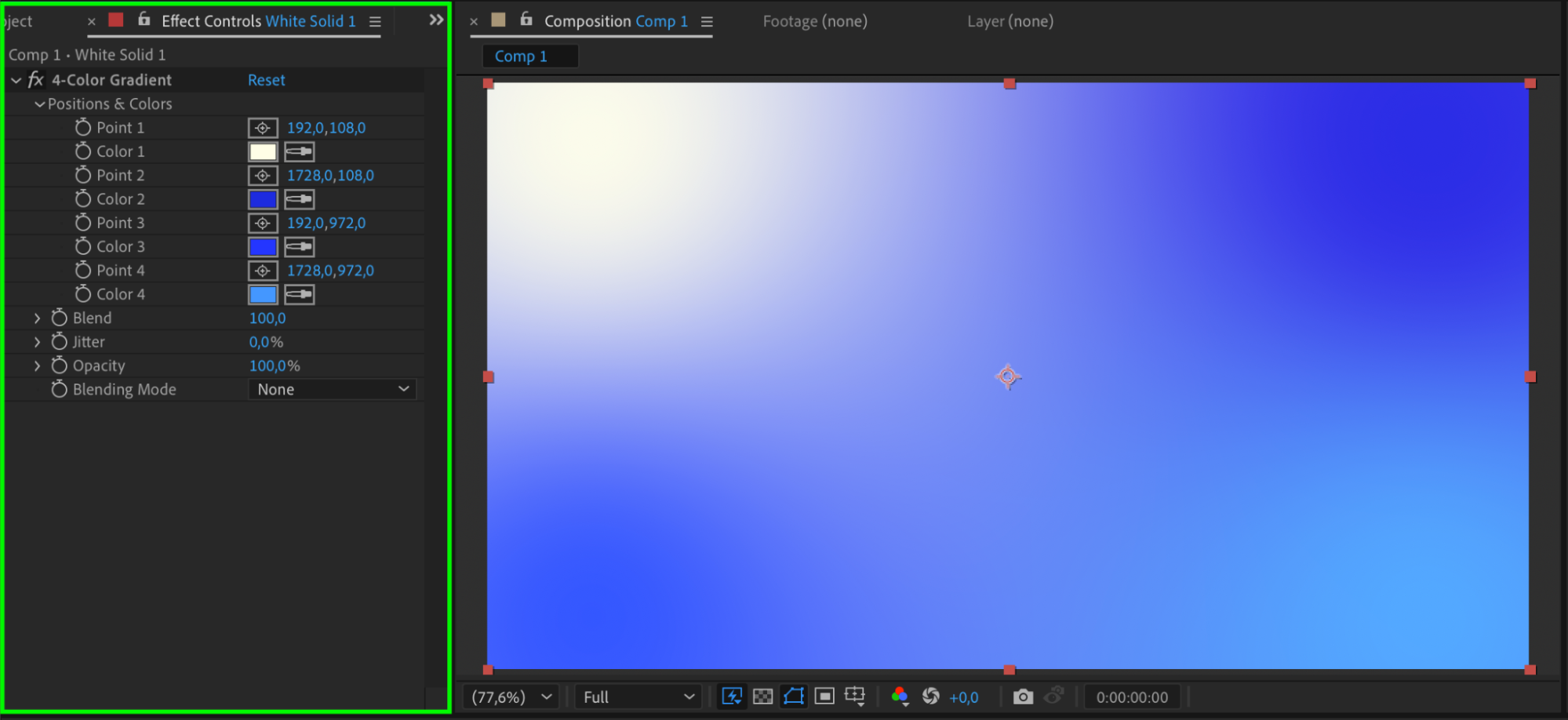
Open the Effects & Presets panel and apply either 4-Color Gradient or Gradient Ramp to the solid. Use different shades of the same color to simulate lighting and subtle variation. Position the gradient points to suggest where the light is coming from and to add visual depth.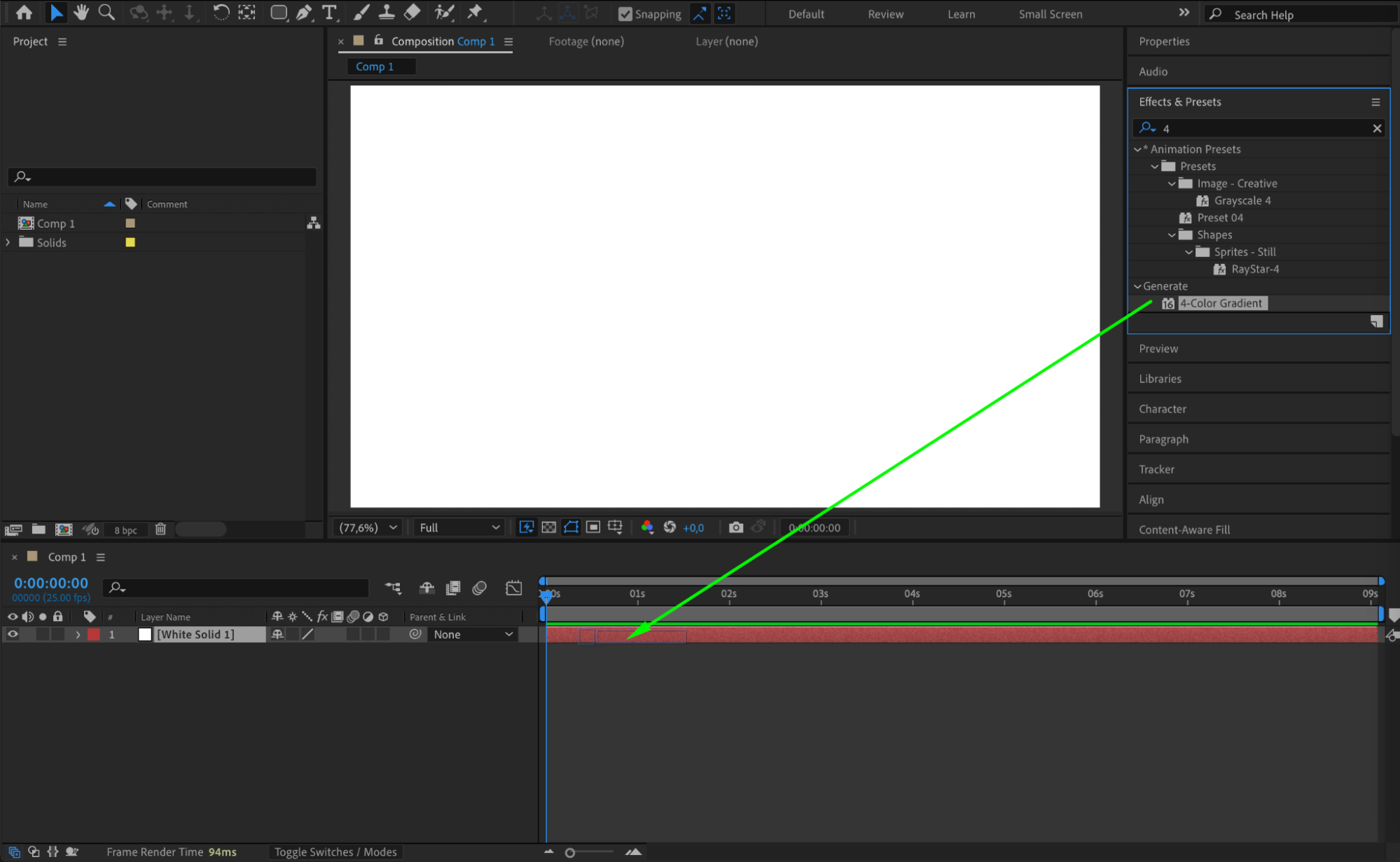
 Step 4: Add Turbulent Noise for Texture
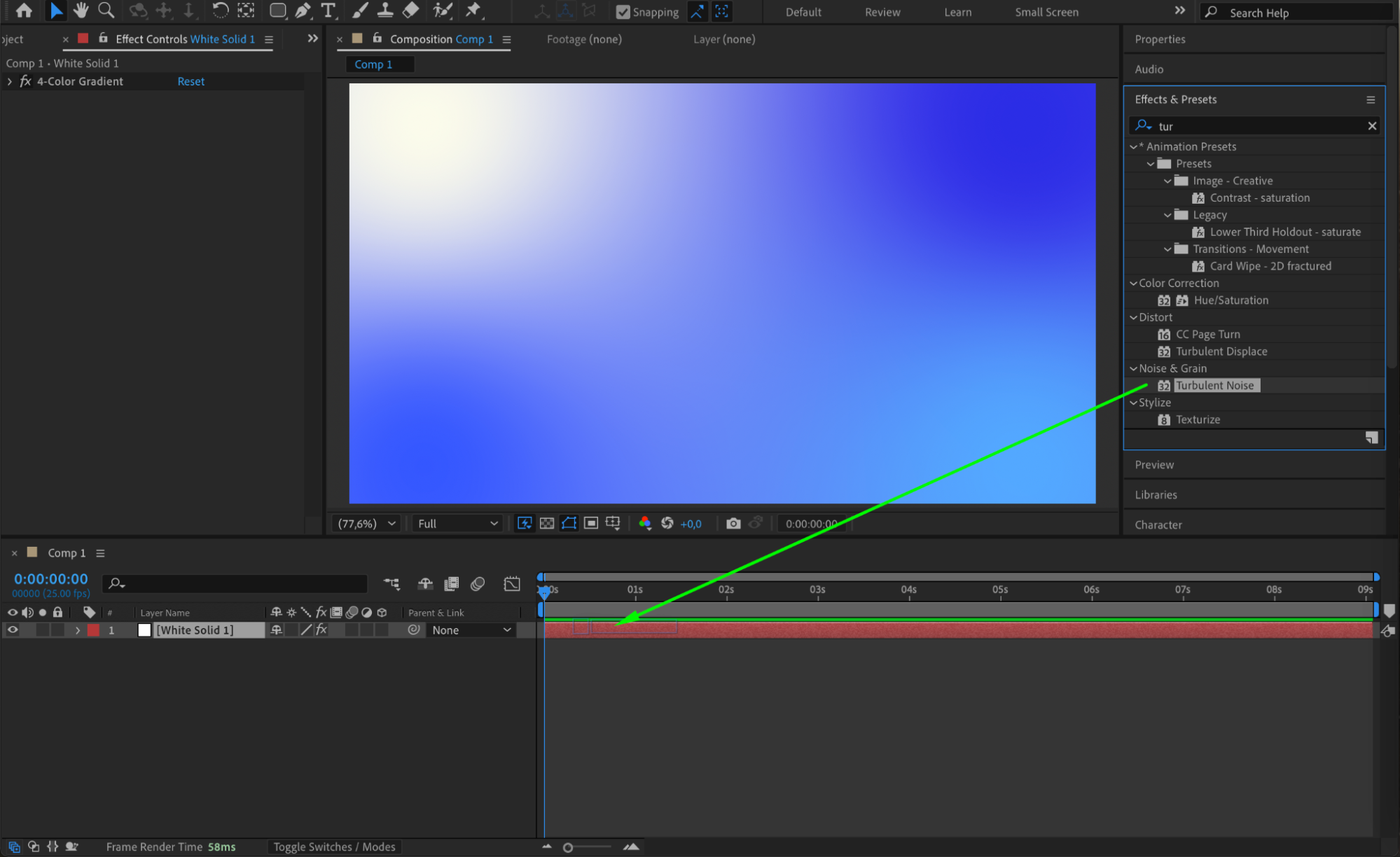
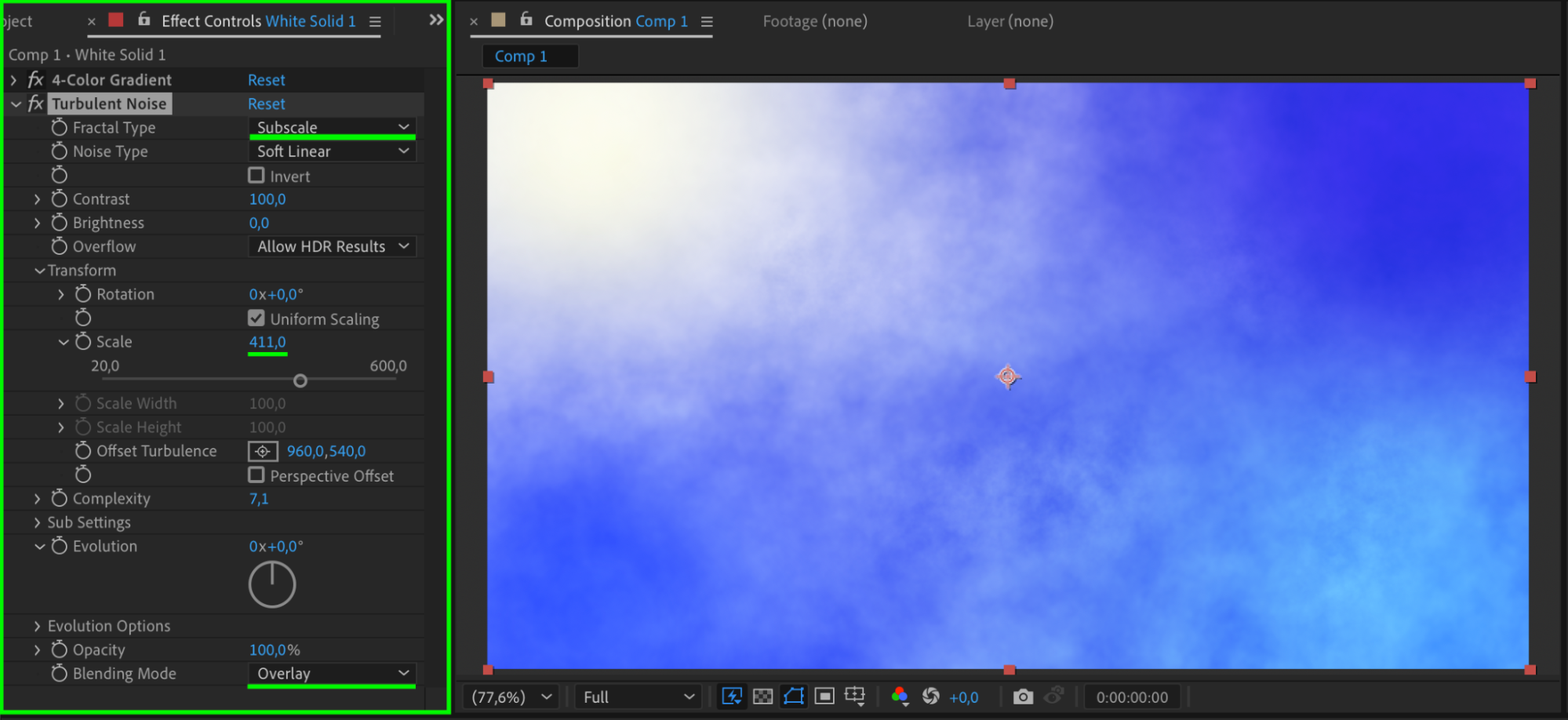
Apply the Turbulent Noise effect to the solid. In the effect settings, choose a Fractal Type like Dynamic or Swirly and set the Blending Mode to Overlay. This creates a soft texture that mimics depth and natural surface variation.
Step 5: Highlight with Glow
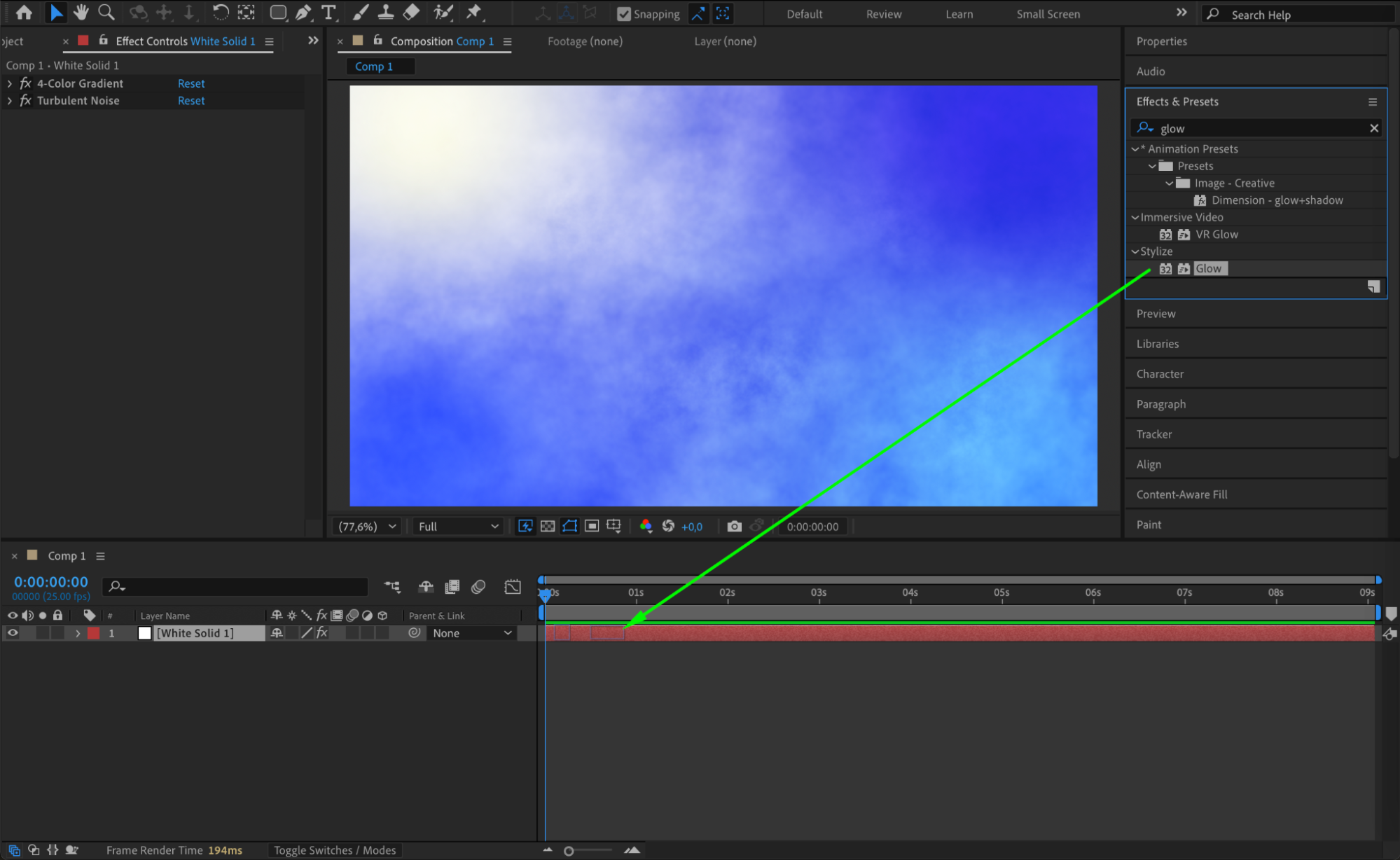
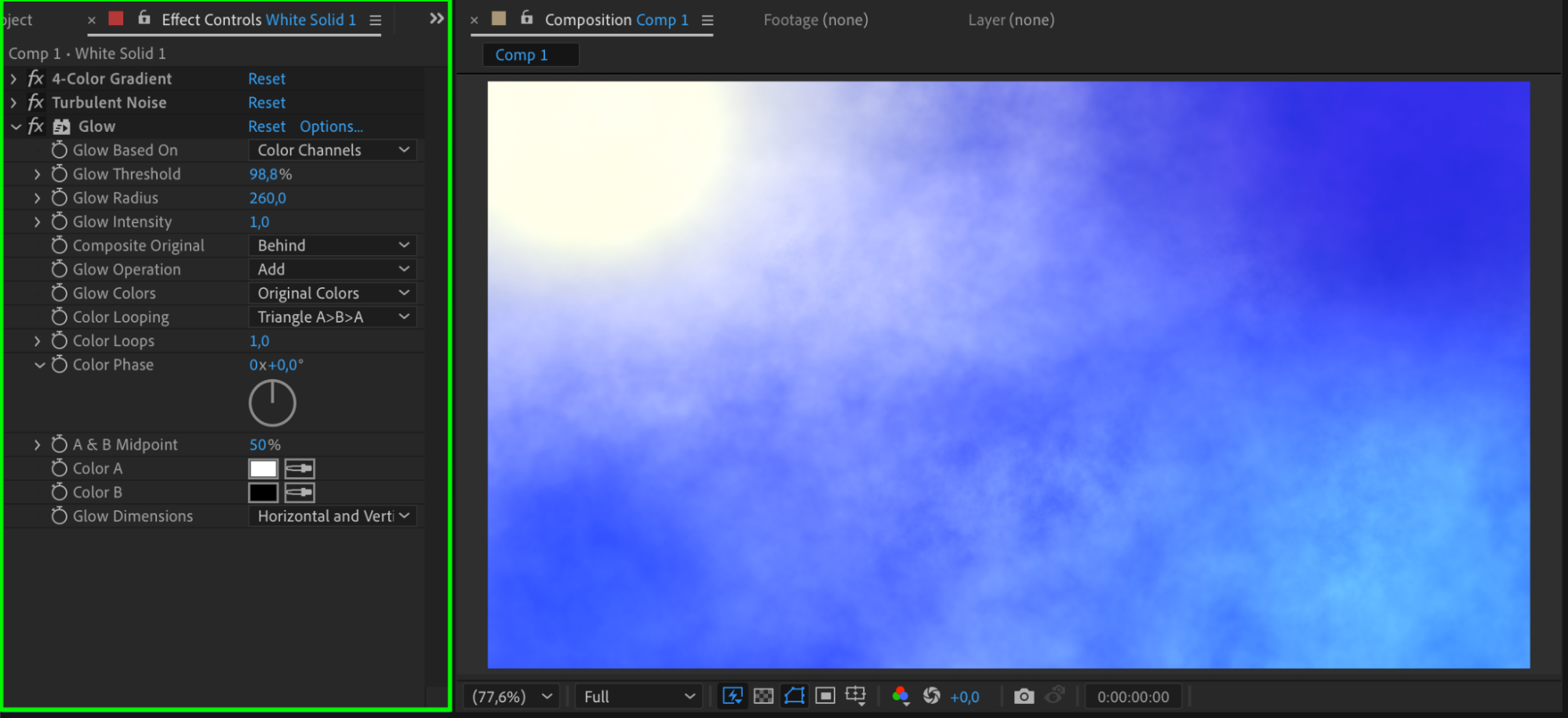
To make certain areas pop and look more dimensional, add the Glow effect. Adjust the Glow Threshold and Glow Radius to create soft highlights that simulate light hitting the surface.
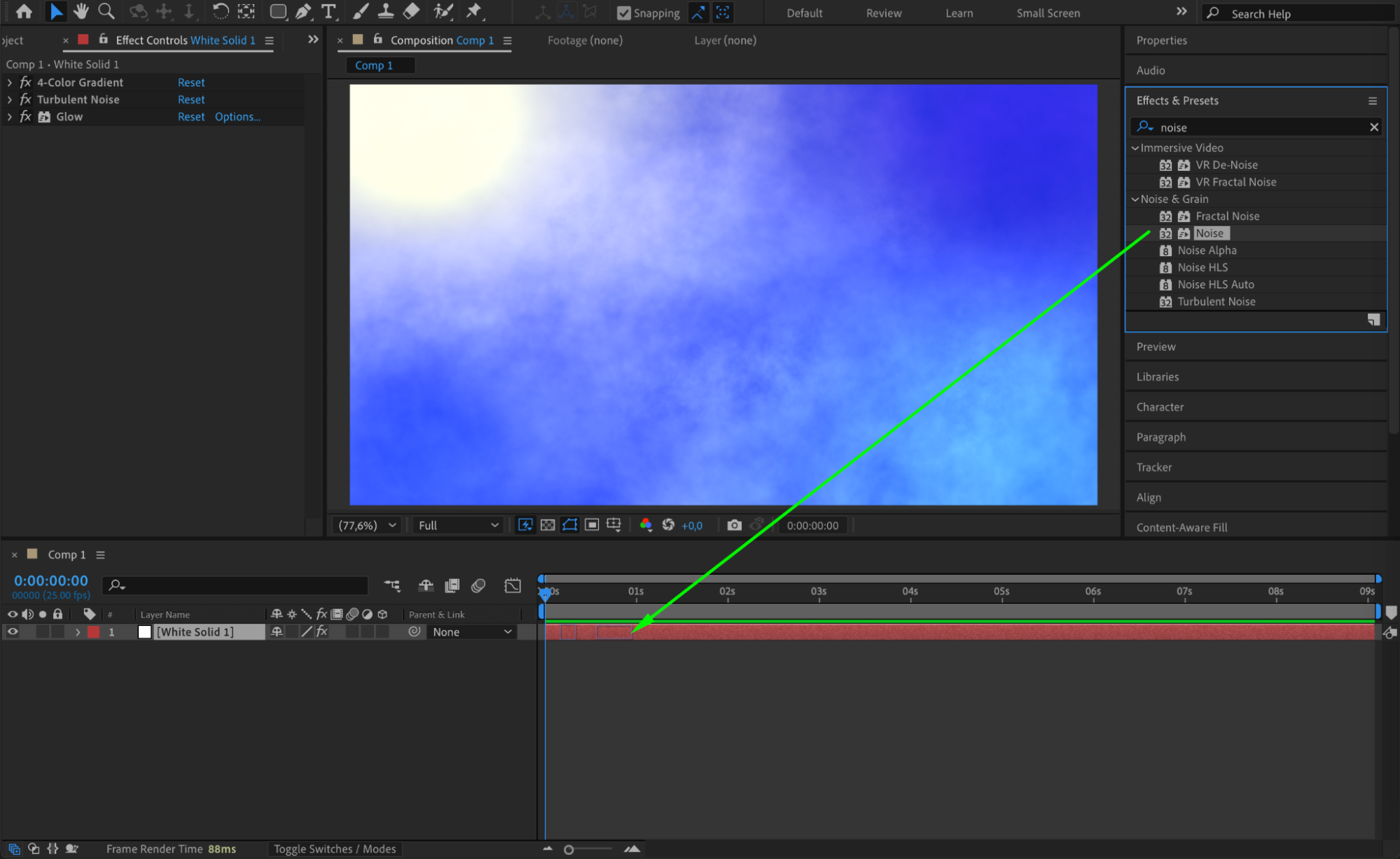
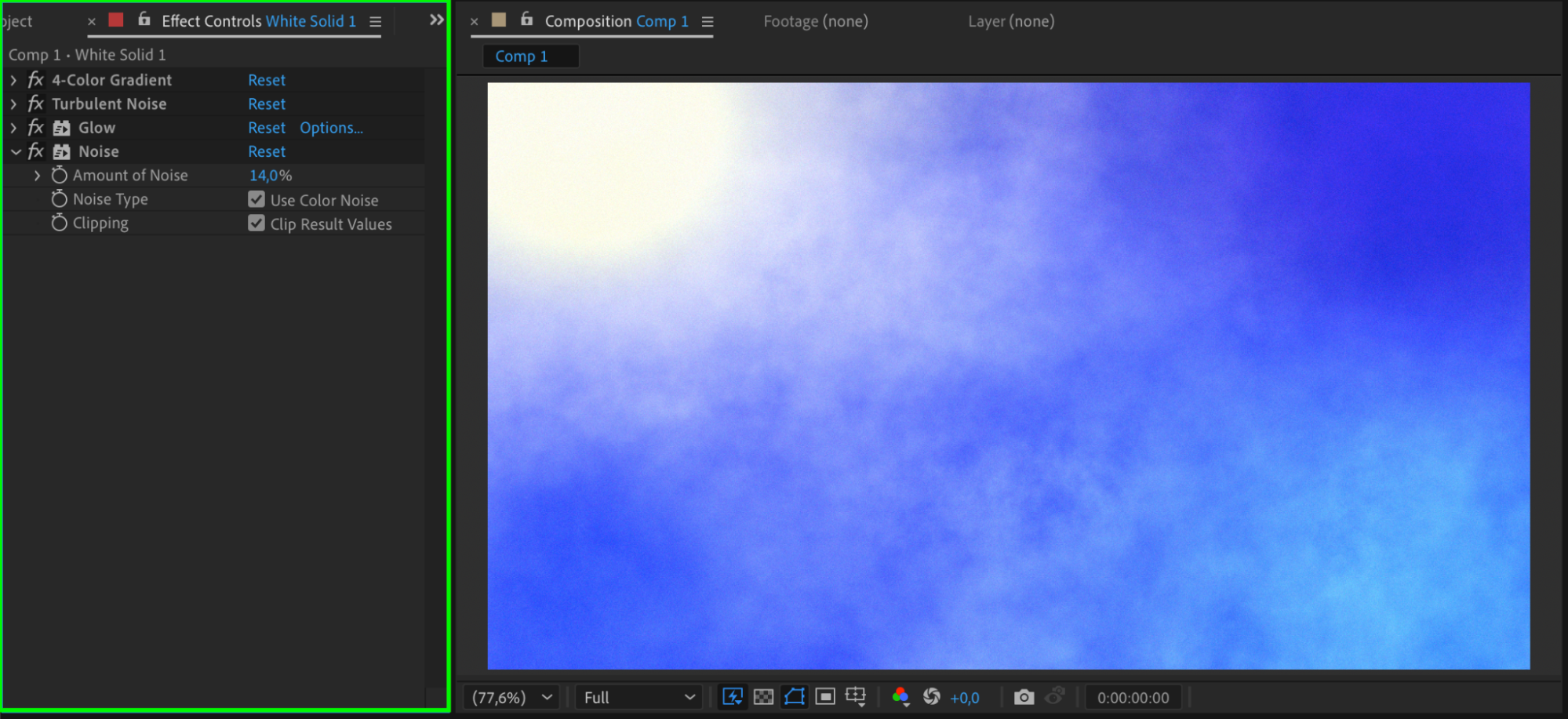
 Step 6: Enhance with Noise
Add the Noise effect to introduce fine grain and break up flat color areas. This helps reduce banding and adds realism. Keep the noise level low — around 2 – 15% — so it enhances without distracting.
 Step 7: Preview and Adjust
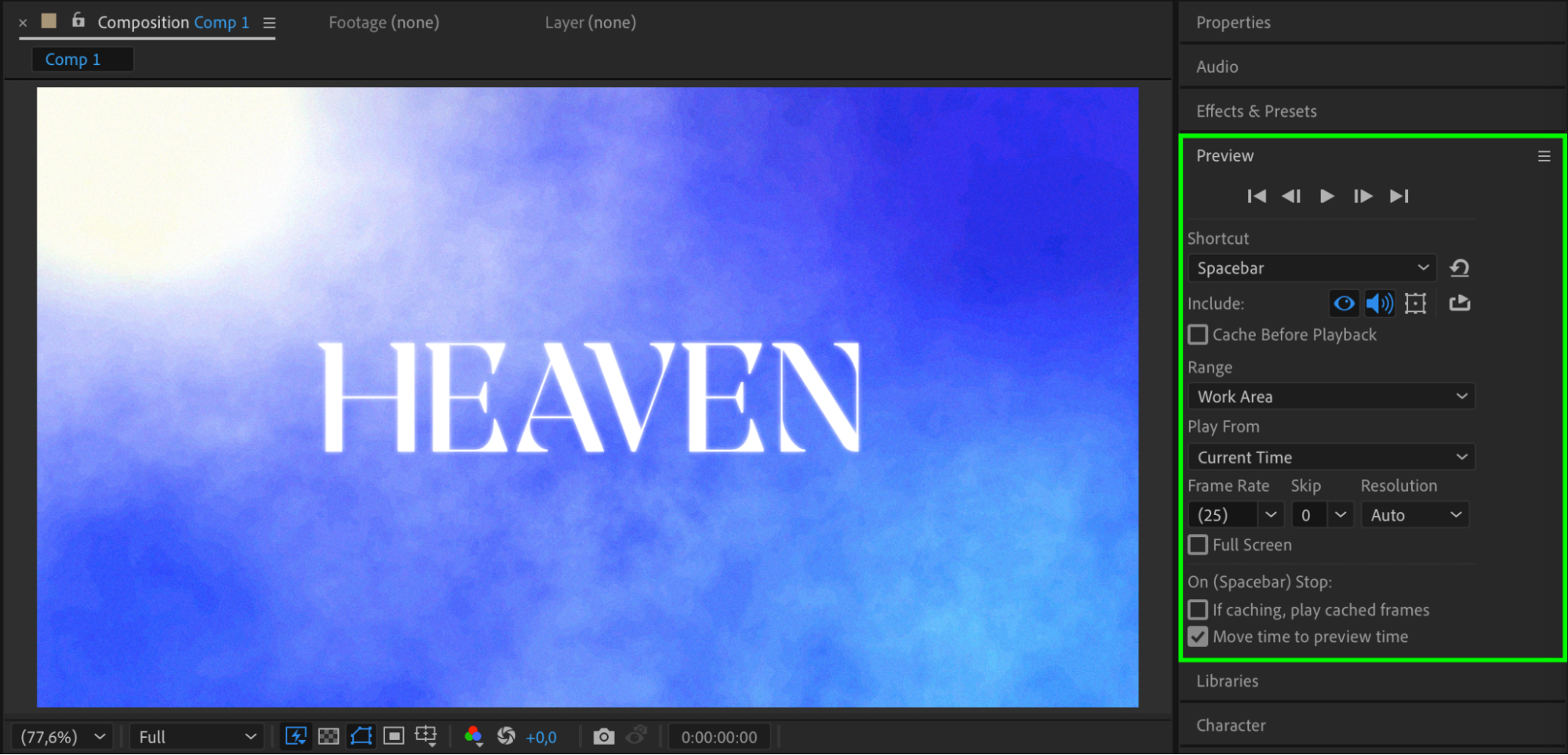
Press the Spacebar to preview your result. Tweak your gradient points, noise settings, or glow intensity if needed. You can also combine this with scale or position animation for dynamic depth.
Conclusion
Even without using 3D layers or lighting, you can create convincing depth in a solid layer using gradients, texture effects, and lighting simulations. This technique is simple but powerful, giving your compositions more life and visual complexity while keeping your workflow fast and flexible.
Our Bestsellers
Our Bestsellers


