
Create an Epic Super Saiyan Aura in After Effects
Introduction – Add Powerful Energy Effects to Your Characte
In this tutorial, you’ll learn how to make a glowing aura similar to the Super Saiyan energy from Dragon Ball. By combining roto brush masking, outer glow, and glow effects, you can add a dynamic energy look to any character in your video.
Step 1: Import Your Video
Go to File > Import > File, and select the footage you want to use. Drag it onto the timeline to create a new composition. Make sure the video contains the character you want to apply the aura to.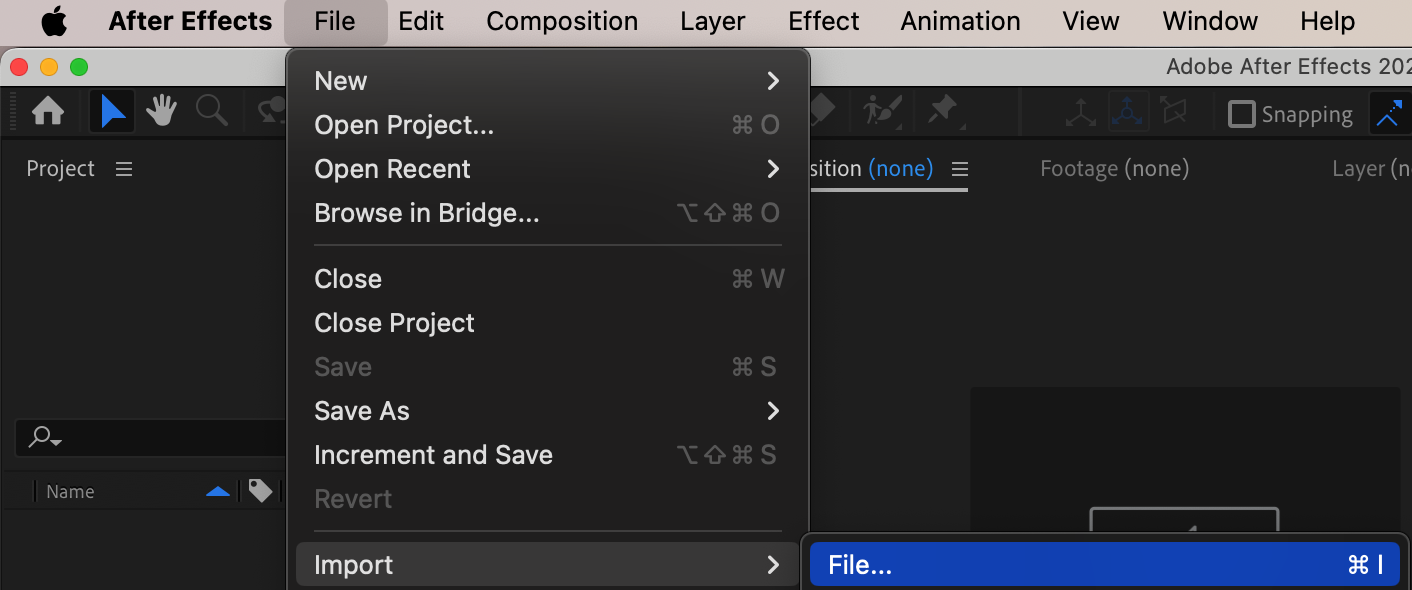
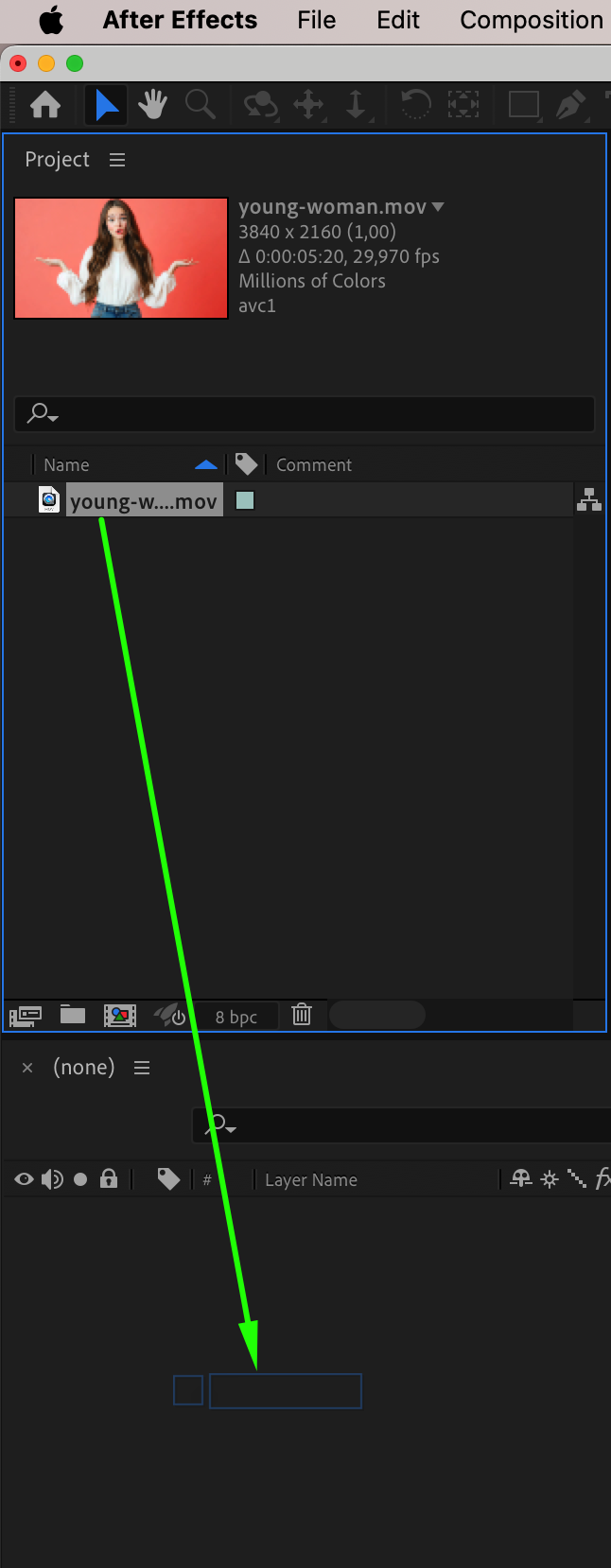 Step 2: Duplicate the Video Layer
Select your video layer and press “Ctrl/Cmd + D” to duplicate it. Rename the top layer to “FG” (foreground) and the bottom layer to “BG” (background) to stay organized. The aura effect will be added around the character on the foreground layer.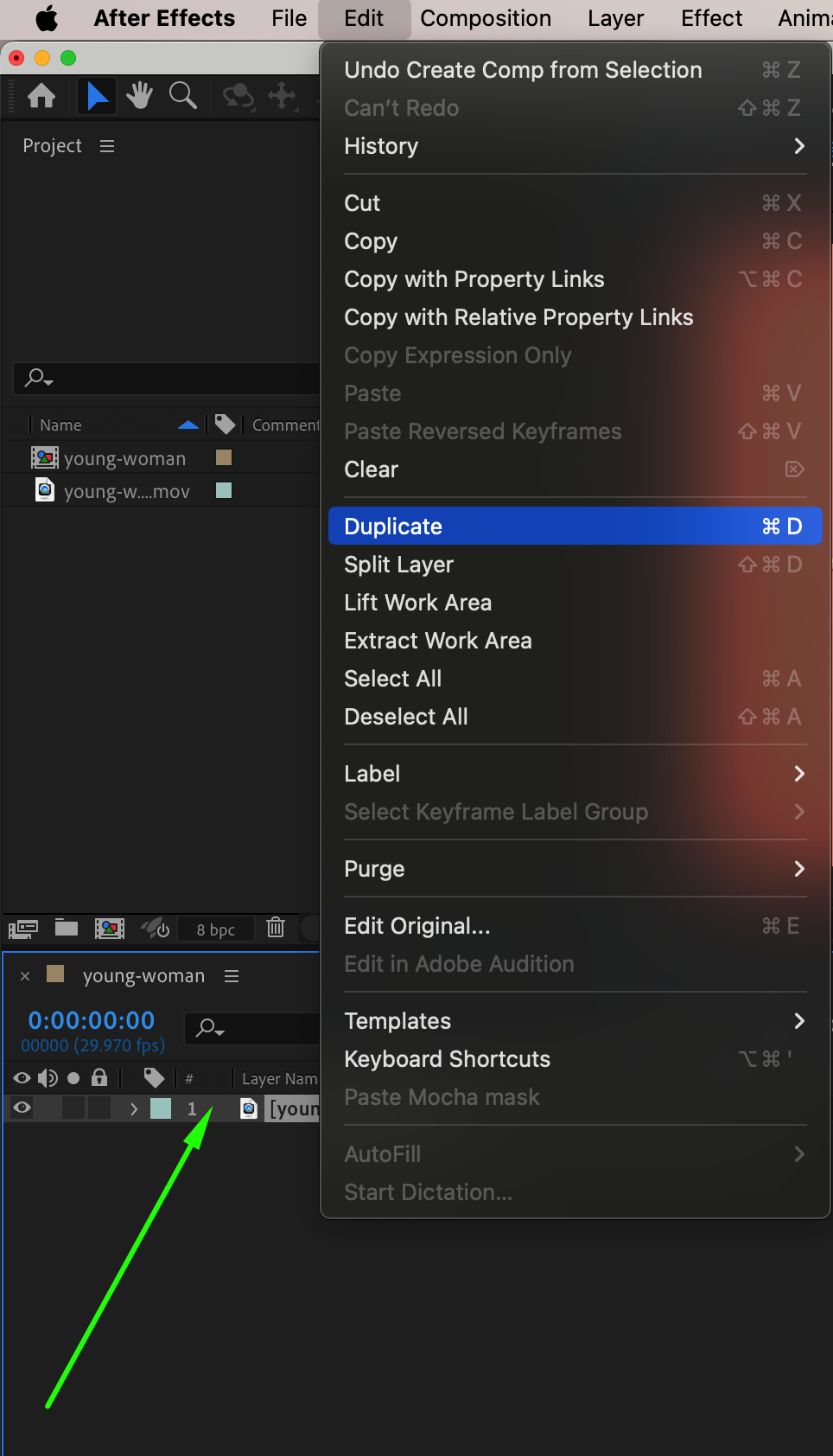
Step 3: Mask the Character Using Roto Brush
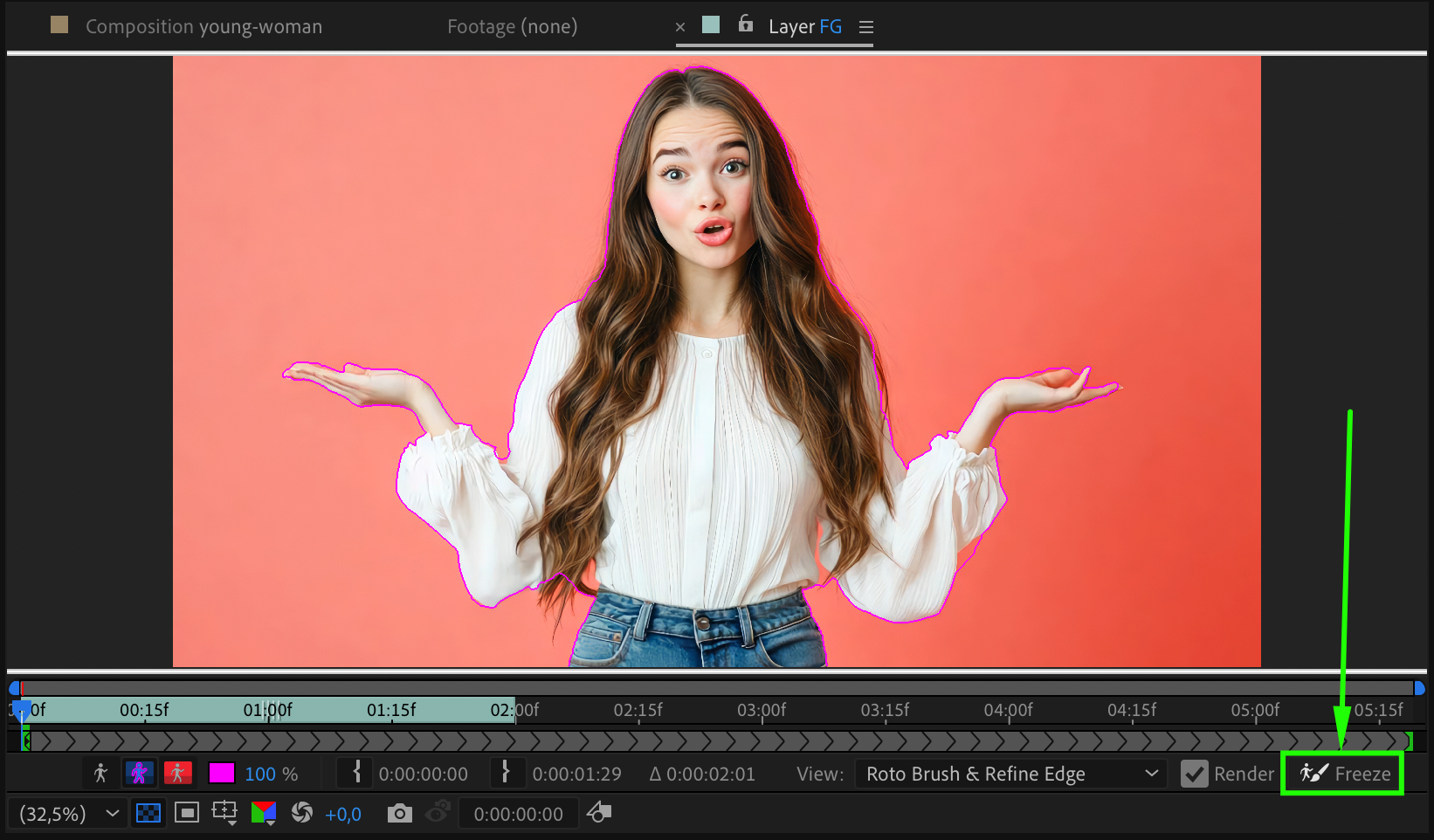
Double-click on the FG layer to open it in Layer view. Select the Roto Brush Tool (Alt/Option + W) and begin brushing over the subject to separate it from the background. After adjusting the edges, press the Freeze button in the lower right corner of the Layer panel to lock the mask for the duration of your clip.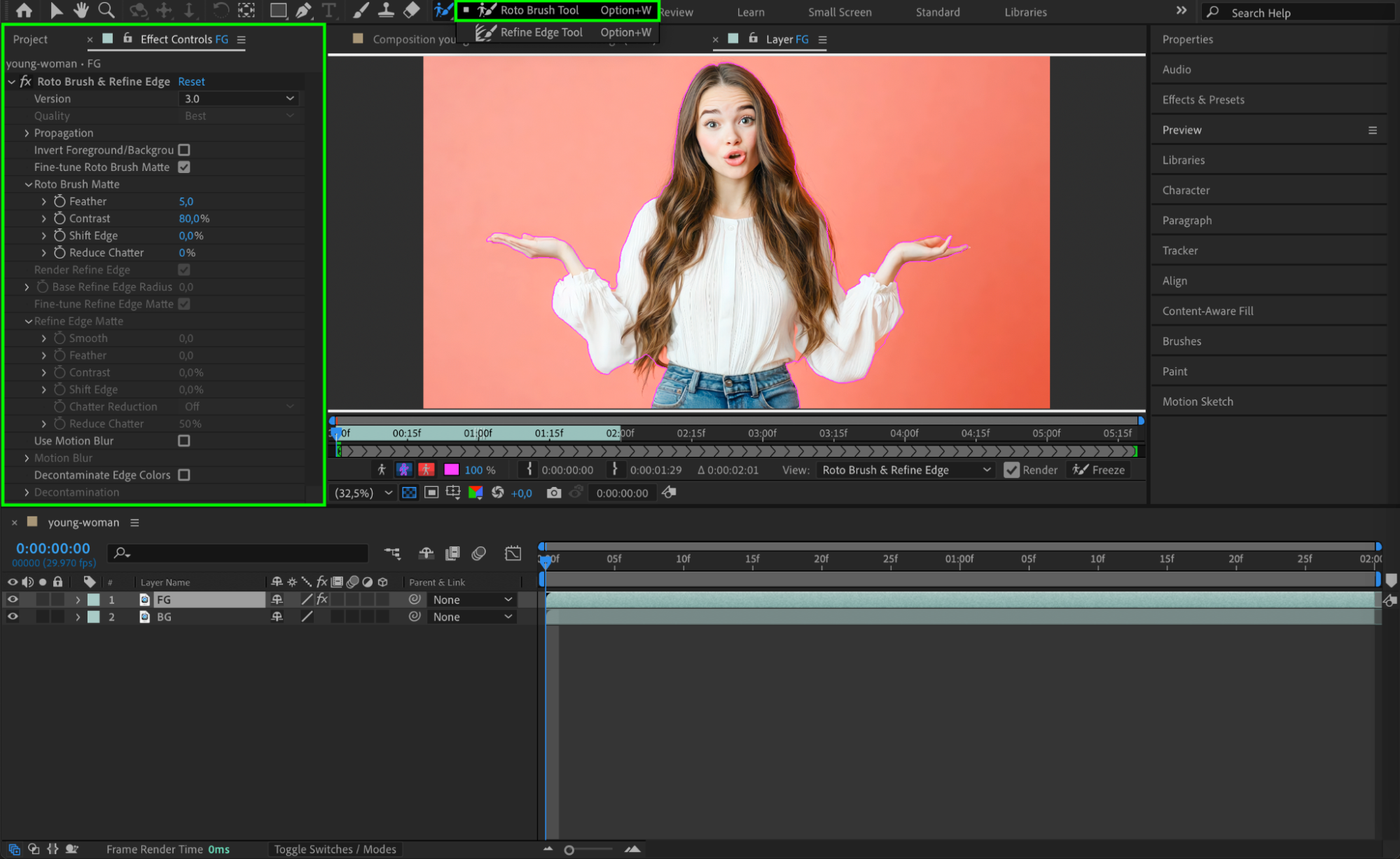
 Step 4: Add Outer Glow Layer Style
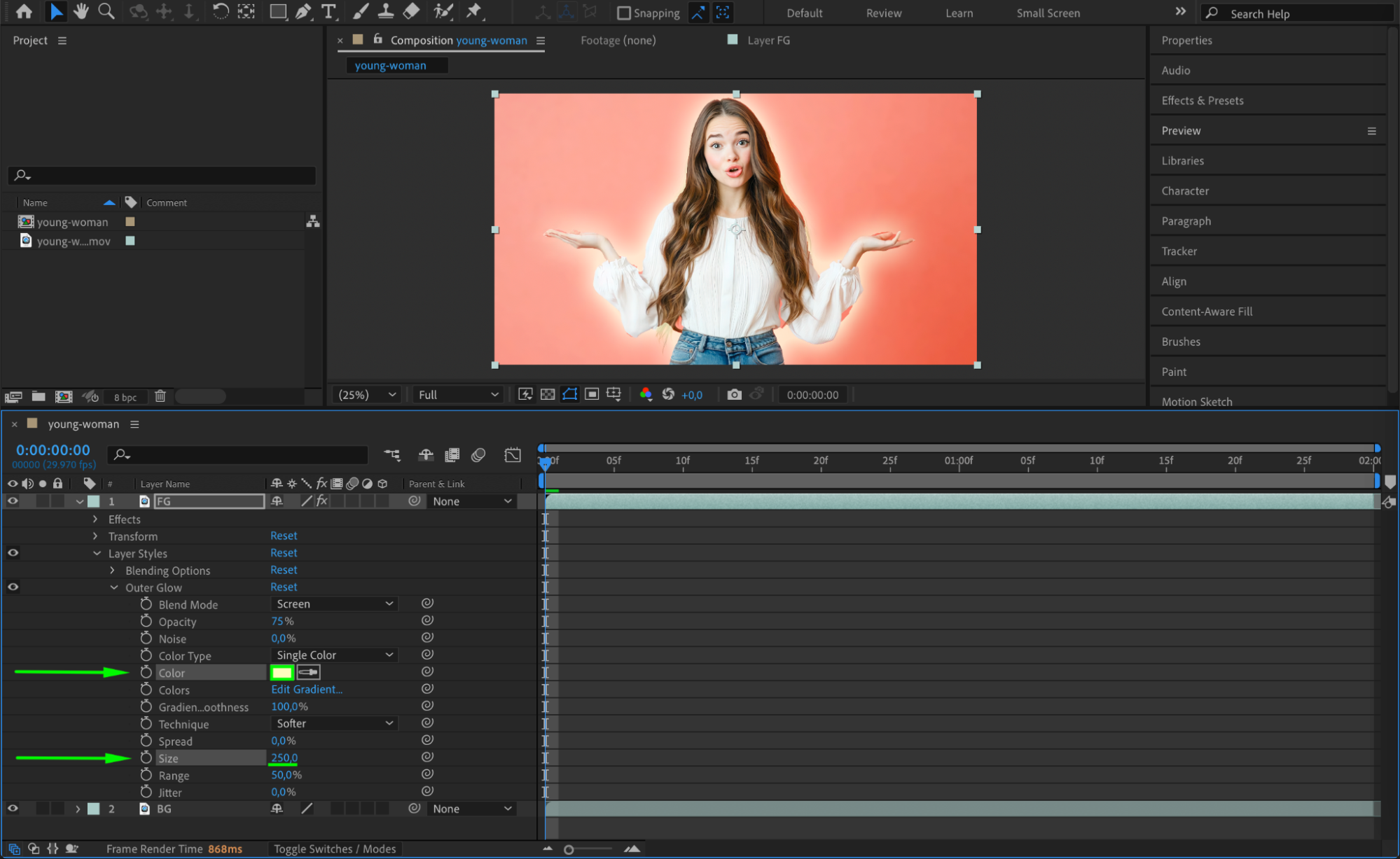
Return to the Composition panel, right-click on the FG layer, and choose Layer Styles > Outer Glow. In the timeline, expand the layer styles options and adjust Color, Opacity, and Size to create the glowing aura. Use bright yellow, blue, or gold for a true Super Saiyan look.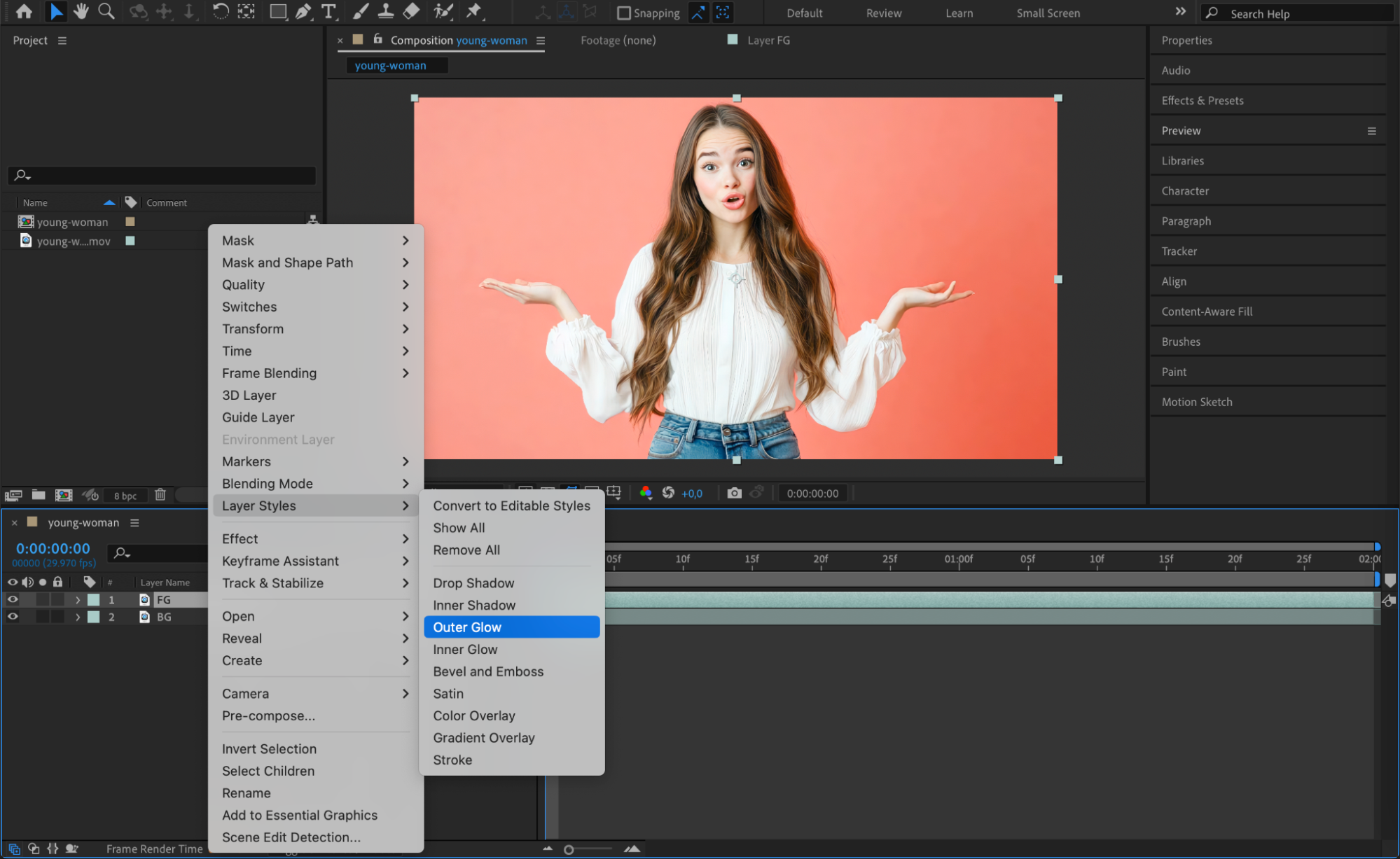
Step 5: Add a Glow Effect
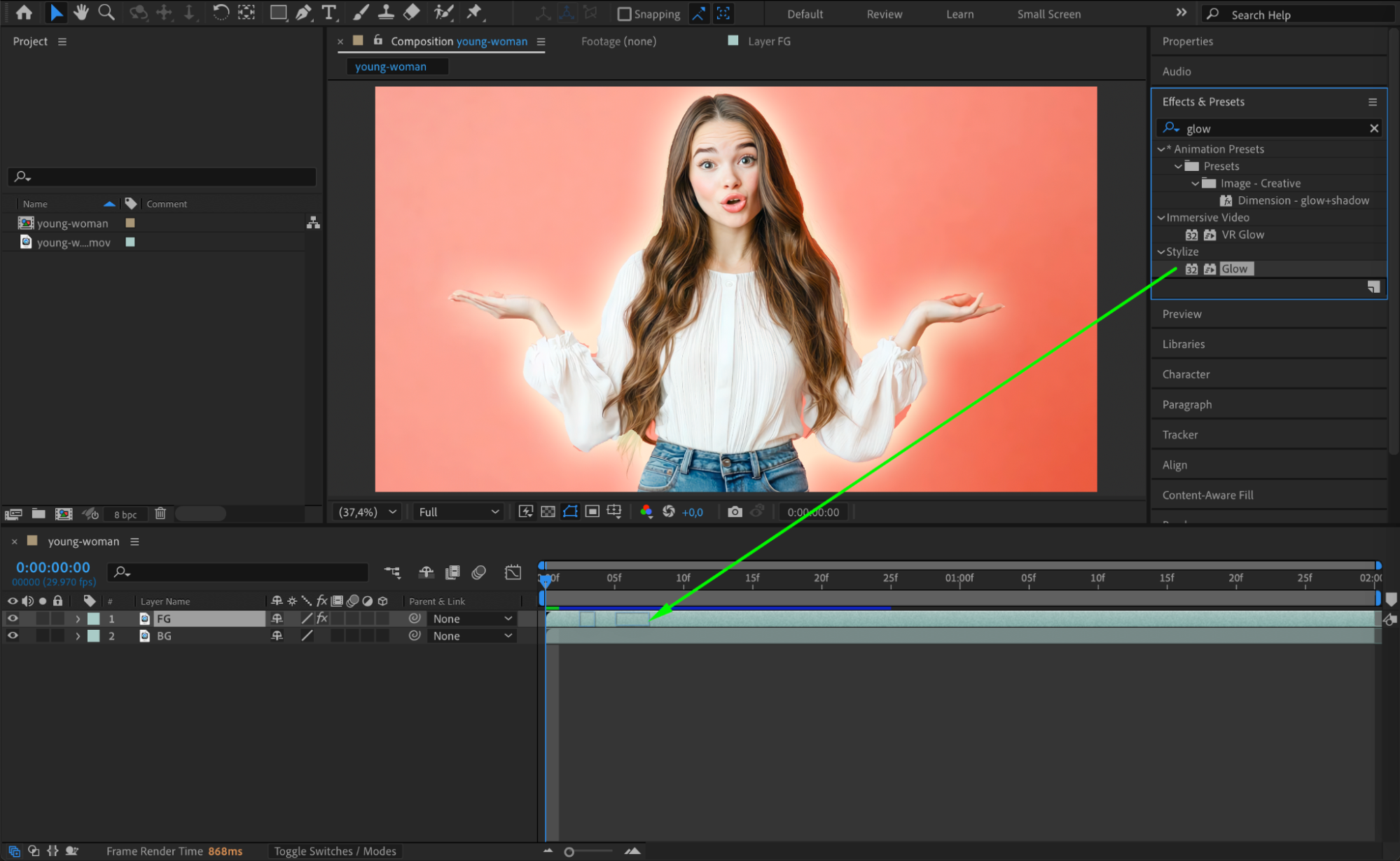
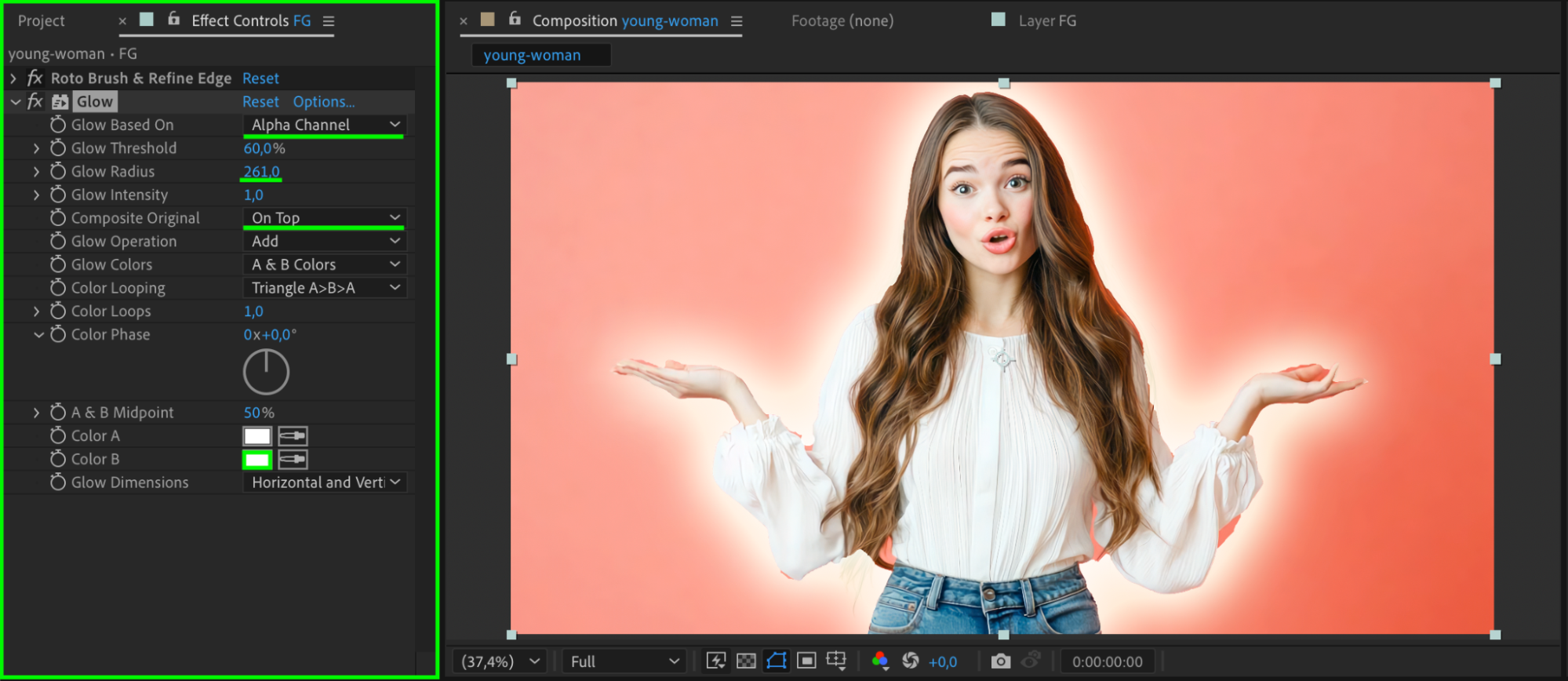
With the FG layer selected, go to the Effects & Presets panel and search for Glow. Apply it to the layer. In the Effect Controls, increase the Glow Radius, adjust Glow Threshold, and choose a vibrant Glow Color to enhance the aura. You can stack multiple glow effects to intensify the energy.
 Step 6: Preview Your Effect
Press Spacebar to preview your animation. The character should now have a glowing Super Saiyan-style aura. If needed, fine-tune the glow settings or color to get the desired look.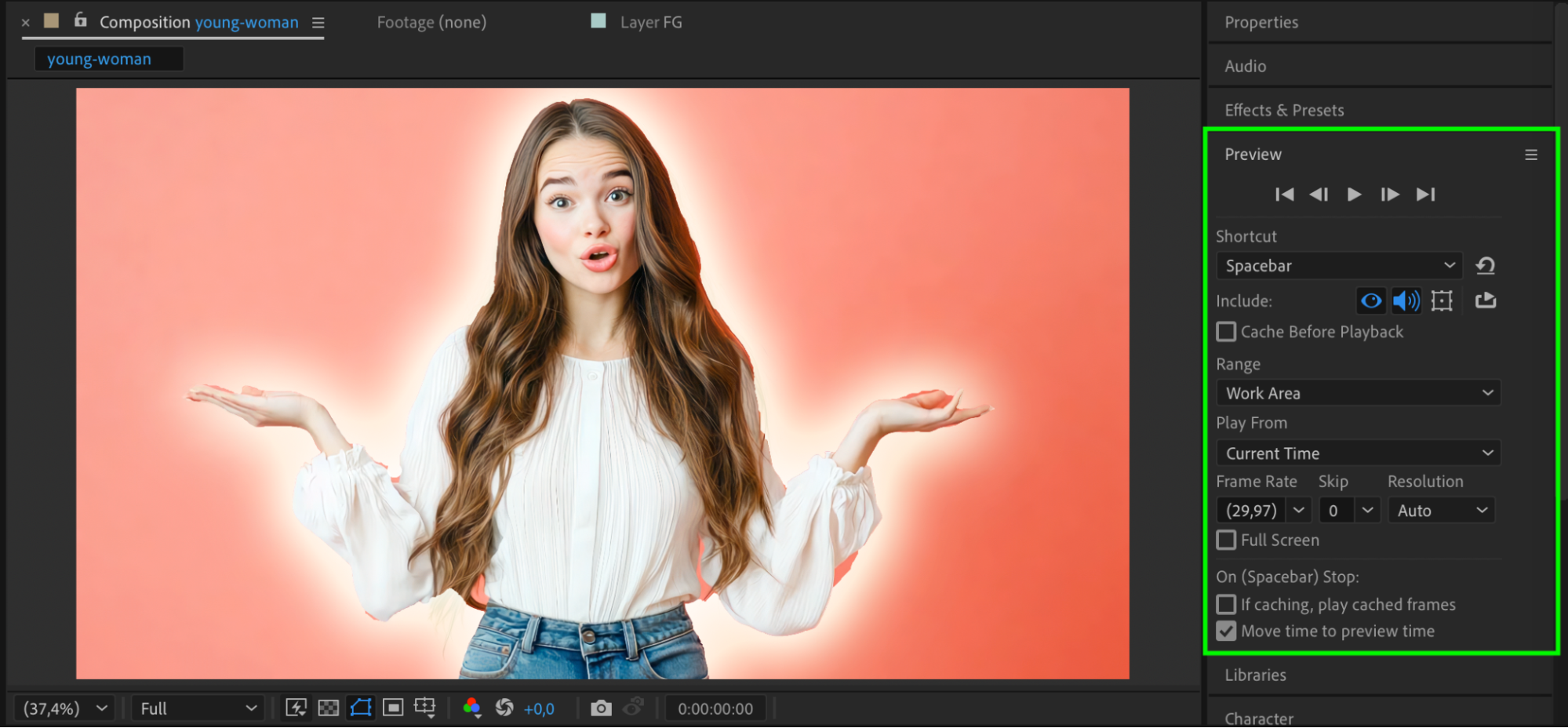
Conclusion
Creating a Super Saiyan aura in After Effects is simple and effective. With just roto masking, outer glow, and some glow effects, you can give your footage an energetic, anime-style transformation. Use this technique to power up your characters and make your scenes look truly electrifying.
Our Bestsellers
Our Bestsellers


