
Creating a Confetti Animation in After Effects
Introduction to Confetti Effects in After Effects
Confetti effects add excitement and celebration to any project. Using the CC Particle World effect, you can easily create a realistic falling confetti animation. Follow these steps to make confetti in After Effects.
Step 1: Create a New Composition
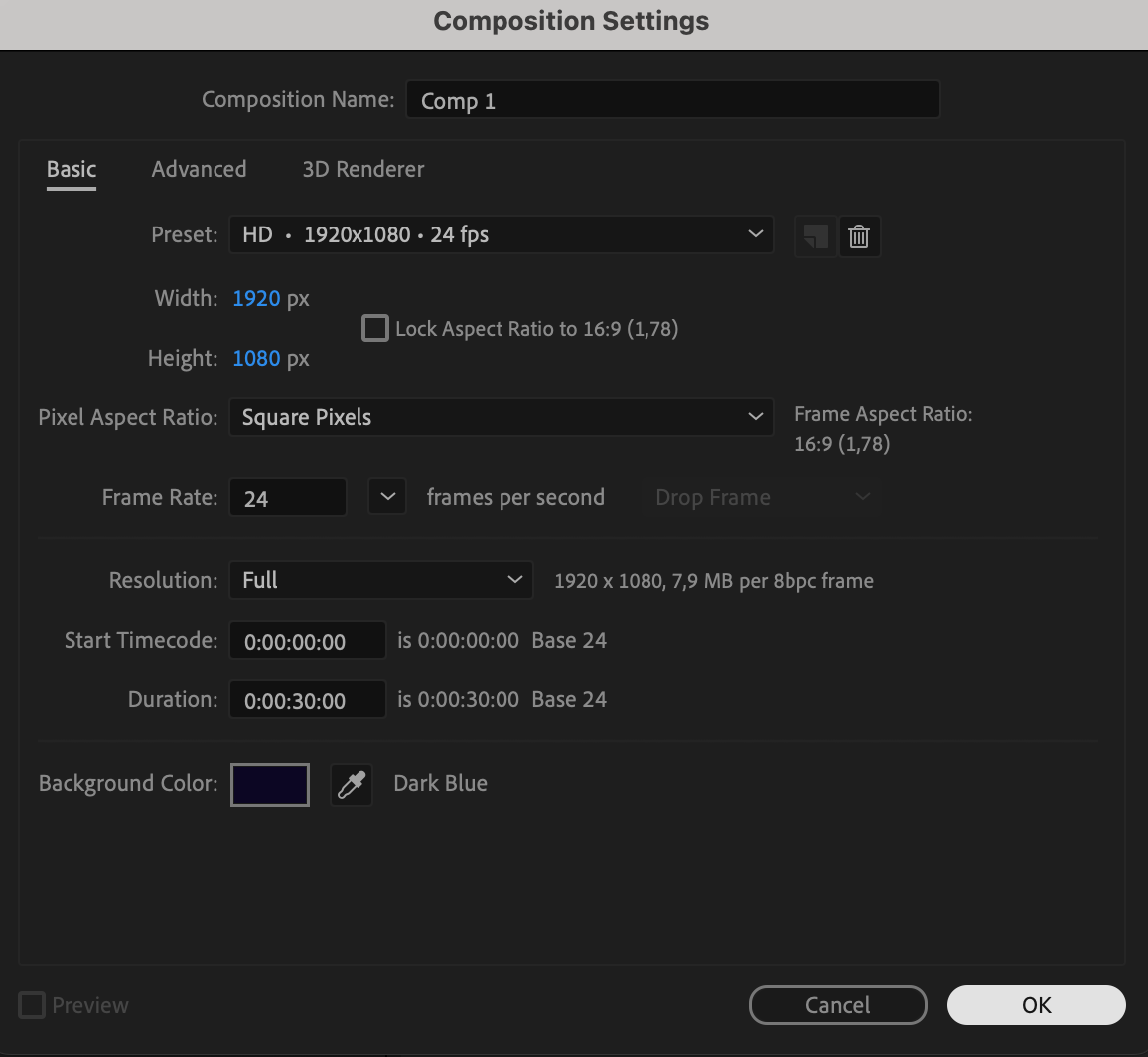
Open After Effects and go to Composition > New Composition. Set the resolution, frame rate, and duration according to your project requirements. Click OK to create the composition.
 Step 2: Create a Solid Layer
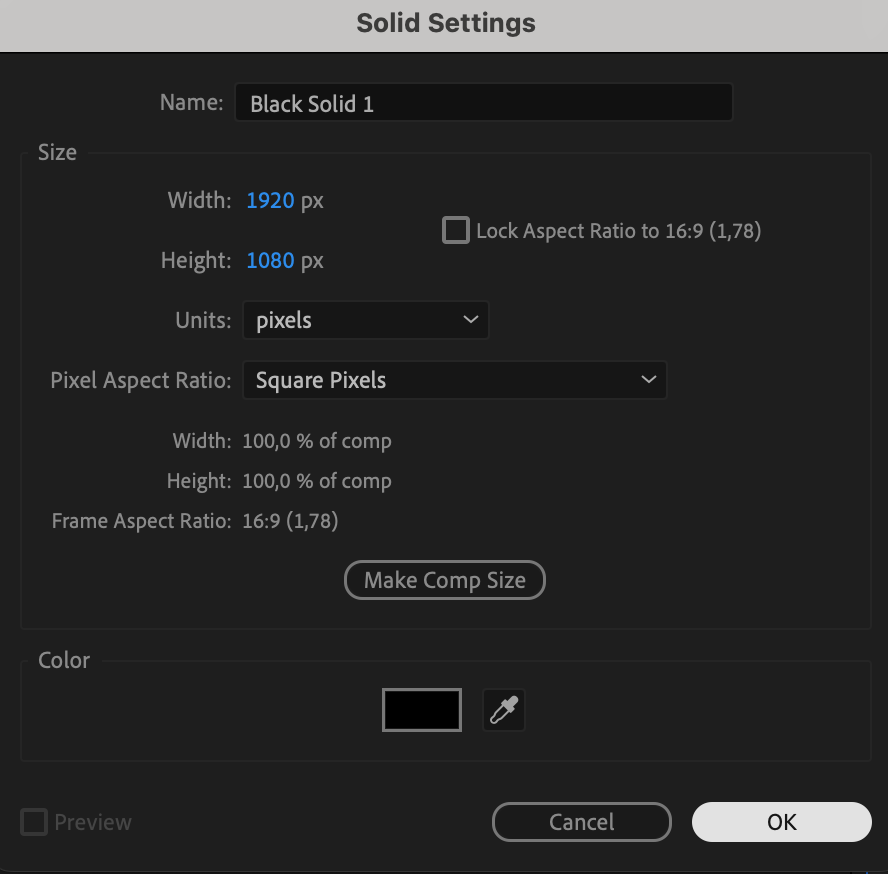
Go to Layer > New > Solid and choose any color. This solid will serve as the base for the particle effect. 
Step 3: Apply CC Particle World Effect
Open the Effects & Presets panel, search for CC Particle World, and drag it onto the solid layer. This effect will generate confetti particles.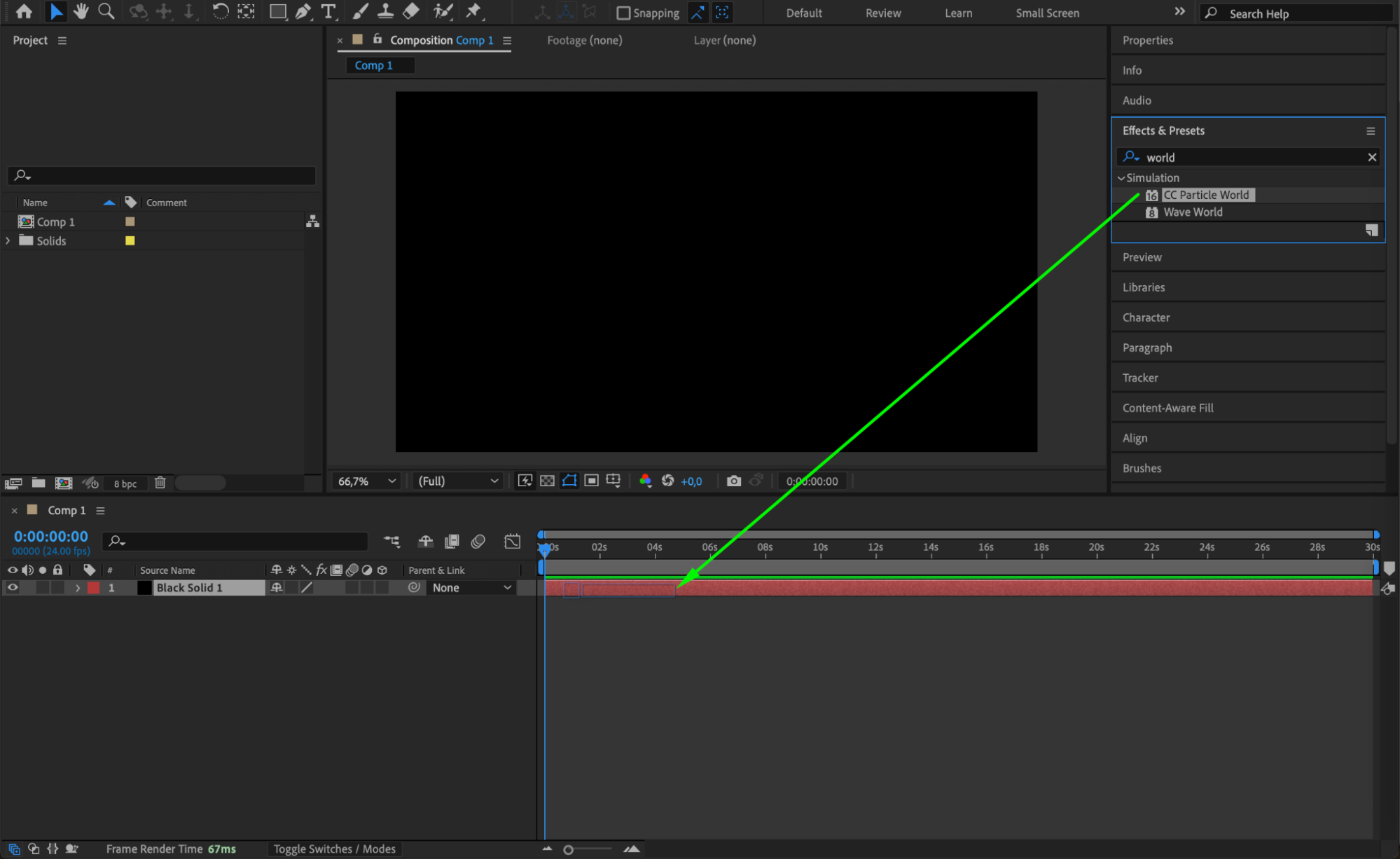 Step 4: Adjust the Particle Producer
In the Effect Controls Panel, modify the Producer settings to position the particle source above the composition. This will simulate confetti falling from the top.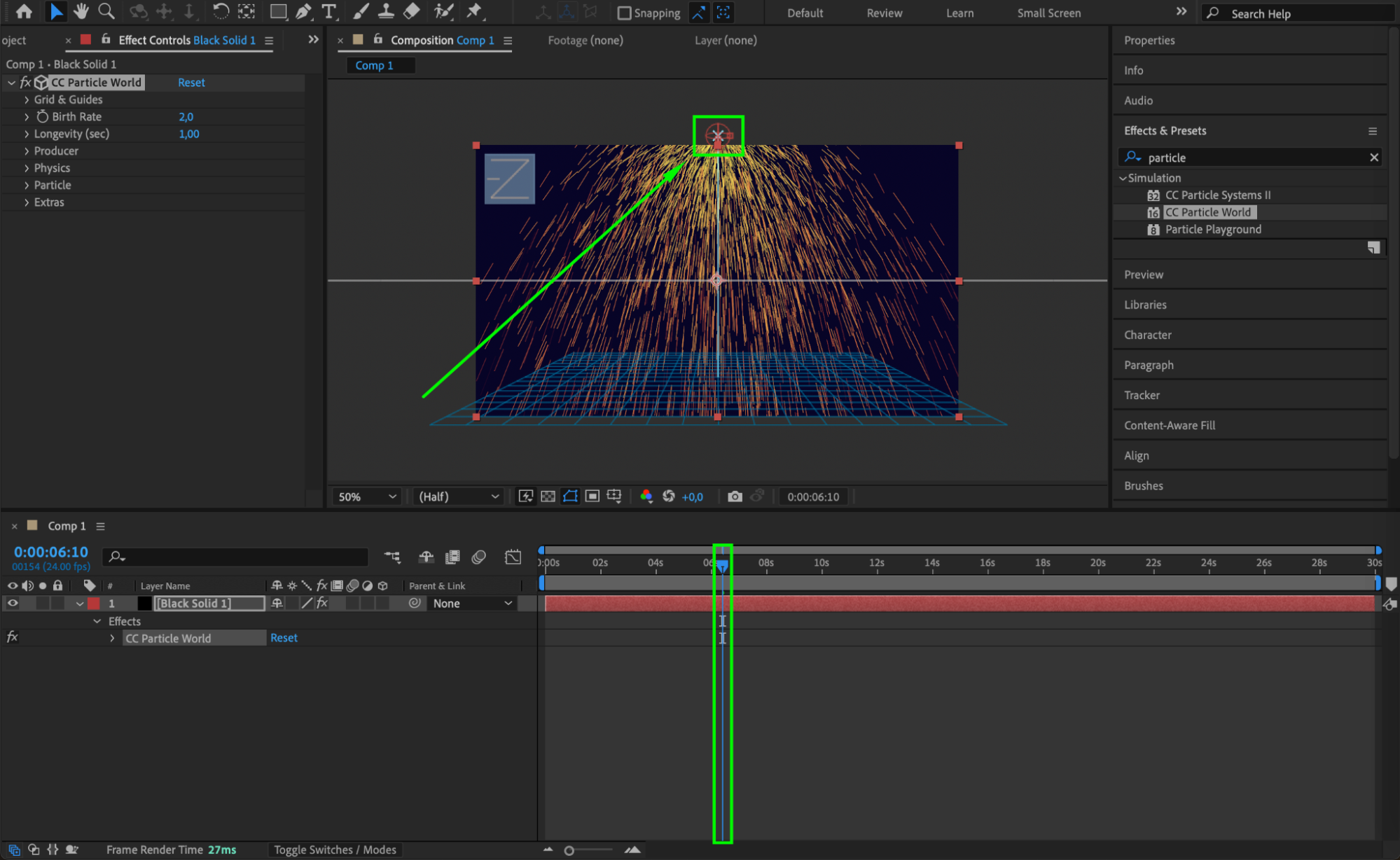
Step 5: Customize the Particle Settings
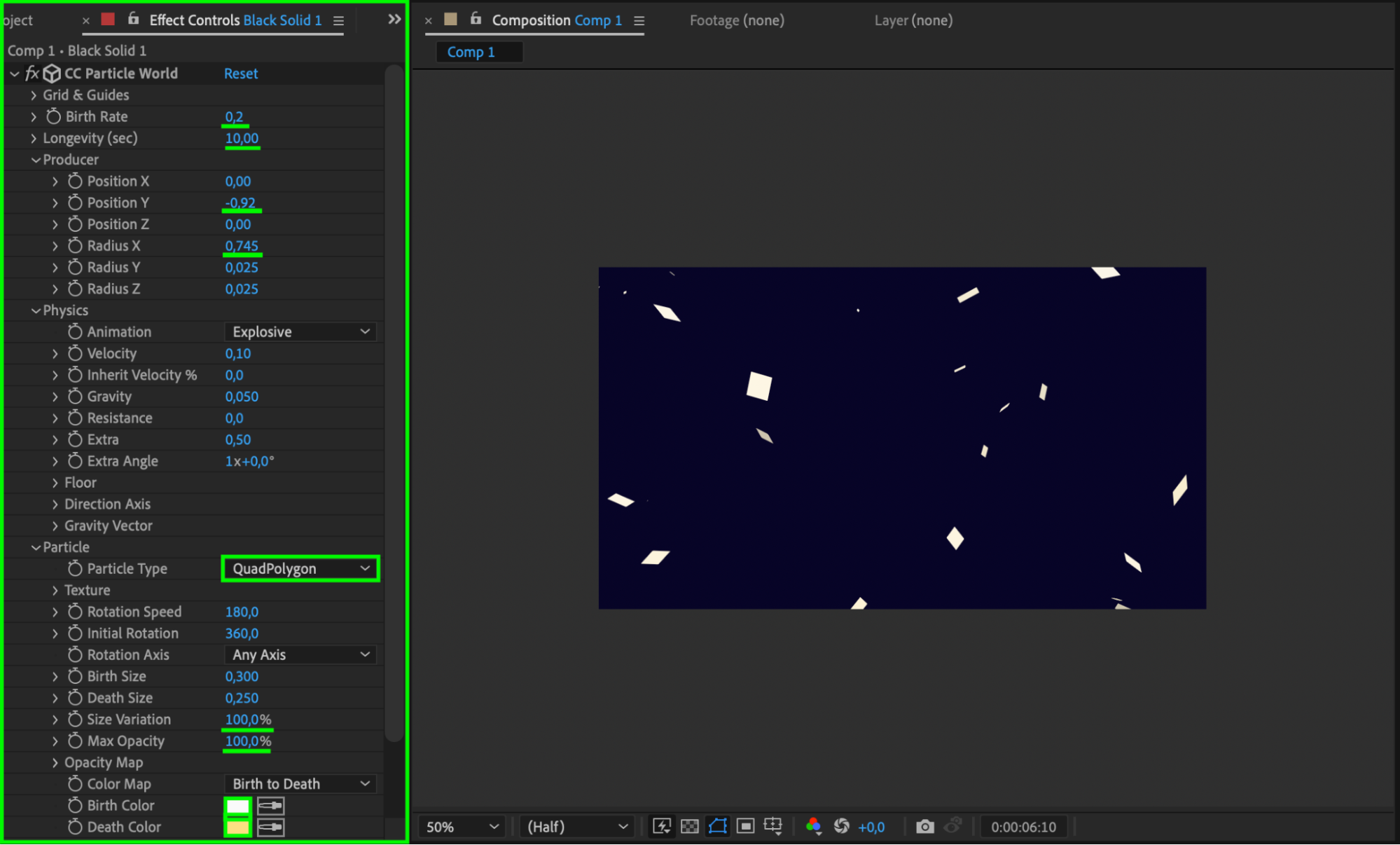
Modify the following parameters in the Effect Controls Panel to achieve a confetti look:
Birth Rate: 0.2
Longevity: 10
Position Y: -0.92
Radius X: 0.745
Velocity: 0.10
Gravity: 0.05
Particle Type: QuadPolygon (for small confetti pieces)
Birth Size: 0.3
Size Variation: 100
Max Opacity: 100
Birth & Death Color: Choose vibrant colors to mimic real confetti.
 Step 6: (Optional) Add a Glow Effect
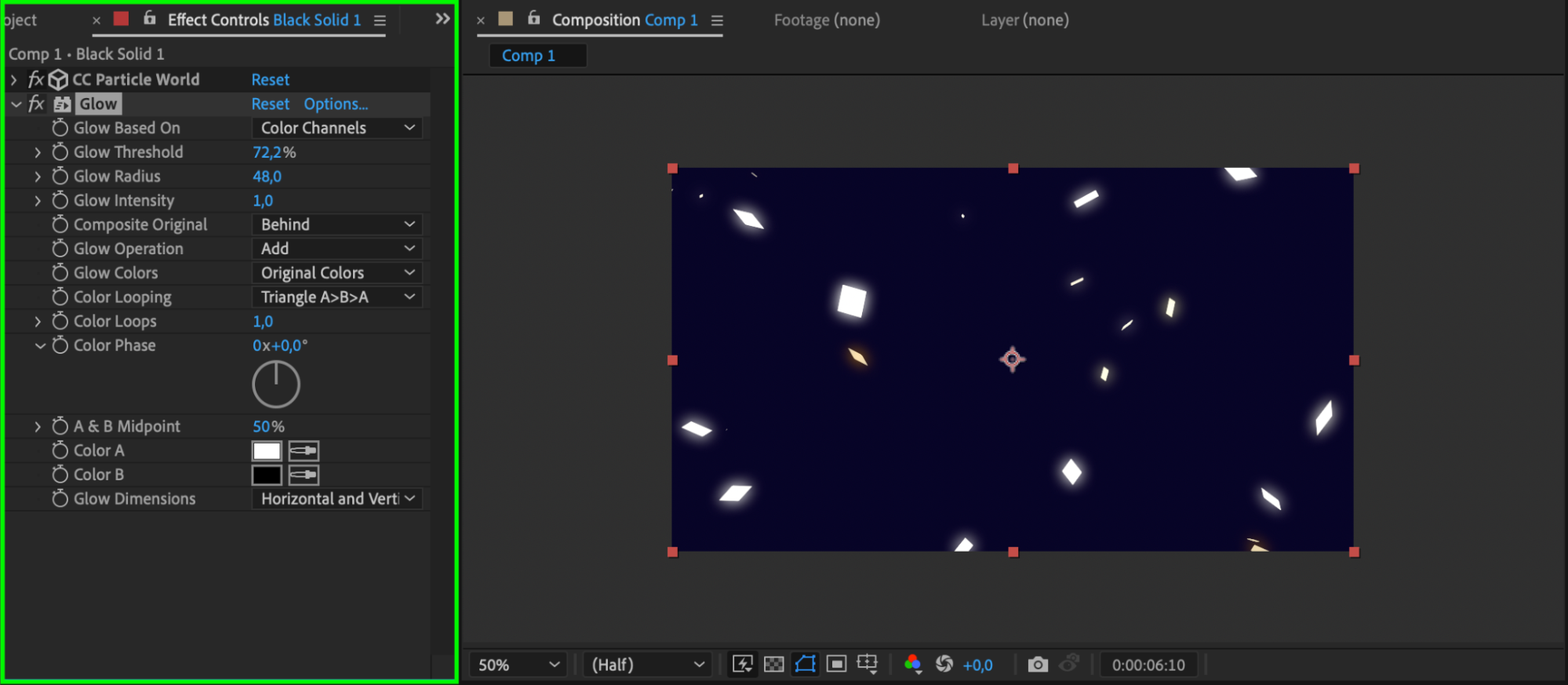
To enhance the confetti’s appearance, apply the Glow effect from the Effects & Presets panel. Adjust the intensity to make the confetti stand out.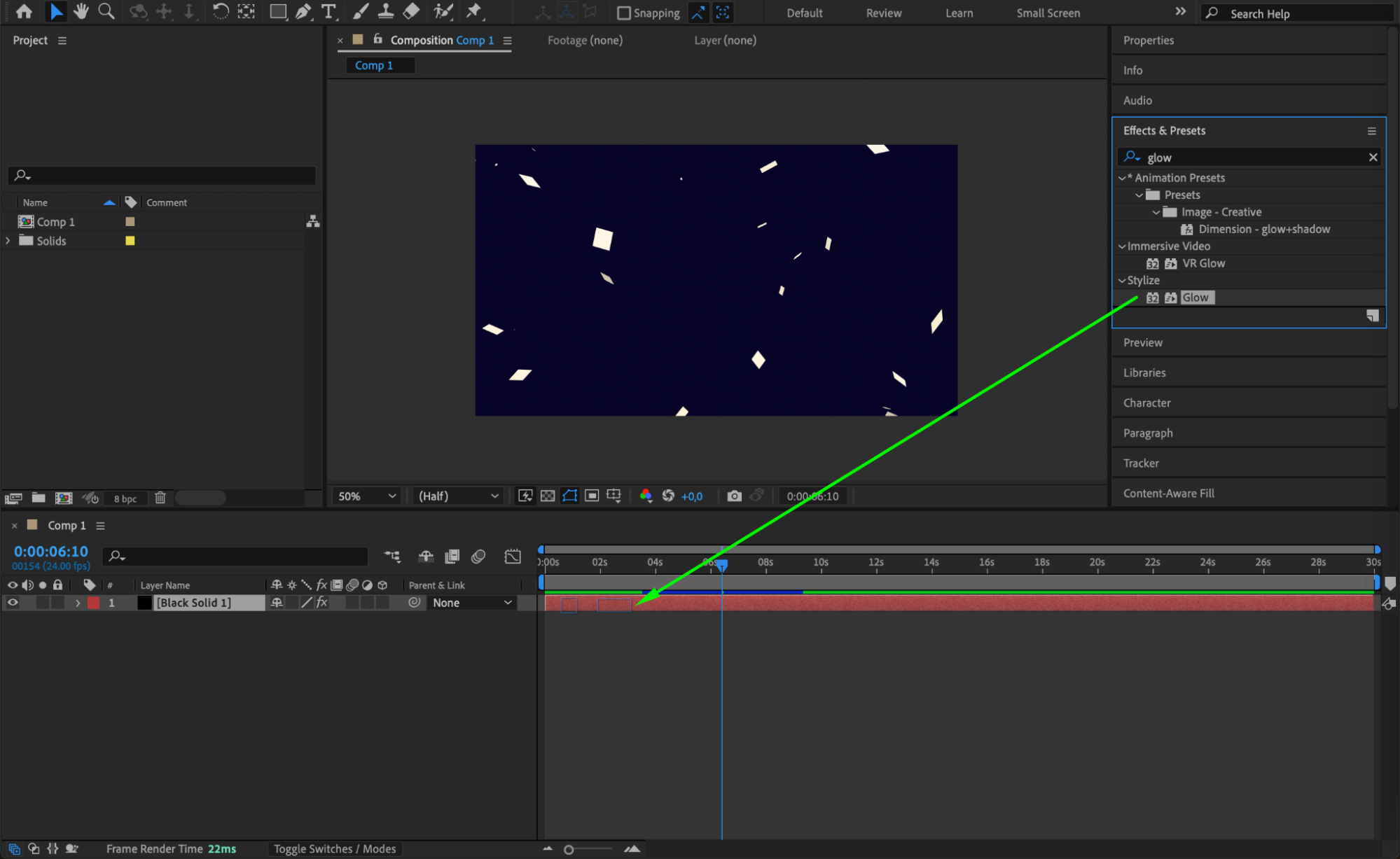
 Step 7: Preview the Animation
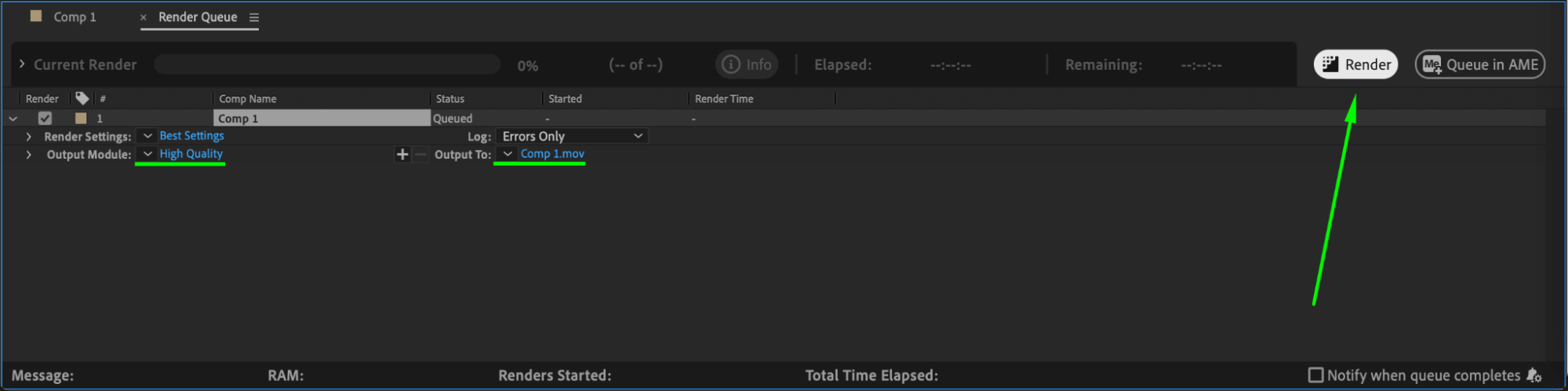
Press Spacebar to preview your animation. Adjust settings if needed to improve the motion and appearance of the confetti.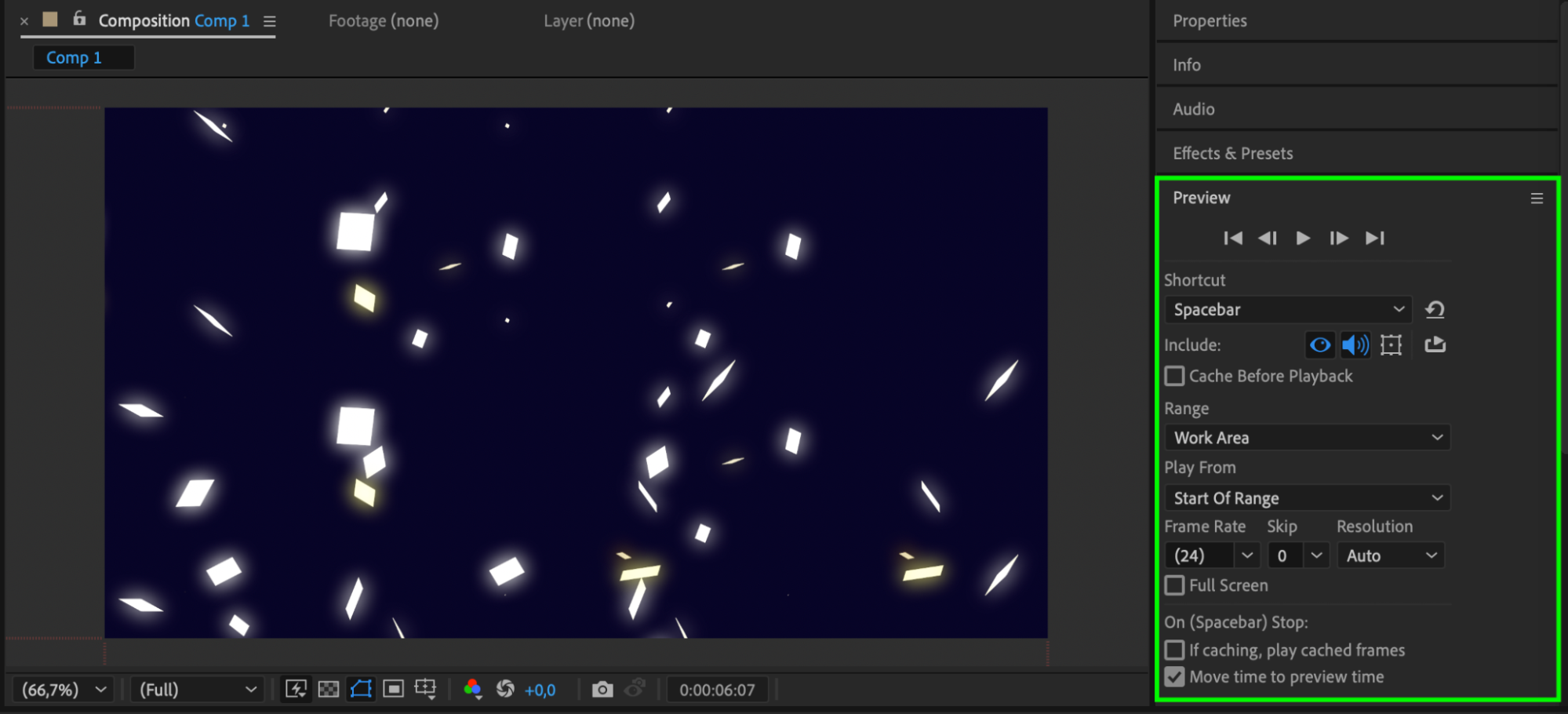 Step 8: Render the Final Composition
Once satisfied, export the animation by going to Composition > Add to Render Queue or using Adobe Media Encoder for high-quality output.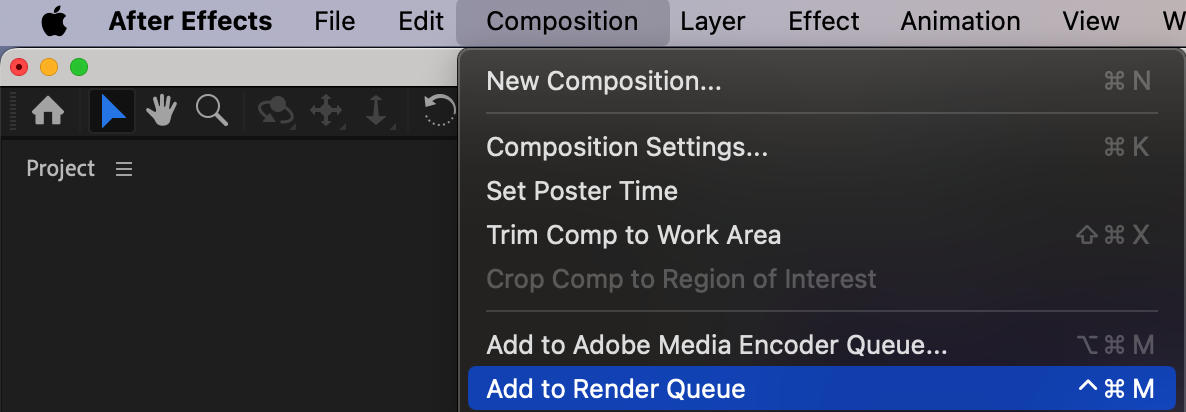
 Conclusion
With just a few steps, you can create a confetti animation in After Effects using CC Particle World. Adjust colors, sizes, and motion settings to fit your project’s needs.
Our Bestsellers
Our Bestsellers


