
Seamlessly Merge Two Clips in After Effects
Introduction – Combining Videos with Smooth Transitions
Merging two clips in After Effects is a great way to create a smooth visual transition or to display multiple video sources in a single frame. This tutorial will guide you through using masks, adjusting placement, and refining the edges to make your videos work together seamlessly.
Step 1: Import and Place Your Clips
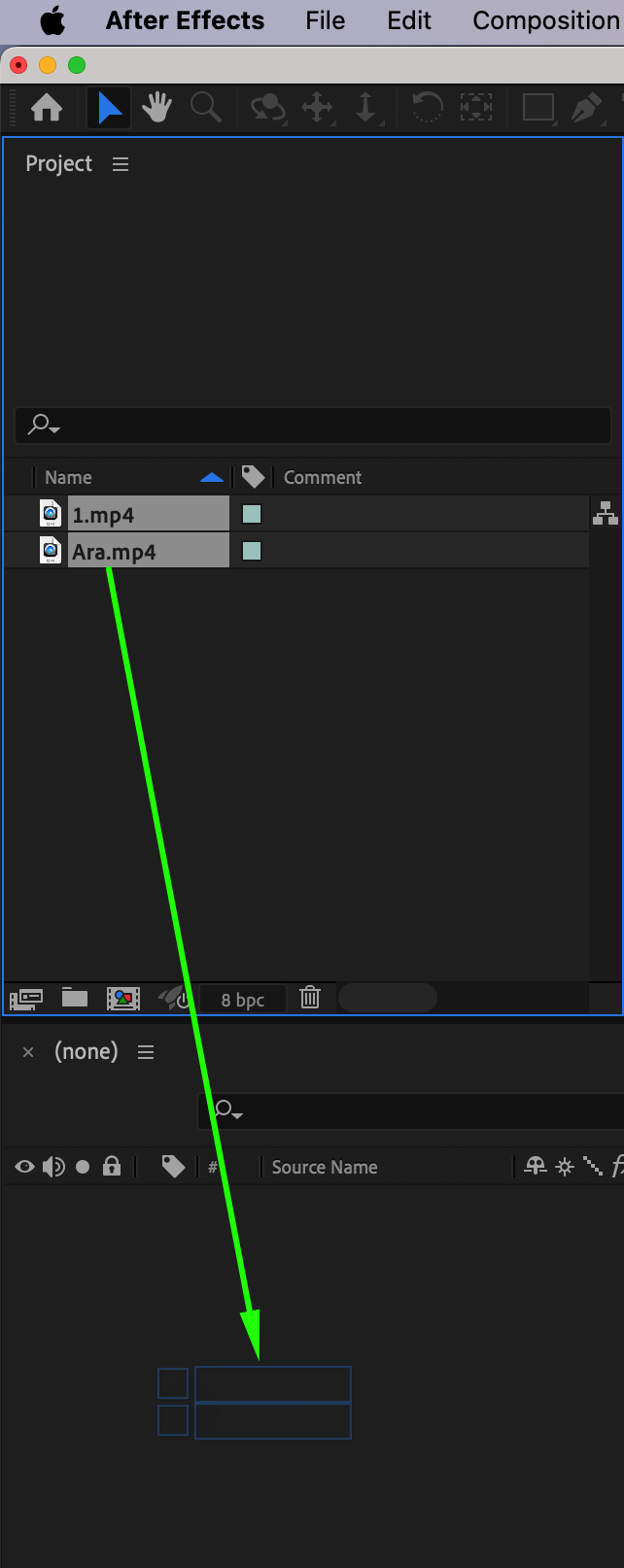
Go to File > Import > File and bring your two video clips into the project. Drag both clips into the timeline to automatically create a new composition. 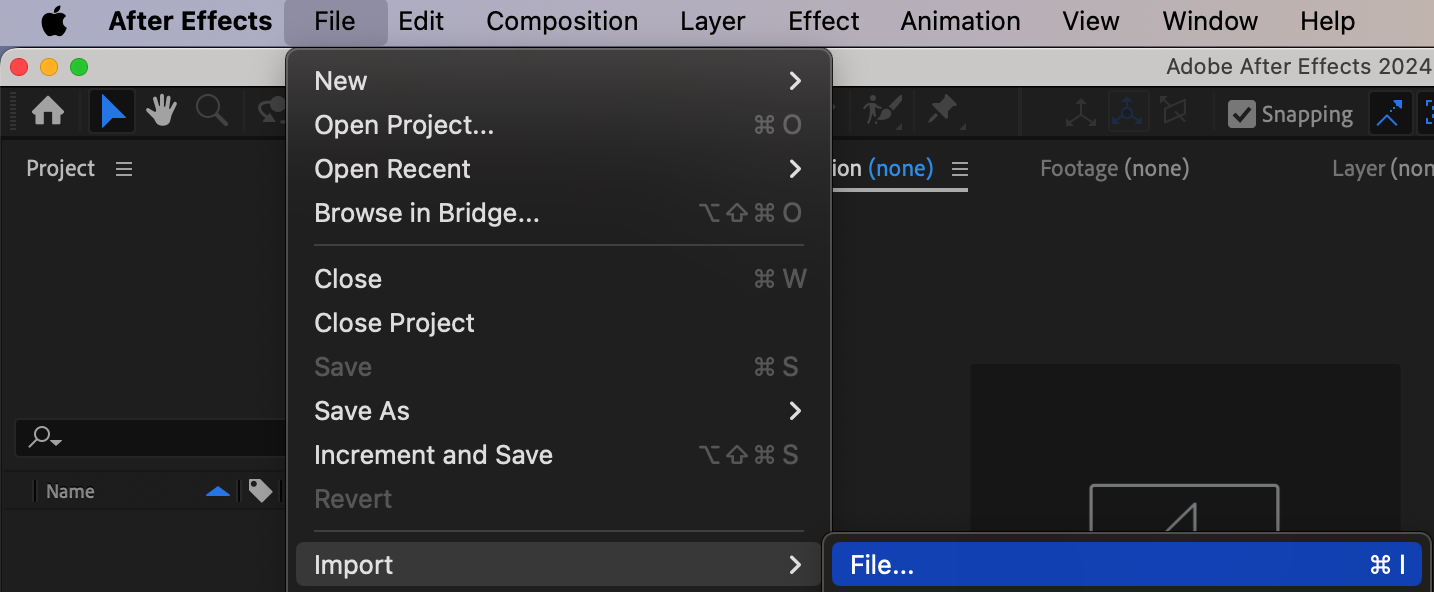
 Step 2: Add a Mask to Reveal Space for the Second Clip
Click on the top video layer to select it. Then choose the Shape Tool (Q) and draw a rectangular mask on the right side of the screen, or wherever you want the second video to appear. In the Mask settings, set the Mode to Subtract so that this portion of the video becomes transparent.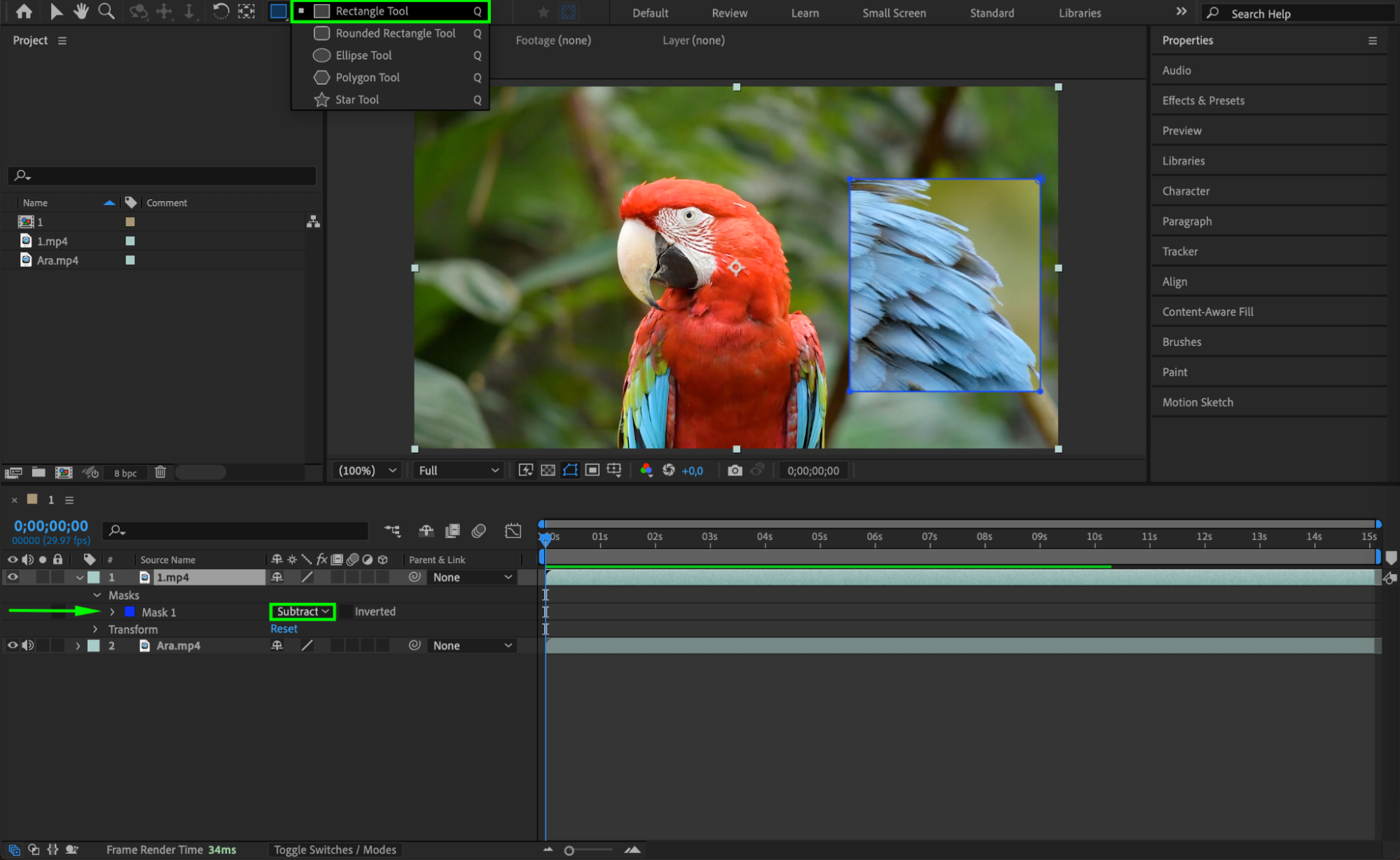
Step 3: Position and Scale the Second Clip
Select the second clip layer and open its Transform settings. Adjust the Scale and Position so the visible part of the clip fits correctly into the masked-out area of the first video. This ensures a clean visual alignment between both clips.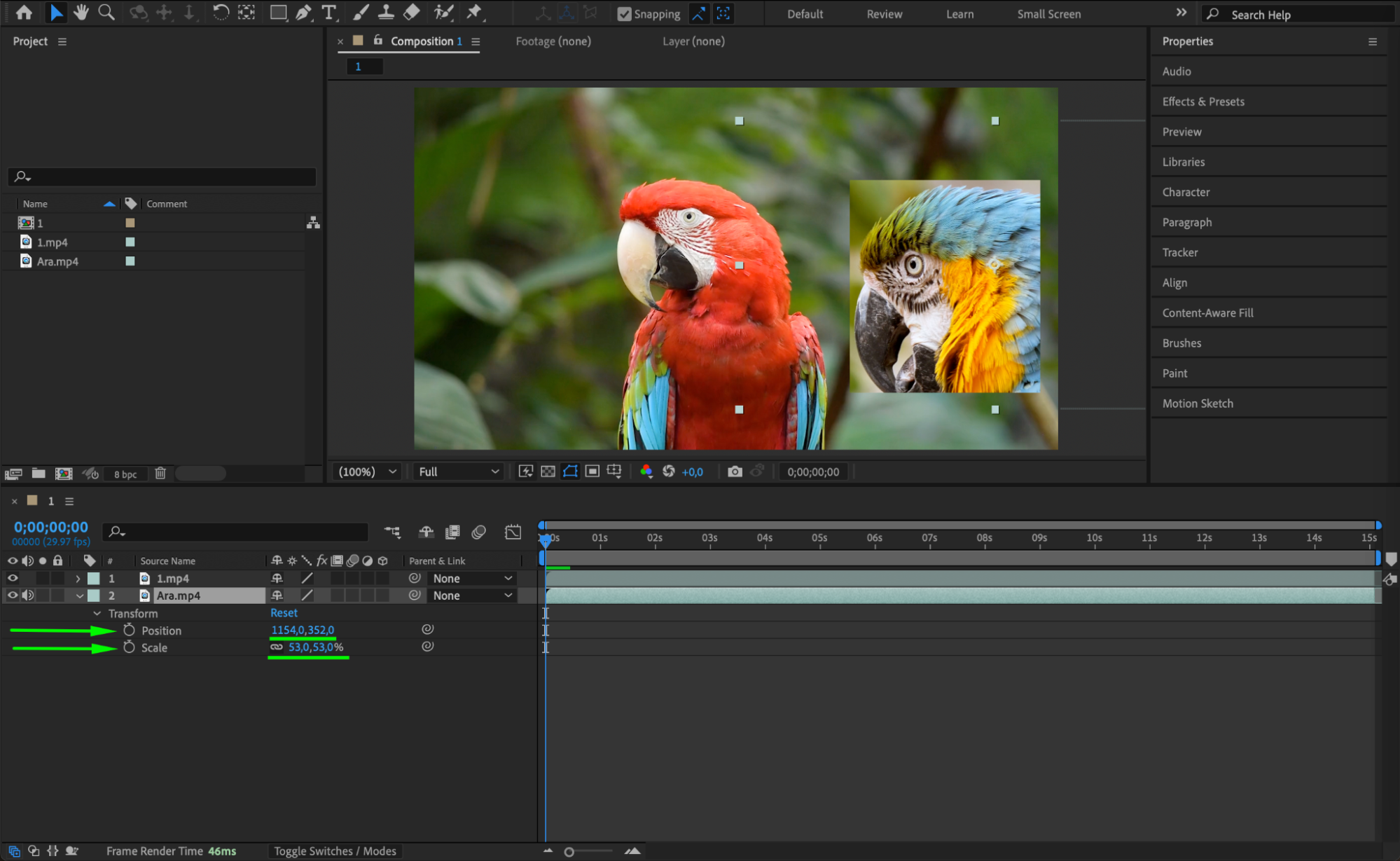 Step 4: Feather and Animate the Mask
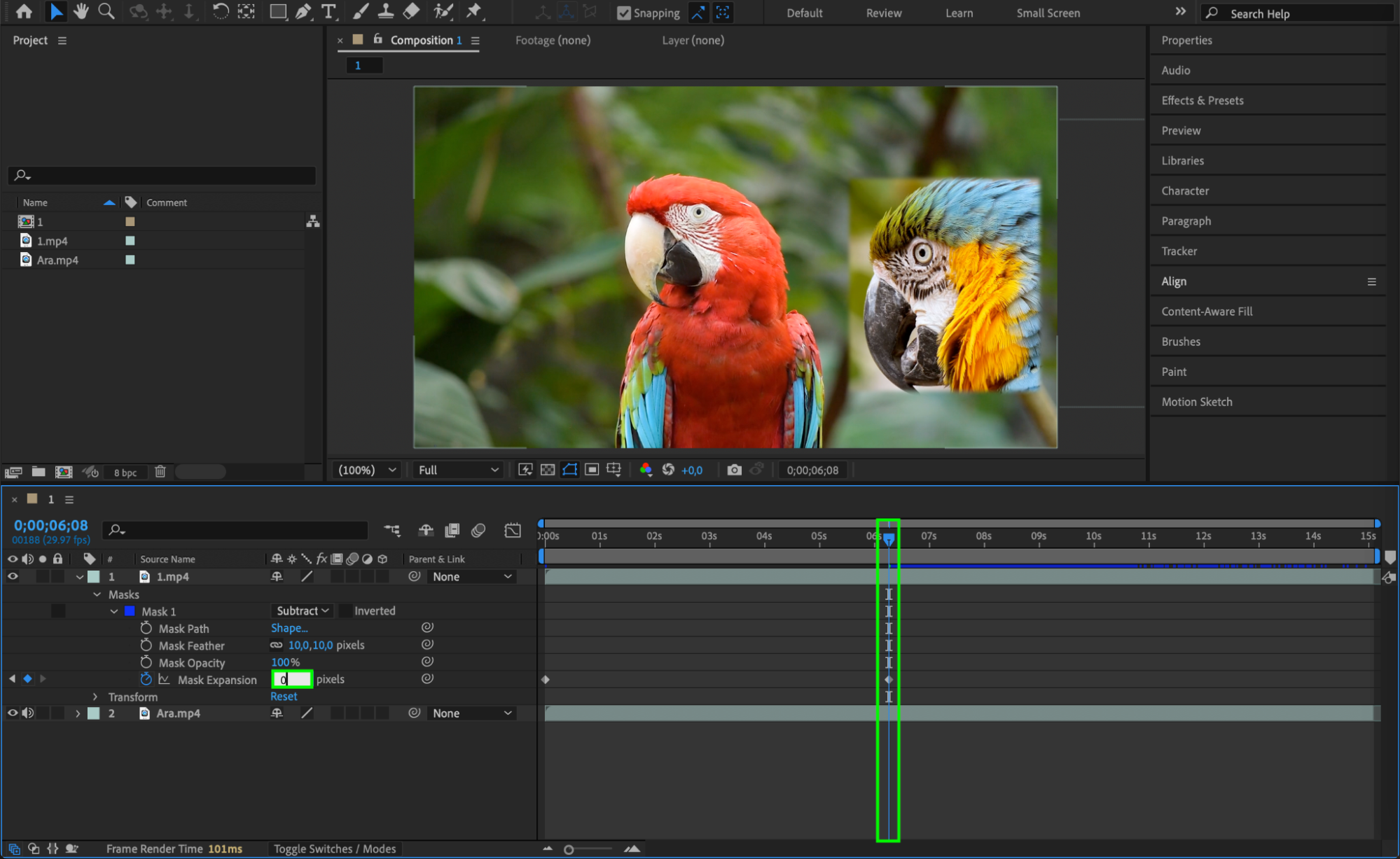
To create a softer blend, adjust the Mask Feather to smooth the transition edges. You can also animate Mask Feather and Mask Expansion over time to make the second clip appear gradually, adding a dynamic effect to the merge.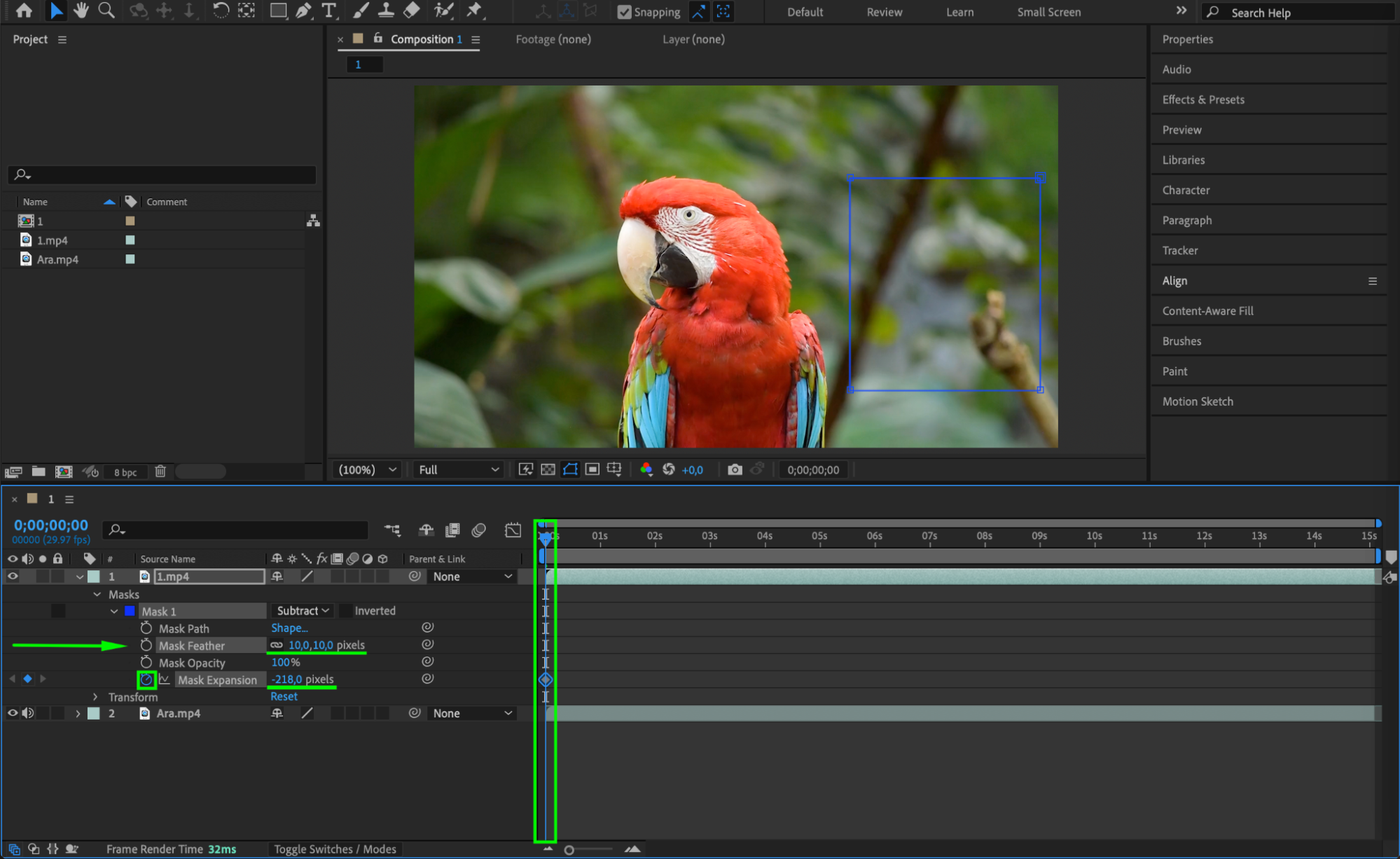
Step 5: Preview the Composition
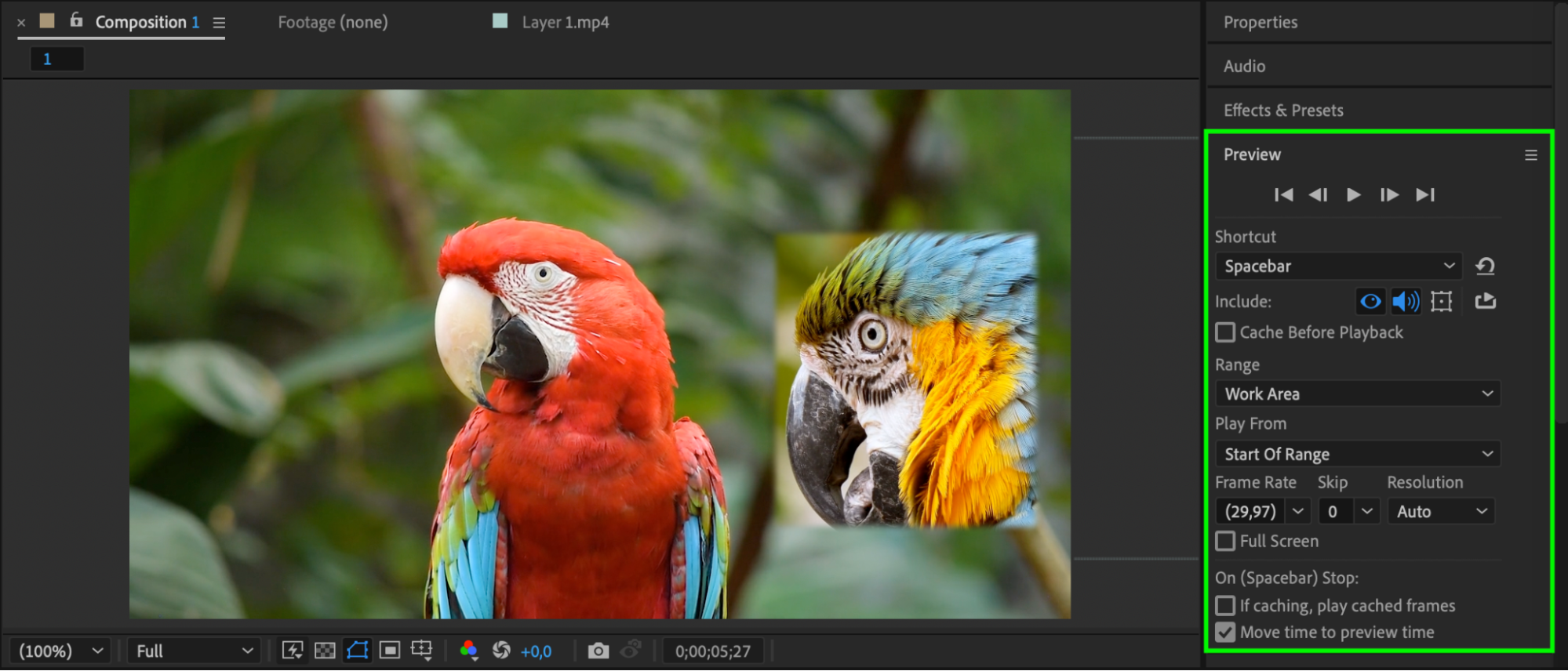
Press the Spacebar to preview your work. Make sure the transition between the two clips looks natural, with no harsh edges or misaligned content
 Step 6: Render the Final Result
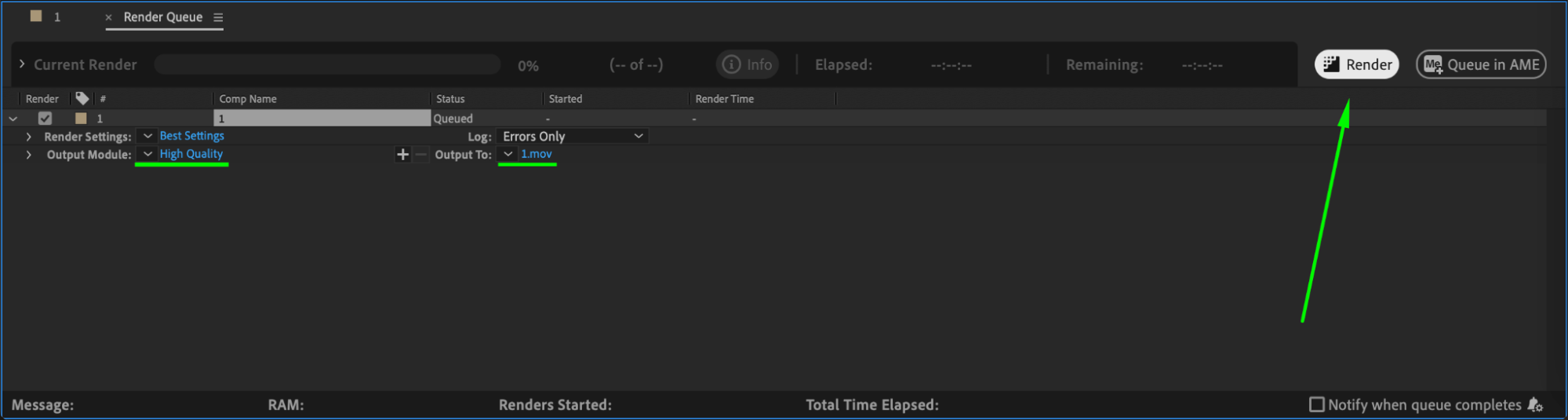
Once you’re satisfied with the blend, go to Compositin > Add to Render Queue and render your final merged clip.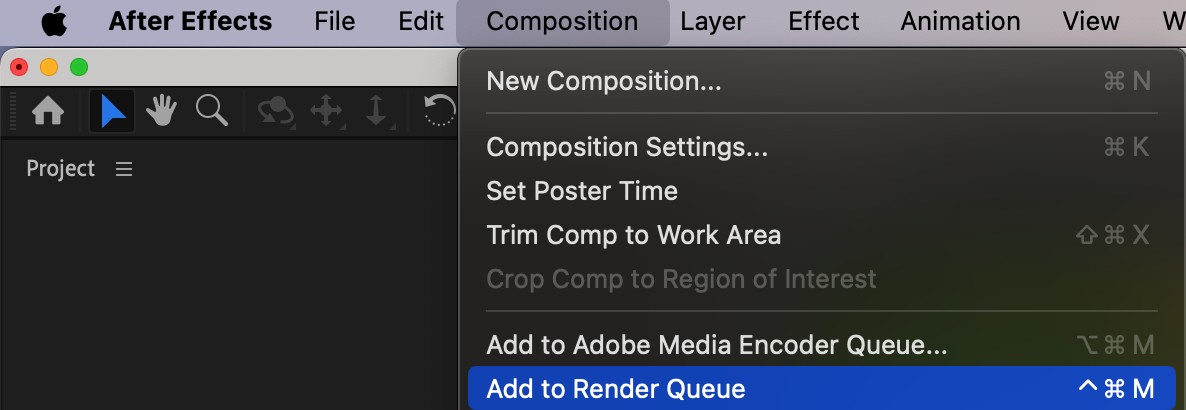
 Conclusion
This technique is perfect for creating split-screen looks, video transitions, or custom layouts. You can further enhance the effect using color grading or additional animation to make the merge more engaging.
Our Bestsellers
Our Bestsellers


