
Create a Mirrored Edge Effect in After Effects
Introduction to Mirroring Video Edges
Mirroring edges in After Effects is a creative way to extend the frame, fill in empty space, or add a stylistic reflection to your footage. This technique is often used in social media edits, backgrounds, or to create visual interest without stretching the main content. Here’s a simple guide to create this effect.
Step 1: Import Your Footage
Go to File > Import > File and bring your video into the timeline panel. 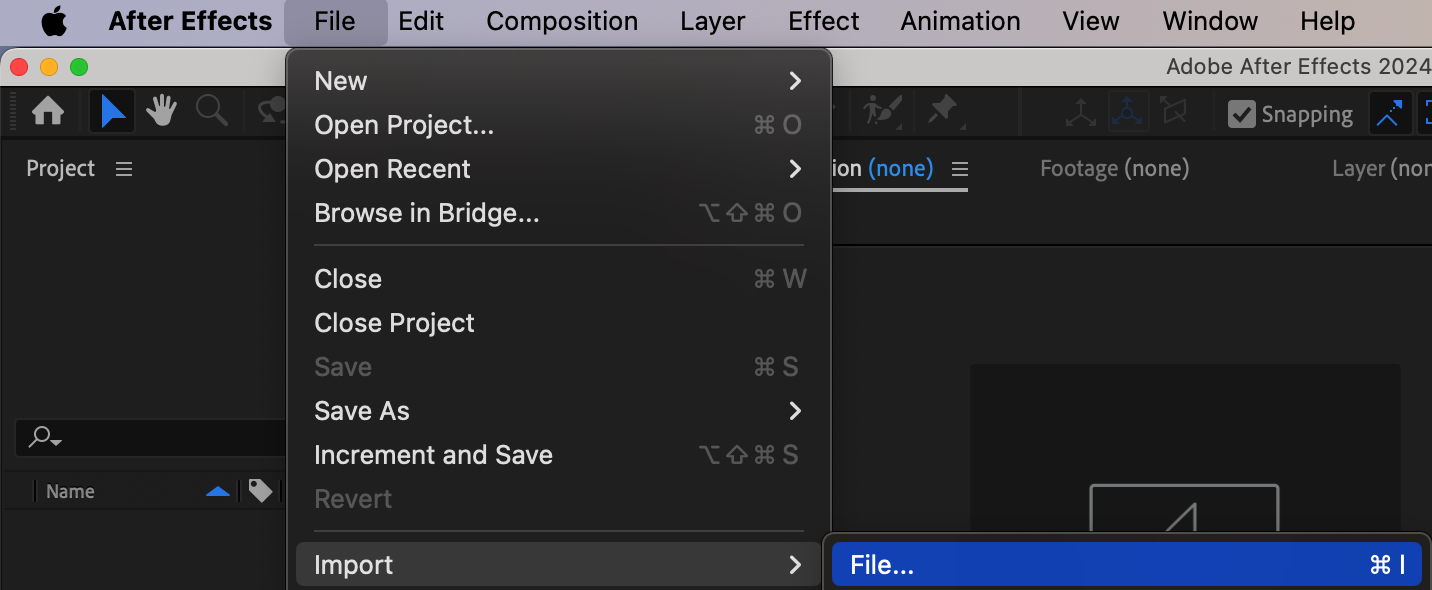
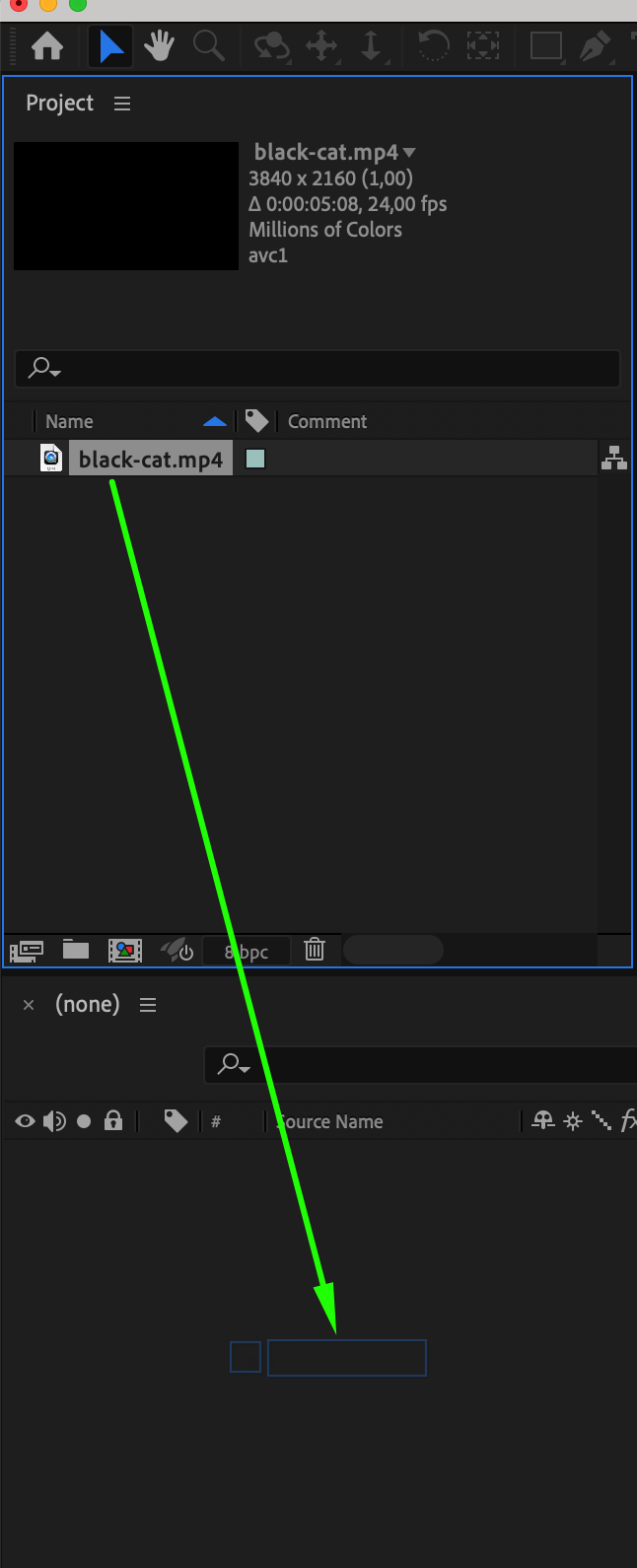 Step 2: Pre-compose the Video Layer
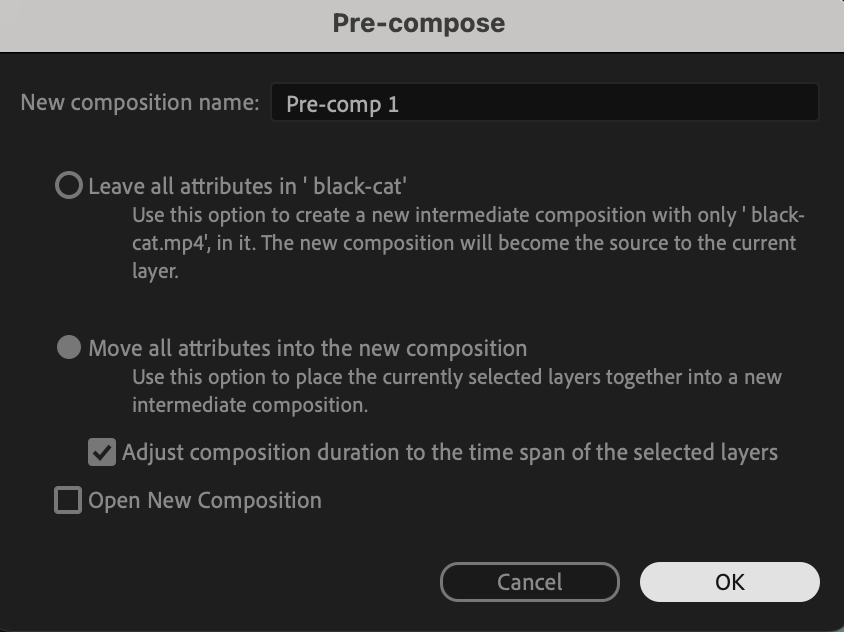
Right-click your video layer in the timeline and select Pre-compose. In the pop-up window, choose “Move all attributes into the new composition” and click OK. This keeps your original footage intact for further adjustments.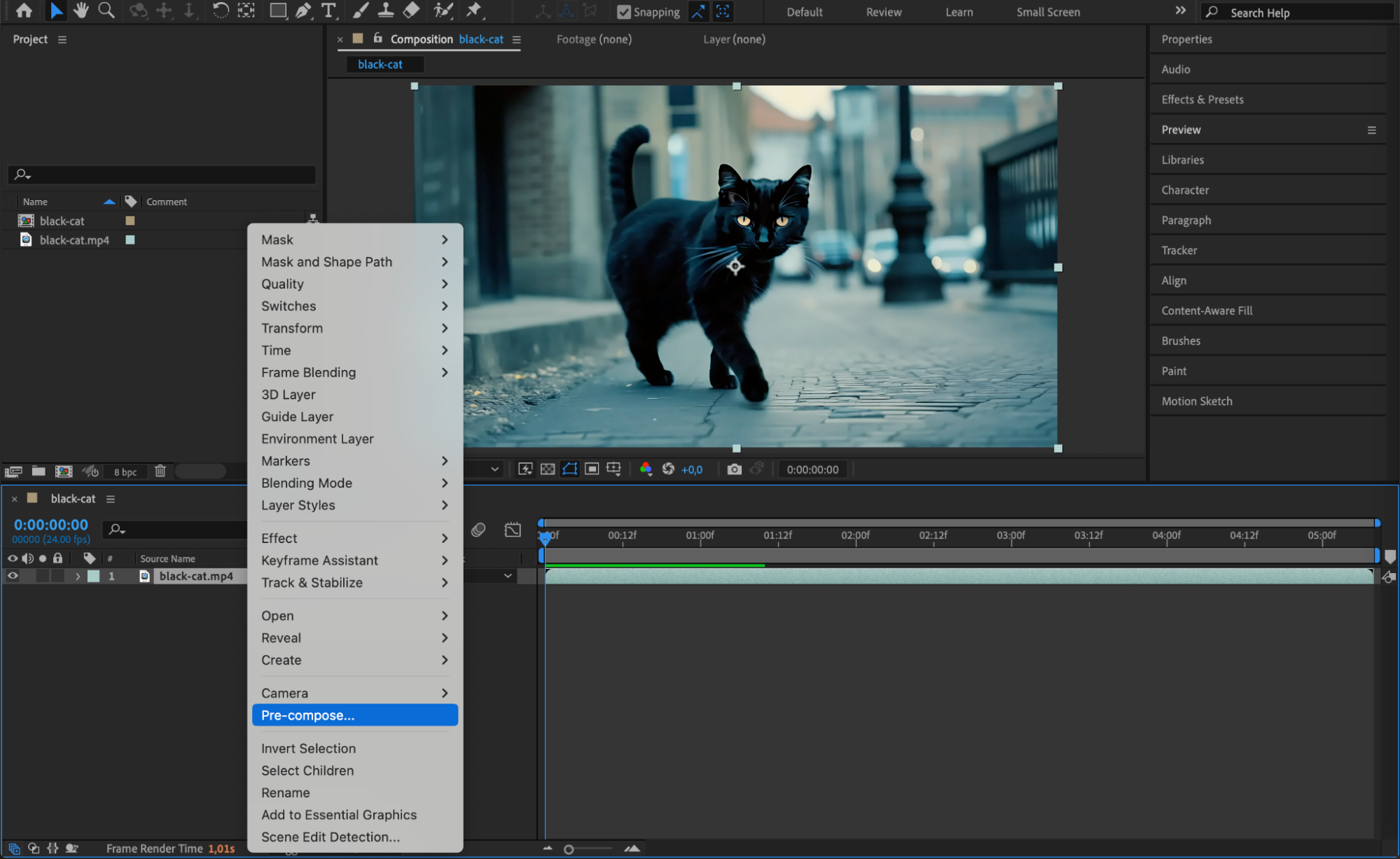
Step 3: Duplicate the Layer
Select the pre-comp layer and press “Ctrl/Cmd + D” to duplicate it. You now have two identical layers stacked on top of each other.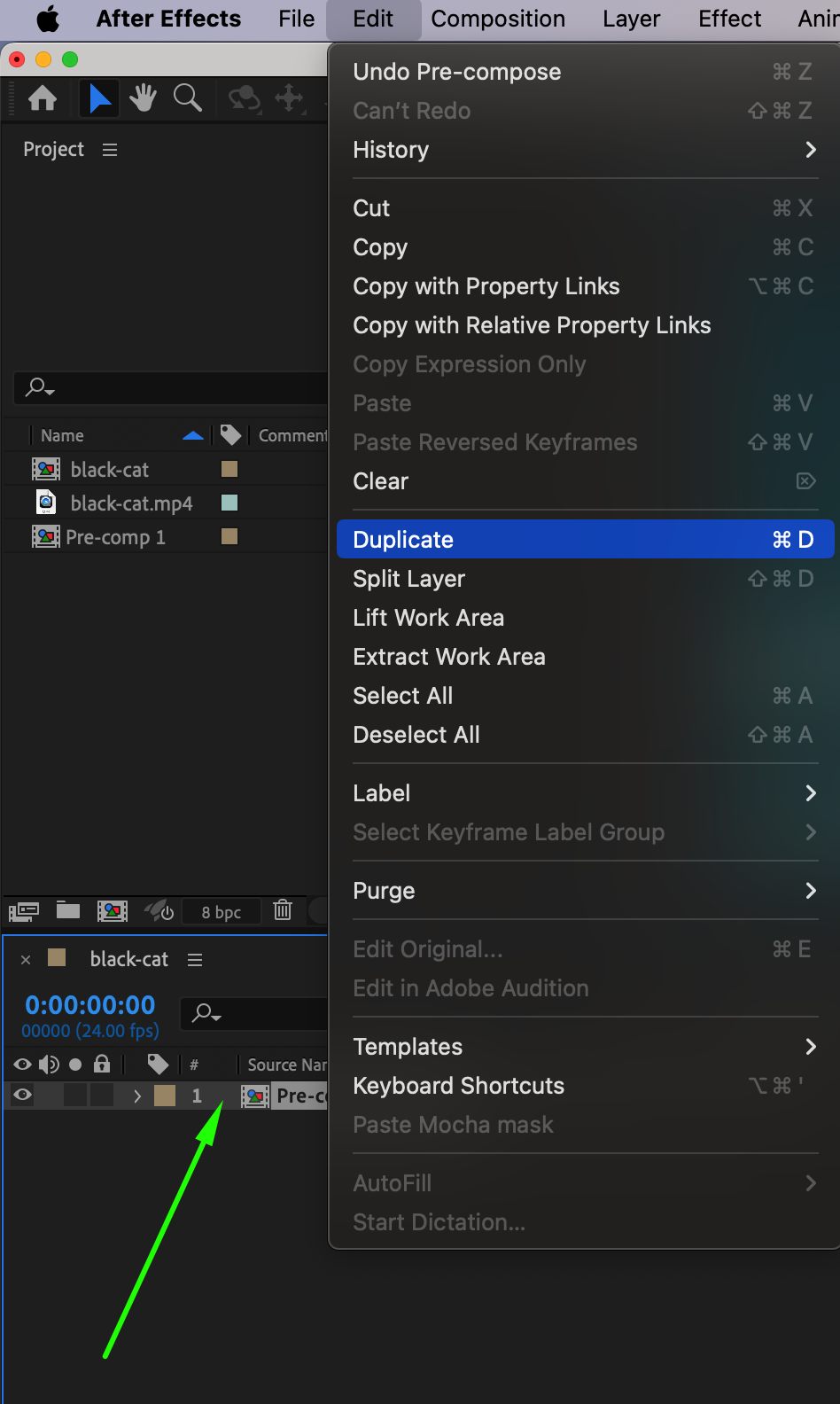 Step 4: Create a Mask on the Duplicate
Hide the original layer by clicking the eye icon. Select the duplicate layer and use the Rectangle Tool (Q) to draw a mask in the center of the frame — this defines the visible area. Use the Align panel to center the mask precisely.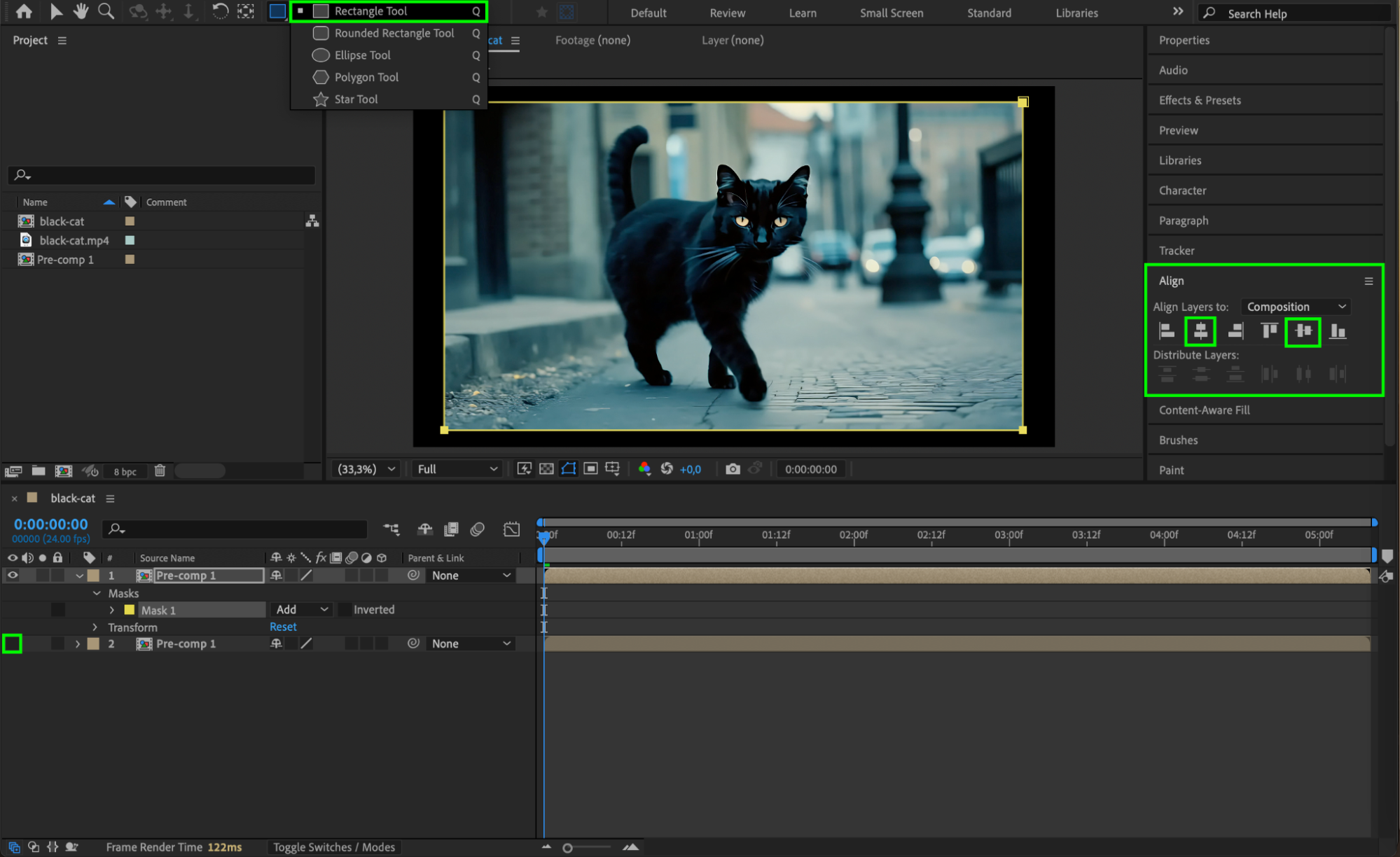 Step 5: Flip the Original Layer
Now, hide the duplicate and unhide the original. Select the original layer, press “S” to open the Scale properties. Then set both values to -100% to flip the video horizontally and vertically.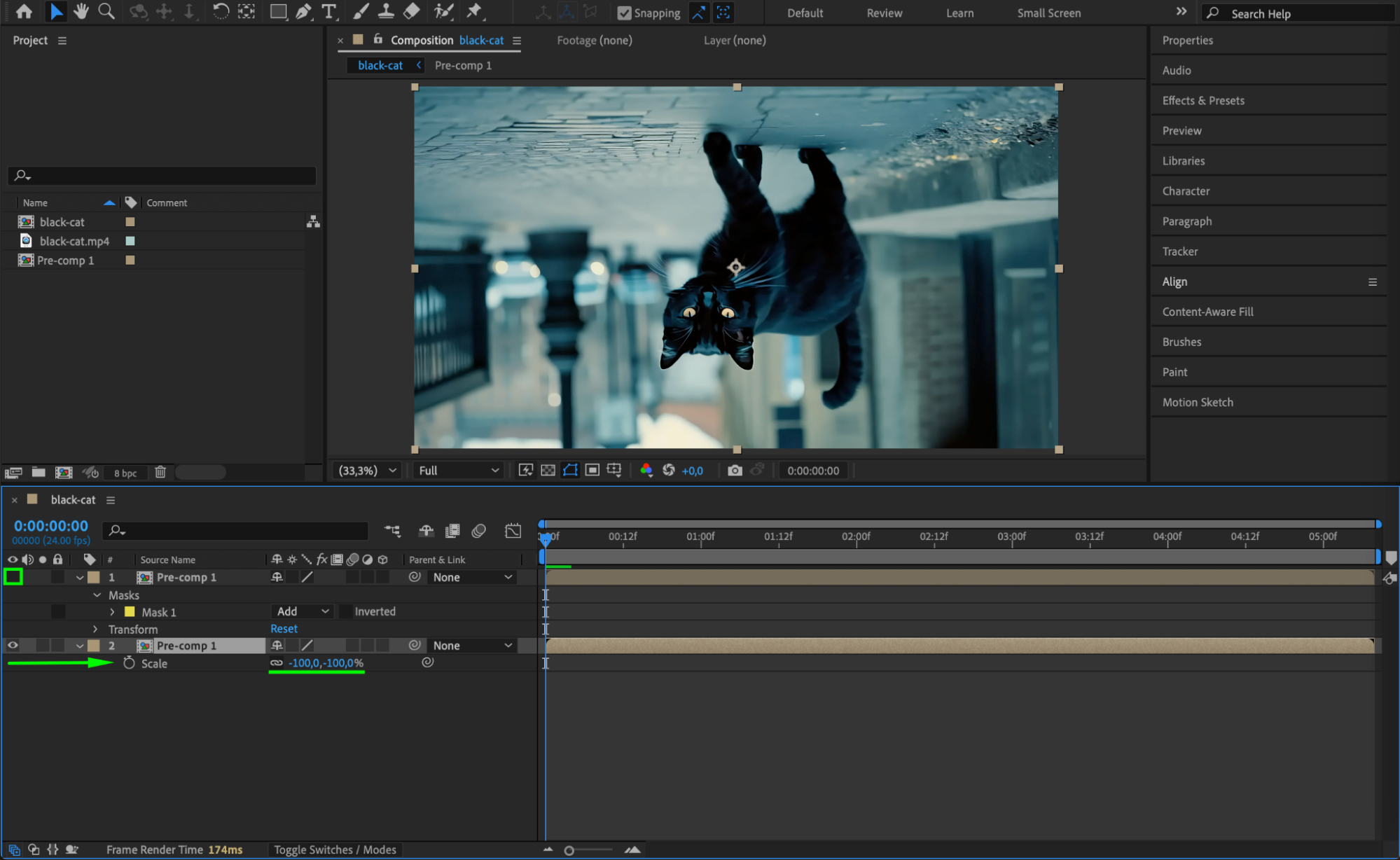 Step 6: Reveal the Mirror Effect
Turn the visibility back on for the duplicate layer. You’ll now see a mirrored effect outside the mask area — the flipped original acts as a reflected extension of the masked footage.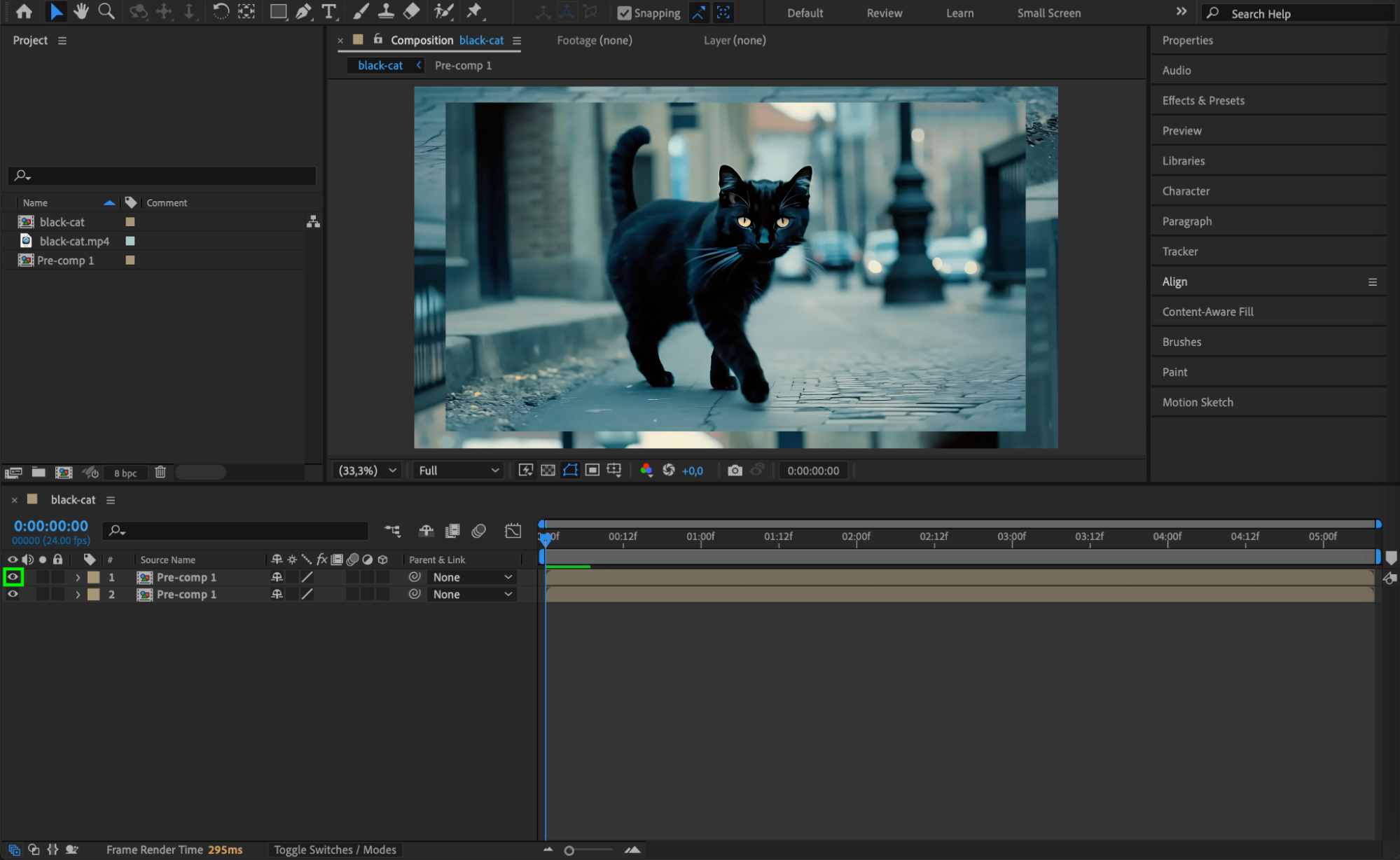
Step 7: Soften the Mask Edges
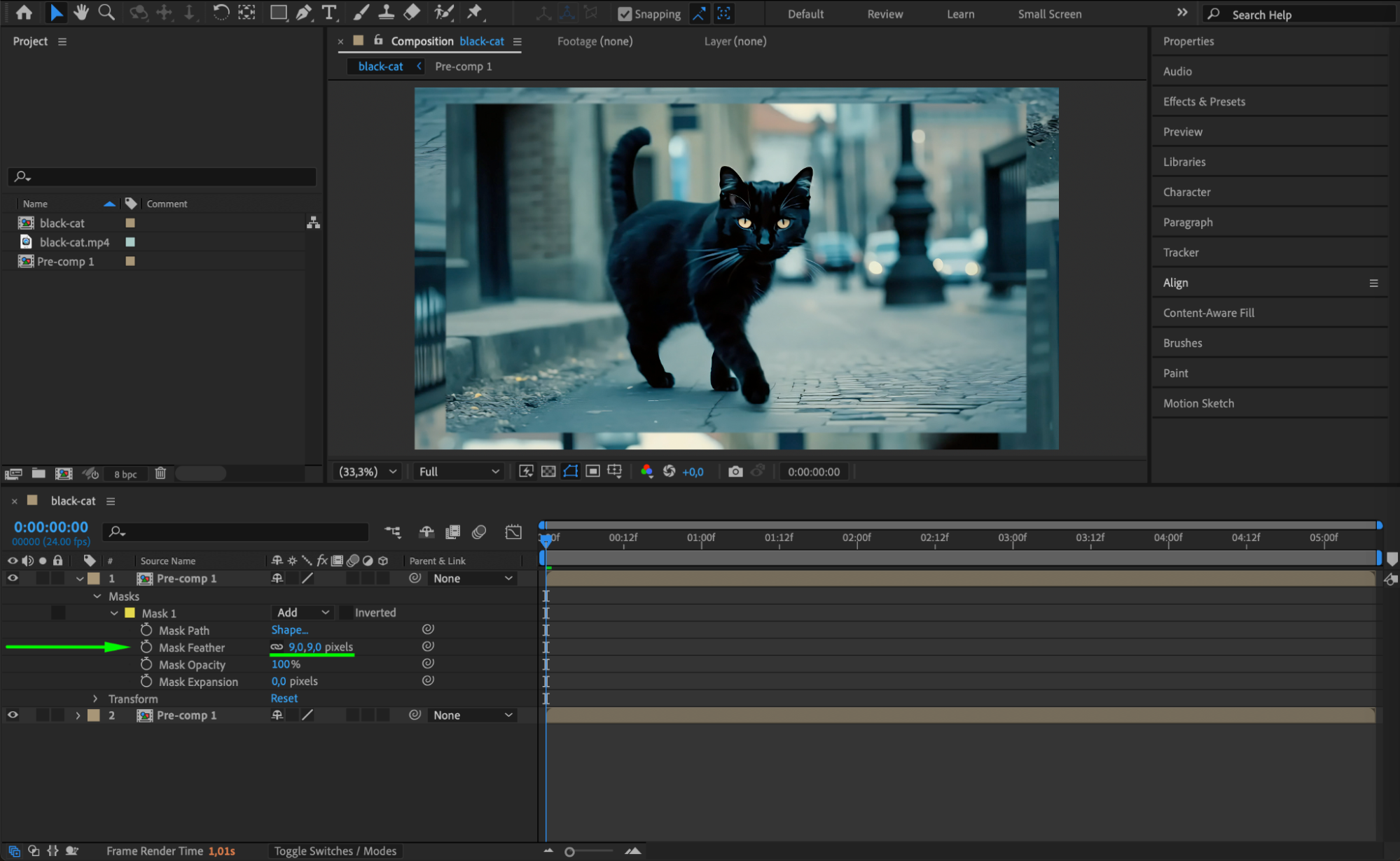
To blend the transition, expand the duplicate layer’s mask properties. Increase the Mask Feather to around 5-50 px for a smooth and natural-looking edge between the layers.
 Step 8: Preview Your Composition
Press the spacebar to play the timeline and check how the mirrored edges look in motion. Make any necessary adjustments to scale, mask size, or feathering.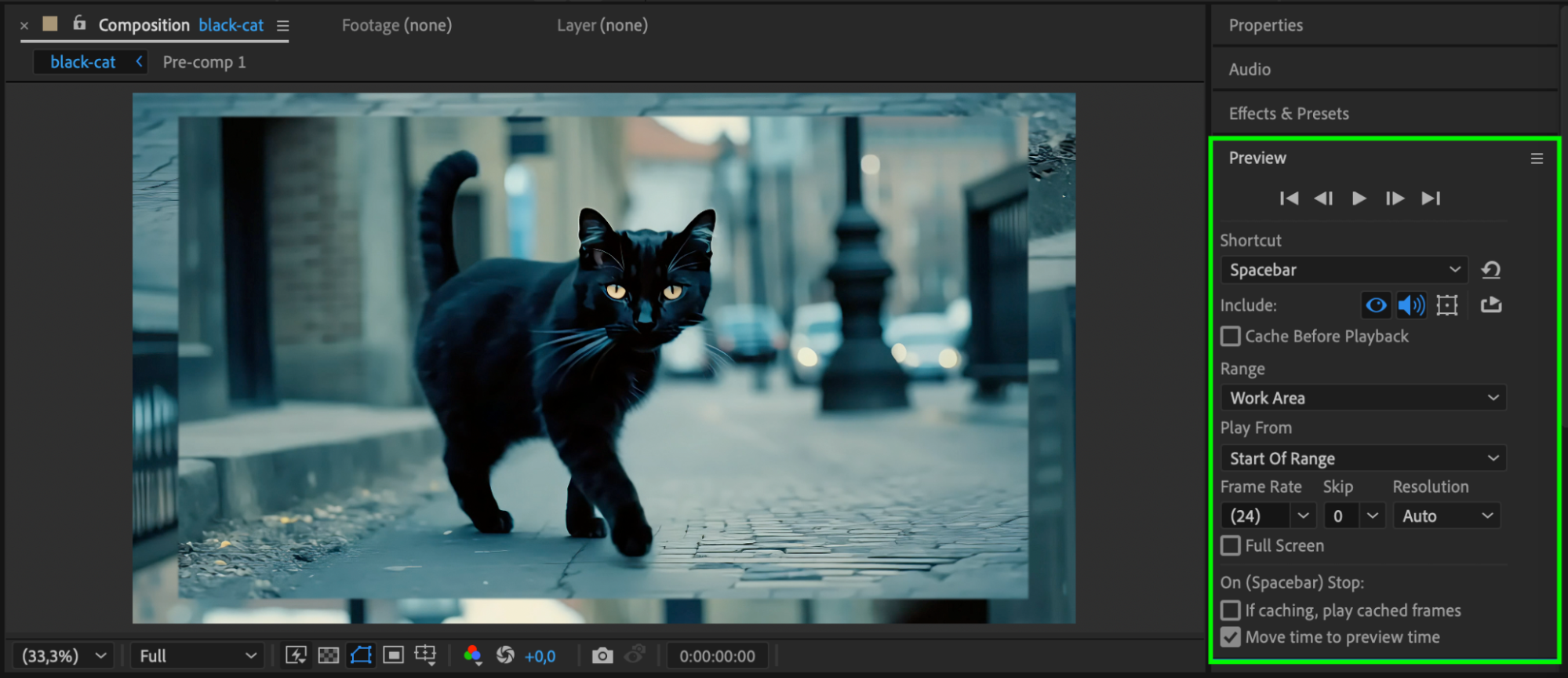 Conclusion
Mirroring edges is a great trick for creating clean, stylized compositions, especially for vertical or square formats. With just a few steps using masks, layer duplication, and flipping, you can easily enhance your visuals without cropping or stretching the footage.
Our Bestsellers
Our Bestsellers


