
How to Restore After Effects to Default Settings
Introduction
Over time, custom settings, workspaces, and preferences in After Effects can pile up, leading to confusion or unexpected behavior. Resetting After Effects to its default settings can help fix many issues and give you a clean starting point. In this guide, you will learn step-by-step how to reset After Effects quickly and correctly.
1. Close After Effects
Before resetting, make sure you close After Effects completely. This ensures that the program does not interfere with the reset process and that changes are applied properly when you restart it.2.Locate Your Preferences Folder
2. After Effects stores settings in a special preferences folder. To find it manually, navigate to:
On Windows: C:Users[Your Username]AppDataRoamingAdobeAfter Effects[Version Number]
On macOS: /Users/[Your Username]/Library/Preferences/Adobe/After Effects/[Version Number]
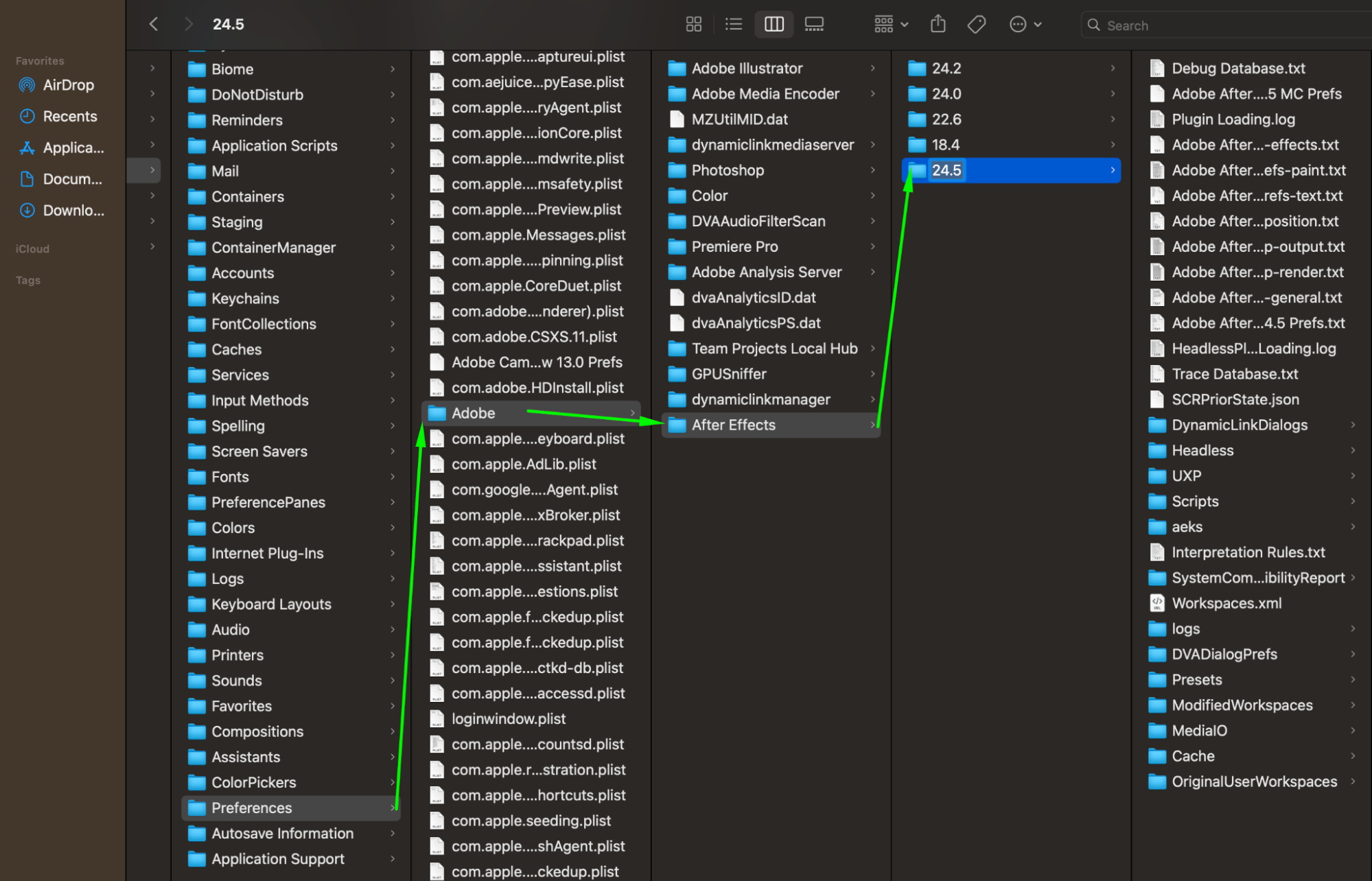
3. Delete the Preferences Files
Inside the folder, you will see several files related to preferences. Delete the entire folder corresponding to your After Effects version. This will remove all custom settings and reset the program back to factory defaults.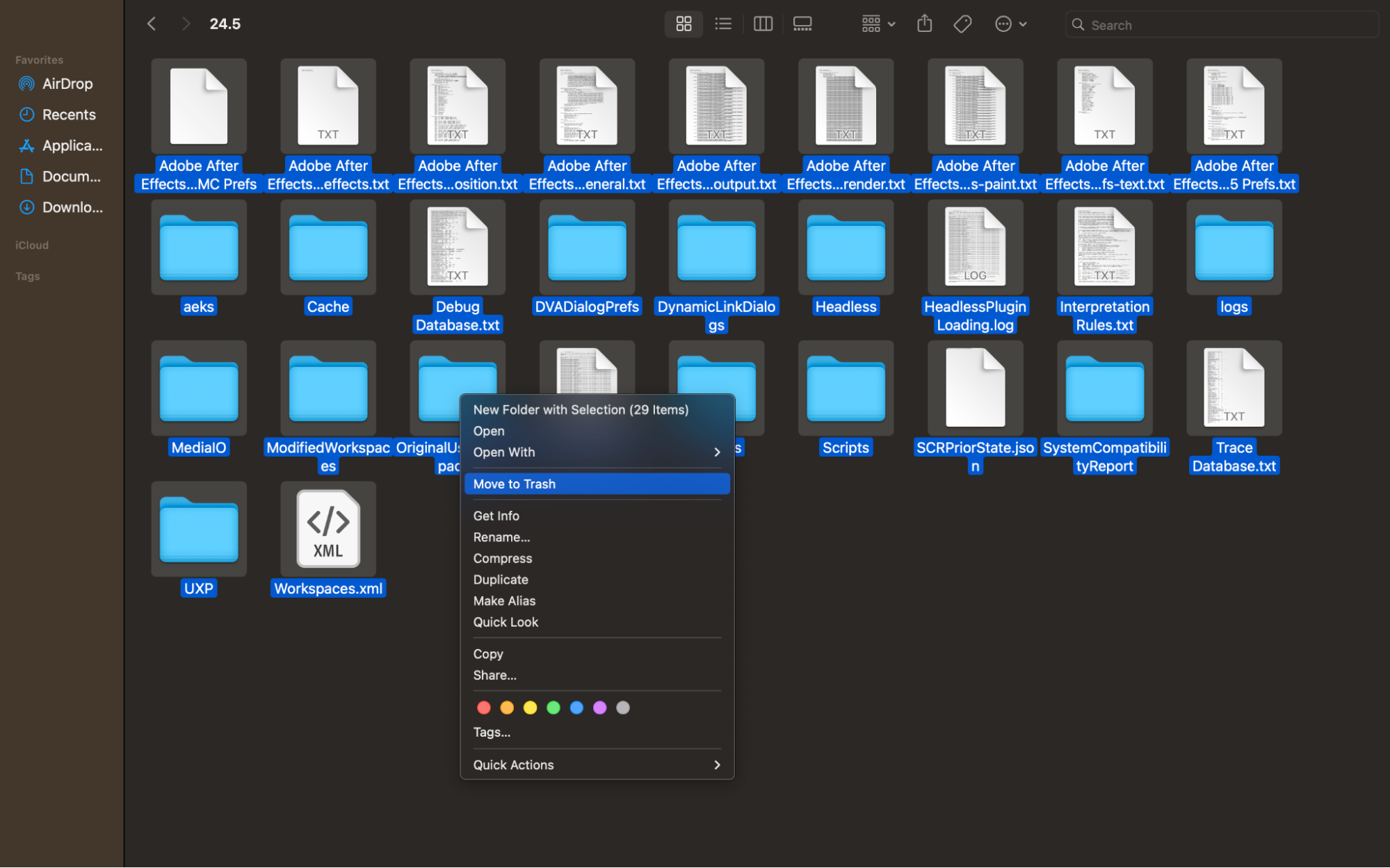 4. Alternative Method: Keyboard Shortcut
There’s a quicker way! Hold down Ctrl+Alt+Shift (Windows) or Cmd+Option+Shift (Mac) immediately while launching After Effects. A dialog box will appear asking if you want to delete your preferences file. Click Yes to reset.
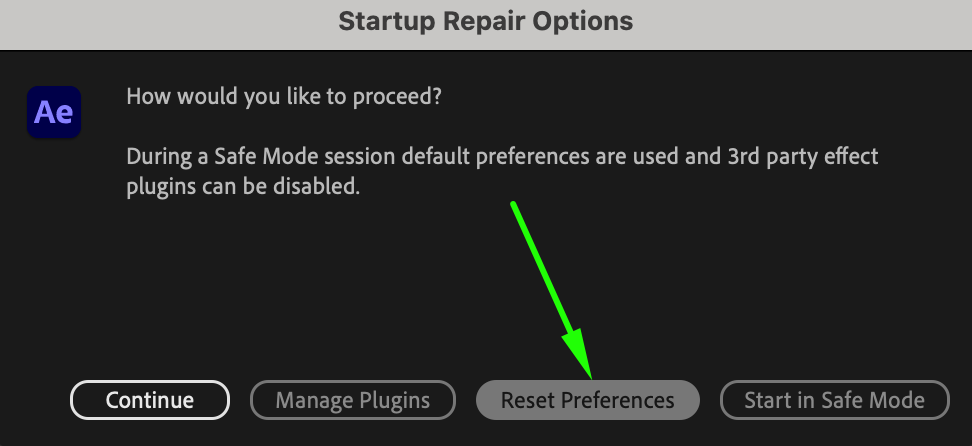
5. Reset Workspace Layouts
Sometimes you just need to reset the workspace without fully deleting preferences. In After Effects, go to Window > Workspace > Reset ‘Workspace Name’ to reset the panels and layout to the default arrangement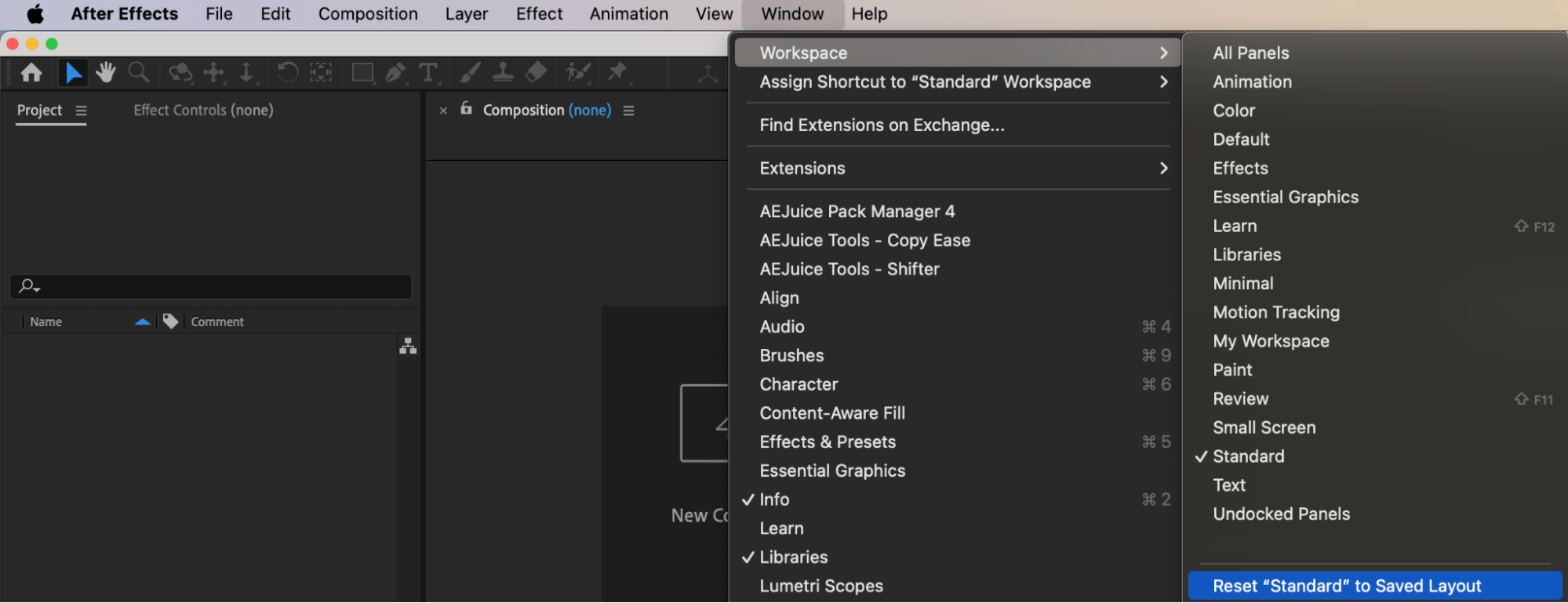
6. Restart After Effects
After completing the reset, restart After Effects if it’s not already open. Now it should behave like a fresh installation, with default settings and workspaces.
7. Optional: Reinstall After Effects
If resetting preferences doesn’t fix your issues, you might consider uninstalling and reinstalling After Effects. This will give you a completely clean installation without any leftover settings.
Conclusion
Resetting After Effects to its default settings is a simple way to fix problems, clean up clutter, and start fresh. Whether you delete the preferences manually or use a shortcut, restoring After Effects can save you a lot of time and frustration in the long run.
Our Bestsellers
Our Bestsellers


