Free Plugins
Products
All Access
AI
HomeBlogEffortless Navigation: Mastering Keyframes and Layer Markers!

Effortless Navigation: Mastering Keyframes and Layer Markers!

TipsJacob Syrytsia
506487
After Effects
13 Nov, 2023
Save with an AEJuice promo code

Use Shift+J and Shift + K to navigate between keyframes or layer markers on a selected layer, ignoring keyframes and layer markers on unselected layers above and below (available starting from CC23).
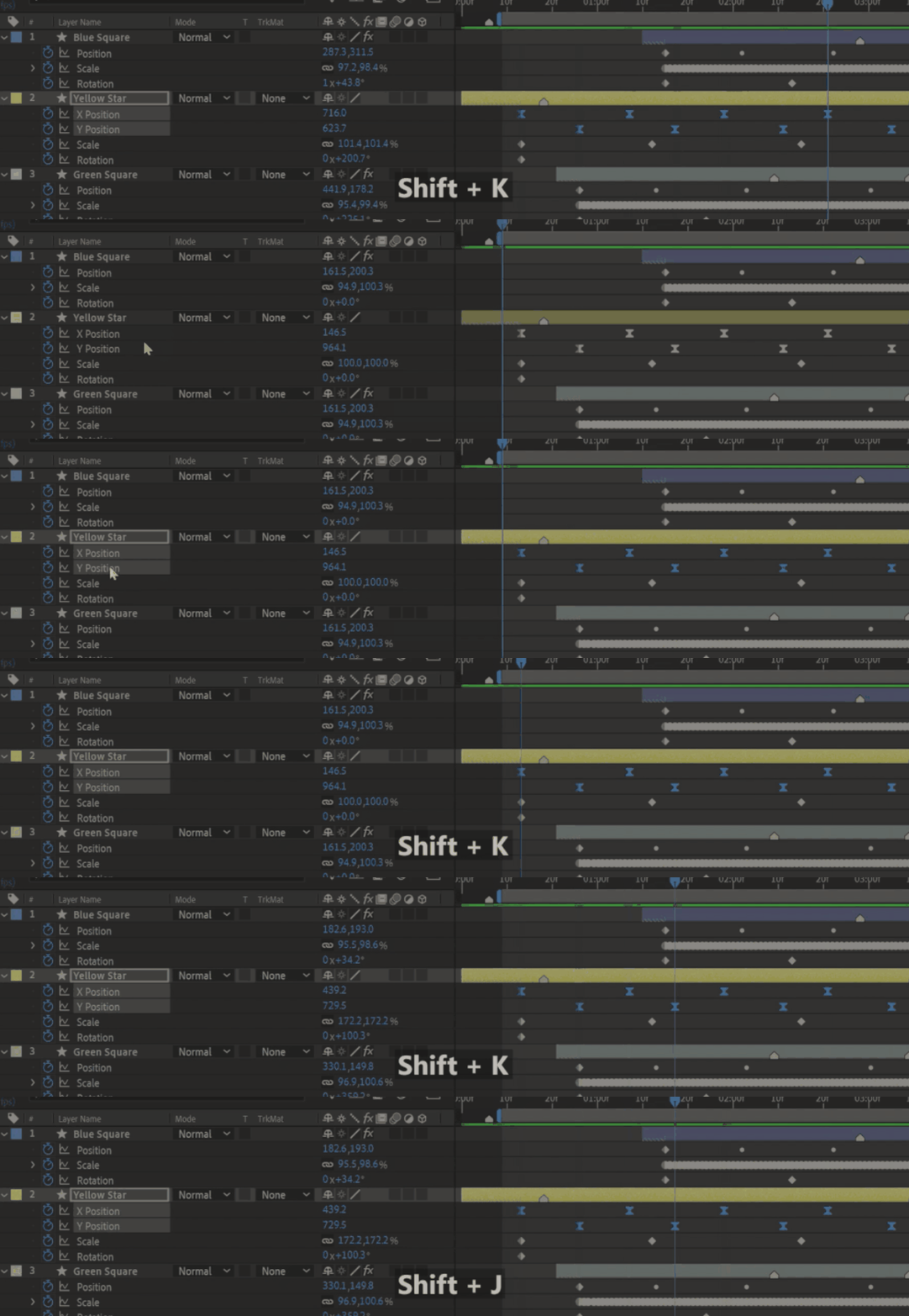
Source Adobe.

-50%
-50%
00hrs : 00mins : 00sec
Happy HolidaysSale sitewide
Shop now

Click here to receive more tips by email.

Our Bestsellers

Our Bestsellers

Jacob Syrytsia
Similar Articles
thumbnail-fallback.16c3af4eHow to Animate a Cape in the Wind in After Effects
Tutorials
thumbnail-fallback.16c3af4eHow to Animate a Cape in the Wind in After Effects
Tutorials
thumbnail-fallback.16c3af4eHow to Align Objects on a Diagonal Axis in After Effects
Tutorials
thumbnail-fallback.16c3af4eHow to Align Objects on a Diagonal Axis in After Effects
Tutorials
thumbnail-fallback.16c3af4eHow to Animate a Jumping Logo in After Effects
Tutorials
thumbnail-fallback.16c3af4eHow to Animate a Jumping Logo in After Effects
Tutorials
3526675
Email usAnswer within 24 hoursHelp centerDetailed documentation
Quick Links
HomeAffiliatesPrivacy PolicyTerms of UseRefundsContact
Support
ProductsFree PluginsWhat's new?BlogAboutStart Selling
Get 10% Off – Straight to Your Inbox!
Copyright © 2021 - 2026 AEJuice LLC. All rights reserved.
support@aejuice.com