
Introduction
Dream-like effects are often used to create a soft, emotional, or surreal atmosphere in videos. In this tutorial, you’ll learn how to achieve a dreamy look in After Effects using layer duplication, blur, blending modes, and optional glow.
Step 1: Import Your Video
Go to File → Import → File and select your video. Drag it onto the timeline.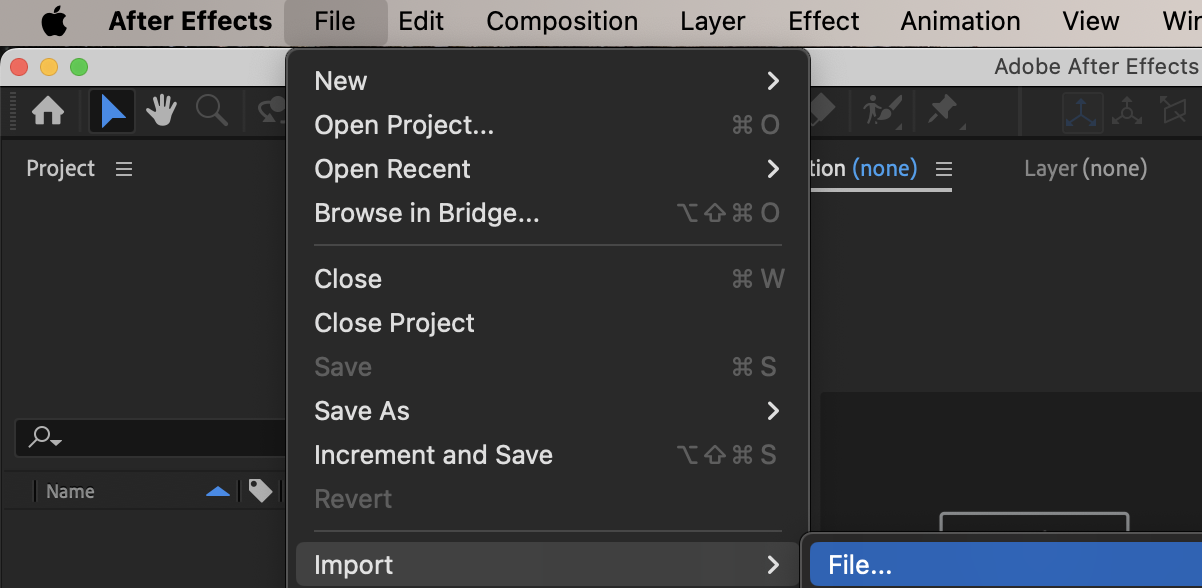
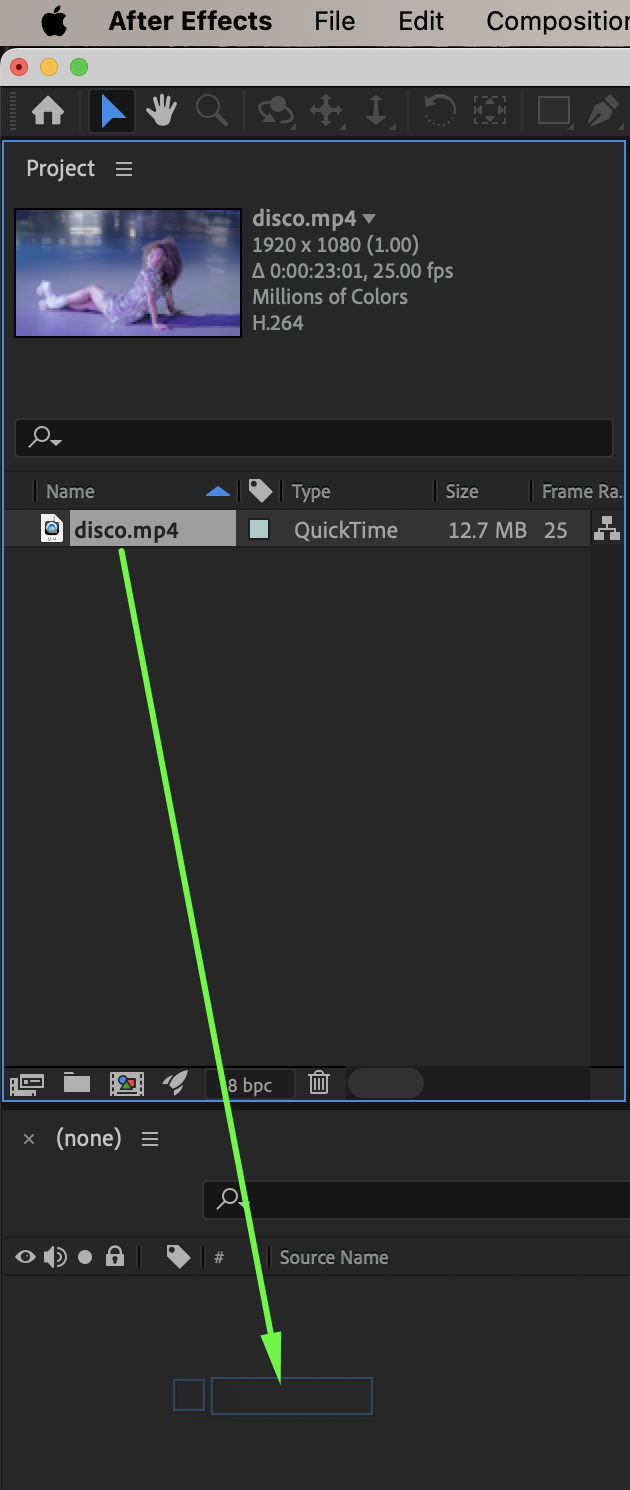 Step 2: Duplicate the Layer
Select the video layer and duplicate it (Ctrl/Cmd + D). This duplicate layer will be used to create the soft glow effect.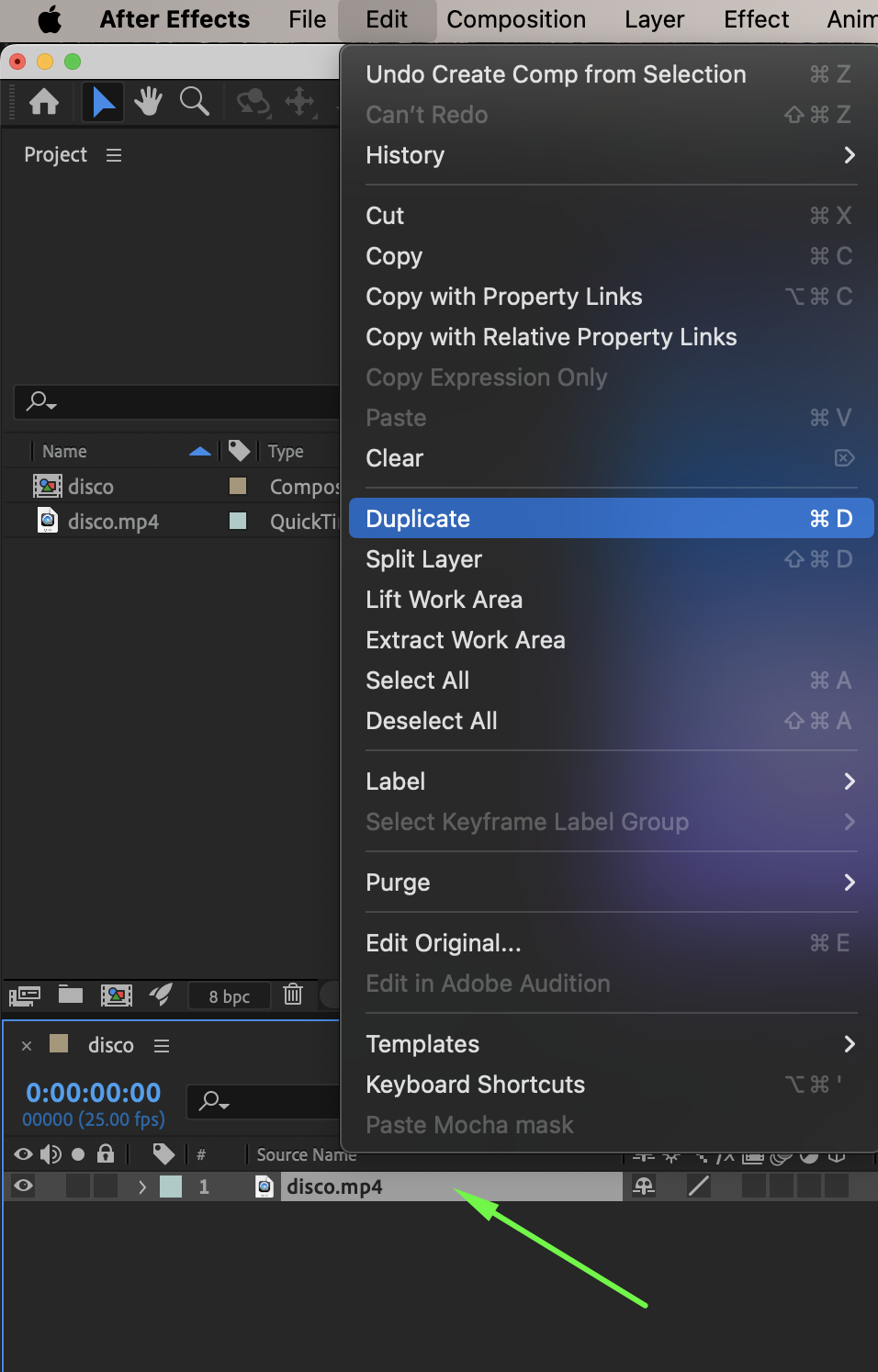
Step 3: Apply Gaussian Blur
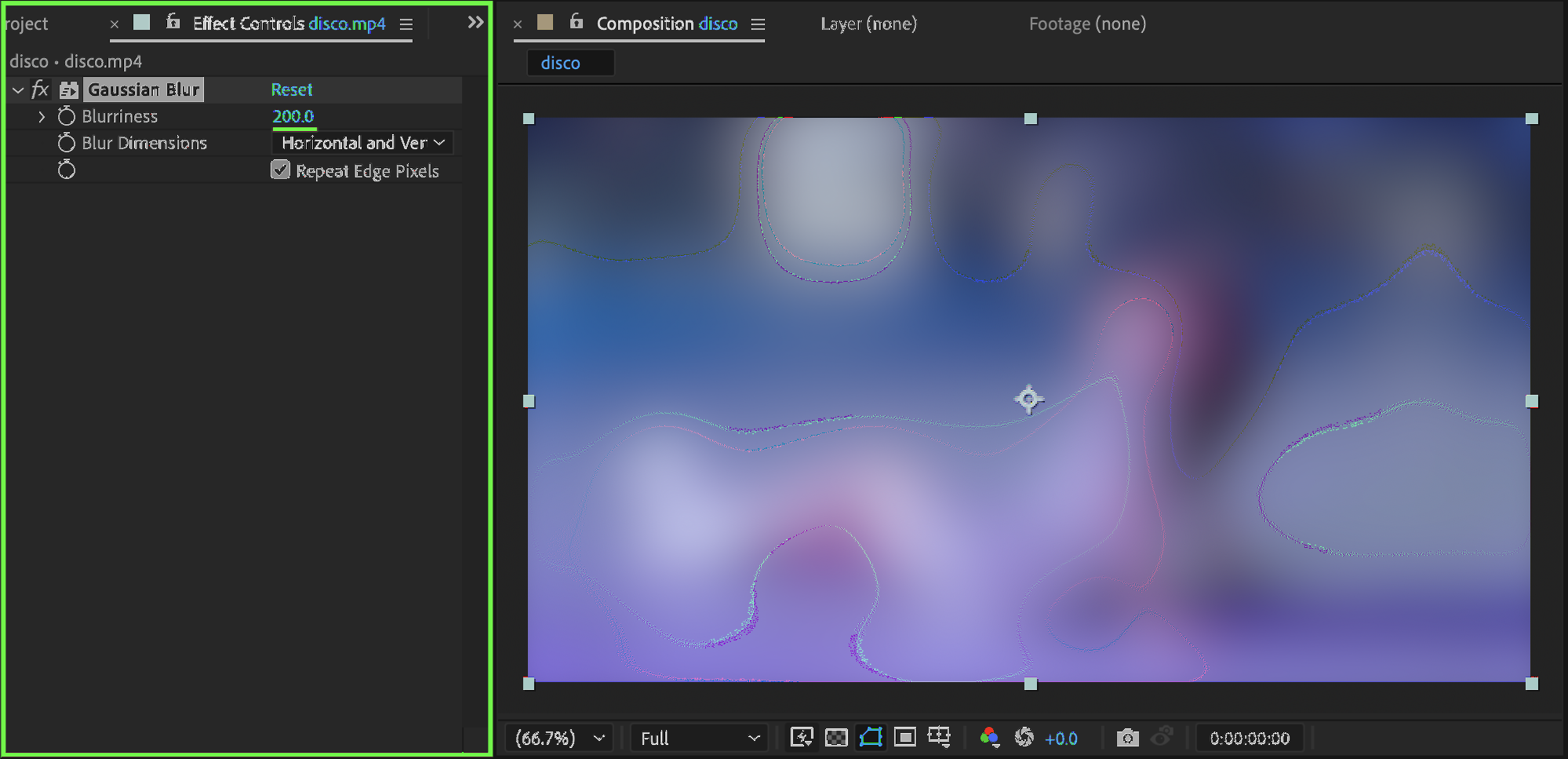
Select the duplicated layer. From the Effects & Presets panel, apply Gaussian Blur. Set:
Blurriness: 200
This creates a strong soft blur that will enhance highlights.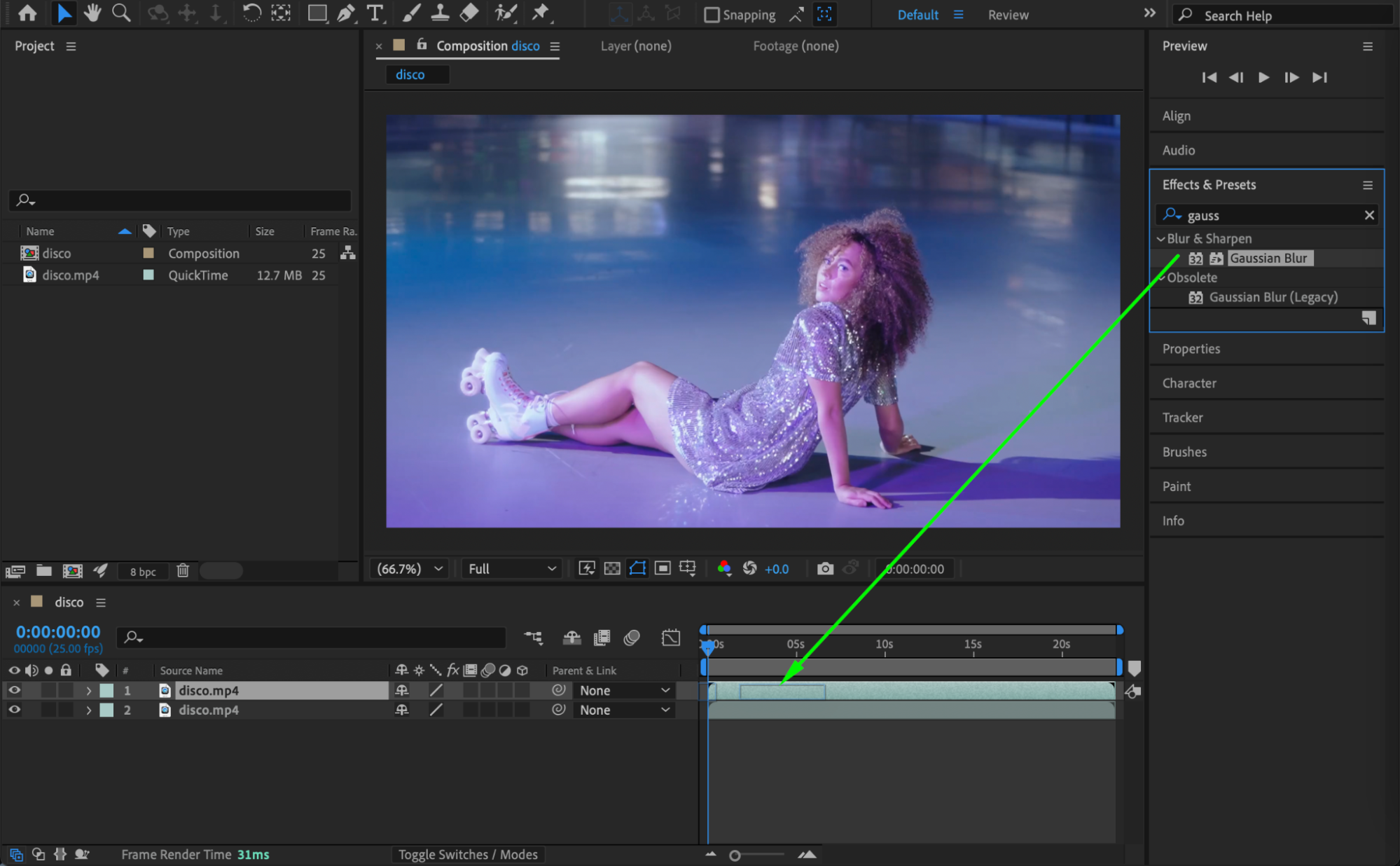
 Step 4: Change the Blending Mode
Right-click on the duplicated layer (or use the Modes column) and set the Blending Mode to Screen. This allows the blurred highlights to blend softly with the original layer, creating a dreamy glow.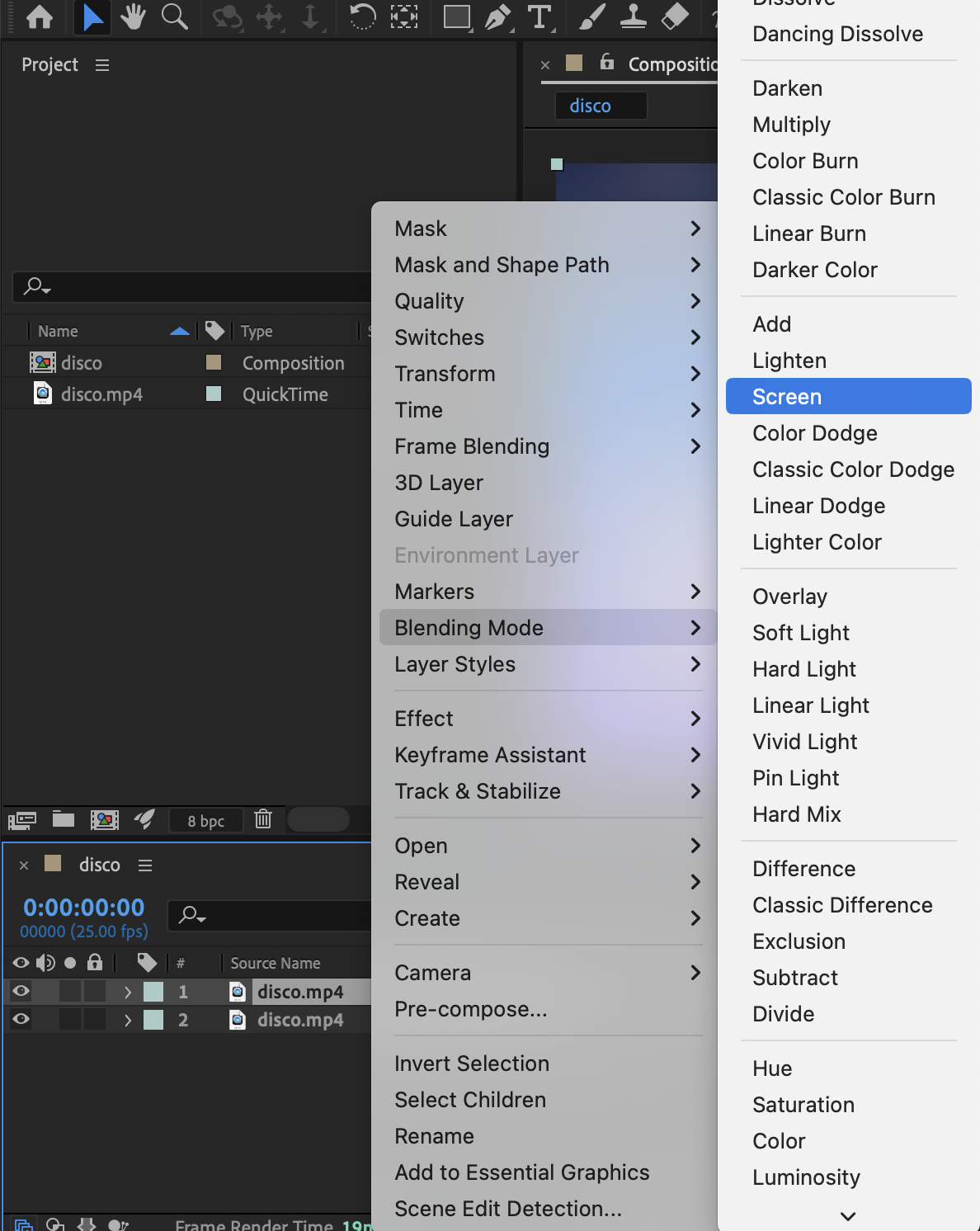
Step 5: Add Glow (Optional)
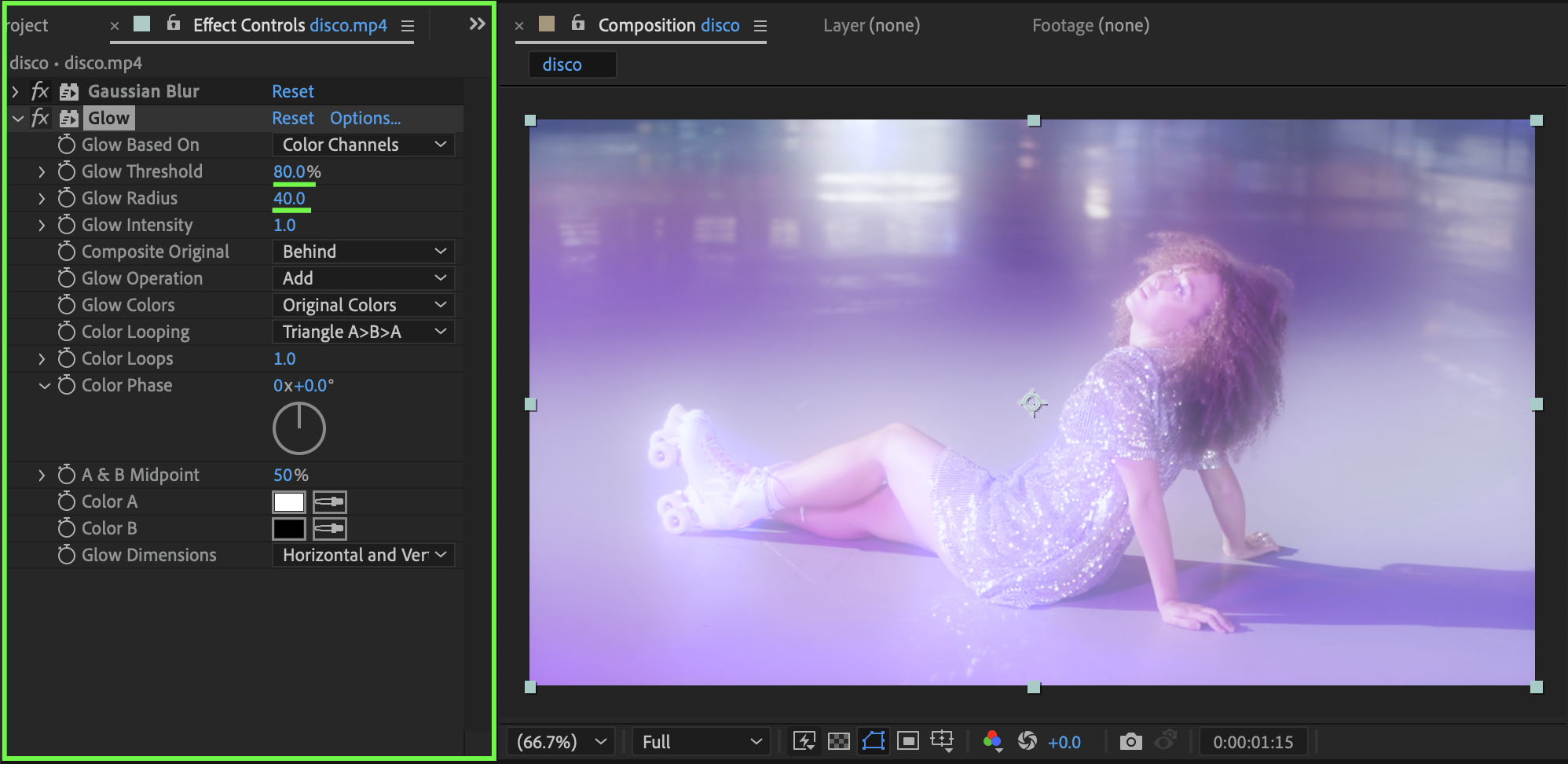
For extra softness and atmosphere, apply the Glow effect to the duplicated layer. Suggested settings:
Glow Threshold: 80
Glow Radius: 40
Adjust these values depending on how subtle or intense you want the effect to be.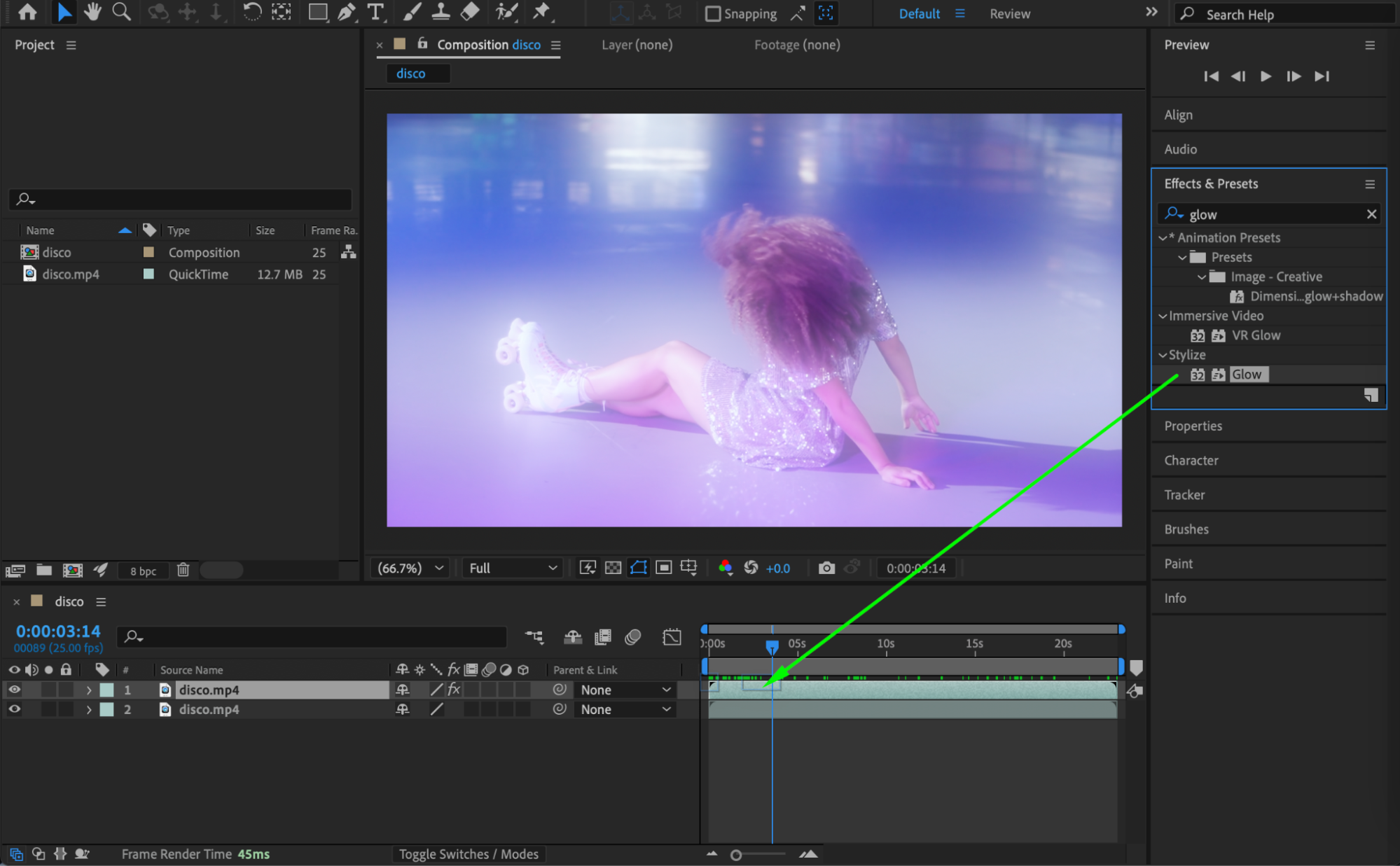
 Step 6: Preview the Result
Preview the composition and fine-tune the blur amount, glow intensity, or layer opacity to achieve the perfect dream-like look.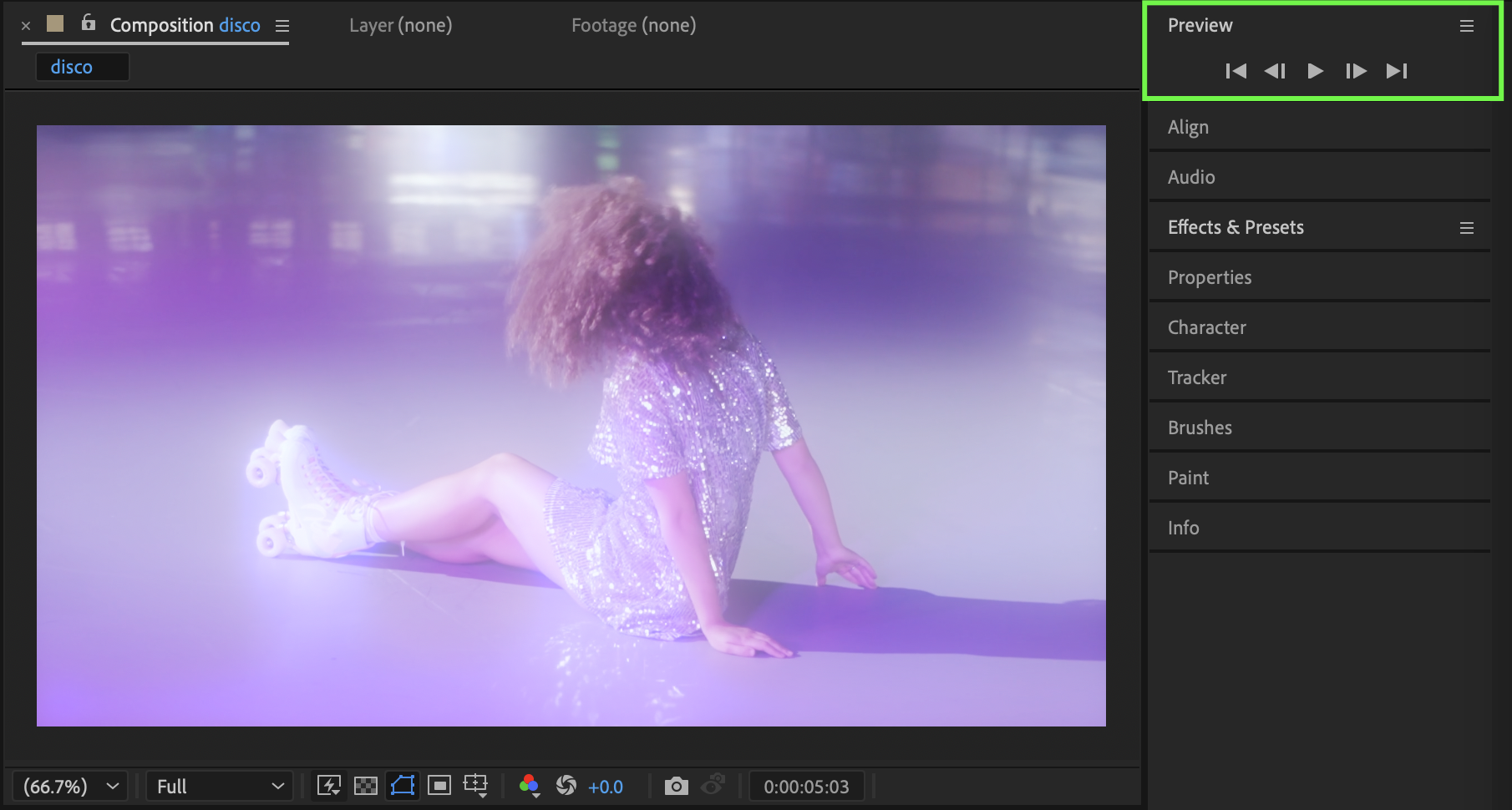 Conclusion
By combining Gaussian Blur, Screen blending mode, and optional Glow, you can easily create a dreamy, ethereal effect in After Effects. This technique works great for music videos, fashion edits, memories, and cinematic storytelling.
Our Bestsellers
Our Bestsellers


