
Step-by-Step Guide on How to Add Shadows in After Effects
Mastering the Art of Adding Shadows in After Effects – A Step-by-Step Guide
Enhancing the visual appeal of your motion graphics can significantly impact their overall effectiveness and professionalism. One crucial aspect often overlooked is adding realistic shadows to your elements. Shadows can bring depth, dimension, and believability to your animations, making them appear more lifelike and engaging. In this step-by-step guide, we will delve into incorporating compelling shadows into your After Effects projects, empowering you to take your motion graphics to the next level. Whether you’re a seasoned motion designer or a beginner exploring the possibilities of After Effects, this tutorial is designed with simplicity and effectiveness in mind. Get ready to dive in and discover the power of shadows in amplifying the visual impact of your animations.
Step-by-Step Guide on How to Add Shadows in After Effects
Starting with the first introduction to how to add shadows, the following step-by-step guide will walk you through a few simple actions that will help add visually attractive and appealing shadows to your After Effects projects:
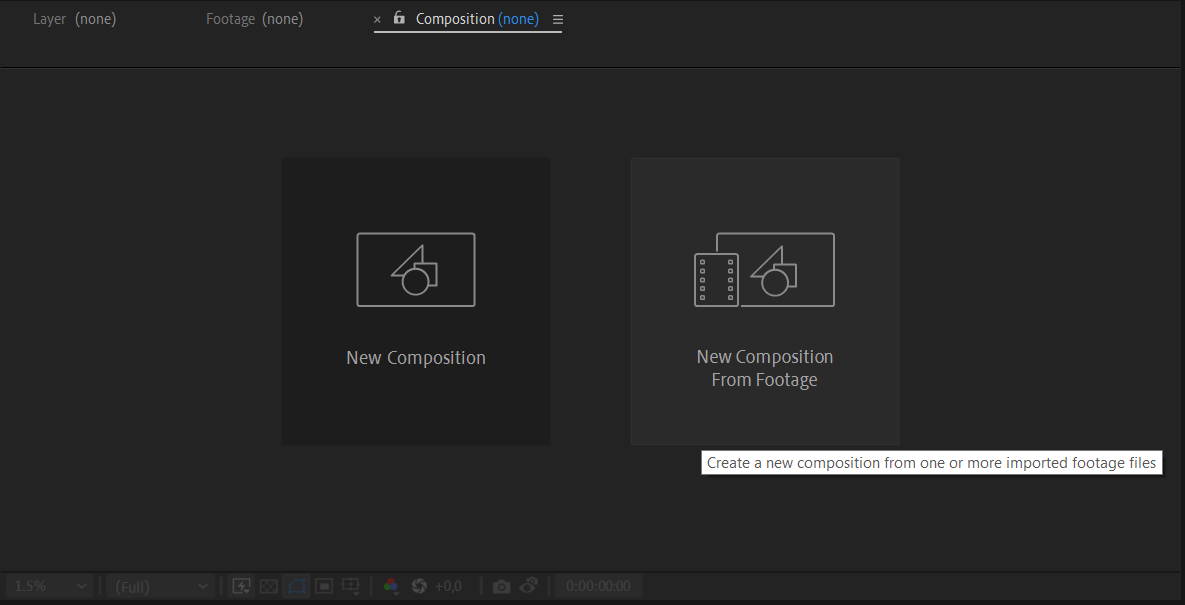
1. Create a New Composition: Start by importing the footage you want to add a shadow to into your After Effects composition. Then, select “New Composition from Footage.” Afterward, right-click on your imported footage.
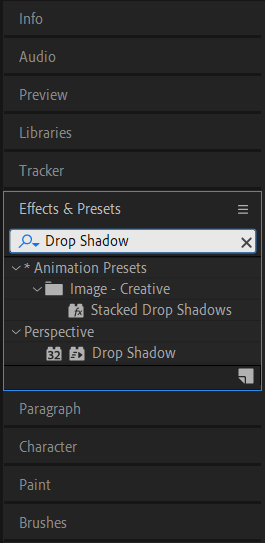
2. Apply Drop Shadow Effect: With the solid layer selected, go to the “Effects & Presets” panel and search for the “Drop Shadow” effect. Drag and drop the effect onto the solid layer.
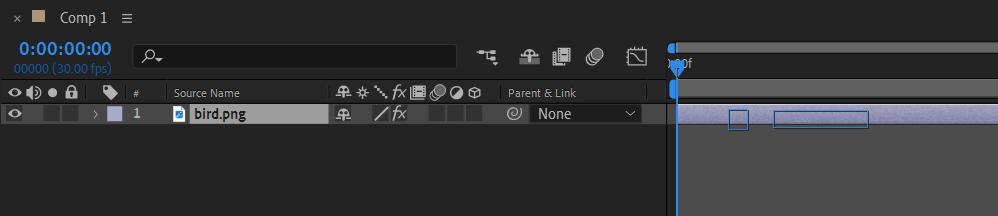
3. Adjust Drop Shadow Settings: In the Effect Controls panel, you can customize various settings of the drop shadow effect to achieve your desired look. Play around with parameters like distance, opacity, and shadow color to create the perfect shadow effect.
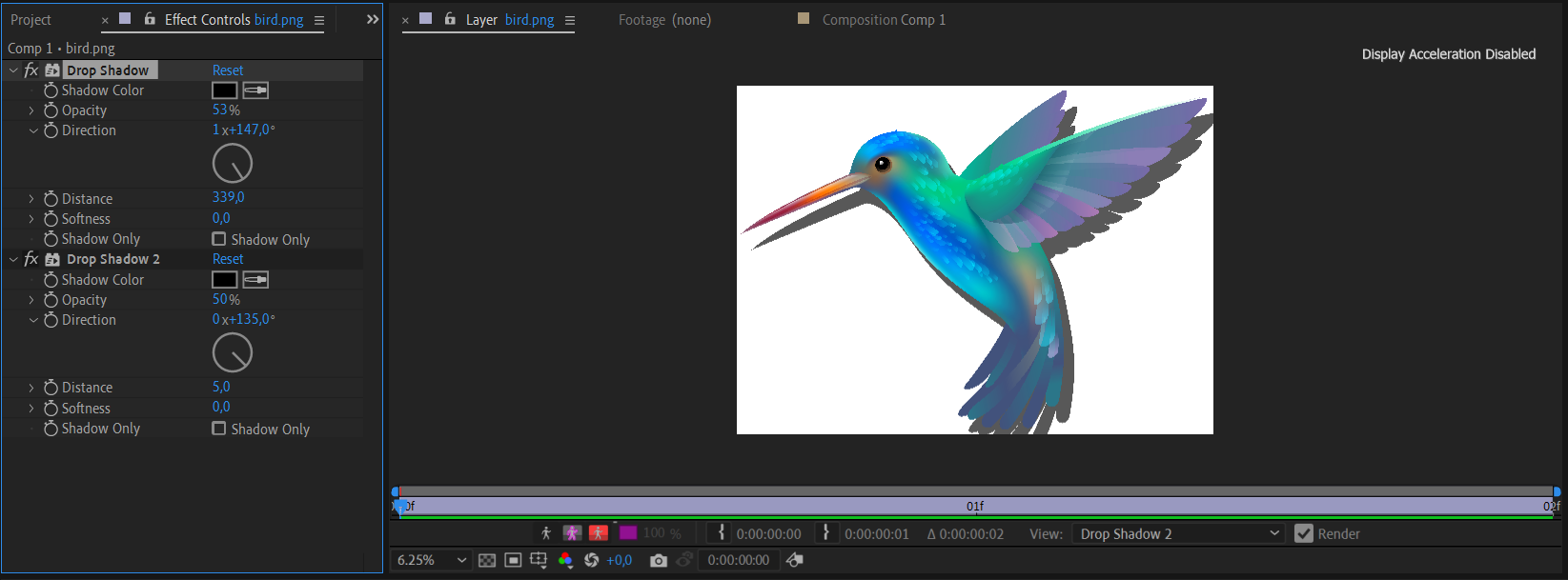
4. Fine-tune and Preview: Take the time to experiment with different settings and preview your animation to ensure the shadow looks natural and enhances the overall composition. Play around with keyframe animations to make the shadow interact dynamically with your elements.
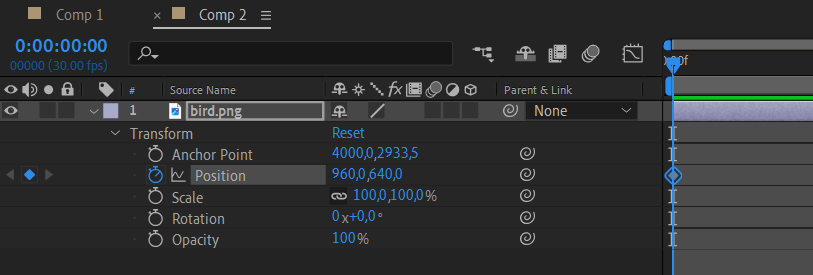
5. Add Multiple Shadows: If you have multiple elements casting shadows, repeat the process for each element, creating separate solid layers and adjusting their position, size, and drop shadow settings accordingly.
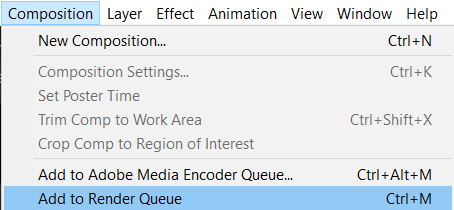
6. Render and Export: Once you’re satisfied with the shadow effects, it’s time to render your composition. Go to the “Composition” tab in the top menu and select “Add to Render Queue.” Configure the render settings as per your requirements and click on the “Render” button.

Congratulations! You now know how to add stunning shadows to your After Effects projects. Explore different shadow types, experiment with different settings, and push the boundaries of your creativity to bring your motion graphics to life. Remember, shadows are an essential tool in creating depth and realism, so don’t hesitate to make them an integral part of your animations. Happy animating!
Conclusion: Elevate Your Motion Graphics with Dynamic Shadows in After Effects
Adding shadows to your motion graphics in After Effects is an invaluable technique that can elevate the visual impact of your animations. By following the step-by-step guide outlined in this article, you have learned how to incorporate realistic shadows into your projects effortlessly.
Remember, shadows add depth, dimension, and a sense of realism to your animations. By positioning and adjusting the settings of the drop shadow effect, you can create shadows that perfectly complement the elements in your composition.
Feel free to experiment and explore different settings to achieve the desired look and feel. Play with distance, opacity, and shadow color to customize each shadow effect to fit your unique project requirements.
Adding multiple shadows to different elements can enhance the overall composition and make your motion graphics even more captivating. Take advantage of the tools and techniques provided in After Effects to create truly immersive visual experiences.
Now that you are equipped with this valuable knowledge, it’s time to harness the power of shadows in your motion design projects. Push the boundaries of your creativity and watch your animations come to life!
Remember, practice makes perfect. With time and experience, you will become more adept at creating compelling shadows that enhance your motion graphics. So, keep experimenting, keep refining, and keep creating amazing animations using After Effects.
So, what are you waiting for? Dive into After Effects, apply what you have learned, and add dynamic shadows to your motion graphics today. Happy creating!
Our Bestsellers
Our Bestsellers


