
Introduction
Ambient light in After Effects evenly illuminates all 3D layers in a composition, simulating soft, natural light that affects the entire scene. It’s useful for reducing harsh shadows or brightening areas that are too dark, especially when working with 3D objects or multiple light sources.
Step 1: Open Your Project
Open your After Effects project and the composition that contains your 3D layers. Make sure the layers you want to light up have the 3D Layer switch (the cube icon) enabled.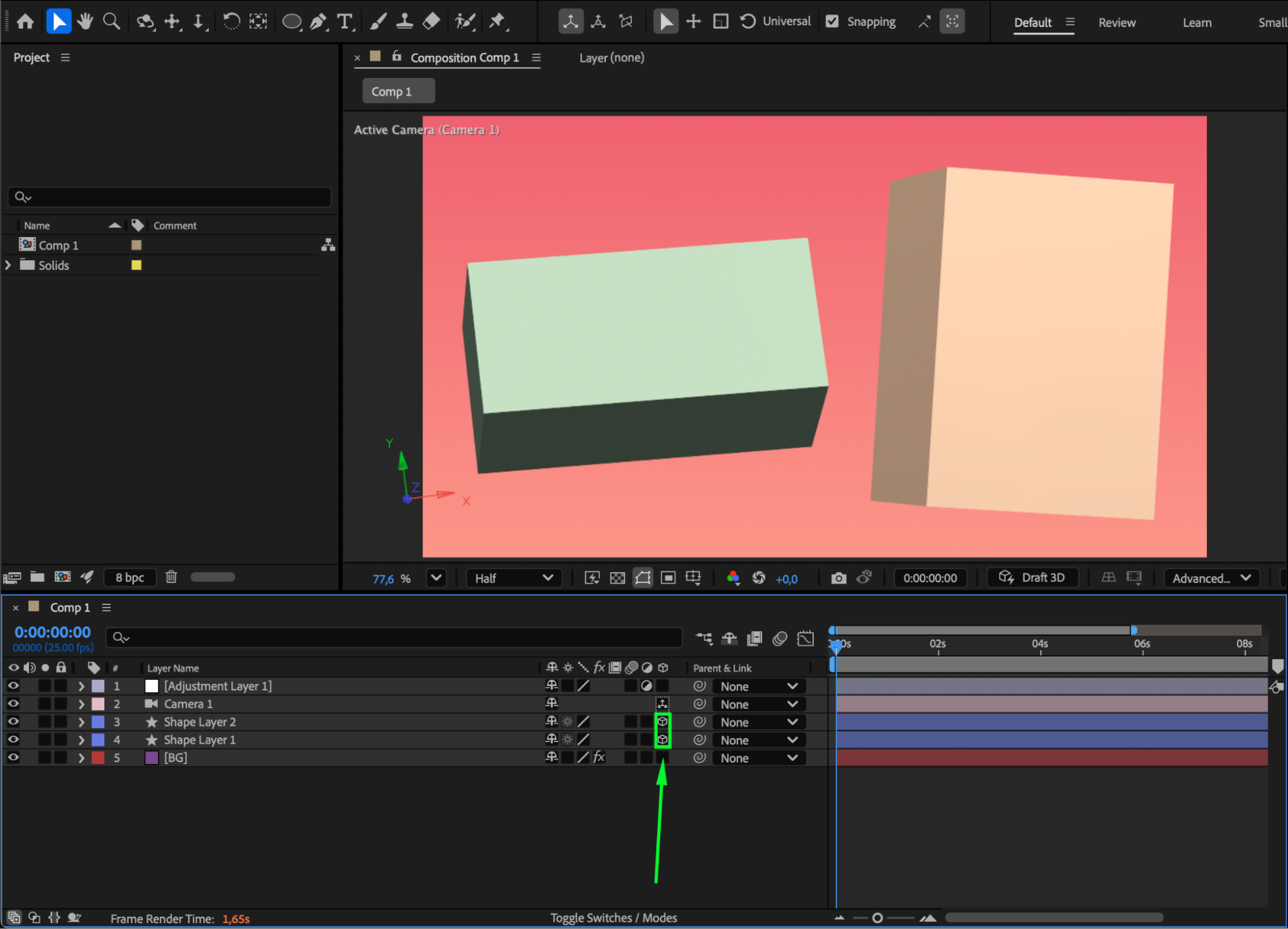 Step 2: Add an Ambient Light
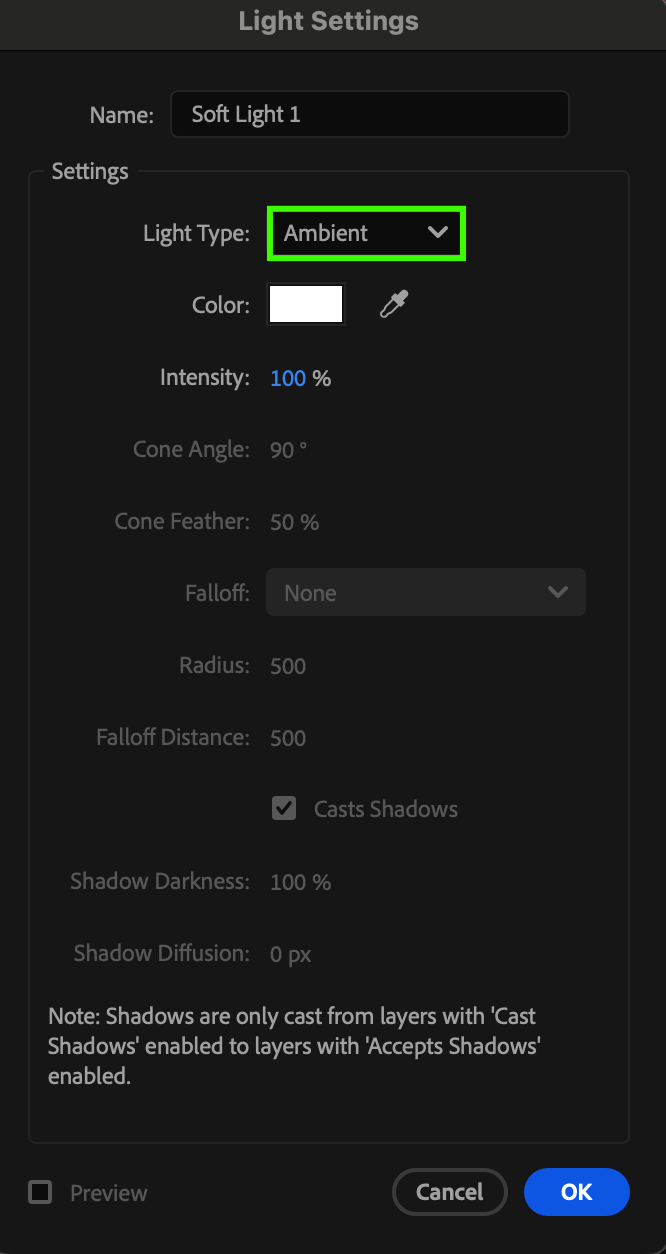
Go to Layer > New > Light. In the Light Settings window, change the Light Type to Ambient Light. You can give it a name, like “Soft Light,” and adjust its Intensity and Color. Then click OK to create it.
Step 3: Adjust Light Intensity and Color
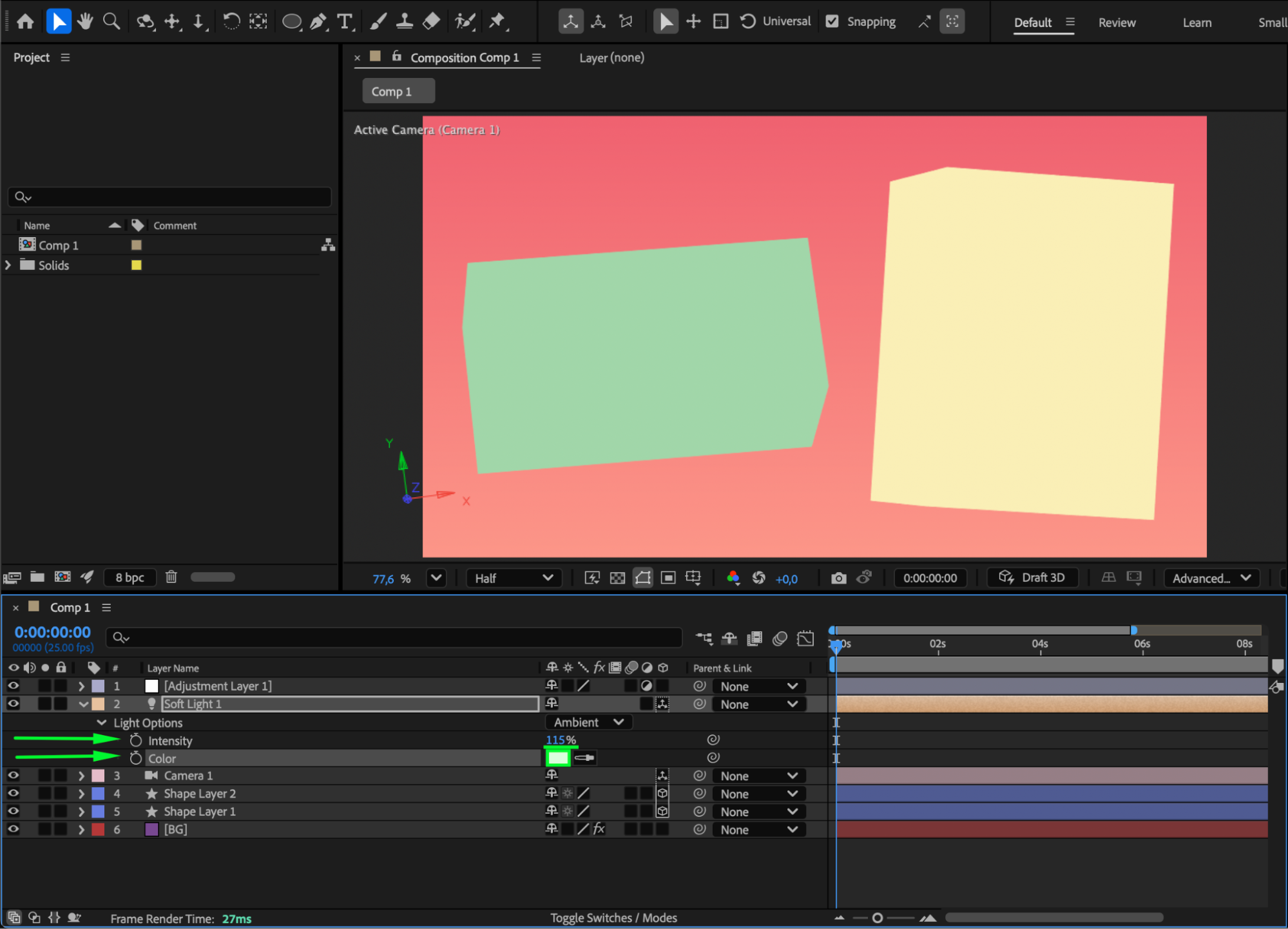
Select the Ambient Light layer in the Timeline. To modify its properties, open the Light Options dropdown. Increase or decrease Intensity to control brightness, and choose a warmer or cooler Color to set the mood of your scene.
 For example:
Warm yellow tones create a cozy atmosphere.
Blue tones can give a cool or night-time look.
Step 4: Combine with Other Light Types (Optional)
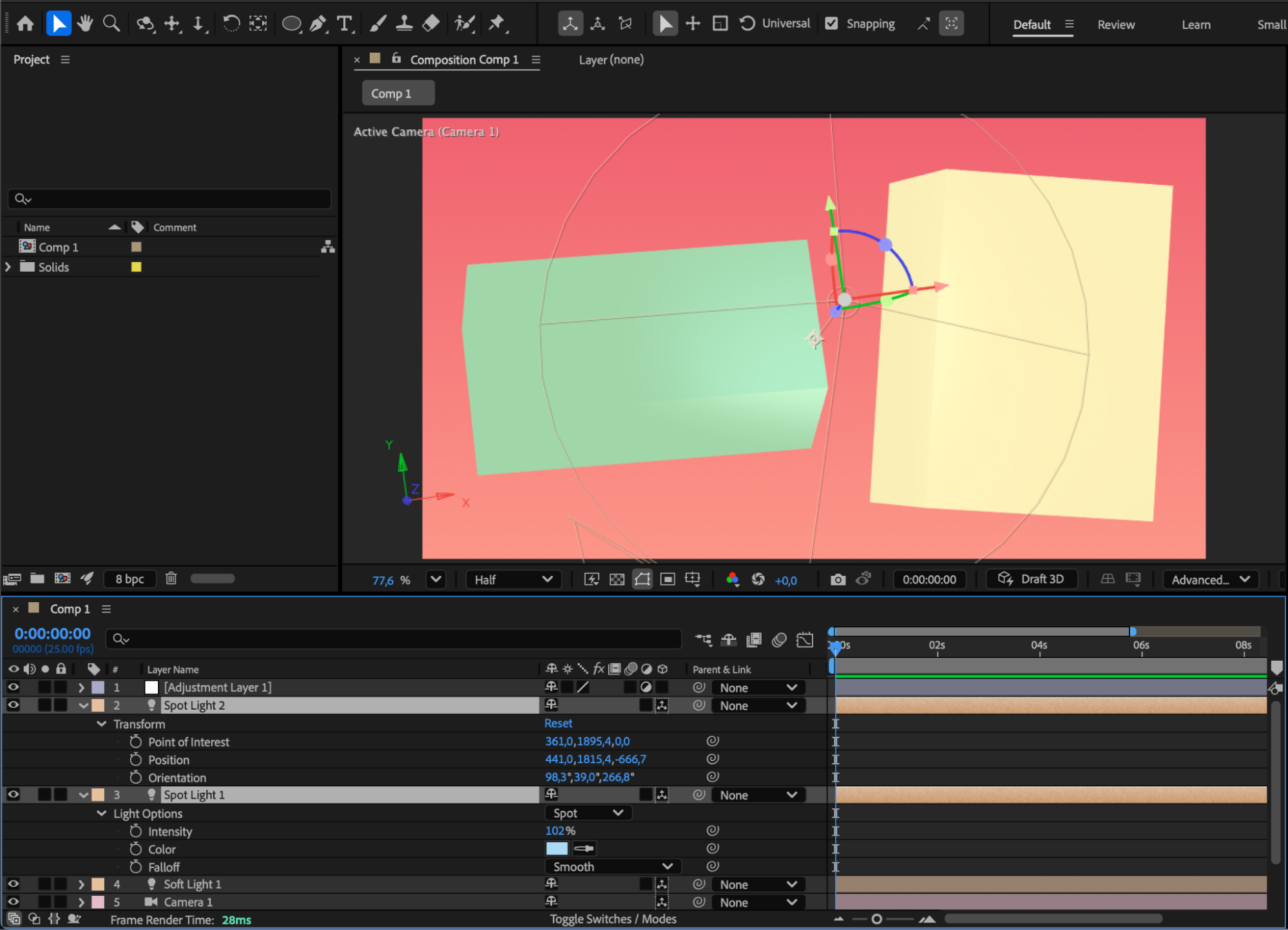
You can mix Ambient Light with other light types such as Point, Spot, or Parallel lights for more depth and realism. The ambient light will fill in shadows while other lights define highlights and direction.
Step 5: Animate the Light (Optional)
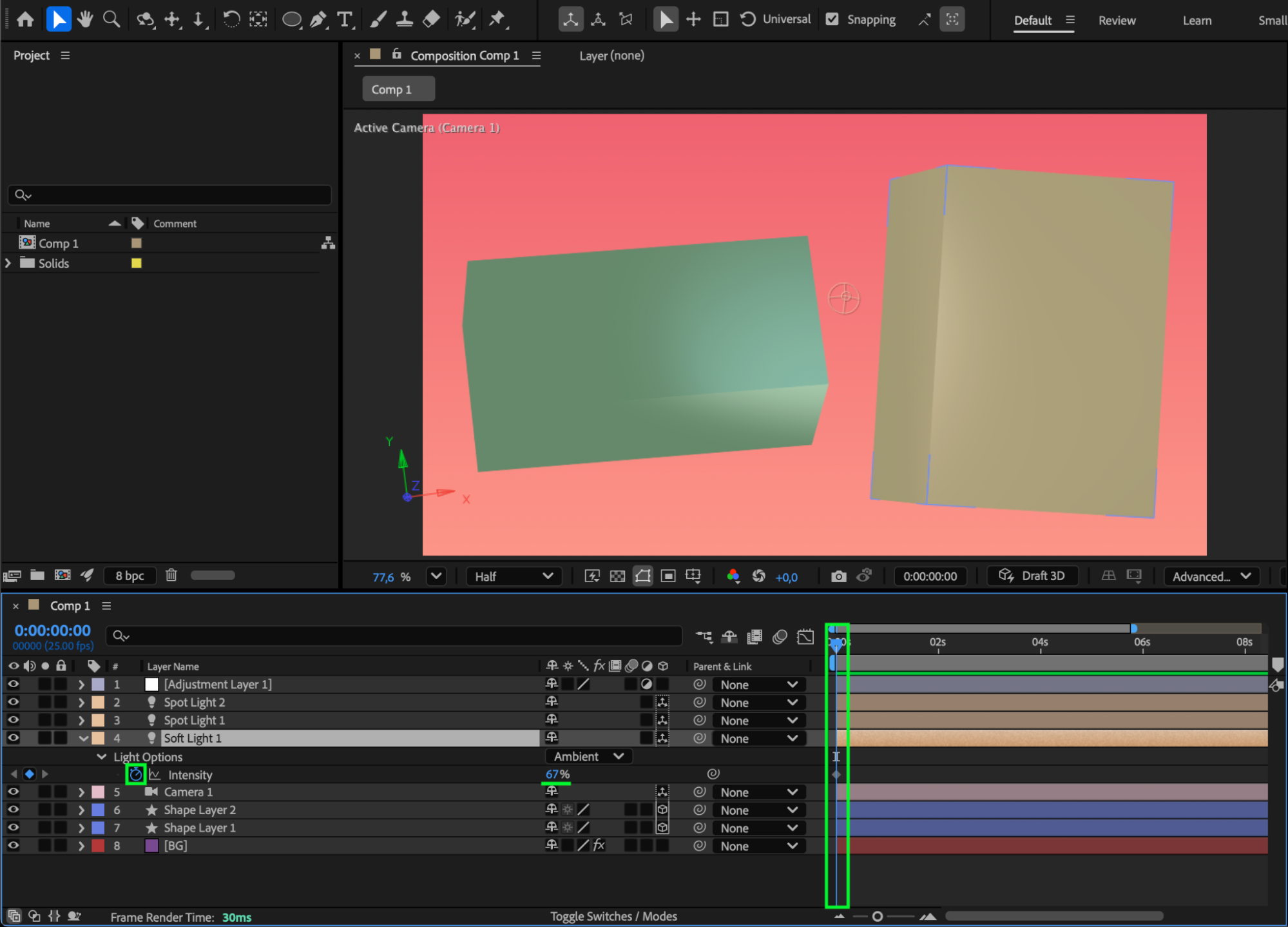
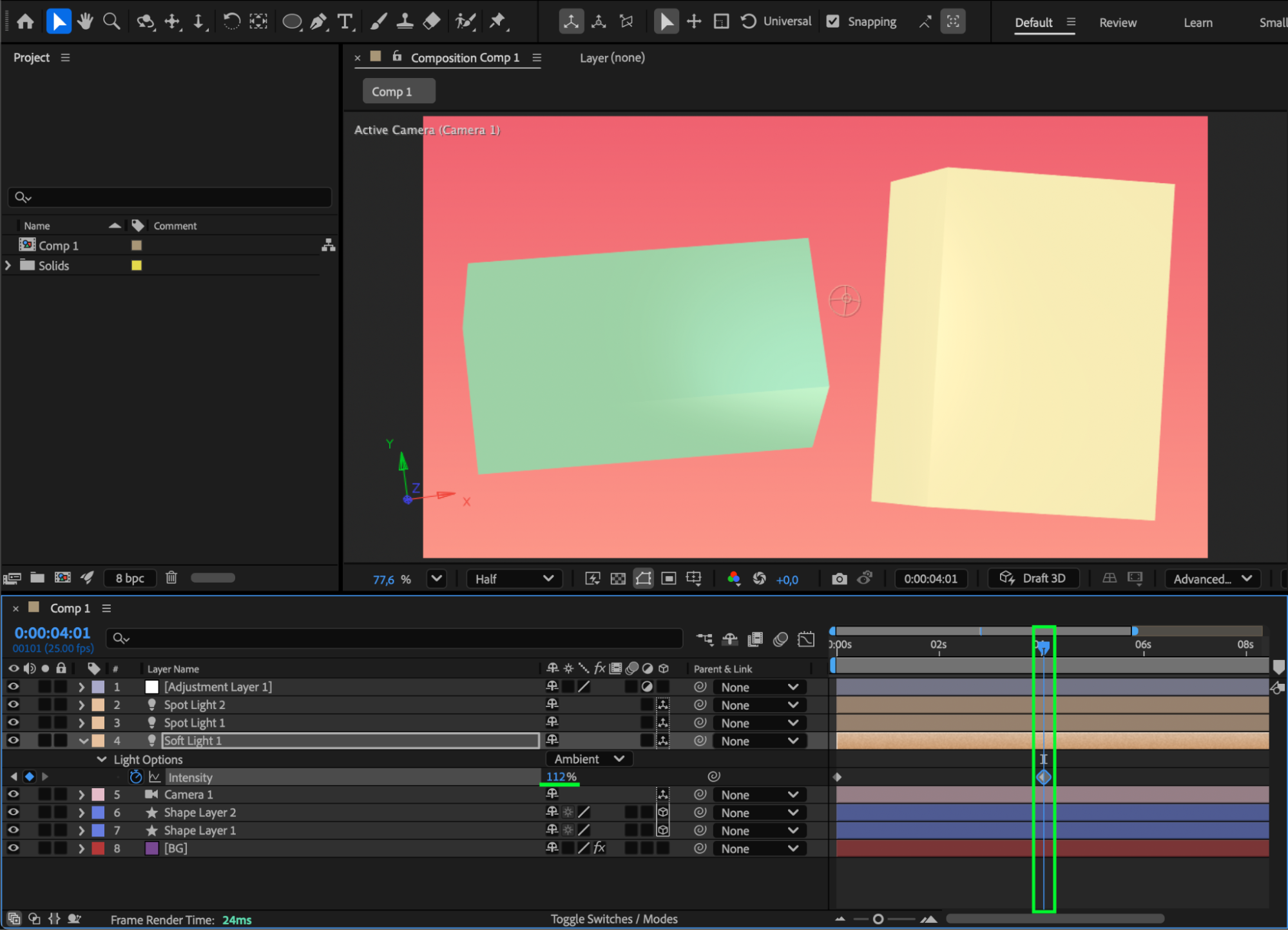
If you want to make your lighting dynamic, you can animate the Intensity or Color of the ambient light over time. To do this, click the stopwatch next to the property you want to animate and adjust its values at different points in the timeline.
 Step 6: Preview and Refine
Press Spacebar to preview your composition. Adjust the ambient light’s intensity and color balance until you achieve the desired look for your 3D scene.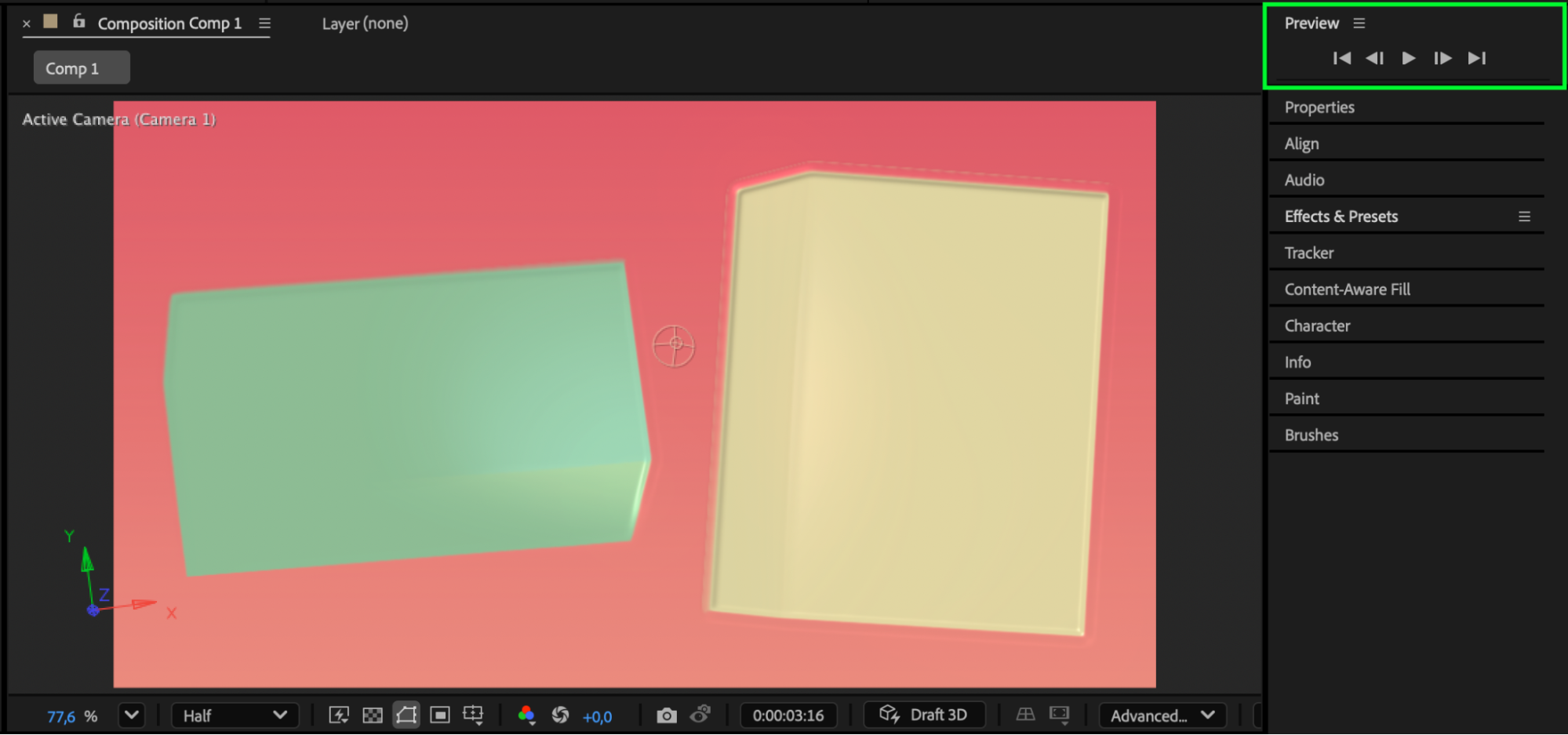
Conclusion
Adding ambient lights in After Effects is a simple but powerful way to enhance your 3D compositions. By adjusting light intensity, color, and combining it with other light types, you can create soft, balanced illumination that makes your projects look more natural and visually appealing.
Our Bestsellers
Our Bestsellers


