
“Adding and Customizing Borders in After Effects”
“Introduction: Enhance Your Videos with Stylish Borders”
Borders are a simple yet effective way to add style and focus to your videos. Follow these steps to create and customize borders in After Effects, including optional roughened edges for a textured effect.
Step 1: Import Your Video
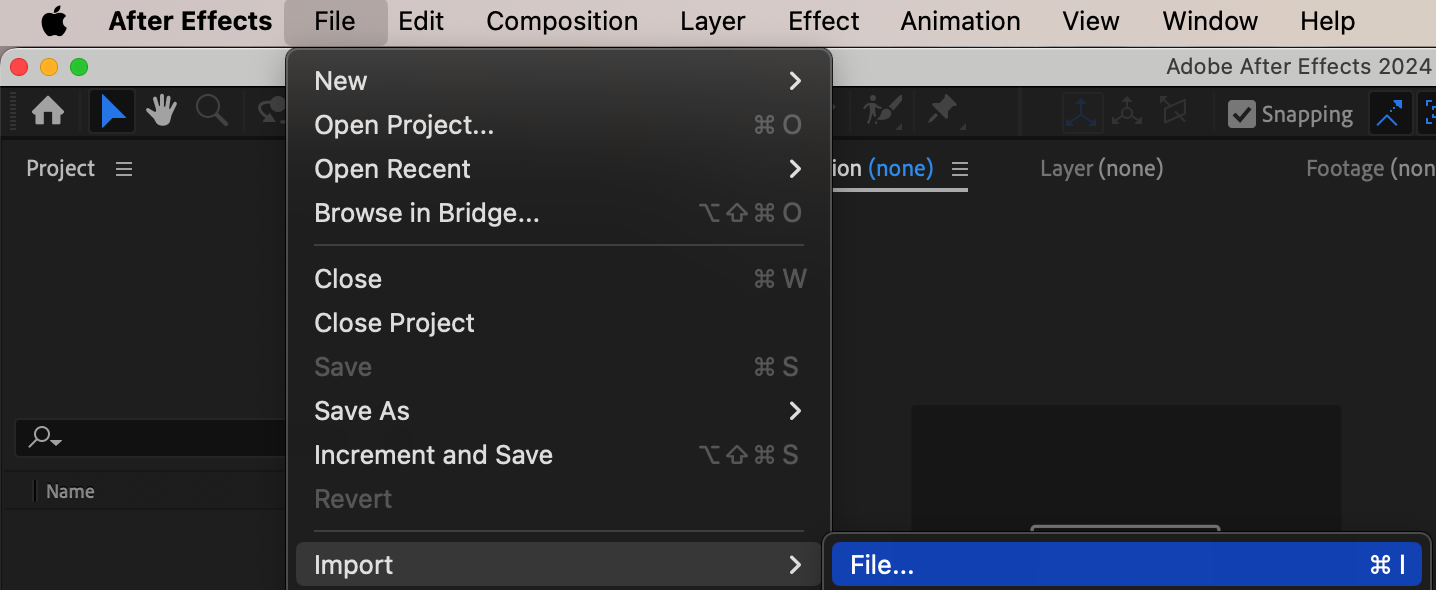
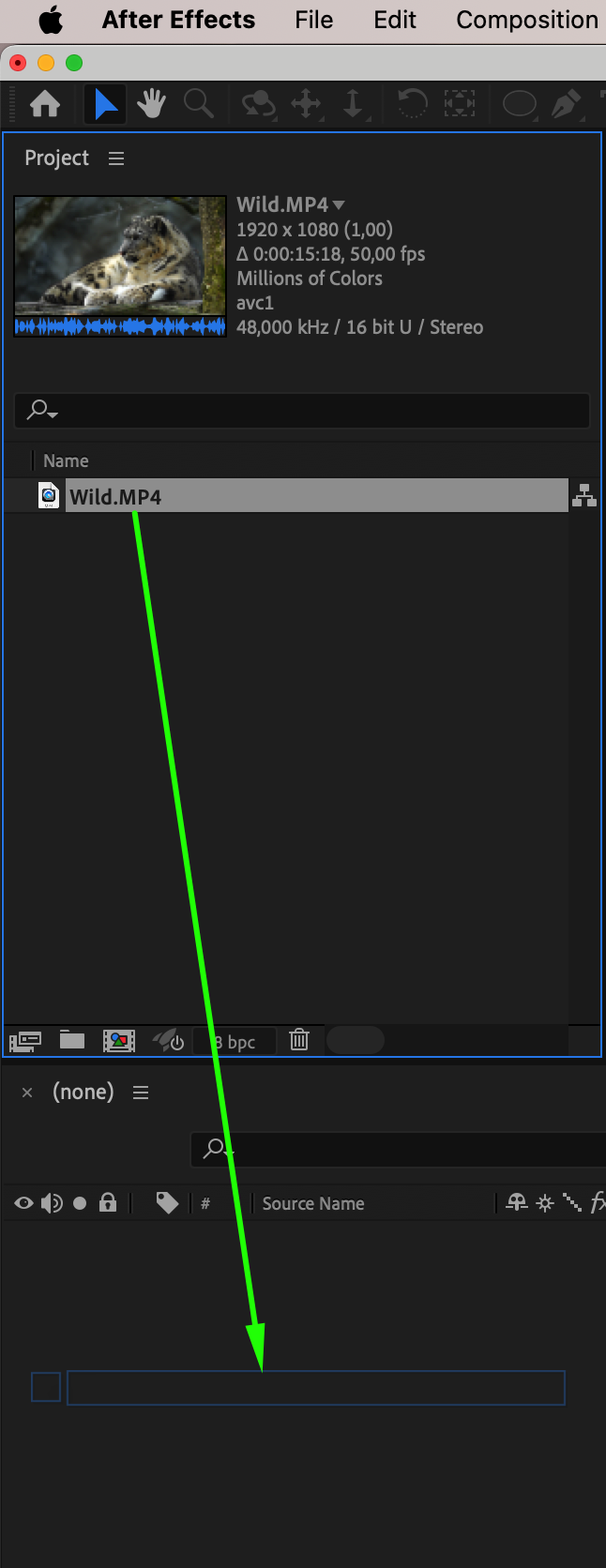
Start by importing your video into After Effects. Go to File > Import > File and select your video. Drag it onto the timeline to create a new composition automatically.
Step 2: Add a Stroke for the Border
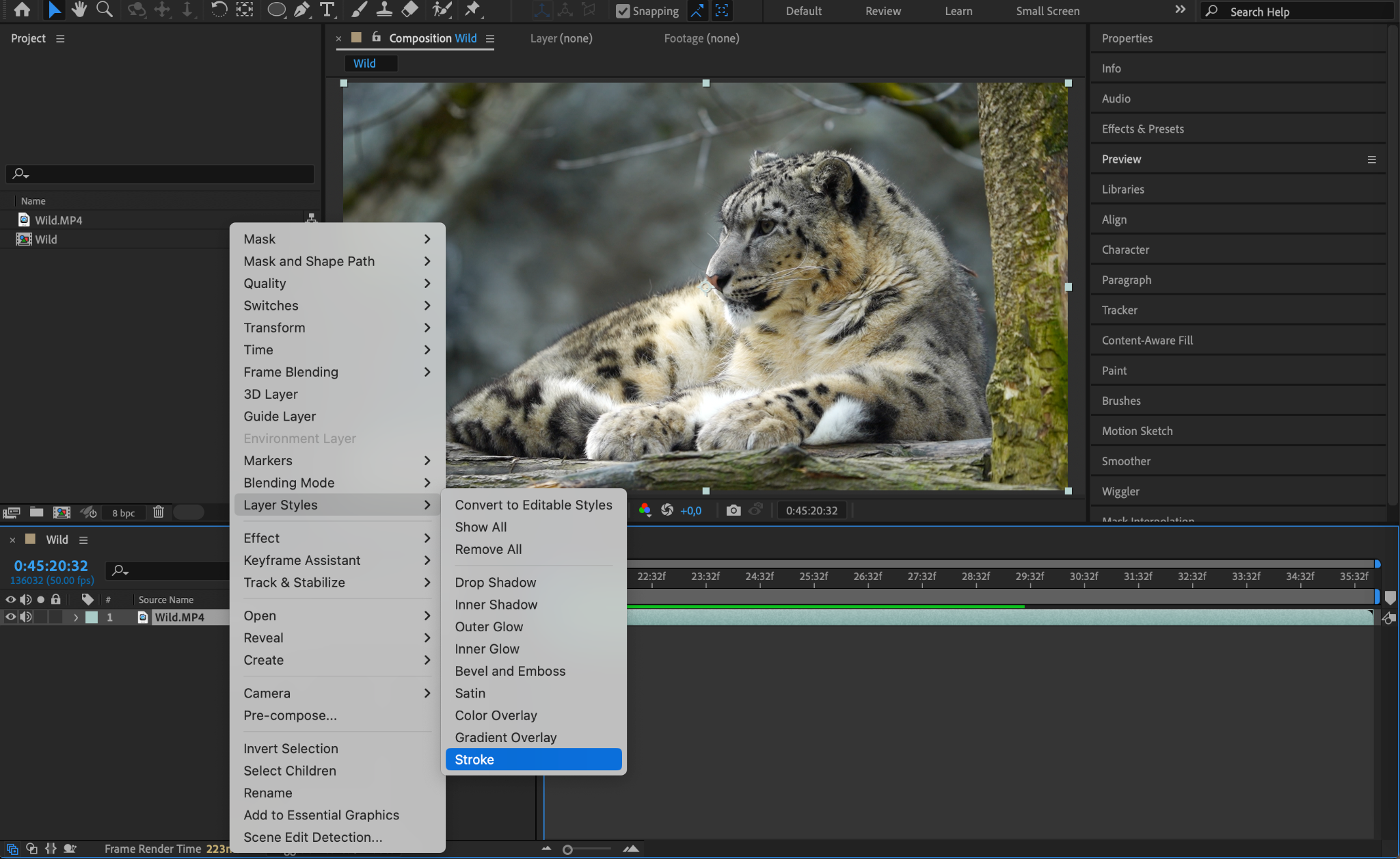
Right-click on the video layer in the timeline and choose Layer Styles > Stroke from the menu.
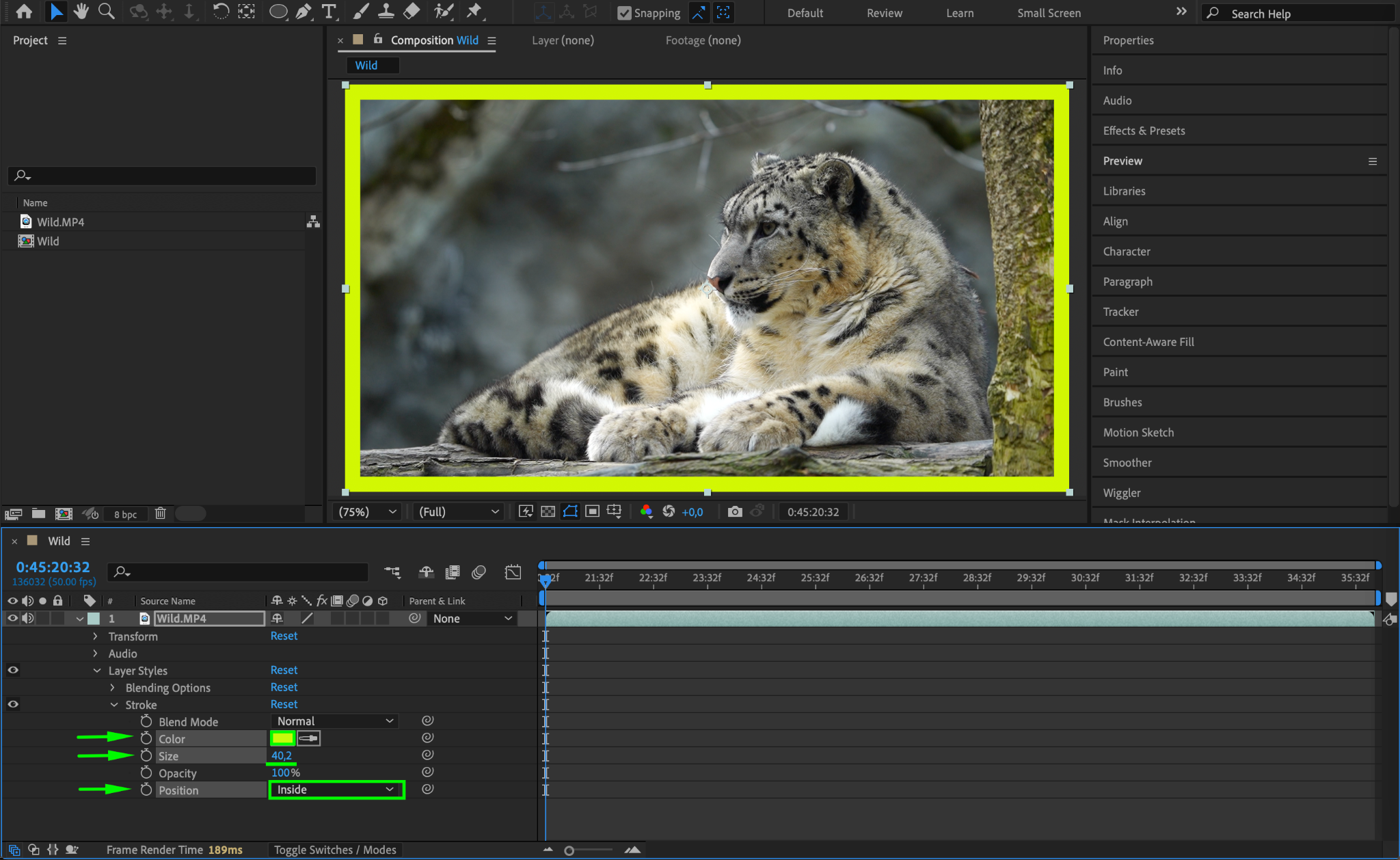
Expand the Layer Styles > Stroke properties, set the Position to “Inside” for sharp edges
Choose a suitable Color for the border
Adjust the Size to control the thickness.
This creates a clean and professional-looking border around your video.
Step 3: Add Roughen Edges (Optional)
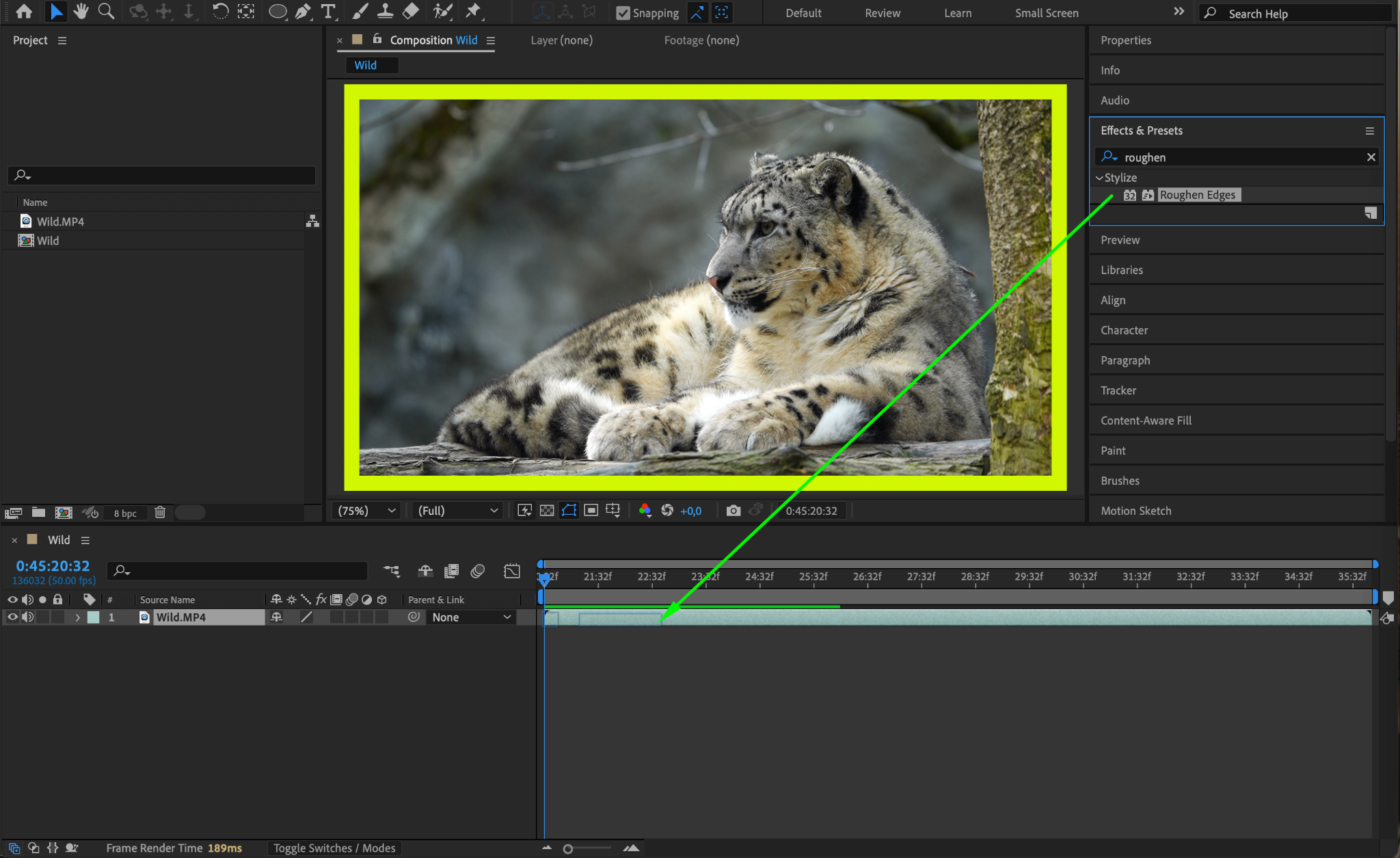
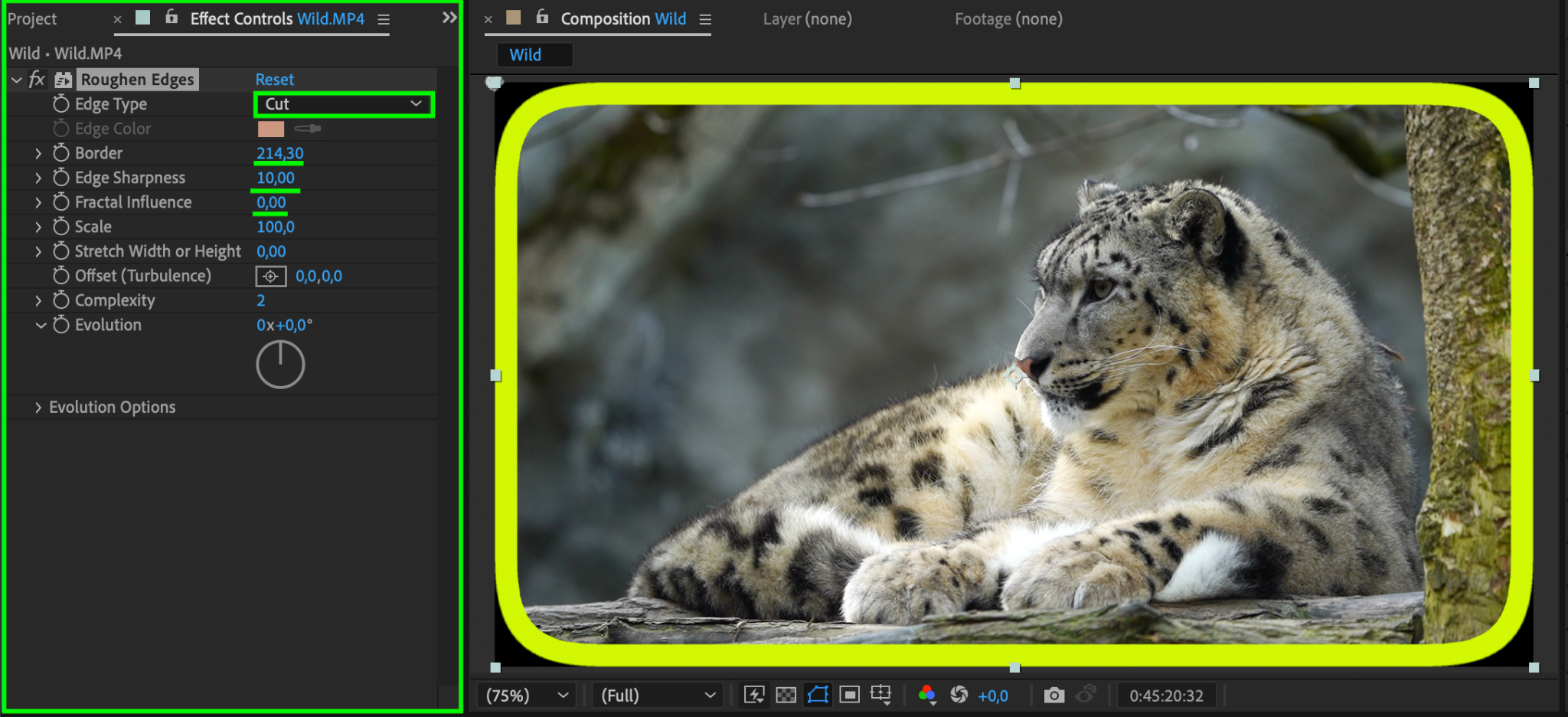
For a textured, rough border, search for the Roughen Edges effect in the Effects & Presets panel. Drag it onto your video layer and adjust the settings in the Effect Controls:
Edge Type: Set to “Cut” for sharper, defined edges.
Border: Increase to around 214 to make the roughness more noticeable.
Edge Sharpness: Adjust to 10 for defined edges.
Edge Influence: Set to 0 for a consistent effect.
This gives your border a more creative and dynamic look.
Step 4: Pre-compose and Scale (Optional)
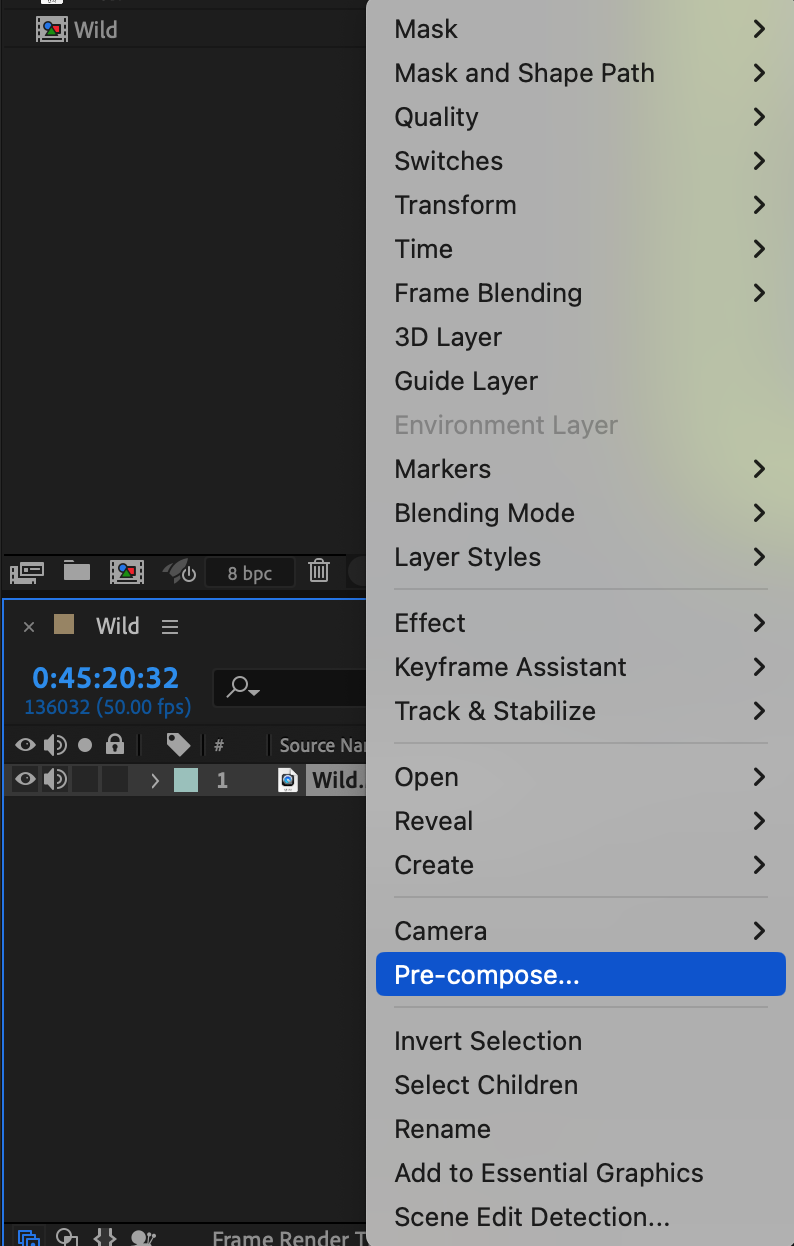
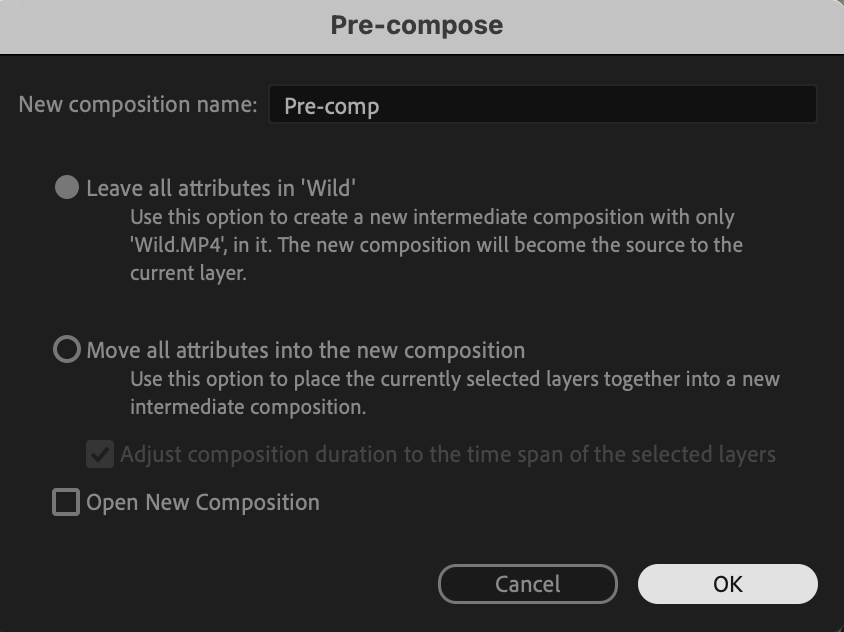
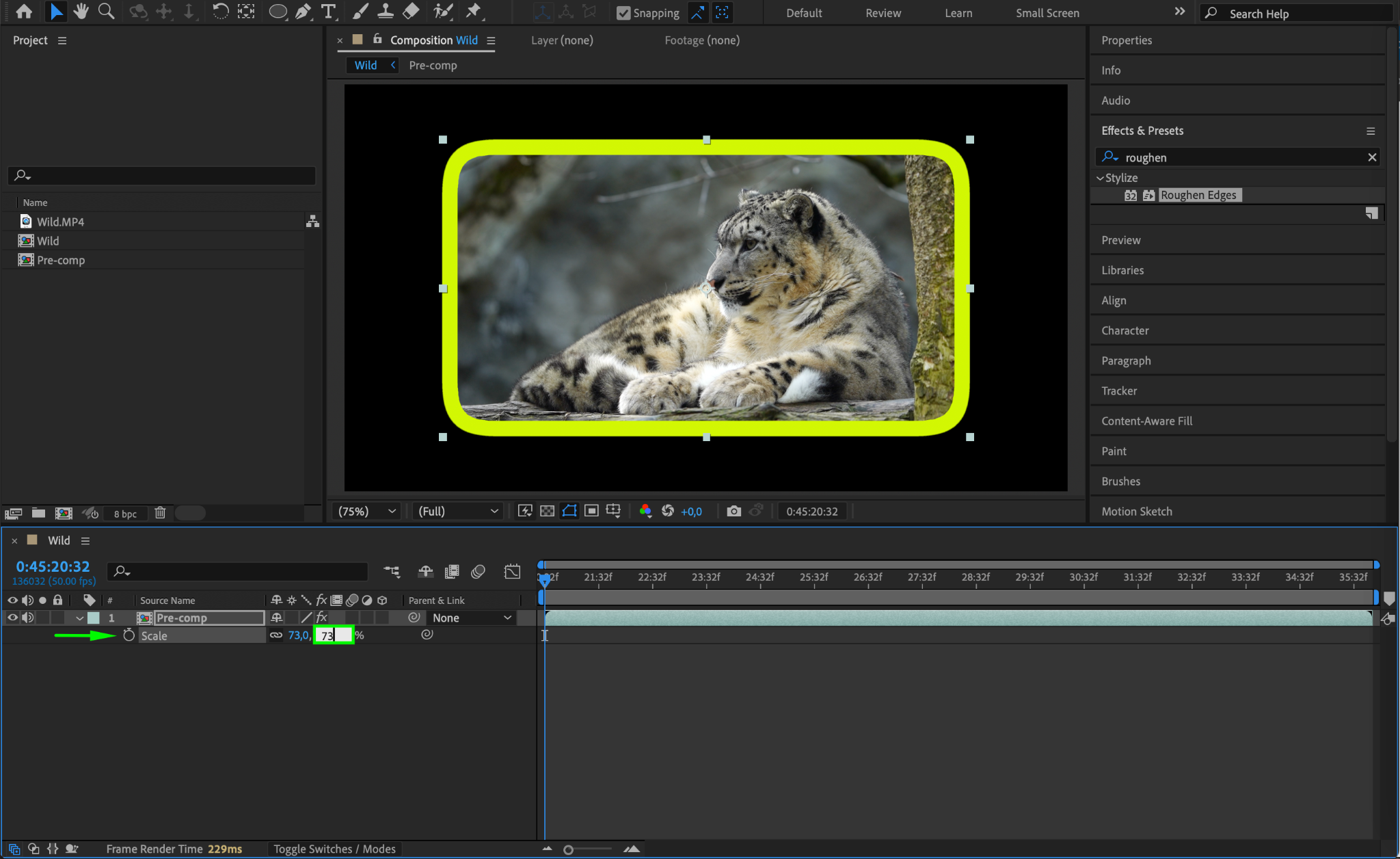
If you need to adjust the video’s size while keeping the border intact, right-click the layer and select Pre-compose. Once pre-composed, adjust the scale of the video within the composition to refine the overall framing.
Step 5: Preview Your Work
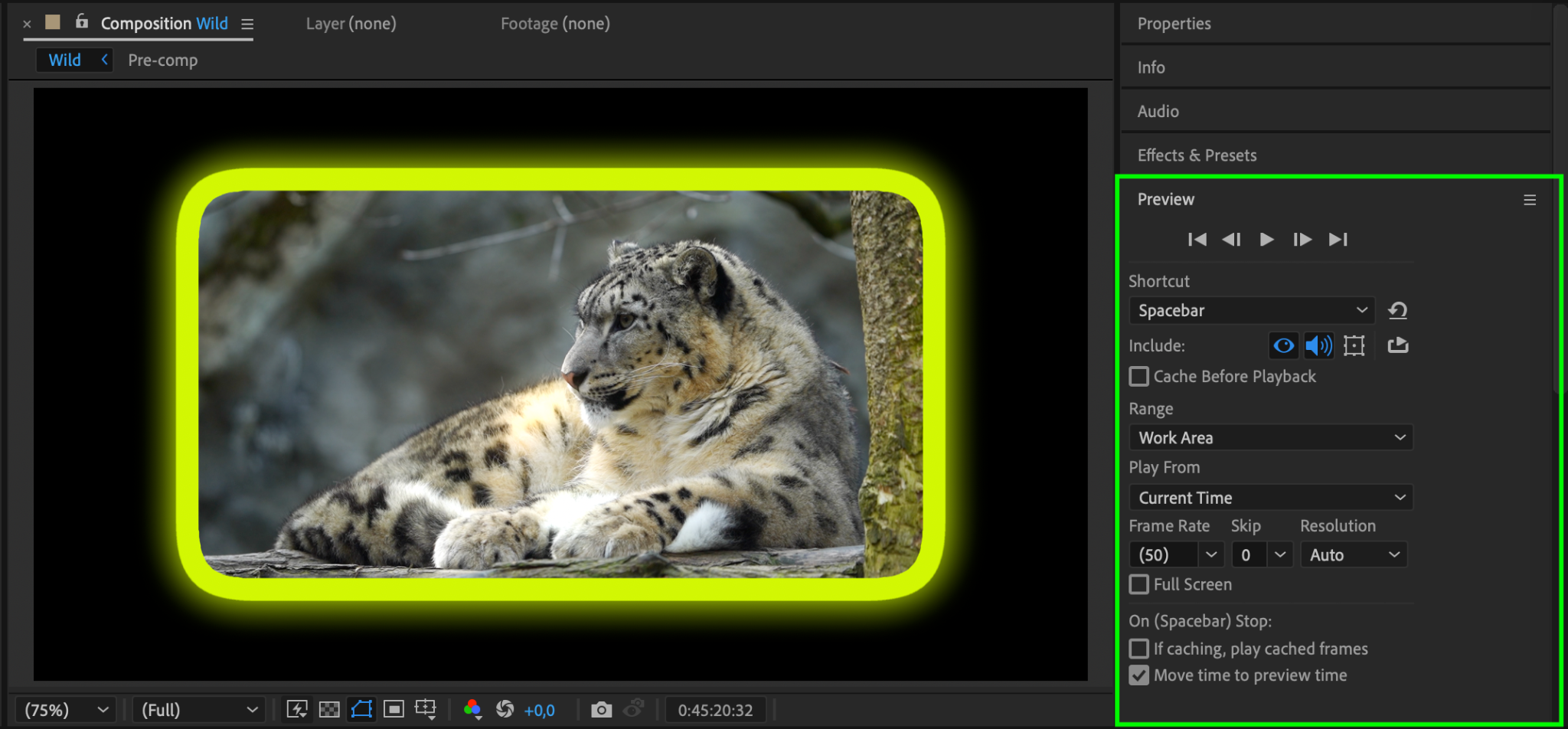
Press the Spacebar to preview the video with the border effect. Make any necessary tweaks to the color, size, or additional effects.
Step 6: Render Your Video
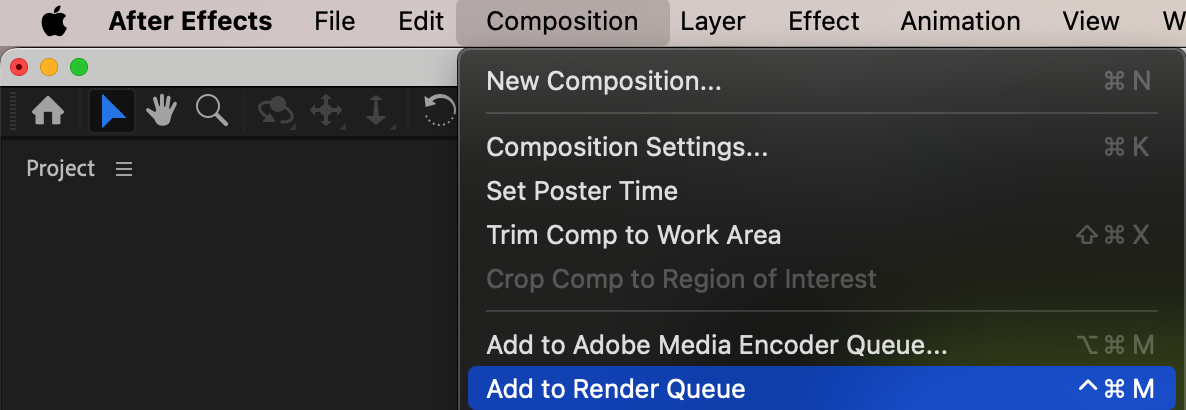
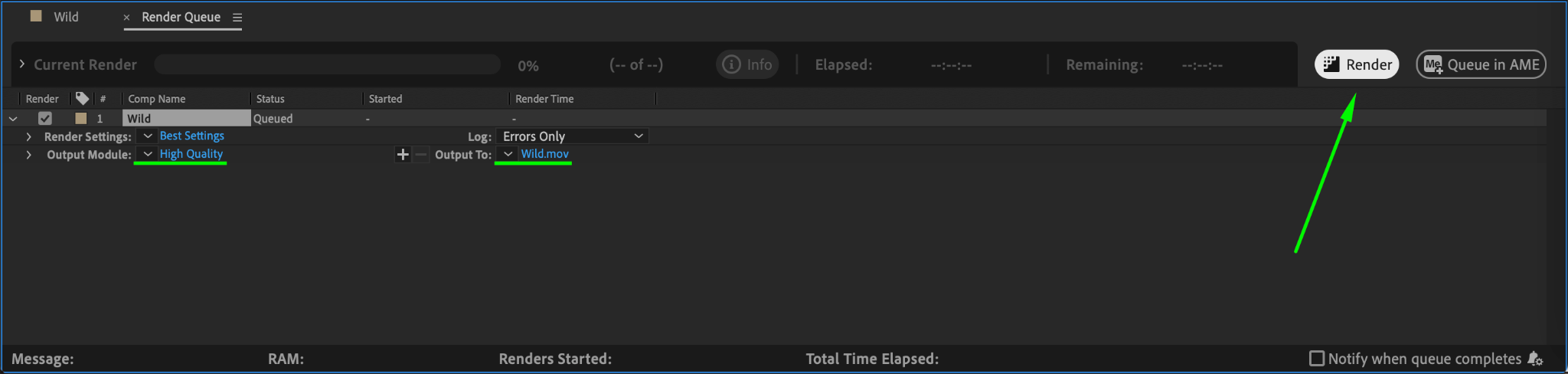
Once satisfied, go to Composition > Add to Render Queue. Set your output settings and render your final video.
Conclusion
Adding borders to your videos in After Effects is a straightforward process that can significantly enhance their visual appeal. Optional effects like Roughen Edges allow for more creativity, giving your borders a unique look. Use these steps to create professional and polished videos.
Our Bestsellers
Our Bestsellers


